1
Storage Best Practices
Maor Lipchuk
March 2015
Senior Software Engineer @ RHEV
Red Hat
mlipchuk@redhat.com
Irc.oftc.net server on #ovirt channel
2
Agenda
● oVirt Storage Domains Overview
● Manual Tiering
● Volume Types
● Single Disk Snapshot
3
Storage Domains Types
File Storage Domains
● NFS
● Gluster
● POSIX-Compliant FS
● Local
Block Storage Domains
● Fibre Channel
● ISCSI
● Ceph (oVirt 3.6)
4
Manual Tiering
5
Manual Tiering
● Introduced in oVirt 3.4
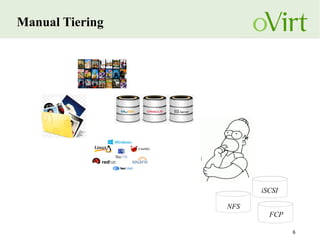
● Maintain different types of Storage Domains in a Data Center
● Feature page:
http://www.ovirt.org/Features/Mixed_Types_Data_Center
6
Manual Tiering
NFS
iSCSI
FCP
7
Manual Tiering
oVirt setup - Manual Tiering
8
Manual Tiering - iSCSI
9
Manual Tiering - Fibre Channel
10
Manual Tiering - NFS
11
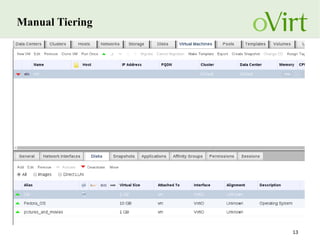
Manual Tiering
12
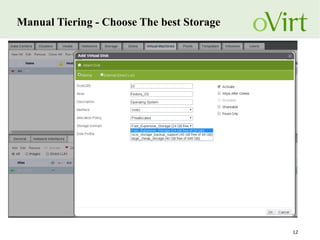
Manual Tiering - Choose The best Storage
13
Manual Tiering
14
Volume Types
15
Volume Types
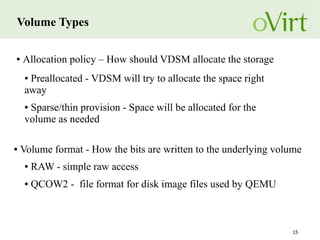
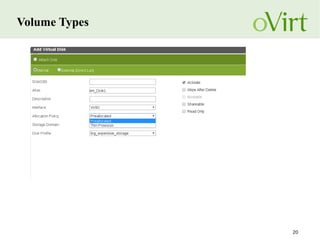
● Allocation policy – How should VDSM allocate the storage
● Preallocated - VDSM will try to allocate the space right
away
● Sparse/thin provision - Space will be allocated for the
volume as needed
● Volume format - How the bits are written to the underlying volume
● RAW - simple raw access
● QCOW2 - file format for disk image files used by QEMU
16
Volume Types – Allocation Policy
● Preallocation
● improve performance for I/O operations
● Wasteful regarding disk space
● Sparse/Thin provisioning
● Saving on disk space,
● storage is allocated as data is being written to
the file.
● Might cause defragmentation
● performance implications
17
Volume Types – Volume Format
● QCOW3 (oVirt 3.6)
● QCOW2 - QEMU Copy On Write
● File format for disk image files used by QEMU
● The image only represents changes made to an underlying
disk image
● Image can contain multiple snapshots of the images history
● Only QCOW2 volumes can be snapshots themselves.
● RAW - Simple raw access
● Has better performance then QCOW2
18
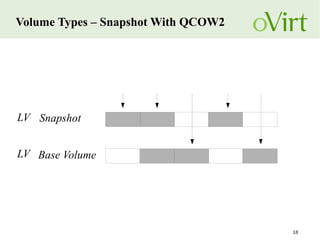
Volume Types – Snapshot With QCOW2
SnapshotLV
Base VolumeLV
19
Volume Types – Storage Domains
● File Storage Domains
● Files thinly provisioned by design
● "Preallocation" is achieved by writing zeros
● Block Storage Domains
● Thin provisioning - (Transparent to Vdsm) requires defining
the LUNs as sparse on the storage array
● Preallocated volumes are simply LVs created with the same
size as the virtual disk
20
Volume Types
21
Single Disk Snapshot
22
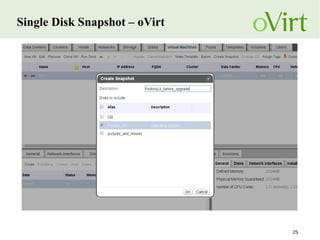
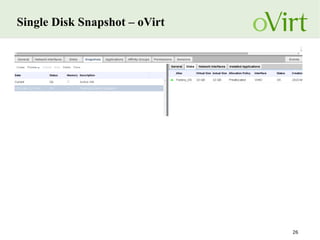
Single Disk Snapshot
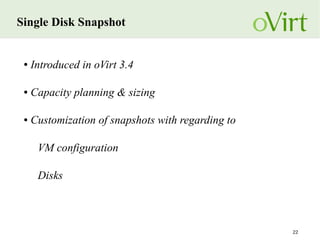
● Introduced in oVirt 3.4
● Capacity planning & sizing
● Customization of snapshots with regarding to
VM configuration
Disks
23
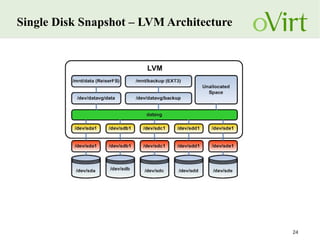
Single Disk Snapshot - LVM
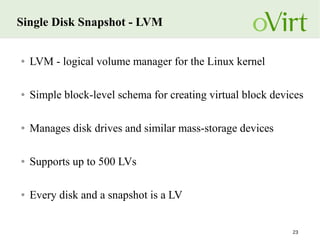
● LVM - logical volume manager for the Linux kernel
● Simple block-level schema for creating virtual block devices
● Manages disk drives and similar mass-storage devices
● Supports up to 500 LVs
● Every disk and a snapshot is a LV
24
Single Disk Snapshot – LVM Architecture
25
Single Disk Snapshot – oVirt
26
Single Disk Snapshot – oVirt
27
Questions?
28
THANK YOU !
http://www.ovirt.org
http://lists.ovirt.org/mailman/listinfo
#ovirt irc.oftc.net
mlipchuk@redhat.com

Storage best practices

Editor's Notes

  • #2 Hello everybody, welcome to the oVirt session about Storage Best Practices my name is Maor Lipchuk, I work as a senior software engineer at RedHat, and I'm a member of the oVirt Storage Team.
  • #3 In this session I will give a quick overview of the Storage Domains supported in oVirt today, Then we will go over different storage best practices Manual tiering – is a way to manage different types of Storage Domains in the same Data Center I will go over several volume types and when will be best using each one of them. The last part I will go over is te Single Disk Snapshot feature, and show you how that feature helps us with LVM management.
  • #4 oVirt supports two main Storage Domain criterias, file storage domains and block storage domains. The file Storage Domain section contains NFS. Gluster, which is scalable distributed file system introduced in oVirt 3.1 POSIX compliant FS is simply any native file systems for Storage (something that is not exposed using NFS) The local Storage Domain is a Storage Domains which configured on the Host it self, so only the one Host can actually manage it. In the block storage domains section, Ovirt supports two type of block Storage domains, the first is an iSCSI Storage domain - iSCSI is an ip based storage domain manage storage over long distances It is carrying SCSI commands over IP networks and Fibre Channel Storage Domain. In oVirt 3.6 we plan to support Ceph Storage Domain, which is another type of block Storage Domain.
  • #6 Manual Tiering is a feature which introduced in oVirt 3.4. Until then each Data Center could maintain a specific Storage Type, so we could not mixed different Storage Domains in one data Center. The purpose of this feature is to give the user the ability to maintain different Storage Domains in one Data Center
  • #7 let's say we own several types of Storage Domains, one is a fast and expensive Fibre Channel Storage Domain, an iSCSI block Storage Domain with a daily backup process and a big and cheap NFS Storage Domain. we would like to create a VM and install on it an Operating System, a Data Base, and maintain a disk for media. Before Manual Tiering we were forced to use one type of stoage domain and create all the VM disks on that Storage, now when creating the VM we can choose which type of Storage Domains we will create the disks upon.
  • #8 I want to show you how that is being dome today using oVirt
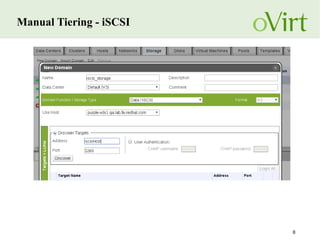
  • #9 So first we need to create the Storage Domains in oVirt, Here is an example of adding the iSCSI Storage domain. The iSCSI storage domain is being added by discovering the targets using the Host address, then we connect to desired targets and pick the LUNs which will be part of the iSCSI Storage Domain
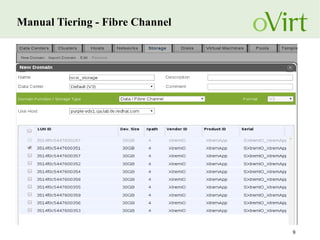
  • #10 This is an example of the fast FC Storage Domain. We add it to oVirt by picking the LUNs and create an FC Storage Domain
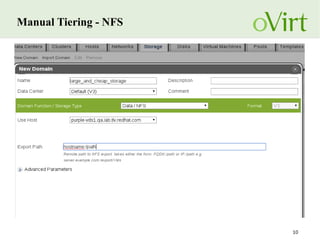
  • #11 And this is an example of the NFS Storage Domain
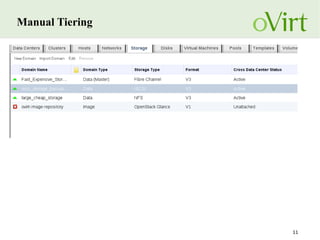
  • #12 Once all those Storage Domains are added we can manage them under one roof of a Data Center
  • #13 Now we want to add the disks we wanted on the VM. So what kind of Storage Domain will we use to create the disk with the Data Base? Since Data Base performance is crucial for us and it has many I/O operations, probably the best choice will be the Fibre Channel Storage Domain. For the OS disk we probably get much benefit from the Storage that has daily backup which is the iSCSI And for the pictures and videos we would use the big and cheap NFS Storage Domain
  • #14 This is how the VM should look like after adding all the disks.
  • #16 When we talk about volumes we usually consider two major properties allocation policy is how VDSM allocates the storage. preallocation is when VDSM will try it's best to guaranty that all the storage that was requested is allocated right away. (Some storage configuration may render preallocation pointless.) Sparse or thin provisioning will start with a minimal allocation space and will allocate more space when needed Volume formats are seperated into two types the first one is RAW, means a simple raw access a write to offset X will be written on offset X Qcow2 means that the storage will be accessed as a qcow2 image and all that this entails
  • #17 I want to expend a bit about allocation policy, the benefit of using preallocation allocation is that it improves the performance of I/O operations though the downside of it is that it is very wasteful regarding disk space. Regarding sparse or thin provisioning the benefit of using this kind of allocation is that it is very useful regarding disk space since the storage is allocated as data is written to the file The downside of it is that it can cause defragmentation and might cause performance implications
  • #18 QCOW stands for QEMU copy on Write It is a file format for disk image which is used by QEMU Files using QCOW can grow as data is added QCOW 2 Volumes are mainly disks or snapshots in oVirt, In oVirt 3.6 we plan to support QCOW3
  • #19 This is an example