







MongoDB:
Advantages of an Open Source NoSQL Database:
An Introduction
FITC {spotlight on the MEAN stack}
Who am I?
The cand.IO { Candy-oh! } Platform
We've made it our mission to become the premier provider of
infrastructure, platform and operations services for big data, web and
mobile applications.
We effectively manage your operations,
allowing you to create, deploy and iterate
DevOps * SysOps * NoOps
What is NoSQL?
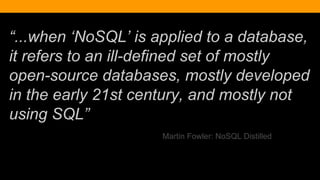
“...when ‘NoSQL’ is applied to a database,
it refers to an ill-defined set of mostly
open-source databases, mostly developed
in the early 21st century, and mostly not
using SQL”
Martin Fowler: NoSQL Distilled
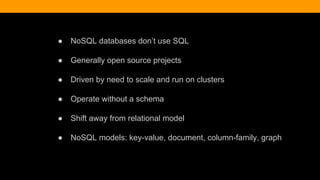
● NoSQL databases don’t use SQL
● Generally open source projects
● Driven by need to scale and run on clusters
● Operate without a schema
● Shift away from relational model
● NoSQL models: key-value, document, column-family, graph
what is
MongoDB?
Notusedwithpermission,pleasekeeptoyourself,appreciated,thanks!
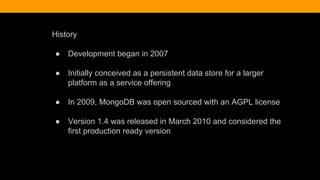
History
● Development began in 2007
● Initially conceived as a persistent data store for a larger
platform as a service offering
● In 2009, MongoDB was open sourced with an AGPL license
● Version 1.4 was released in March 2010 and considered the
first production ready version
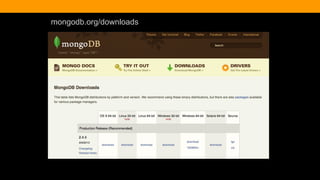
mongodb.org/downloads
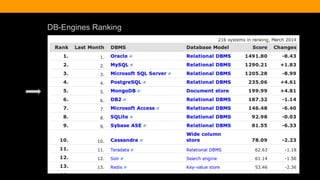
DB-Engines Ranking
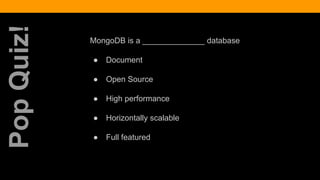
MongoDB is a ______________ database
● Document
● Open Source
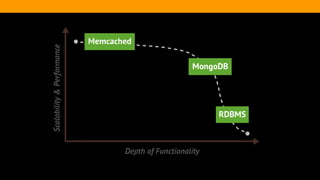
● High performance
● Horizontally scalable
● Full featured
PopQuiz!
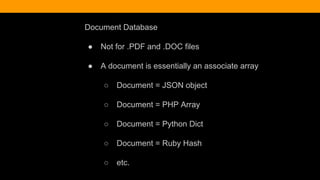
Document Database
● Not for .PDF and .DOC files
● A document is essentially an associate array
○ Document = JSON object
○ Document = PHP Array
○ Document = Python Dict
○ Document = Ruby Hash
○ etc.
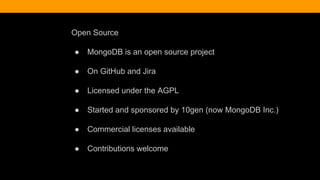
Open Source
● MongoDB is an open source project
● On GitHub and Jira
● Licensed under the AGPL
● Started and sponsored by 10gen (now MongoDB Inc.)
● Commercial licenses available
● Contributions welcome
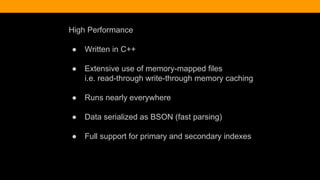
High Performance
● Written in C++
● Extensive use of memory-mapped files
i.e. read-through write-through memory caching
● Runs nearly everywhere
● Data serialized as BSON (fast parsing)
● Full support for primary and secondary indexes
Full Featured
● Ad Hoc queries
● Real time aggregation
● Rich query capabilities
● Geospatial features
● Support for most programming languages
● Flexible schema
Document Database
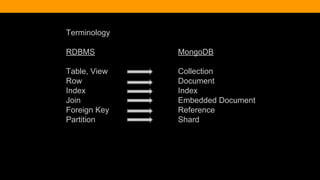
Terminology
RDBMS MongoDB
Table, View Collection
Row Document
Index Index
Join Embedded Document
Foreign Key Reference
Partition Shard
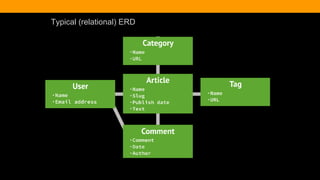
Typical (relational) ERD
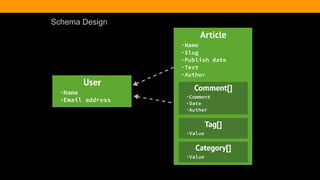
Schema Design
MongoDB has native bindings for over 12 languages
MongoDB Drivers
● Drivers connect to mongo servers
● Drivers translate BSON to native types
● mongo shell is not a driver, but works like one in some ways
● Installed using typical means (npm, pecl, gem, pip)
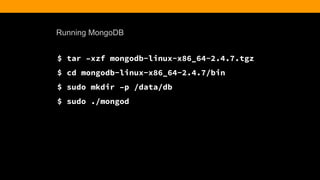
Running MongoDB
$ tar –xzf mongodb-linux-x86_64-2.4.7.tgz
$ cd mongodb-linux-x86_64-2.4.7/bin
$ sudo mkdir –p /data/db
$ sudo ./mongod
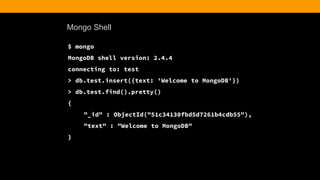
Mongo Shell
$ mongo
MongoDB shell version: 2.4.4
connecting to: test
> db.test.insert({text: 'Welcome to MongoDB'})
> db.test.find().pretty()
{
"_id" : ObjectId("51c34130fbd5d7261b4cdb55"),
"text" : "Welcome to MongoDB"
}
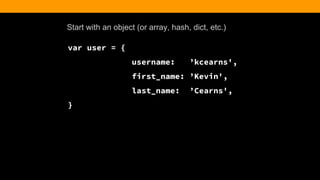
Start with an object (or array, hash, dict, etc.)
var user = {
username: ’kcearns',
first_name: ’Kevin',
last_name: ’Cearns',
}
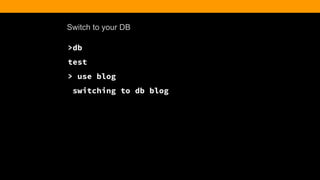
Switch to your DB
>db
test
> use blog
switching to db blog
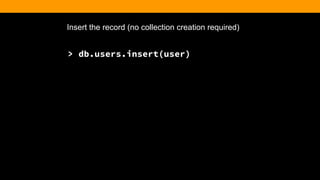
Insert the record (no collection creation required)
> db.users.insert(user)
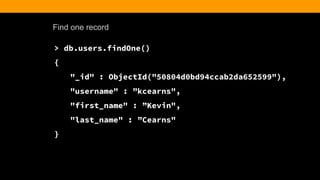
Find one record
> db.users.findOne()
{
"_id" : ObjectId("50804d0bd94ccab2da652599"),
"username" : ”kcearns",
"first_name" : ”Kevin",
"last_name" : ”Cearns"
}
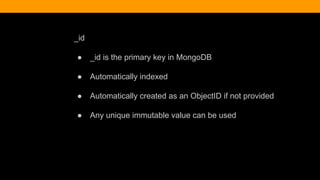
_id
● _id is the primary key in MongoDB
● Automatically indexed
● Automatically created as an ObjectID if not provided
● Any unique immutable value can be used
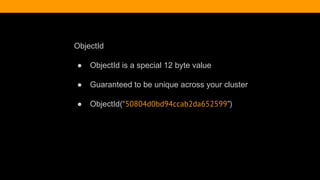
ObjectId
● ObjectId is a special 12 byte value
● Guaranteed to be unique across your cluster
● ObjectId(“50804d0bd94ccab2da652599”)
Creating a Blog Post
> db.article.insert({
title: ‘Hello World’,
body: ‘This is my first blog post’,
date: new Date(‘2013-06-20’),
username: kcearns,
tags: [‘adventure’, ‘mongodb’],
comments: [ ]
})
Finding the Post
> db.article.find().pretty()
{
"_id" : ObjectId("51c3bafafbd5d7261b4cdb5a"),
"title" : "Hello World",
"body" : "This is my first blog post",
"date" : ISODate("2013-10-20T00:00:00Z"),
"username" : "kcearns",
"tags" : [
"adventure",
"mongodb"
],
"comments" : [ ]
}
Querying An Array
> db.article.find({tags:'adventure'}).pretty()
{
"_id" : ObjectId("51c3bcddfbd5d7261b4cdb5b"),
"title" : "Hello World",
"body" : "This is my first blog post",
"date" : ISODate("2013-10-20T00:00:00Z"),
"username" : "kcearns",
"tags" : [
"adventure",
"mongodb"
],
"comments" : [ ]
}
Prime Time
What are your production options?
Roll your own...
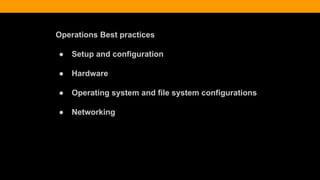
Operations Best practices
● Setup and configuration
● Hardware
● Operating system and file system configurations
● Networking
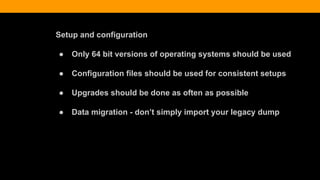
Setup and configuration
● Only 64 bit versions of operating systems should be used
● Configuration files should be used for consistent setups
● Upgrades should be done as often as possible
● Data migration - don’t simply import your legacy dump
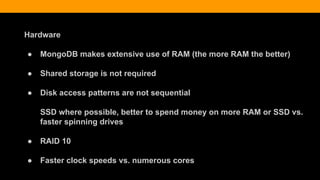
Hardware
● MongoDB makes extensive use of RAM (the more RAM the better)
● Shared storage is not required
● Disk access patterns are not sequential
SSD where possible, better to spend money on more RAM or SSD vs.
faster spinning drives
● RAID 10
● Faster clock speeds vs. numerous cores
Operating system and file system configurations
● Ext4 and XFS file systems are recommended
● Turn off atime for the storage volume with the database files
● Disable NUMA (non-uniform memory access) in BIOS or start
mongod with NUMA disabled
● Ensure readahead for block devices where the database files
live are small (setting readahead to 32 (16KB) )
● Modify ulimit values
Networking
● Run mongod in a trusted environment, prevent access from all
unknown entities
● MongoDB binds to all available network interfaces, bind your
mongod to the private or internal interface if you have one
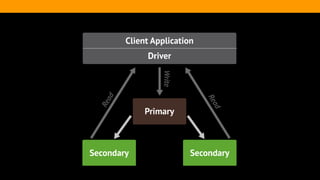
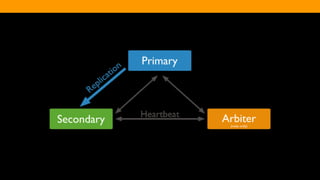
Replica sets
“...a group of mongod processes that maintain the same data set.
Replica sets provide redundancy and high availability, and are the basis
for all production deployments.”
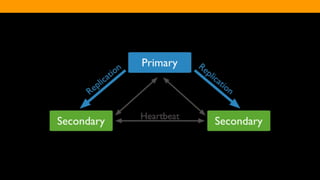
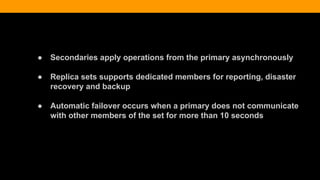
● Secondaries apply operations from the primary asynchronously
● Replica sets supports dedicated members for reporting, disaster
recovery and backup
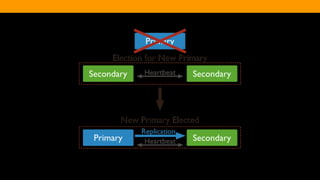
● Automatic failover occurs when a primary does not communicate
with other members of the set for more than 10 seconds
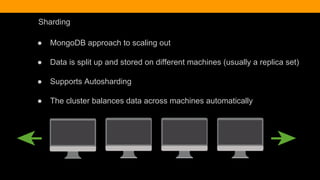
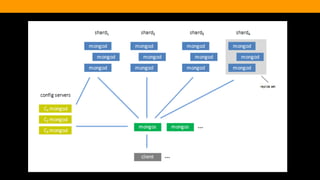
Sharding
● MongoDB approach to scaling out
● Data is split up and stored on different machines (usually a replica set)
● Supports Autosharding
● The cluster balances data across machines automatically
DEMO
Backup
● expect failure when you feel most prepared
● any backup is better than no backup
● backup the backup
Backup Considerations:
the business recovery expectation
ALWAYS
dictates the backup method
● geography
● system Errors
● production constraints
● system capabilities
● database configuration
● actual requirements
● business requirements
geography
● OFF SITE (away from your primary infrastructure)
● MULTIPLE COPIES OFF SITE
System Errors
● ensure the integrity and availability of backups
● MULTIPLE COPIES OFF SITE
Production constraints
● backup operations themselves require system resources
● consider backup schedules and availability of resources
System capabilities:
some backup methods like LVM require the system tools to support them
Consider the database configuration:
replication and sharding affects the backup method
Actual requirements
● what needs to be backed up
● how timely does it need to be
● what's your recovery window
Backup methods
● binary dumps of the database using mongodump/mongorestore
● filesystem snapshots like lvm
Filesystem backup
● utilized with system level tools like LVM (logical volume manager)
● creates a filesystem snapshot or "block level" backup
● same premise as "hard links" - creates pointers between the live data and
the snapshot volume
● requires configuration outside of MongoDB
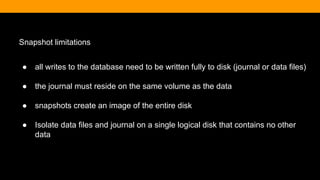
Snapshot limitations
● all writes to the database need to be written fully to disk (journal or data files)
● the journal must reside on the same volume as the data
● snapshots create an image of the entire disk
● Isolate data files and journal on a single logical disk that contains no other
data
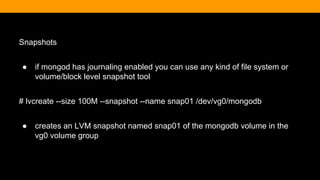
Snapshots
● if mongod has journaling enabled you can use any kind of file system or
volume/block level snapshot tool
# lvcreate --size 100M --snapshot --name snap01 /dev/vg0/mongodb
● creates an LVM snapshot named snap01 of the mongodb volume in the
vg0 volume group
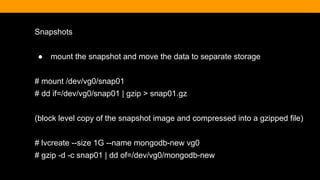
Snapshots
● mount the snapshot and move the data to separate storage
# mount /dev/vg0/snap01
# dd if=/dev/vg0/snap01 | gzip > snap01.gz
(block level copy of the snapshot image and compressed into a gzipped file)
# lvcreate --size 1G --name mongodb-new vg0
# gzip -d -c snap01 | dd of=/dev/vg0/mongodb-new
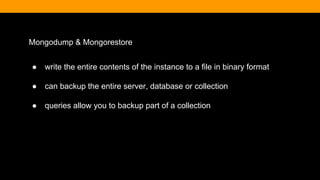
Mongodump & Mongorestore
● write the entire contents of the instance to a file in binary format
● can backup the entire server, database or collection
● queries allow you to backup part of a collection
# mongodump
connects to the local database instance and creates a database backup named
dump/ in the current directory
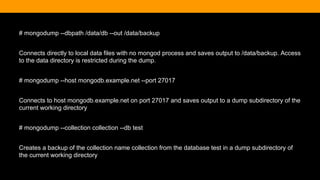
# mongodump --dbpath /data/db --out /data/backup
Connects directly to local data files with no mongod process and saves output to /data/backup. Access
to the data directory is restricted during the dump.
# mongodump --host mongodb.example.net --port 27017
Connects to host mongodb.example.net on port 27017 and saves output to a dump subdirectory of the
current working directory
# mongodump --collection collection --db test
Creates a backup of the collection name collection from the database test in a dump subdirectory of
the current working directory
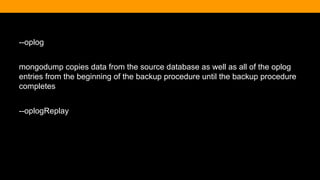
--oplog
mongodump copies data from the source database as well as all of the oplog
entries from the beginning of the backup procedure until the backup procedure
completes
--oplogReplay
Mongorestore
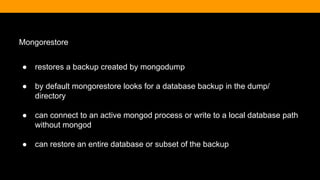
● restores a backup created by mongodump
● by default mongorestore looks for a database backup in the dump/
directory
● can connect to an active mongod process or write to a local database path
without mongod
● can restore an entire database or subset of the backup
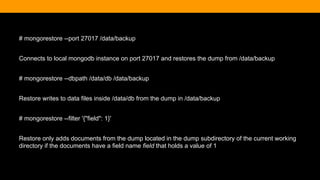
# mongorestore --port 27017 /data/backup
Connects to local mongodb instance on port 27017 and restores the dump from /data/backup
# mongorestore --dbpath /data/db /data/backup
Restore writes to data files inside /data/db from the dump in /data/backup
# mongorestore --filter '{"field": 1}'
Restore only adds documents from the dump located in the dump subdirectory of the current working
directory if the documents have a field name field that holds a value of 1
When things go wrong
...and they will!
Tools for Diagnostics
● Know your DB (ie., working set)
● Logs
● MMS Monitoring
● mongostat
● OS tools (ie, vmstat)
Know your DB
● Determine working set
● Database profiler
● Scale for Read or Write
● db.serverStatus()
● rs.status()
● db.stats()
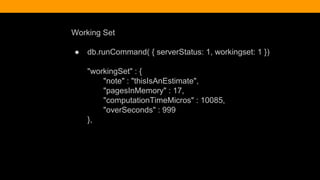
Working Set
● db.runCommand( { serverStatus: 1, workingset: 1 })
"workingSet" : {
"note" : "thisIsAnEstimate",
"pagesInMemory" : 17,
"computationTimeMicros" : 10085,
"overSeconds" : 999
},
Working Set
pagesInMemory: contains a count of the total number of pages
accessed by mongod over the period displayed inoverSeconds. The
default page size is 4 kilobytes: to convert this value to the amount of
data in memory multiply this value by 4 kilobyte
overSeconds: overSeconds returns the amount of time elapsed between
the newest and oldest pages tracked in the pagesInMemory data point.
If overSeconds is decreasing, or if pagesInMemory equals physical RAM
and overSeconds is very small, the working set may be much larger than
physical RAM.When overSeconds is large, MongoDB’s data set is equal
to or smaller than physical RAM
Performance of Database Operations
● Database profiler collects fine grained data about
write operations, cursors and database commands
● Enable profiling on a per database or per instance
basis
● Minor affect on performance
● system.profile collection is a capped collection with a
default size of 1 megabyte
● db.setProfilingLevel(0)
Performance of Database Operations
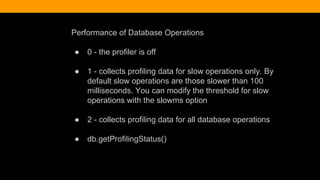
● 0 - the profiler is off
● 1 - collects profiling data for slow operations only. By
default slow operations are those slower than 100
milliseconds. You can modify the threshold for slow
operations with the slowms option
● 2 - collects profiling data for all database operations
● db.getProfilingStatus()
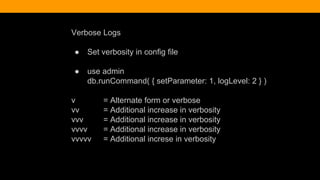
Verbose Logs
● Set verbosity in config file
● use admin
db.runCommand( { setParameter: 1, logLevel: 2 } )
v = Alternate form or verbose
vv = Additional increase in verbosity
vvv = Additional increase in verbosity
vvvv = Additional increase in verbosity
vvvvv = Additional increse in verbosity
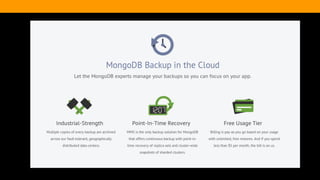
MMS Monitoring
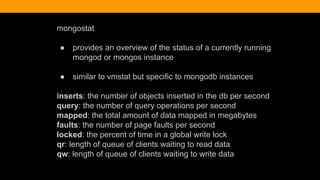
mongostat
● provides an overview of the status of a currently running
mongod or mongos instance
● similar to vmstat but specific to mongodb instances
inserts: the number of objects inserted in the db per second
query: the number of query operations per second
mapped: the total amount of data mapped in megabytes
faults: the number of page faults per second
locked: the percent of time in a global write lock
qr: length of queue of clients waiting to read data
qw: length of queue of clients waiting to write data
OS tools
Network latency: ping and traceroute (especially helpful
troubleshooting replica set issues and communication
between members)
Disk throughput: iostat or vmstat (disk related issues can
cause all kinds of problems)
meetup.com/Toronto-MongoDB-User-Group
Google Plus: Toronto MongoDB Users
References
● github.com/mongodb/mongo
● jira.mongodb.org
● education.mongodb.com
● docs.mongodb.org
education.mongodb.com
Notusedwithpermission,pleasekeeptoyourself,appreciated,thanks!
Thank You!
@kcearns
@candiocloud
entuit.com cand.io
FITC {spotlight on the MEAN stack}

MongoDB: Advantages of an Open Source NoSQL Database

  • 1.
    MongoDB: Advantages of anOpen Source NoSQL Database: An Introduction FITC {spotlight on the MEAN stack}
  • 2.
  • 3.
    The cand.IO {Candy-oh! } Platform We've made it our mission to become the premier provider of infrastructure, platform and operations services for big data, web and mobile applications. We effectively manage your operations, allowing you to create, deploy and iterate DevOps * SysOps * NoOps
  • 5.
  • 6.
    “...when ‘NoSQL’ isapplied to a database, it refers to an ill-defined set of mostly open-source databases, mostly developed in the early 21st century, and mostly not using SQL” Martin Fowler: NoSQL Distilled
  • 7.
    ● NoSQL databasesdon’t use SQL ● Generally open source projects ● Driven by need to scale and run on clusters ● Operate without a schema ● Shift away from relational model ● NoSQL models: key-value, document, column-family, graph
  • 8.
  • 9.
  • 10.
    History ● Development beganin 2007 ● Initially conceived as a persistent data store for a larger platform as a service offering ● In 2009, MongoDB was open sourced with an AGPL license ● Version 1.4 was released in March 2010 and considered the first production ready version
  • 11.
  • 12.
  • 13.
    MongoDB is a______________ database ● Document ● Open Source ● High performance ● Horizontally scalable ● Full featured PopQuiz!
  • 14.
    Document Database ● Notfor .PDF and .DOC files ● A document is essentially an associate array ○ Document = JSON object ○ Document = PHP Array ○ Document = Python Dict ○ Document = Ruby Hash ○ etc.
  • 15.
    Open Source ● MongoDBis an open source project ● On GitHub and Jira ● Licensed under the AGPL ● Started and sponsored by 10gen (now MongoDB Inc.) ● Commercial licenses available ● Contributions welcome
  • 16.
    High Performance ● Writtenin C++ ● Extensive use of memory-mapped files i.e. read-through write-through memory caching ● Runs nearly everywhere ● Data serialized as BSON (fast parsing) ● Full support for primary and secondary indexes
  • 18.
    Full Featured ● AdHoc queries ● Real time aggregation ● Rich query capabilities ● Geospatial features ● Support for most programming languages ● Flexible schema
  • 19.
  • 20.
    Terminology RDBMS MongoDB Table, ViewCollection Row Document Index Index Join Embedded Document Foreign Key Reference Partition Shard
  • 21.
  • 22.
  • 23.
    MongoDB has nativebindings for over 12 languages
  • 24.
    MongoDB Drivers ● Driversconnect to mongo servers ● Drivers translate BSON to native types ● mongo shell is not a driver, but works like one in some ways ● Installed using typical means (npm, pecl, gem, pip)
  • 25.
    Running MongoDB $ tar–xzf mongodb-linux-x86_64-2.4.7.tgz $ cd mongodb-linux-x86_64-2.4.7/bin $ sudo mkdir –p /data/db $ sudo ./mongod
  • 26.
    Mongo Shell $ mongo MongoDBshell version: 2.4.4 connecting to: test > db.test.insert({text: 'Welcome to MongoDB'}) > db.test.find().pretty() { "_id" : ObjectId("51c34130fbd5d7261b4cdb55"), "text" : "Welcome to MongoDB" }
  • 27.
    Start with anobject (or array, hash, dict, etc.) var user = { username: ’kcearns', first_name: ’Kevin', last_name: ’Cearns', }
  • 28.
    Switch to yourDB >db test > use blog switching to db blog
  • 29.
    Insert the record(no collection creation required) > db.users.insert(user)
  • 30.
    Find one record >db.users.findOne() { "_id" : ObjectId("50804d0bd94ccab2da652599"), "username" : ”kcearns", "first_name" : ”Kevin", "last_name" : ”Cearns" }
  • 31.
    _id ● _id isthe primary key in MongoDB ● Automatically indexed ● Automatically created as an ObjectID if not provided ● Any unique immutable value can be used
  • 32.
    ObjectId ● ObjectId isa special 12 byte value ● Guaranteed to be unique across your cluster ● ObjectId(“50804d0bd94ccab2da652599”)
  • 33.
    Creating a BlogPost > db.article.insert({ title: ‘Hello World’, body: ‘This is my first blog post’, date: new Date(‘2013-06-20’), username: kcearns, tags: [‘adventure’, ‘mongodb’], comments: [ ] })
  • 34.
    Finding the Post >db.article.find().pretty() { "_id" : ObjectId("51c3bafafbd5d7261b4cdb5a"), "title" : "Hello World", "body" : "This is my first blog post", "date" : ISODate("2013-10-20T00:00:00Z"), "username" : "kcearns", "tags" : [ "adventure", "mongodb" ], "comments" : [ ] }
  • 35.
    Querying An Array >db.article.find({tags:'adventure'}).pretty() { "_id" : ObjectId("51c3bcddfbd5d7261b4cdb5b"), "title" : "Hello World", "body" : "This is my first blog post", "date" : ISODate("2013-10-20T00:00:00Z"), "username" : "kcearns", "tags" : [ "adventure", "mongodb" ], "comments" : [ ] }
  • 36.
    Prime Time What areyour production options?
  • 40.
  • 41.
    Operations Best practices ●Setup and configuration ● Hardware ● Operating system and file system configurations ● Networking
  • 42.
    Setup and configuration ●Only 64 bit versions of operating systems should be used ● Configuration files should be used for consistent setups ● Upgrades should be done as often as possible ● Data migration - don’t simply import your legacy dump
  • 43.
    Hardware ● MongoDB makesextensive use of RAM (the more RAM the better) ● Shared storage is not required ● Disk access patterns are not sequential SSD where possible, better to spend money on more RAM or SSD vs. faster spinning drives ● RAID 10 ● Faster clock speeds vs. numerous cores
  • 44.
    Operating system andfile system configurations ● Ext4 and XFS file systems are recommended ● Turn off atime for the storage volume with the database files ● Disable NUMA (non-uniform memory access) in BIOS or start mongod with NUMA disabled ● Ensure readahead for block devices where the database files live are small (setting readahead to 32 (16KB) ) ● Modify ulimit values
  • 45.
    Networking ● Run mongodin a trusted environment, prevent access from all unknown entities ● MongoDB binds to all available network interfaces, bind your mongod to the private or internal interface if you have one
  • 46.
    Replica sets “...a groupof mongod processes that maintain the same data set. Replica sets provide redundancy and high availability, and are the basis for all production deployments.”
  • 50.
    ● Secondaries applyoperations from the primary asynchronously ● Replica sets supports dedicated members for reporting, disaster recovery and backup ● Automatic failover occurs when a primary does not communicate with other members of the set for more than 10 seconds
  • 52.
    Sharding ● MongoDB approachto scaling out ● Data is split up and stored on different machines (usually a replica set) ● Supports Autosharding ● The cluster balances data across machines automatically
  • 54.
  • 55.
    Backup ● expect failurewhen you feel most prepared ● any backup is better than no backup ● backup the backup
  • 56.
    Backup Considerations: the businessrecovery expectation ALWAYS dictates the backup method
  • 57.
    ● geography ● systemErrors ● production constraints ● system capabilities ● database configuration ● actual requirements ● business requirements
  • 58.
    geography ● OFF SITE(away from your primary infrastructure) ● MULTIPLE COPIES OFF SITE
  • 59.
    System Errors ● ensurethe integrity and availability of backups ● MULTIPLE COPIES OFF SITE
  • 60.
    Production constraints ● backupoperations themselves require system resources ● consider backup schedules and availability of resources
  • 61.
    System capabilities: some backupmethods like LVM require the system tools to support them
  • 62.
    Consider the databaseconfiguration: replication and sharding affects the backup method
  • 63.
    Actual requirements ● whatneeds to be backed up ● how timely does it need to be ● what's your recovery window
  • 64.
    Backup methods ● binarydumps of the database using mongodump/mongorestore ● filesystem snapshots like lvm
  • 65.
    Filesystem backup ● utilizedwith system level tools like LVM (logical volume manager) ● creates a filesystem snapshot or "block level" backup ● same premise as "hard links" - creates pointers between the live data and the snapshot volume ● requires configuration outside of MongoDB
  • 66.
    Snapshot limitations ● allwrites to the database need to be written fully to disk (journal or data files) ● the journal must reside on the same volume as the data ● snapshots create an image of the entire disk ● Isolate data files and journal on a single logical disk that contains no other data
  • 67.
    Snapshots ● if mongodhas journaling enabled you can use any kind of file system or volume/block level snapshot tool # lvcreate --size 100M --snapshot --name snap01 /dev/vg0/mongodb ● creates an LVM snapshot named snap01 of the mongodb volume in the vg0 volume group
  • 68.
    Snapshots ● mount thesnapshot and move the data to separate storage # mount /dev/vg0/snap01 # dd if=/dev/vg0/snap01 | gzip > snap01.gz (block level copy of the snapshot image and compressed into a gzipped file) # lvcreate --size 1G --name mongodb-new vg0 # gzip -d -c snap01 | dd of=/dev/vg0/mongodb-new
  • 69.
    Mongodump & Mongorestore ●write the entire contents of the instance to a file in binary format ● can backup the entire server, database or collection ● queries allow you to backup part of a collection
  • 70.
    # mongodump connects tothe local database instance and creates a database backup named dump/ in the current directory
  • 71.
    # mongodump --dbpath/data/db --out /data/backup Connects directly to local data files with no mongod process and saves output to /data/backup. Access to the data directory is restricted during the dump. # mongodump --host mongodb.example.net --port 27017 Connects to host mongodb.example.net on port 27017 and saves output to a dump subdirectory of the current working directory # mongodump --collection collection --db test Creates a backup of the collection name collection from the database test in a dump subdirectory of the current working directory
  • 72.
    --oplog mongodump copies datafrom the source database as well as all of the oplog entries from the beginning of the backup procedure until the backup procedure completes --oplogReplay
  • 73.
    Mongorestore ● restores abackup created by mongodump ● by default mongorestore looks for a database backup in the dump/ directory ● can connect to an active mongod process or write to a local database path without mongod ● can restore an entire database or subset of the backup
  • 74.
    # mongorestore --port27017 /data/backup Connects to local mongodb instance on port 27017 and restores the dump from /data/backup # mongorestore --dbpath /data/db /data/backup Restore writes to data files inside /data/db from the dump in /data/backup # mongorestore --filter '{"field": 1}' Restore only adds documents from the dump located in the dump subdirectory of the current working directory if the documents have a field name field that holds a value of 1
  • 76.
    When things gowrong ...and they will!
  • 77.
    Tools for Diagnostics ●Know your DB (ie., working set) ● Logs ● MMS Monitoring ● mongostat ● OS tools (ie, vmstat)
  • 78.
    Know your DB ●Determine working set ● Database profiler ● Scale for Read or Write ● db.serverStatus() ● rs.status() ● db.stats()
  • 79.
    Working Set ● db.runCommand({ serverStatus: 1, workingset: 1 }) "workingSet" : { "note" : "thisIsAnEstimate", "pagesInMemory" : 17, "computationTimeMicros" : 10085, "overSeconds" : 999 },
  • 80.
    Working Set pagesInMemory: containsa count of the total number of pages accessed by mongod over the period displayed inoverSeconds. The default page size is 4 kilobytes: to convert this value to the amount of data in memory multiply this value by 4 kilobyte overSeconds: overSeconds returns the amount of time elapsed between the newest and oldest pages tracked in the pagesInMemory data point. If overSeconds is decreasing, or if pagesInMemory equals physical RAM and overSeconds is very small, the working set may be much larger than physical RAM.When overSeconds is large, MongoDB’s data set is equal to or smaller than physical RAM
  • 81.
    Performance of DatabaseOperations ● Database profiler collects fine grained data about write operations, cursors and database commands ● Enable profiling on a per database or per instance basis ● Minor affect on performance ● system.profile collection is a capped collection with a default size of 1 megabyte ● db.setProfilingLevel(0)
  • 82.
    Performance of DatabaseOperations ● 0 - the profiler is off ● 1 - collects profiling data for slow operations only. By default slow operations are those slower than 100 milliseconds. You can modify the threshold for slow operations with the slowms option ● 2 - collects profiling data for all database operations ● db.getProfilingStatus()
  • 83.
    Verbose Logs ● Setverbosity in config file ● use admin db.runCommand( { setParameter: 1, logLevel: 2 } ) v = Alternate form or verbose vv = Additional increase in verbosity vvv = Additional increase in verbosity vvvv = Additional increase in verbosity vvvvv = Additional increse in verbosity
  • 84.
  • 85.
    mongostat ● provides anoverview of the status of a currently running mongod or mongos instance ● similar to vmstat but specific to mongodb instances inserts: the number of objects inserted in the db per second query: the number of query operations per second mapped: the total amount of data mapped in megabytes faults: the number of page faults per second locked: the percent of time in a global write lock qr: length of queue of clients waiting to read data qw: length of queue of clients waiting to write data
  • 86.
    OS tools Network latency:ping and traceroute (especially helpful troubleshooting replica set issues and communication between members) Disk throughput: iostat or vmstat (disk related issues can cause all kinds of problems)
  • 87.
  • 88.
    Google Plus: TorontoMongoDB Users
  • 89.
    References ● github.com/mongodb/mongo ● jira.mongodb.org ●education.mongodb.com ● docs.mongodb.org
  • 90.
  • 91.
  • 92.