Social Media for  Professional Development Gene Begin M’07 Digital Marketing Director Babson College
What is  Professional Development? Skills and knowledge attained for both  personal development   and career advancement; described as  intensive and collaborative , ideally incorporating an evaluative stage (Wikipedia) What has social media done for your professional development? Twitterverse  Has helped maintain professional connections and provide opportunities to interact on an ongoing basis Develop personal brand; work and home life has become the same if you want to use social effectively Social Media makes professional development fun Me   Researching latest developments, industry trends, and best practices Connecting with like-minded individuals Build confidence
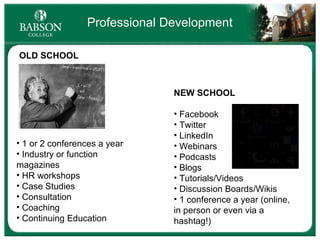
Professional Development OLD SCHOOL NEW SCHOOL Facebook Twitter LinkedIn Webinars Podcasts Blogs Tutorials/Videos Discussion Boards/Wikis 1 conference a year (online, in person or even via a hashtag!) 1 or 2 conferences a year Industry or function magazines HR workshops Case Studies Consultation Coaching Continuing Education
A shift in how people discover, read and share news, information and content (Wikipedia) Social Media… is more popular than  e-mail.  *  *Mashable.com ** Time  magazine Social Media And   porn.  **
Learn  -  Learn your way around the space and discover how other users are utilizing the platform.  Interact  - Now that you have a sense of the space, use it more frequently and understand its intricacies. Communicate and be a part of the conversation.  Engage  - Now that you've built relationships and have become knowledgeable of the space, share content and conversation that will engage your new connections.  3 Steps to Social Media Use
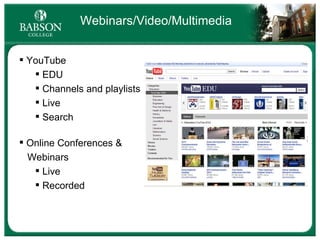
Webinars/Video/Multimedia YouTube EDU Channels and playlists Live Search Online Conferences &  Webinars Live Recorded
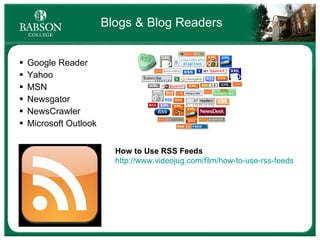
Blogs & Blog Readers Google Reader Yahoo MSN Newsgator NewsCrawler Microsoft Outlook How to Use RSS Feeds http://www.videojug.com/film/how-to-use-rss-feeds
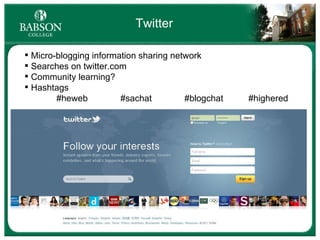
Twitter  Micro-blogging information sharing network Searches on twitter.com Community learning? Hashtags #heweb #sachat   #blogchat #highered
Twitter.com Tweetdeck CoTweet HootSuite EasyTweets Tweetie Twitter Applications  & Platforms Seesmic Digsby Echofon Mobile – Twitter apps for iPhone & Android, UberTwitter, Twitterberry, etc.
Tweetdeck Example
Connecting with Students  on Twitter Students with public profiles Twitter: Mainly using for personal connections, but savvy networkers and social media influencers are catching on Status updates Sharing of news and events Many organizations use as a marketing channel Babson Pulse (Life@Babson feed) CAB Babson Players FME Businesses
LinkedIn Links business professionals and businesses together Individual profiles and groups Ability to message without sharing personal contact info Groups: common interests stay informed and connected  discussions, recommendations, sharing of content Groups/business profiles SHOULD BE more for connection versus individual or business promotion
LinkedIn Group Examples Babson College Community My Groups
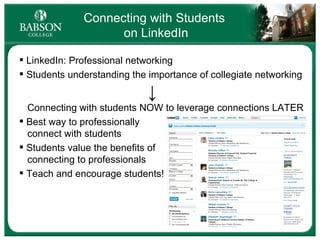
Connecting with Students  on LinkedIn LinkedIn: Professional networking Students understanding the importance of collegiate networking   ↓   Connecting with students NOW to leverage connections LATER Best way to professionally   connect with students Students value the benefits of   connecting to professionals Teach and encourage students!
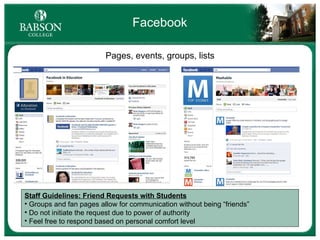
Facebook Pages, events, groups, lists Staff Guidelines: Friend Requests with Students Groups and fan pages allow for communication without being “friends” Do not initiate the request due to power of authority Feel free to respond based on personal comfort level
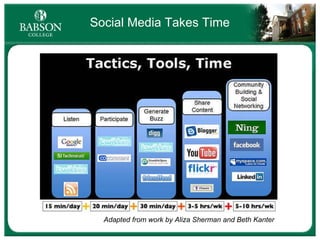
Social Media Takes Time Adapted from work by Aliza Sherman and Beth Kanter
1. Learn  -  Learn your way around the space and discover how other users are utilizing the platform.  3 Steps to Social Media Use 3. Interact  - Now that you have a sense of the space, use it more frequently and understand its intricacies. Communicate and be a part of the conversation.  2. Engage  - Now that you've built relationships and have become knowledgeable of the space, share content and conversation that will engage your new connections.
Key Takeaways Professional development = personal development Social media is conversation Crawl before you walk Find your comfort zone Find the platform that is right for you and your goals Learn  Interact   Engage
Questions? Don’t hesitate to contact me with any questions. Gene Begin [email_address] Twitter:@gbegin http://www.linkedin.com/in/genebegin Babson Blogs http://blogs.babson.edu Babson Community LinkedIn Group http://www.linkedin.com/groups?mostPopular=&gid=39858 Babson Facebook Page http://www.facebook.com/babsoncollege

Social Media for Professional Development

  • 1.
    Social Media for Professional Development Gene Begin M’07 Digital Marketing Director Babson College
  • 2.
    What is Professional Development? Skills and knowledge attained for both personal development and career advancement; described as intensive and collaborative , ideally incorporating an evaluative stage (Wikipedia) What has social media done for your professional development? Twitterverse Has helped maintain professional connections and provide opportunities to interact on an ongoing basis Develop personal brand; work and home life has become the same if you want to use social effectively Social Media makes professional development fun Me Researching latest developments, industry trends, and best practices Connecting with like-minded individuals Build confidence
  • 3.
    Professional Development OLDSCHOOL NEW SCHOOL Facebook Twitter LinkedIn Webinars Podcasts Blogs Tutorials/Videos Discussion Boards/Wikis 1 conference a year (online, in person or even via a hashtag!) 1 or 2 conferences a year Industry or function magazines HR workshops Case Studies Consultation Coaching Continuing Education
  • 4.
    A shift inhow people discover, read and share news, information and content (Wikipedia) Social Media… is more popular than e-mail. * *Mashable.com ** Time magazine Social Media And porn. **
  • 5.
    Learn - Learn your way around the space and discover how other users are utilizing the platform. Interact  - Now that you have a sense of the space, use it more frequently and understand its intricacies. Communicate and be a part of the conversation. Engage - Now that you've built relationships and have become knowledgeable of the space, share content and conversation that will engage your new connections. 3 Steps to Social Media Use
  • 6.
    Webinars/Video/Multimedia YouTube EDUChannels and playlists Live Search Online Conferences & Webinars Live Recorded
  • 7.
    Blogs & BlogReaders Google Reader Yahoo MSN Newsgator NewsCrawler Microsoft Outlook How to Use RSS Feeds http://www.videojug.com/film/how-to-use-rss-feeds
  • 8.
    Twitter Micro-blogginginformation sharing network Searches on twitter.com Community learning? Hashtags #heweb #sachat #blogchat #highered
  • 9.
    Twitter.com Tweetdeck CoTweetHootSuite EasyTweets Tweetie Twitter Applications & Platforms Seesmic Digsby Echofon Mobile – Twitter apps for iPhone & Android, UberTwitter, Twitterberry, etc.
  • 10.
  • 11.
    Connecting with Students on Twitter Students with public profiles Twitter: Mainly using for personal connections, but savvy networkers and social media influencers are catching on Status updates Sharing of news and events Many organizations use as a marketing channel Babson Pulse (Life@Babson feed) CAB Babson Players FME Businesses
  • 12.
    LinkedIn Links businessprofessionals and businesses together Individual profiles and groups Ability to message without sharing personal contact info Groups: common interests stay informed and connected discussions, recommendations, sharing of content Groups/business profiles SHOULD BE more for connection versus individual or business promotion
  • 13.
    LinkedIn Group ExamplesBabson College Community My Groups
  • 14.
    Connecting with Students on LinkedIn LinkedIn: Professional networking Students understanding the importance of collegiate networking ↓ Connecting with students NOW to leverage connections LATER Best way to professionally connect with students Students value the benefits of connecting to professionals Teach and encourage students!
  • 15.
    Facebook Pages, events,groups, lists Staff Guidelines: Friend Requests with Students Groups and fan pages allow for communication without being “friends” Do not initiate the request due to power of authority Feel free to respond based on personal comfort level
  • 16.
    Social Media TakesTime Adapted from work by Aliza Sherman and Beth Kanter
  • 17.
    1. Learn -  Learn your way around the space and discover how other users are utilizing the platform. 3 Steps to Social Media Use 3. Interact  - Now that you have a sense of the space, use it more frequently and understand its intricacies. Communicate and be a part of the conversation. 2. Engage - Now that you've built relationships and have become knowledgeable of the space, share content and conversation that will engage your new connections.
  • 18.
    Key Takeaways Professionaldevelopment = personal development Social media is conversation Crawl before you walk Find your comfort zone Find the platform that is right for you and your goals Learn Interact Engage
  • 19.
    Questions? Don’t hesitateto contact me with any questions. Gene Begin [email_address] Twitter:@gbegin http://www.linkedin.com/in/genebegin Babson Blogs http://blogs.babson.edu Babson Community LinkedIn Group http://www.linkedin.com/groups?mostPopular=&gid=39858 Babson Facebook Page http://www.facebook.com/babsoncollege

Editor's Notes

  • #9 #cooking #finances #timemanagement #leadership #fitness #influence #dreams
  • #11 GB
  • #18 this method should be used for both personal and corporate use. You can stagger these steps in parallel for each and learn about your product, service and market while engaging as an individual user.