21 st  Century Learning Redux  Technology apps to engage students Social media Laura Nicholas, IBM Global Business Services  Social Media & Communications Strategist October 26, 2011
Objective Offer ideas how you can use social media to share your work locate and connect with other professionals  learn and stay informed
Agenda Background Best practices LinkedIn Getting started
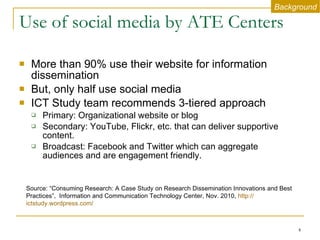
Use of social media by ATE Centers More than 90% use their website for information dissemination But, only half use social media ICT Study team recommends 3-tiered approach  Primary: Organizational website or blog Secondary: YouTube, Flickr, etc. that can deliver supportive content.  Broadcast: Facebook and Twitter which can aggregate audiences and are engagement friendly. Source: “Consuming Research: A Case Study on Research Dissemination Innovations and Best Practices”,  Information and Communication Technology Center, Nov. 2010,  http:// ictstudy.wordpress.com / Background
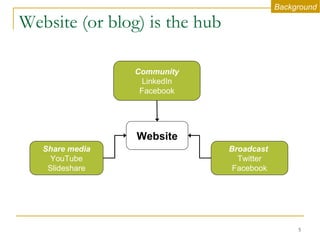
Website (or blog) is the hub Share media YouTube Slideshare Broadcast  Twitter Facebook Community LinkedIn Facebook Website Background
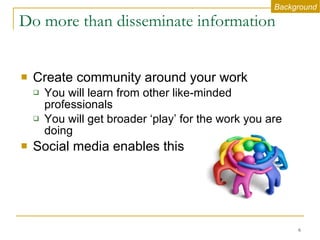
Do more than disseminate information Create community around your work You will learn from other like-minded professionals You will get broader ‘play’ for the work you are doing  Social media enables this Background
Best practices
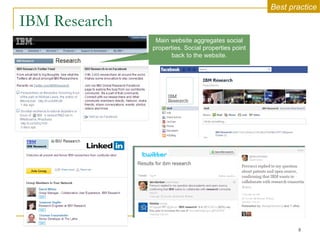
IBM Research Main website aggregates social properties. Social properties point back to the website. Best practice
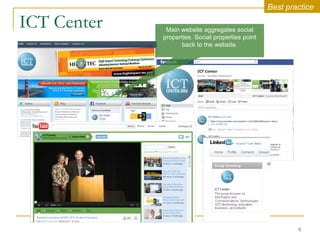
ICT Center Best practice Main website aggregates social properties. Social properties point back to the website.
A focus on LinkedIn
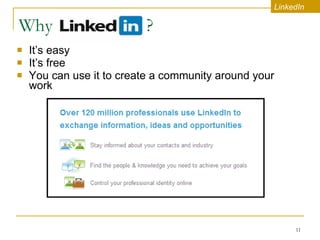
Why  ? It’s easy  It’s free You can use it to create a community around your work  LinkedIn
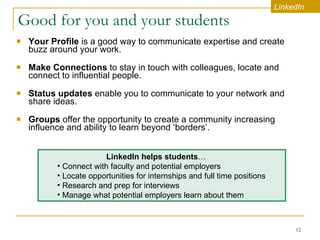
Good for you and your students Your Profile  is a good way to communicate expertise and create buzz around your work.   Make Connections  to stay in touch with colleagues, locate and connect to influential people.   Status updates  enable you to communicate to your network and share ideas.  Groups  offer   the opportunity to create a community increasing influence and ability to learn beyond ‘borders’.  LinkedIn LinkedIn helps students …   Connect with faculty and potential employers Locate opportunities for internships and full time positions Research and prep for interviews  Manage what potential employers learn about them
Take action Encourage your staff to set up profiles  They can become advocates for your work and help connect with critical audiences Create a Group for your organization   You can engage with your audience and host conversations. There are over 75,000 nonprofit Groups on LinkedIn.  LinkedIn
Getting started
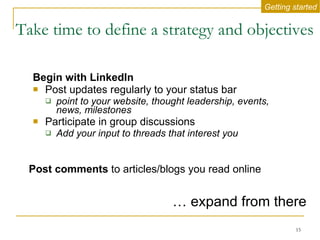
Take time to define a strategy and objectives   Begin with LinkedIn Post updates regularly to your status bar point to your website, thought leadership, events, news, milestones Participate in group discussions Add your input to threads that interest you …  expand from there Getting started Post comments  to articles/blogs you read online
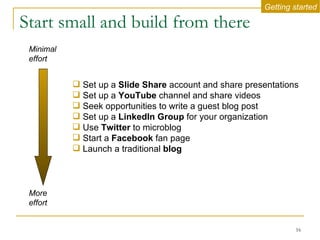
Start small and build from there Set up a  Slide Share  account and share presentations Set up a  YouTube  channel and share videos  Seek opportunities to write a guest blog post Set up a  LinkedIn Group  for your organization Use  Twitter  to microblog Start a  Facebook  fan page Launch a traditional  blog Minimal effort More effort Getting started
To get the most out of your social media activities Establish the role of a community manager and decide how to staff it  Make sure links to your social accounts are visible on your website Make sure social properties link back to your website Strive for consistency – use the same summary paragraph, logo, etc. Getting started
Social media rules of engagement You are personally responsible for what you publish on-line. Remember it will be searchable and in the public domain.  Make sure your profile and what you publish is consistent with how you wish to present yourself.  Respect your audience. Don't engage in any conduct that would not be acceptable in the workplace. Add value. Provide worthwhile information and perspective.  Don't provide confidential, proprietary or sensitive business information or speak about clients, partners or suppliers without their approval.  Respect copyright, fair use and financial disclosure laws.  Getting started
Summary Recognition & Reach Publicize professional expertise and share  knowledge in a large, open forum.  Relationships & Resources Connect with and learn from other professionals you may never meet in person.  Social media is not just a communication channel

21st century learning social media

  • 1.
    21 st Century Learning Redux Technology apps to engage students Social media Laura Nicholas, IBM Global Business Services Social Media & Communications Strategist October 26, 2011
  • 2.
    Objective Offer ideashow you can use social media to share your work locate and connect with other professionals learn and stay informed
  • 3.
    Agenda Background Bestpractices LinkedIn Getting started
  • 4.
    Use of socialmedia by ATE Centers More than 90% use their website for information dissemination But, only half use social media ICT Study team recommends 3-tiered approach Primary: Organizational website or blog Secondary: YouTube, Flickr, etc. that can deliver supportive content. Broadcast: Facebook and Twitter which can aggregate audiences and are engagement friendly. Source: “Consuming Research: A Case Study on Research Dissemination Innovations and Best Practices”, Information and Communication Technology Center, Nov. 2010, http:// ictstudy.wordpress.com / Background
  • 5.
    Website (or blog)is the hub Share media YouTube Slideshare Broadcast Twitter Facebook Community LinkedIn Facebook Website Background
  • 6.
    Do more thandisseminate information Create community around your work You will learn from other like-minded professionals You will get broader ‘play’ for the work you are doing Social media enables this Background
  • 7.
  • 8.
    IBM Research Mainwebsite aggregates social properties. Social properties point back to the website. Best practice
  • 9.
    ICT Center Bestpractice Main website aggregates social properties. Social properties point back to the website.
  • 10.
    A focus onLinkedIn
  • 11.
    Why ?It’s easy It’s free You can use it to create a community around your work LinkedIn
  • 12.
    Good for youand your students Your Profile is a good way to communicate expertise and create buzz around your work. Make Connections to stay in touch with colleagues, locate and connect to influential people. Status updates enable you to communicate to your network and share ideas. Groups offer the opportunity to create a community increasing influence and ability to learn beyond ‘borders’. LinkedIn LinkedIn helps students … Connect with faculty and potential employers Locate opportunities for internships and full time positions Research and prep for interviews Manage what potential employers learn about them
  • 13.
    Take action Encourageyour staff to set up profiles They can become advocates for your work and help connect with critical audiences Create a Group for your organization You can engage with your audience and host conversations. There are over 75,000 nonprofit Groups on LinkedIn. LinkedIn
  • 14.
  • 15.
    Take time todefine a strategy and objectives Begin with LinkedIn Post updates regularly to your status bar point to your website, thought leadership, events, news, milestones Participate in group discussions Add your input to threads that interest you … expand from there Getting started Post comments to articles/blogs you read online
  • 16.
    Start small andbuild from there Set up a Slide Share account and share presentations Set up a YouTube channel and share videos Seek opportunities to write a guest blog post Set up a LinkedIn Group for your organization Use Twitter to microblog Start a Facebook fan page Launch a traditional blog Minimal effort More effort Getting started
  • 17.
    To get themost out of your social media activities Establish the role of a community manager and decide how to staff it Make sure links to your social accounts are visible on your website Make sure social properties link back to your website Strive for consistency – use the same summary paragraph, logo, etc. Getting started
  • 18.
    Social media rulesof engagement You are personally responsible for what you publish on-line. Remember it will be searchable and in the public domain. Make sure your profile and what you publish is consistent with how you wish to present yourself. Respect your audience. Don't engage in any conduct that would not be acceptable in the workplace. Add value. Provide worthwhile information and perspective. Don't provide confidential, proprietary or sensitive business information or speak about clients, partners or suppliers without their approval. Respect copyright, fair use and financial disclosure laws. Getting started
  • 19.
    Summary Recognition &Reach Publicize professional expertise and share knowledge in a large, open forum. Relationships & Resources Connect with and learn from other professionals you may never meet in person. Social media is not just a communication channel