Social media
The new communications tools
“Social Media. They get all excited about gleaming technology
and clever gizmos. They talk in acronyms and begin sentences
with: “Did you know you can..” The rest of us just want to get on
with campaigning, fundraising or service delivery. We want to talk
about the people we work with, the communities we’re in and
the issues we’re passionate about. We want to find and talk to
people who can help us get change, deliver services or make a
difference”.
 Well, Social Media is about all that, telling stories and having
conversations, having a space to do that … it just happens that
the space is on a computer.
(From ‘How to use New Media’ - Media Trust).
What we are going to do today

• Do some networking
• Find out what social media is and why its
  important
• Look at current communications methods
• Make a plan for good social media use
• Think about the best way to communicate
• See how other organisations benefit from
  using social media
• Try out and even join some social media
  websites
• Have fun !                                  http://www.flickr.com/
Finding Out – Networking and Communications
What is Social Media and why is it relevant
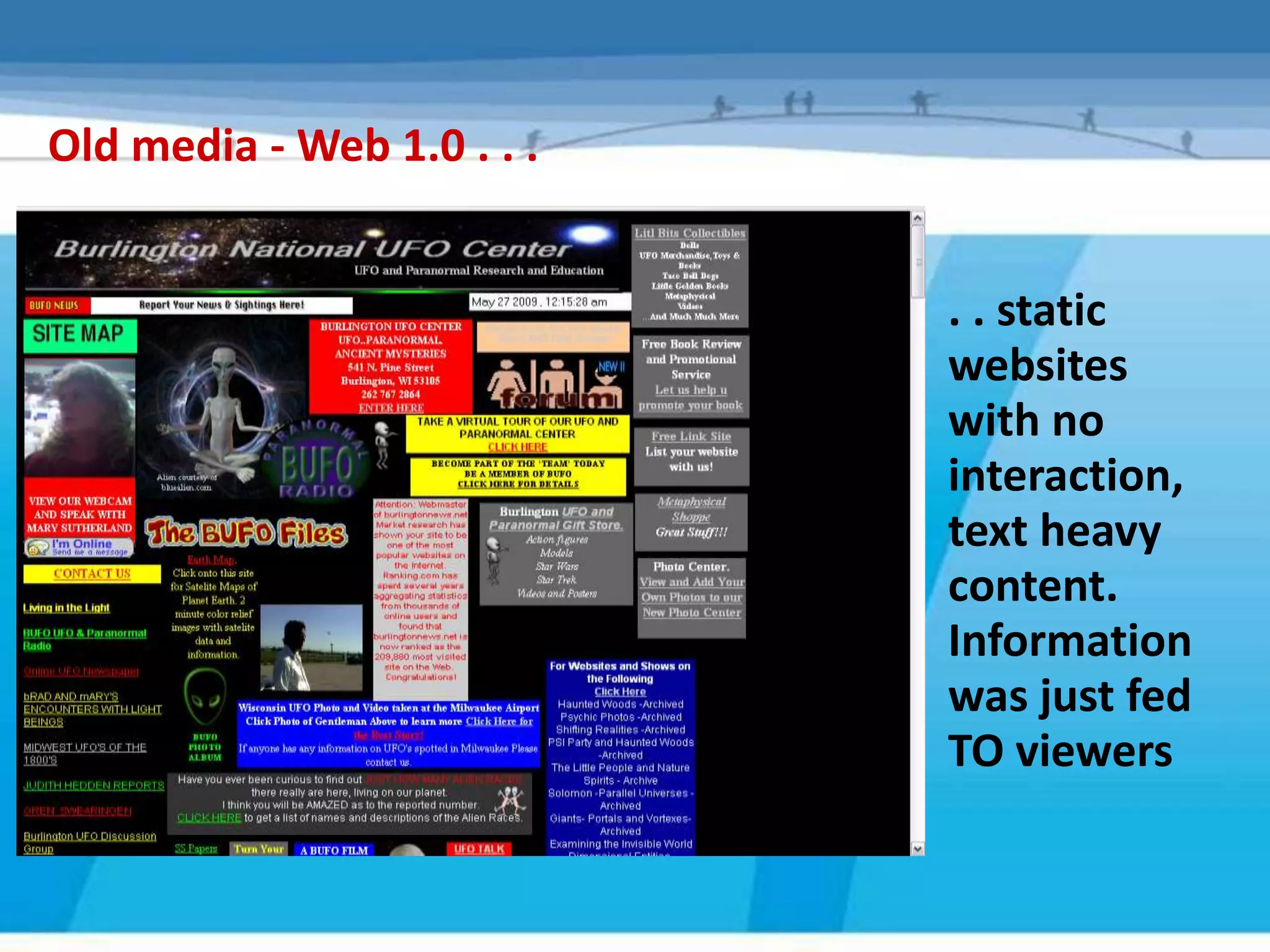
Old media - Web 1.0 . . .


                            . . static
                            websites
                            with no
                            interaction,
                            text heavy
                            content.
                            Information
                            was just fed
                            TO viewers
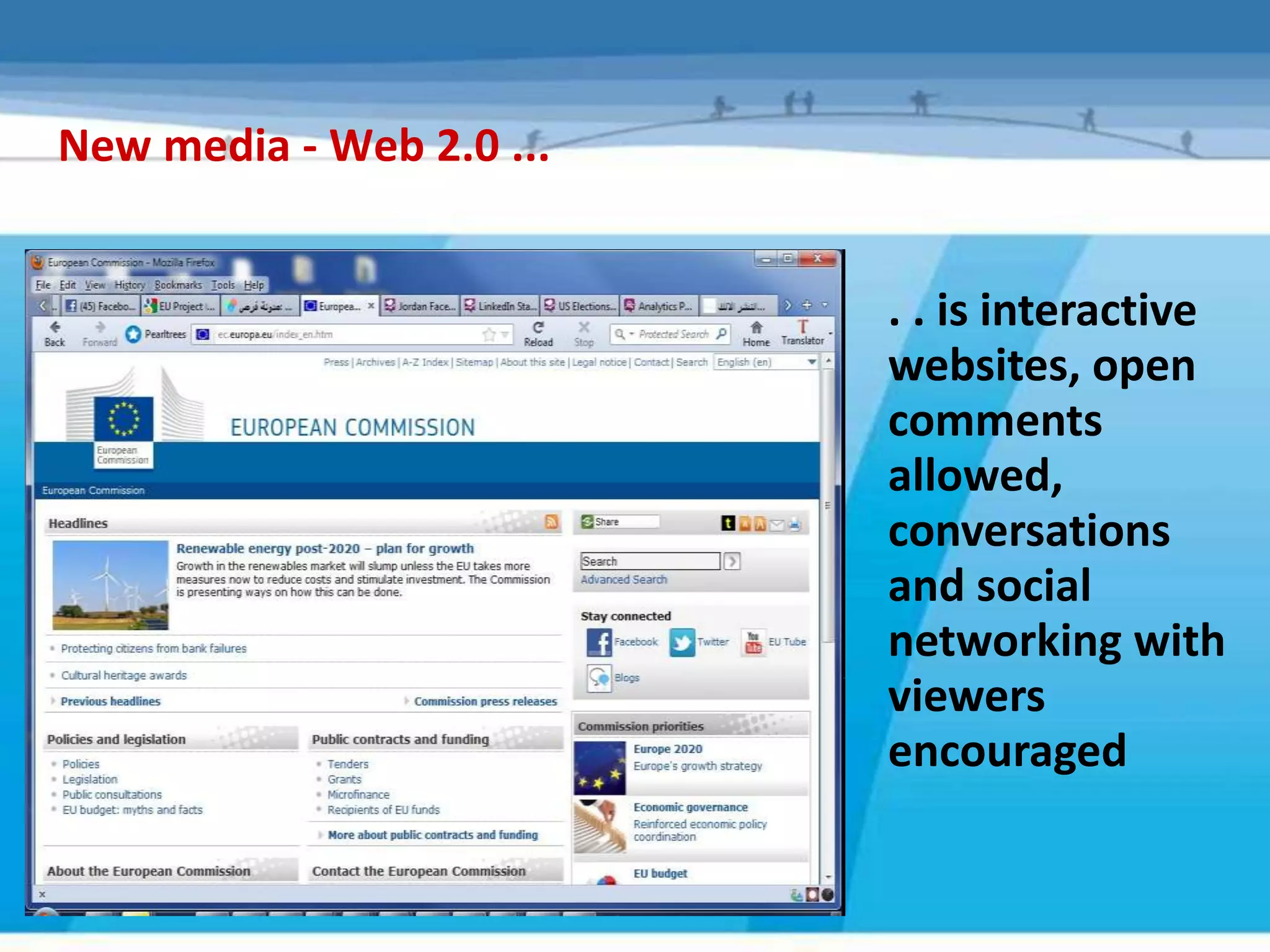
New media - Web 2.0 ...


                          . . is interactive
                          websites, open
                          comments
                          allowed,
                          conversations
                          and social
                          networking with
                          viewers
                          encouraged
The story so far...
   - 2009- now was the era of Social Media

   Facebook use in the PALESTINE is now 910000, a third of
   the population, up from Less than afifth in 2008

   In Jan 2010 Facebook had more global visitors than Google

   Youtube is the second most popular search engine

   Research claims Social Networking is slowly replacing email

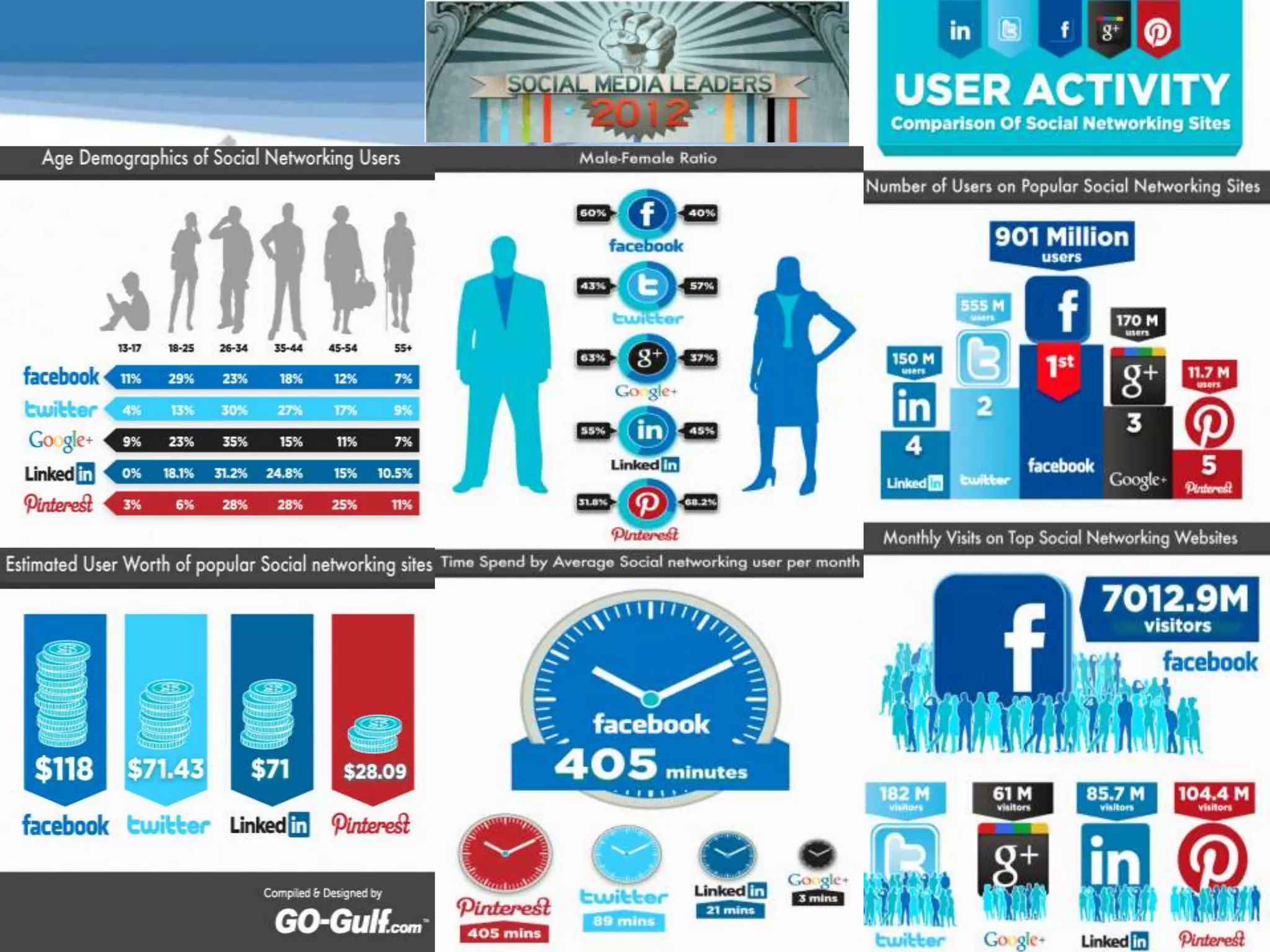
   Statistics show 10 % of users are aged between 35 – 44 and
   that 85% of those aged 16 – 35 are on at least one social
   network site.

   There is a steady growth in access to social networks by
   Smartphone – Facebook mobile traffic has increased
   globally by 100% in the last 6 months.
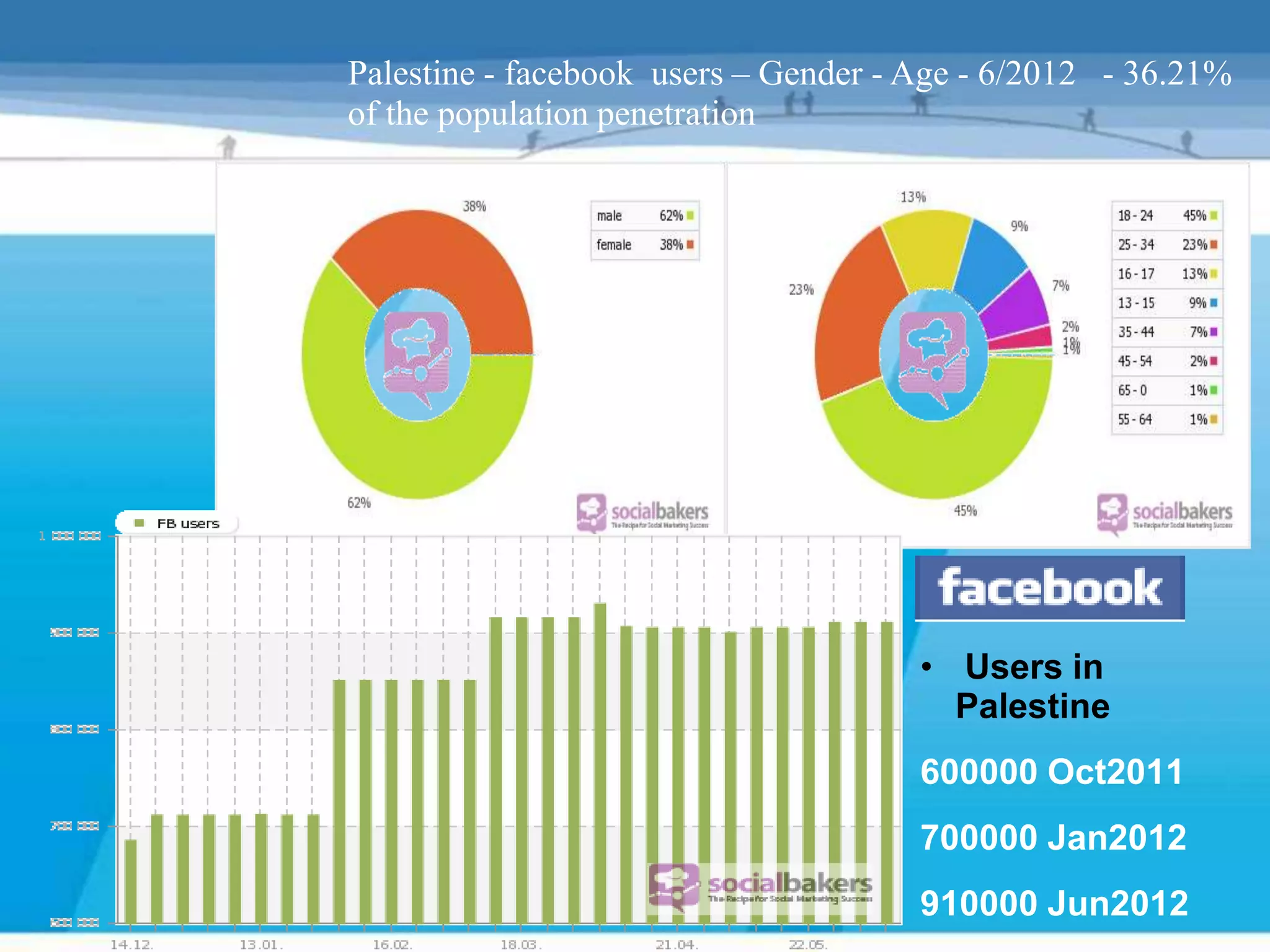
Palestine - facebook users – Gender - Age - 6/2012 - 36.21%
of the population penetration


                                      • Users in
                                        Palestine
                                      600000 Oct2011
                                      700000 Jan2012
                                      910000 Jun2012
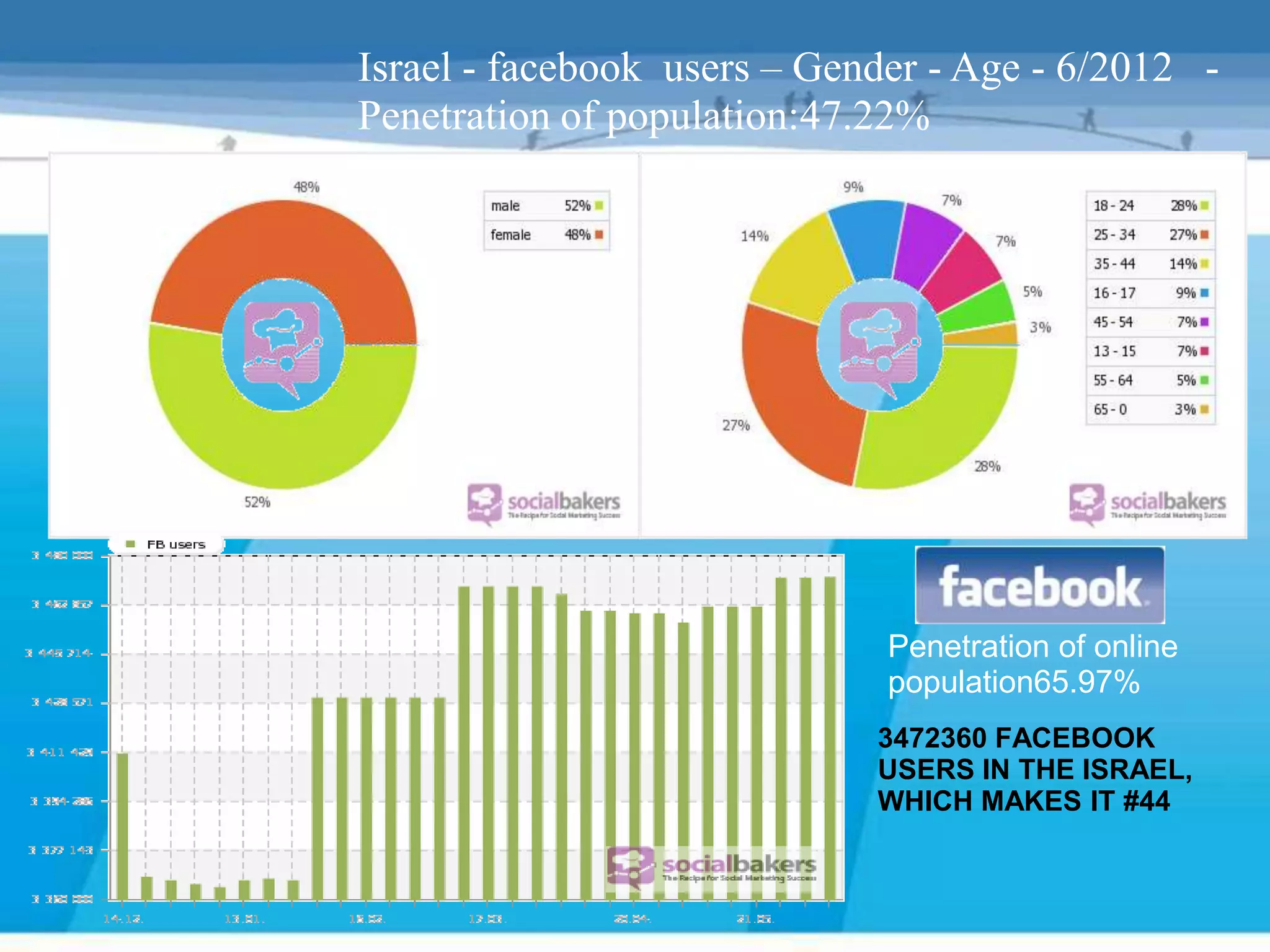
Israel - facebook users – Gender - Age - 6/2012 -
Penetration of population:47.22%


                              Penetration of online
                              population65.97%
                             3472360 FACEBOOK
                             USERS IN THE ISRAEL,
                             WHICH MAKES IT #44
The internet as a friendly conversation


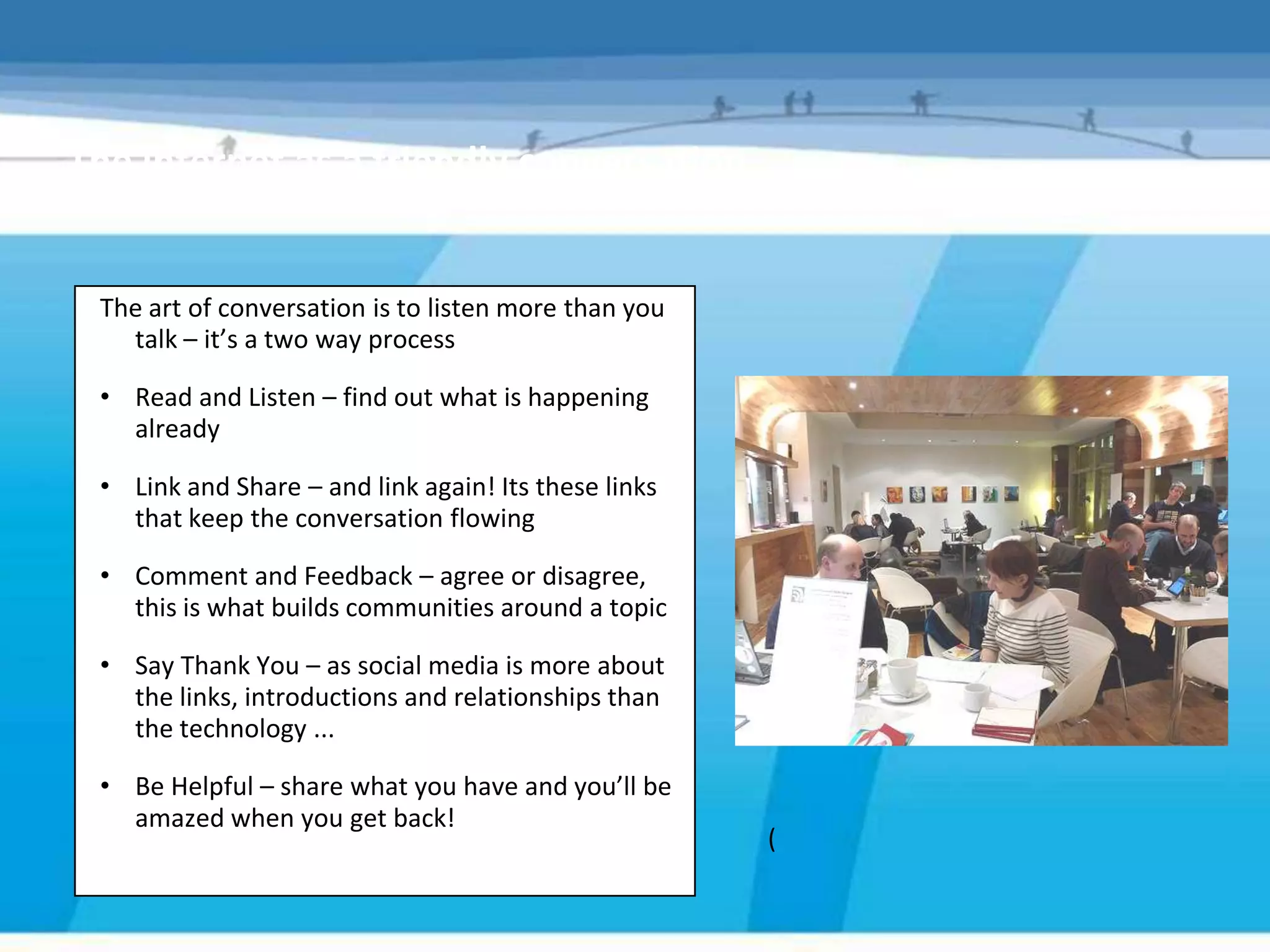
 The art of conversation is to listen more than you
   talk – it’s a two way process

 • Read and Listen – find out what is happening
   already

 • Link and Share – and link again! Its these links
   that keep the conversation flowing

 • Comment and Feedback – agree or disagree,
   this is what builds communities around a topic

 • Say Thank You – as social media is more about
   the links, introductions and relationships than
   the technology ...

 • Be Helpful – share what you have and you’ll be
   amazed when you get back!
                                                      (
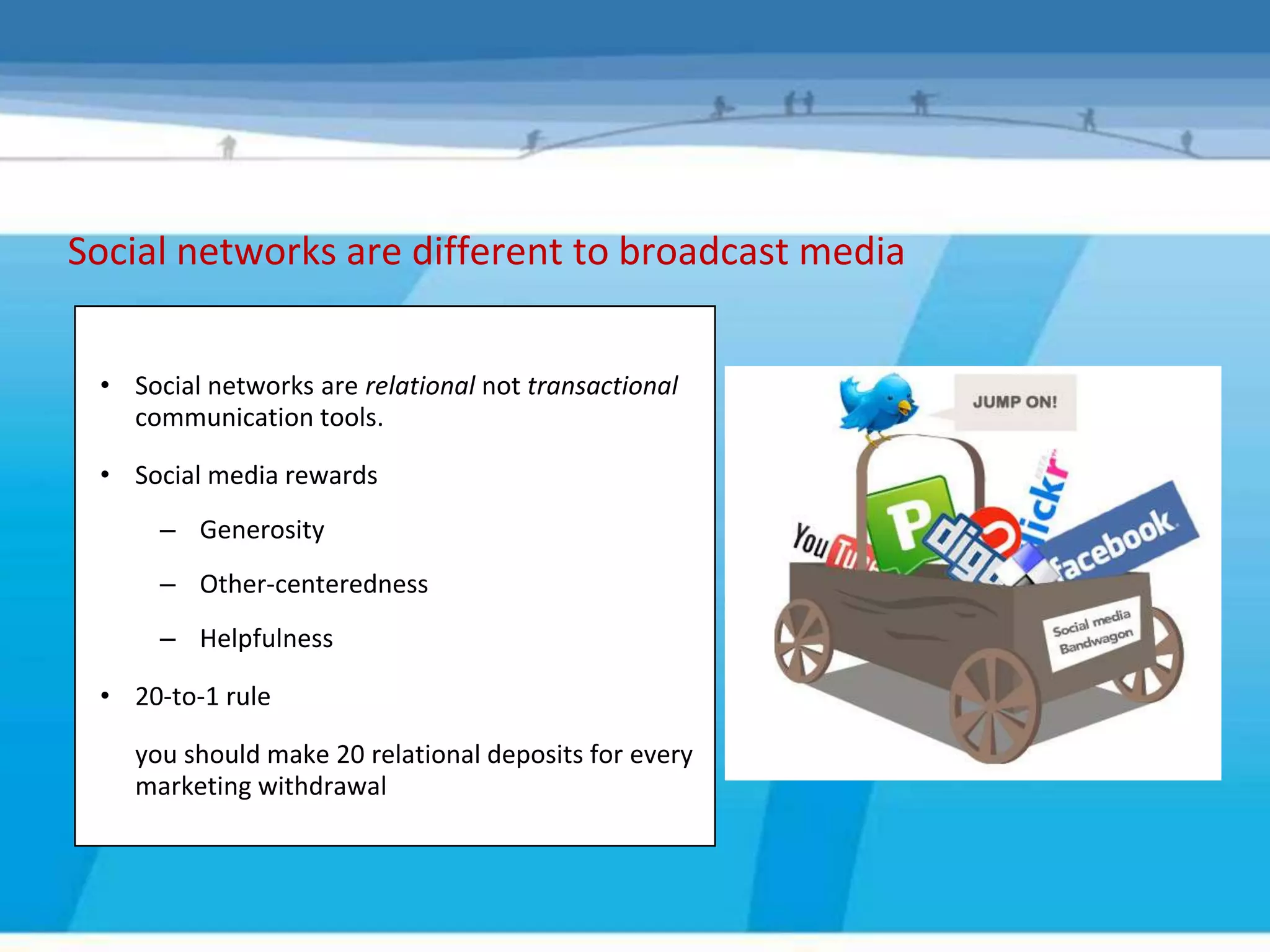
Social networks are different to broadcast media


 • Social networks are relational not transactional
   communication tools.

 • Social media rewards
      – Generosity
      – Other-centeredness
      – Helpfulness

 • 20-to-1 rule

    you should make 20 relational deposits for every
    marketing withdrawal
Why are they relevant?


 • Gain new wide range environment of communication tools
 • Virally promote your project , cause or brand
 • Campaign
 • Cheap or free t use – main cost is time
 • Easier to engage with partners and target audience
Voluntary sector usage...
     2010 research found that less than 20% were using social networking
     services ( in Palestine )

     Main barriers:
         Lack of knowledge/confidence

         Lack of business case

         Access – either connection or equipment weren’t suitable

         Perceived risk of mixing personal and professional networking

     In the 2012 we have survey, 36% said they would look for a Facebook
     page for an organization ,project , news (local , national , professional ,
     personal , cause, issue(second source of information after radio )
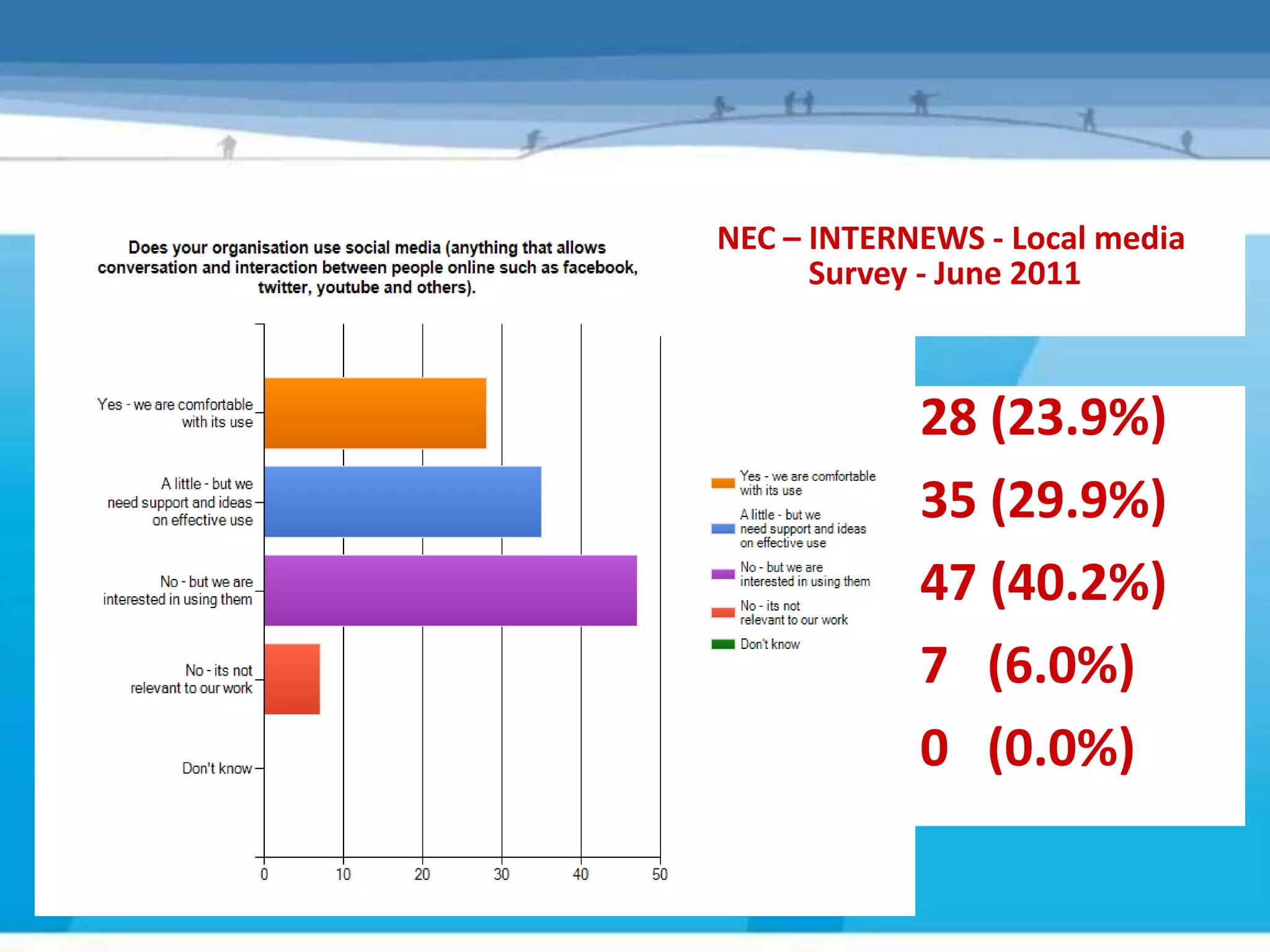
NEC – INTERNEWS - Local media
      Survey - June 2011


            28 (23.9%)
            35 (29.9%)
            47 (40.2%)
            7 (6.0%)
            0 (0.0%)
When asked what organisations had on their website:
• 20% - online picture and media storage
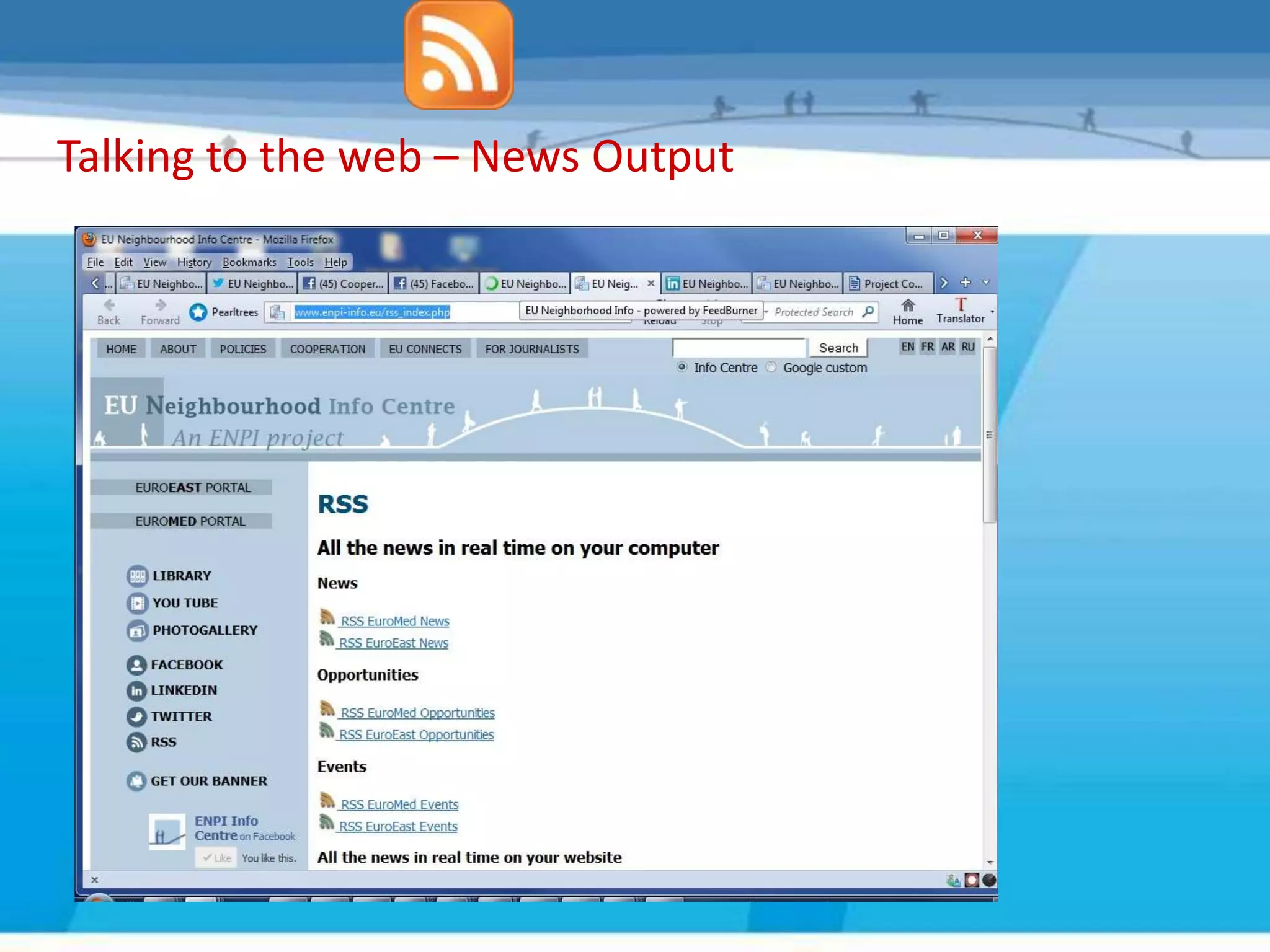
• 15% - RSS feeds
• 10% - Podcasts
But when asked about external social media sites used:
• 17% - Facebook for their cause
• 9% - Youtube, VIMEO
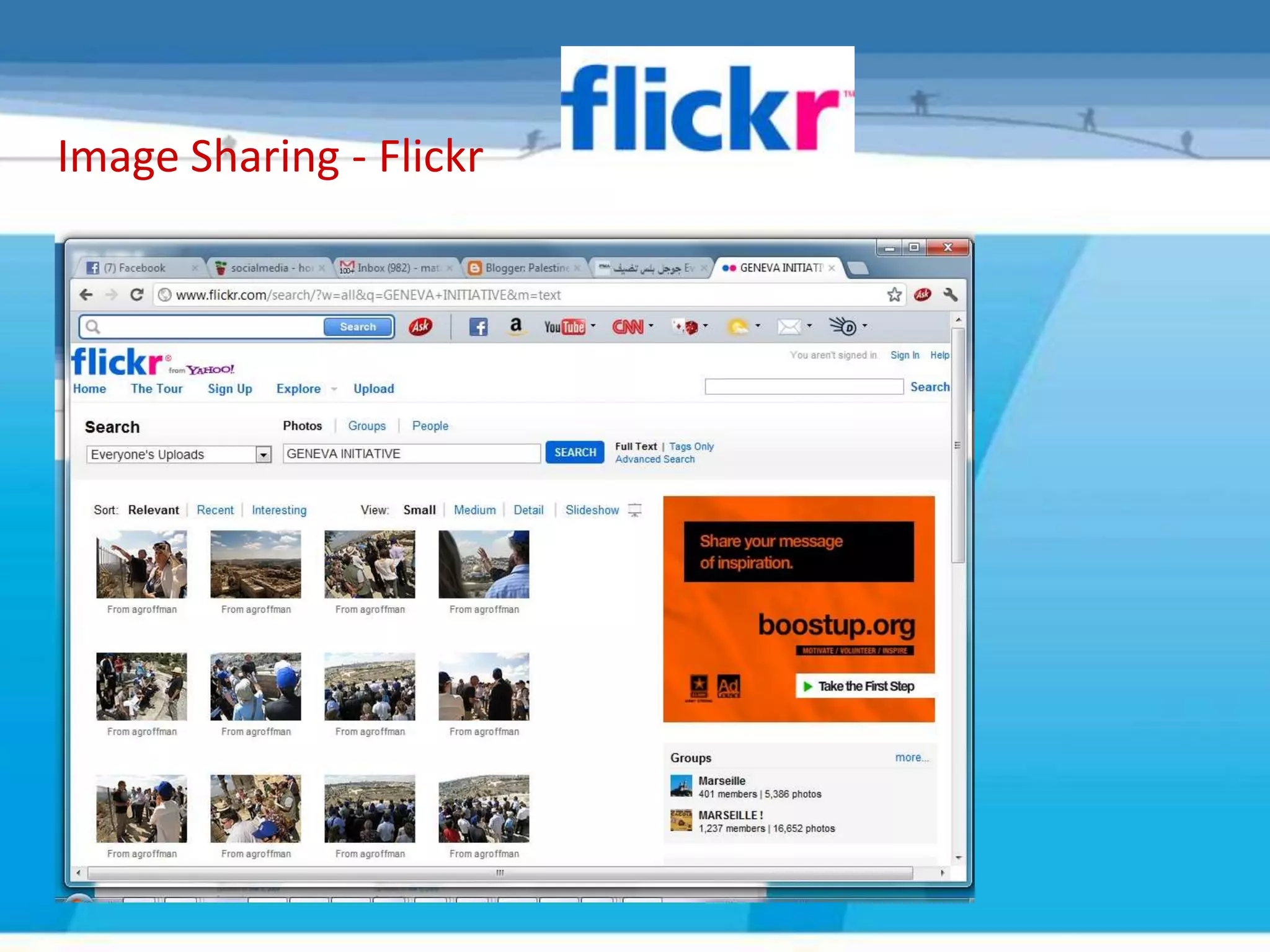
• 7% - Flickr
Local media in Palestine usage. Of social media ..
  2009 after our 1st round of citizen journalism and social media training
   – Prior to training, 35% had a profile on at least one social network
   – After training, 80% had a profile on at least one social network
   – 35% are also blogging
   – The 1st social media conference was held in Palestine 2011
   – Social media courses was developed in Palestinian universities, media
     institutions 2011
   – Currently there id two groups and pages on facebbok only for
     professional journalist ,photographers , reporters in which 1000
     Palestinian journalist are active members .
Not everyone chooses to use the internet

  Social networking should never simply replace face to face
  communication
  Although 38% people access the internet every day (ON
  2010),28% OF people have never used it
  Similarly just 2% of those with a degree level qualification
  don’t use the internet, rising to 55% of those with no
  qualifications
  The largest group of ‘non-users’ are in the social grouping
  and aged over 55.
  Consider these figures When defining your audience and
  target group ,and use your listening and monitoring skills to
  decide which social media to use .
Refreshment
   Break
Social Media Planning Guide
“So you think you want to use Social Media”
SOCIAL MEDIA TOOLS
The voluntary sector problem

• Where to start
• Capacity
• Knowledge
• Time
• Cost
• Type of guidance available
The experiment
 “To develop a guide for VCOs to use to enable them to set up
    and implement a social media strategy, if relevant, which
             will help them to achieve their goals”


                    #socialmediavco

     Find out about the most common social media tools

  Explore if and how they may be useful in helping local VCOs
         in Yorkshire & The Humber to achieve its goals
The steps

Objectives – What do you want to do?

Audience – Who are they? Where are they?

Strategy – Pick a guided plan with a path that fits

Implement - Match to right social networking tool

Sustain – Engage & converse, monitor & revise
Objectives – what do you want to achieve


          Needs first, then tools
Audience – Who are they? – Where are they?


    If you don’t build it, they won’t come
The guide
Step 1 – Establish if Social media is right for you
       • What is your organisation trying to achieve?
       • What are the goals you think social media might be able
         to help you with?
       • Do you already have a website that you can update
         yourself?
       • Are any of your target audiences already using social
         media (or are likely to soon)?
       • Have you got the time?
So, Is Social Media right for your organisation?

                                 Yes?
  It is likely that social media will make a significant difference to
                             your organisation


                                 No?
   Think carefully if this is the right time for you to be spending
                             time on this area.
Please describe your   Please describe your
social strategy:       social objectives


• Engagement
• Promoting
• Social Content
• Network Building
Communication messages
What is the message?
 • The Social Media Planning Guide covers the
   steps to using social media ...


 • We know WHO we are talking to
 • Now need to look at WHAT we are saying
 • Find out the most suitable communication
   method and best WAY to say it
What communication
 types do you use?

     And why?
How do you choose….
• You want to apply for a job?
• You want to complain
• You want to market your organisation/project
• You want to reduce the costs of missed appointments
• You want to find people to get involved
• You want to share information
What communication
types is most effective?


    How much does it cost?
Decide what you are going to say
 • Driving people to your website should be an essential part of your
   communications strategy (not driving / forcing people, but making site
   something people WANT to visit)
 • Message - clear and unambiguous, your web site is often now the first
   public face of your organisation
 • Tone – get this right and match for your audience
 • Context – if you can’t add value to a conversation maybe don’t say
   anything at all!
 • Frequent updates & blogs will keep your site fresh and interesting
 • Include your website on all communications
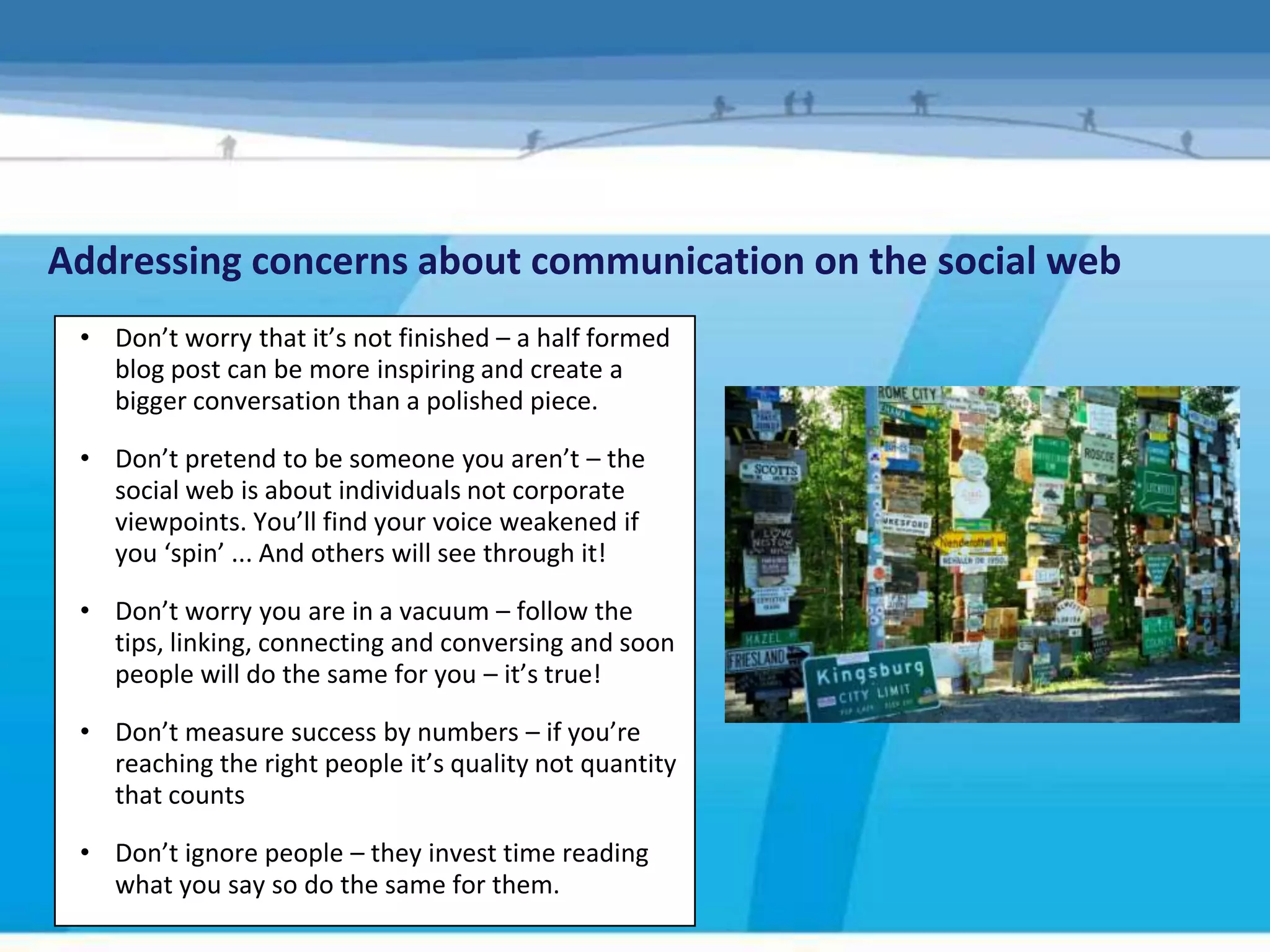
Addressing concerns about communication on the social web
 • Don’t worry that it’s not finished – a half formed
   blog post can be more inspiring and create a
   bigger conversation than a polished piece.

 • Don’t pretend to be someone you aren’t – the
   social web is about individuals not corporate
   viewpoints. You’ll find your voice weakened if
   you ‘spin’ ... And others will see through it!

 • Don’t worry you are in a vacuum – follow the
   tips, linking, connecting and conversing and soon
   people will do the same for you – it’s true!

 • Don’t measure success by numbers – if you’re
   reaching the right people it’s quality not quantity
   that counts

 • Don’t ignore people – they invest time reading
   what you say so do the same for them.
ACTION
• Register your organisations - project name on the popular
  social media sites.
• Make sure your organisation-project is on Google
  applications and tools
• Share links – with everyone
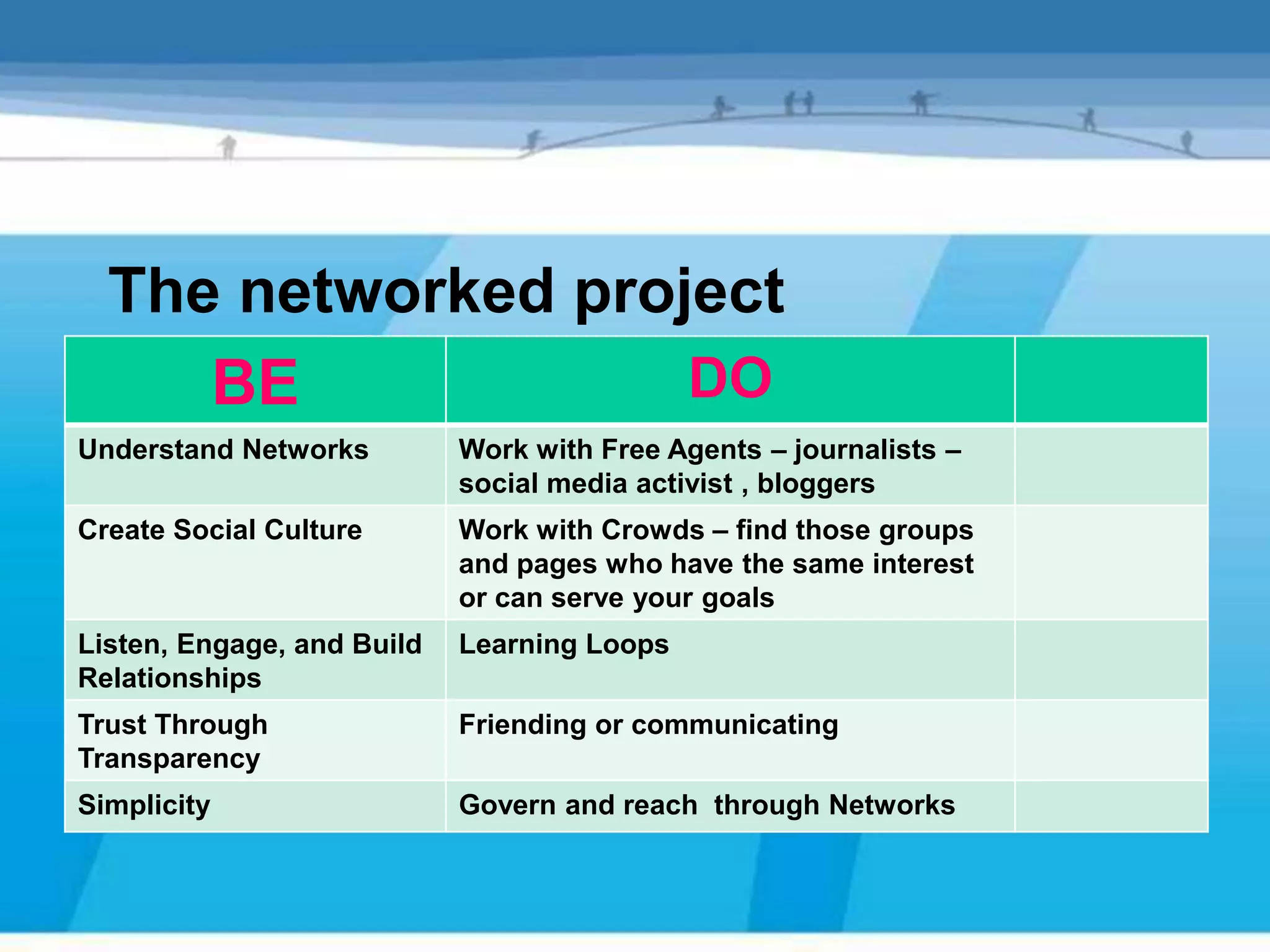
The networked project
     BE             DO
Understand Networks         Work with Free Agents – journalists –
                            social media activist , bloggers
Create Social Culture       Work with Crowds – find those groups
                            and pages who have the same interest
                            or can serve your goals
Listen, Engage, and Build   Learning Loops
Relationships
Trust Through               Friending or communicating
Transparency
Simplicity                  Govern and reach through Networks
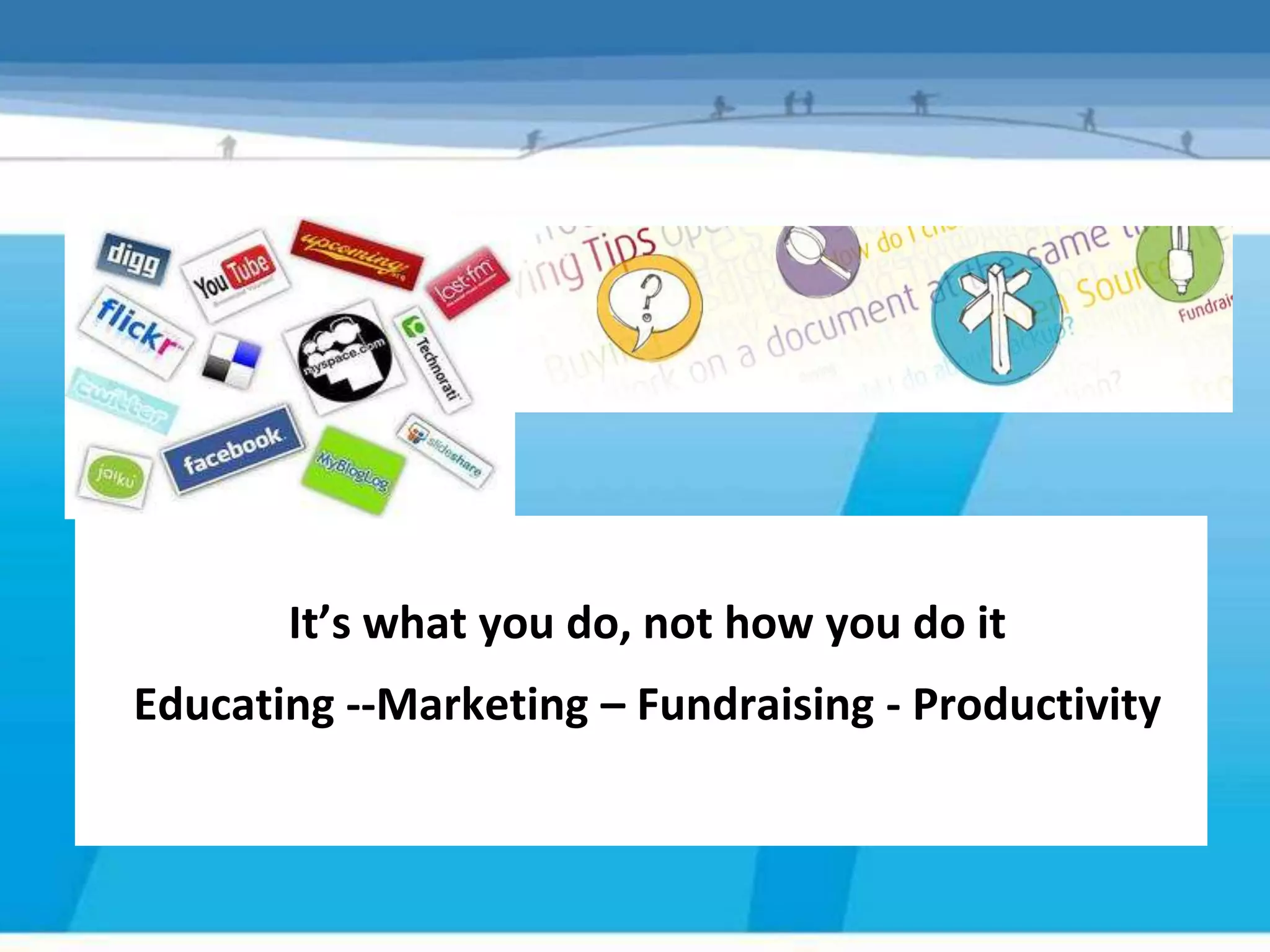
It’s what you do, not how you do it
Educating --Marketing – Fundraising - Productivity
Strategy - pick a plan with a path that fits


             Social web is an ‘as-well-as’


1, Pick one goal to pursue
2, Decide who is going to be involved and how much
Consider responsible use (Appendix 2)
Pick one goal to pursue
Step 2 – Pick one goal to pursue
                     Marketing

What marketing goals might your organisation- project have?
Which Tools?

• Which tools do you use to help you to achieve
  your marketing goals?

• Why?

• What problems do you face?
Social Media Tools for Marketing a project
Social Media                                Marketing uses                              Frequency


   Twitter       Dialogue          Viral marketing     Signposting     Relationship     Throughout
   Social Media Tools and Marketing                                      building         the day

 Facebook        Dialogue           Campaigns         Stories/images      News             Daily

  YouTube        Personal            Emotional          Engaging       Instructional   Weekly/Monthly

   Blogs        Discussion         Stories/images      Newsletters/       News          Daily/Weekly
                                                          stories /
                                                           videos
                                                          /images
  Linkedin      Discussion      Professional
                                     Stories/images
   Flicker

  Websites         Brand            Central Hub         Information       Data          Daily/Weekly
                                                                       management

SurveyMonkey   Questionnaires        Targeting           Planning      Information       Fixed term
                                                                        gathering
                                                                        analysing
Case Study –FOEME
 Friends of the Earth Middle East (FoEME)
     http://foeme.org/www/?module=home


         Marketing - communication Goals
1. To build awareness of FOEME and its goals and services

2. To increase traffic to the website, phone and/or email

3. To build relationships
How they use it
• Facebook
     – Announcements stories, relationship building, In for a Pound
       group, cat picture tags from other Facebook users
•
    How they use Social Media
    Website
     – Donation buttons, affiliate links, stories, images
• Twitter
     – Raising awareness, website traffic
• Blog
     – New centre appeal, education, donations, stories
Productivity and Support
       Using Social Media Tools to help you to achieve your
     Productivity/Support goals.
                         organisation’s
         Productivity = More efficient, effective, sustainable
              Do you want to be able to do things better?
                             Productivity Rules
1.     Quick – save time
2.     Easy to implement and use
3.     Make a difference
Which to use?
Other social tools
• Communication
   – Skype, Oovoo, Tokbox, DimDim, ipadio
• Organisingfor
  Tools           Productivity/Support
   – Doodle, Eventbrite, Del.icio.us, Bit.ly
• Collaboration
   – Google Docs, Dropbox, Huddle, Tom’s Planner
• All-round useful
   – Jing, PDFCreator, ShrinkPictures, Issuu ,Pinterest
Communications
    Using Social Media Tools to help your organisation get
     Productivity/Support audience.
                 it’s message to a wider

•      Start conversations with your supporters and your networks
•      More efficient – electronic messages get passed around social
       networking sites
•      Less costly to post a message on Twitter or Facebook
•      Instant news and information updates to your followers
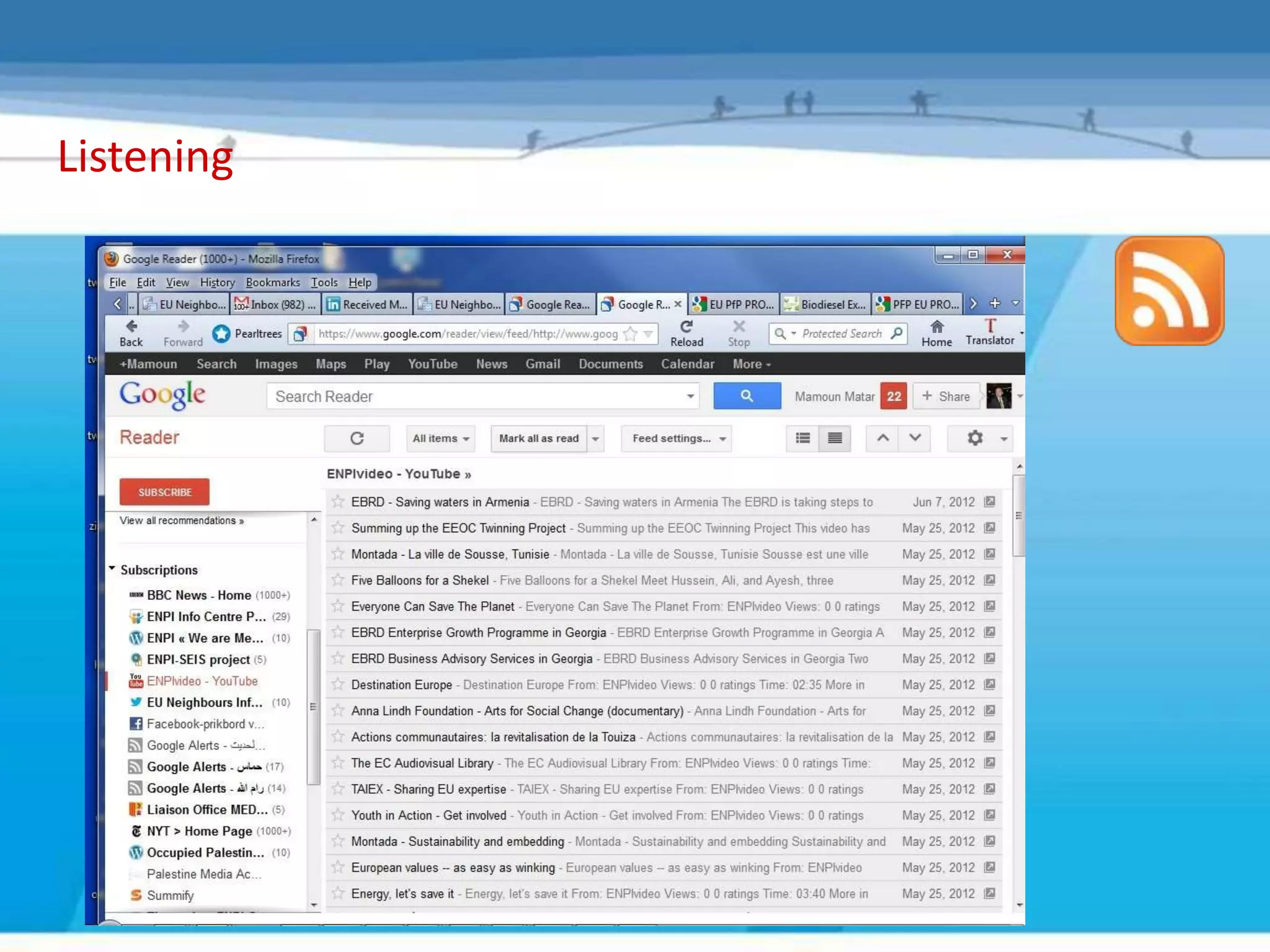
•      Use RSS and Google Alerts to stay ahead of developments in your area
       of interest and build a ‘Listening Dashboard’.
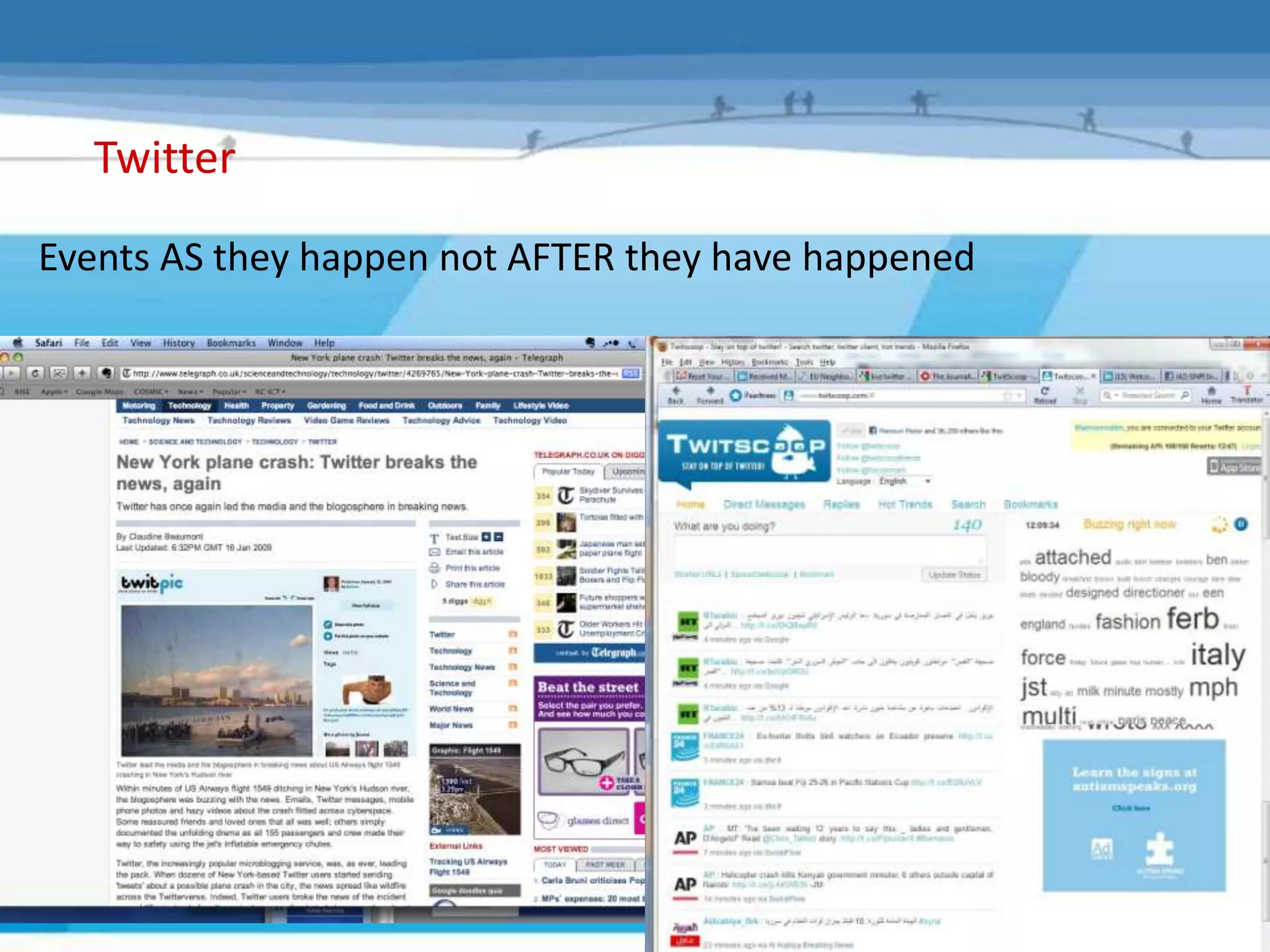
Twitter
Events AS they happen not AFTER they have happened
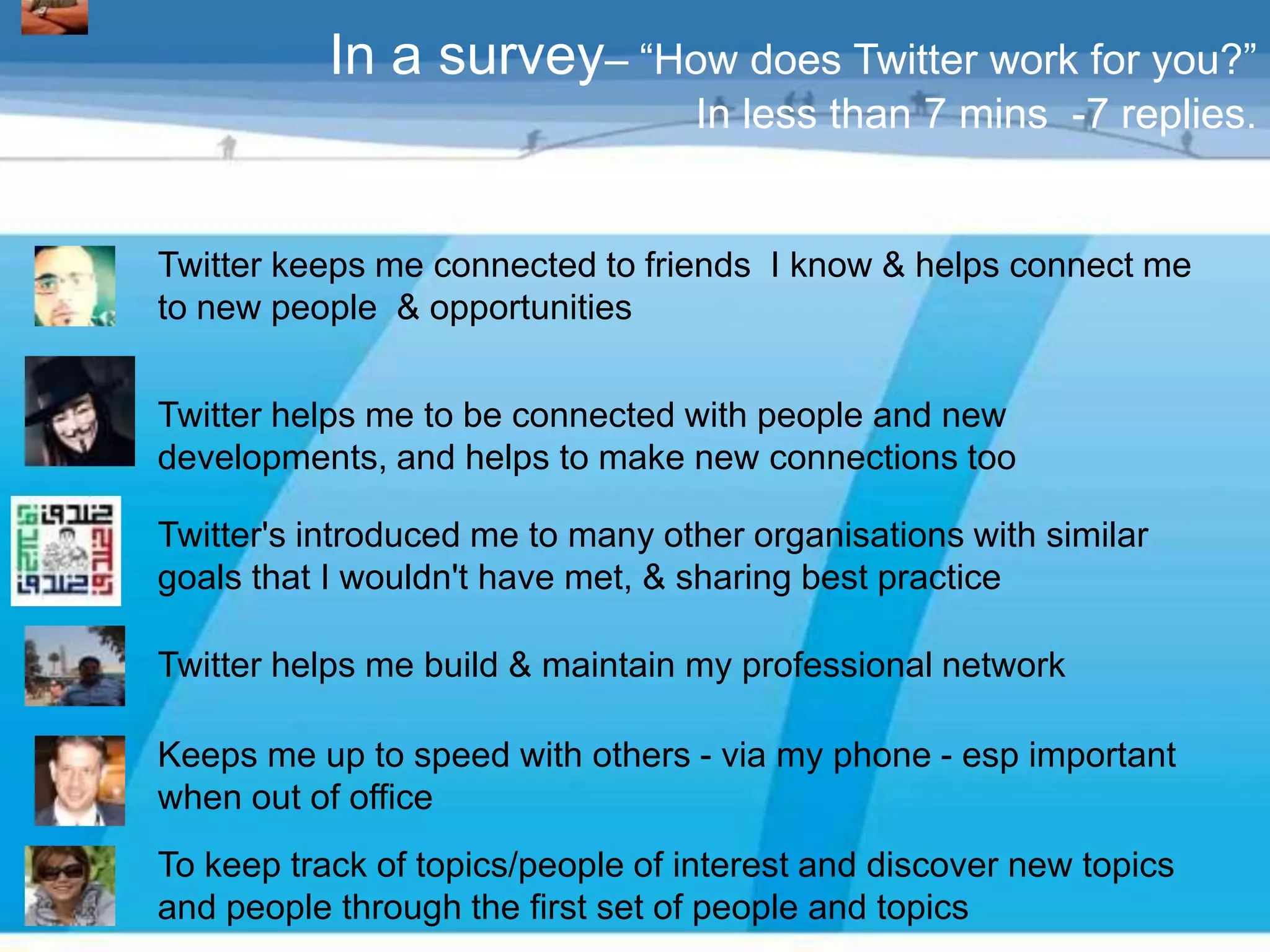
In a survey– “How does Twitter work for you?”
                                  In less than 7 mins -7 replies.


Twitter keeps me connected to friends I know & helps connect me
to new people & opportunities


Twitter helps me to be connected with people and new
developments, and helps to make new connections too

Twitter's introduced me to many other organisations with similar
goals that I wouldn't have met, & sharing best practice

Twitter helps me build & maintain my professional network

Keeps me up to speed with others - via my phone - esp important
when out of office
To keep track of topics/people of interest and discover new topics
and people through the first set of people and topics
Listening VIA RSS
 • What are other websites saying about your organisation/or an issue of
   your interest ?
 • What are organisations you support saying?
 • See EU/EU PROJECTS ,sectors reports and announcments ,PR as
   published
 • RSS enabled feeds automatically can be picked up to be read at your
   leisure in a feed reader (such as Bloglines or Google Reader) without
   you having to re-visit each website
 • Content aggregated into a single easily readable interface/netvibes
 • RSS feeds can be converted for email delivery
 • RSS feeds from others can be embedded in your website
Listening

 • Tell others what you are doing
 • Easier for supporters (individual and peers) to keep up with your
   events and news
 • RSS enabled feeds automatically can be picked up to be read at
   their leisure in a feed reader (such as Bloglines or Google
   Reader) without them having to re-visit your site
 • RSS feeds can be converted for email delivery
 • RSS feed can be embedded into other organisations websites
 • We will provide a document which explain the rss usage
Listening
Social media created the opportunity of all
      types of communication tools …
           Define which to use
  learn…practice ask and apply ?we are
  ready to tell how to use some of them.
Break
Social Media tools and local support organisations
Remember the steps

Objectives – What do you want to do?

Audience – Who are they? Where are they?

Strategy – Pick a guided plan with a path that fits

Implement - Match to right social networking tool

Sustain – Engage & converse, monitor & revise
Implement - match right social networking tool


  But new media doesn’t just replace old
                 media


  <Guide – Pages 11, 12   3, Research (See Appendix 3)
                          4, Decide on your approach
  – Steps 3, 4 and 5>
                          5, Jump in
1
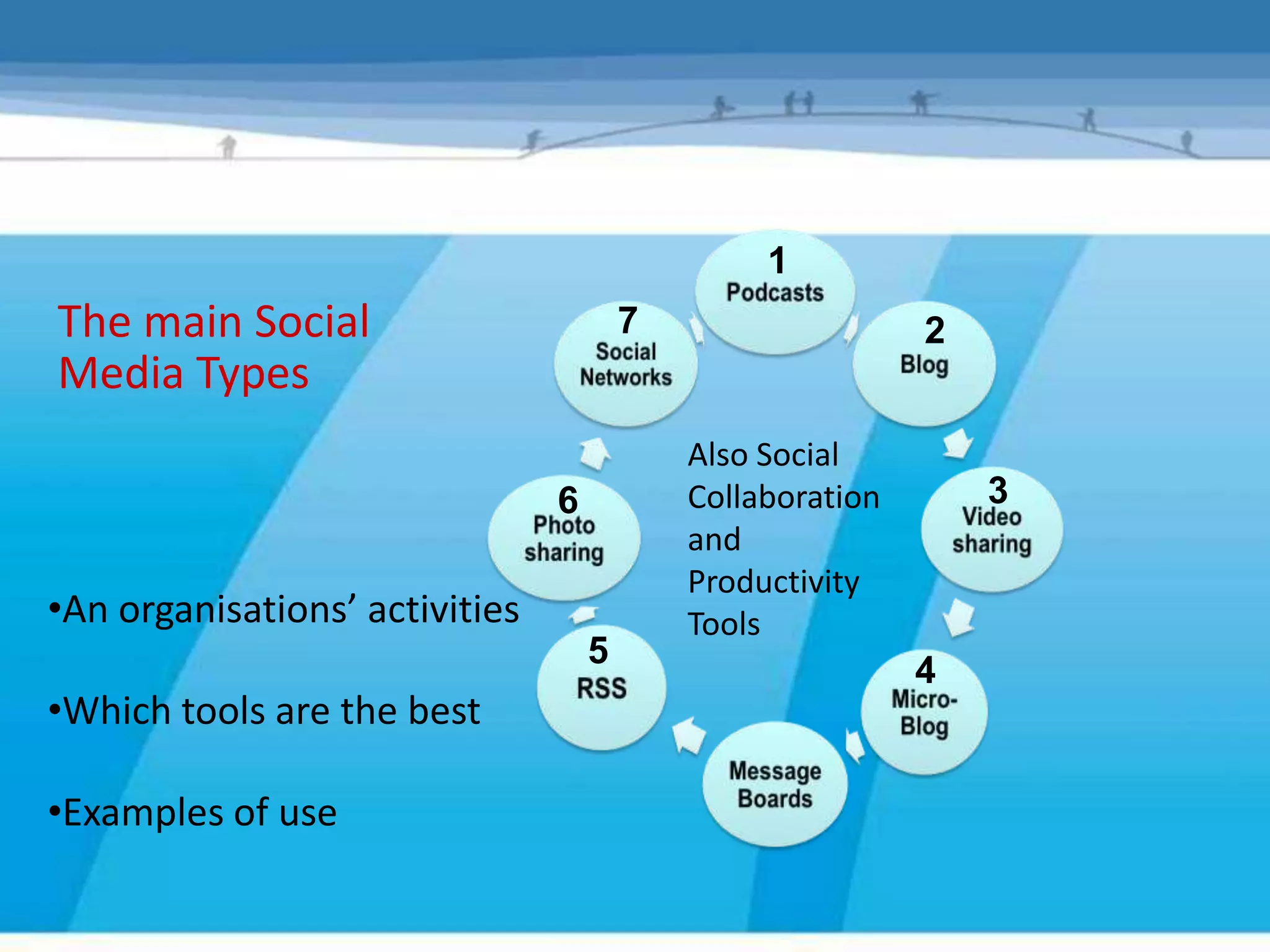
The main Social                         7                   2
Media Types
                                            Also Social
                                6           Collaboration       3
                                            and
                                            Productivity
•An organisations’ activities               Tools
                                    5
                                                            4
•Which tools are the best

•Examples of use
SOCIAL MEDIA TOOLS
Use by– Pick one goal & Development
Step 2
       Local Support to pursue
           Organisations

     Some examples of how these organisations
       are using the main Social Media tools
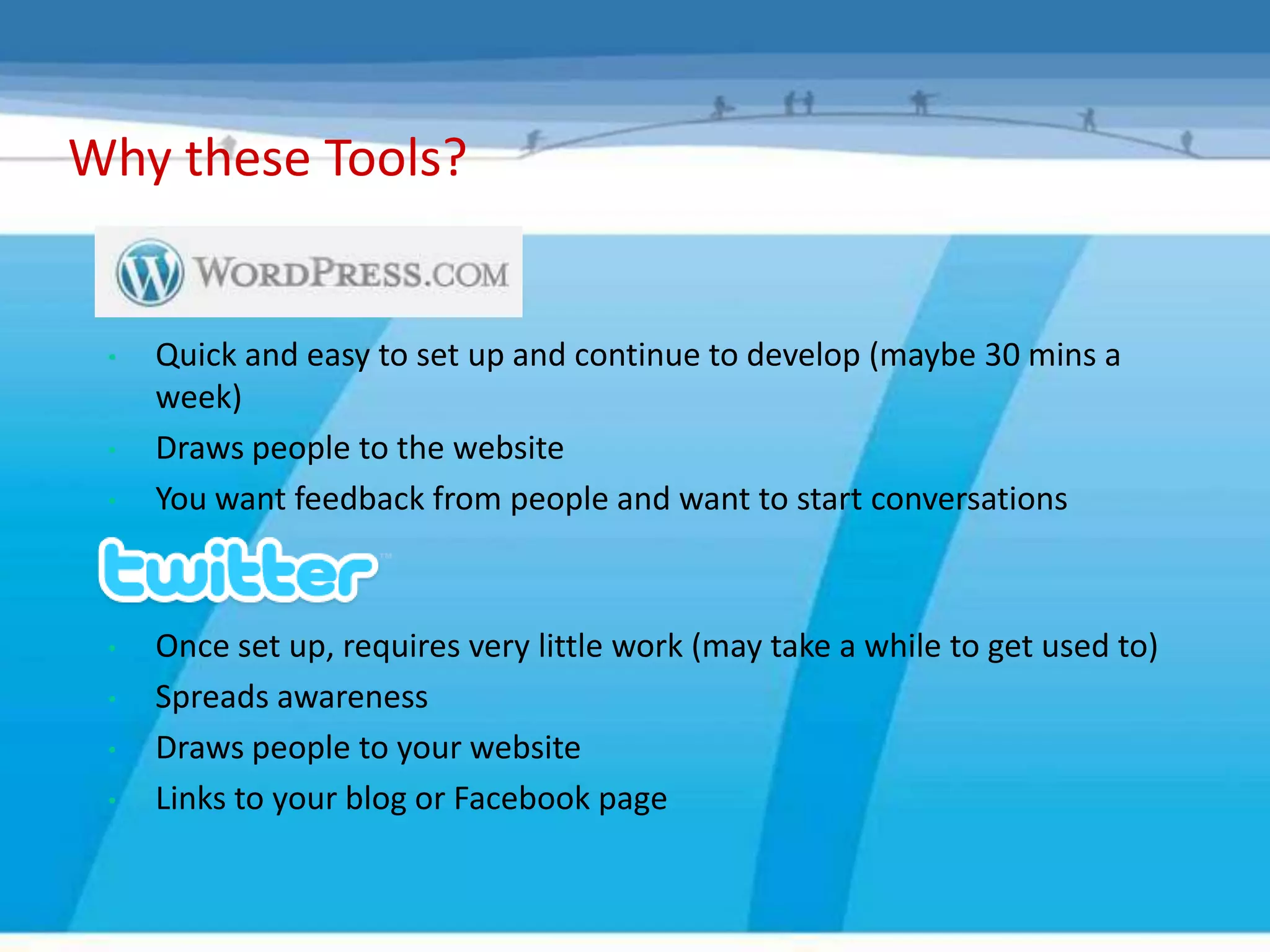
Why these Tools?


 •   Quick and easy to set up and continue to develop (maybe 30 mins a
     week)
 •   Draws people to the website
 •   You want feedback from people and want to start conversations


 •   Once set up, requires very little work (may take a while to get used to)
 •   Spreads awareness
 •   Draws people to your website
 •   Links to your blog or Facebook page
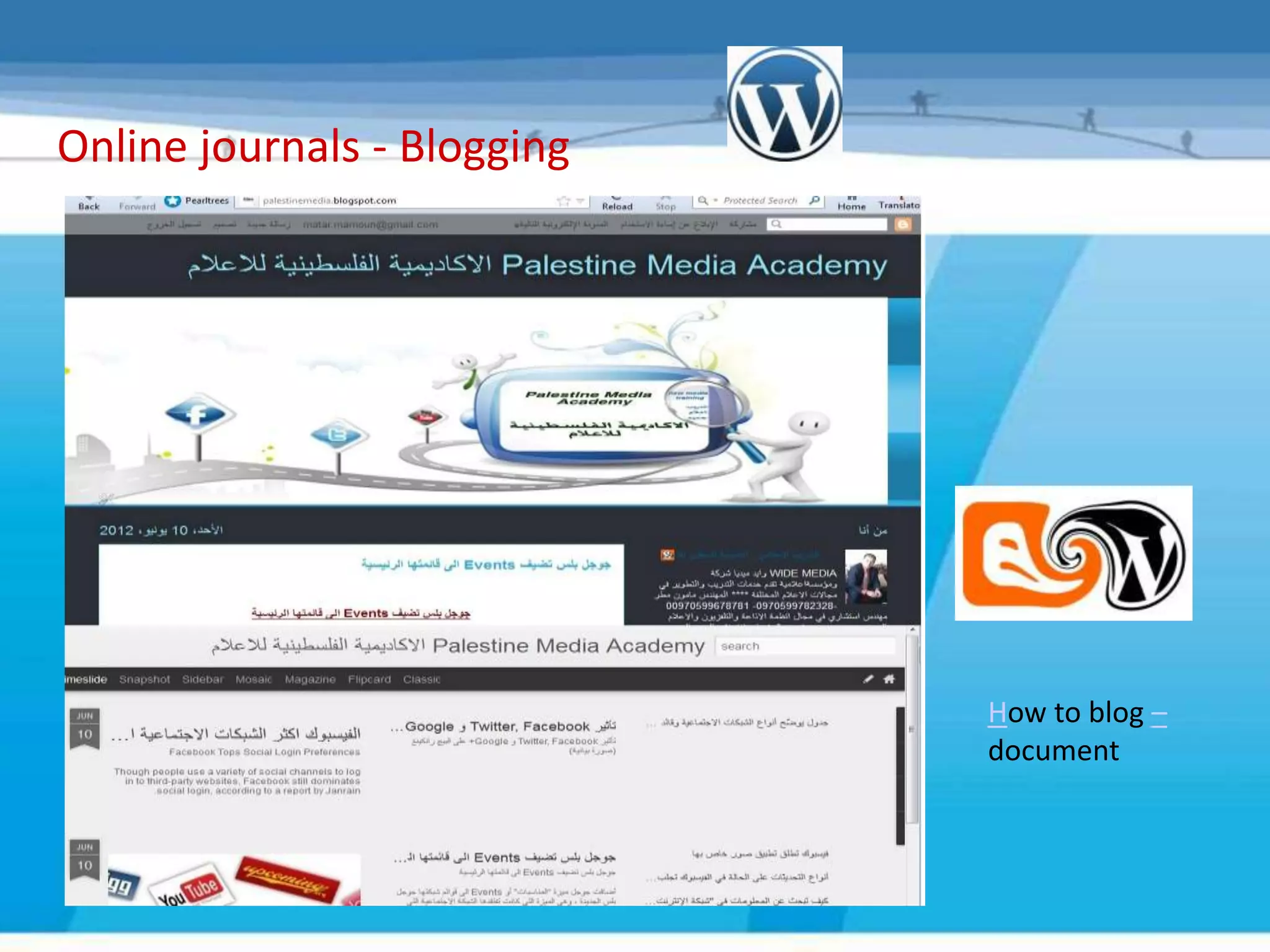
Online journals - Blogging


                             How to blog –
                             document
Twitter – Telford & Wrekin


                              Document for
                              explaining
                              Twitter is
                              available

                             Visit


                             http://palestin
                             emedia.blogs
                             pot.com/
Why these Tools?


  • High number of clients/potential clients have Facebook page, but only
    use if your audience are already there
  • Links to blog
  • Can have separate Facebook page for projects and business activities


  • They have the technology to make it quick and easy
  • It provides them with an extra web presence
  • It gives a face and a personality to your organisation
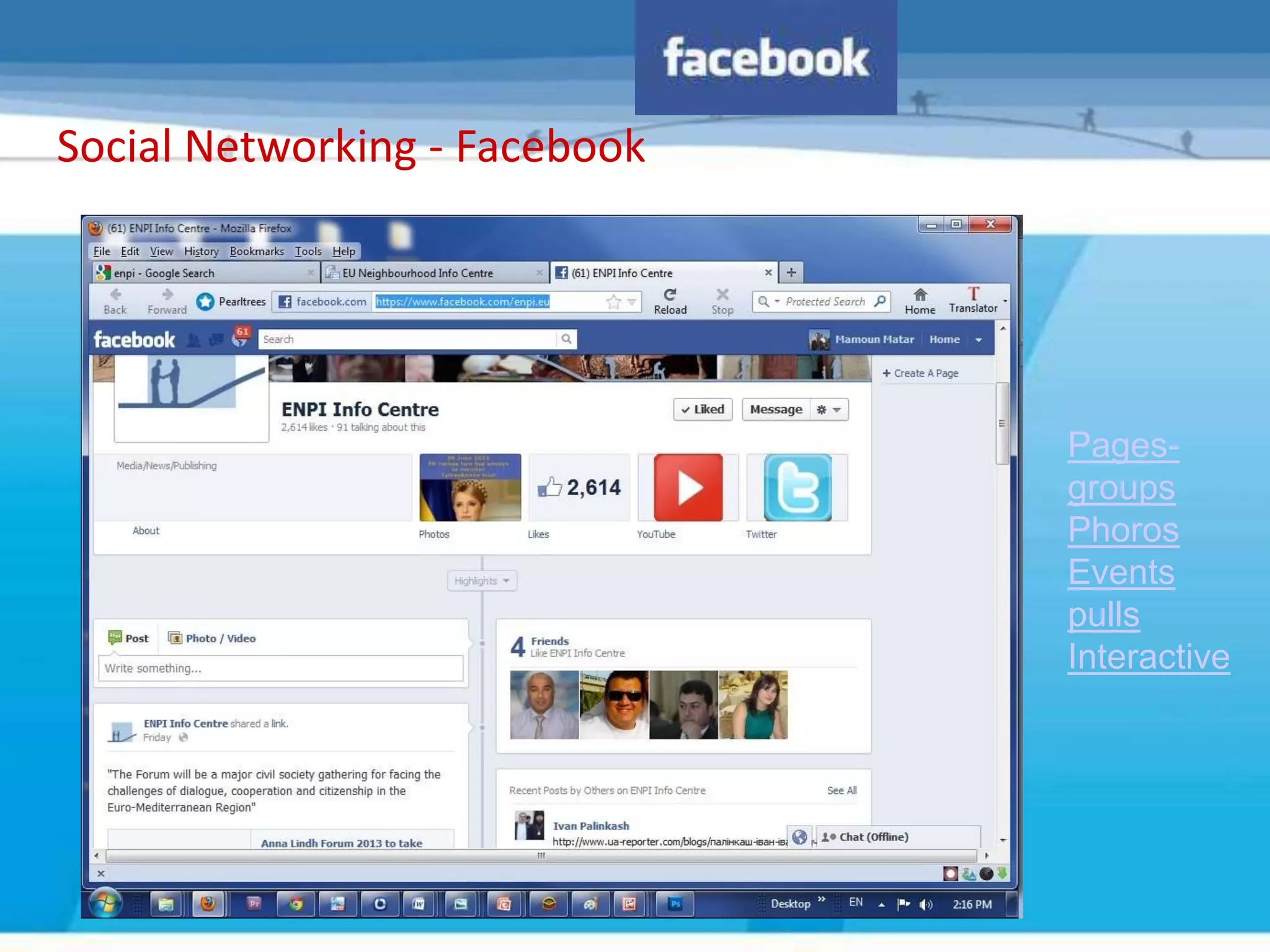
Social Networking - Facebook


                               Pages-
                               groups
                               Phoros
                               Events
                               pulls
                               Interactive
Video Sharing – Youtube ,Vimeo ,bliptv
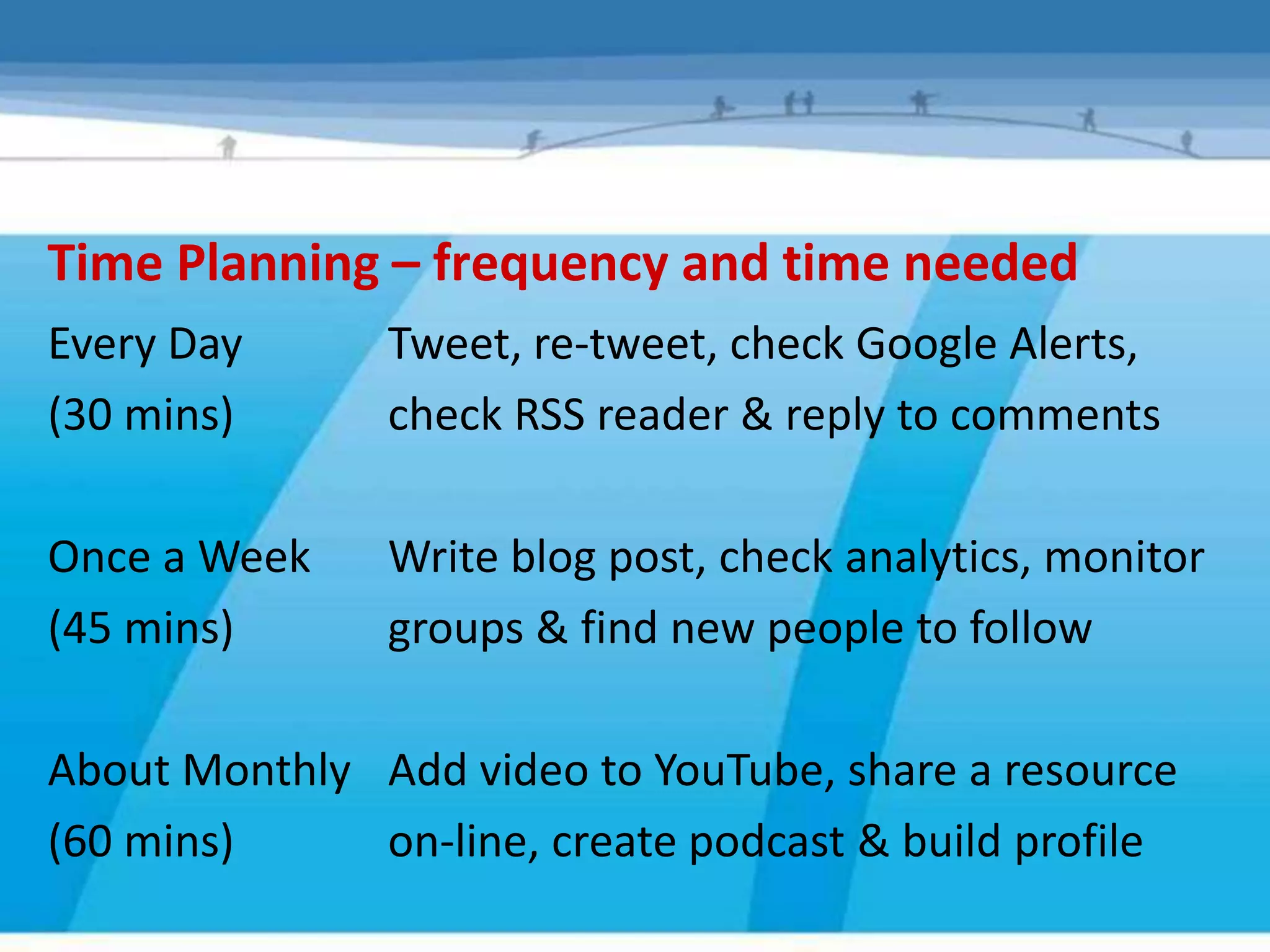
Time Planning – frequency and time needed
Every Day      Tweet, re-tweet, check Google Alerts,
(30 mins)      check RSS reader & reply to comments

Once a Week    Write blog post, check analytics, monitor
(45 mins)      groups & find new people to follow

About Monthly Add video to YouTube, share a resource
(60 mins)     on-line, create podcast & build profile
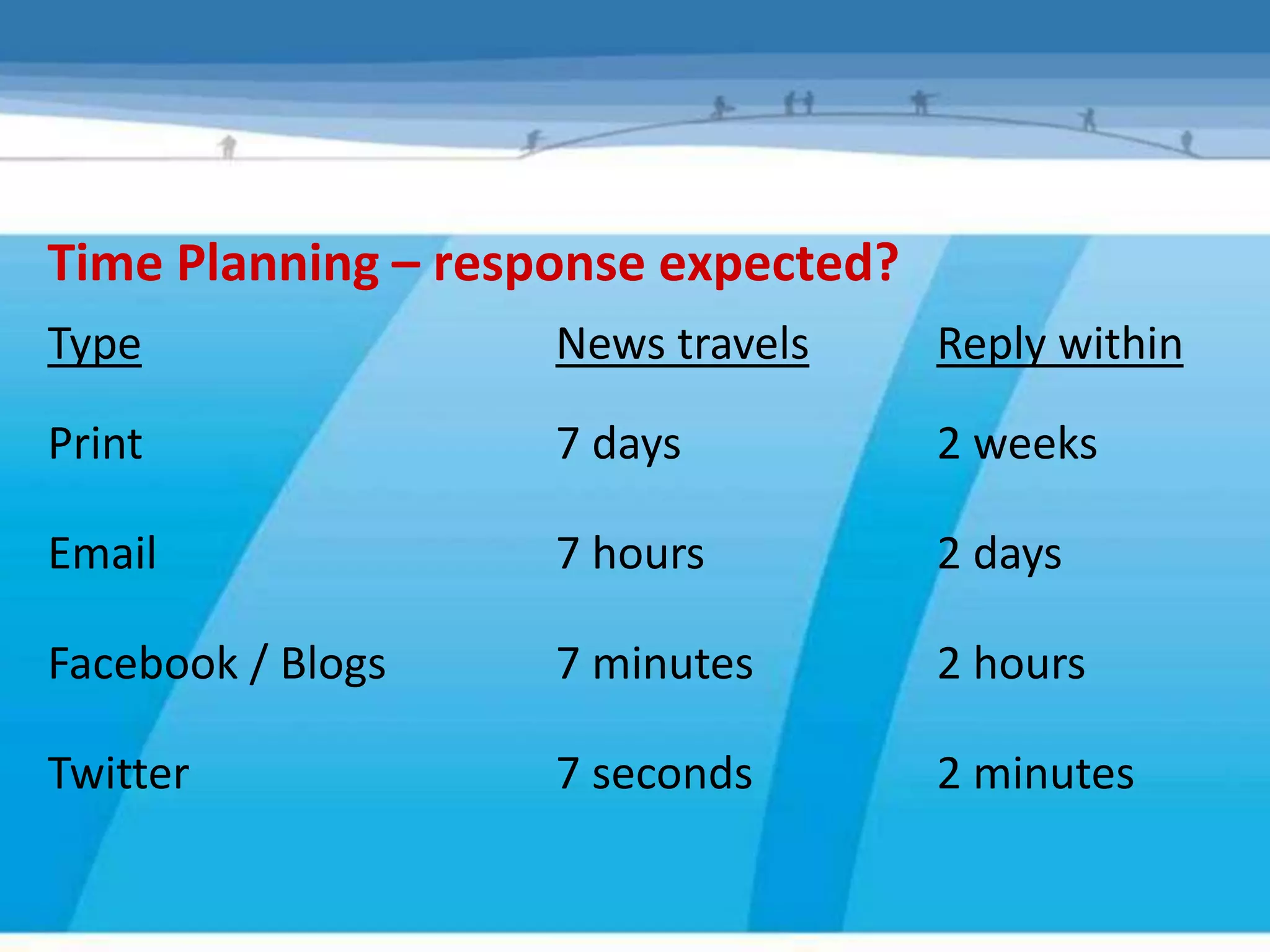
Time Planning – response expected?
Type                News travels     Reply within

Print               7 days           2 weeks

Email               7 hours          2 days

Facebook / Blogs    7 minutes        2 hours

Twitter             7 seconds        2 minutes
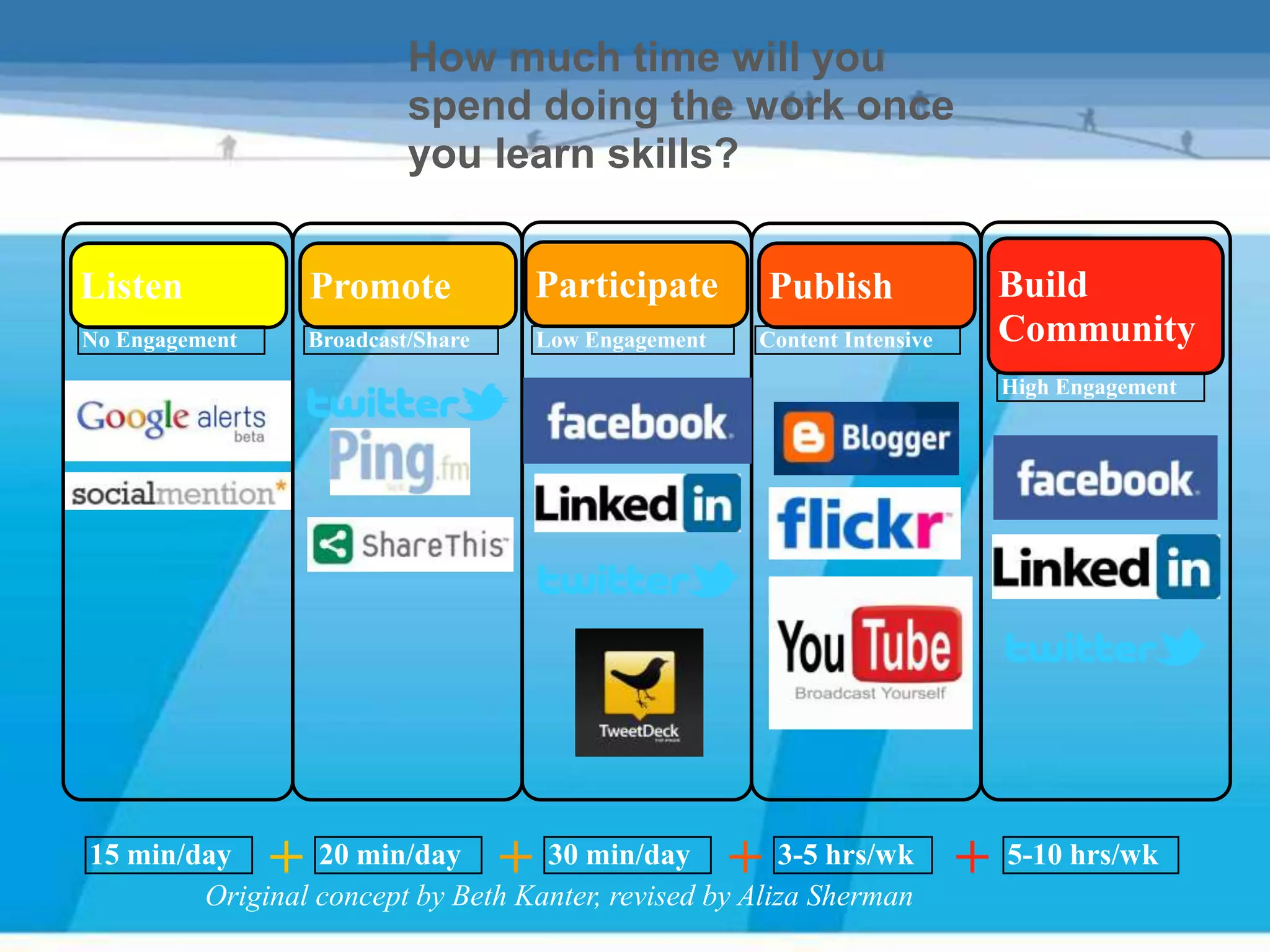
How much time will you
                             spend doing the work once
                             you learn skills?


Listen              Promote               Participate          Publish           Build
No Engagement       Broadcast/Share       Low Engagement   Content Intensive     Community
                                                                                 High Engagement


15 min/day      +20 min/day           +
                                   30 min/day              +
                                                       3-5 hrs/wk
        Original concept by Beth Kanter, revised by Aliza Sherman
                                                                               + 5-10 hrs/wk
Social Media in Practice – Now it’s your turn!

Surgery session to help you try out any of the tools we’ve talked about
  Help you register your organisation for the websites you’ve seen
  Just to answer any more questions you have about social media
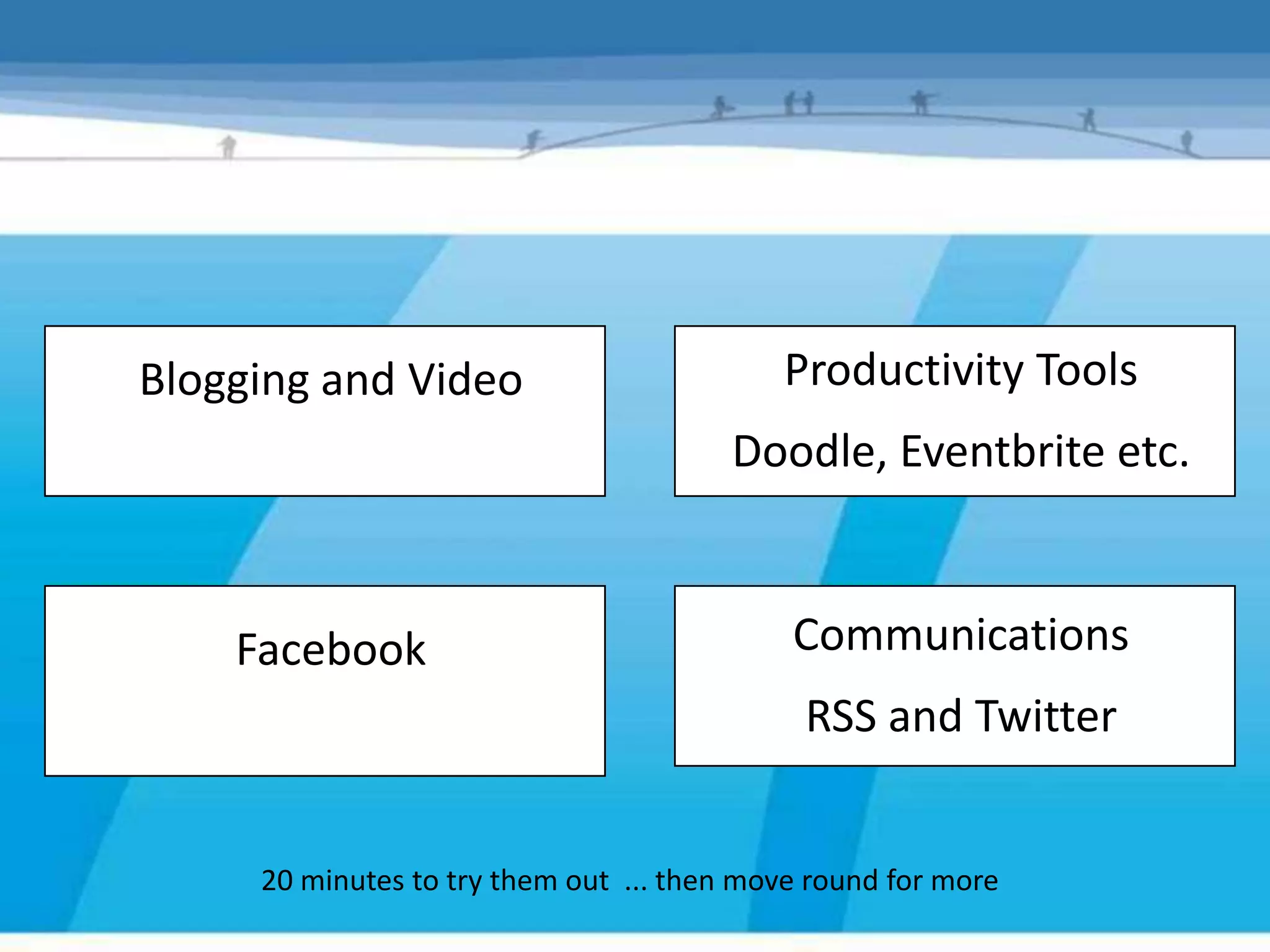
Blogging and Video                         Productivity Tools
                                        Doodle, Eventbrite etc.


    Facebook                                Communications
                                             RSS and Twitter


     20 minutes to try them out ... then move round for more
Image Sharing - Flickr
Talking to the web – News Output
‘Audacity’ – free software for recording and converting to
MP3 to load to the web http://audacity.sourceforge.net/
Commoncraft Video explaining Podcasting                      Visit
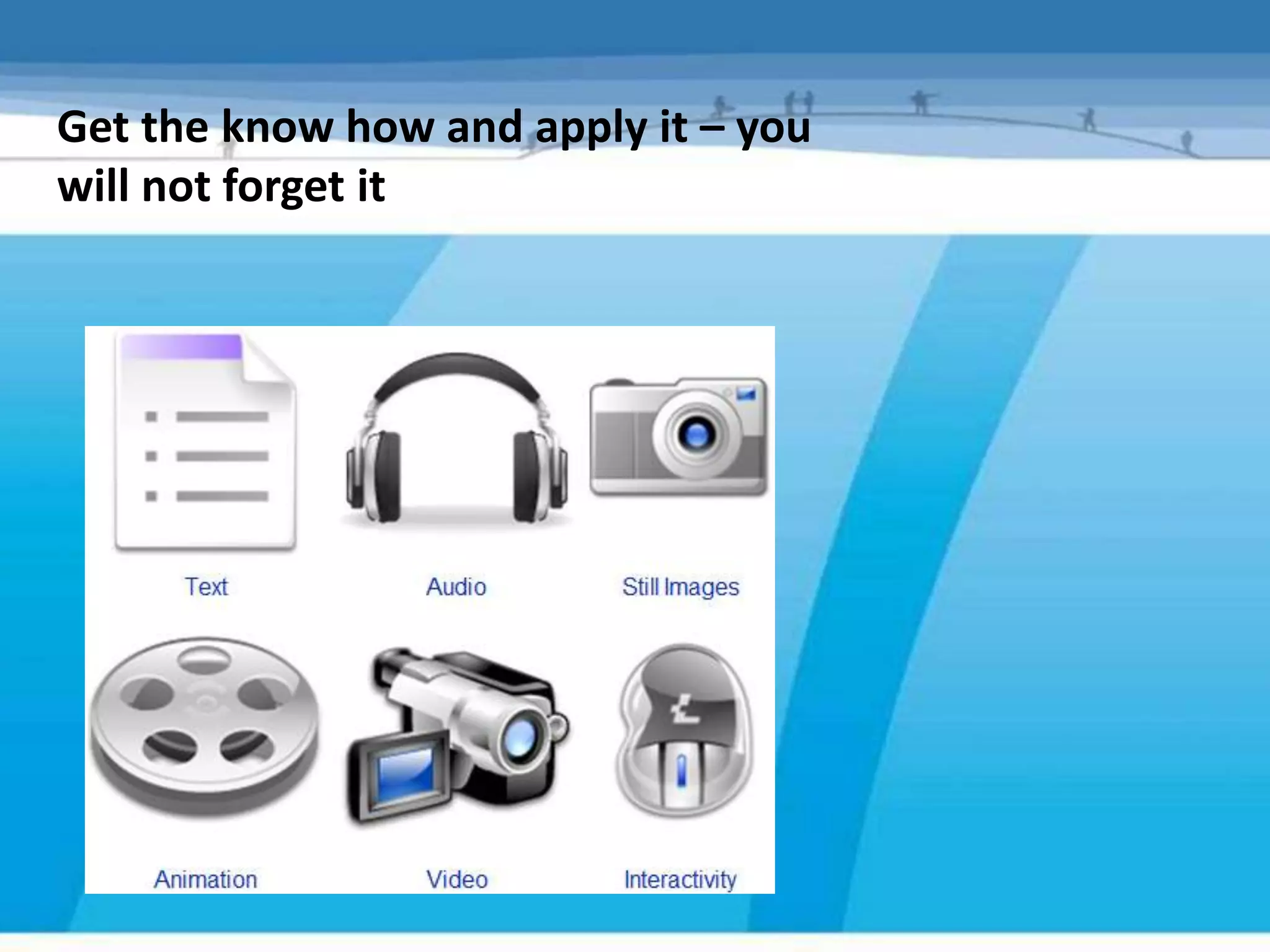
Get the know how and apply it – you
will not forget it
Sustaining the conversation
           and
      any questions
What have we made?
Sustain – engage, converse, measure, adjust


                          If you don’t do it,
                          someone else will

  <Guide – Pages 13, 14         6, Measure your success
                                7, Develop
  – Steps 6 and 7>
Summary

Objectives – What do you want to do?

Audience – Who are they? Where are they?

Strategy – Pick a guided plan with a path that fits

Implement - Match to right social networking tool

Sustain – Engage & converse, monitor & revise
What social media will do

•   Increases       speed of communication – no faster way to
    (Action)        spread your message than through social networking.
•   Widens          message to people/groups that would normally
    (Awareness)     be missed using more traditional methods – ‘viral’
                    campaigns hugely powerful creating awareness
                    extremely efficiently
•   Deepens         to build new and different networks –
    (Fundraising)   communities of interest to bounce ideas off and
                    share experiences, increase commitment and
                    fundraising for campaigning activity
What social media will do

•   Generate   on-line conversations and awareness about the
    (Change)   organisation or campaign, a consensus of
               opinion or shared learning about ideas
•   Joins      together communities who are interested in the
    (Action)   similar things, have the same likes or are
               striving for the same objectives.


• Common Video explaining Social Media , and any of your
  activities
Social Media - In conclusion
• It’s only beneficial to your organisation if it’s going to tangibly
  help you to achieve your goals.
• Establish a a plan thinking short, medium and long term – and
  have an internal policy for using it.
• Know your target audience and go to the spaces where they are.
• Know your message - make it clear and directed.
• Think of how it applies to Communications of your message
  Marketing your project, Fundraising, Productivity, .... and
  whatever else you do.
• Implement, monitor and adjust – and remember it takes time!
Social media - reflections
• What ideas do you have for your use from this workshop?

• How could your organisation use or make more of social media?

• How could groups you support, campaign more effectively using social media?

• What gaps are there in supporting them?

• Has your organisation a social media policy or Twitter guidelines?

• Have we answered the UnAnswered Questions?!

• How can we keep the conversation going?
Thank You

Social media as communication tool draft

  • 1.
    Social media The newcommunications tools
  • 2.
    “Social Media. Theyget all excited about gleaming technology and clever gizmos. They talk in acronyms and begin sentences with: “Did you know you can..” The rest of us just want to get on with campaigning, fundraising or service delivery. We want to talk about the people we work with, the communities we’re in and the issues we’re passionate about. We want to find and talk to people who can help us get change, deliver services or make a difference”. Well, Social Media is about all that, telling stories and having conversations, having a space to do that … it just happens that the space is on a computer. (From ‘How to use New Media’ - Media Trust).
  • 3.
    What we aregoing to do today • Do some networking • Find out what social media is and why its important • Look at current communications methods • Make a plan for good social media use • Think about the best way to communicate • See how other organisations benefit from using social media • Try out and even join some social media websites • Have fun ! http://www.flickr.com/
  • 4.
    Finding Out –Networking and Communications
  • 5.
    What is SocialMedia and why is it relevant
  • 6.
    Old media -Web 1.0 . . . . . static websites with no interaction, text heavy content. Information was just fed TO viewers
  • 7.
    New media -Web 2.0 ... . . is interactive websites, open comments allowed, conversations and social networking with viewers encouraged
  • 8.
    The story sofar... - 2009- now was the era of Social Media Facebook use in the PALESTINE is now 910000, a third of the population, up from Less than afifth in 2008 In Jan 2010 Facebook had more global visitors than Google Youtube is the second most popular search engine Research claims Social Networking is slowly replacing email Statistics show 10 % of users are aged between 35 – 44 and that 85% of those aged 16 – 35 are on at least one social network site. There is a steady growth in access to social networks by Smartphone – Facebook mobile traffic has increased globally by 100% in the last 6 months.
  • 10.
    Palestine - facebookusers – Gender - Age - 6/2012 - 36.21% of the population penetration • Users in Palestine 600000 Oct2011 700000 Jan2012 910000 Jun2012
  • 11.
    Israel - facebookusers – Gender - Age - 6/2012 - Penetration of population:47.22% Penetration of online population65.97% 3472360 FACEBOOK USERS IN THE ISRAEL, WHICH MAKES IT #44
  • 12.
    The internet asa friendly conversation The art of conversation is to listen more than you talk – it’s a two way process • Read and Listen – find out what is happening already • Link and Share – and link again! Its these links that keep the conversation flowing • Comment and Feedback – agree or disagree, this is what builds communities around a topic • Say Thank You – as social media is more about the links, introductions and relationships than the technology ... • Be Helpful – share what you have and you’ll be amazed when you get back! (
  • 13.
    Social networks aredifferent to broadcast media • Social networks are relational not transactional communication tools. • Social media rewards – Generosity – Other-centeredness – Helpfulness • 20-to-1 rule you should make 20 relational deposits for every marketing withdrawal
  • 14.
    Why are theyrelevant? • Gain new wide range environment of communication tools • Virally promote your project , cause or brand • Campaign • Cheap or free t use – main cost is time • Easier to engage with partners and target audience
  • 15.
    Voluntary sector usage... 2010 research found that less than 20% were using social networking services ( in Palestine ) Main barriers: Lack of knowledge/confidence Lack of business case Access – either connection or equipment weren’t suitable Perceived risk of mixing personal and professional networking In the 2012 we have survey, 36% said they would look for a Facebook page for an organization ,project , news (local , national , professional , personal , cause, issue(second source of information after radio )
  • 16.
    NEC – INTERNEWS- Local media Survey - June 2011 28 (23.9%) 35 (29.9%) 47 (40.2%) 7 (6.0%) 0 (0.0%)
  • 17.
    When asked whatorganisations had on their website: • 20% - online picture and media storage • 15% - RSS feeds • 10% - Podcasts But when asked about external social media sites used: • 17% - Facebook for their cause • 9% - Youtube, VIMEO • 7% - Flickr
  • 18.
    Local media inPalestine usage. Of social media .. 2009 after our 1st round of citizen journalism and social media training – Prior to training, 35% had a profile on at least one social network – After training, 80% had a profile on at least one social network – 35% are also blogging – The 1st social media conference was held in Palestine 2011 – Social media courses was developed in Palestinian universities, media institutions 2011 – Currently there id two groups and pages on facebbok only for professional journalist ,photographers , reporters in which 1000 Palestinian journalist are active members .
  • 19.
    Not everyone choosesto use the internet Social networking should never simply replace face to face communication Although 38% people access the internet every day (ON 2010),28% OF people have never used it Similarly just 2% of those with a degree level qualification don’t use the internet, rising to 55% of those with no qualifications The largest group of ‘non-users’ are in the social grouping and aged over 55. Consider these figures When defining your audience and target group ,and use your listening and monitoring skills to decide which social media to use .
  • 20.
  • 21.
    Social Media PlanningGuide “So you think you want to use Social Media”
  • 22.
  • 23.
    The voluntary sectorproblem • Where to start • Capacity • Knowledge • Time • Cost • Type of guidance available
  • 24.
    The experiment “Todevelop a guide for VCOs to use to enable them to set up and implement a social media strategy, if relevant, which will help them to achieve their goals” #socialmediavco Find out about the most common social media tools Explore if and how they may be useful in helping local VCOs in Yorkshire & The Humber to achieve its goals
  • 25.
    The steps Objectives –What do you want to do? Audience – Who are they? Where are they? Strategy – Pick a guided plan with a path that fits Implement - Match to right social networking tool Sustain – Engage & converse, monitor & revise
  • 26.
    Objectives – whatdo you want to achieve Needs first, then tools
  • 27.
    Audience – Whoare they? – Where are they? If you don’t build it, they won’t come
  • 28.
    The guide Step 1– Establish if Social media is right for you • What is your organisation trying to achieve? • What are the goals you think social media might be able to help you with? • Do you already have a website that you can update yourself? • Are any of your target audiences already using social media (or are likely to soon)? • Have you got the time?
  • 29.
    So, Is SocialMedia right for your organisation? Yes? It is likely that social media will make a significant difference to your organisation No? Think carefully if this is the right time for you to be spending time on this area.
  • 30.
    Please describe your Please describe your social strategy: social objectives • Engagement • Promoting • Social Content • Network Building
  • 31.
  • 32.
    What is themessage? • The Social Media Planning Guide covers the steps to using social media ... • We know WHO we are talking to • Now need to look at WHAT we are saying • Find out the most suitable communication method and best WAY to say it
  • 33.
    What communication typesdo you use? And why?
  • 34.
    How do youchoose…. • You want to apply for a job? • You want to complain • You want to market your organisation/project • You want to reduce the costs of missed appointments • You want to find people to get involved • You want to share information
  • 35.
    What communication types ismost effective? How much does it cost?
  • 36.
    Decide what youare going to say • Driving people to your website should be an essential part of your communications strategy (not driving / forcing people, but making site something people WANT to visit) • Message - clear and unambiguous, your web site is often now the first public face of your organisation • Tone – get this right and match for your audience • Context – if you can’t add value to a conversation maybe don’t say anything at all! • Frequent updates & blogs will keep your site fresh and interesting • Include your website on all communications
  • 37.
    Addressing concerns aboutcommunication on the social web • Don’t worry that it’s not finished – a half formed blog post can be more inspiring and create a bigger conversation than a polished piece. • Don’t pretend to be someone you aren’t – the social web is about individuals not corporate viewpoints. You’ll find your voice weakened if you ‘spin’ ... And others will see through it! • Don’t worry you are in a vacuum – follow the tips, linking, connecting and conversing and soon people will do the same for you – it’s true! • Don’t measure success by numbers – if you’re reaching the right people it’s quality not quantity that counts • Don’t ignore people – they invest time reading what you say so do the same for them.
  • 38.
    ACTION • Register yourorganisations - project name on the popular social media sites. • Make sure your organisation-project is on Google applications and tools • Share links – with everyone
  • 39.
    The networked project BE DO Understand Networks Work with Free Agents – journalists – social media activist , bloggers Create Social Culture Work with Crowds – find those groups and pages who have the same interest or can serve your goals Listen, Engage, and Build Learning Loops Relationships Trust Through Friending or communicating Transparency Simplicity Govern and reach through Networks
  • 40.
    It’s what youdo, not how you do it Educating --Marketing – Fundraising - Productivity
  • 41.
    Strategy - picka plan with a path that fits Social web is an ‘as-well-as’ 1, Pick one goal to pursue 2, Decide who is going to be involved and how much Consider responsible use (Appendix 2)
  • 42.
    Pick one goalto pursue Step 2 – Pick one goal to pursue Marketing What marketing goals might your organisation- project have?
  • 43.
    Which Tools? • Whichtools do you use to help you to achieve your marketing goals? • Why? • What problems do you face?
  • 44.
    Social Media Toolsfor Marketing a project Social Media Marketing uses Frequency Twitter Dialogue Viral marketing Signposting Relationship Throughout Social Media Tools and Marketing building the day Facebook Dialogue Campaigns Stories/images News Daily YouTube Personal Emotional Engaging Instructional Weekly/Monthly Blogs Discussion Stories/images Newsletters/ News Daily/Weekly stories / videos /images Linkedin Discussion Professional Stories/images Flicker Websites Brand Central Hub Information Data Daily/Weekly management SurveyMonkey Questionnaires Targeting Planning Information Fixed term gathering analysing
  • 45.
    Case Study –FOEME Friends of the Earth Middle East (FoEME) http://foeme.org/www/?module=home Marketing - communication Goals 1. To build awareness of FOEME and its goals and services 2. To increase traffic to the website, phone and/or email 3. To build relationships
  • 46.
    How they useit • Facebook – Announcements stories, relationship building, In for a Pound group, cat picture tags from other Facebook users • How they use Social Media Website – Donation buttons, affiliate links, stories, images • Twitter – Raising awareness, website traffic • Blog – New centre appeal, education, donations, stories
  • 47.
    Productivity and Support Using Social Media Tools to help you to achieve your Productivity/Support goals. organisation’s Productivity = More efficient, effective, sustainable Do you want to be able to do things better? Productivity Rules 1. Quick – save time 2. Easy to implement and use 3. Make a difference
  • 48.
    Which to use? Othersocial tools • Communication – Skype, Oovoo, Tokbox, DimDim, ipadio • Organisingfor Tools Productivity/Support – Doodle, Eventbrite, Del.icio.us, Bit.ly • Collaboration – Google Docs, Dropbox, Huddle, Tom’s Planner • All-round useful – Jing, PDFCreator, ShrinkPictures, Issuu ,Pinterest
  • 49.
    Communications Using Social Media Tools to help your organisation get Productivity/Support audience. it’s message to a wider • Start conversations with your supporters and your networks • More efficient – electronic messages get passed around social networking sites • Less costly to post a message on Twitter or Facebook • Instant news and information updates to your followers • Use RSS and Google Alerts to stay ahead of developments in your area of interest and build a ‘Listening Dashboard’.
  • 50.
    Twitter Events AS theyhappen not AFTER they have happened
  • 51.
    In a survey–“How does Twitter work for you?” In less than 7 mins -7 replies. Twitter keeps me connected to friends I know & helps connect me to new people & opportunities Twitter helps me to be connected with people and new developments, and helps to make new connections too Twitter's introduced me to many other organisations with similar goals that I wouldn't have met, & sharing best practice Twitter helps me build & maintain my professional network Keeps me up to speed with others - via my phone - esp important when out of office To keep track of topics/people of interest and discover new topics and people through the first set of people and topics
  • 52.
    Listening VIA RSS • What are other websites saying about your organisation/or an issue of your interest ? • What are organisations you support saying? • See EU/EU PROJECTS ,sectors reports and announcments ,PR as published • RSS enabled feeds automatically can be picked up to be read at your leisure in a feed reader (such as Bloglines or Google Reader) without you having to re-visit each website • Content aggregated into a single easily readable interface/netvibes • RSS feeds can be converted for email delivery • RSS feeds from others can be embedded in your website
  • 53.
    Listening • Tellothers what you are doing • Easier for supporters (individual and peers) to keep up with your events and news • RSS enabled feeds automatically can be picked up to be read at their leisure in a feed reader (such as Bloglines or Google Reader) without them having to re-visit your site • RSS feeds can be converted for email delivery • RSS feed can be embedded into other organisations websites • We will provide a document which explain the rss usage
  • 54.
  • 55.
    Social media createdthe opportunity of all types of communication tools … Define which to use learn…practice ask and apply ?we are ready to tell how to use some of them.
  • 56.
  • 57.
    Social Media toolsand local support organisations
  • 58.
    Remember the steps Objectives– What do you want to do? Audience – Who are they? Where are they? Strategy – Pick a guided plan with a path that fits Implement - Match to right social networking tool Sustain – Engage & converse, monitor & revise
  • 59.
    Implement - matchright social networking tool But new media doesn’t just replace old media <Guide – Pages 11, 12 3, Research (See Appendix 3) 4, Decide on your approach – Steps 3, 4 and 5> 5, Jump in
  • 60.
    1 The main Social 7 2 Media Types Also Social 6 Collaboration 3 and Productivity •An organisations’ activities Tools 5 4 •Which tools are the best •Examples of use
  • 61.
  • 62.
    Use by– Pickone goal & Development Step 2 Local Support to pursue Organisations Some examples of how these organisations are using the main Social Media tools
  • 63.
    Why these Tools? • Quick and easy to set up and continue to develop (maybe 30 mins a week) • Draws people to the website • You want feedback from people and want to start conversations • Once set up, requires very little work (may take a while to get used to) • Spreads awareness • Draws people to your website • Links to your blog or Facebook page
  • 64.
    Online journals -Blogging How to blog – document
  • 65.
    Twitter – Telford& Wrekin Document for explaining Twitter is available Visit http://palestin emedia.blogs pot.com/
  • 66.
    Why these Tools? • High number of clients/potential clients have Facebook page, but only use if your audience are already there • Links to blog • Can have separate Facebook page for projects and business activities • They have the technology to make it quick and easy • It provides them with an extra web presence • It gives a face and a personality to your organisation
  • 67.
    Social Networking -Facebook Pages- groups Phoros Events pulls Interactive
  • 68.
    Video Sharing –Youtube ,Vimeo ,bliptv
  • 69.
    Time Planning –frequency and time needed Every Day Tweet, re-tweet, check Google Alerts, (30 mins) check RSS reader & reply to comments Once a Week Write blog post, check analytics, monitor (45 mins) groups & find new people to follow About Monthly Add video to YouTube, share a resource (60 mins) on-line, create podcast & build profile
  • 70.
    Time Planning –response expected? Type News travels Reply within Print 7 days 2 weeks Email 7 hours 2 days Facebook / Blogs 7 minutes 2 hours Twitter 7 seconds 2 minutes
  • 71.
    How much timewill you spend doing the work once you learn skills? Listen Promote Participate Publish Build No Engagement Broadcast/Share Low Engagement Content Intensive Community High Engagement 15 min/day +20 min/day + 30 min/day + 3-5 hrs/wk Original concept by Beth Kanter, revised by Aliza Sherman + 5-10 hrs/wk
  • 72.
    Social Media inPractice – Now it’s your turn! Surgery session to help you try out any of the tools we’ve talked about Help you register your organisation for the websites you’ve seen Just to answer any more questions you have about social media
  • 73.
    Blogging and Video Productivity Tools Doodle, Eventbrite etc. Facebook Communications RSS and Twitter 20 minutes to try them out ... then move round for more
  • 74.
  • 75.
    Talking to theweb – News Output
  • 76.
    ‘Audacity’ – freesoftware for recording and converting to MP3 to load to the web http://audacity.sourceforge.net/ Commoncraft Video explaining Podcasting Visit
  • 77.
    Get the knowhow and apply it – you will not forget it
  • 78.
  • 79.
  • 80.
    Sustain – engage,converse, measure, adjust If you don’t do it, someone else will <Guide – Pages 13, 14 6, Measure your success 7, Develop – Steps 6 and 7>
  • 81.
    Summary Objectives – Whatdo you want to do? Audience – Who are they? Where are they? Strategy – Pick a guided plan with a path that fits Implement - Match to right social networking tool Sustain – Engage & converse, monitor & revise
  • 82.
    What social mediawill do • Increases speed of communication – no faster way to (Action) spread your message than through social networking. • Widens message to people/groups that would normally (Awareness) be missed using more traditional methods – ‘viral’ campaigns hugely powerful creating awareness extremely efficiently • Deepens to build new and different networks – (Fundraising) communities of interest to bounce ideas off and share experiences, increase commitment and fundraising for campaigning activity
  • 83.
    What social mediawill do • Generate on-line conversations and awareness about the (Change) organisation or campaign, a consensus of opinion or shared learning about ideas • Joins together communities who are interested in the (Action) similar things, have the same likes or are striving for the same objectives. • Common Video explaining Social Media , and any of your activities
  • 84.
    Social Media -In conclusion • It’s only beneficial to your organisation if it’s going to tangibly help you to achieve your goals. • Establish a a plan thinking short, medium and long term – and have an internal policy for using it. • Know your target audience and go to the spaces where they are. • Know your message - make it clear and directed. • Think of how it applies to Communications of your message Marketing your project, Fundraising, Productivity, .... and whatever else you do. • Implement, monitor and adjust – and remember it takes time!
  • 85.
    Social media -reflections • What ideas do you have for your use from this workshop? • How could your organisation use or make more of social media? • How could groups you support, campaign more effectively using social media? • What gaps are there in supporting them? • Has your organisation a social media policy or Twitter guidelines? • Have we answered the UnAnswered Questions?! • How can we keep the conversation going?
  • 86.

Editor's Notes

  • #9 See the handout of 52 facts for lots more!
  • #11 Facebook monitoring helps to improve your business and social media marketing strategy in every country. Currently, there are 910600 Facebook users in the Palestine, which makes it #82 in the ranking of all Facebook statistics by Country.Also, feel free to try our professional social media monitoring tool Engagement Analytics – monitor the situation on the market, track and analyze your fans&apos; engagement on your Facebook page, identify key influencers, response rates, and much more. Easily generate the data, compare them with your competitors or with the
  • #12 Facebook monitoring helps to improve your business and social media marketing strategy in every country. Currently, there are 3472360 Facebook users in the Israel, which makes it #44 in the ranking of all Facebook statistics by Country.Also, feel free to try our professional social media monitoring tool Engagement Analytics – monitor the situation on the market, track and analyze your fans&apos; engagement on your Facebook page, identify key influencers, response rates, and much more. Easily generate the data, compare them with your competitors or with the top brands in your field.
  • #23 The big four .... The premiership of social networking websitesJust announce the big four as they will come up in the next section
  • #62 The big four .... The premiership of social networking websites