1
2
 Why Use it?
 We’ll cover
• Facebook
• Twitter
• LinkedIn
• Pinterest
• Google+
• Blogs
Social Media
3
Why use it?
4
It’s the new SEO
 Social Media Optimization (SMO) is the new SEO, or
rather two halves of a whole.
 SMO is the distribution of social objects (videos, blog
posts, tweets, Facebook updates) so that they’re
optimized to rise to the top of any related search
query, where and when it is performed.
 Social media sites are indexed by the search engines
 SEO + SMO = Amplified findability in the traditional
and social web.
5
It’s Huge
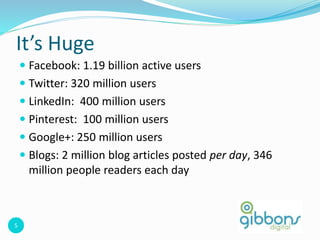
 Facebook: 1.19 billion active users
 Twitter: 320 million users
 LinkedIn: 400 million users
 Pinterest: 100 million users
 Google+: 250 million users
 Blogs: 2 million blog articles posted per day, 346
million people readers each day
6
www.marketingtechblog.com
7
www.marketingtechblog.com
8
www.marketingtechblog.com
9
www.marketingtechblog.com
10
It’s Growing
 As of October 2015, 65% of all adults use social
networking sites.
 For adults ages 18-29, 90% of them use social networking
sites.
 For adults ages 30-49, 77% of them do.
 For adults ages 50-64, 51% of them do
 For adults ages 65+, 35% of them use social networking
sites compared with 2% in 2005.
(Pew Research Center)
11
It’s Real-Time
 Reveal the human side of a company, give it personality
 Provide useful information that people won’t get
elsewhere (or at least not as quickly)
 Respond to comments, complaints, requests real-time
 Have a platform for announcing news, promotions, events
 Generate new business leads
12
Getting Started
 Map out your strategy
 Define your business goals and objectives for social media
 Increase sales, brand awareness, engagement, drive traffic
to your website, create a community on your page
 Identify your competition and what distinguishes you
from your competition
 Define target audiences and key messages
 Define categories/topics for social media updates
13
Getting Started
 Create your plan – align with off-line marketing calendar
 Identify the most important keywords for your business.
Use these consistently in all posts, tweets, updates.
 Set-up your profiles and pages and start posting
 Ensure you have a consistent design/branding across all
platforms
 Set-up Google Analytics to monitor web traffic
 Measure and adjust – traffic, comments, leads, etc.
14
Why Use Facebook
 Increase visibility – boost posts, Facebook Ads
 Connect with customers
 Increase engagement – likes, comments, shares
 Promote your brand
 Create a community
 Promote and manage events
 Give back to loyal customers through special offers and
discounts
15
Identify Your Target Market
 What do your favorite customers have in common? Who
else would you like to bring in?
 Consider:
 Which few distinct groups of people would you like to sell
your products or services to?
 What are their age ranges and interests?
 Where do they live?
 How can your business help them?
 What do they care about besides your product/service?
16
Create Compelling Content
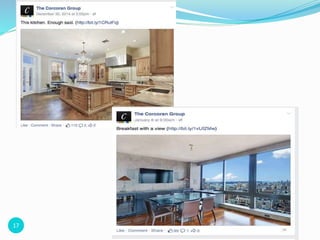
 Create posts that highlight the best of your business. Use
photos and information that will bring your business to
life and give people a reason to visit.
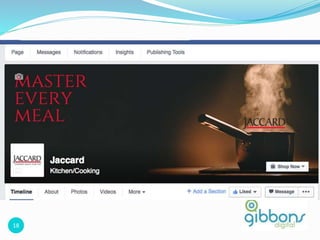
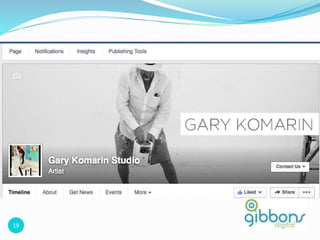
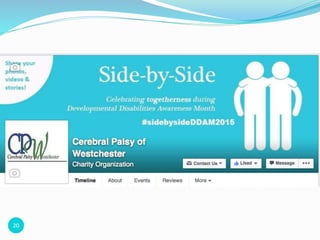
 Be inviting and be yourself. Authenticity (for example,
asking questions, expressing why you’re passionate about
your business and your customers) can help people
connect.
 Post regularly, and at the right times. If you’d like to catch
people on their morning commute or just before their
lunch hour, you can. If you’re busy at those times, you can
schedule the posts.
17
18
19
20
21
22
23
24
Facebook Advertising
25
Facebook Ads
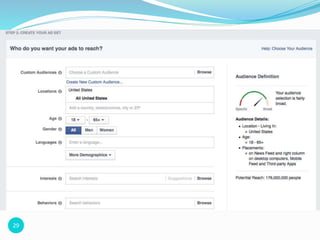
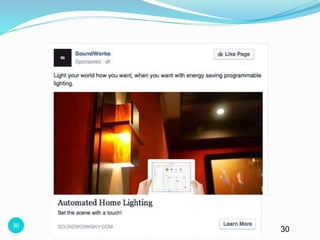
 Ads on Facebook are shown to specific groups of highly
engaged people on desktop and mobile.
 The more you boost your Page posts and create targeted
ads for specific groups of people, the more people will
see them when they visit Facebook.
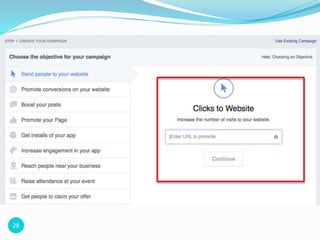
 When you set up an ad on Facebook, you’ll be asked to
choose your goal, targeting options, etc.
25
26
Establish your goals
 Increase in-store sales - Increase foot traffic and make it
easier for people to find and share information about
your business.
 Increase online sales - Find new customers and deepen
relationships with people who’ll click through and buy.
 Launch a new product - Generate excitement and
maintain momentum around a new product or service.
 Build Awareness - Express what makes your business
unique and stay top-of-mind for future product decisions.
 Promote your mobile App - Get your app into the hands
of the right people and keep them engaged.
27
Start Advertising
Business.facebook.com
28
29
3030
‹#› 30
3131
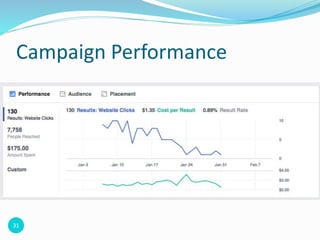
Campaign Performance
32
Boosting Posts
 You can boost any post you share from your News Feed,
Timeline or Page, including status updates, photos, videos
and offers. Any post you boost will appear higher in News
Feed to help more people see it.
3232
33
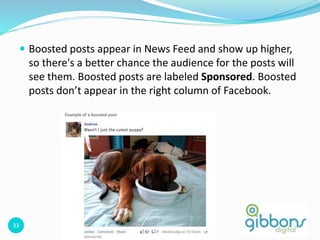
 Boosted posts appear in News Feed and show up higher,
so there's a better chance the audience for the posts will
see them. Boosted posts are labeled Sponsored. Boosted
posts don’t appear in the right column of Facebook.
33
34
Boosting Posts
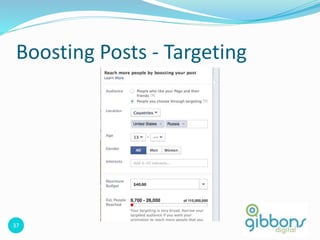
 Go to any post you've recently created.
 Click Boost Post at the bottom of your post.
 Choose your audience and budget based on how many
people you want to reach. You can also click More
Options to select the duration of your boost or change
your payment method.
 Click Boost Post.
34
35
Boosting Posts - Cost
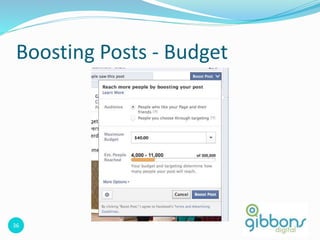
 The cost to boost a post depends on how many people
you want to reach. To see different budget options, go
your post and click Boost Post. In the dropdown menu
next to Maximum Budget, you'll see the estimated reach
for each budget. To create a custom budget, select
Choose Your Own.
 The budget you choose is a lifetime budget that will be
spent throughout the duration of your boosted post.
You'll be charged for the impressions on your post, which
may sometimes be less than your budget.
36
Boosting Posts - Budget
36
37
Boosting Posts - Targeting
37
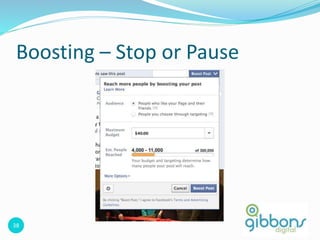
38
Boosting – Stop or Pause
38
39
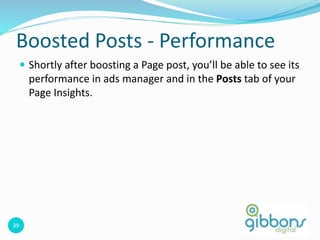
Boosted Posts - Performance
 Shortly after boosting a Page post, you’ll be able to see its
performance in ads manager and in the Posts tab of your
Page Insights.
39
40
Boosted Posts - Performance
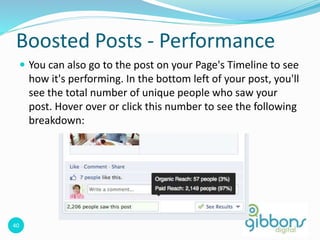
 You can also go to the post on your Page's Timeline to see
how it's performing. In the bottom left of your post, you'll
see the total number of unique people who saw your
post. Hover over or click this number to see the following
breakdown:
40
41
Twitter
 Microblogging site that enables users to send and read
other users’ updates (known as tweets)
 Text based posts
 160 characters total
 20 for username, 140 for message text
 Updates appear on the user’s profile page and are
delivered to other users who have signed up to receive
them (followers)
42
Twitter
 An informational tool – provides information to others
 A conversational tool – respond to other people’s tweets
and engage in dialogue
 Great way to network and communicate with new and
old contacts
 You choose the message, not the recipient
43
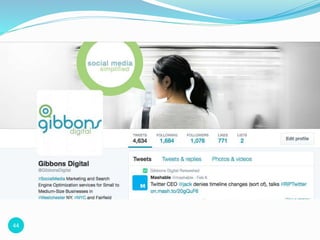
 Ask relevant questions on Twitter and consumers are
happy to share opinions
 People like being asked to provide input on topics of
interest
 Follow people – they might follow you back
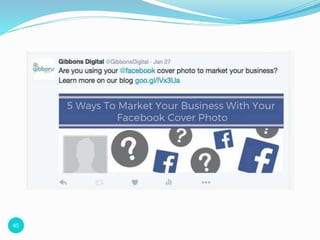
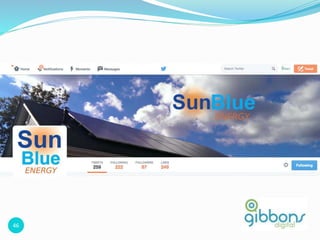
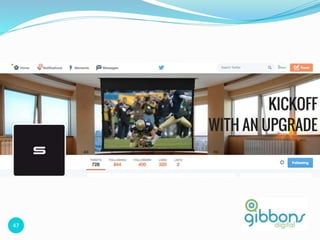
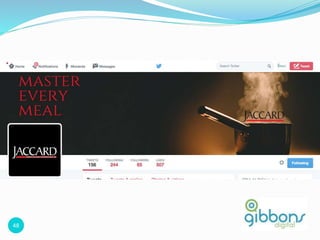
Engage and grow your following
44
45
46
47
48
49
LinkedIn
 The world’s largest professional network with over 175
million registered members and growing rapidly.
 Connects you to your trusted contacts and helps you
exchange knowledge, ideas, and opportunities with a
broader network of professionals.
50
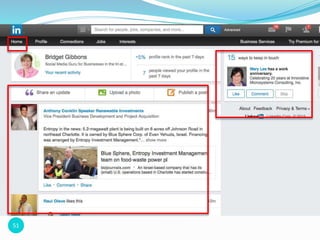
Engaging on LinkedIn – Status Updates
 Share links to interesting articles, websites or video you have
found that some individuals in your network might appreciate.
Try to use words that grab the readers and encourage them to
click the link.
 Pose a question that could lead to solving a problem you have,
like: "Anyone know about…?”
50
51
52
5353
5454
5555
5656
57
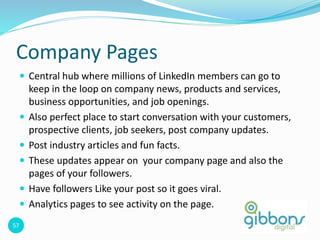
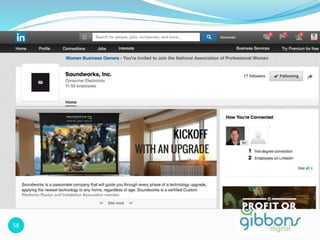
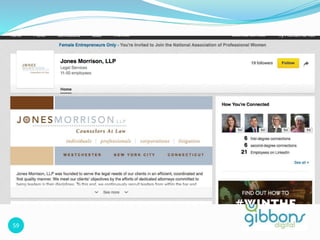
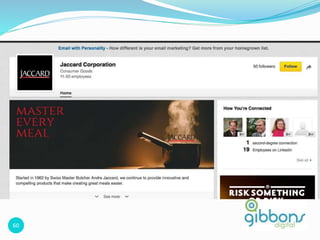
Company Pages
 Central hub where millions of LinkedIn members can go to
keep in the loop on company news, products and services,
business opportunities, and job openings.
 Also perfect place to start conversation with your customers,
prospective clients, job seekers, post company updates.
 Post industry articles and fun facts.
 These updates appear on your company page and also the
pages of your followers.
 Have followers Like your post so it goes viral.
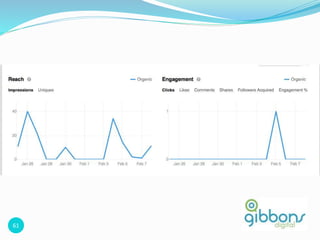
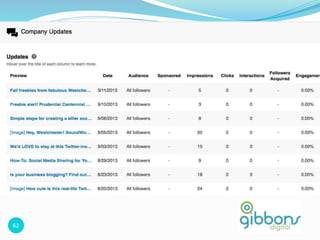
 Analytics pages to see activity on the page.
57
58
59
60
61
62
62
63
What is it?
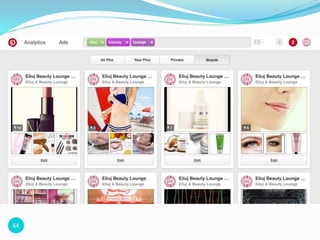
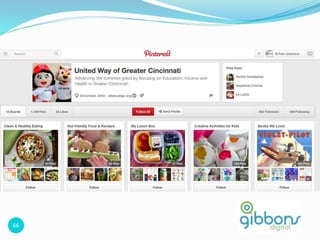
 Pinterest is a “virtual pinboard” that lets people
share anything and any topic on the web that they
find interesting and beautiful – e.g., pictures,
quotes, recipes, etc.
 Centered around the social discovery of
objects (as opposed to friends and family)
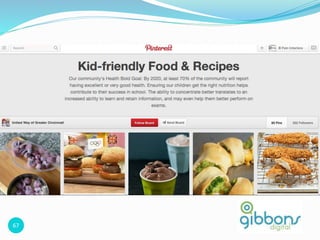
 Content is organized in “Boards” and organized in
categories.
 Each piece of content is called a “Pin”
64
65
66
67
67
68
69
What is it?
 Google+ is a social networking that is owned and
operated by Google Inc.
 Like Facebook – personal profiles and business pages
70
Why use it?
 No one loves Google more than Google. And, let’s be
honest, you want Google to love your business and the
content you produce too. If that’s not reason enough, I
don’t know what is.
 Increase your visibility and reach by offering great content
on Google Plus that people will like and want to share
 This will help with search engine optimization (SEO)
71
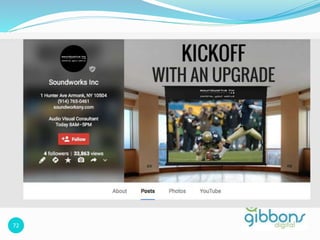
Engaging with Google+
 Share lots of photos
 Think about your business – what images, charts, slides can
you share to ignite conversations
 Share fresh content, interact with fans, etc.
 Promote your Google+ page on your blog and website
 When you post a message, photo or link, ask your
subscribes to share the content with their Circles
72
73
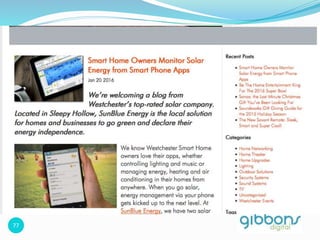
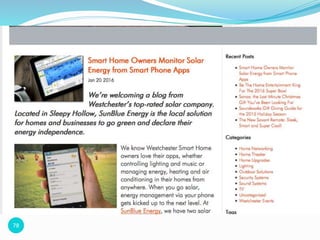
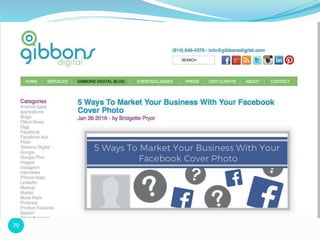
Blogs
 Blog = ‘web log’
 An online diary or journal
 Anybody can be a content generator and an expert in
their field
 Can be setup withWordPress
74
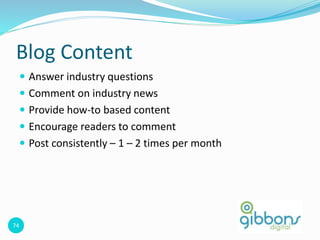
Blog Content
 Answer industry questions
 Comment on industry news
 Provide how-to based content
 Encourage readers to comment
 Post consistently – 1 – 2 times per month
75
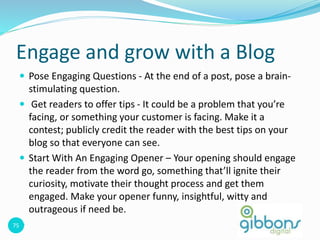
Engage and grow with a Blog
 Pose Engaging Questions - At the end of a post, pose a brain-
stimulating question.
 Get readers to offer tips - It could be a problem that you’re
facing, or something your customer is facing. Make it a
contest; publicly credit the reader with the best tips on your
blog so that everyone can see.
 Start With An Engaging Opener – Your opening should engage
the reader from the word go, something that’ll ignite their
curiosity, motivate their thought process and get them
engaged. Make your opener funny, insightful, witty and
outrageous if need be.

76
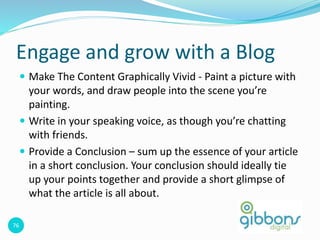
Engage and grow with a Blog
 Make The Content Graphically Vivid - Paint a picture with
your words, and draw people into the scene you’re
painting.
 Write in your speaking voice, as though you’re chatting
with friends.
 Provide a Conclusion – sum up the essence of your article
in a short conclusion. Your conclusion should ideally tie
up your points together and provide a short glimpse of
what the article is all about.
77
78
79
80
Other Platforms to Consider
 Instagram
 Houzz
 YouTube
 Review Sites – Yelp, etc.
 And more.
81
Demographics - Facebook
 86% of Facebook users are age 25 and older
 81% have some college education or bachelors/graduate
degree
 58% earn $50,000 or more
82
Demographics - Twitter
 81% of people on Twitter are age 25 and older
 83% have some college education or bachelors/graduate
degree
 47% earn $50,000 or more
83
Demographics - LinkedIn
 96% of people on LinkedIn are age 25 and older
 87% have some college education or bachelors/graduate
degree
 71% earn $50,000 or more
84
Thank You!
Bridget Gibbons
bridget@gibbonsdigital.com
Gibbonsdigital.com
@gibbonsdigital
fb.com/gibbonsdigital

Wedc social media presentation

  • 1.
  • 2.
    2  Why Useit?  We’ll cover • Facebook • Twitter • LinkedIn • Pinterest • Google+ • Blogs Social Media
  • 3.
  • 4.
    4 It’s the newSEO  Social Media Optimization (SMO) is the new SEO, or rather two halves of a whole.  SMO is the distribution of social objects (videos, blog posts, tweets, Facebook updates) so that they’re optimized to rise to the top of any related search query, where and when it is performed.  Social media sites are indexed by the search engines  SEO + SMO = Amplified findability in the traditional and social web.
  • 5.
    5 It’s Huge  Facebook:1.19 billion active users  Twitter: 320 million users  LinkedIn: 400 million users  Pinterest: 100 million users  Google+: 250 million users  Blogs: 2 million blog articles posted per day, 346 million people readers each day
  • 6.
  • 7.
  • 8.
  • 9.
  • 10.
    10 It’s Growing  Asof October 2015, 65% of all adults use social networking sites.  For adults ages 18-29, 90% of them use social networking sites.  For adults ages 30-49, 77% of them do.  For adults ages 50-64, 51% of them do  For adults ages 65+, 35% of them use social networking sites compared with 2% in 2005. (Pew Research Center)
  • 11.
    11 It’s Real-Time  Revealthe human side of a company, give it personality  Provide useful information that people won’t get elsewhere (or at least not as quickly)  Respond to comments, complaints, requests real-time  Have a platform for announcing news, promotions, events  Generate new business leads
  • 12.
    12 Getting Started  Mapout your strategy  Define your business goals and objectives for social media  Increase sales, brand awareness, engagement, drive traffic to your website, create a community on your page  Identify your competition and what distinguishes you from your competition  Define target audiences and key messages  Define categories/topics for social media updates
  • 13.
    13 Getting Started  Createyour plan – align with off-line marketing calendar  Identify the most important keywords for your business. Use these consistently in all posts, tweets, updates.  Set-up your profiles and pages and start posting  Ensure you have a consistent design/branding across all platforms  Set-up Google Analytics to monitor web traffic  Measure and adjust – traffic, comments, leads, etc.
  • 14.
    14 Why Use Facebook Increase visibility – boost posts, Facebook Ads  Connect with customers  Increase engagement – likes, comments, shares  Promote your brand  Create a community  Promote and manage events  Give back to loyal customers through special offers and discounts
  • 15.
    15 Identify Your TargetMarket  What do your favorite customers have in common? Who else would you like to bring in?  Consider:  Which few distinct groups of people would you like to sell your products or services to?  What are their age ranges and interests?  Where do they live?  How can your business help them?  What do they care about besides your product/service?
  • 16.
    16 Create Compelling Content Create posts that highlight the best of your business. Use photos and information that will bring your business to life and give people a reason to visit.  Be inviting and be yourself. Authenticity (for example, asking questions, expressing why you’re passionate about your business and your customers) can help people connect.  Post regularly, and at the right times. If you’d like to catch people on their morning commute or just before their lunch hour, you can. If you’re busy at those times, you can schedule the posts.
  • 17.
  • 18.
  • 19.
  • 20.
  • 21.
  • 22.
  • 23.
  • 24.
  • 25.
    25 Facebook Ads  Adson Facebook are shown to specific groups of highly engaged people on desktop and mobile.  The more you boost your Page posts and create targeted ads for specific groups of people, the more people will see them when they visit Facebook.  When you set up an ad on Facebook, you’ll be asked to choose your goal, targeting options, etc. 25
  • 26.
    26 Establish your goals Increase in-store sales - Increase foot traffic and make it easier for people to find and share information about your business.  Increase online sales - Find new customers and deepen relationships with people who’ll click through and buy.  Launch a new product - Generate excitement and maintain momentum around a new product or service.  Build Awareness - Express what makes your business unique and stay top-of-mind for future product decisions.  Promote your mobile App - Get your app into the hands of the right people and keep them engaged.
  • 27.
  • 28.
  • 29.
  • 30.
  • 31.
  • 32.
    32 Boosting Posts  Youcan boost any post you share from your News Feed, Timeline or Page, including status updates, photos, videos and offers. Any post you boost will appear higher in News Feed to help more people see it. 3232
  • 33.
    33  Boosted postsappear in News Feed and show up higher, so there's a better chance the audience for the posts will see them. Boosted posts are labeled Sponsored. Boosted posts don’t appear in the right column of Facebook. 33
  • 34.
    34 Boosting Posts  Goto any post you've recently created.  Click Boost Post at the bottom of your post.  Choose your audience and budget based on how many people you want to reach. You can also click More Options to select the duration of your boost or change your payment method.  Click Boost Post. 34
  • 35.
    35 Boosting Posts -Cost  The cost to boost a post depends on how many people you want to reach. To see different budget options, go your post and click Boost Post. In the dropdown menu next to Maximum Budget, you'll see the estimated reach for each budget. To create a custom budget, select Choose Your Own.  The budget you choose is a lifetime budget that will be spent throughout the duration of your boosted post. You'll be charged for the impressions on your post, which may sometimes be less than your budget.
  • 36.
  • 37.
    37 Boosting Posts -Targeting 37
  • 38.
  • 39.
    39 Boosted Posts -Performance  Shortly after boosting a Page post, you’ll be able to see its performance in ads manager and in the Posts tab of your Page Insights. 39
  • 40.
    40 Boosted Posts -Performance  You can also go to the post on your Page's Timeline to see how it's performing. In the bottom left of your post, you'll see the total number of unique people who saw your post. Hover over or click this number to see the following breakdown: 40
  • 41.
    41 Twitter  Microblogging sitethat enables users to send and read other users’ updates (known as tweets)  Text based posts  160 characters total  20 for username, 140 for message text  Updates appear on the user’s profile page and are delivered to other users who have signed up to receive them (followers)
  • 42.
    42 Twitter  An informationaltool – provides information to others  A conversational tool – respond to other people’s tweets and engage in dialogue  Great way to network and communicate with new and old contacts  You choose the message, not the recipient
  • 43.
    43  Ask relevantquestions on Twitter and consumers are happy to share opinions  People like being asked to provide input on topics of interest  Follow people – they might follow you back Engage and grow your following
  • 44.
  • 45.
  • 46.
  • 47.
  • 48.
  • 49.
    49 LinkedIn  The world’slargest professional network with over 175 million registered members and growing rapidly.  Connects you to your trusted contacts and helps you exchange knowledge, ideas, and opportunities with a broader network of professionals.
  • 50.
    50 Engaging on LinkedIn– Status Updates  Share links to interesting articles, websites or video you have found that some individuals in your network might appreciate. Try to use words that grab the readers and encourage them to click the link.  Pose a question that could lead to solving a problem you have, like: "Anyone know about…?” 50
  • 51.
  • 52.
  • 53.
  • 54.
  • 55.
  • 56.
  • 57.
    57 Company Pages  Centralhub where millions of LinkedIn members can go to keep in the loop on company news, products and services, business opportunities, and job openings.  Also perfect place to start conversation with your customers, prospective clients, job seekers, post company updates.  Post industry articles and fun facts.  These updates appear on your company page and also the pages of your followers.  Have followers Like your post so it goes viral.  Analytics pages to see activity on the page. 57
  • 58.
  • 59.
  • 60.
  • 61.
  • 62.
  • 63.
    63 What is it? Pinterest is a “virtual pinboard” that lets people share anything and any topic on the web that they find interesting and beautiful – e.g., pictures, quotes, recipes, etc.  Centered around the social discovery of objects (as opposed to friends and family)  Content is organized in “Boards” and organized in categories.  Each piece of content is called a “Pin”
  • 64.
  • 65.
  • 66.
  • 67.
  • 68.
  • 69.
    69 What is it? Google+ is a social networking that is owned and operated by Google Inc.  Like Facebook – personal profiles and business pages
  • 70.
    70 Why use it? No one loves Google more than Google. And, let’s be honest, you want Google to love your business and the content you produce too. If that’s not reason enough, I don’t know what is.  Increase your visibility and reach by offering great content on Google Plus that people will like and want to share  This will help with search engine optimization (SEO)
  • 71.
    71 Engaging with Google+ Share lots of photos  Think about your business – what images, charts, slides can you share to ignite conversations  Share fresh content, interact with fans, etc.  Promote your Google+ page on your blog and website  When you post a message, photo or link, ask your subscribes to share the content with their Circles
  • 72.
  • 73.
    73 Blogs  Blog =‘web log’  An online diary or journal  Anybody can be a content generator and an expert in their field  Can be setup withWordPress
  • 74.
    74 Blog Content  Answerindustry questions  Comment on industry news  Provide how-to based content  Encourage readers to comment  Post consistently – 1 – 2 times per month
  • 75.
    75 Engage and growwith a Blog  Pose Engaging Questions - At the end of a post, pose a brain- stimulating question.  Get readers to offer tips - It could be a problem that you’re facing, or something your customer is facing. Make it a contest; publicly credit the reader with the best tips on your blog so that everyone can see.  Start With An Engaging Opener – Your opening should engage the reader from the word go, something that’ll ignite their curiosity, motivate their thought process and get them engaged. Make your opener funny, insightful, witty and outrageous if need be. 
  • 76.
    76 Engage and growwith a Blog  Make The Content Graphically Vivid - Paint a picture with your words, and draw people into the scene you’re painting.  Write in your speaking voice, as though you’re chatting with friends.  Provide a Conclusion – sum up the essence of your article in a short conclusion. Your conclusion should ideally tie up your points together and provide a short glimpse of what the article is all about.
  • 77.
  • 78.
  • 79.
  • 80.
    80 Other Platforms toConsider  Instagram  Houzz  YouTube  Review Sites – Yelp, etc.  And more.
  • 81.
    81 Demographics - Facebook 86% of Facebook users are age 25 and older  81% have some college education or bachelors/graduate degree  58% earn $50,000 or more
  • 82.
    82 Demographics - Twitter 81% of people on Twitter are age 25 and older  83% have some college education or bachelors/graduate degree  47% earn $50,000 or more
  • 83.
    83 Demographics - LinkedIn 96% of people on LinkedIn are age 25 and older  87% have some college education or bachelors/graduate degree  71% earn $50,000 or more
  • 84.