
Facebook 
Stuart Dillon-Roberts
What is Facebook? 
Ten years ago, four college room mates made a website 
called “The Facebook.” Today it’s called “Facebook” and 
it’s the biggest social network in the world with 1.23 
billion users. 
2
3 
It’s kind of a big deal 
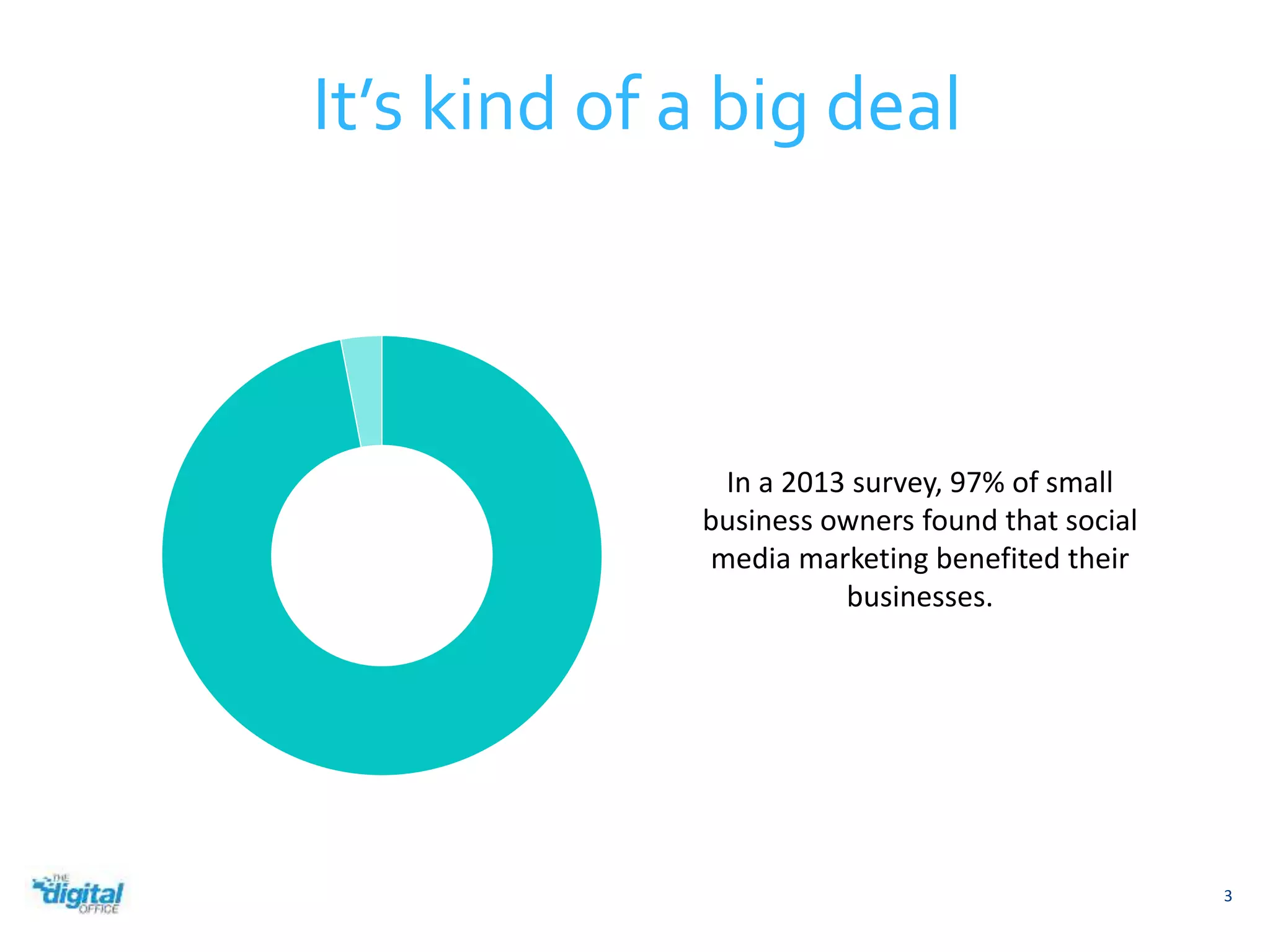
In a 2013 survey, 97% of small 
business owners found that social 
media marketing benefited their 
businesses.
4 
Facebook in New Zealand 
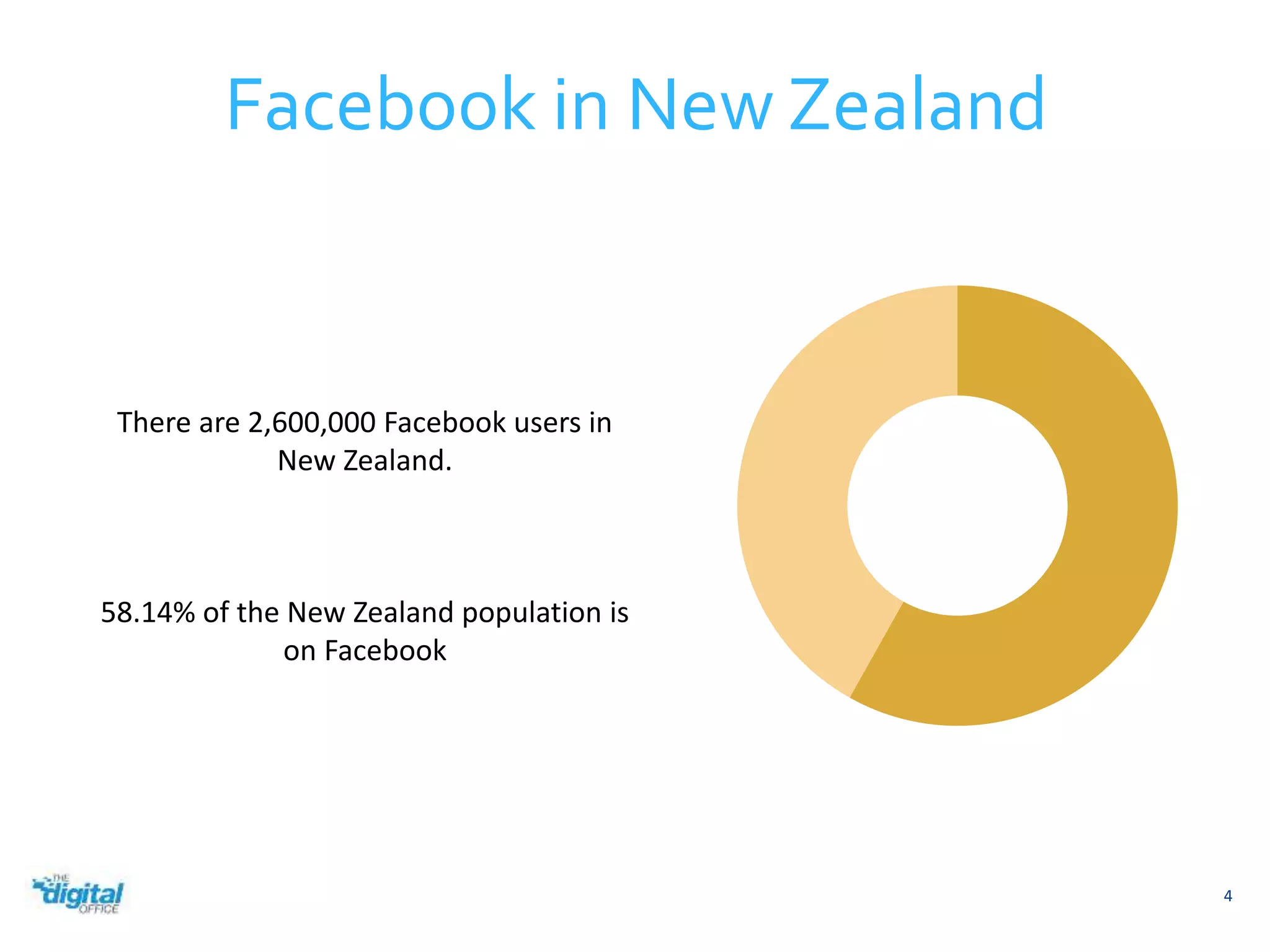
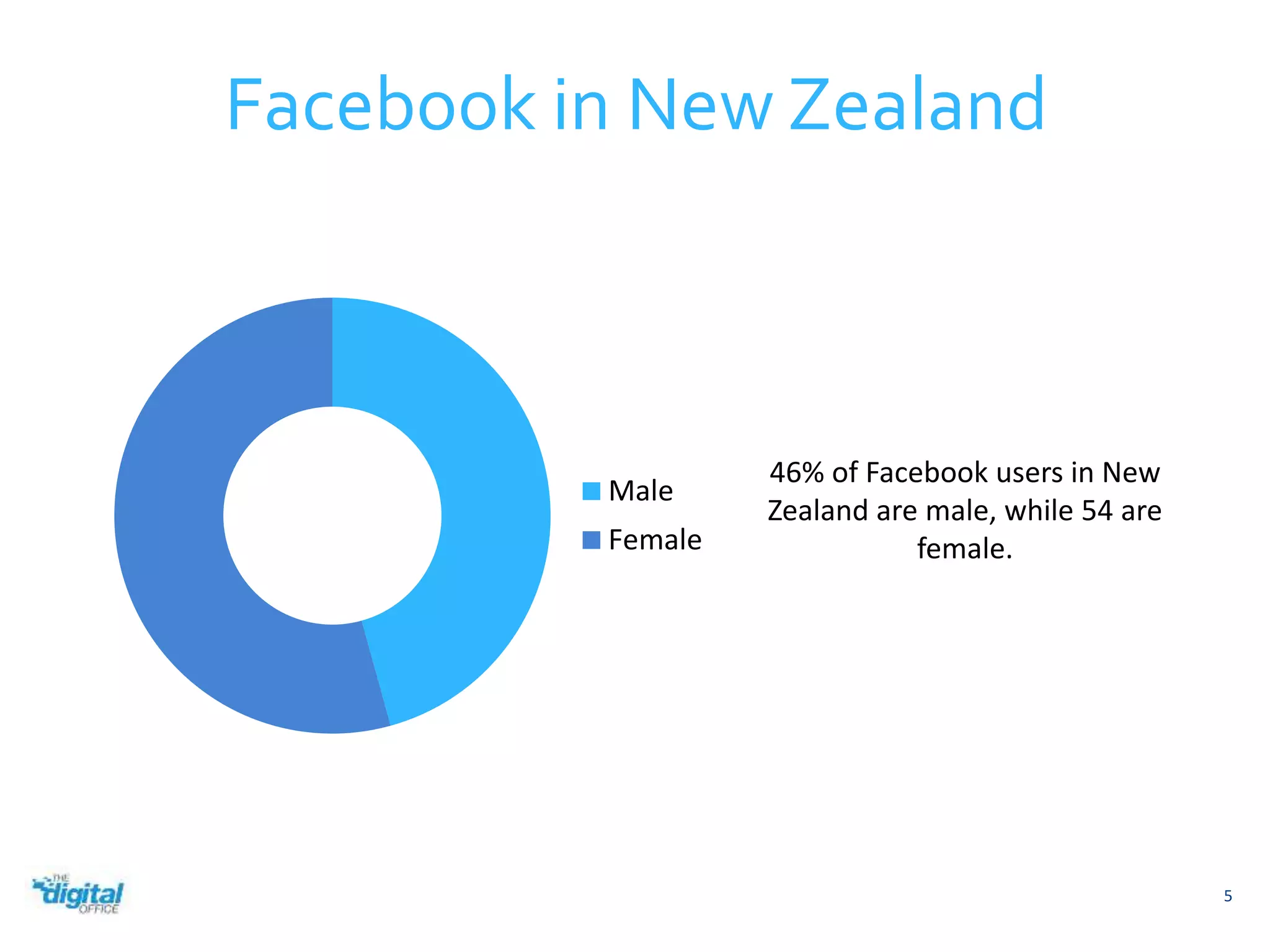
There are 2,600,000 Facebook users in 
New Zealand. 
58.14% of the New Zealand population is 
on Facebook
Male 
Female 
5 
Facebook in New Zealand 
46% of Facebook users in New 
Zealand are male, while 54 are 
female.
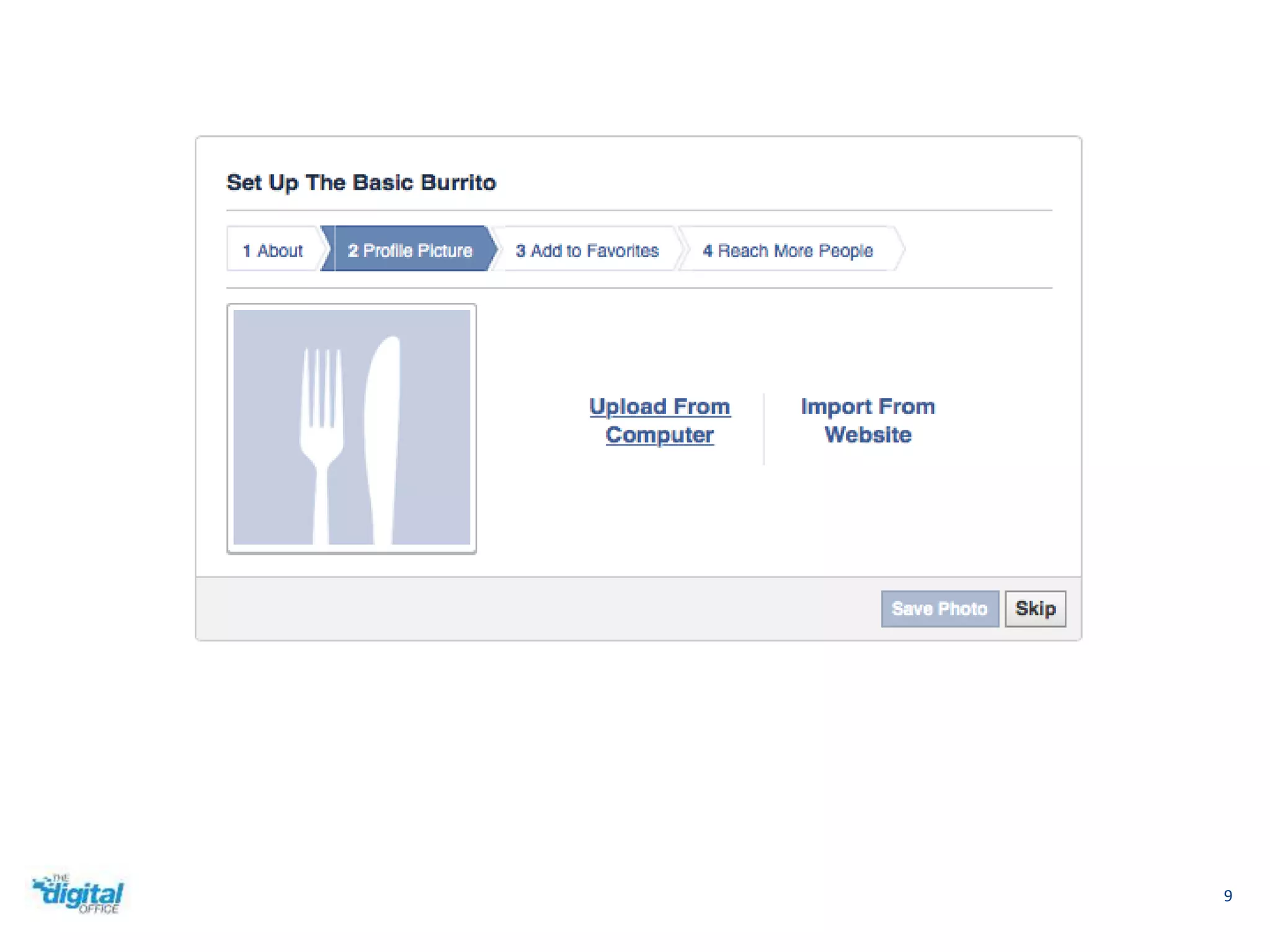
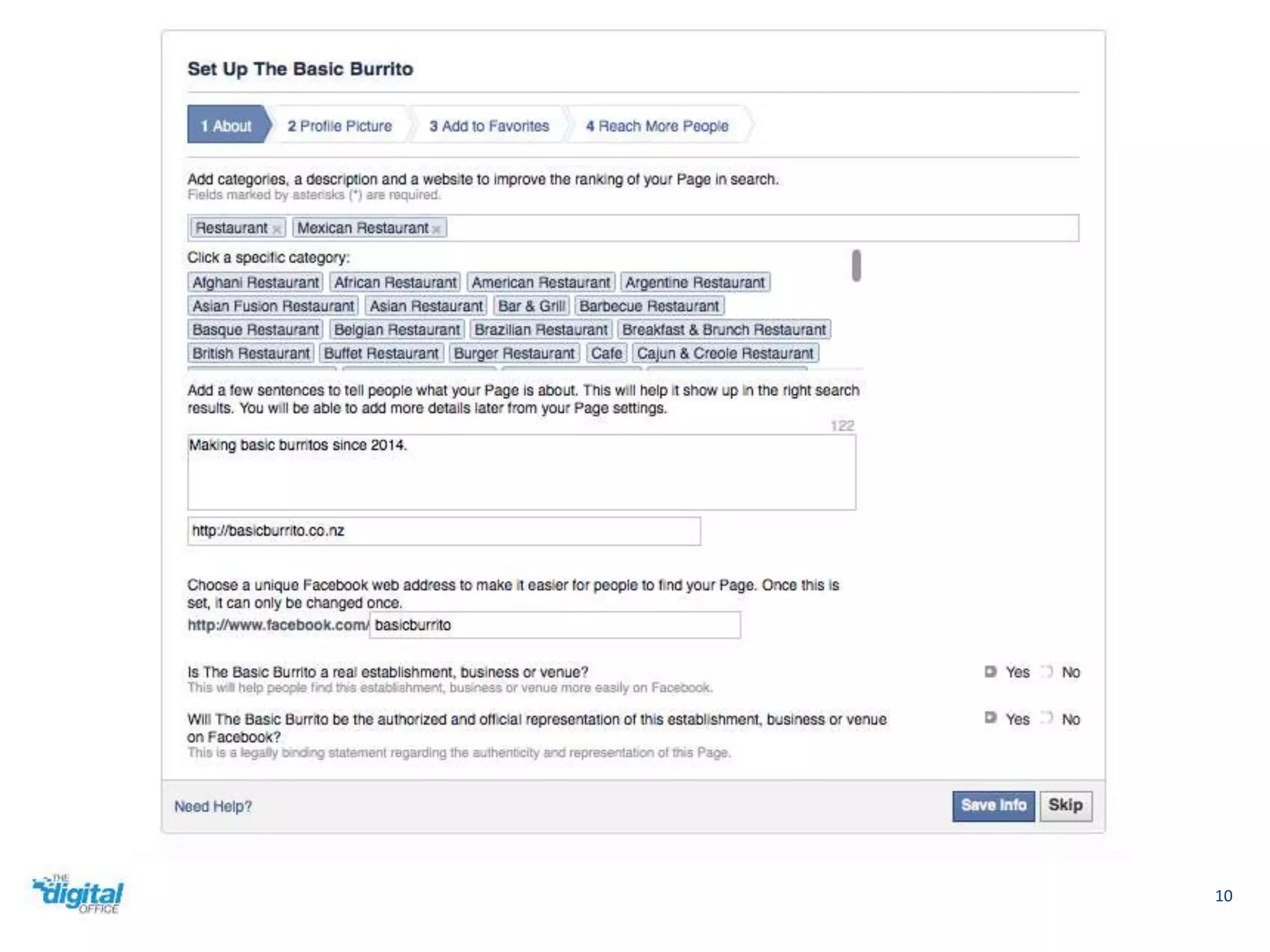
Creating a Facebook Page 
6
7 
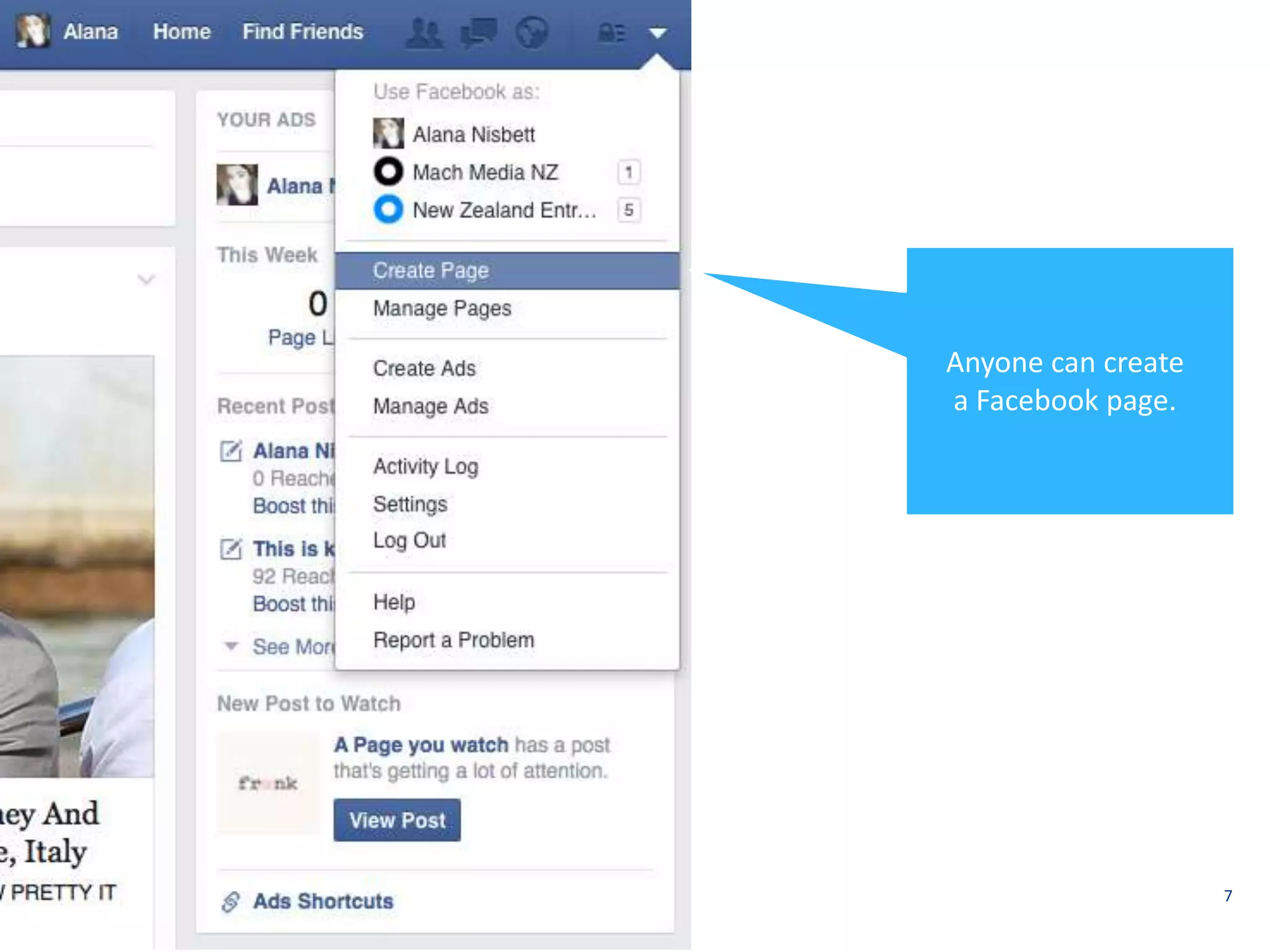
Anyone can create 
a Facebook page.
8
9
10
Facebook Page Requirements 
11
12
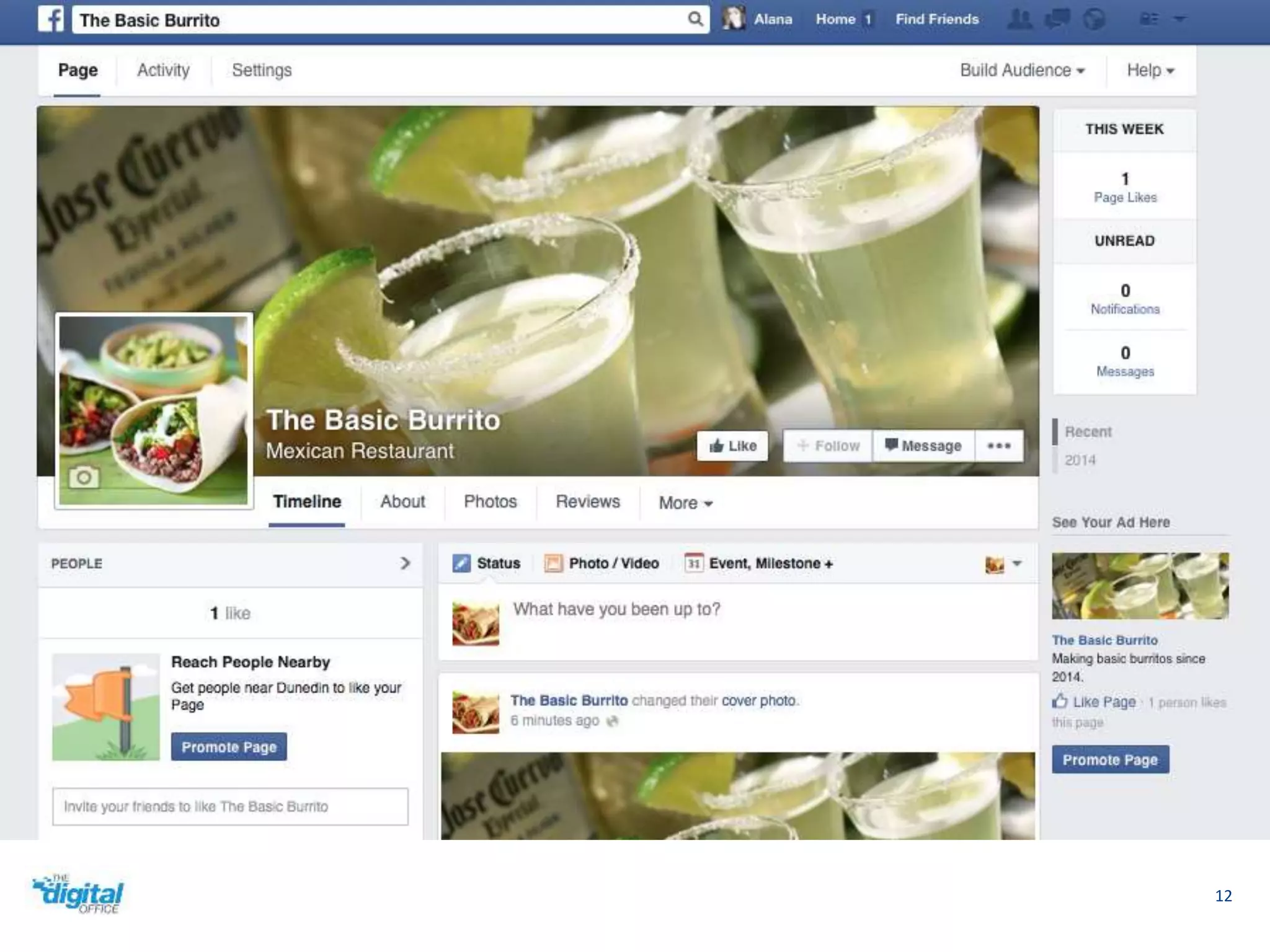
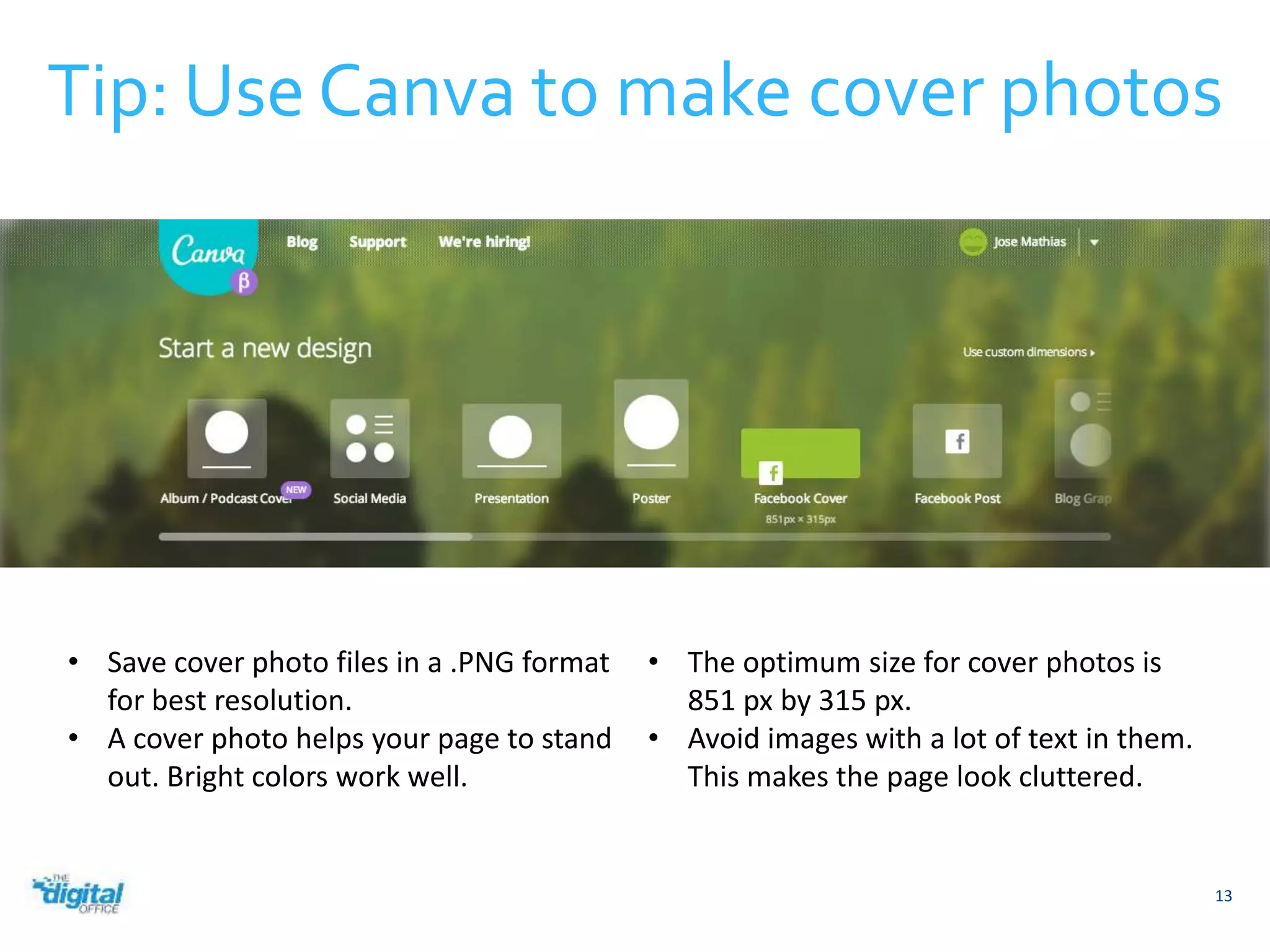
Tip: Use Canva to make cover photos 
13 
• Save cover photo files in a .PNG format 
for best resolution. 
• A cover photo helps your page to stand 
out. Bright colors work well. 
• The optimum size for cover photos is 
851 px by 315 px. 
• Avoid images with a lot of text in them. 
This makes the page look cluttered.
14 
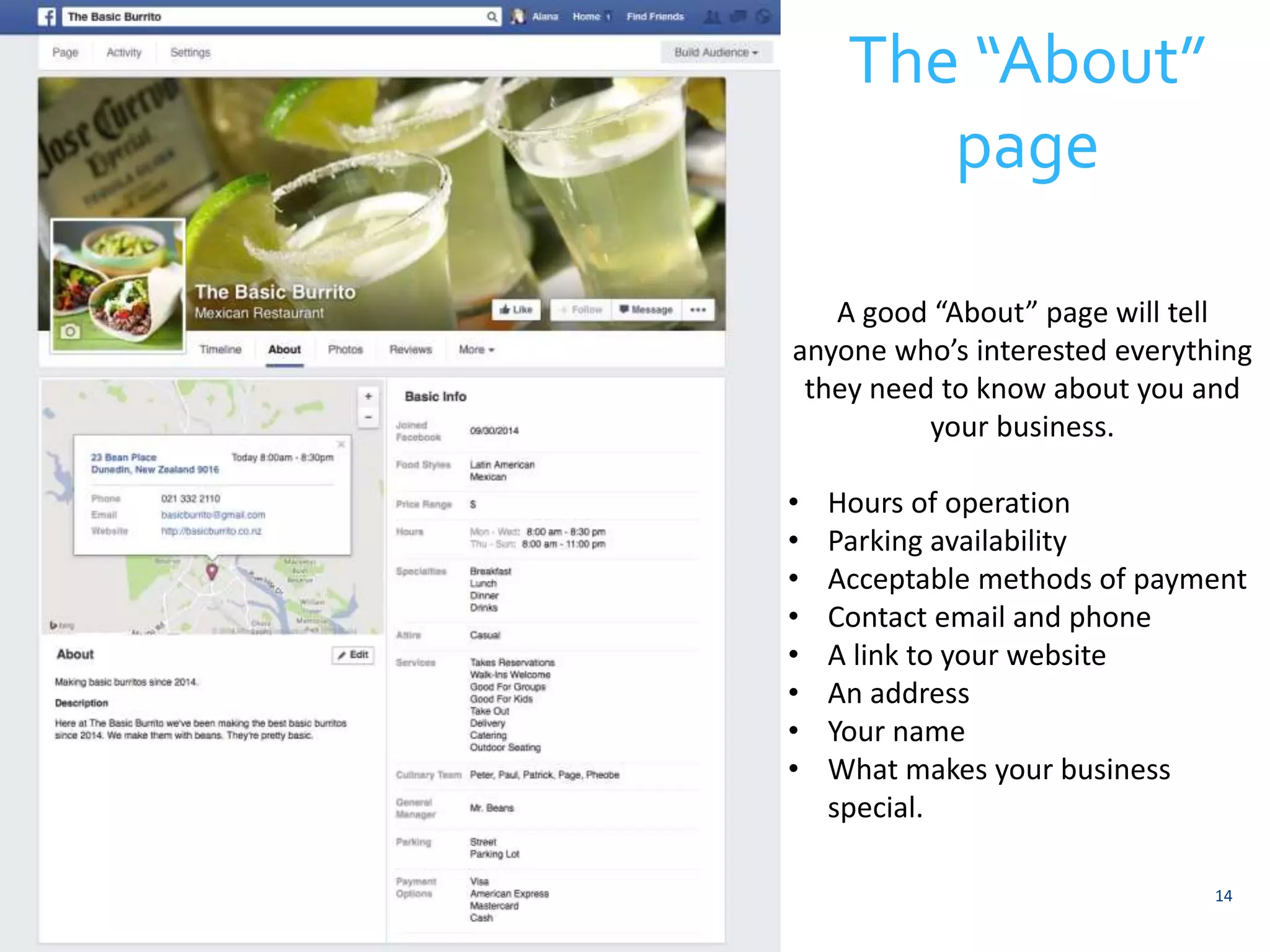
The “About” 
page 
A good “About” page will tell 
anyone who’s interested everything 
they need to know about you and 
your business. 
• Hours of operation 
• Parking availability 
• Acceptable methods of payment 
• Contact email and phone 
• A link to your website 
• An address 
• Your name 
• What makes your business 
special.
15 
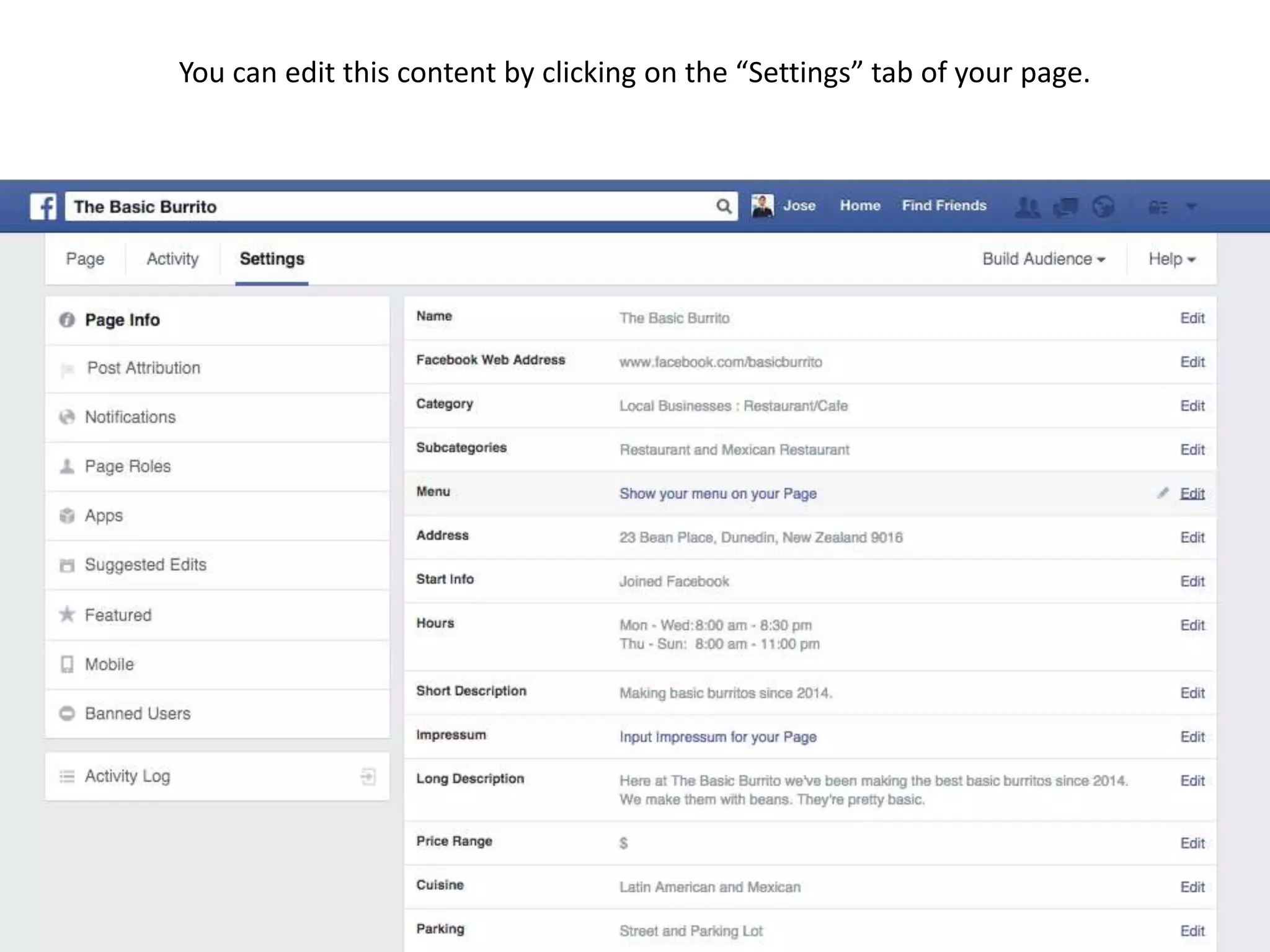
You can edit this content by clicking on the “Settings” tab of your page.
Facebook Page Roles 
16
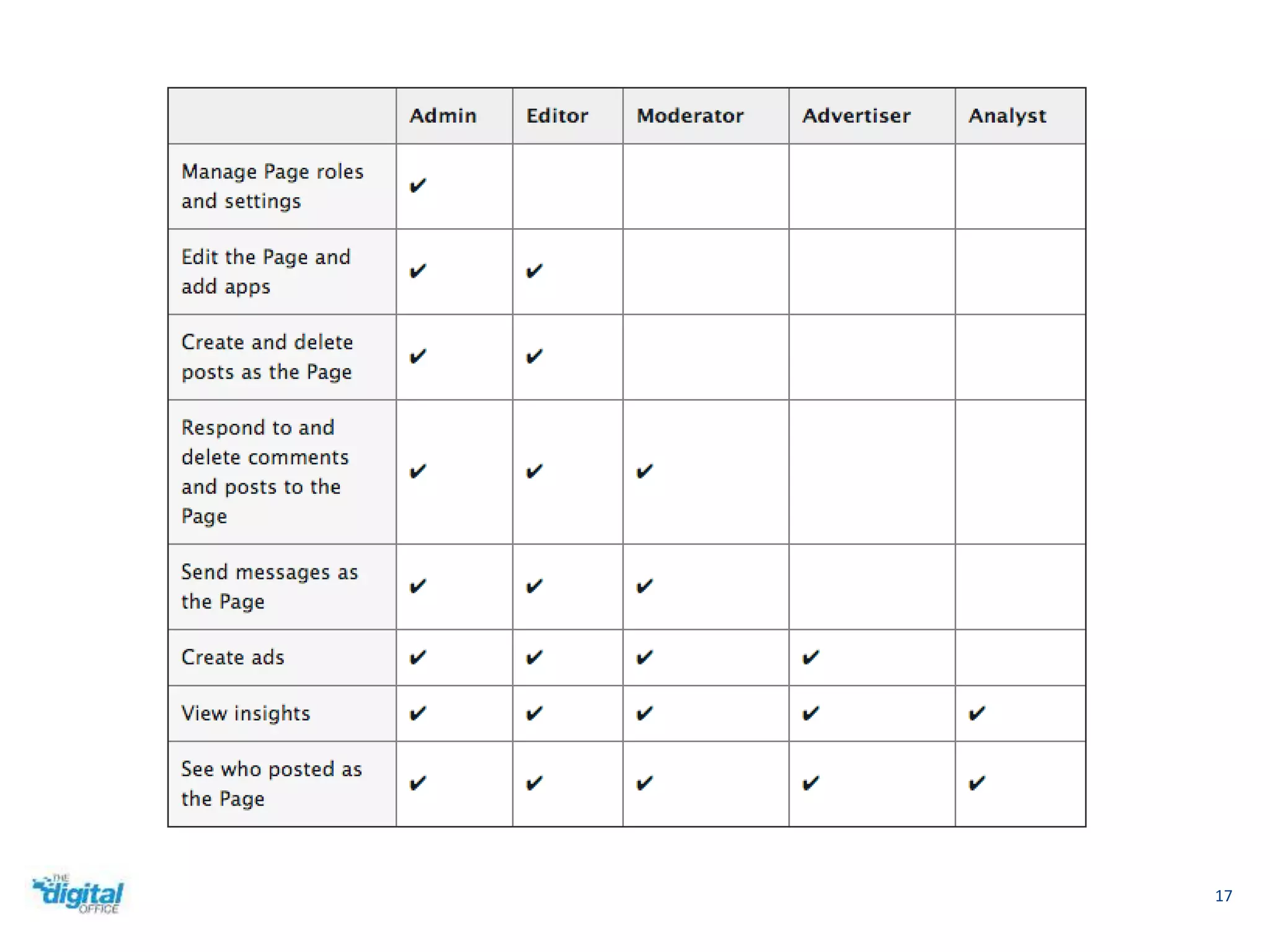
17
18 
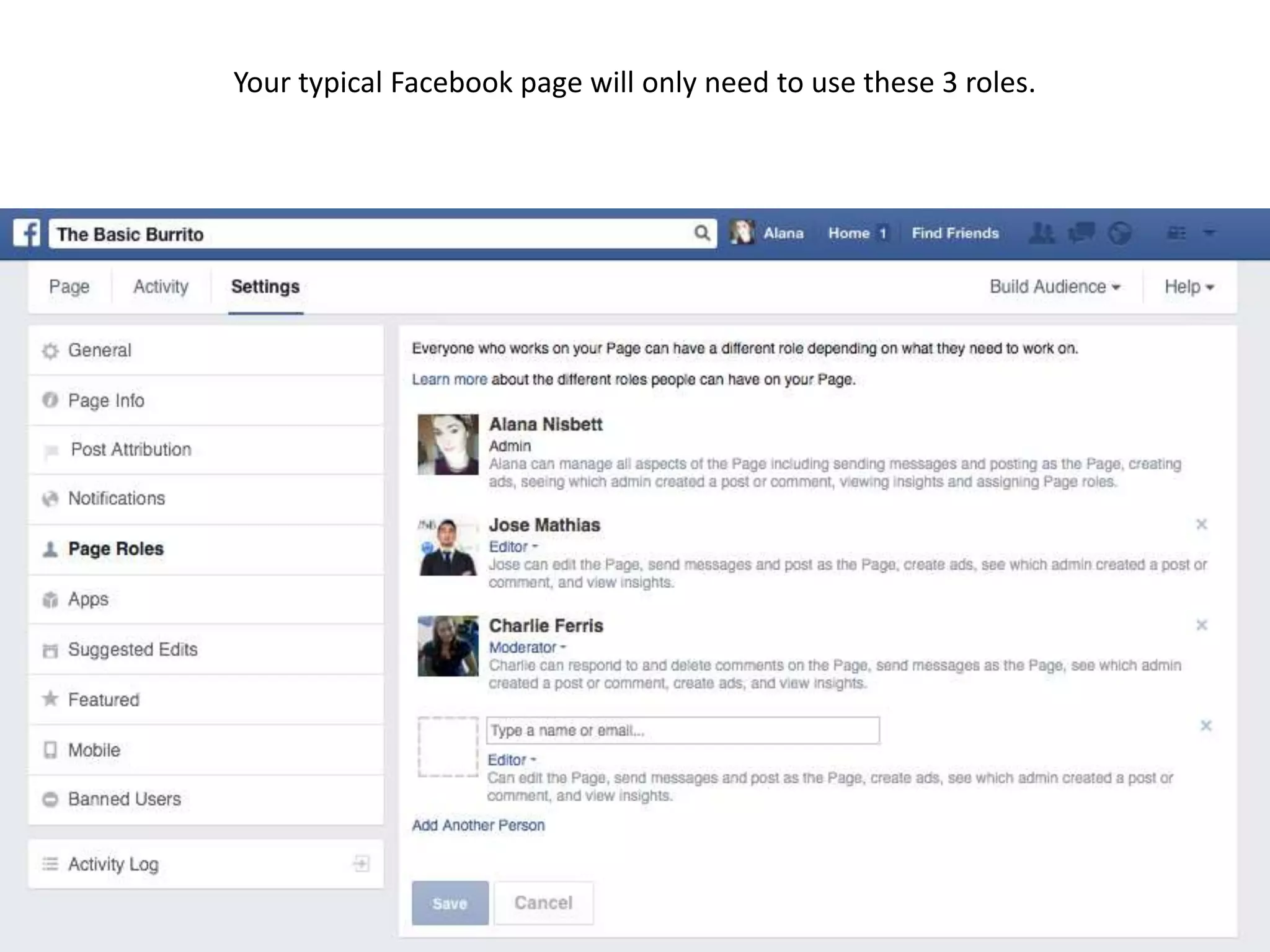
Your typical Facebook page will only need to use these 3 roles.
 As a rule of thumb, don’t make anyone an administrator 
unless you absolutely trust them 
 Give employees a “Moderator” role if they need it 
 In bigger organizations, the manager often takes the 
“Editor” role 
19 
How to use page roles
Using your Page 
20
Making a status 
21 
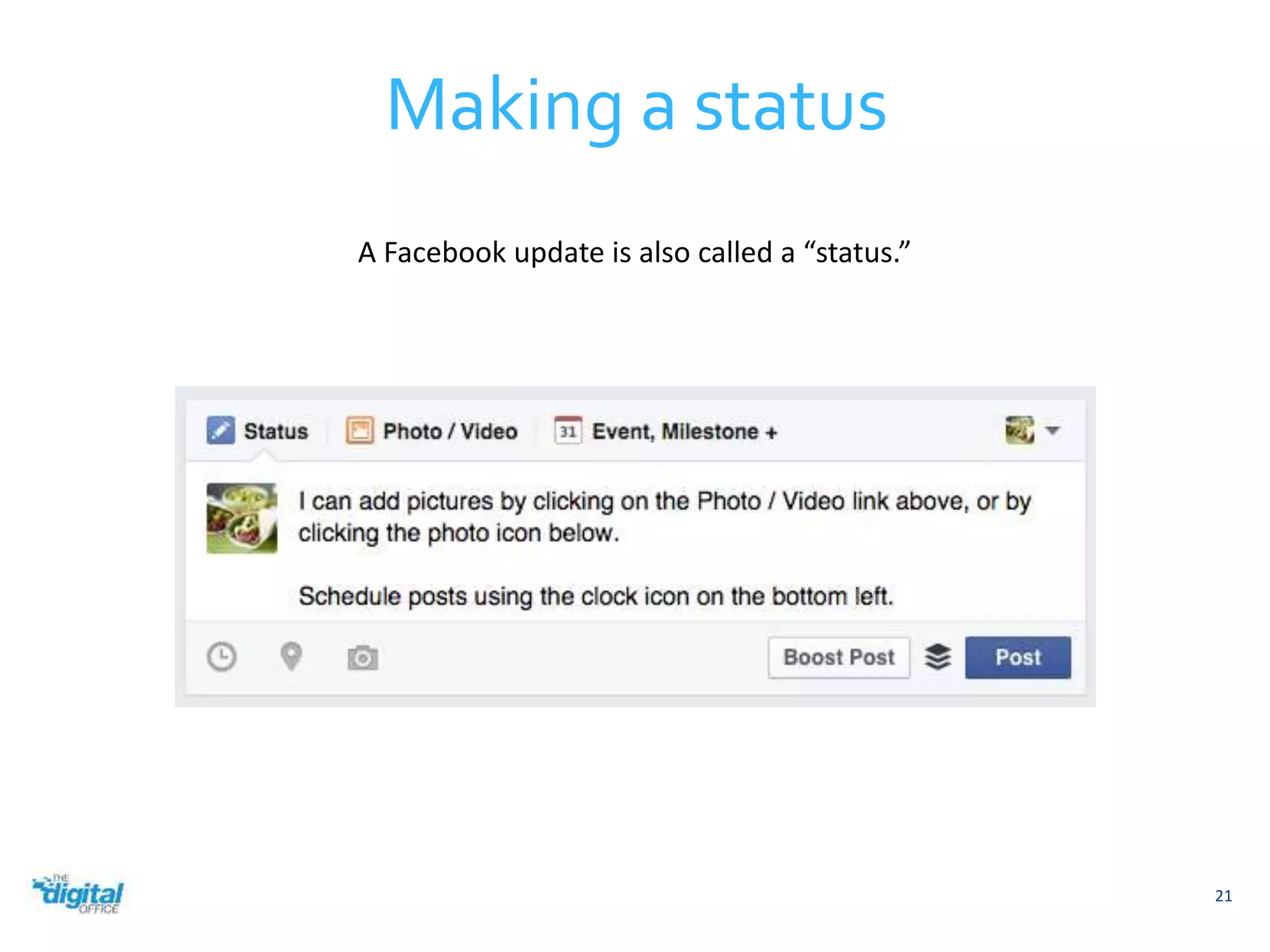
A Facebook update is also called a “status.”
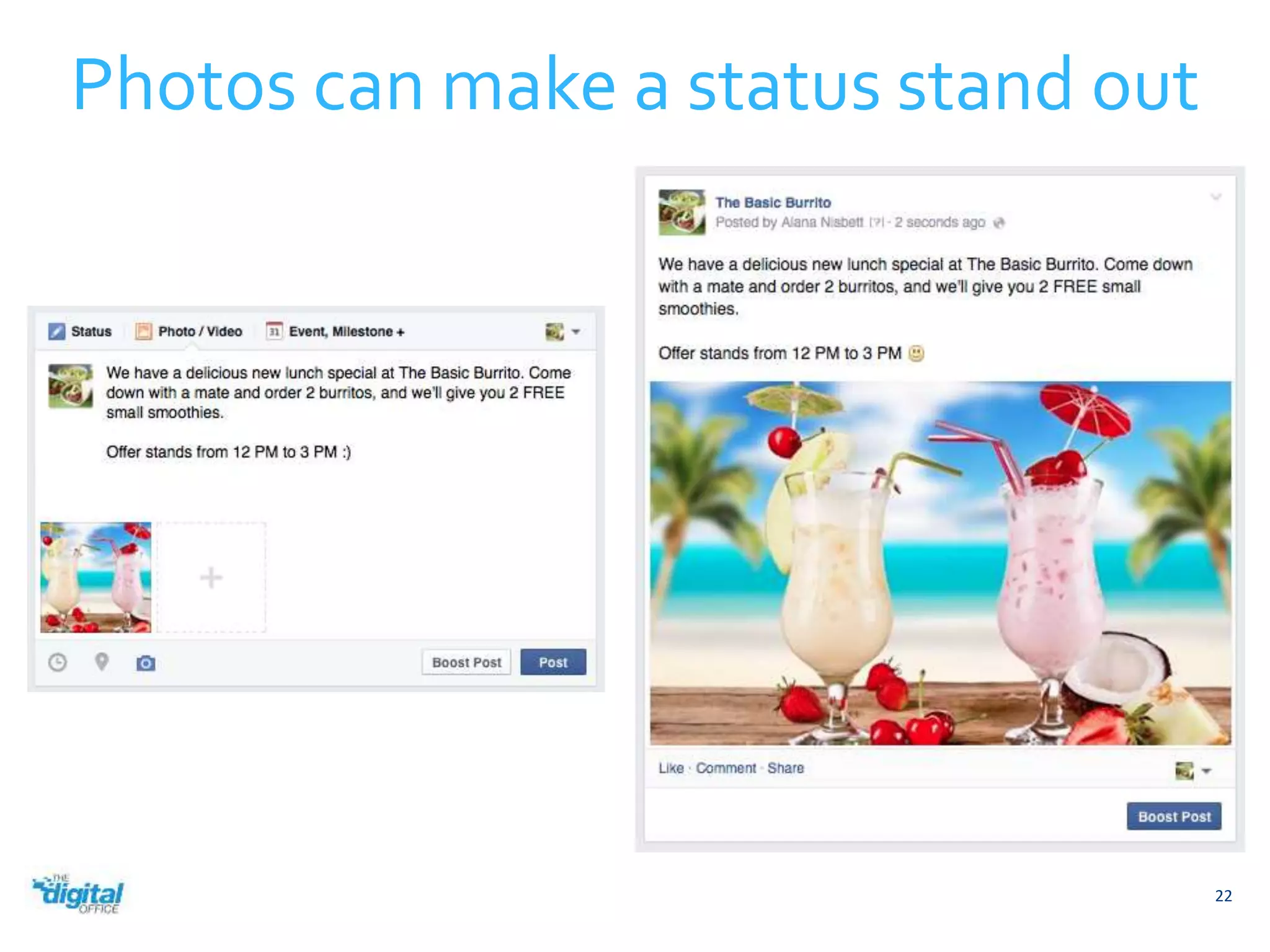
Photos can make a status stand out 
22
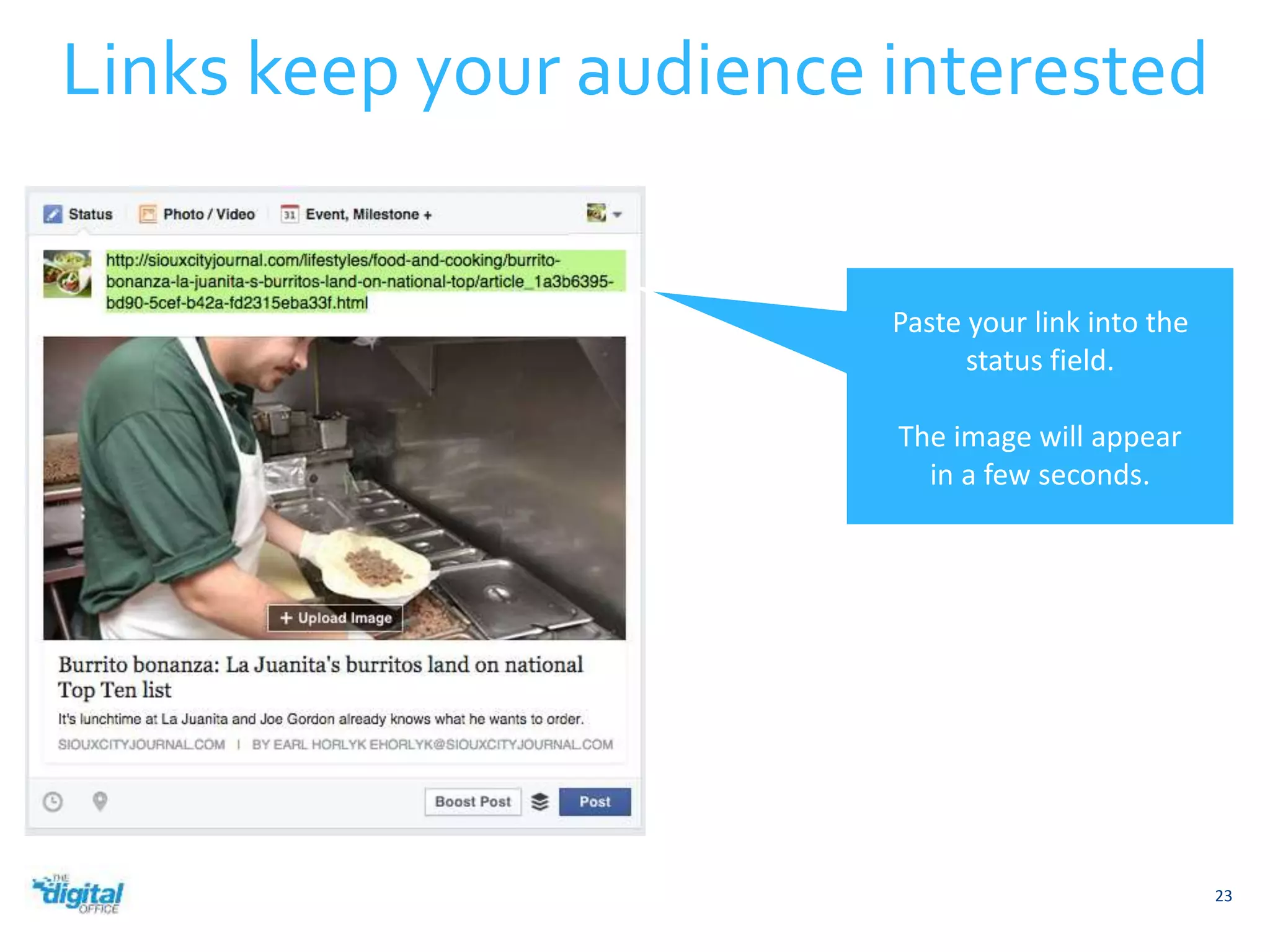
Links keep your audience interested 
23 
Paste your link into the 
status field. 
The image will appear 
in a few seconds.
Share other Page’s posts 
Facebook will attribute the source for you. 
24
25 
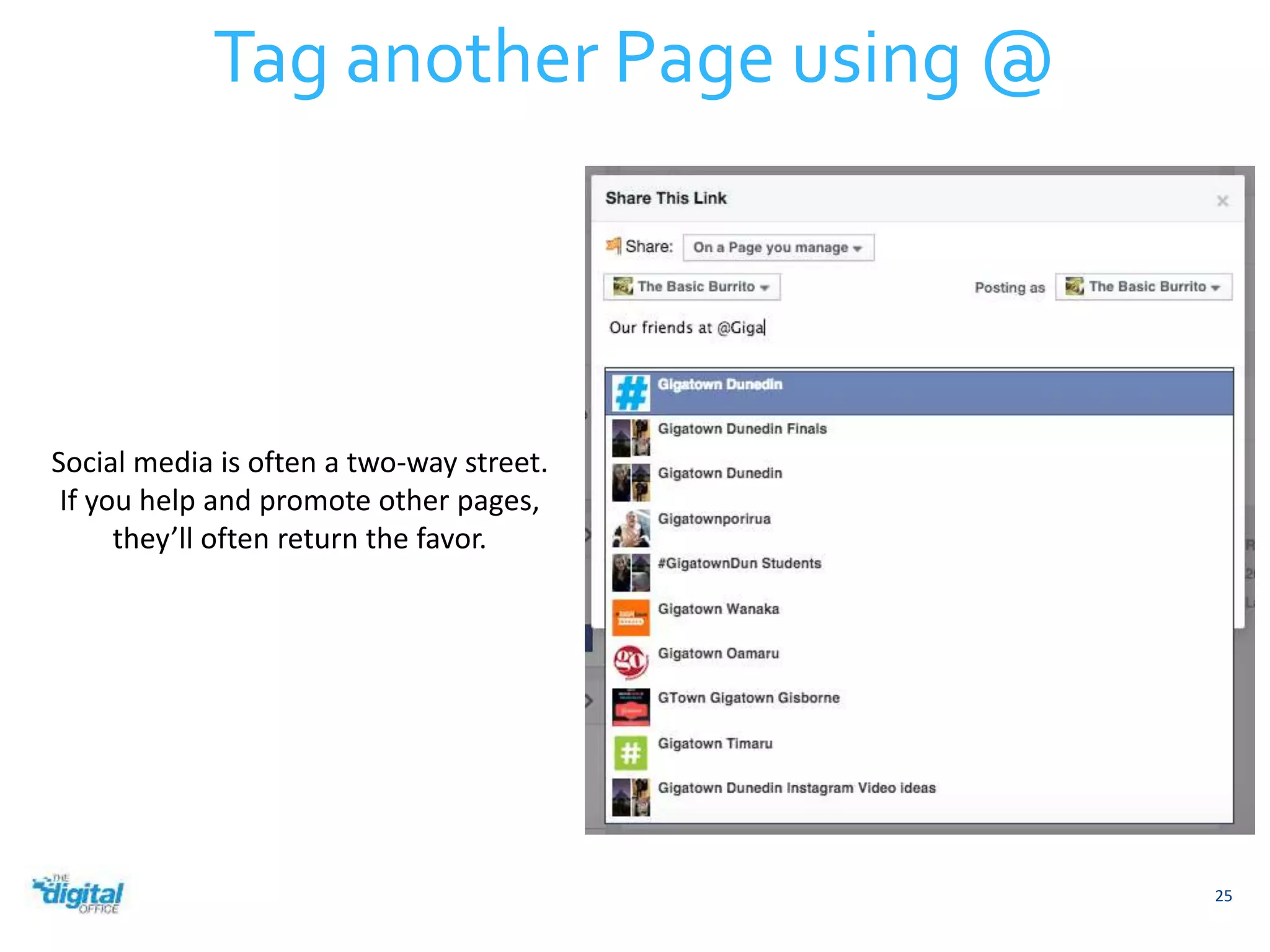
Tag another Page using @ 
Social media is often a two-way street. 
If you help and promote other pages, 
they’ll often return the favor.
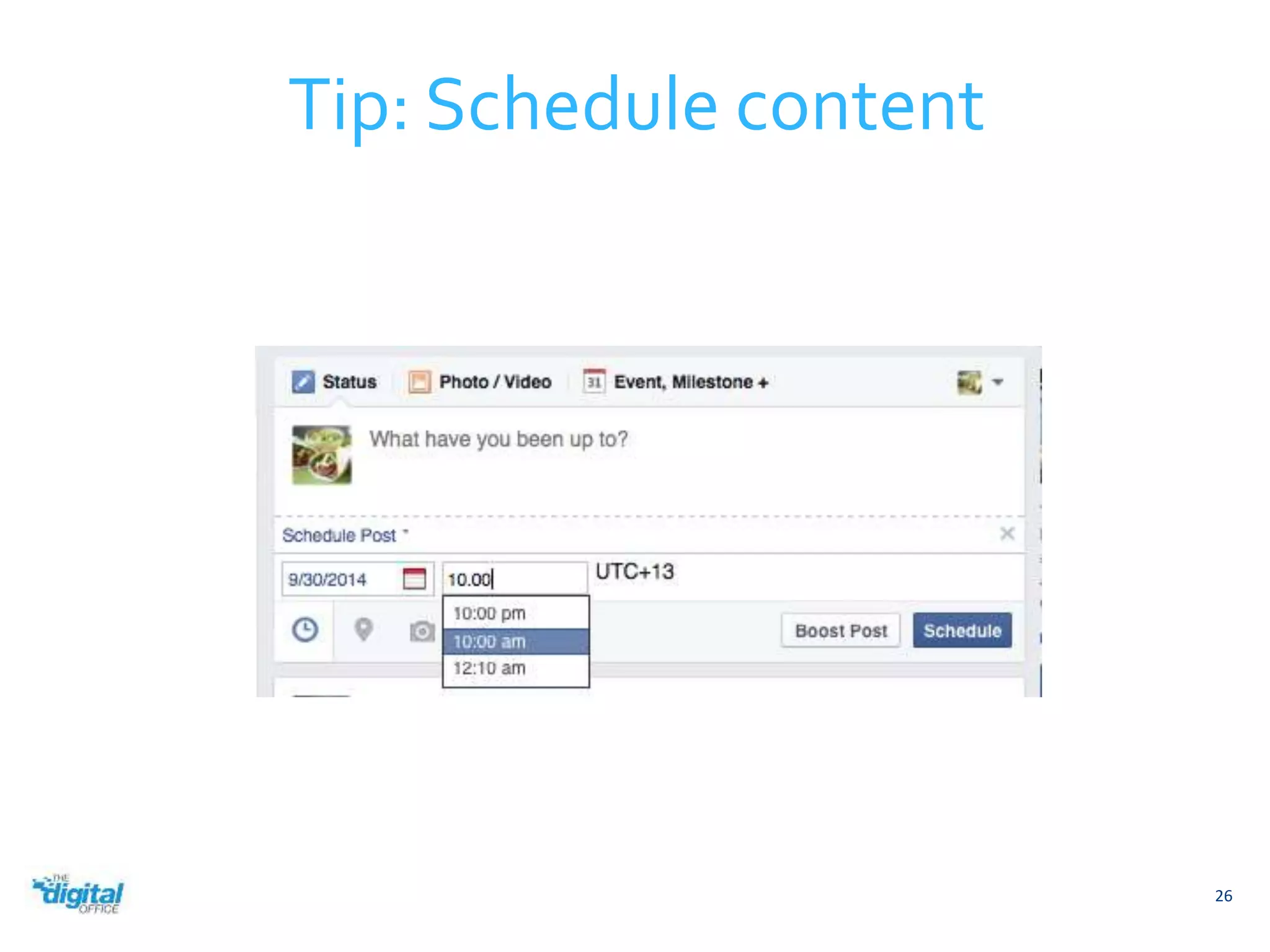
Tip: Schedule content 
26
Increasing Facebook Engagement 
27
Engagement is important because it tells Facebook that 
people want to see your content. 
If Facebook thinks people want to see your content, it will 
increase your reach, which is a measurement of how 
many people see your posts. 
28 
Engagement
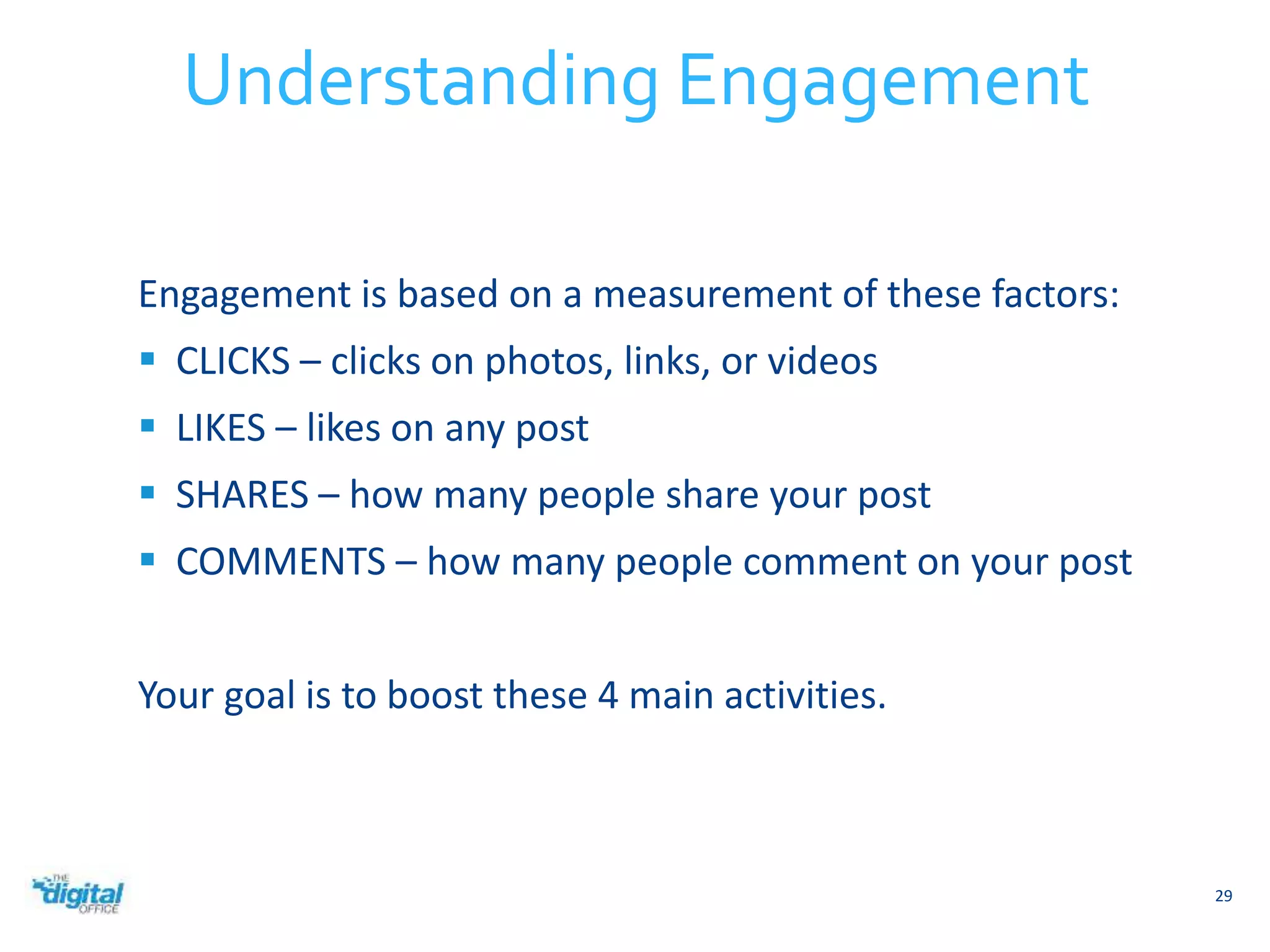
Engagement is based on a measurement of these factors: 
 CLICKS – clicks on photos, links, or videos 
 LIKES – likes on any post 
 SHARES – how many people share your post 
 COMMENTS – how many people comment on your post 
Your goal is to boost these 4 main activities. 
29 
Understanding Engagement
It’s always good to have a content strategy. 
Most strategies include different types of content. For 
example, during the week you might publish 10 
interesting or funny posts that get a lot of engagement. 
In that same week you might only publish 2-3 posts asking 
people to buy your products, but since Facebook sees that 
your previous posts had good engagement, it will show 
these updates to many people. 
30 
Strategy
Ask Questions 
31 
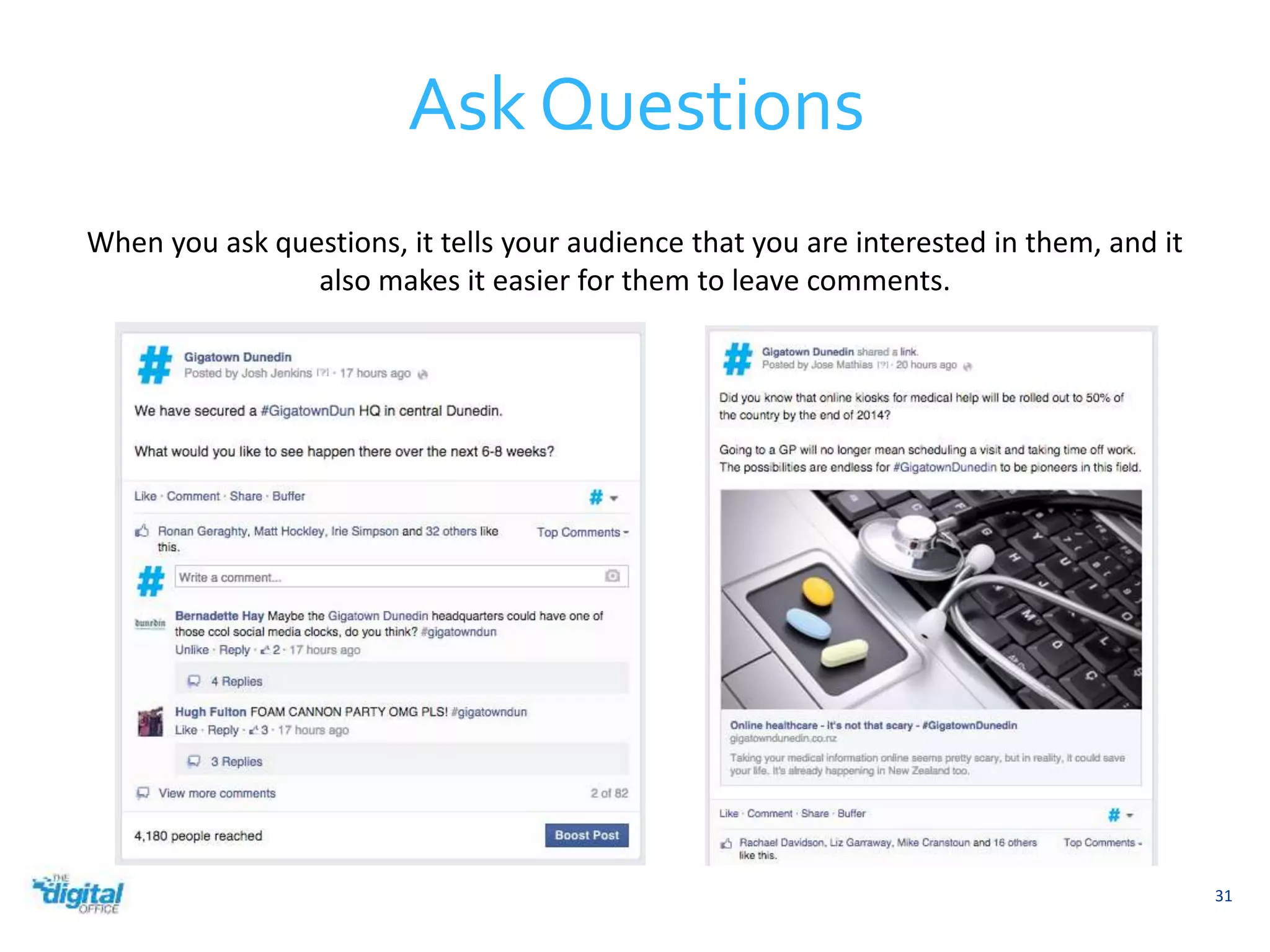
When you ask questions, it tells your audience that you are interested in them, and it 
also makes it easier for them to leave comments.
32 
Create a community 
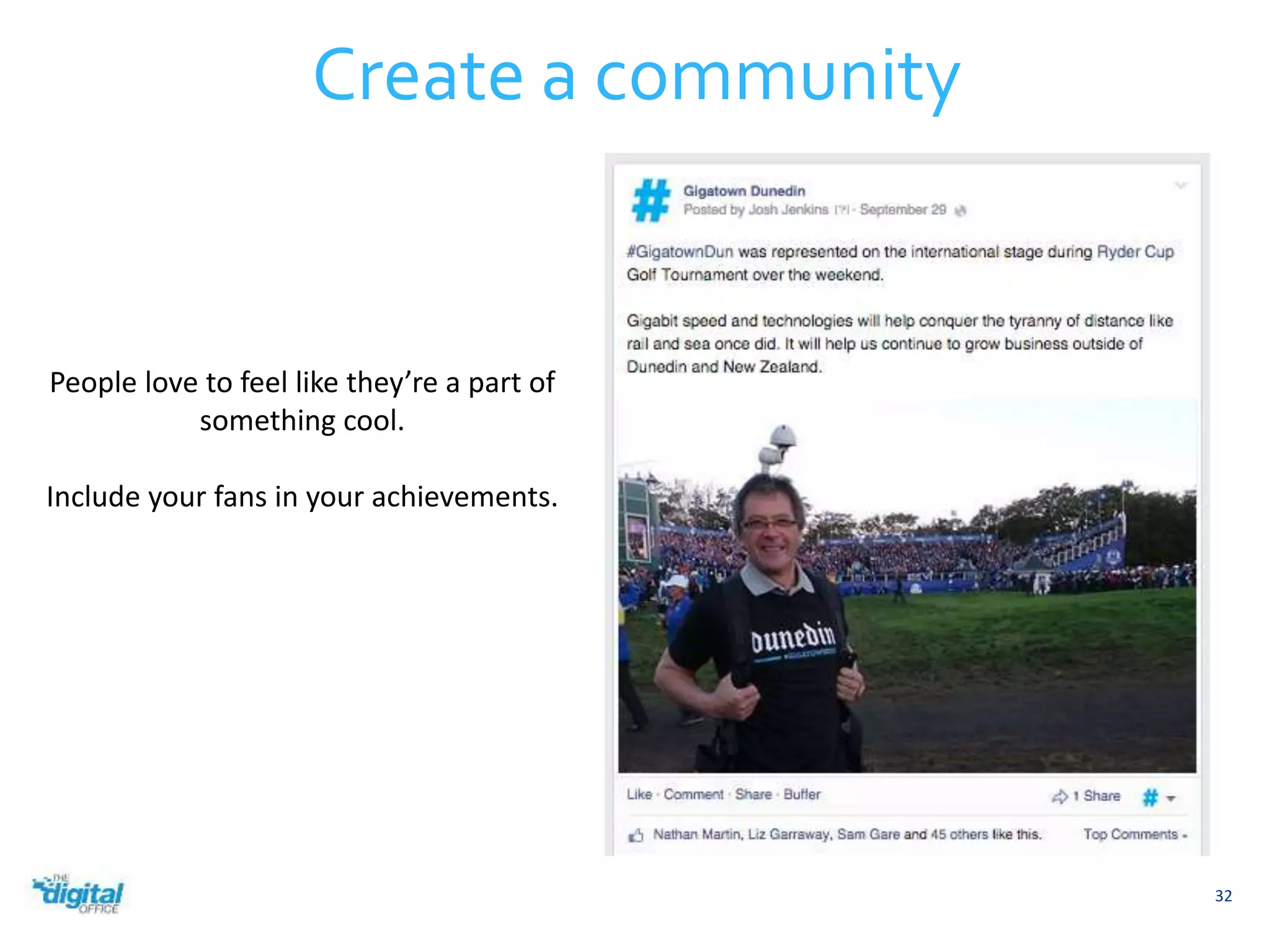
People love to feel like they’re a part of 
something cool. 
Include your fans in your achievements.
33 
Ask for opinions 
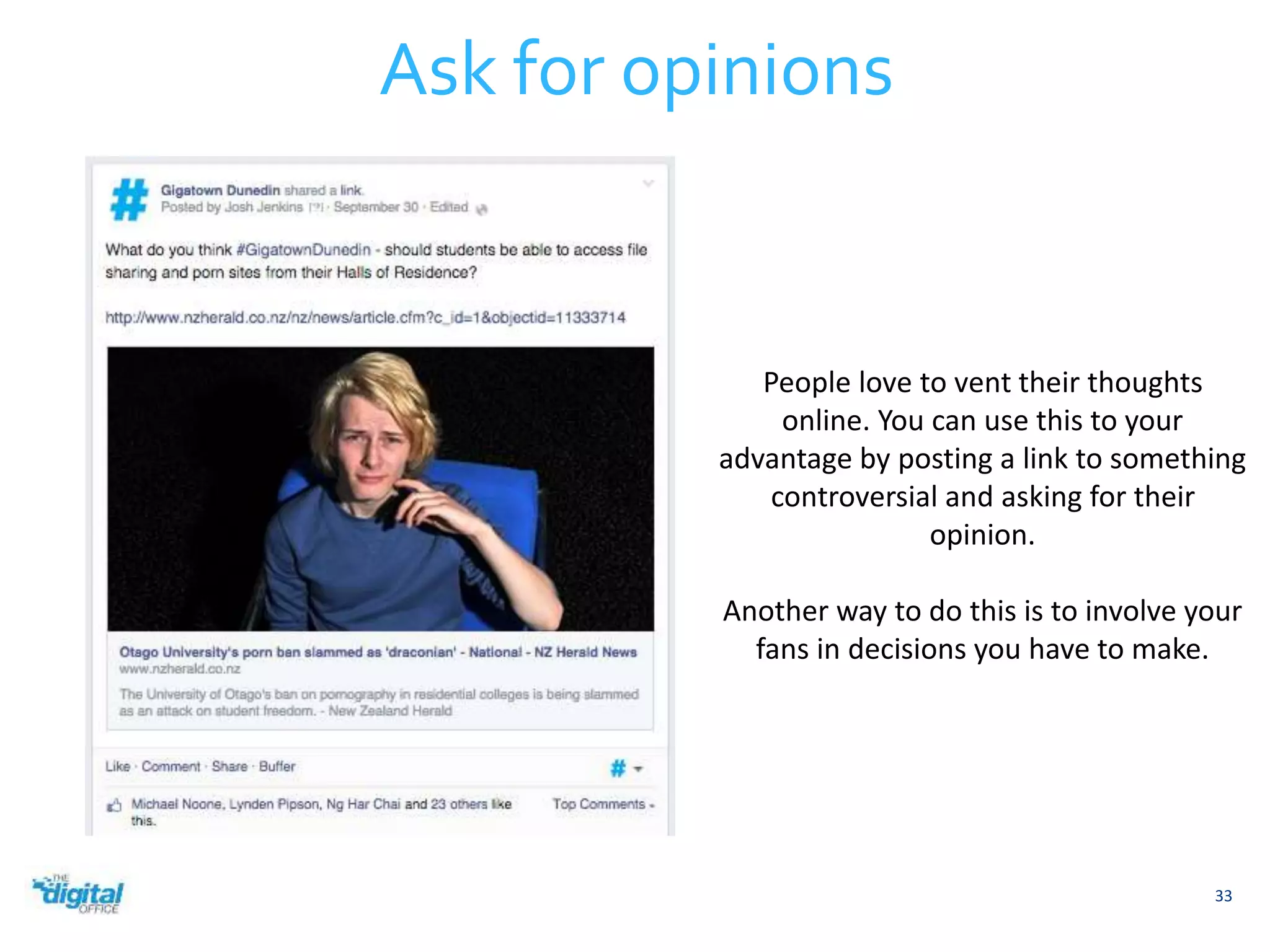
People love to vent their thoughts 
online. You can use this to your 
advantage by posting a link to something 
controversial and asking for their 
opinion. 
Another way to do this is to involve your 
fans in decisions you have to make.
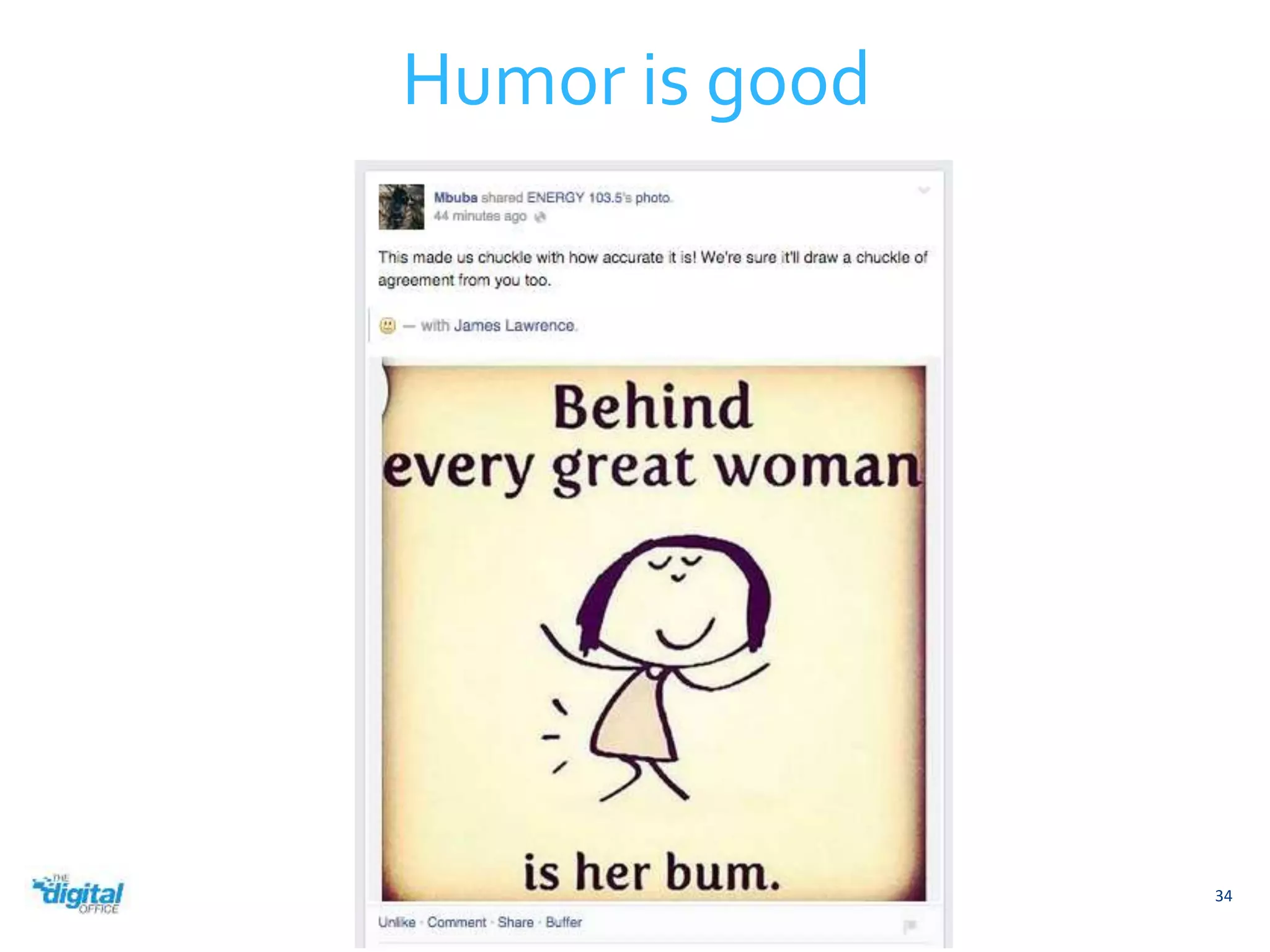
Humor is good 
34
35 
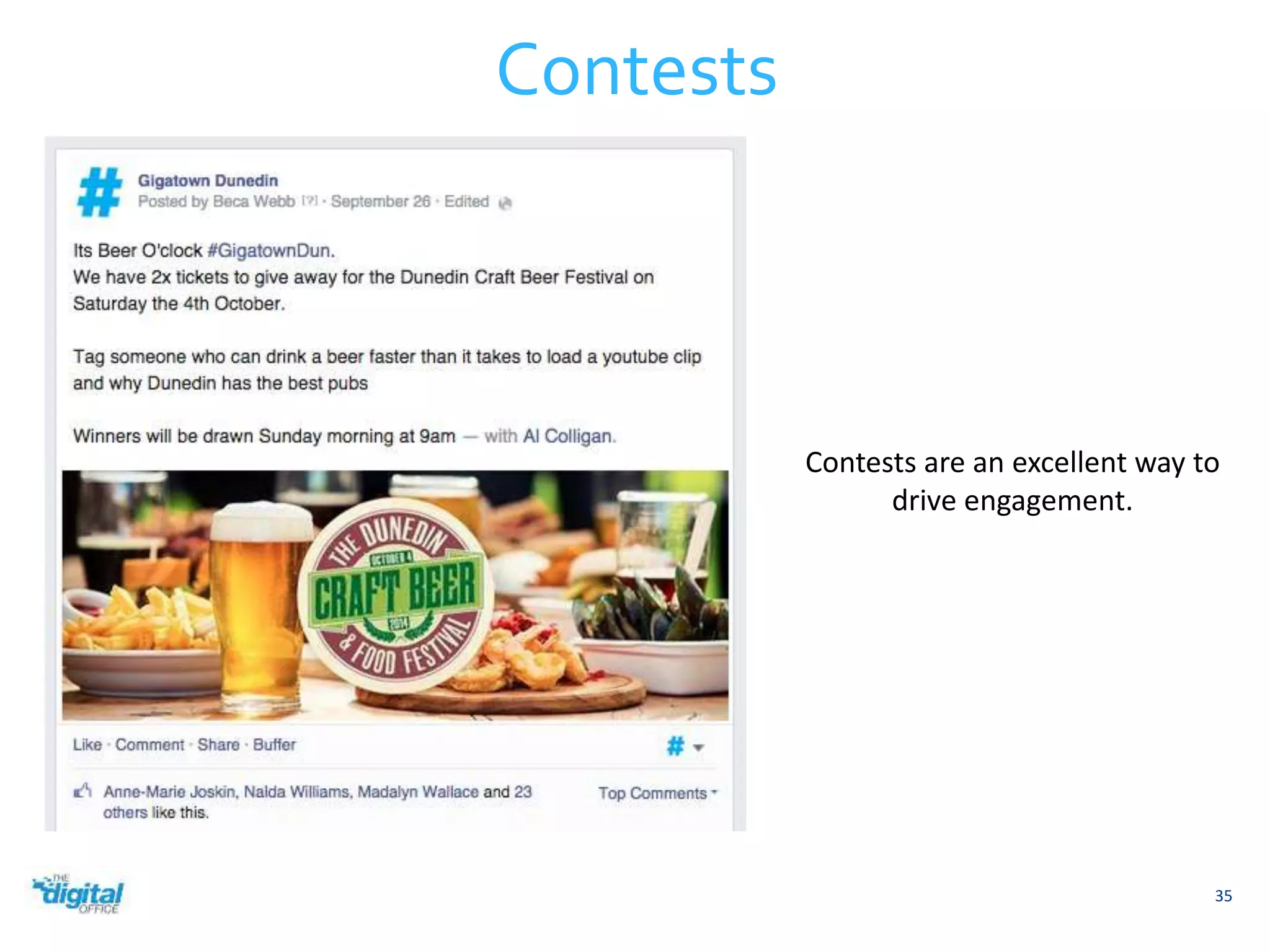
Contests 
Contests are an excellent way to 
drive engagement.
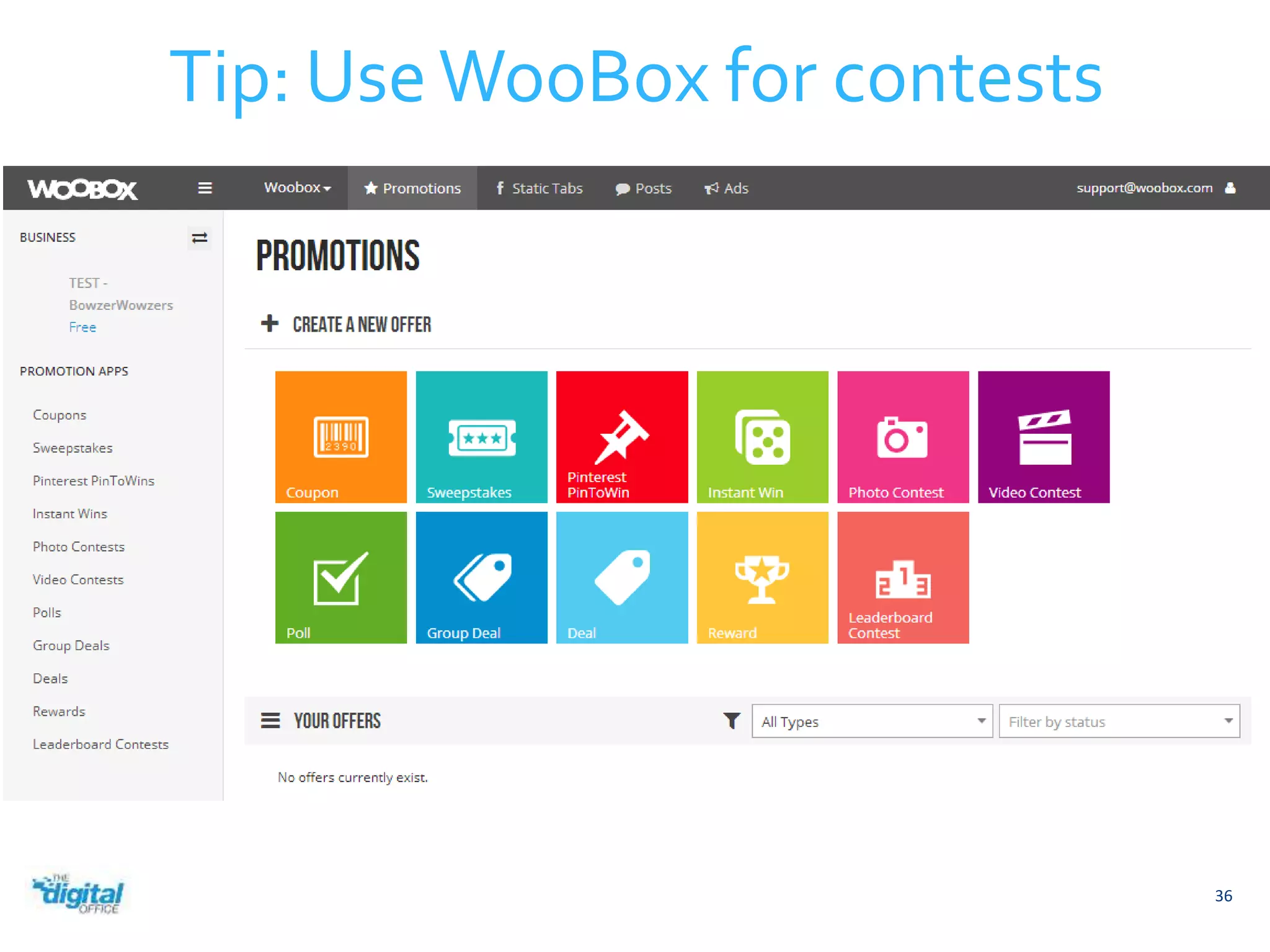
Tip: Use WooBox for contests 
36
Finding Content to Share 
37
Tip: Always look for content to share 
38 
Good social media managers are always on the lookout 
for content to share with their audiences.
39 
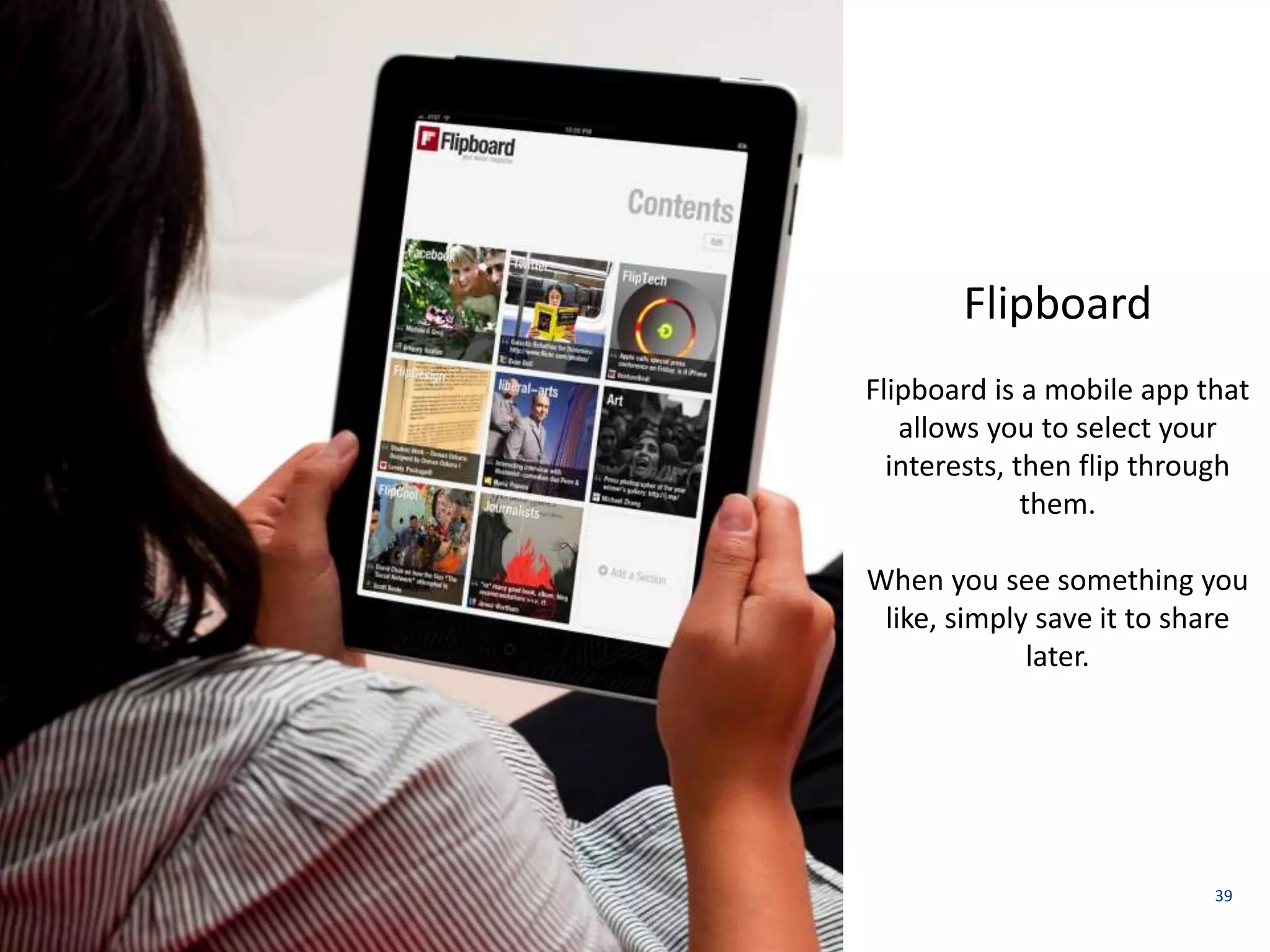
Flipboard 
Flipboard is a mobile app that 
allows you to select your 
interests, then flip through 
them. 
When you see something you 
like, simply save it to share 
later.
40 
Spundge 
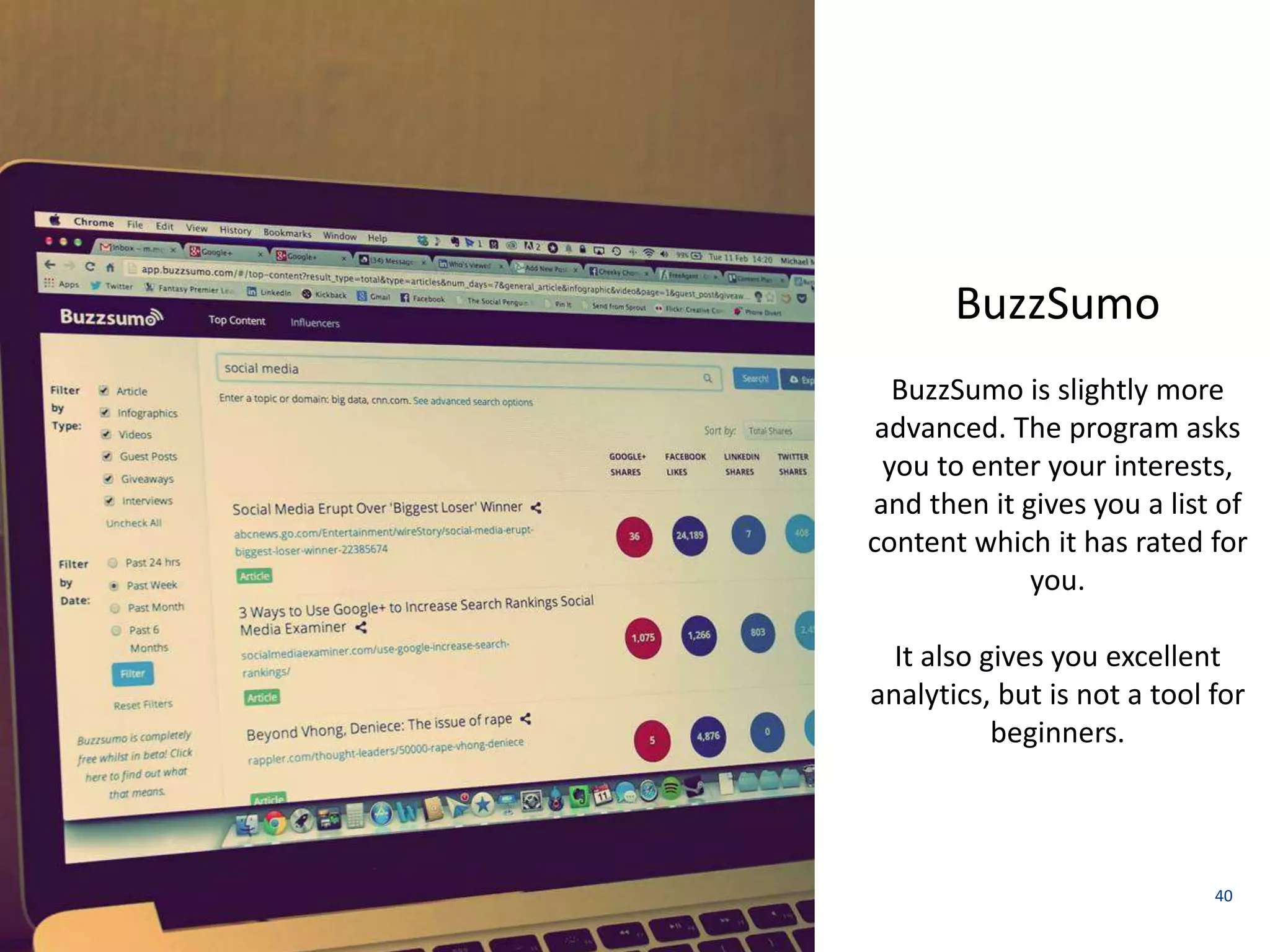
BuzzSumo 
BuzzSumo is slightly more 
advanced. The program asks 
you to enter your interests, 
and then it gives you a list of 
content which it has rated for 
you. 
It also gives you excellent 
analytics, but is not a tool for 
beginners.
41 
Twitter 
Twitter is an excellent content 
discovery tool because it allows 
you to choose your sources. 
Create an account, follow the 
people who make content for 
your industry, and then scroll 
through the feed of tweets it will 
provide for you.
 There’s no one-size-fits-all app for content discovery 
 Start following content producers in social channels 
 Always be on the lookout for content to share 
 Create your own graphics or blog posts 
 Share other page’s posts 
42 
Finding content to share
Local content sources have a two-way relationship with social 
media managers. 
 Subscribe to bloggers and newspapers in your area 
 They rely on people like you to share their content 
 Offer to collaborate – if you can make their jobs easier they’ll 
work with you 
 The best place to locate local content sources is on Twitter 
 Ask around, and someone will almost always know someone 
in the industry 
43 
Local content sources
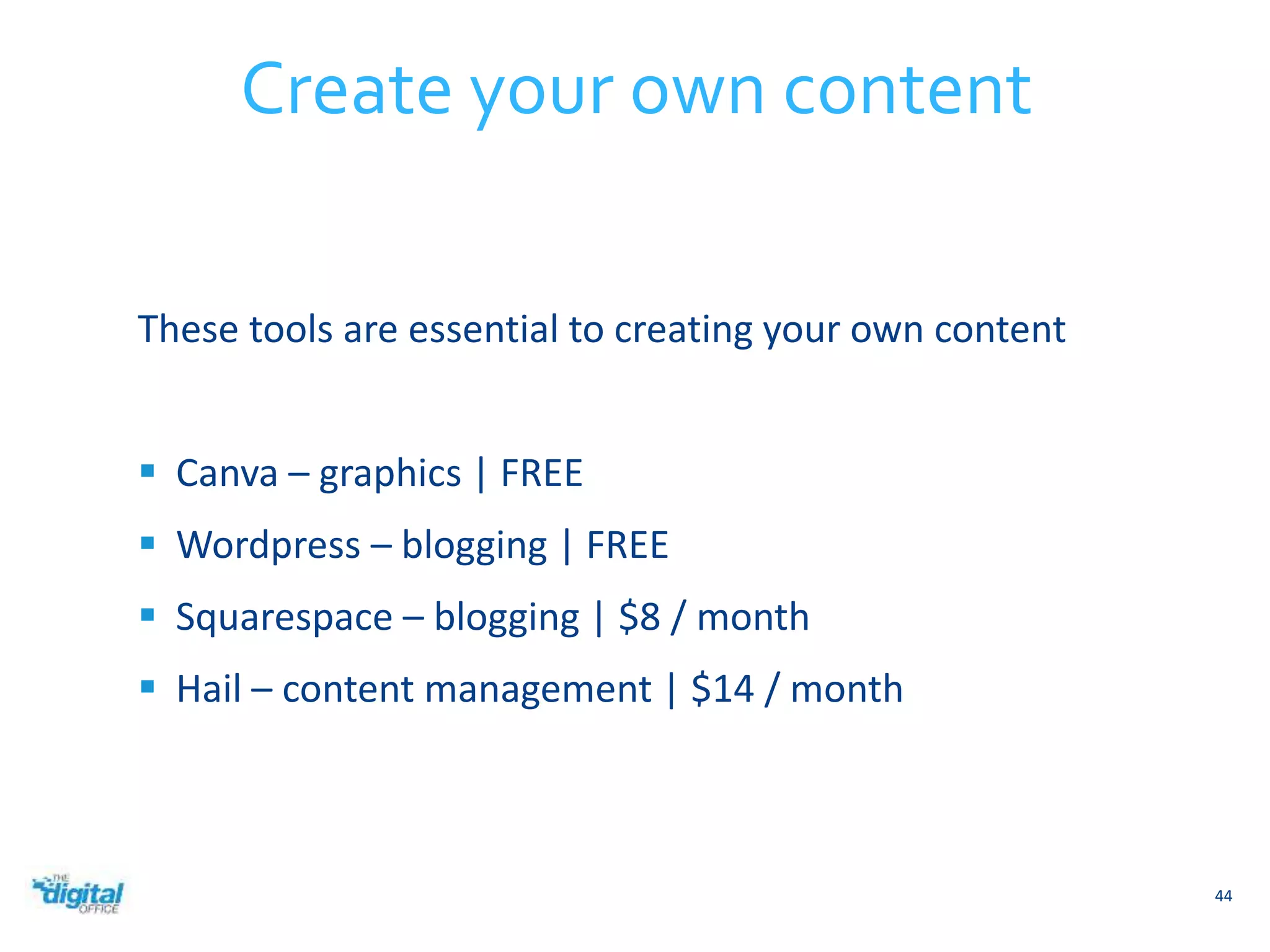
These tools are essential to creating your own content 
 Canva – graphics | FREE 
 Wordpress – blogging | FREE 
 Squarespace – blogging | $8 / month 
 Hail – content management | $14 / month 
44 
Create your own content
Advertising on Facebook 
45
Ads encourage engagement 
46 
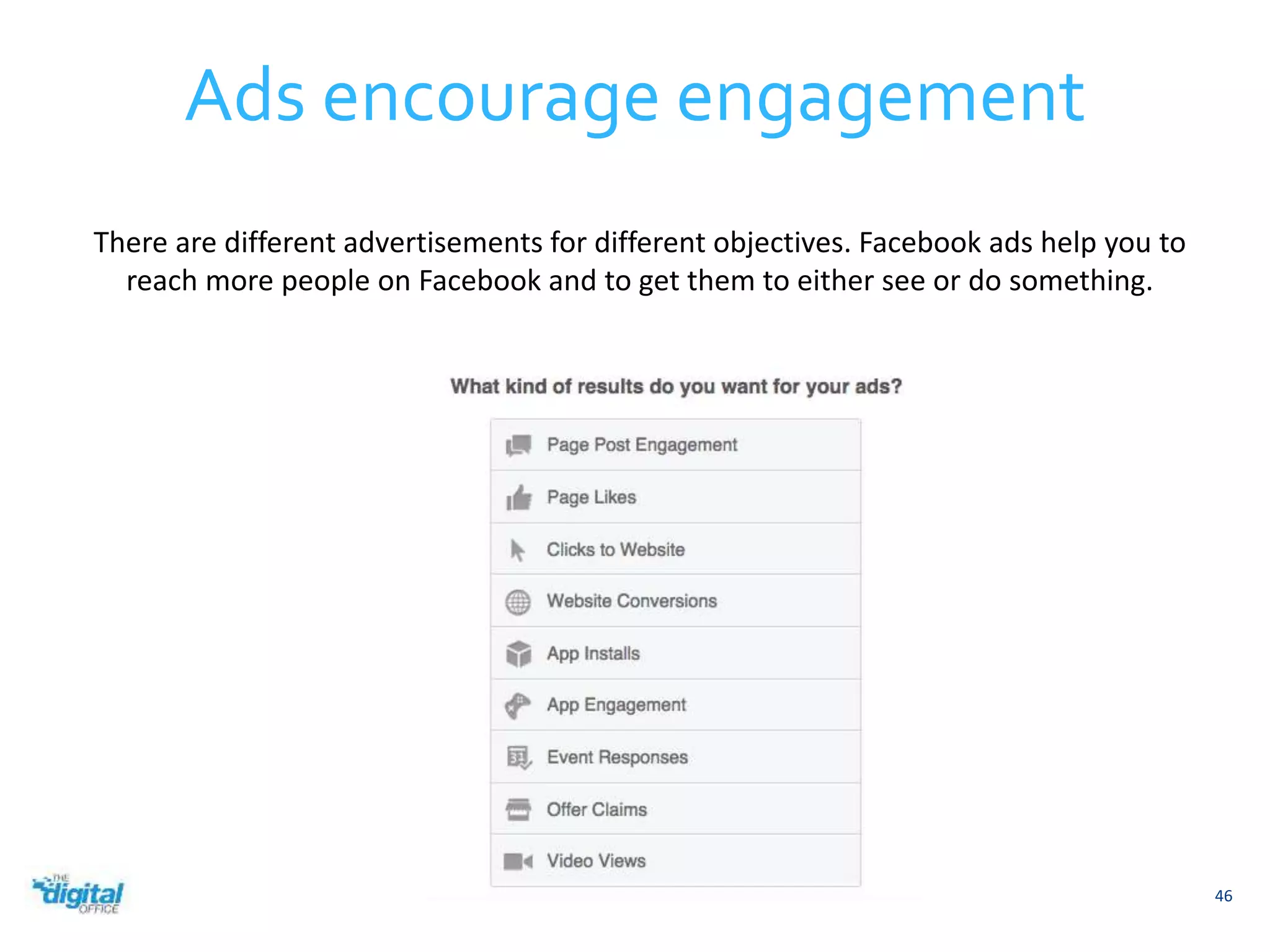
There are different advertisements for different objectives. Facebook ads help you to 
reach more people on Facebook and to get them to either see or do something.
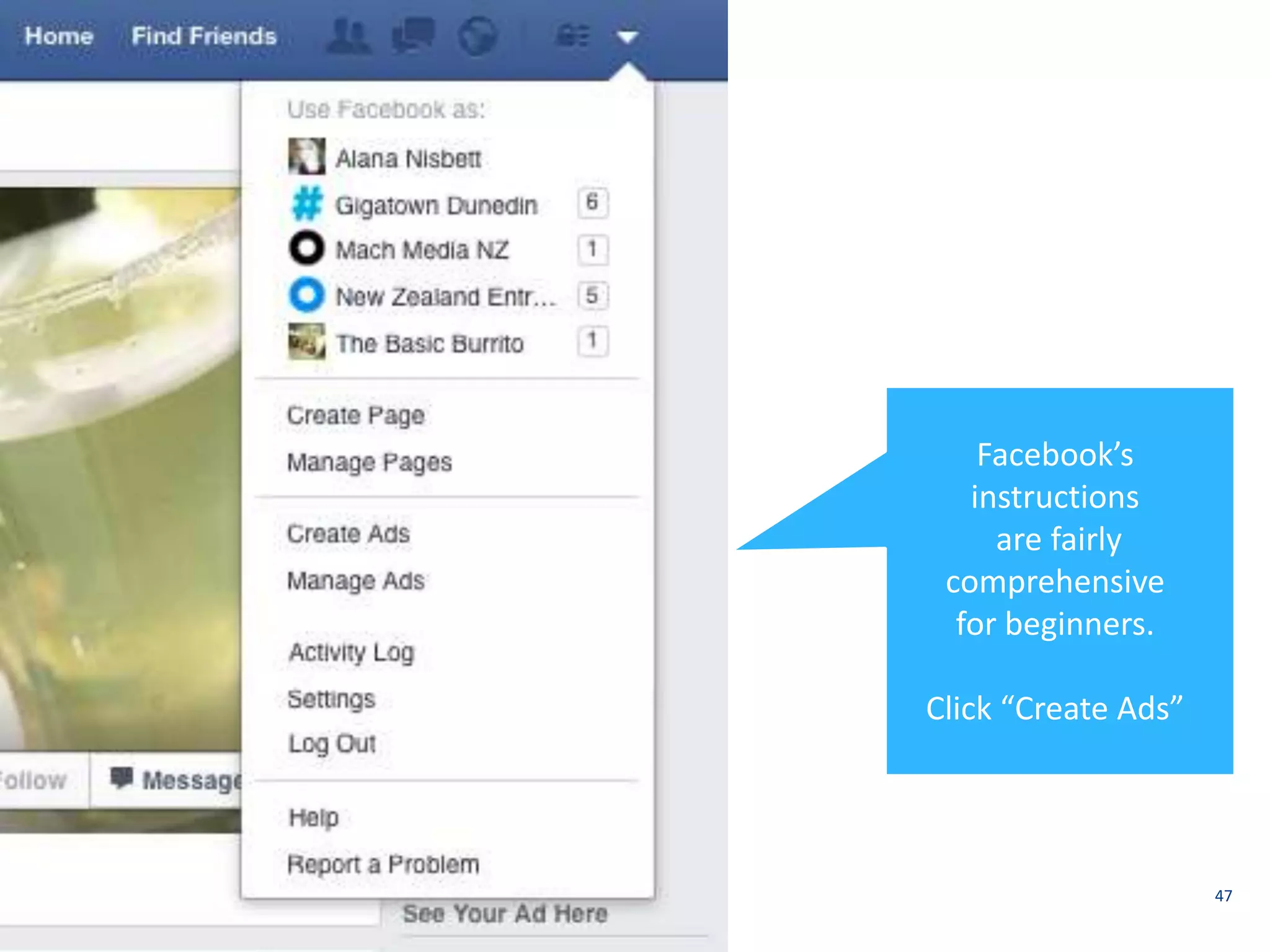
47 
Facebook’s 
instructions 
are fairly 
comprehensive 
for beginners. 
Click “Create Ads”
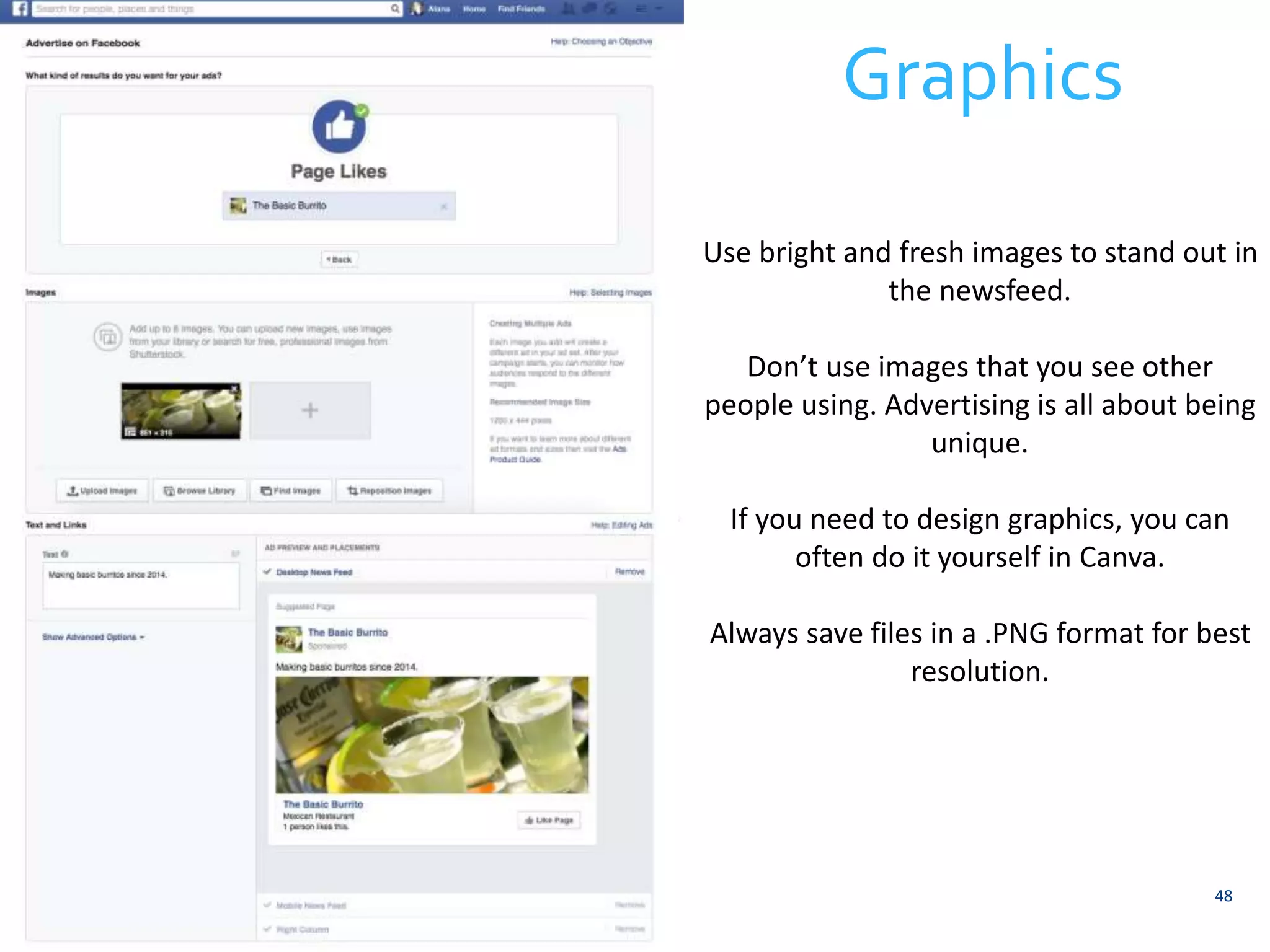
Graphics 
Use bright and fresh images to stand out in 
48 
the newsfeed. 
Don’t use images that you see other 
people using. Advertising is all about being 
unique. 
If you need to design graphics, you can 
often do it yourself in Canva. 
Always save files in a .PNG format for best 
resolution.
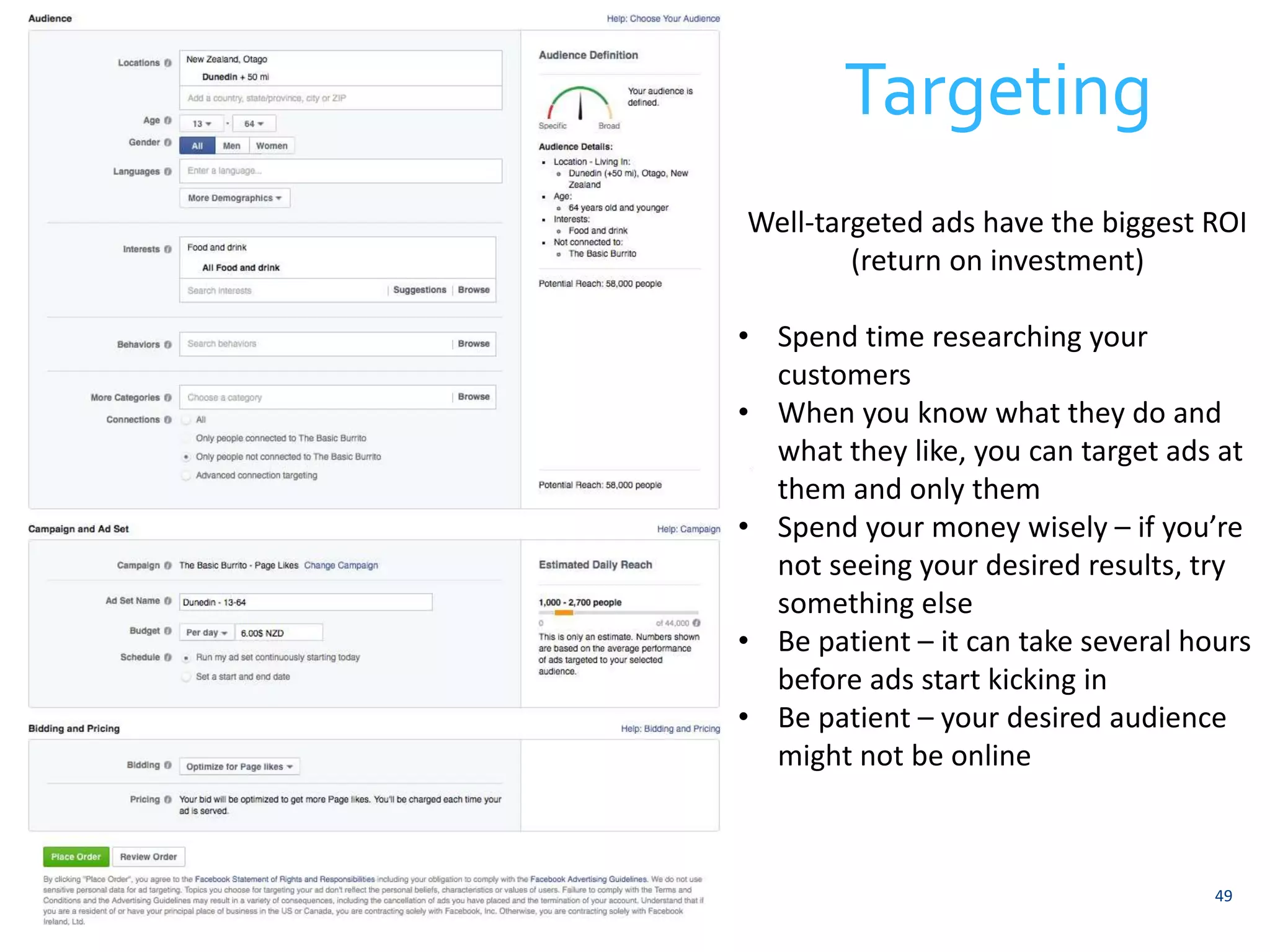
Targeting 
Well-targeted ads have the biggest ROI 
49 
(return on investment) 
• Spend time researching your 
customers 
• When you know what they do and 
what they like, you can target ads at 
them and only them 
• Spend your money wisely – if you’re 
not seeing your desired results, try 
something else 
• Be patient – it can take several hours 
before ads start kicking in 
• Be patient – your desired audience 
might not be online
Social Media Basics 
50
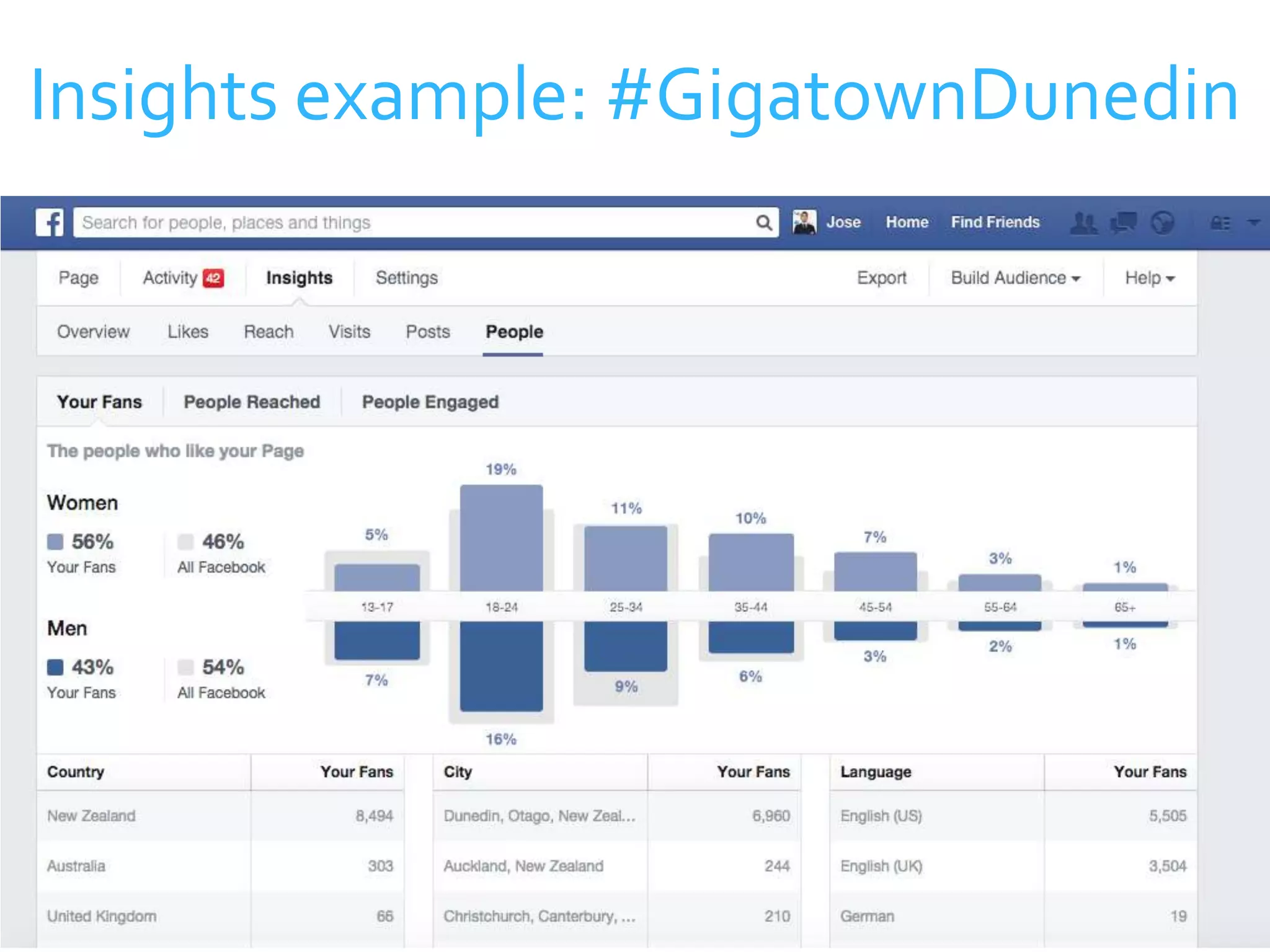
 Once you know who you’re talking to online, you can create 
strategies to encourage engagement and grow your audience 
 The best way to do this is to use Facebook’s built-in analytics 
system 
 Access this by clicking on “Insights” at the top of your page 
51 
Get to know your audience
Insights example: #GigatownDunedin 
52
Insights example: #GigatownDunedin 
53
 Use social media as a way to talk to all of your 
customers / audience. Don’t use it as an easy marketing 
tool 
 When people comment on your posts, reply to them if 
there’s opportunity for conversation 
 Get to know what your competitors are doing on social 
media 
54 
Interact with your audience
 Attribute the source of content correctly, and try to tag 
the page of the content owner when possible 
 When you’re on your Facebook page, use language that 
you would use when talking to a customer face to face 
 Don’t exploit negative circumstances as a way to 
increase engagement. It’s ok to acknowledge incidents, 
tragedies, and events, but don’t exploit the opportunity. 
55 
Social media etiquette
Crisis Management 
56
57 
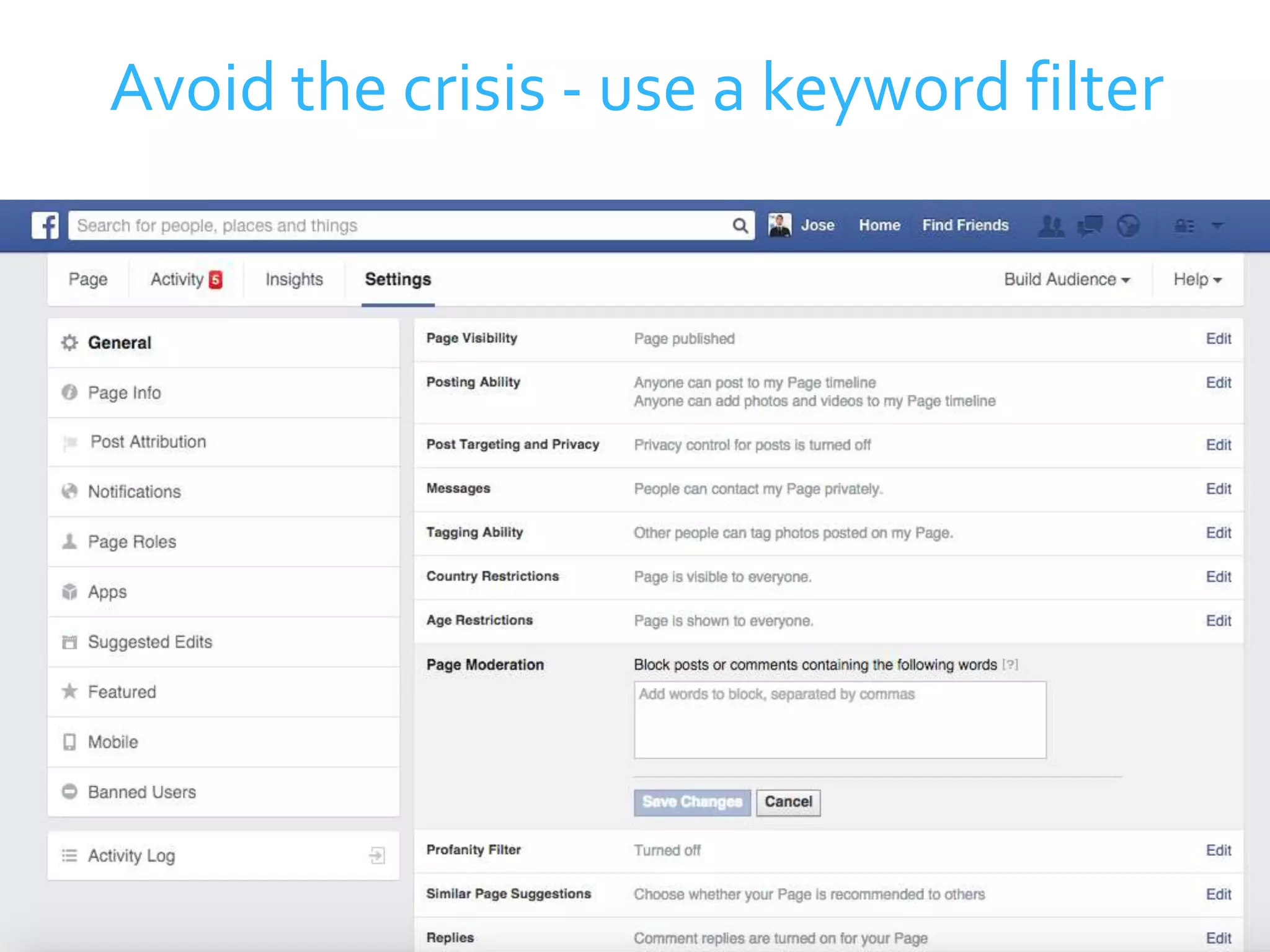
Avoid the crisis - use a keyword filter
 Make sure everyone who is managing your social media 
knows what the rules are 
 Exercise your judgment when dealing with negative 
feedback or comments 
 If it’s a legitimate concern that needs addressing, do so 
professionally 
 You wouldn’t allow people to deface your shop window, 
so don’t let them deface your virtual shop window 
58 
Establish rules
 Just like a physical store, some people will be nice and 
others – not so much 
 When you suspect that an audience member will cause 
trouble, ask to speak to them directly by phone or email 
 Don’t try to deal with customers who are not going to 
co-operate online 
 If someone refuses to co-operate, don’t feel bad about 
blocking them 
59 
Take it offline
 If more than a handful of people were aware of the 
crisis, it’s a good idea to make a statement on your 
page. 
 Be assertive – make sure fans know you’re not up for a 
debate on the matter 
 Ending with a “Thank You” reinforces your gratitude to 
the fans who are supportive 
 Turn the negative situation into a positive brand 
experience 
60 
Make a statement
Tools to help manage social media 
61
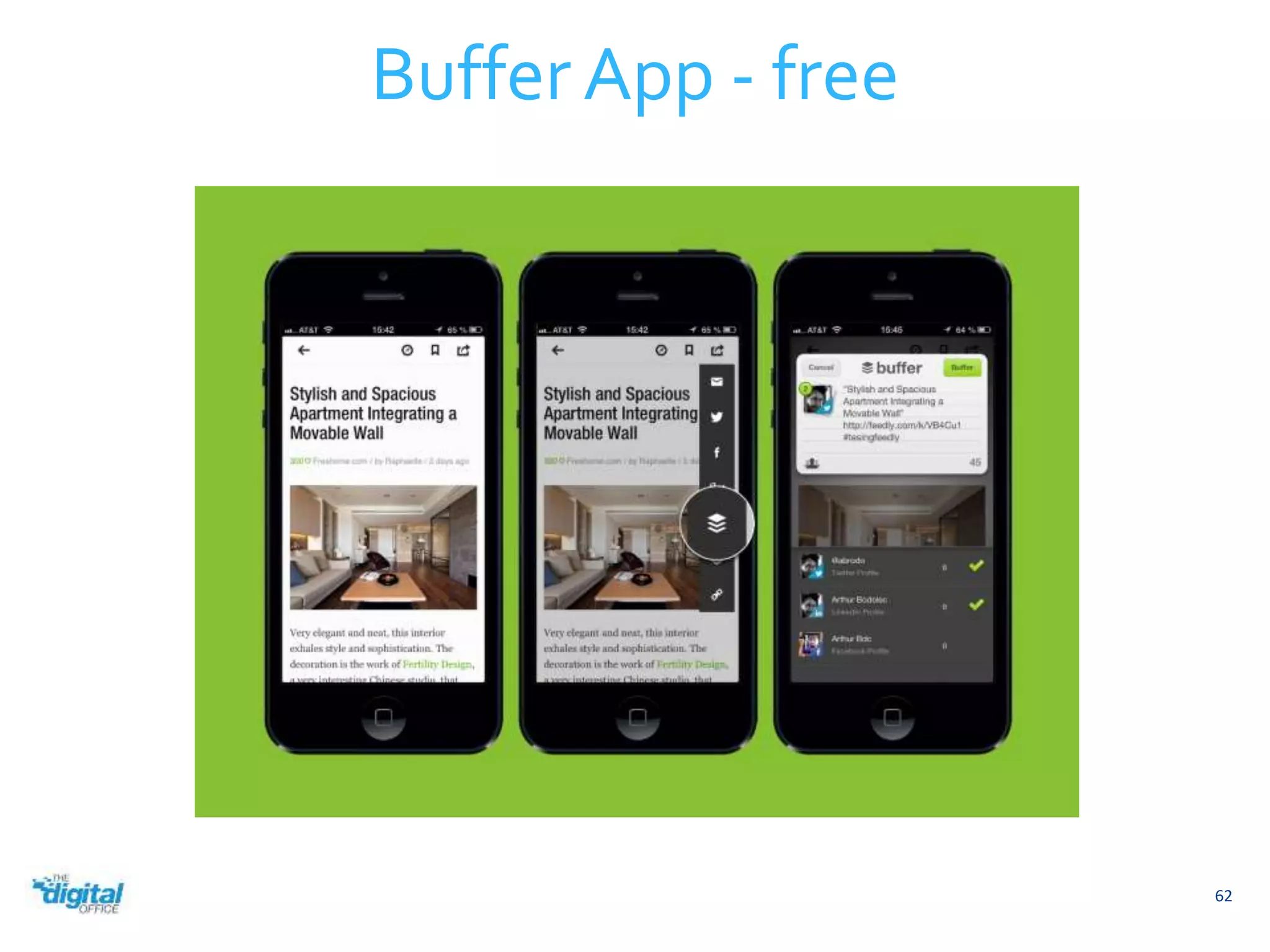
Buffer App - free 
62
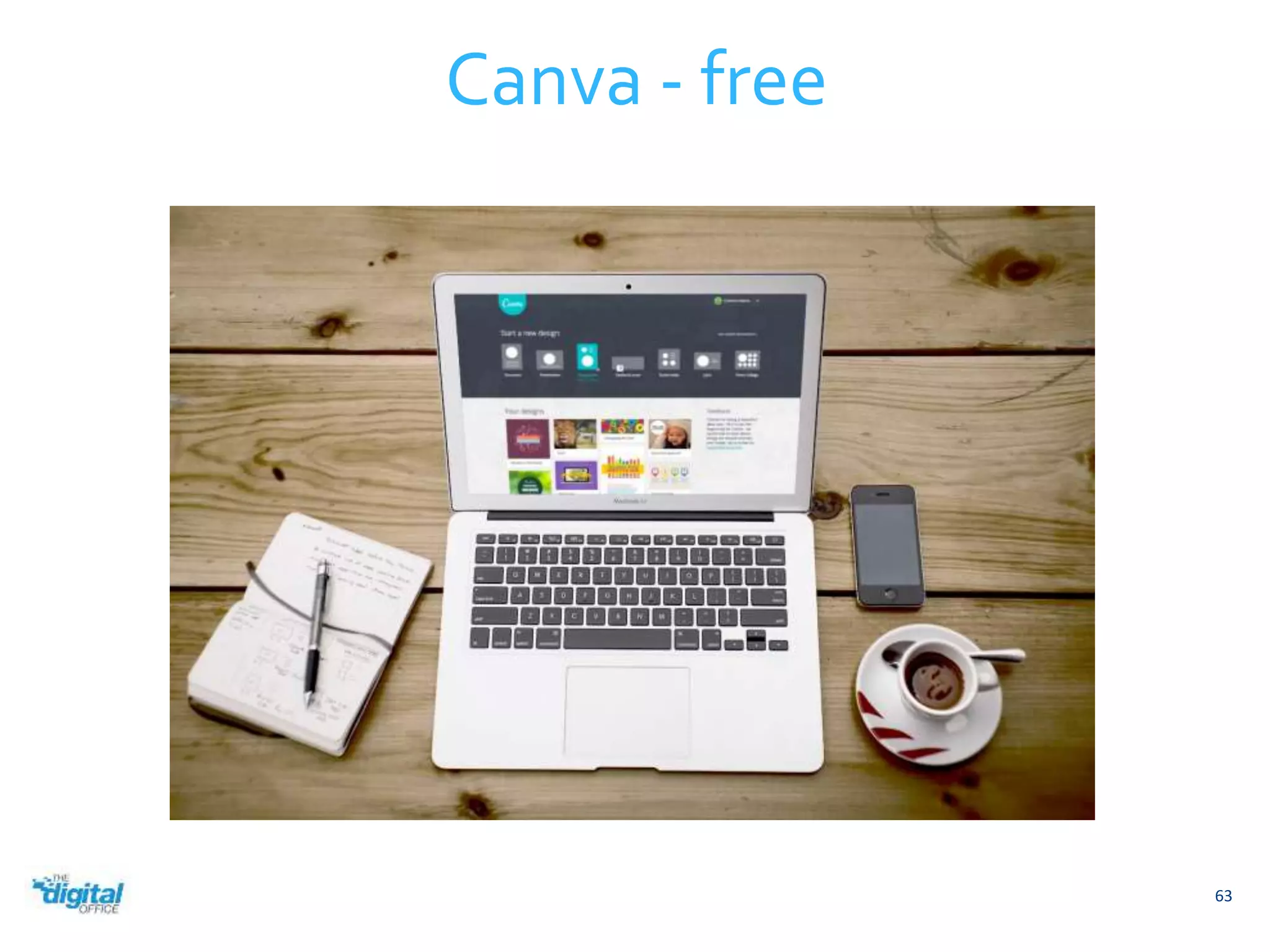
Canva - free 
63
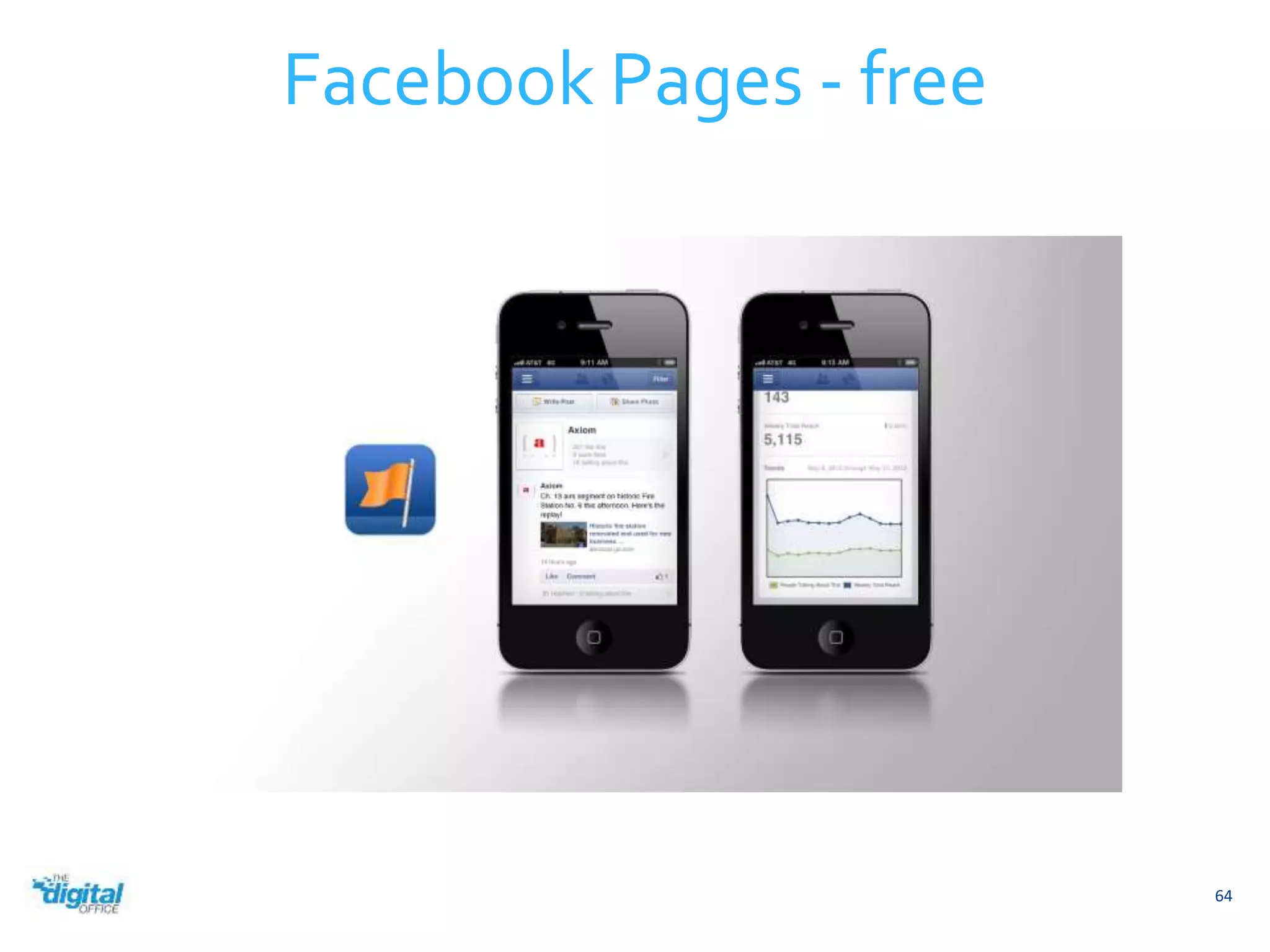
Facebook Pages - free 
64

Facebook Introduction and Tips & Tricks

  • 1.
  • 2.
    What is Facebook? Ten years ago, four college room mates made a website called “The Facebook.” Today it’s called “Facebook” and it’s the biggest social network in the world with 1.23 billion users. 2
  • 3.
    3 It’s kindof a big deal In a 2013 survey, 97% of small business owners found that social media marketing benefited their businesses.
  • 4.
    4 Facebook inNew Zealand There are 2,600,000 Facebook users in New Zealand. 58.14% of the New Zealand population is on Facebook
  • 5.
    Male Female 5 Facebook in New Zealand 46% of Facebook users in New Zealand are male, while 54 are female.
  • 6.
  • 7.
    7 Anyone cancreate a Facebook page.
  • 8.
  • 9.
  • 10.
  • 11.
  • 12.
  • 13.
    Tip: Use Canvato make cover photos 13 • Save cover photo files in a .PNG format for best resolution. • A cover photo helps your page to stand out. Bright colors work well. • The optimum size for cover photos is 851 px by 315 px. • Avoid images with a lot of text in them. This makes the page look cluttered.
  • 14.
    14 The “About” page A good “About” page will tell anyone who’s interested everything they need to know about you and your business. • Hours of operation • Parking availability • Acceptable methods of payment • Contact email and phone • A link to your website • An address • Your name • What makes your business special.
  • 15.
    15 You canedit this content by clicking on the “Settings” tab of your page.
  • 16.
  • 17.
  • 18.
    18 Your typicalFacebook page will only need to use these 3 roles.
  • 19.
     As arule of thumb, don’t make anyone an administrator unless you absolutely trust them  Give employees a “Moderator” role if they need it  In bigger organizations, the manager often takes the “Editor” role 19 How to use page roles
  • 20.
  • 21.
    Making a status 21 A Facebook update is also called a “status.”
  • 22.
    Photos can makea status stand out 22
  • 23.
    Links keep youraudience interested 23 Paste your link into the status field. The image will appear in a few seconds.
  • 24.
    Share other Page’sposts Facebook will attribute the source for you. 24
  • 25.
    25 Tag anotherPage using @ Social media is often a two-way street. If you help and promote other pages, they’ll often return the favor.
  • 26.
  • 27.
  • 28.
    Engagement is importantbecause it tells Facebook that people want to see your content. If Facebook thinks people want to see your content, it will increase your reach, which is a measurement of how many people see your posts. 28 Engagement
  • 29.
    Engagement is basedon a measurement of these factors:  CLICKS – clicks on photos, links, or videos  LIKES – likes on any post  SHARES – how many people share your post  COMMENTS – how many people comment on your post Your goal is to boost these 4 main activities. 29 Understanding Engagement
  • 30.
    It’s always goodto have a content strategy. Most strategies include different types of content. For example, during the week you might publish 10 interesting or funny posts that get a lot of engagement. In that same week you might only publish 2-3 posts asking people to buy your products, but since Facebook sees that your previous posts had good engagement, it will show these updates to many people. 30 Strategy
  • 31.
    Ask Questions 31 When you ask questions, it tells your audience that you are interested in them, and it also makes it easier for them to leave comments.
  • 32.
    32 Create acommunity People love to feel like they’re a part of something cool. Include your fans in your achievements.
  • 33.
    33 Ask foropinions People love to vent their thoughts online. You can use this to your advantage by posting a link to something controversial and asking for their opinion. Another way to do this is to involve your fans in decisions you have to make.
  • 34.
  • 35.
    35 Contests Contestsare an excellent way to drive engagement.
  • 36.
    Tip: Use WooBoxfor contests 36
  • 37.
  • 38.
    Tip: Always lookfor content to share 38 Good social media managers are always on the lookout for content to share with their audiences.
  • 39.
    39 Flipboard Flipboardis a mobile app that allows you to select your interests, then flip through them. When you see something you like, simply save it to share later.
  • 40.
    40 Spundge BuzzSumo BuzzSumo is slightly more advanced. The program asks you to enter your interests, and then it gives you a list of content which it has rated for you. It also gives you excellent analytics, but is not a tool for beginners.
  • 41.
    41 Twitter Twitteris an excellent content discovery tool because it allows you to choose your sources. Create an account, follow the people who make content for your industry, and then scroll through the feed of tweets it will provide for you.
  • 42.
     There’s noone-size-fits-all app for content discovery  Start following content producers in social channels  Always be on the lookout for content to share  Create your own graphics or blog posts  Share other page’s posts 42 Finding content to share
  • 43.
    Local content sourceshave a two-way relationship with social media managers.  Subscribe to bloggers and newspapers in your area  They rely on people like you to share their content  Offer to collaborate – if you can make their jobs easier they’ll work with you  The best place to locate local content sources is on Twitter  Ask around, and someone will almost always know someone in the industry 43 Local content sources
  • 44.
    These tools areessential to creating your own content  Canva – graphics | FREE  Wordpress – blogging | FREE  Squarespace – blogging | $8 / month  Hail – content management | $14 / month 44 Create your own content
  • 45.
  • 46.
    Ads encourage engagement 46 There are different advertisements for different objectives. Facebook ads help you to reach more people on Facebook and to get them to either see or do something.
  • 47.
    47 Facebook’s instructions are fairly comprehensive for beginners. Click “Create Ads”
  • 48.
    Graphics Use brightand fresh images to stand out in 48 the newsfeed. Don’t use images that you see other people using. Advertising is all about being unique. If you need to design graphics, you can often do it yourself in Canva. Always save files in a .PNG format for best resolution.
  • 49.
    Targeting Well-targeted adshave the biggest ROI 49 (return on investment) • Spend time researching your customers • When you know what they do and what they like, you can target ads at them and only them • Spend your money wisely – if you’re not seeing your desired results, try something else • Be patient – it can take several hours before ads start kicking in • Be patient – your desired audience might not be online
  • 50.
  • 51.
     Once youknow who you’re talking to online, you can create strategies to encourage engagement and grow your audience  The best way to do this is to use Facebook’s built-in analytics system  Access this by clicking on “Insights” at the top of your page 51 Get to know your audience
  • 52.
  • 53.
  • 54.
     Use socialmedia as a way to talk to all of your customers / audience. Don’t use it as an easy marketing tool  When people comment on your posts, reply to them if there’s opportunity for conversation  Get to know what your competitors are doing on social media 54 Interact with your audience
  • 55.
     Attribute thesource of content correctly, and try to tag the page of the content owner when possible  When you’re on your Facebook page, use language that you would use when talking to a customer face to face  Don’t exploit negative circumstances as a way to increase engagement. It’s ok to acknowledge incidents, tragedies, and events, but don’t exploit the opportunity. 55 Social media etiquette
  • 56.
  • 57.
    57 Avoid thecrisis - use a keyword filter
  • 58.
     Make sureeveryone who is managing your social media knows what the rules are  Exercise your judgment when dealing with negative feedback or comments  If it’s a legitimate concern that needs addressing, do so professionally  You wouldn’t allow people to deface your shop window, so don’t let them deface your virtual shop window 58 Establish rules
  • 59.
     Just likea physical store, some people will be nice and others – not so much  When you suspect that an audience member will cause trouble, ask to speak to them directly by phone or email  Don’t try to deal with customers who are not going to co-operate online  If someone refuses to co-operate, don’t feel bad about blocking them 59 Take it offline
  • 60.
     If morethan a handful of people were aware of the crisis, it’s a good idea to make a statement on your page.  Be assertive – make sure fans know you’re not up for a debate on the matter  Ending with a “Thank You” reinforces your gratitude to the fans who are supportive  Turn the negative situation into a positive brand experience 60 Make a statement
  • 61.
    Tools to helpmanage social media 61
  • 62.
    Buffer App -free 62
  • 63.
  • 64.

Editor's Notes

  • #3 Facebook is the biggest social network in the world.
  • #4 97% of small business owners found that social media marketing benefited their businesses.
  • #5 You can see why. There are 2.6 million Facebook users in New Zealand alone. That’s 58 percent of our population on one website, and you can market directly to them.
  • #6 In New Zealand, about 46% of Facebook users are men, while 56% are women.
  • #7 So let’s make a Facebook page.
  • #8 Anyone with a Facebook account can make a page. Facebook guides you through the process – just click on “Create a Page” on the account menu.
  • #9 There’s 6 main categories of pages. Most people use the Local Business or Place category. That’s what we’ve used in our example.
  • #13 This is what a good Facebook page looks like.
  • #14 You don’t need a designer to make a good cover photo. Canva is an online tool that allows you to design anything for free, and it has templates that you can use to make Facebook cover photos.
  • #15 The About page should tell your potential customers everything they need to know about you from your hours of operation to your contact information. It’s like a free Yellow Pages, but with more users.
  • #18 There are 5 Page roles in Facebook.
  • #19 Most businesses only use these three.
  • #20 Don’t give anyone access to your page unless you trust them, and don’t make anyone an administrator. The Moderator role is best-suited for most applications, but managers are often given the “editor” role.
  • #22 A status is a basic text update from your page.
  • #23 You can add pictures to a status to make it more visible on the newsfeed.
  • #24 When you post links, your audience sees you as a content source. Just copy and paste a link into the status bar, and in a few seconds everything else will appear. Just remember to delete the link you pasted afterwards or it’ll look messy.
  • #25 You can share posts that other pages have posted – social media managers appreciate when you do this, and they’ll often return the favor.
  • #26 You can also tag another page in a status by using the @ symbol. This alerts the other page that you’ve tagged them, and it also posts a link to the other page.
  • #27 Scheduling content is a great way to stay ahead. If you’re going to be offline for a few days, spend 15 minutes scheduling content for your page beforehand.
  • #53 This graph shows the gender and location of our fans, as well as their ages.
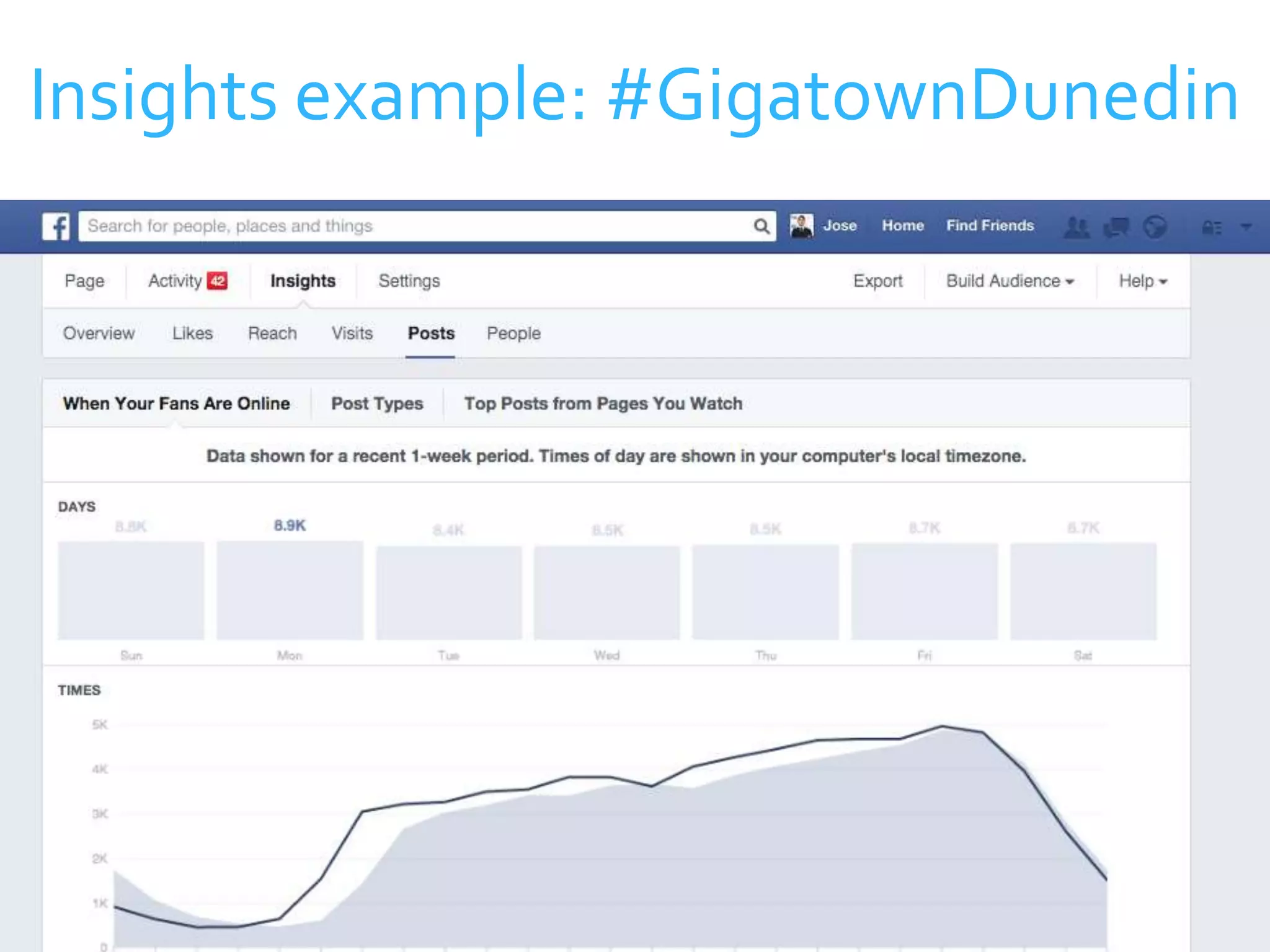
  • #54 This graph shows what time most of our fans are online. If we post our best content at peak hour, we can expect the maximum engagement and maximum organic growth.
  • #63 This tool has a plugin for Google Chrome that lets you click one button, and it will schedule content to be posted to all of your social media channels.
  • #64 Design graphics and cover photos for free, without download anything
  • #65 You won’t need this app until you’re in a crisis, but when you do have it, you’ll be glad you downloaded it. It puts everything your page can do in the palm of your hand.