
Finding Journal metrics
via
Scopus:
SJR (SCIMago Journal Rank) SNIP (Source Normalized Impact per
Paper) IPP (Impact per Publication)
Jen Eidelman October 2015
Elsevier provides three alternative views of the citation impact a journal
makes by using the following metrics:
•Source Normalized Impact per Paper (SNIP)
•The Impact per Publication (IPP)
•SCImago Journal Rank (SJR)
These metrics have been developed by external bibliometricians and source
the data from the Scopus database
http://www.journalmetrics.com
Scopus (Elsevier): Journal metrics:
SJR (SCIMago Journal Rank); SNIP (Source Normalized Impact per Paper); IPP (Impact per Publication)
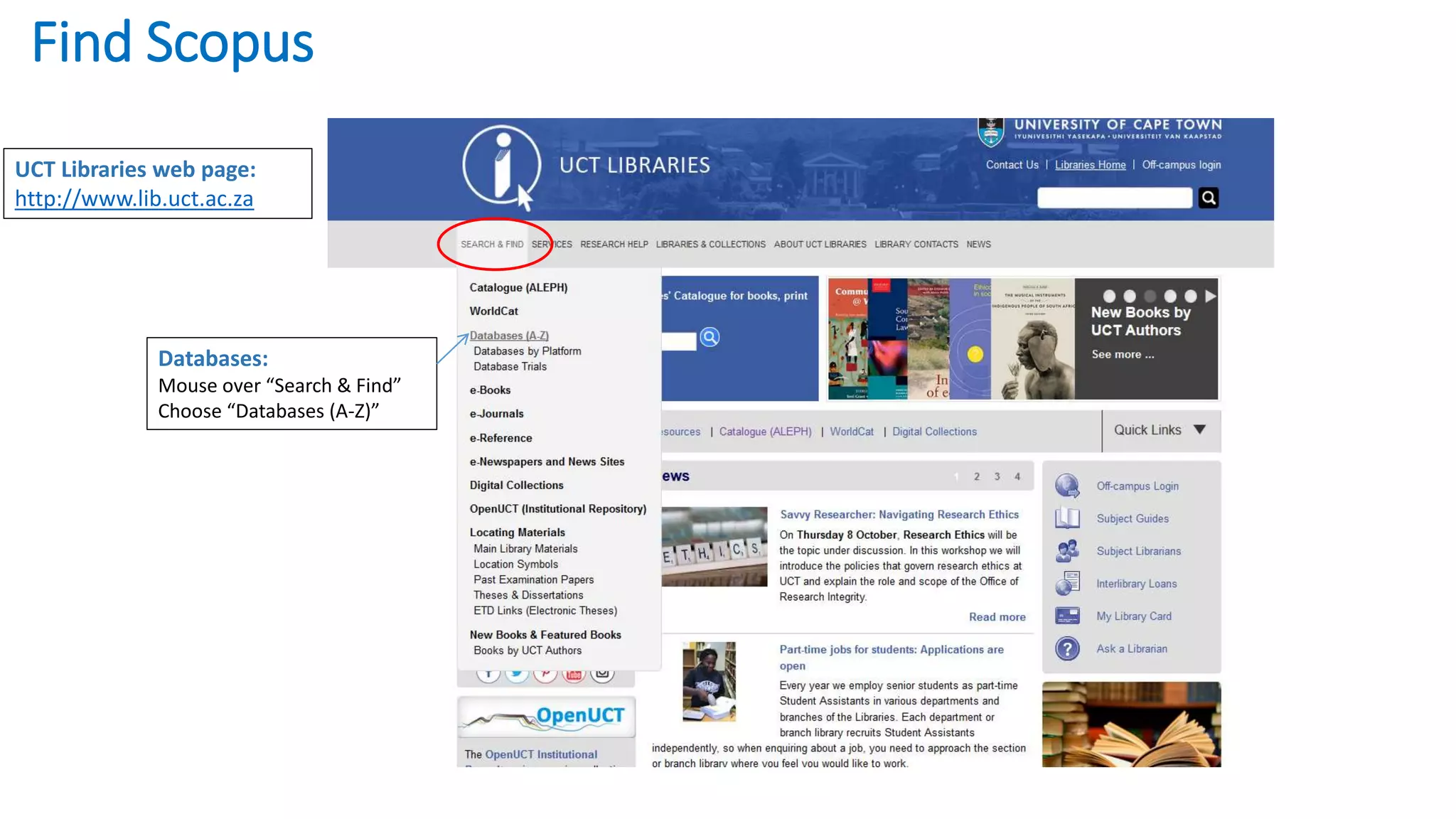
Databases:
Mouse over “Search & Find”
Choose “Databases (A-Z)”
UCT Libraries web page:
http://www.lib.uct.ac.za
Find Scopus
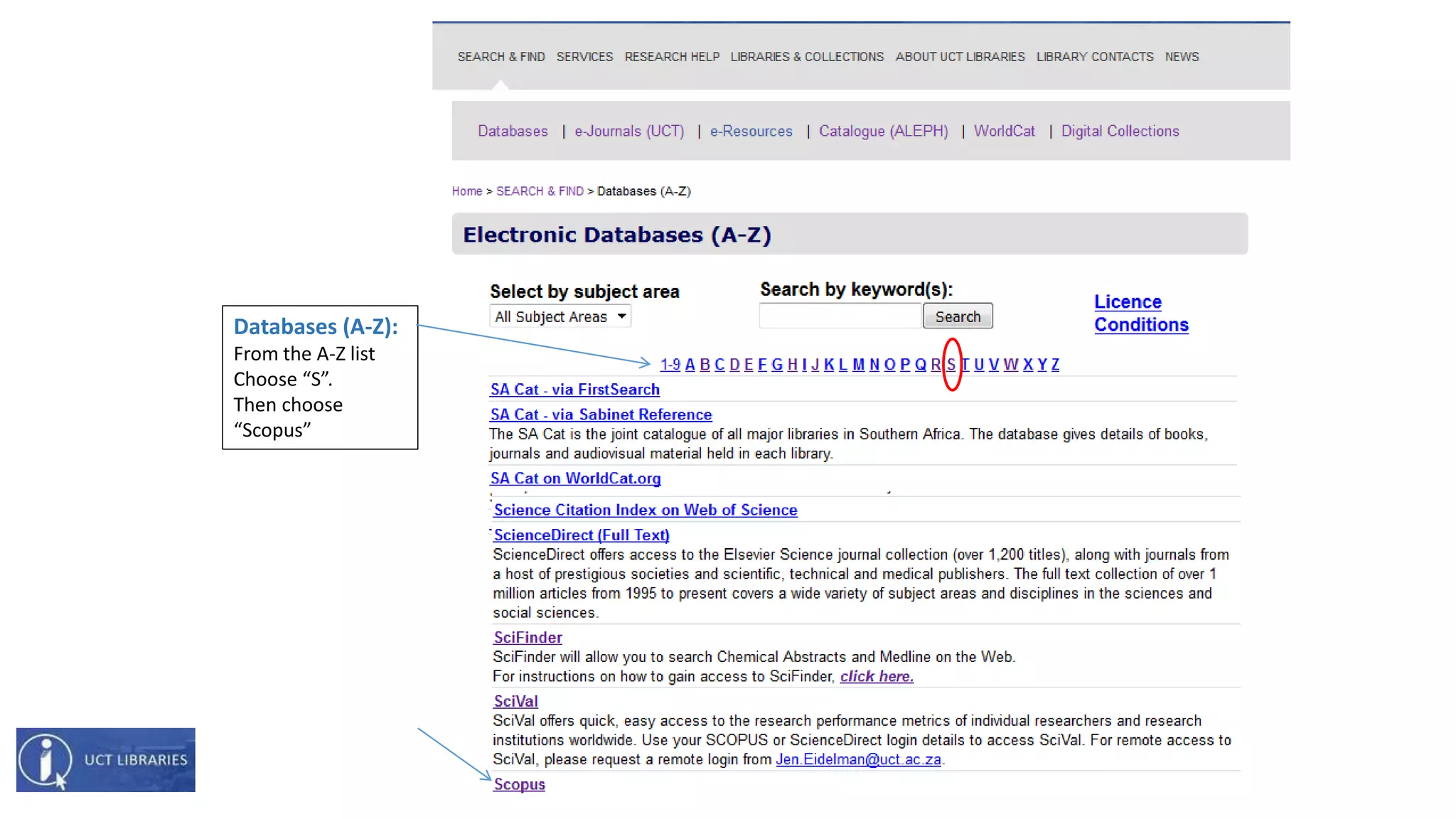
Databases (A-Z):
From the A-Z list
Choose “S”.
Then choose
“Scopus”
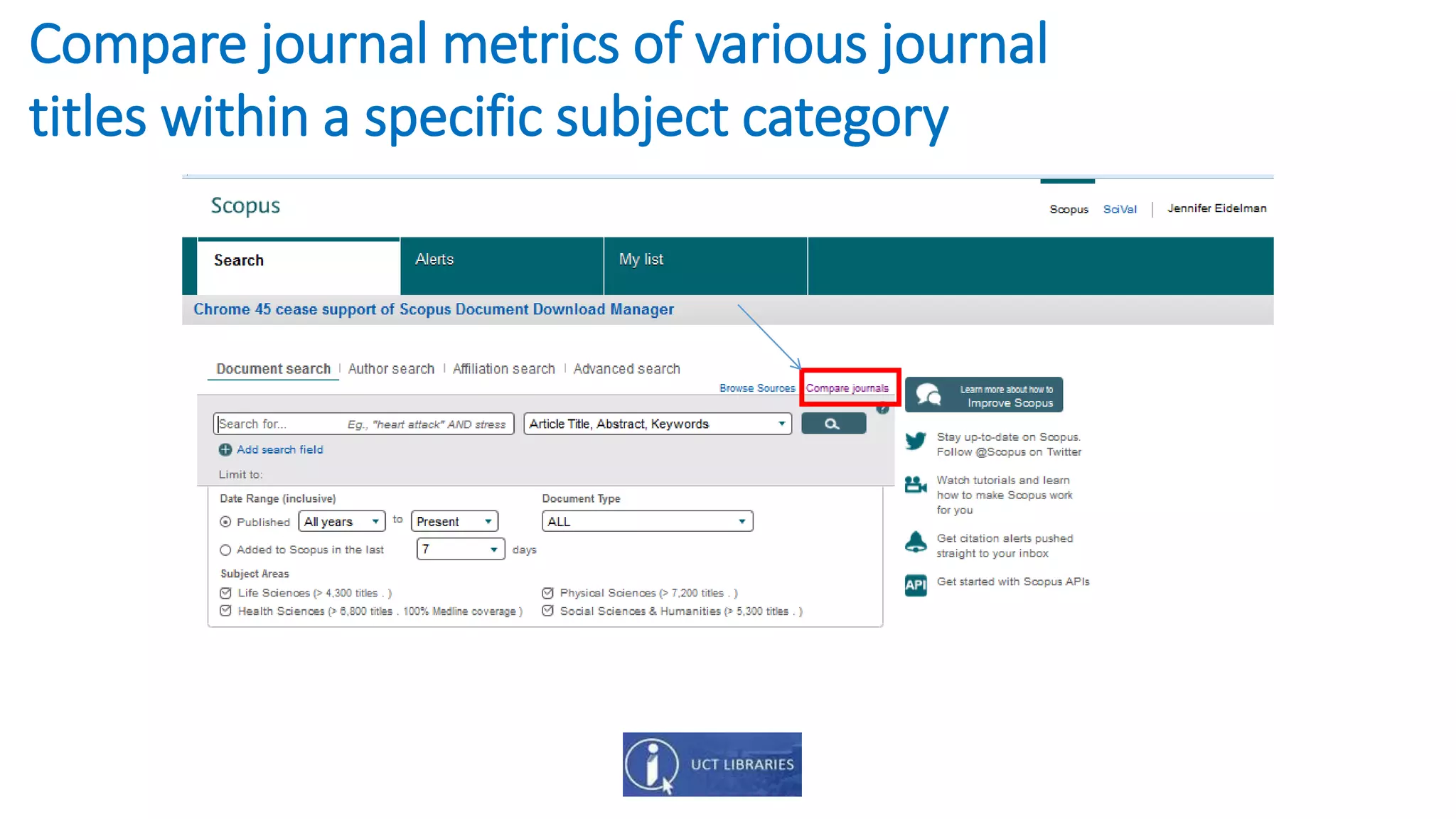
Compare journal metrics of various journal
titles within a specific subject category
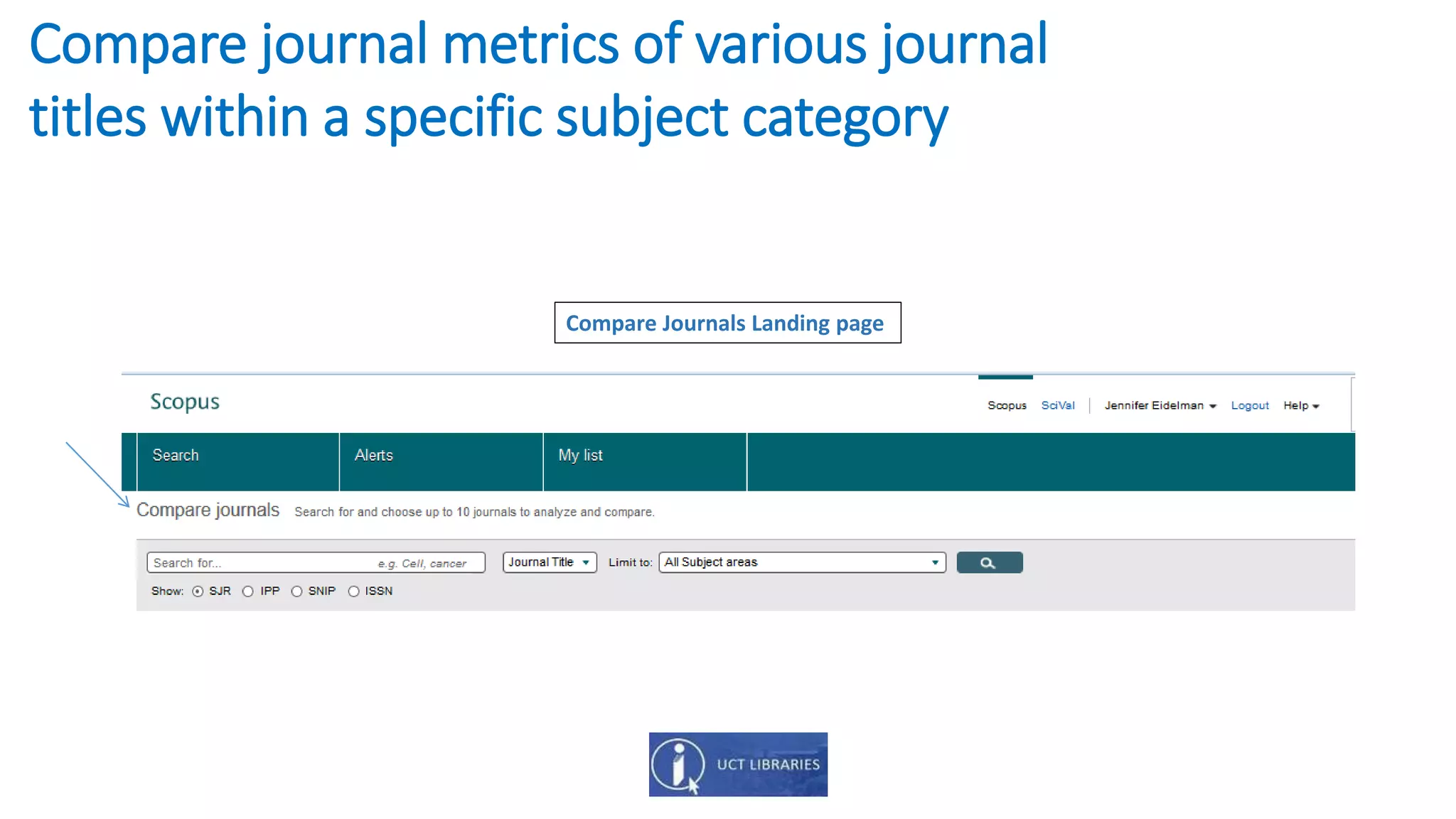
Compare journal metrics of various journal
titles within a specific subject category
Compare Journals Landing page
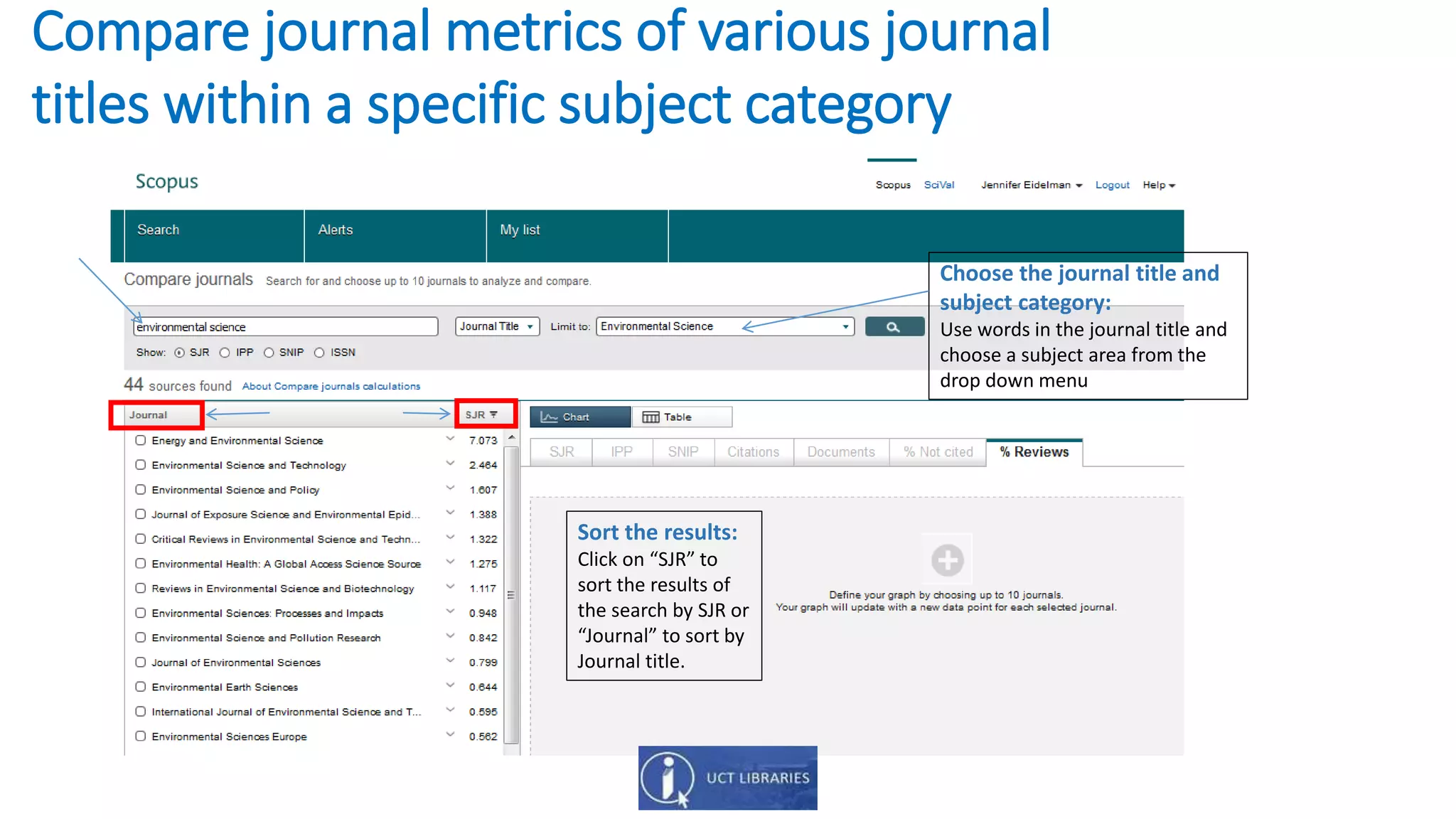
Compare journal metrics of various journal
titles within a specific subject category
Sort the results:
Click on “SJR” to
sort the results of
the search by SJR or
“Journal” to sort by
Journal title.
Choose the journal title and
subject category:
Use words in the journal title and
choose a subject area from the
drop down menu
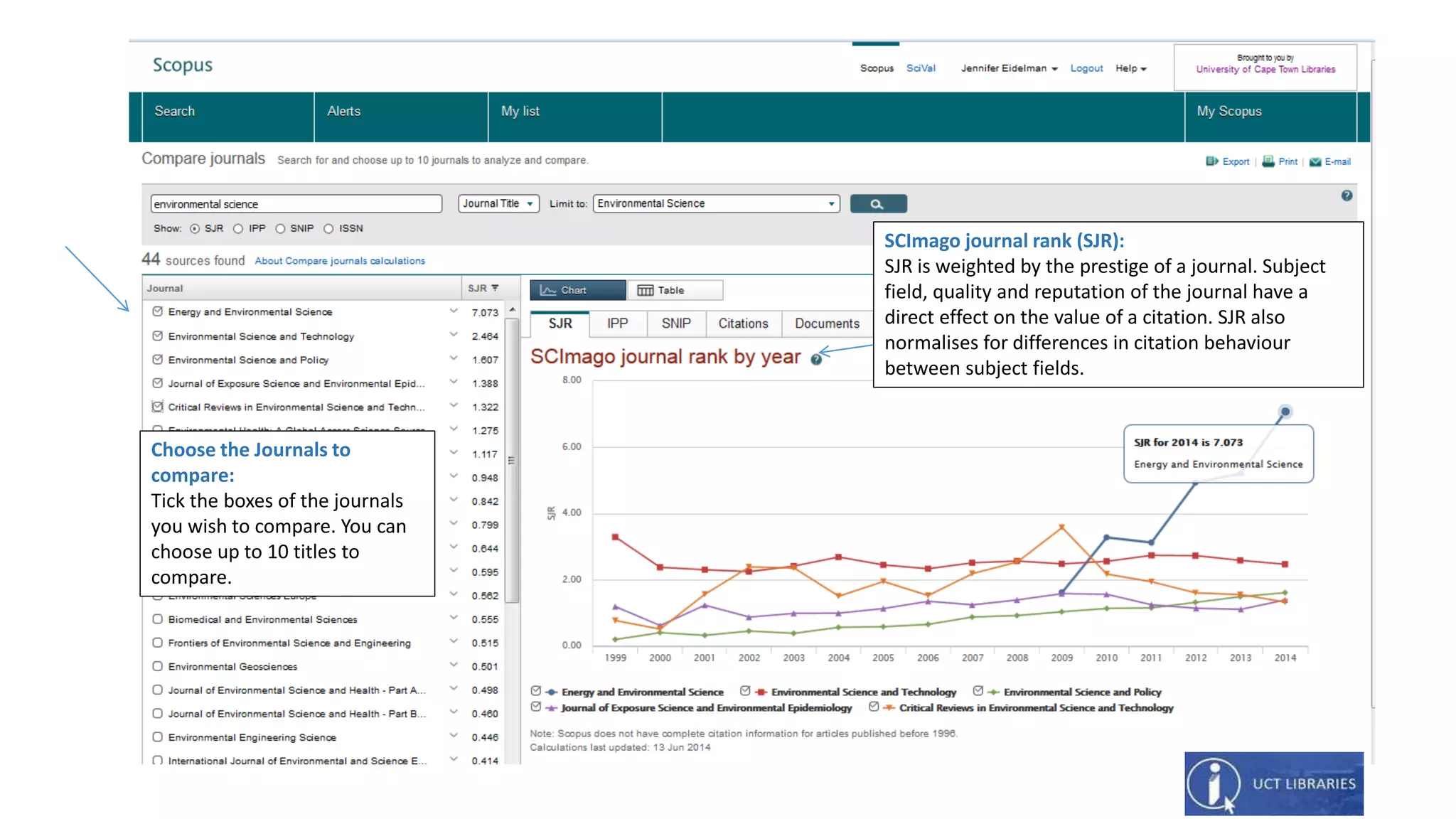
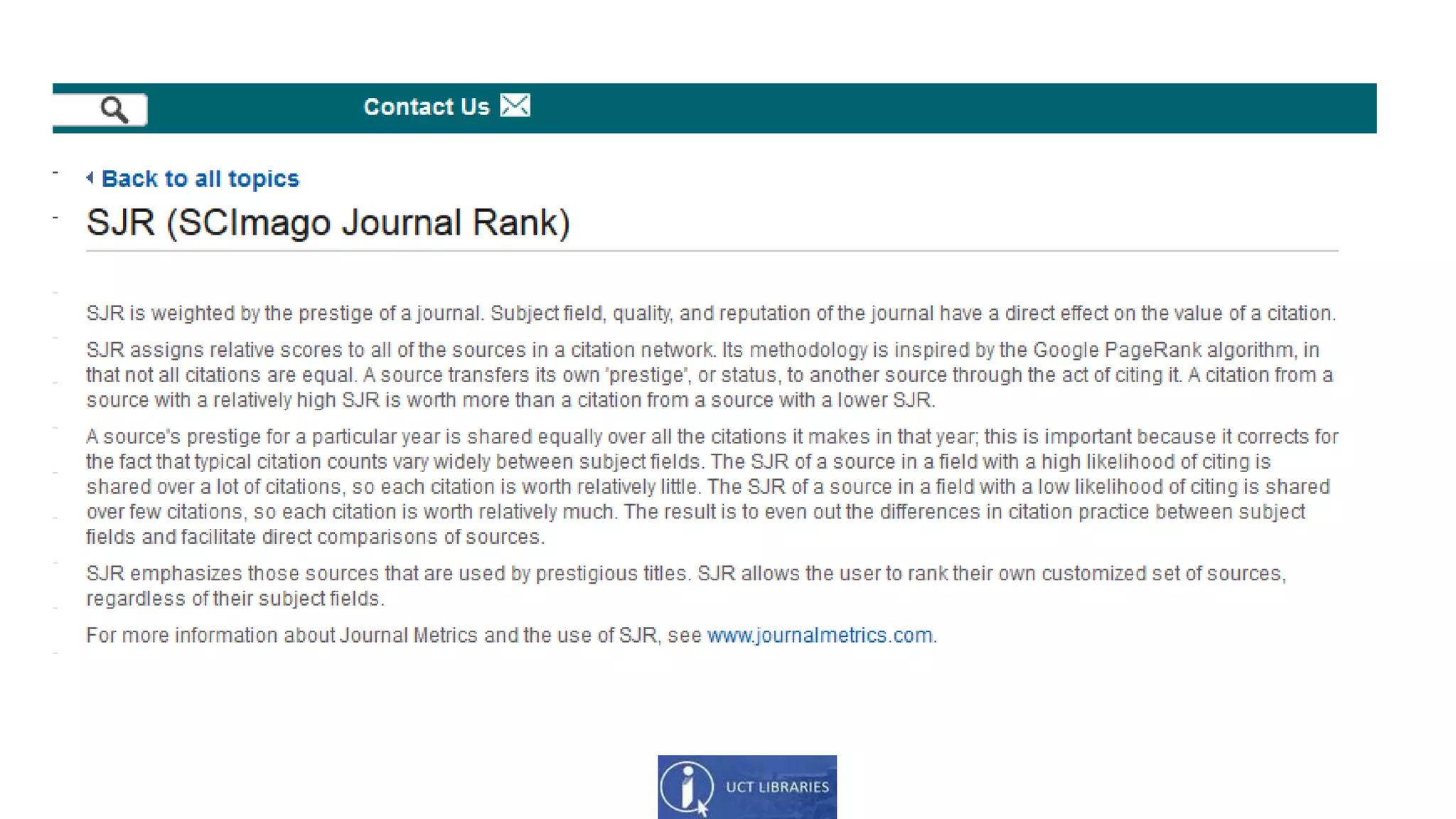
SCImago journal rank (SJR):
SJR is weighted by the prestige of a journal. Subject
field, quality and reputation of the journal have a
direct effect on the value of a citation. SJR also
normalises for differences in citation behaviour
between subject fields.
Choose the Journals to
compare:
Tick the boxes of the journals
you wish to compare. You can
choose up to 10 titles to
compare.
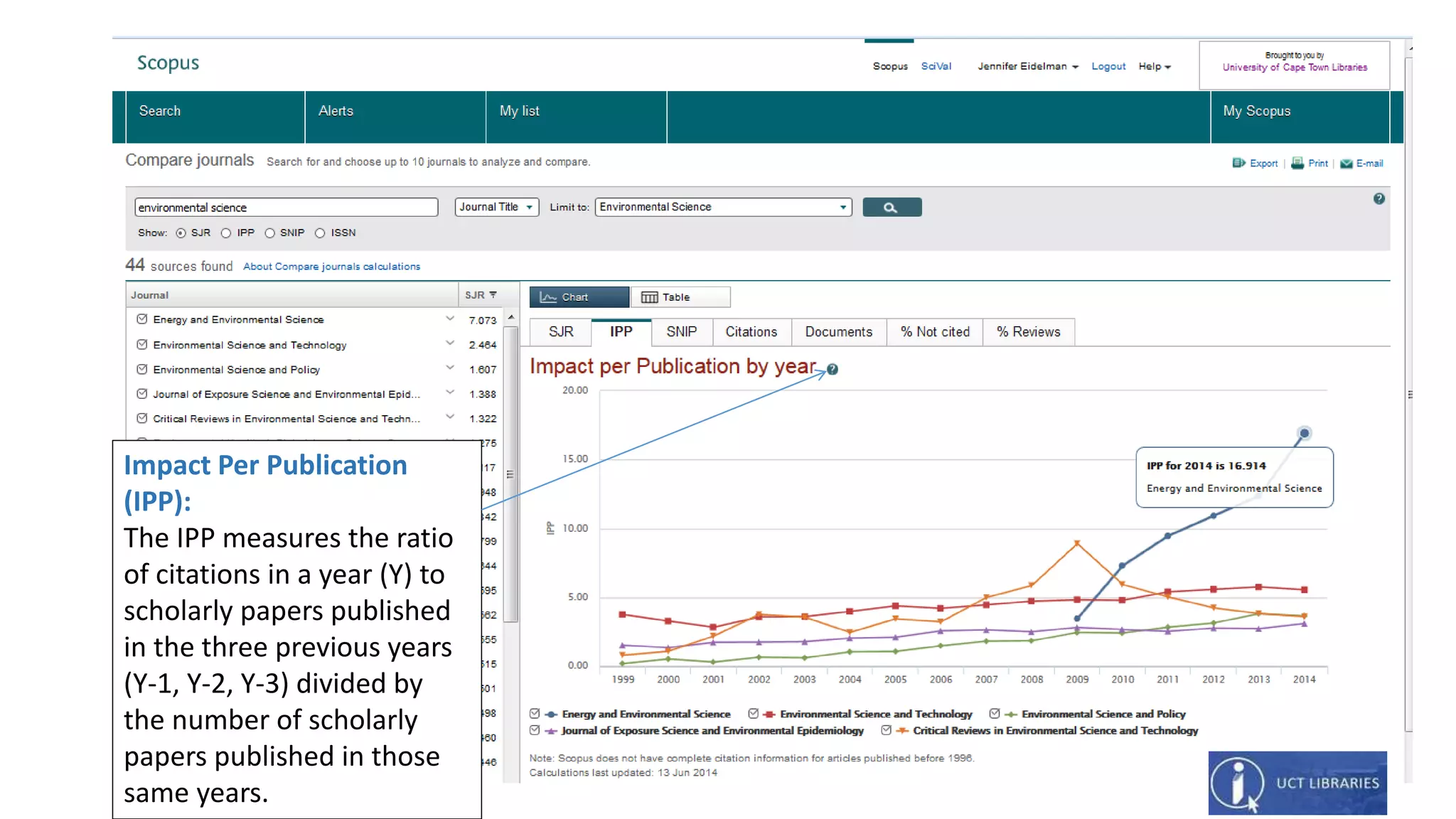
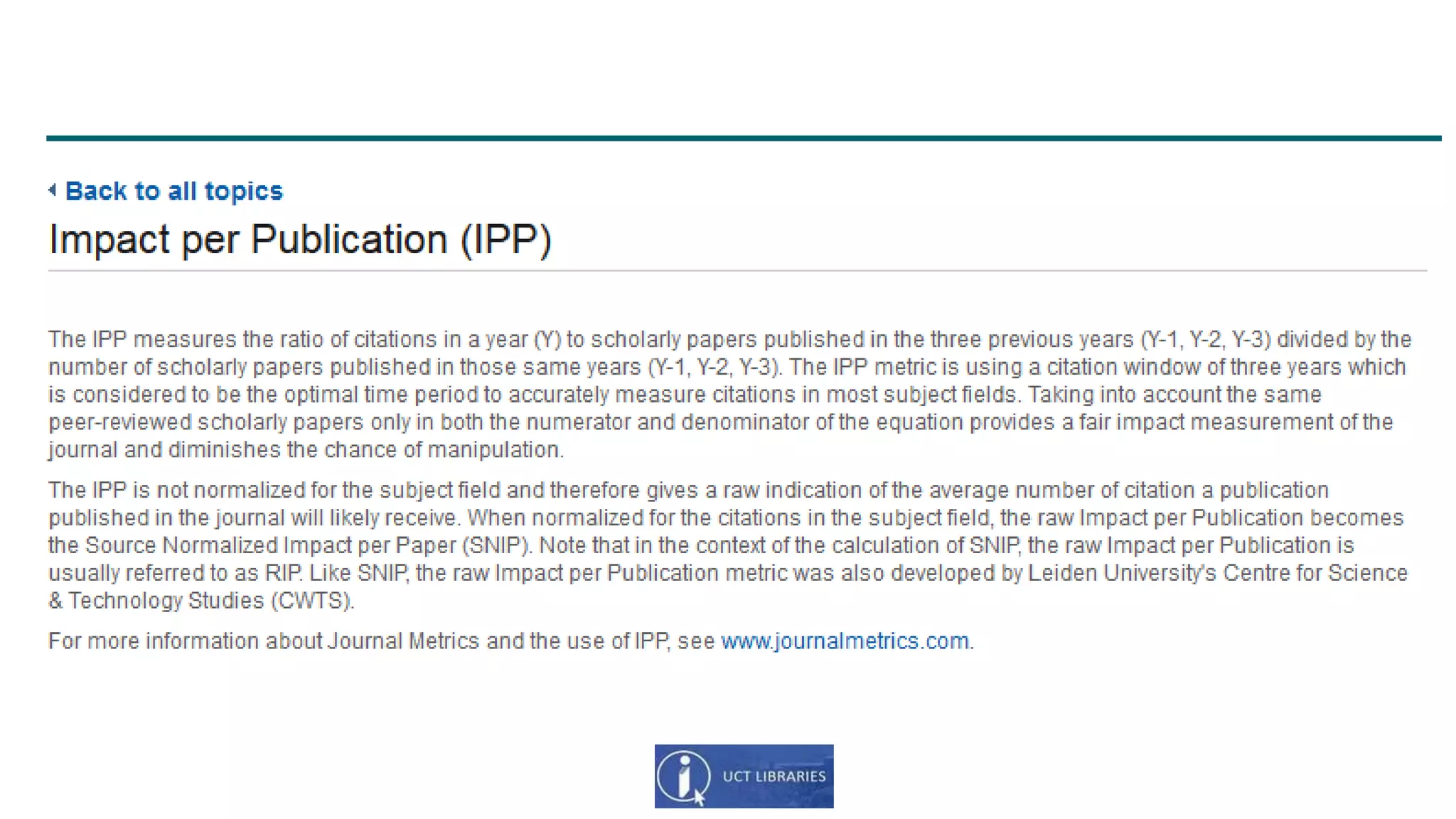
Impact Per Publication
(IPP):
The IPP measures the ratio
of citations in a year (Y) to
scholarly papers published
in the three previous years
(Y-1, Y-2, Y-3) divided by
the number of scholarly
papers published in those
same years.
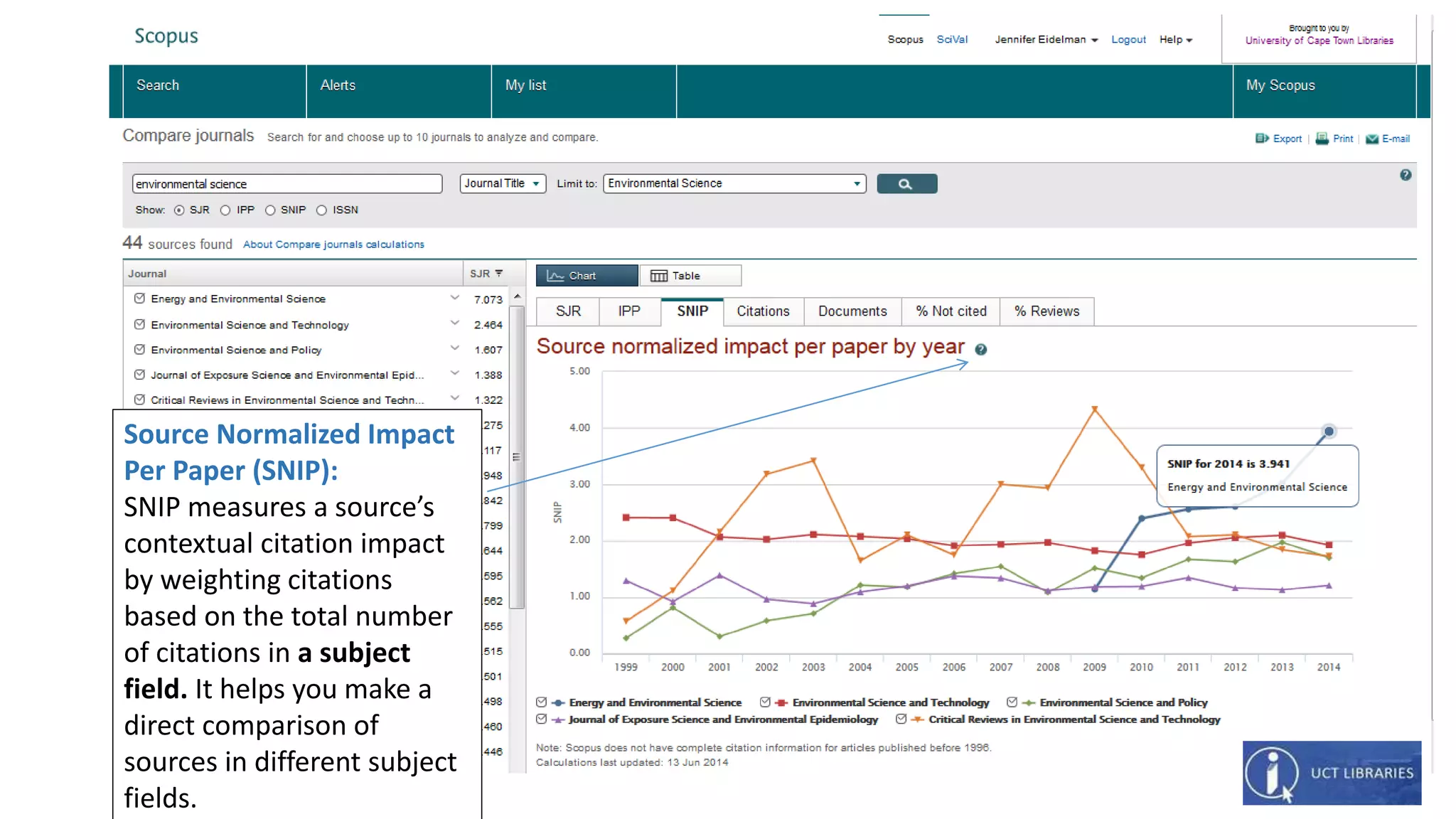
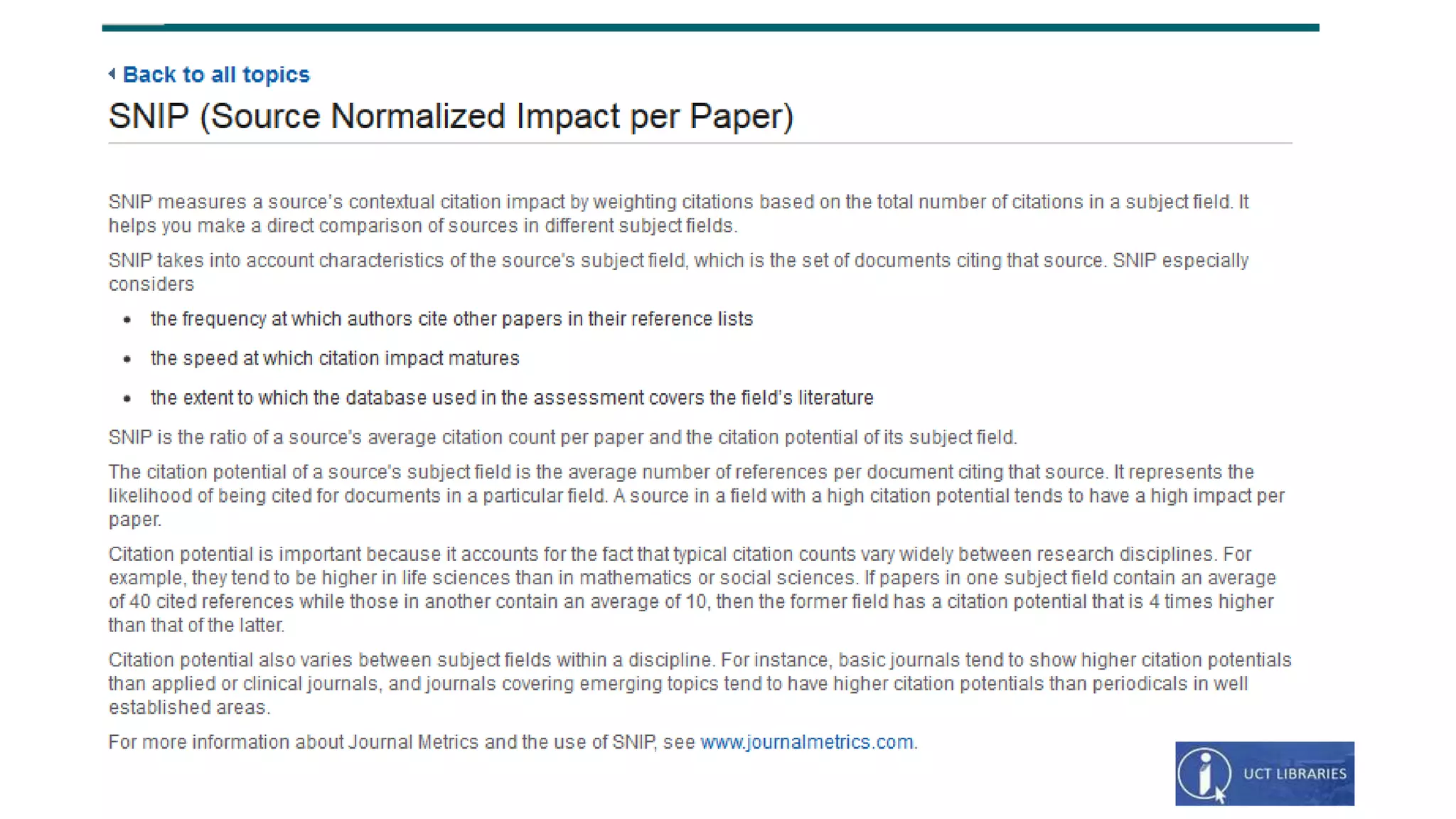
Source Normalized Impact
Per Paper (SNIP):
SNIP measures a source’s
contextual citation impact
by weighting citations
based on the total number
of citations in a subject
field. It helps you make a
direct comparison of
sources in different subject
fields.
Need more help?
Contact your subject librarian at UCT Libraries:
http://www.lib.uct.ac.za/lib/subject-librarians

Scopus: compare journals using journal metrics from UCT Libraries

  • 1.
    Finding Journal metrics via Scopus: SJR(SCIMago Journal Rank) SNIP (Source Normalized Impact per Paper) IPP (Impact per Publication) Jen Eidelman October 2015
  • 2.
    Elsevier provides threealternative views of the citation impact a journal makes by using the following metrics: •Source Normalized Impact per Paper (SNIP) •The Impact per Publication (IPP) •SCImago Journal Rank (SJR) These metrics have been developed by external bibliometricians and source the data from the Scopus database http://www.journalmetrics.com Scopus (Elsevier): Journal metrics: SJR (SCIMago Journal Rank); SNIP (Source Normalized Impact per Paper); IPP (Impact per Publication)
  • 3.
    Databases: Mouse over “Search& Find” Choose “Databases (A-Z)” UCT Libraries web page: http://www.lib.uct.ac.za Find Scopus
  • 4.
    Databases (A-Z): From theA-Z list Choose “S”. Then choose “Scopus”
  • 5.
    Compare journal metricsof various journal titles within a specific subject category
  • 6.
    Compare journal metricsof various journal titles within a specific subject category Compare Journals Landing page
  • 7.
    Compare journal metricsof various journal titles within a specific subject category Sort the results: Click on “SJR” to sort the results of the search by SJR or “Journal” to sort by Journal title. Choose the journal title and subject category: Use words in the journal title and choose a subject area from the drop down menu
  • 8.
    SCImago journal rank(SJR): SJR is weighted by the prestige of a journal. Subject field, quality and reputation of the journal have a direct effect on the value of a citation. SJR also normalises for differences in citation behaviour between subject fields. Choose the Journals to compare: Tick the boxes of the journals you wish to compare. You can choose up to 10 titles to compare.
  • 10.
    Impact Per Publication (IPP): TheIPP measures the ratio of citations in a year (Y) to scholarly papers published in the three previous years (Y-1, Y-2, Y-3) divided by the number of scholarly papers published in those same years.
  • 12.
    Source Normalized Impact PerPaper (SNIP): SNIP measures a source’s contextual citation impact by weighting citations based on the total number of citations in a subject field. It helps you make a direct comparison of sources in different subject fields.
  • 14.
    Need more help? Contactyour subject librarian at UCT Libraries: http://www.lib.uct.ac.za/lib/subject-librarians