Amazing Apps
Apps supporting learners
Reminders and Task lists
This type of app helps individuals to plan and
organise their studies. They can be invaluable for
students with a wide range of additional support
needs where in may cases these skills are weak.

Timetables, course milestones and deadlines can
be programmed in advance. Special notes can be
added
added


Recommended Apps
Recommended Apps
Daily Reminders
Daily Reminders
Task to do
Task to do
Astrid
Astrid
Wunderlist
Wunderlist
Mind Mapping
Use this app to create mind maps a recognised
planning tool useful also for note-taking and
collaborative work.
collaborative work.

Mindmaps can be coloured // grouped // exported &
Mindmaps can be coloured grouped exported &
shared.
shared.


Recommended Apps
Recommended Apps
Mindmeister
Mindmeister
Simplemind
Simplemind
Feed Aggregators
These apps work with RSS feeds and collect
 These apps work with RSS feeds and collect
together online services and resources that you
 together online services and resources that you
subscribe to in one place. Resources are presented
 subscribe to in one place. Resources are presented
in a user friendly manner often in a magazine style.
 in a user friendly manner often in a magazine style.

Information you select by subscribing, is presented
 Information you select by subscribing, is presented
to you using these tools.
 to you using these tools.


Recommended Apps
Recommended Apps
Flipboard
Flipboard
Pulse
Pulse
Google Reader
Google Reader
eBook Readers
eBook readers are used for reading digital books
 eBook readers are used for reading digital books
and pdf files. They have a number of very useful
 and pdf files. They have a number of very useful
tools including bookmarking, highlighting, dictionary
 tools including bookmarking, highlighting, dictionary
definitions, magnification, add notes, change
 definitions, magnification, add notes, change
fonts ......
 fonts ......

Emerging eBook standards are enabling
 Emerging eBook standards are enabling
enhancements, images, video and dynamic content
 enhancements, images, video and dynamic content
to be included.
 to be included.


Recommended Apps
 Recommended Apps
iBooks
 iBooks
Aldiko
 Aldiko
Note taking
This app enables you to record a lecture, interview,
 This app enables you to record a lecture, interview,
conversation or meeting and take written notes at
 conversation or meeting and take written notes at
the same time.
 the same time.

Playback of the audio is synced with the written
note so you can dip in as needed.

Templates can be added prior to sessions where
 Templates can be added prior to sessions where
the app is to be used to assist the learning process.
 the app is to be used to assist the learning process.


Recommended Apps
Recommended Apps
Audionote
Audionote
Note taking – Organised
scrapbook that enables you to add
Cloud services
Cloud services that enables you to add
notes/audio/video/website links and digital items to
your online account.

Log in from anywhere with any browser to access
 Log in from anywhere with any browser to access
your store. Apps, bookmarklets and quick access
 your store. Apps, bookmarklets and quick access
tools are available for most devices.
 tools are available for most devices.


Recommended Apps
Recommended Apps
Evernote
Evernote
Springpad
Springpad
Presentation Apps
Easy-to-use design tools that lets you annotate,
 Easy-to-use design tools that lets you annotate,
animate, and narrate explanations and
 animate, and narrate explanations and
presentations. You can create dynamic interactive
 presentations. You can create dynamic interactive
lessons, activities, assessments, and tutorials
 lessons, activities, assessments, and tutorials
using these apps. Think of them as a portable
 using these apps. Think of them as a portable
interactive whiteboard that you can record and
 interactive whiteboard that you can record and
share online.
 share online.


Recommended Apps
Recommended Apps
SPOKEnPHOTO
SPOKEnPHOTO
Explain Everything
Explain Everything
Show Me Interactive Whiteboard
Ted Talks
Great informative and inspirational presentations
 Great informative and inspirational presentations
from some of the world's most fascinating
 from some of the world's most fascinating
presentations from the world’s most fascinating
 presentations from the world’s most fascinating
people: education radicals, tech geniuses, medical
 people: education radicals, tech geniuses, medical
mavericks, business gurus and music legends.
 mavericks, business gurus and music legends.
Amazing apps - Clydebank
College
http://bit.ly/11DJc4b
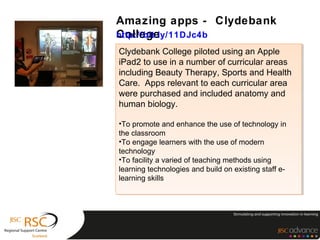
Clydebank College piloted using an Apple
 Clydebank College piloted using an Apple
iPad2 to use in a number of curricular areas
 iPad2 to use in a number of curricular areas
including Beauty Therapy, Sports and Health
 including Beauty Therapy, Sports and Health
Care. Apps relevant to each curricular area
 Care. Apps relevant to each curricular area
were purchased and included anatomy and
 were purchased and included anatomy and
human biology.
 human biology.

••To promote and enhance the use of technology in
 To promote and enhance the use of technology in
the classroom
 the classroom
••To engage learners with the use of modern
 To engage learners with the use of modern
technology
 technology
••To facility a varied of teaching methods using
 To facility a varied of teaching methods using
learning technologies and build on existing staff e-
 learning technologies and build on existing staff e-
learning skills
 learning skills

Amazing apps

  • 1.
  • 2.
    Reminders and Tasklists This type of app helps individuals to plan and This type of app helps individuals to plan and organise their studies. They can be invaluable for organise their studies. They can be invaluable for students with a wide range of additional support students with a wide range of additional support needs where in may cases these skills are weak. needs where in may cases these skills are weak. Timetables, course milestones and deadlines can Timetables, course milestones and deadlines can be programmed in advance. Special notes can be be programmed in advance. Special notes can be added added Recommended Apps Recommended Apps Daily Reminders Daily Reminders Task to do Task to do Astrid Astrid Wunderlist Wunderlist
  • 3.
    Mind Mapping Use thisapp to create mind maps a recognised Use this app to create mind maps a recognised planning tool useful also for note-taking and planning tool useful also for note-taking and collaborative work. collaborative work. Mindmaps can be coloured // grouped // exported & Mindmaps can be coloured grouped exported & shared. shared. Recommended Apps Recommended Apps Mindmeister Mindmeister Simplemind Simplemind
  • 4.
    Feed Aggregators These appswork with RSS feeds and collect These apps work with RSS feeds and collect together online services and resources that you together online services and resources that you subscribe to in one place. Resources are presented subscribe to in one place. Resources are presented in a user friendly manner often in a magazine style. in a user friendly manner often in a magazine style. Information you select by subscribing, is presented Information you select by subscribing, is presented to you using these tools. to you using these tools. Recommended Apps Recommended Apps Flipboard Flipboard Pulse Pulse Google Reader Google Reader
  • 5.
    eBook Readers eBook readersare used for reading digital books eBook readers are used for reading digital books and pdf files. They have a number of very useful and pdf files. They have a number of very useful tools including bookmarking, highlighting, dictionary tools including bookmarking, highlighting, dictionary definitions, magnification, add notes, change definitions, magnification, add notes, change fonts ...... fonts ...... Emerging eBook standards are enabling Emerging eBook standards are enabling enhancements, images, video and dynamic content enhancements, images, video and dynamic content to be included. to be included. Recommended Apps Recommended Apps iBooks iBooks Aldiko Aldiko
  • 6.
    Note taking This appenables you to record a lecture, interview, This app enables you to record a lecture, interview, conversation or meeting and take written notes at conversation or meeting and take written notes at the same time. the same time. Playback of the audio is synced with the written Playback of the audio is synced with the written note so you can dip in as needed. note so you can dip in as needed. Templates can be added prior to sessions where Templates can be added prior to sessions where the app is to be used to assist the learning process. the app is to be used to assist the learning process. Recommended Apps Recommended Apps Audionote Audionote
  • 7.
    Note taking –Organised scrapbook that enables you to add Cloud services Cloud services that enables you to add notes/audio/video/website links and digital items to notes/audio/video/website links and digital items to your online account. your online account. Log in from anywhere with any browser to access Log in from anywhere with any browser to access your store. Apps, bookmarklets and quick access your store. Apps, bookmarklets and quick access tools are available for most devices. tools are available for most devices. Recommended Apps Recommended Apps Evernote Evernote Springpad Springpad
  • 8.
    Presentation Apps Easy-to-use designtools that lets you annotate, Easy-to-use design tools that lets you annotate, animate, and narrate explanations and animate, and narrate explanations and presentations. You can create dynamic interactive presentations. You can create dynamic interactive lessons, activities, assessments, and tutorials lessons, activities, assessments, and tutorials using these apps. Think of them as a portable using these apps. Think of them as a portable interactive whiteboard that you can record and interactive whiteboard that you can record and share online. share online. Recommended Apps Recommended Apps SPOKEnPHOTO SPOKEnPHOTO Explain Everything Explain Everything Show Me Interactive Whiteboard Show Me Interactive Whiteboard
  • 9.
    Ted Talks Great informativeand inspirational presentations Great informative and inspirational presentations from some of the world's most fascinating from some of the world's most fascinating presentations from the world’s most fascinating presentations from the world’s most fascinating people: education radicals, tech geniuses, medical people: education radicals, tech geniuses, medical mavericks, business gurus and music legends. mavericks, business gurus and music legends.
  • 10.
    Amazing apps -Clydebank College http://bit.ly/11DJc4b Clydebank College piloted using an Apple Clydebank College piloted using an Apple iPad2 to use in a number of curricular areas iPad2 to use in a number of curricular areas including Beauty Therapy, Sports and Health including Beauty Therapy, Sports and Health Care. Apps relevant to each curricular area Care. Apps relevant to each curricular area were purchased and included anatomy and were purchased and included anatomy and human biology. human biology. ••To promote and enhance the use of technology in To promote and enhance the use of technology in the classroom the classroom ••To engage learners with the use of modern To engage learners with the use of modern technology technology ••To facility a varied of teaching methods using To facility a varied of teaching methods using learning technologies and build on existing staff e- learning technologies and build on existing staff e- learning skills learning skills

Editor's Notes

  • #2 Apps for learning Huge variety of apps for both apple ad android many free, many low cost which can be downloaded - some will need a constant online status, others will not. What I want to look at is a few apps that really can support learners, whatever their needs might be. Some learners awhile have significant learning support needs, others significant barriers to learning, many will have no formal recognition of need all who can benefit from using the apps that I've selected to focus on here. In fact any person will find some benefit and thats the beauty - it being able to personalise your learning mechanisms and use the tools that you like. There are so many accessible affordances in the mainstream gadgets, that people who do have additional support needs can use hand held devices without drawing attention to themselves. Ad that's a really powerful argument for embracing the technology and considering the positive impact mobile technologies can have for individuals.
  • #6 Daily reminders that are being introduced here are really useful to do list - this one is just for today and tomorrow. In fact can be really useful quick brain dump at the beginning of the day - maybe while travelling or at the end of the day to prepare for the next day. The android one is a bit more sophisticated but there are loads to choose from. I use the task list connected to my mail account which syncs between devices. This s a particularly good tool for learners who have additional support needs which can help them to organise and prioritise their activities which is often very difficult for some learners.