
NAME- X Y Z
ROLL NO.- 871898654
B.TECH MECHATRONICS
Introduction to robots and
robotics
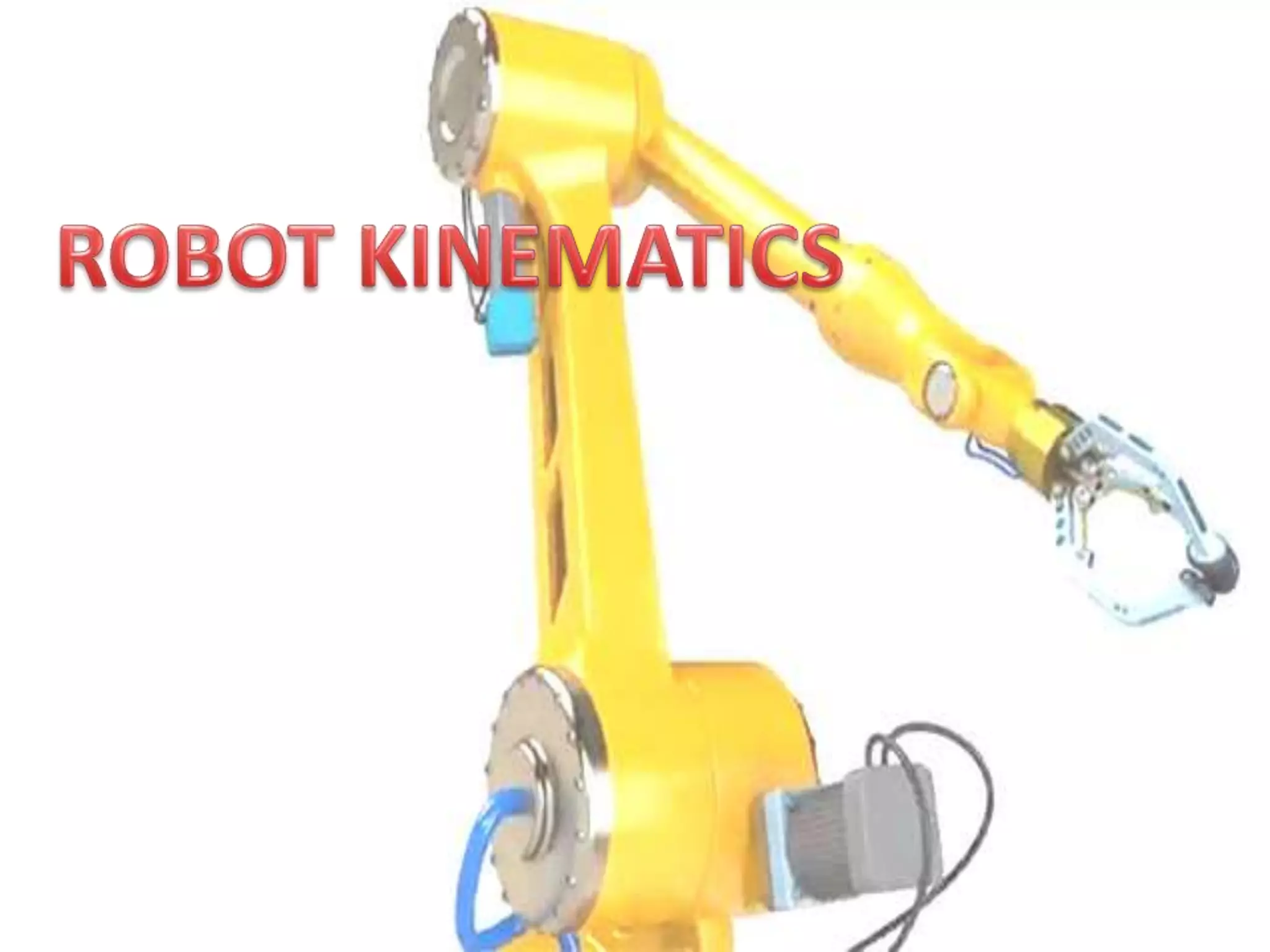
Robot Kinematics
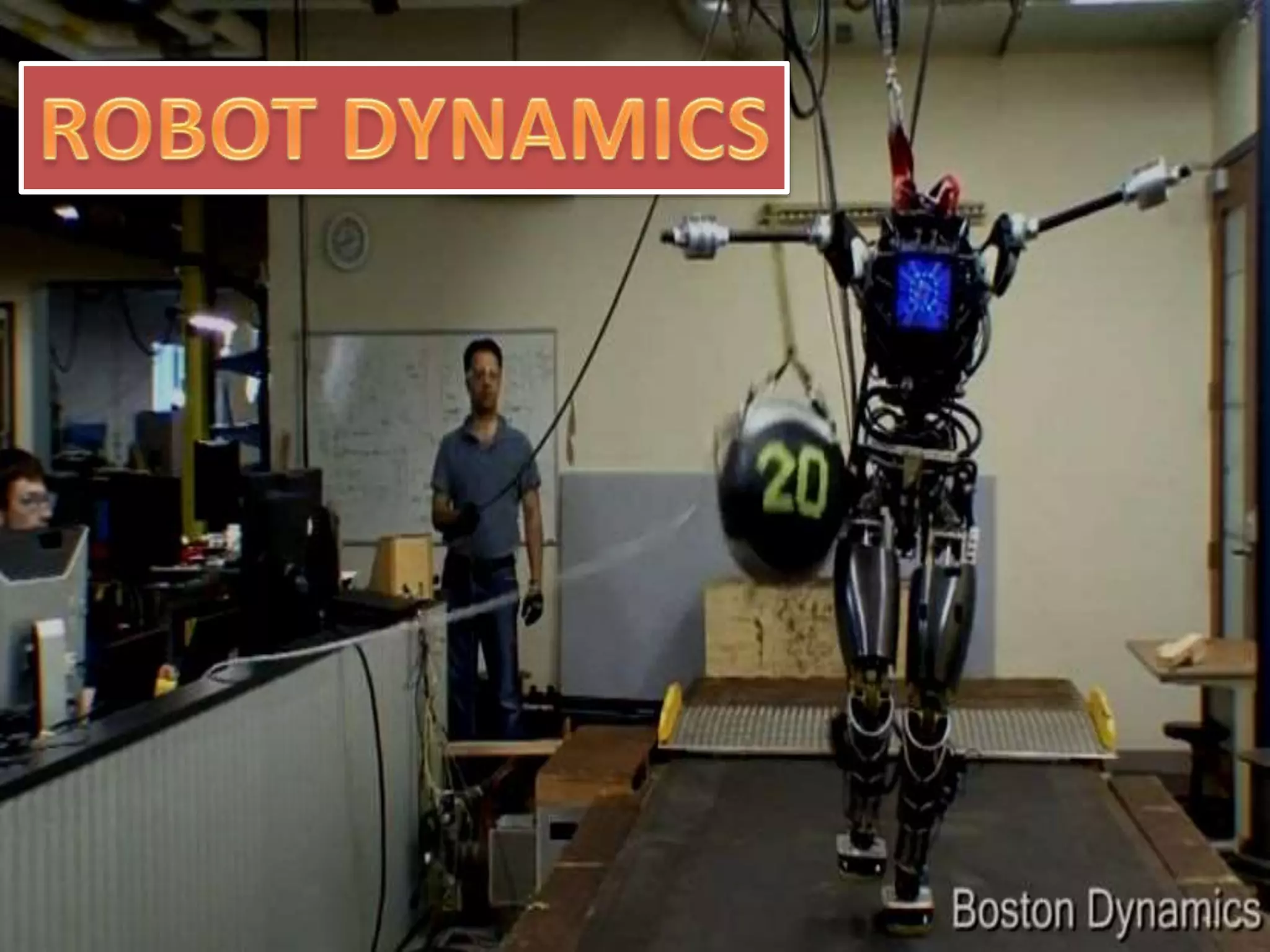
Robot Dynamics
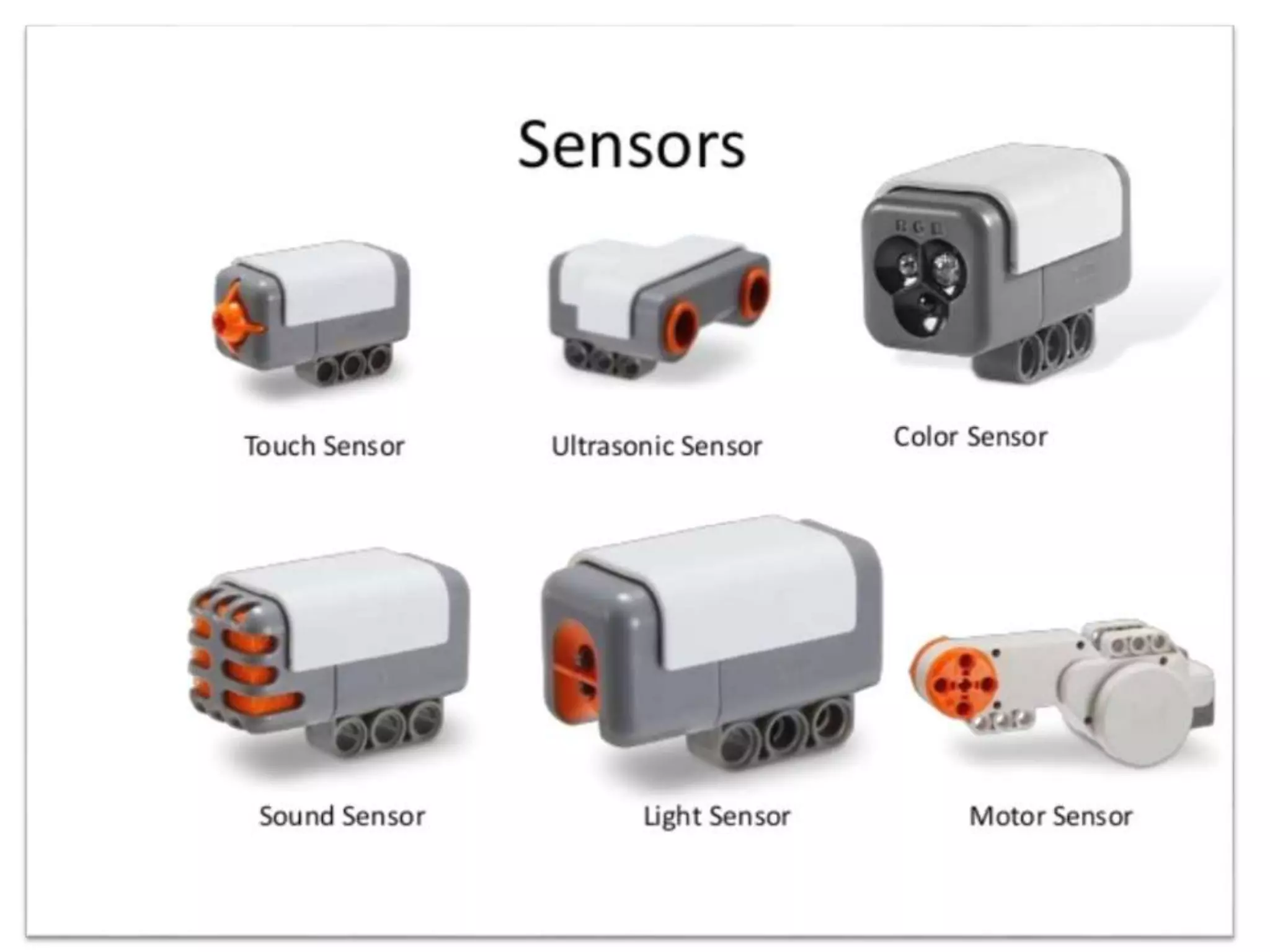
Sensors
Robot Vision
4
Introduction to Robots and Robotics
A Few Questions
 What is a robot?
 What is robotics?
 Why do we study robotics?
 How can we teach a robot to perform a particular task?
 What are possible applications of robots?
 Can a human being be replaced by a robot?,
and so on.
5
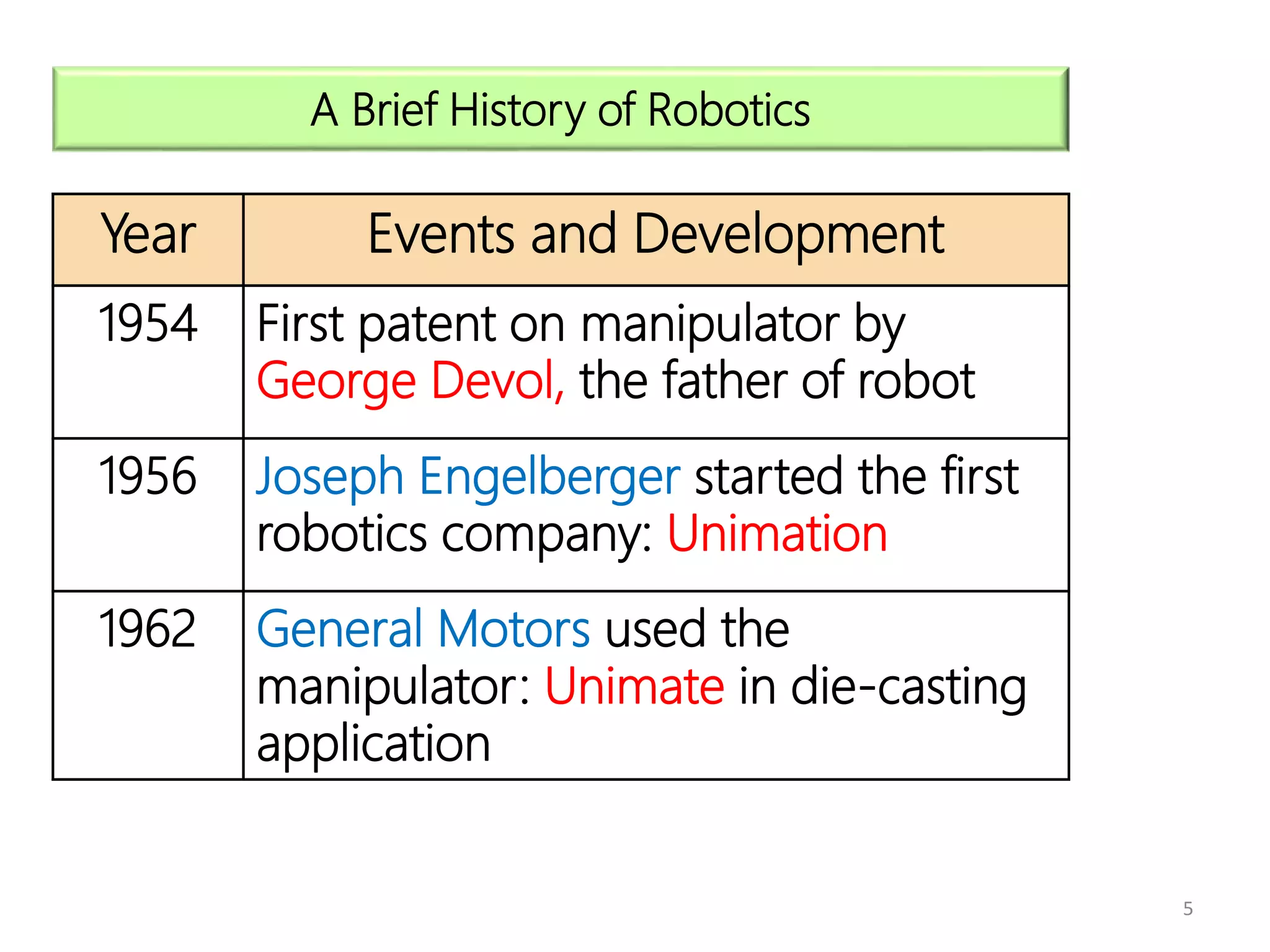
A Brief History of Robotics
Year Events and Development
1954 First patent on manipulator by
George Devol, the father of robot
1956 Joseph Engelberger started the first
robotics company: Unimation
1962 General Motors used the
manipulator: Unimate in die-casting
application
6
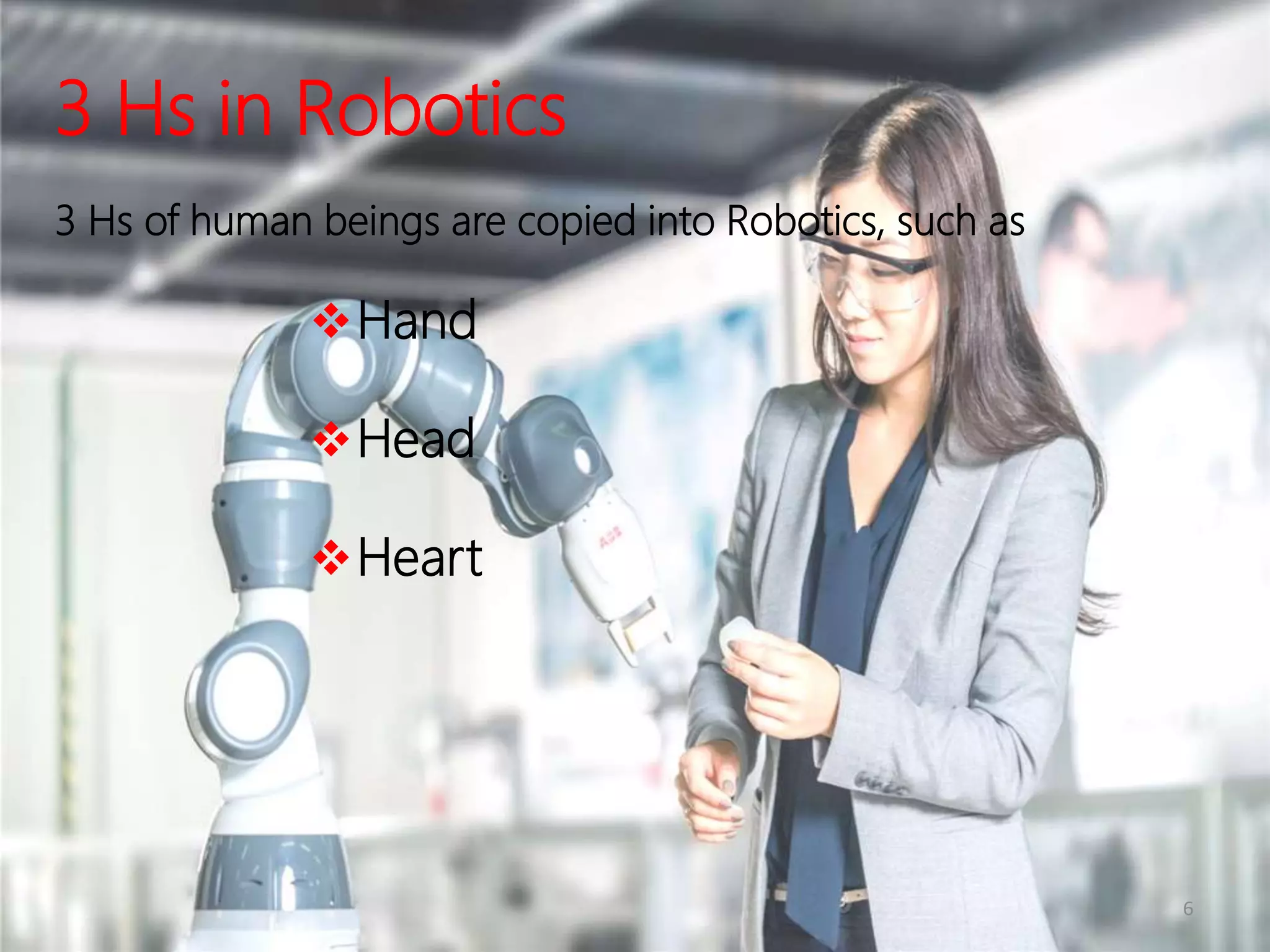
3 Hs in Robotics
3 Hs of human beings are copied into Robotics, such as
Hand
Head
Heart
8
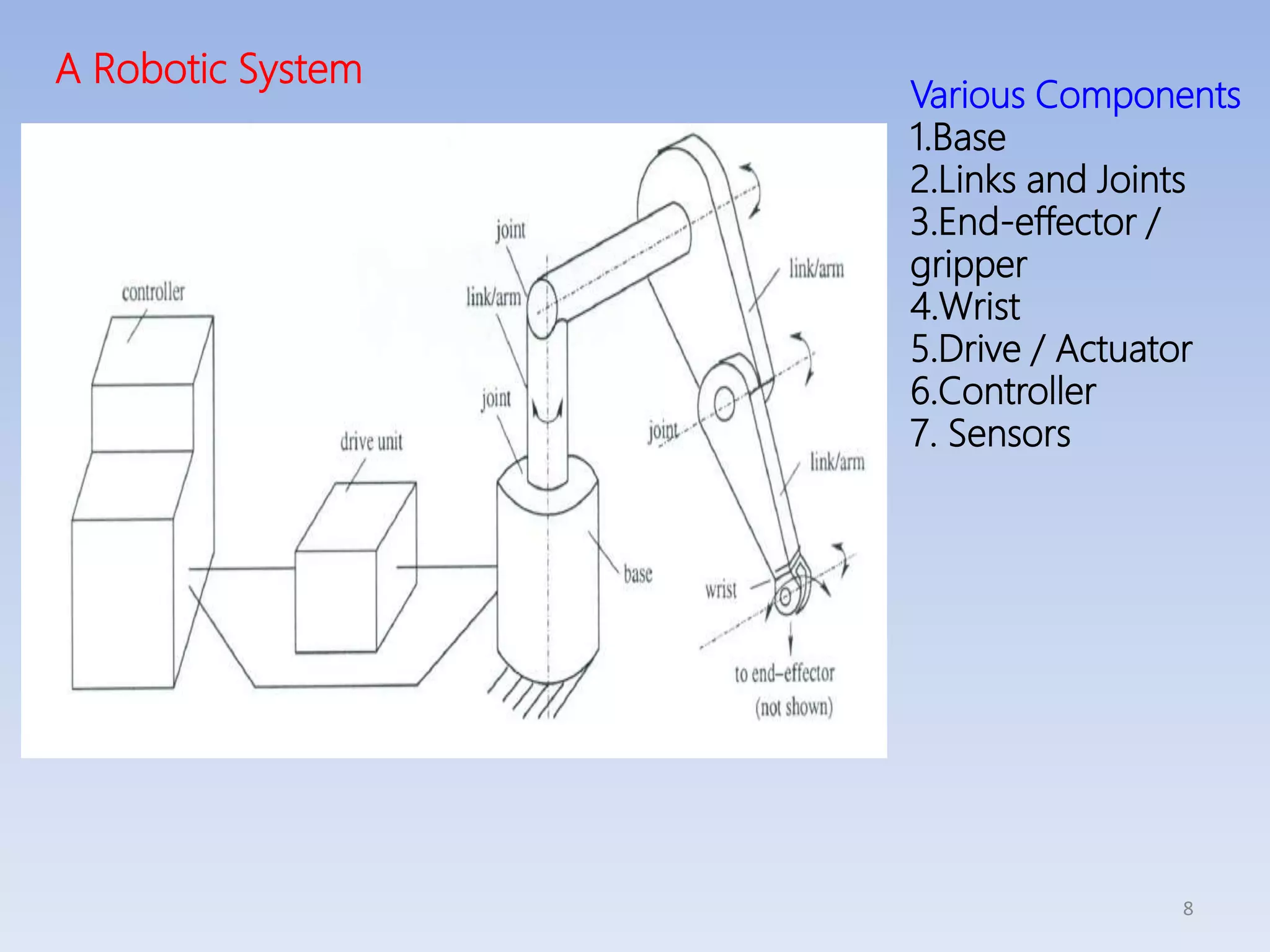
A Robotic System
Various Components
1.Base
2.Links and Joints
3.End-effector /
gripper
4.Wrist
5.Drive / Actuator
6.Controller
7. Sensors
9
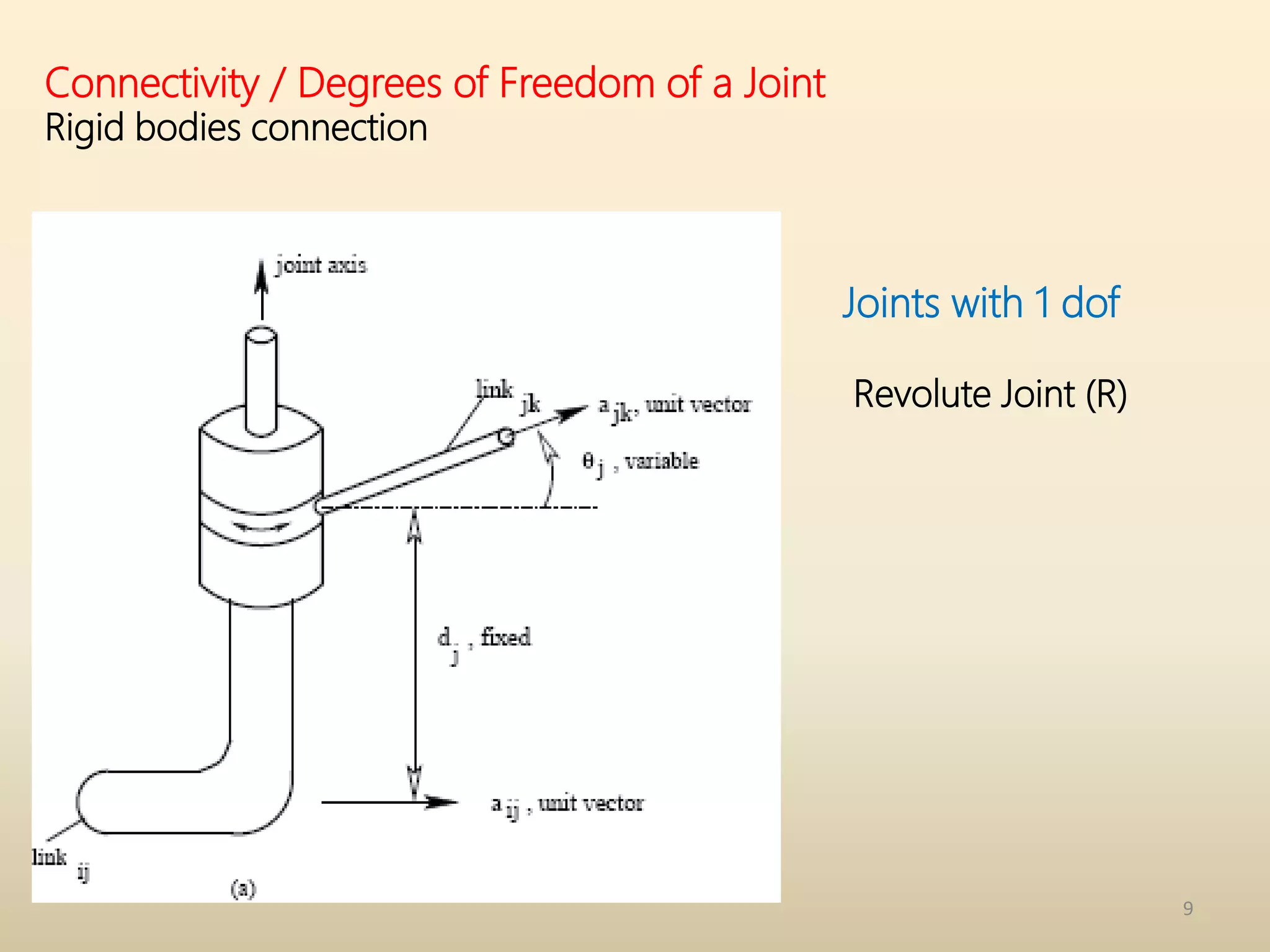
Connectivity / Degrees of Freedom of a Joint
Rigid bodies connection
Joints with 1 dof
Revolute Joint (R)
10
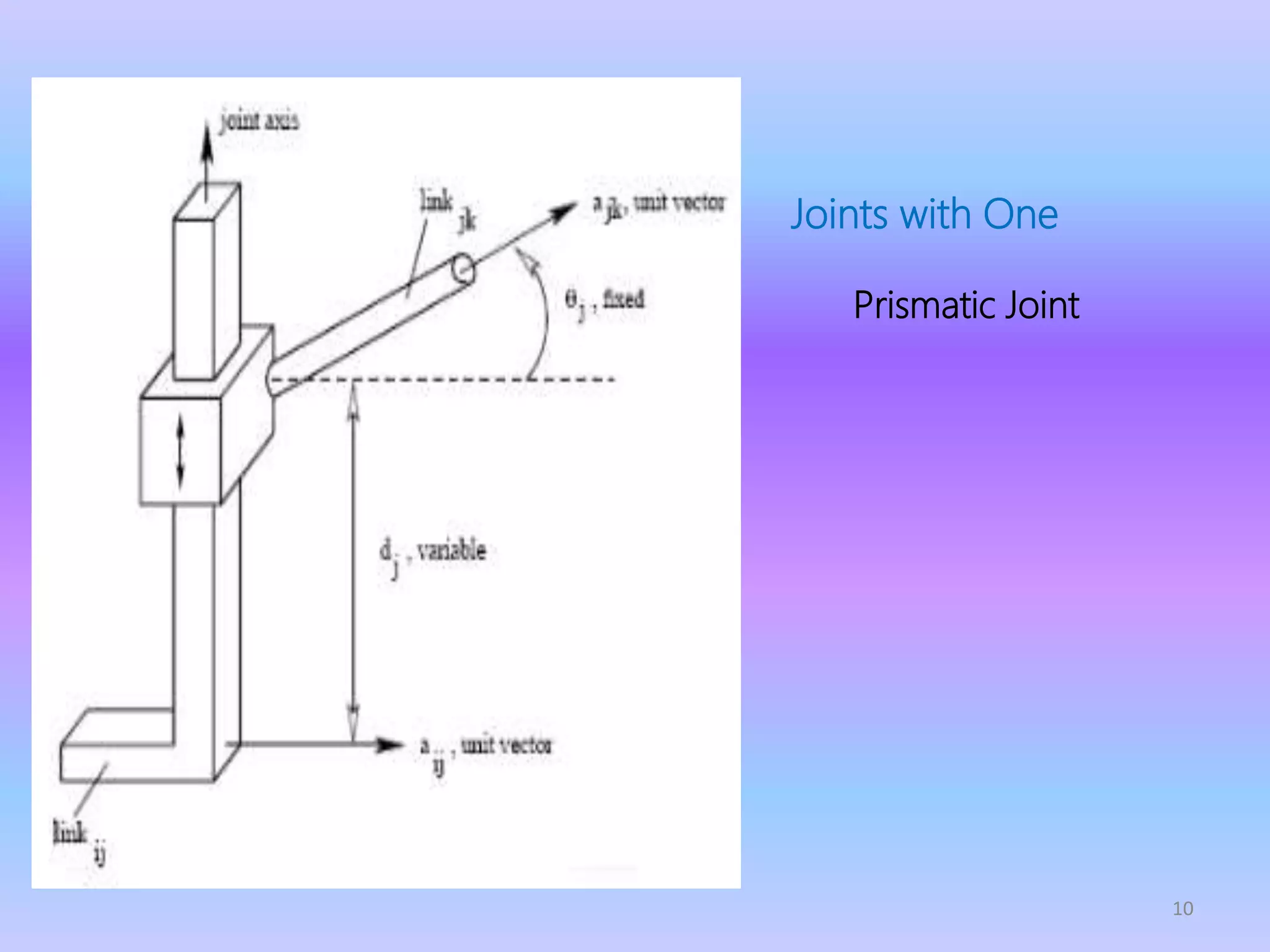
Joints with One
dof
Prismatic Joint
(P)
11
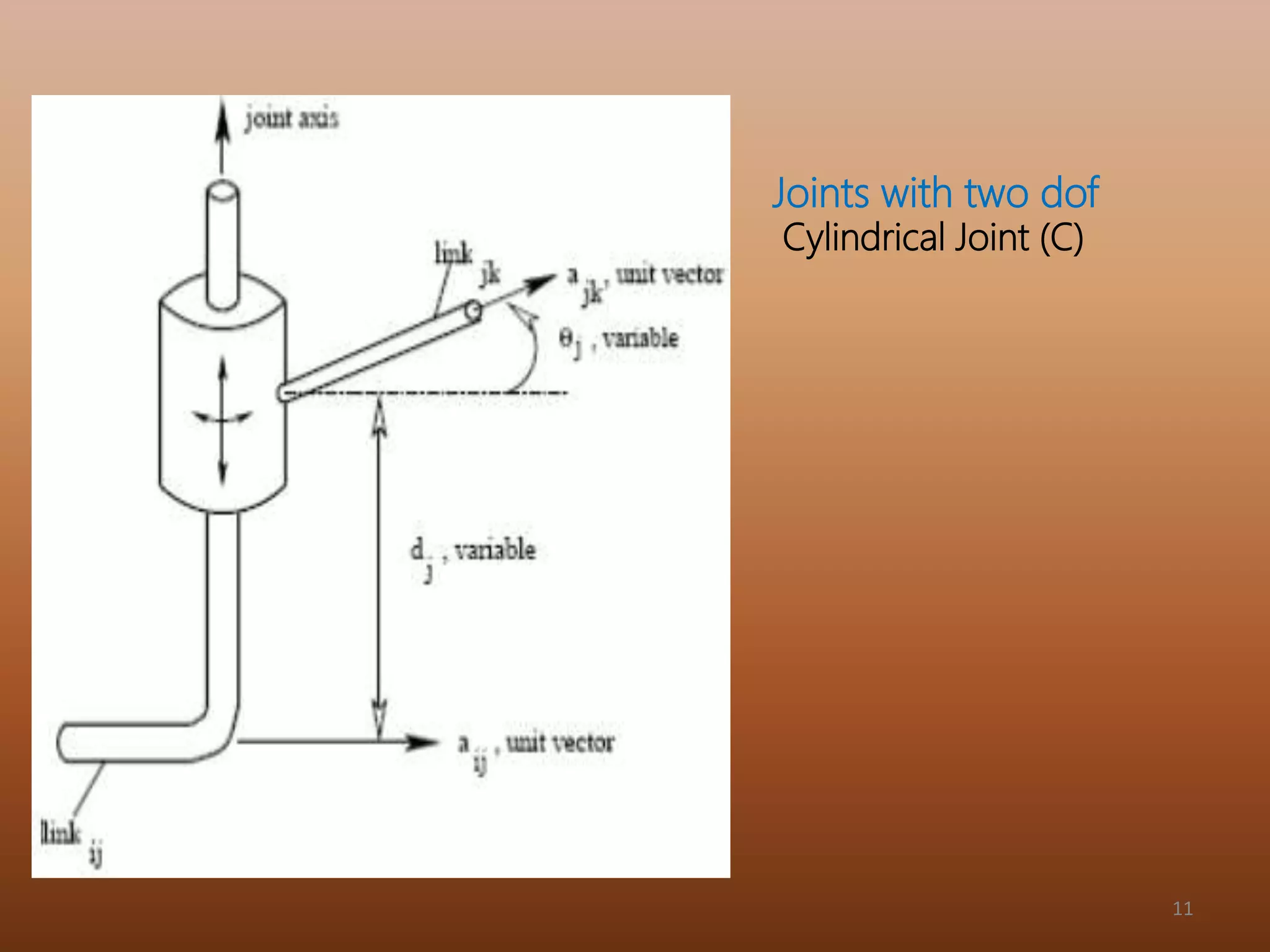
Joints with two dof
Cylindrical Joint (C)
12
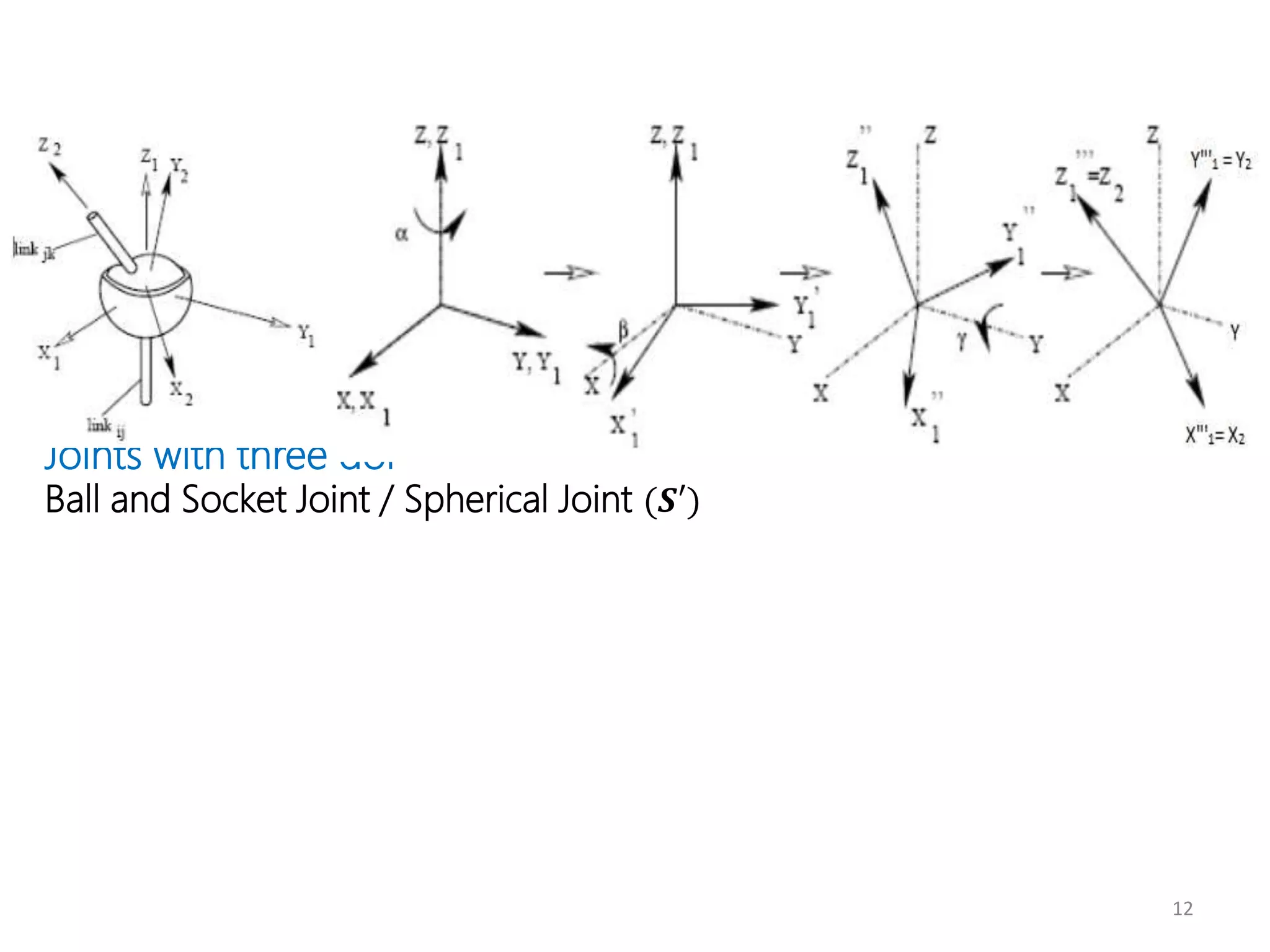
Joints with three dof
Ball and Socket Joint / Spherical Joint (𝑺′)
13
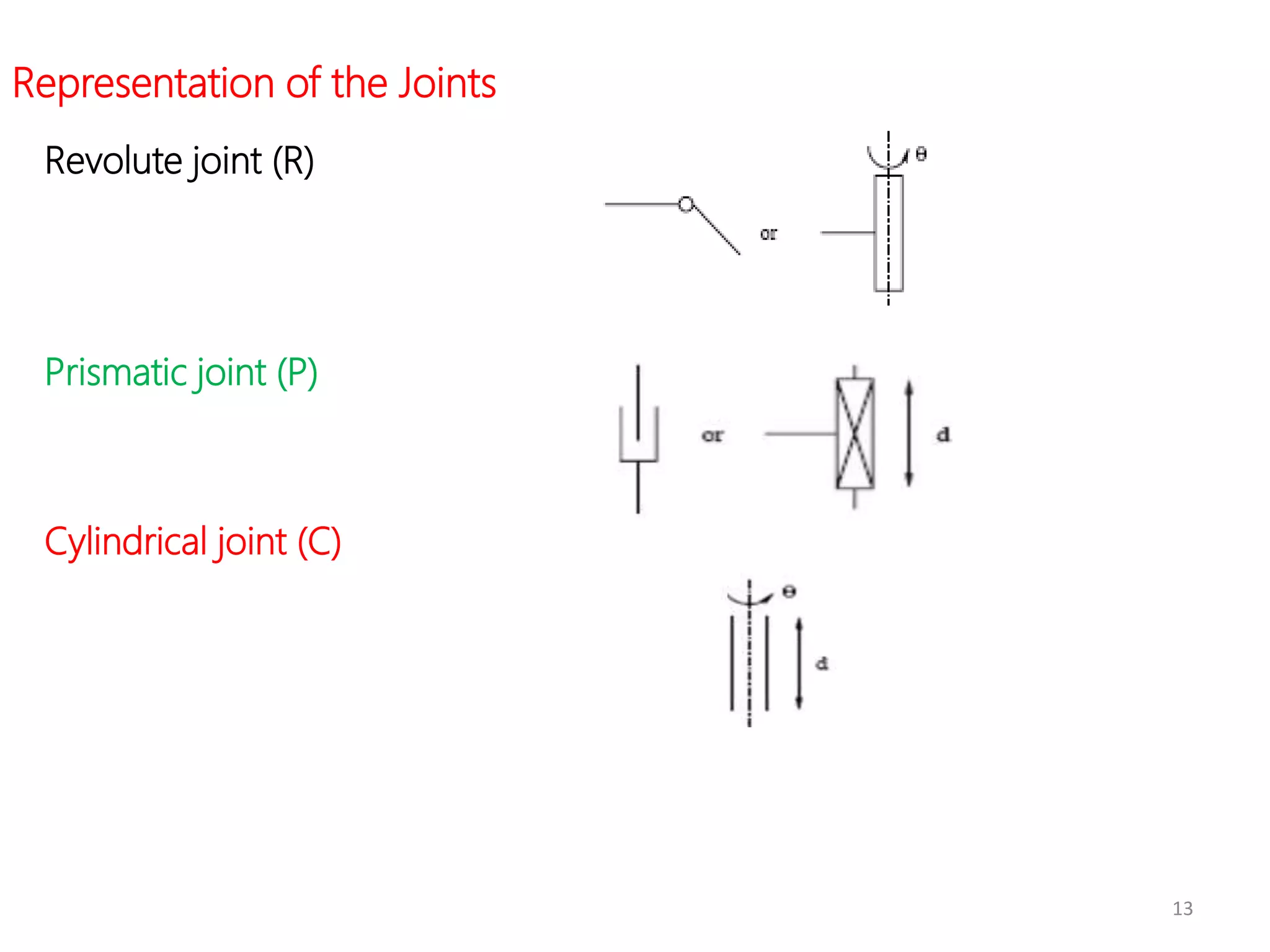
Representation of the Joints
Revolute joint (R)
Prismatic joint (P)
Cylindrical joint (C)
14
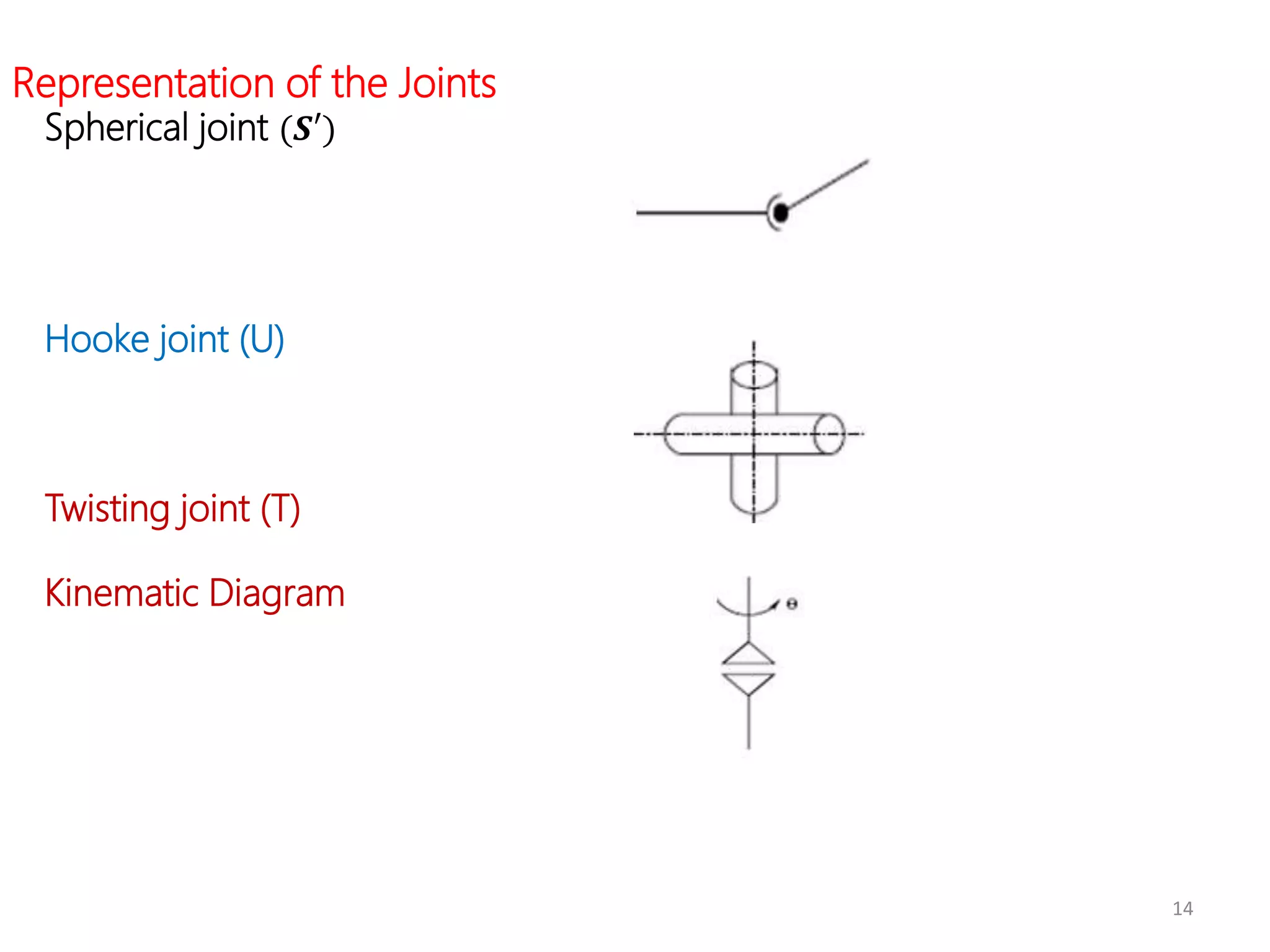
Representation of the Joints
Spherical joint (𝑺′)
Hooke joint (U)
Twisting joint (T)
Kinematic Diagram
16
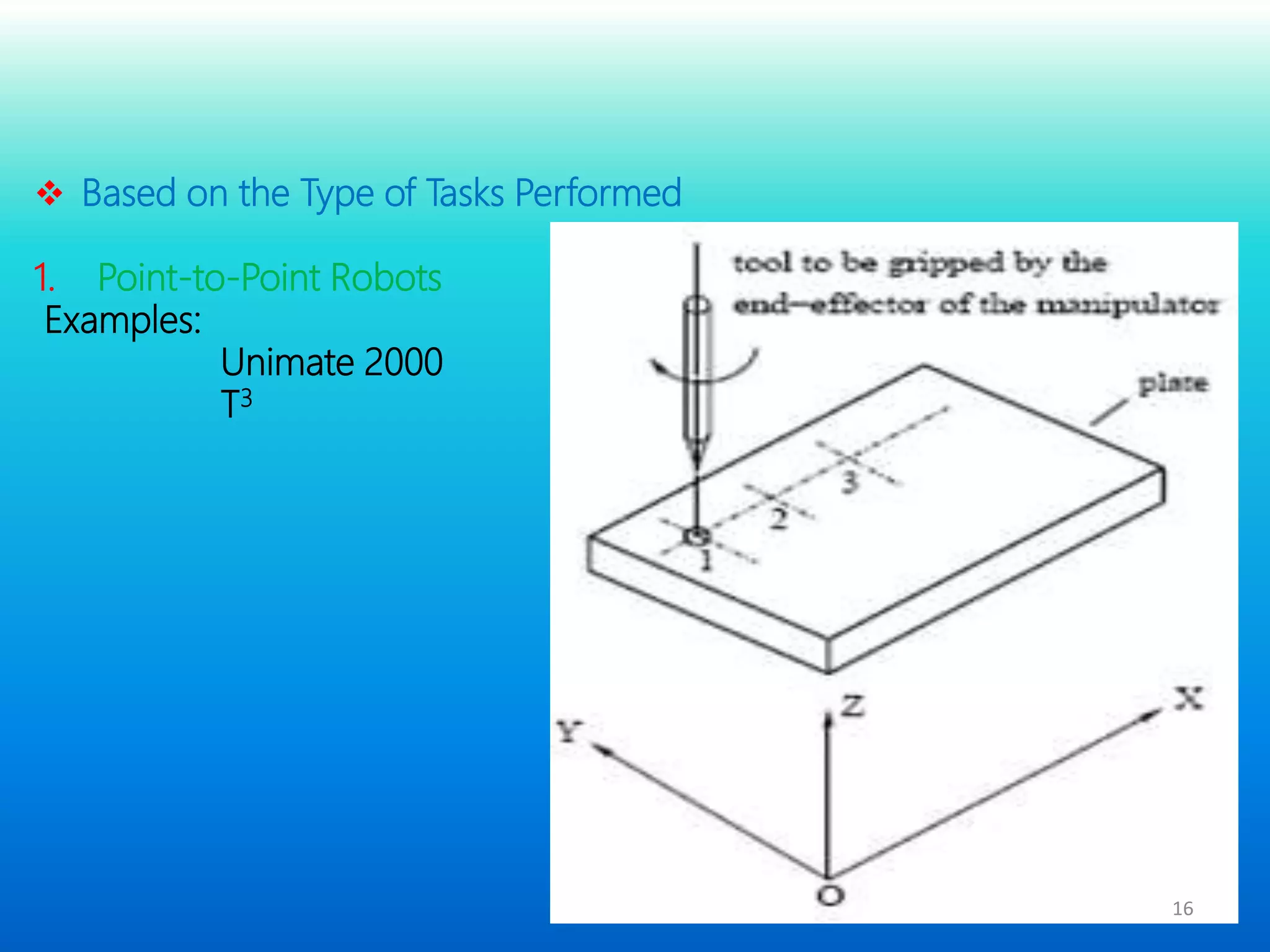
 Based on the Type of Tasks Performed
1. Point-to-Point Robots
Examples:
Unimate 2000
T3
17
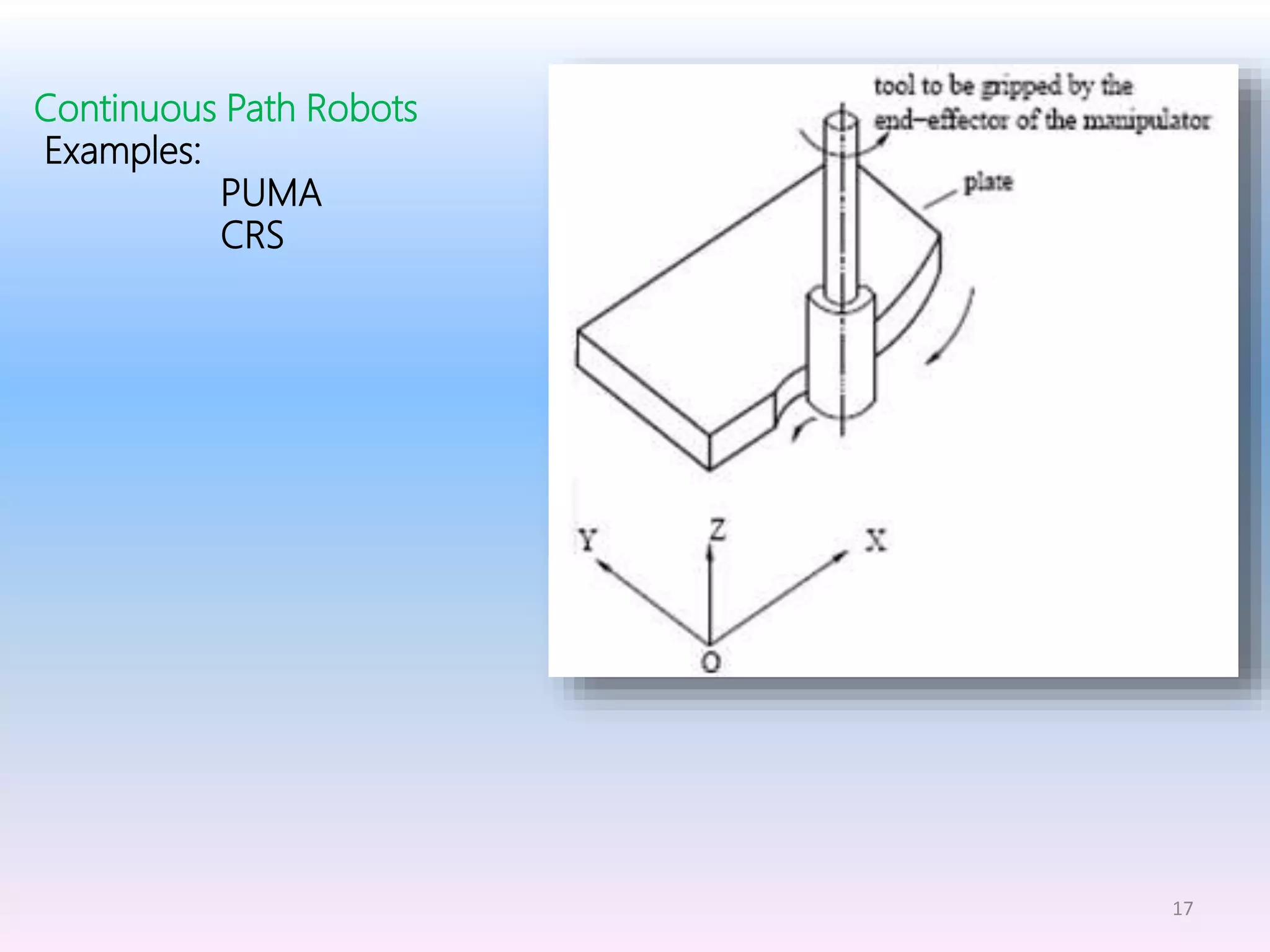
Continuous Path Robots
Examples:
PUMA
CRS
18
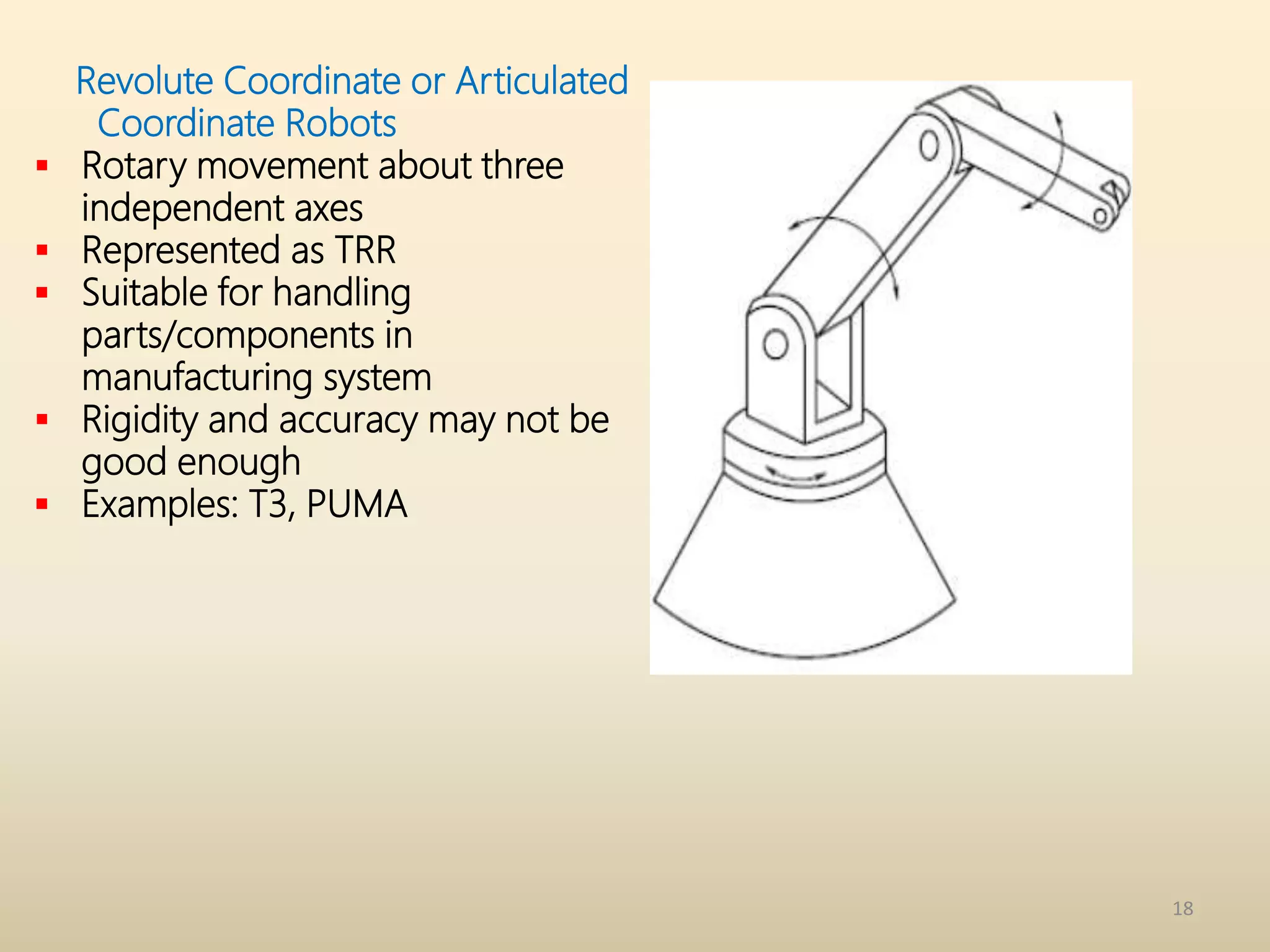
Revolute Coordinate or Articulated
Coordinate Robots
 Rotary movement about three
independent axes
 Represented as TRR
 Suitable for handling
parts/components in
manufacturing system
 Rigidity and accuracy may not be
good enough
 Examples: T3, PUMA
19
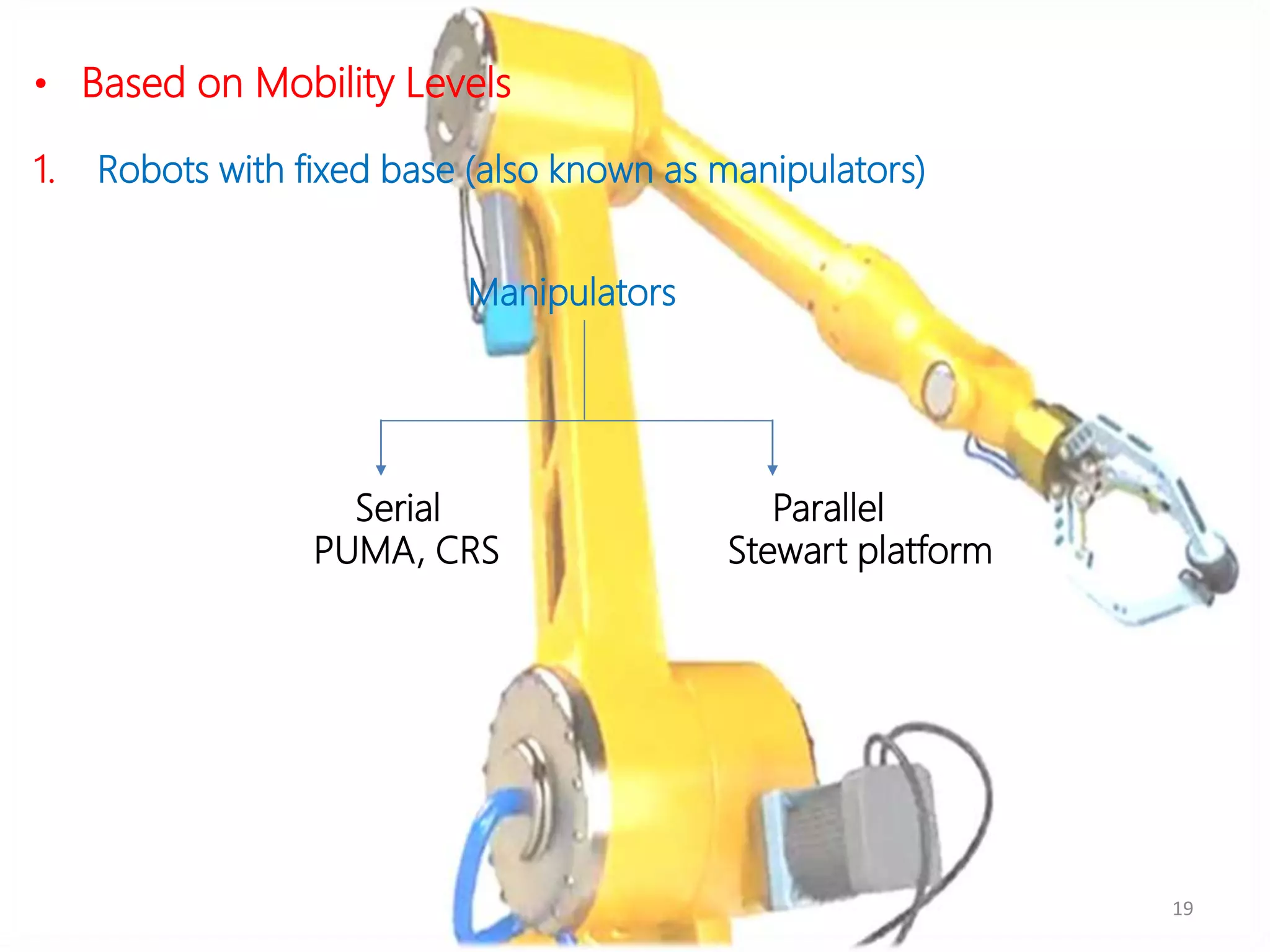
• Based on Mobility Levels
1. Robots with fixed base (also known as manipulators)
Serial Parallel
PUMA, CRS Stewart platform
Manipulators
20
• Based on Mobility Levels (contd.)
2. Mobile robots
Wheeled robots Tracked robots Multi-legged robots
Mobile robots
21
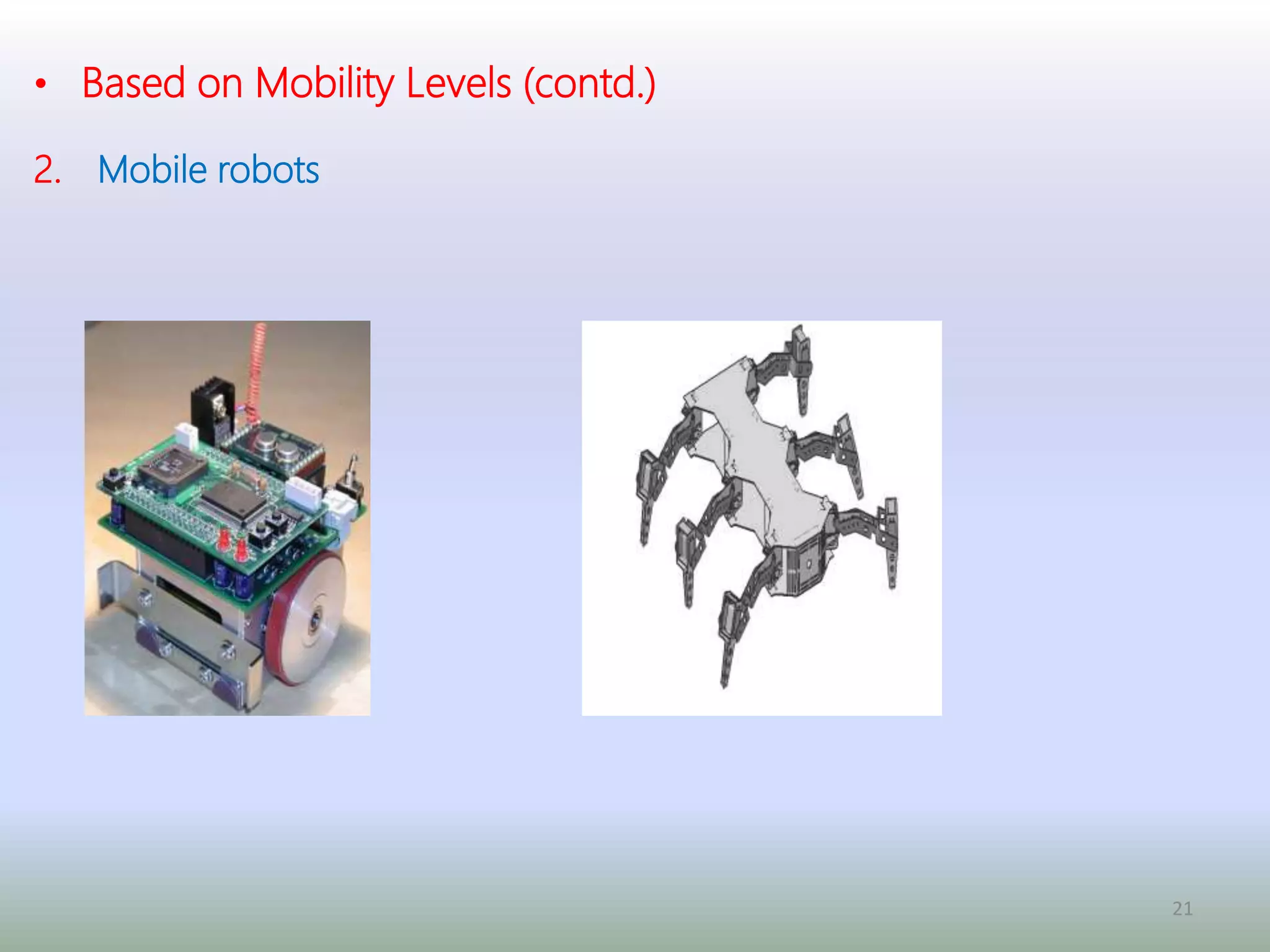
• Based on Mobility Levels (contd.)
2. Mobile robots
Wheeled Robot Six-legged Robot
22
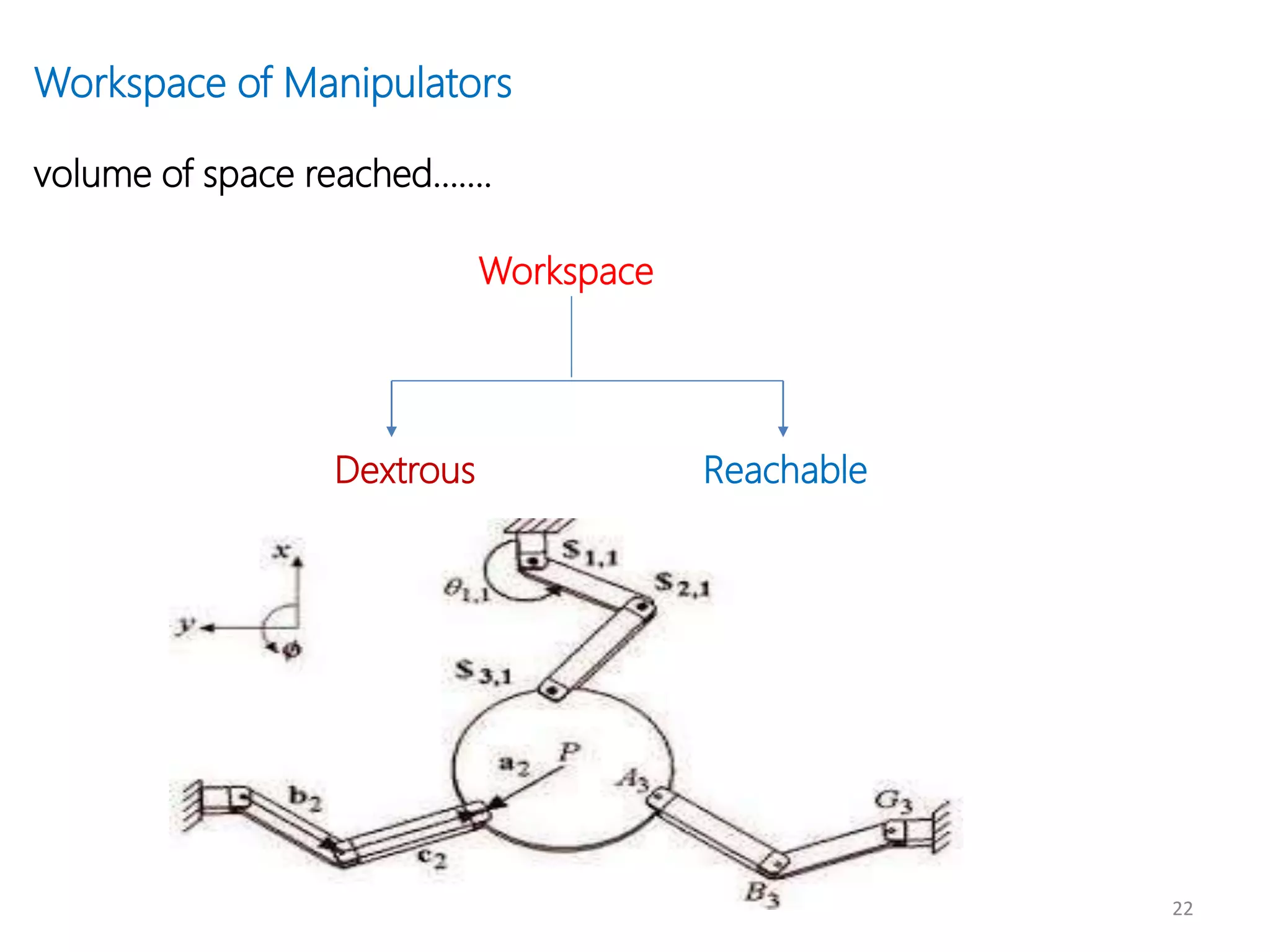
Workspace of Manipulators
volume of space reached…….
Dextrous Reachable
Workspace
24
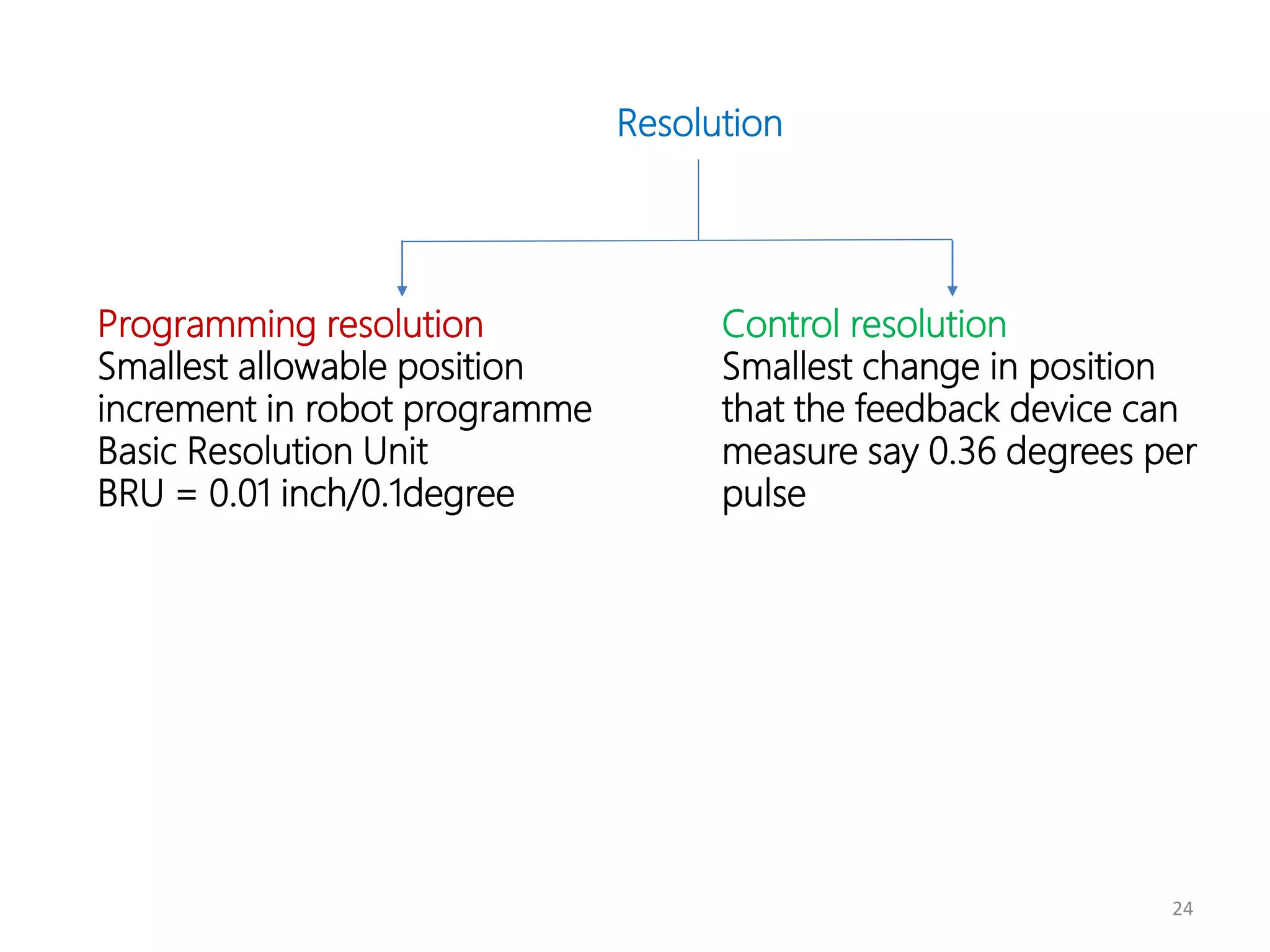
Resolution
Programming resolution
Smallest allowable position
increment in robot programme
Basic Resolution Unit
BRU = 0.01 inch/0.1degree
Control resolution
Smallest change in position
that the feedback device can
measure say 0.36 degrees per
pulse
25
Accuracy (mm)
It is the precision with which a computed point can be reached
Repeatability (mm)
It is defined as the precision with which a robot re-position itself to a
previous taught point
26
Specification of a Robot
 Control type
 Drive system
 Coordinate system
 Teaching/Programming methods
 Accuracy, Repeatability, Resolution
 Pay-load capacity
 Weight of the manipulator
 Applications
 Range and speed of arms and wrist
 Sensors used
 End-effector/ gripper used
28
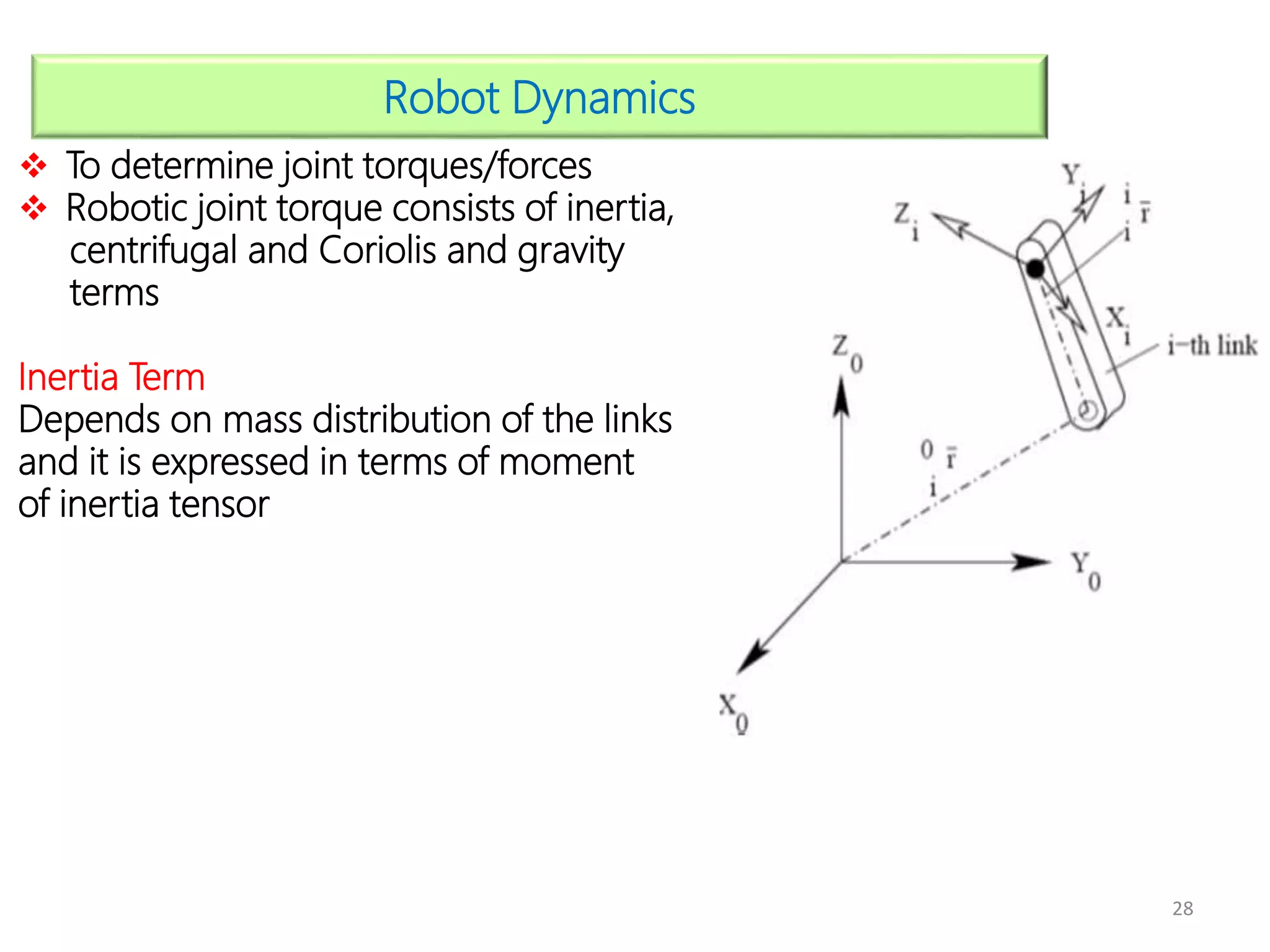
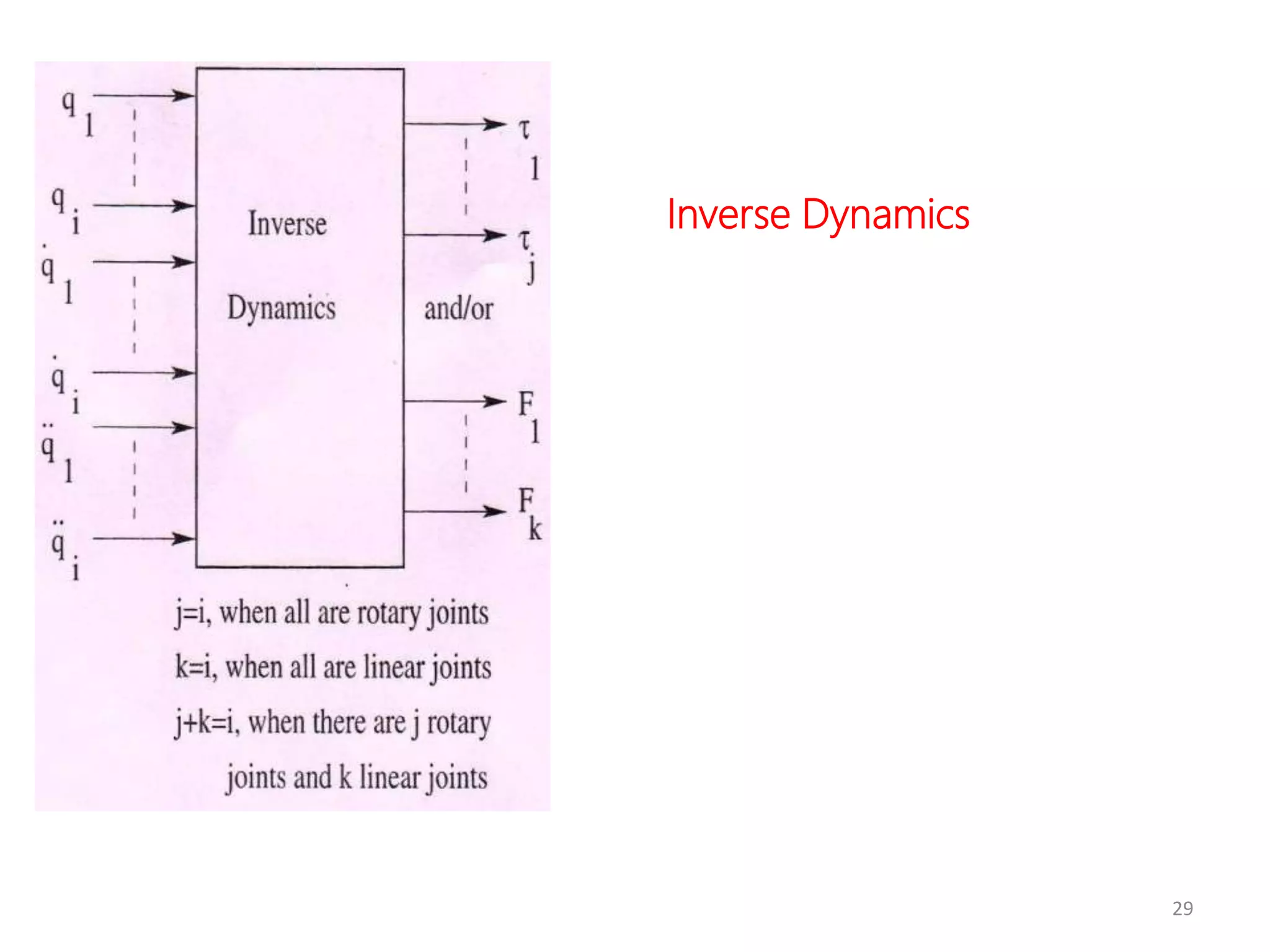
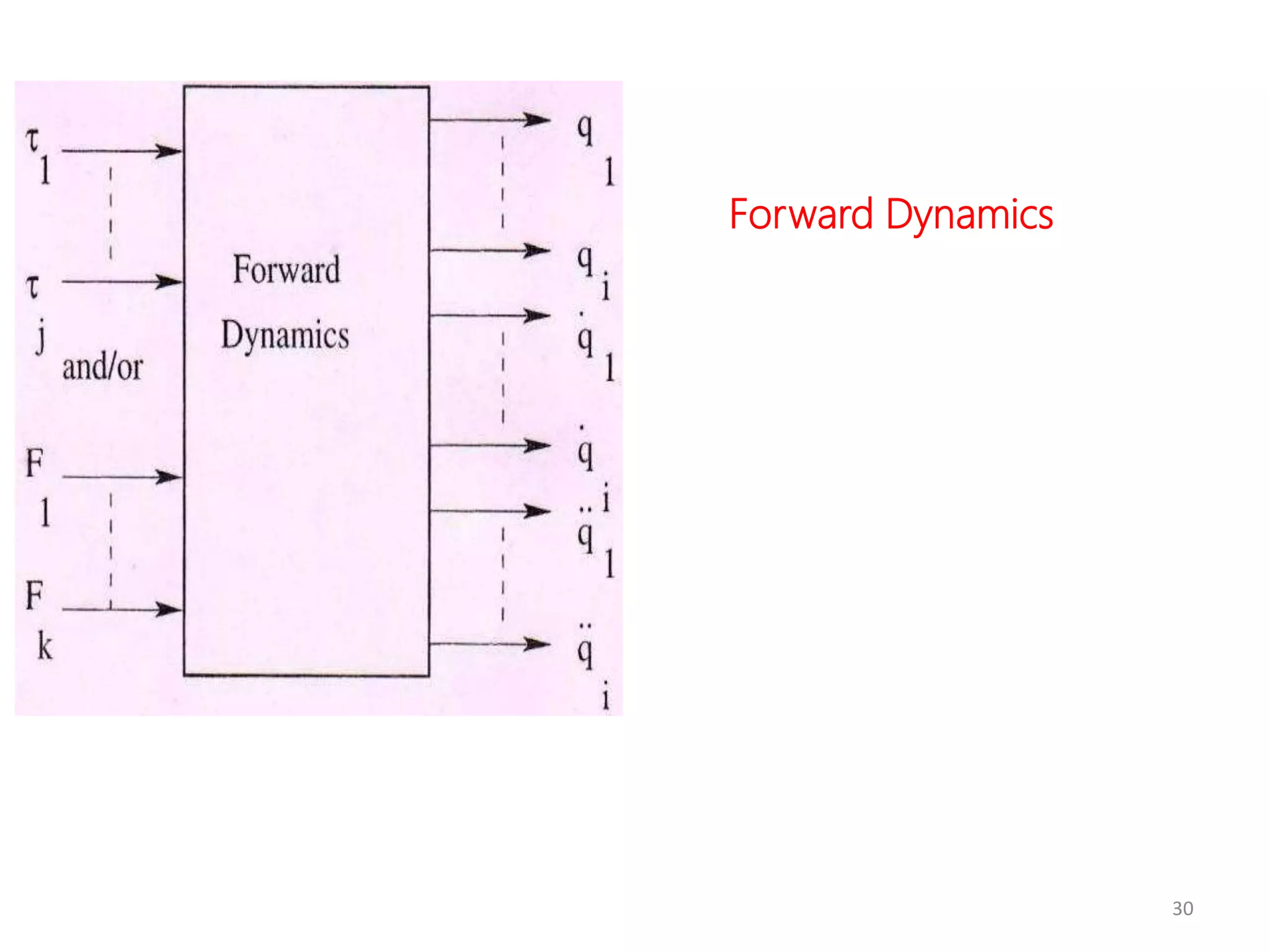
Robot Dynamics
 To determine joint torques/forces
 Robotic joint torque consists of inertia,
centrifugal and Coriolis and gravity
terms
Inertia Term
Depends on mass distribution of the links
and it is expressed in terms of moment
of inertia tensor
29
Inverse Dynamics
30
Forward Dynamics
32
1.
SENSORS
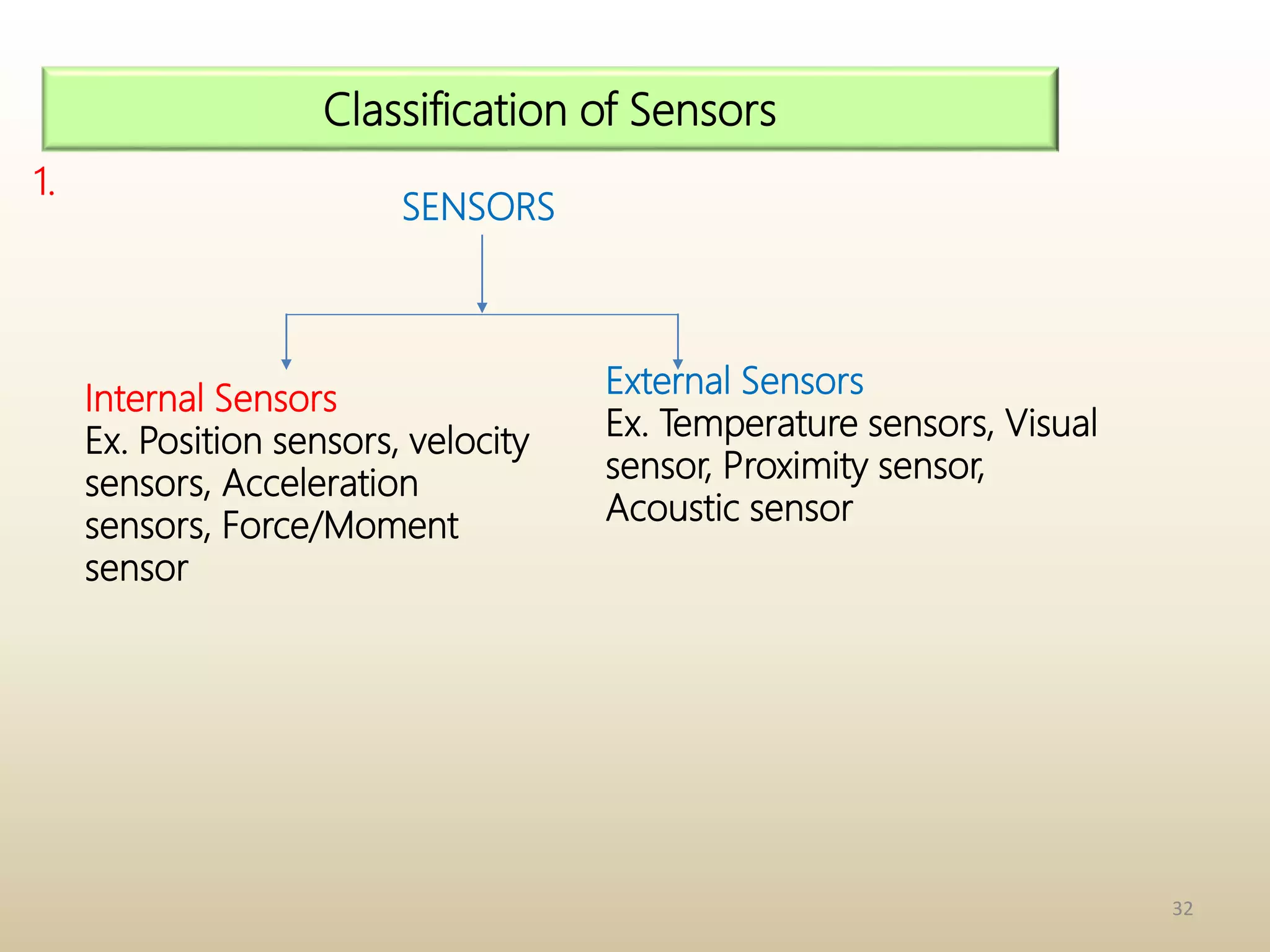
Classification of Sensors
Internal Sensors
Ex. Position sensors, velocity
sensors, Acceleration
sensors, Force/Moment
sensor
External Sensors
Ex. Temperature sensors, Visual
sensor, Proximity sensor,
Acoustic sensor
33
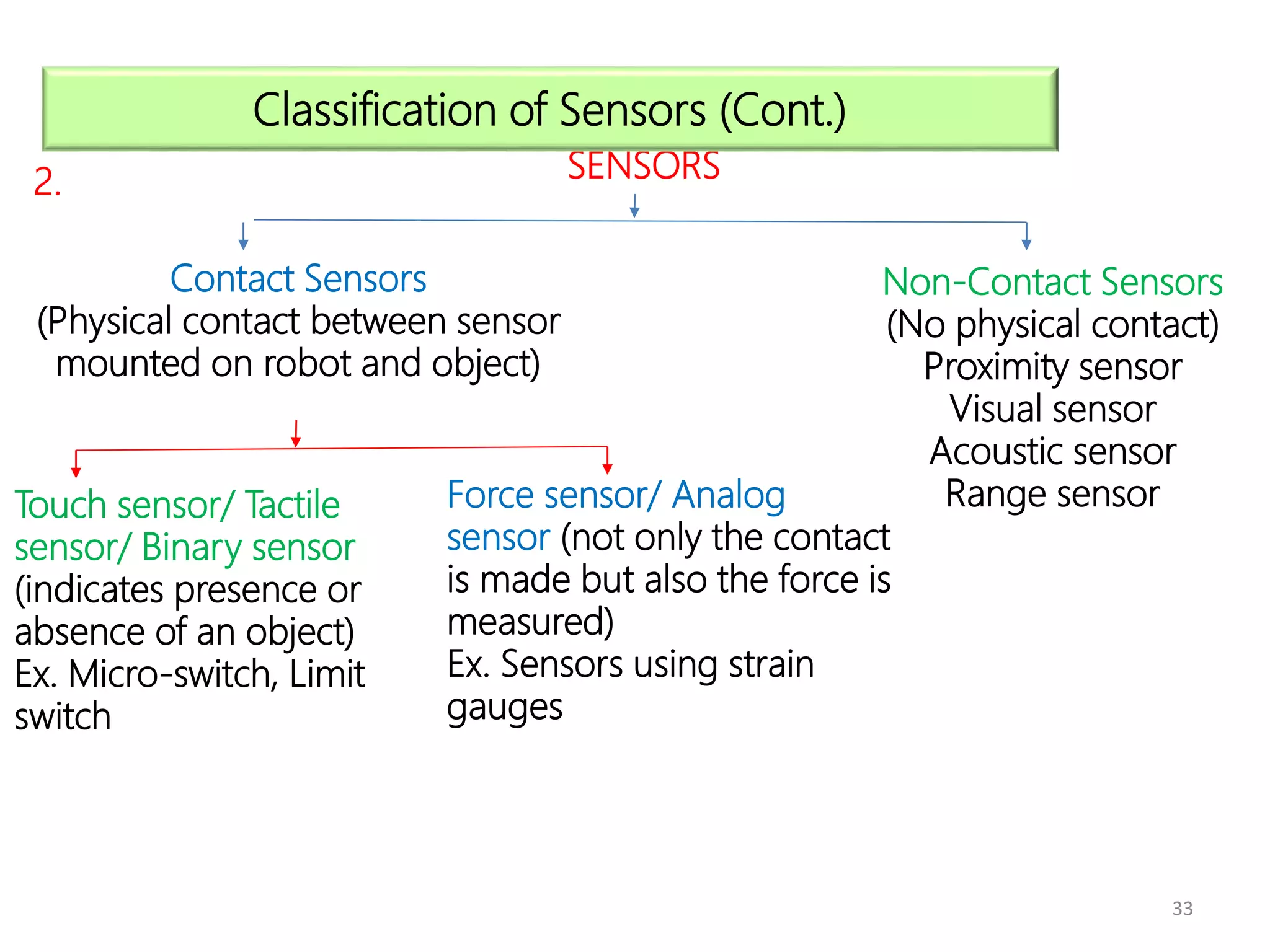
2. SENSORS
Classification of Sensors (Cont.)
Contact Sensors
(Physical contact between sensor
mounted on robot and object)
Non-Contact Sensors
(No physical contact)
Proximity sensor
Visual sensor
Acoustic sensor
Range sensor
Touch sensor/ Tactile
sensor/ Binary sensor
(indicates presence or
absence of an object)
Ex. Micro-switch, Limit
switch
Force sensor/ Analog
sensor (not only the contact
is made but also the force is
measured)
Ex. Sensors using strain
gauges
34
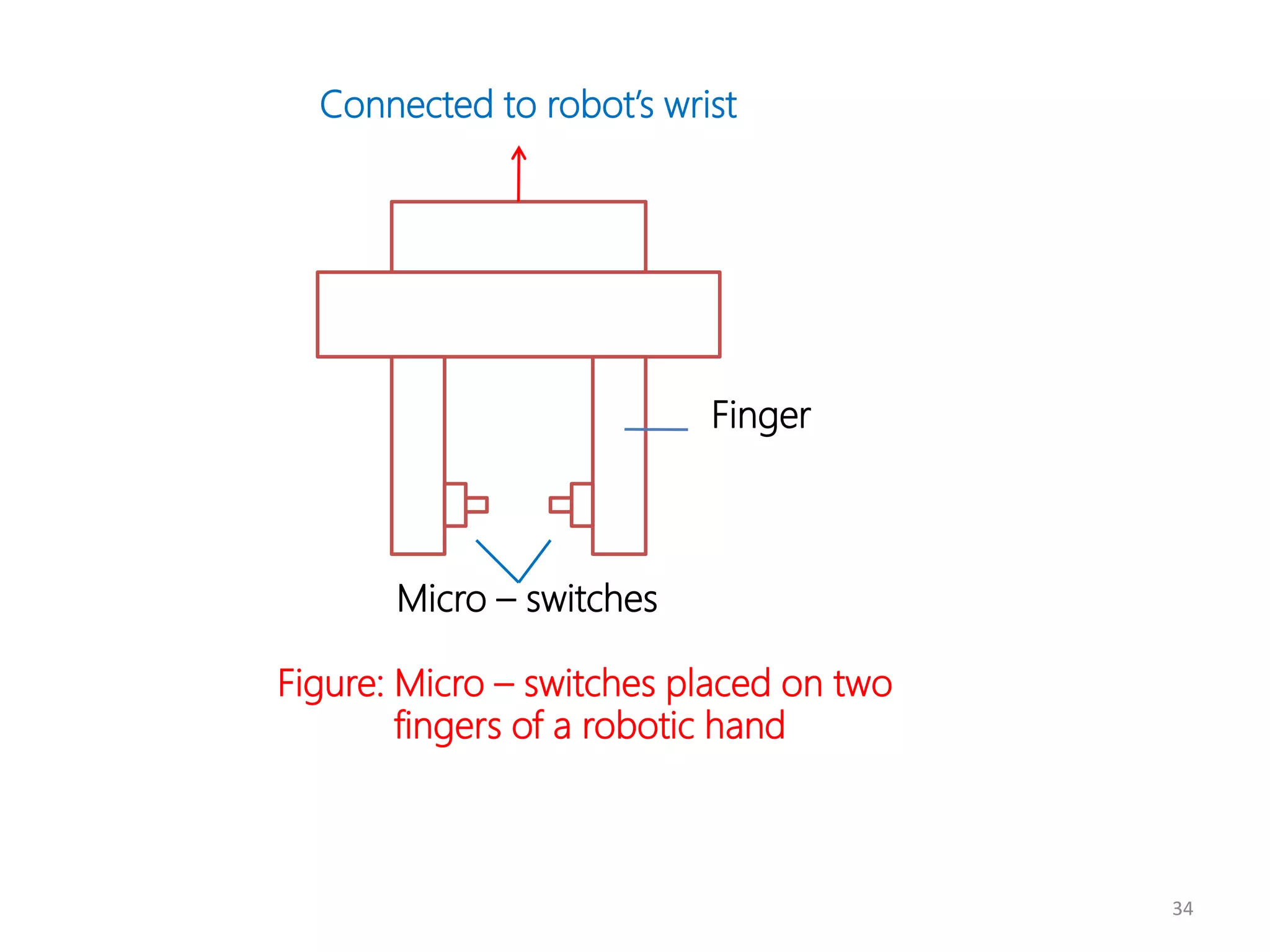
Connected to robot’s wrist
Micro – switches
Figure: Micro – switches placed on two
fingers of a robotic hand
Finger
36
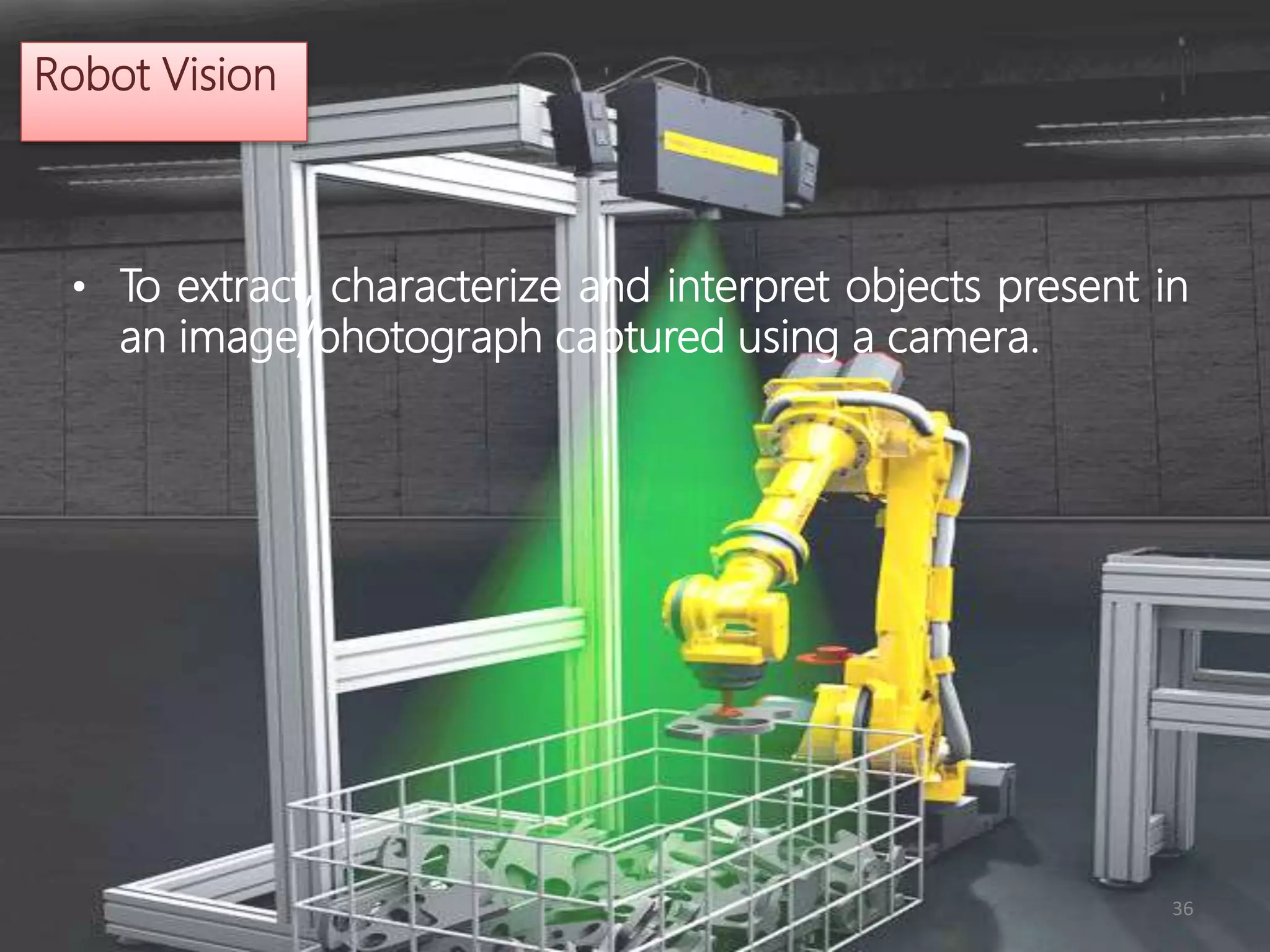
Robot Vision
• To extract, characterize and interpret objects present in
an image/photograph captured using a camera.
37
Steps to be Followed
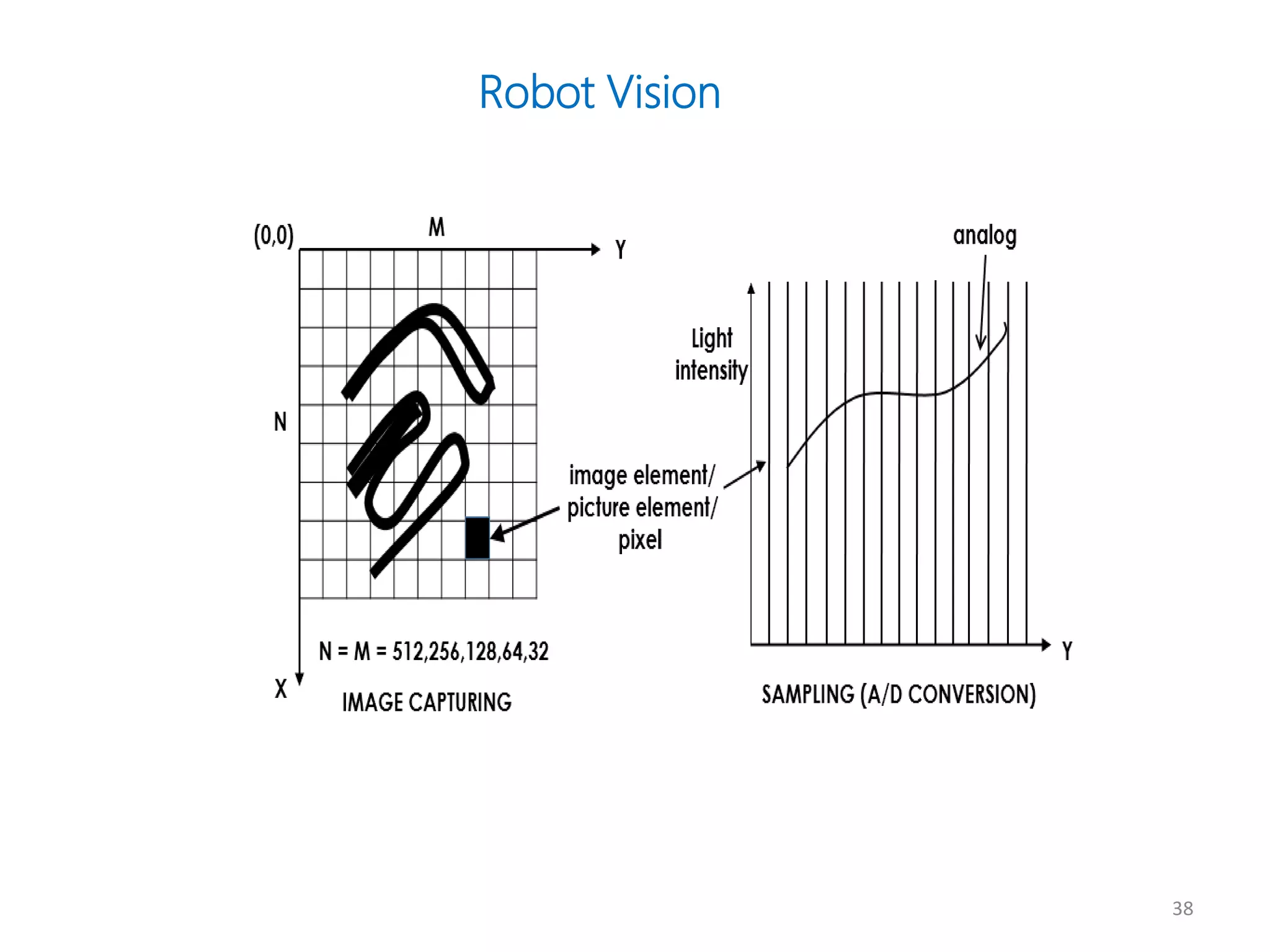
• Step 1: Capturing image of the environment using CCD camera.
• Step 2: Light intensity is measured along a particular direction say Y
using Electron Beam Scanner (in which the charge accumulated in
photo-sites is proportional to light intensity). Analog plot of light
intensity is digitized and it is known as A/D conversion or digitizing.
38
Robot Vision
39
Steps to be Followed (contd.)
• Step 3: Image is stored as an array of pixels (each pixel may have
different light intensity values). It is known as frame grabbing.
• Step 4: Preprocessing of the data collected in Step 3 is done for
noise reduction, restoration of lost information etc.
40
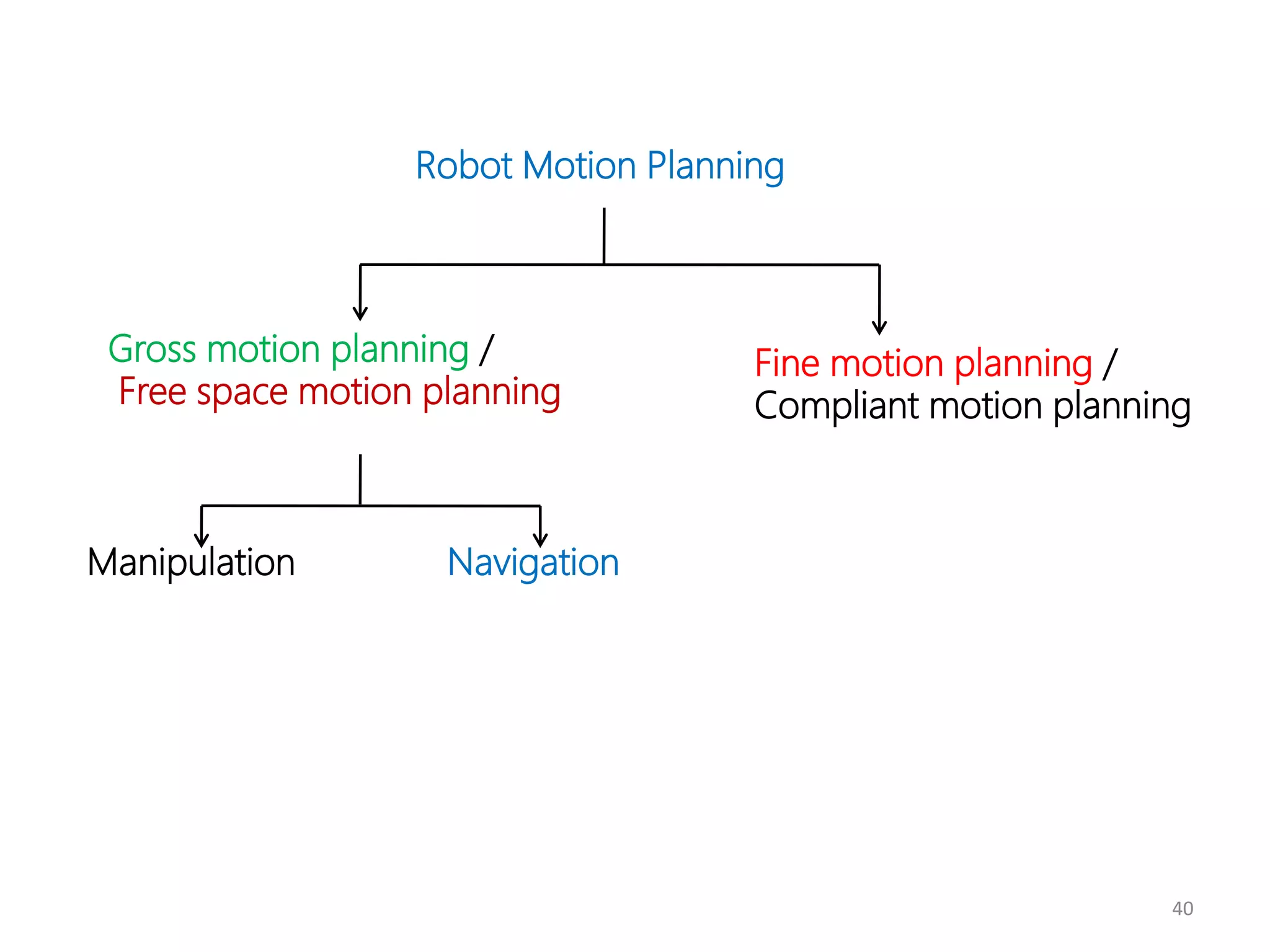
Robot Motion Planning
Gross motion planning /
Free space motion planning
Fine motion planning /
Compliant motion planning
Manipulation Navigation
41
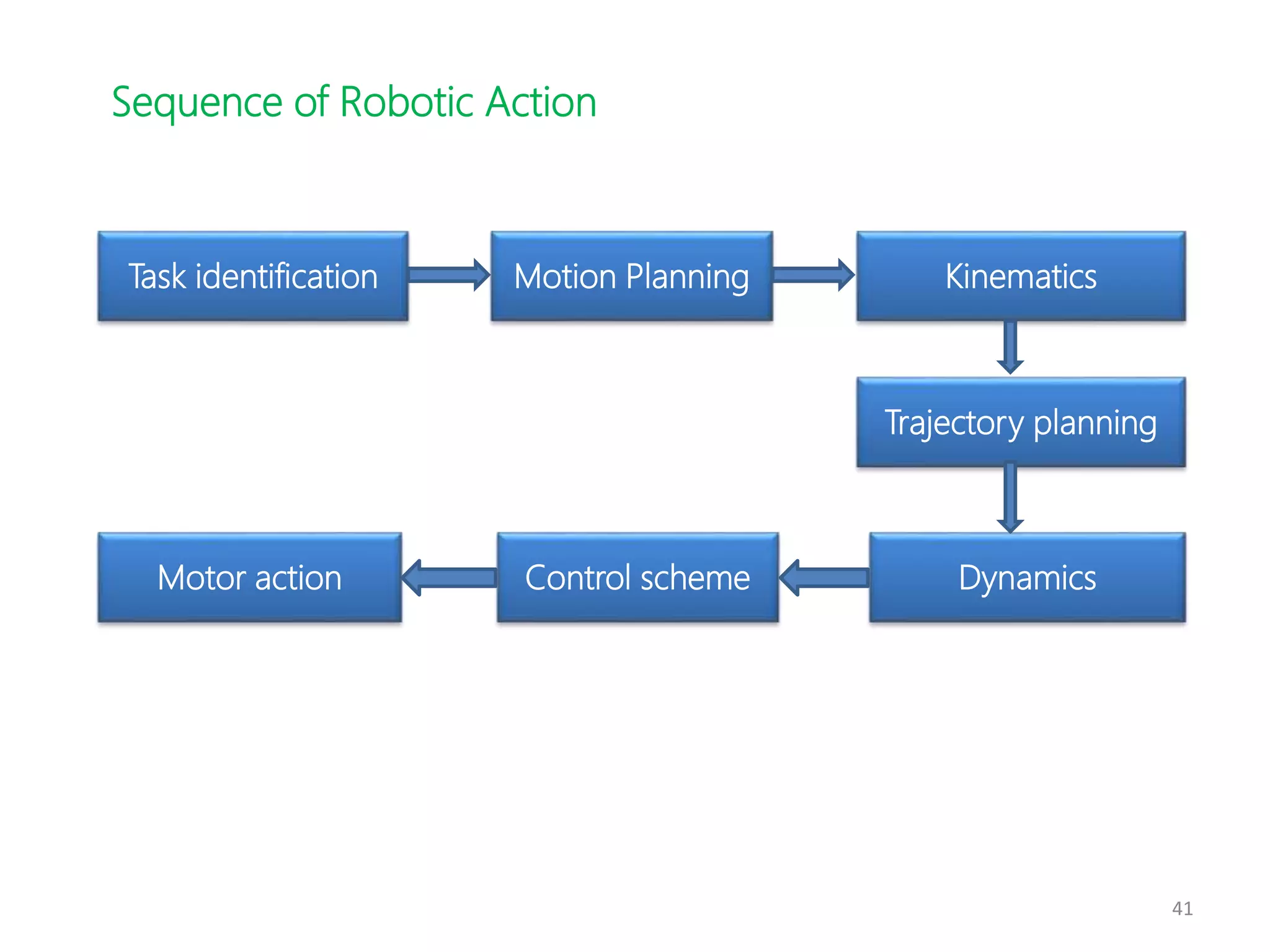
Task identification Motion Planning Kinematics
Trajectory planning
Dynamics
Control scheme
Motor action
Sequence of Robotic Action
42
Intelligent Robot – Adaptive Motion Planner & Controller (AI
to be merged with Robotics); Ex. Robot Soccer
Ultimate Goal of the RoboCup: “By the mid-21st century, a
team of autonomous humanoid robots shall beat the human
World Cup champion team under the official regulations of
FIFA”
43
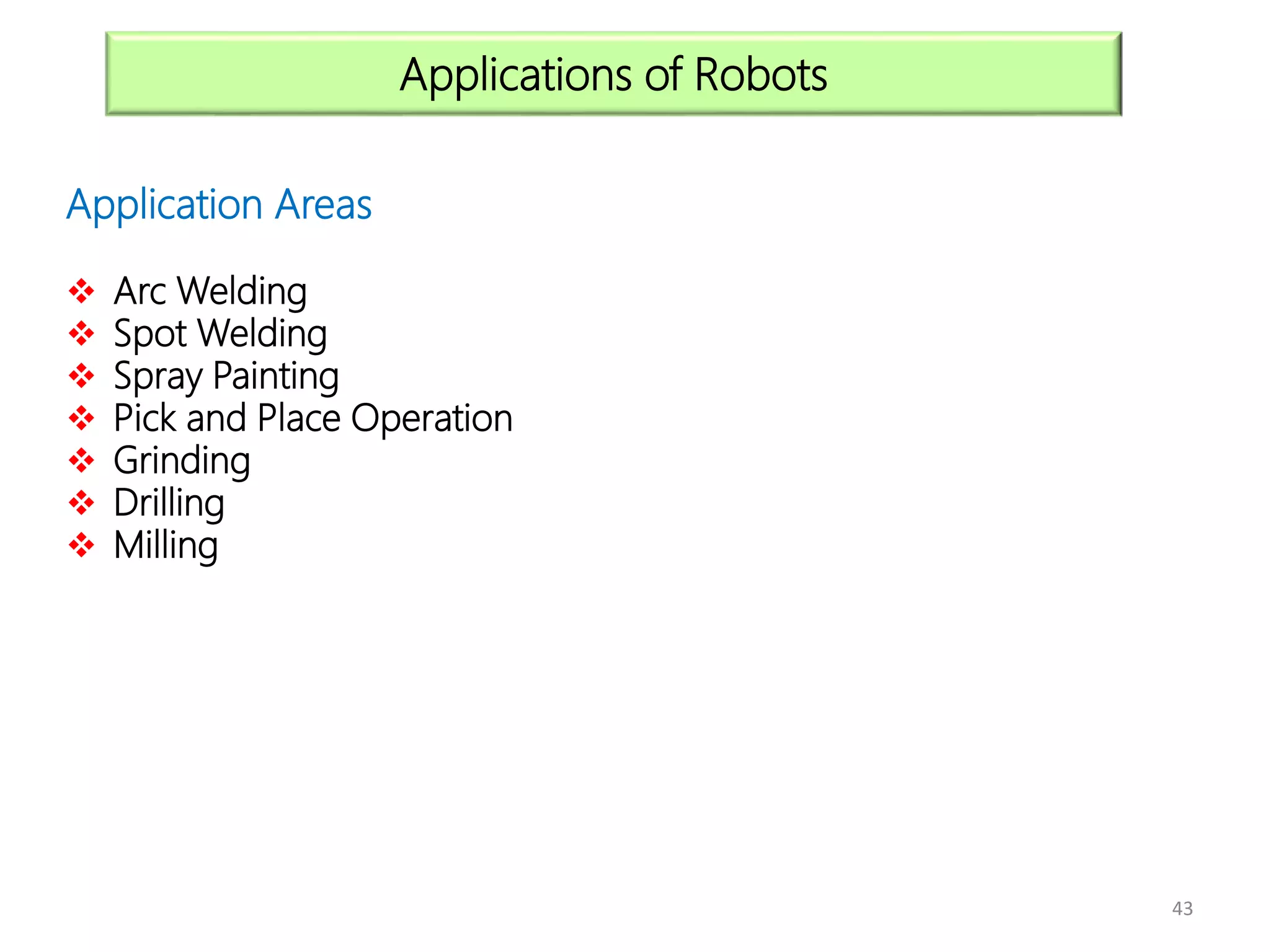
Application Areas
 Arc Welding
 Spot Welding
 Spray Painting
 Pick and Place Operation
 Grinding
 Drilling
 Milling
Applications of Robots
44
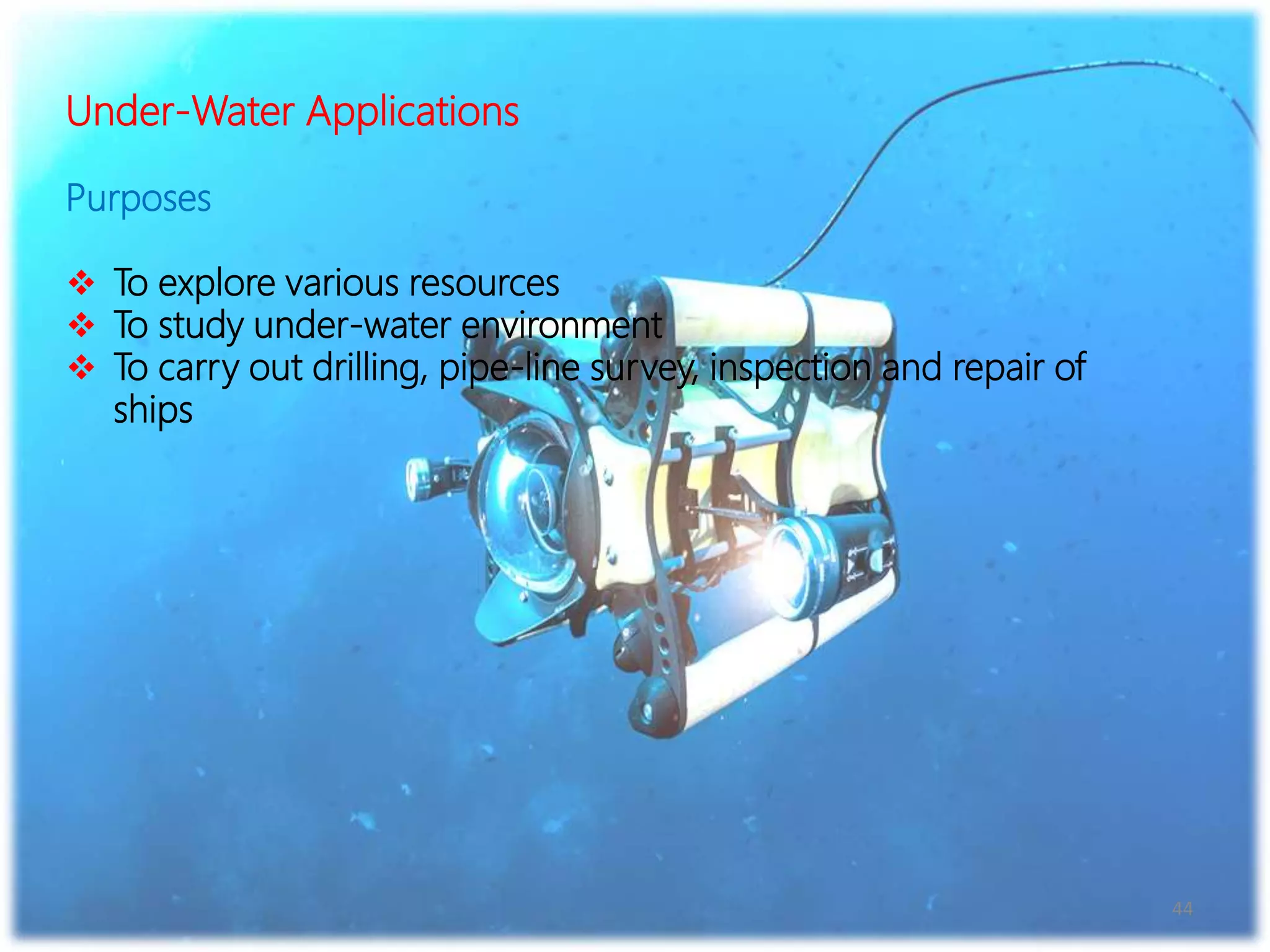
Under-Water Applications
Purposes
 To explore various resources
 To study under-water environment
 To carry out drilling, pipe-line survey, inspection and repair of
ships
45
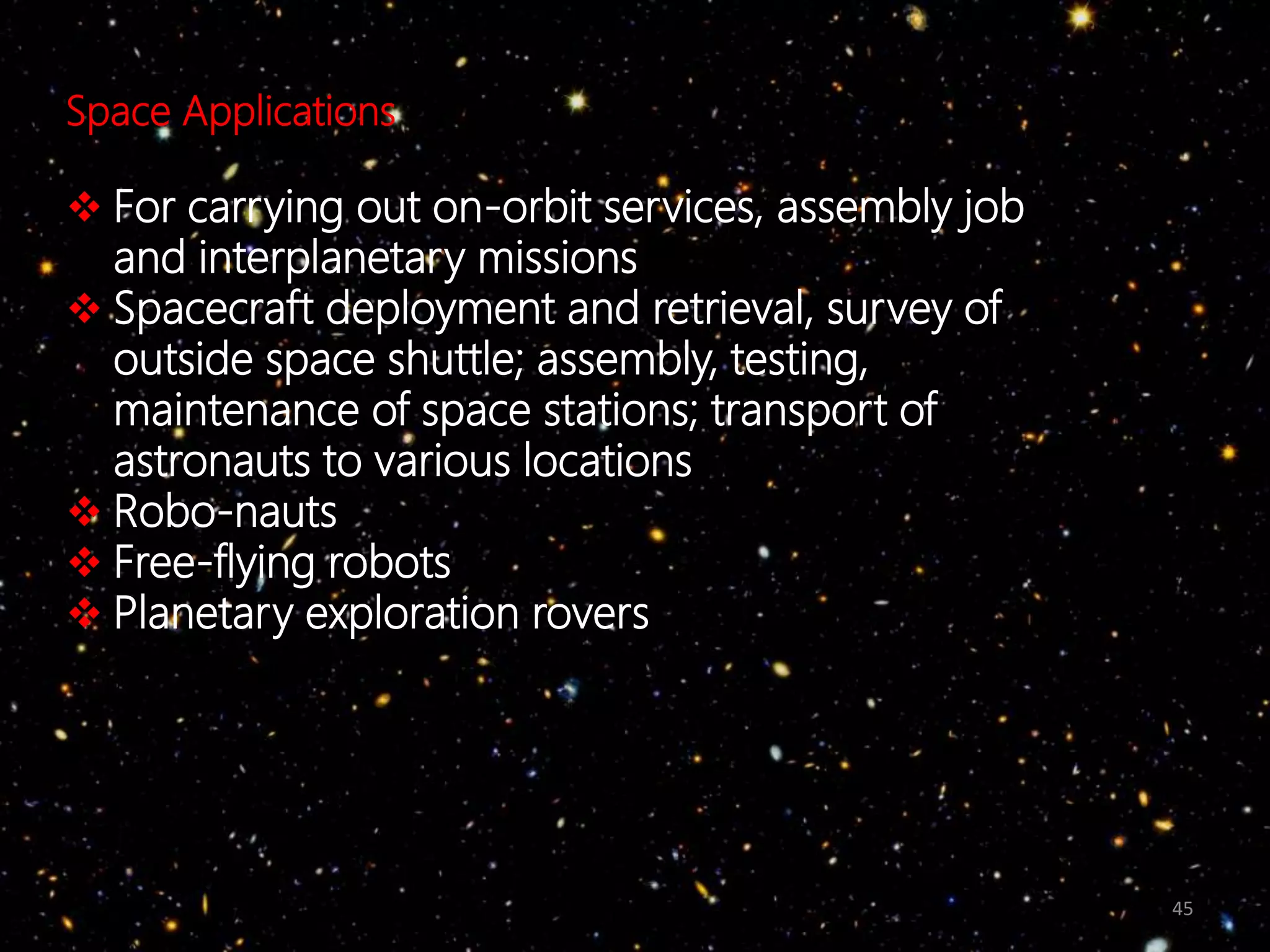
Space Applications
 For carrying out on-orbit services, assembly job
and interplanetary missions
 Spacecraft deployment and retrieval, survey of
outside space shuttle; assembly, testing,
maintenance of space stations; transport of
astronauts to various locations
 Robo-nauts
 Free-flying robots
 Planetary exploration rovers
46
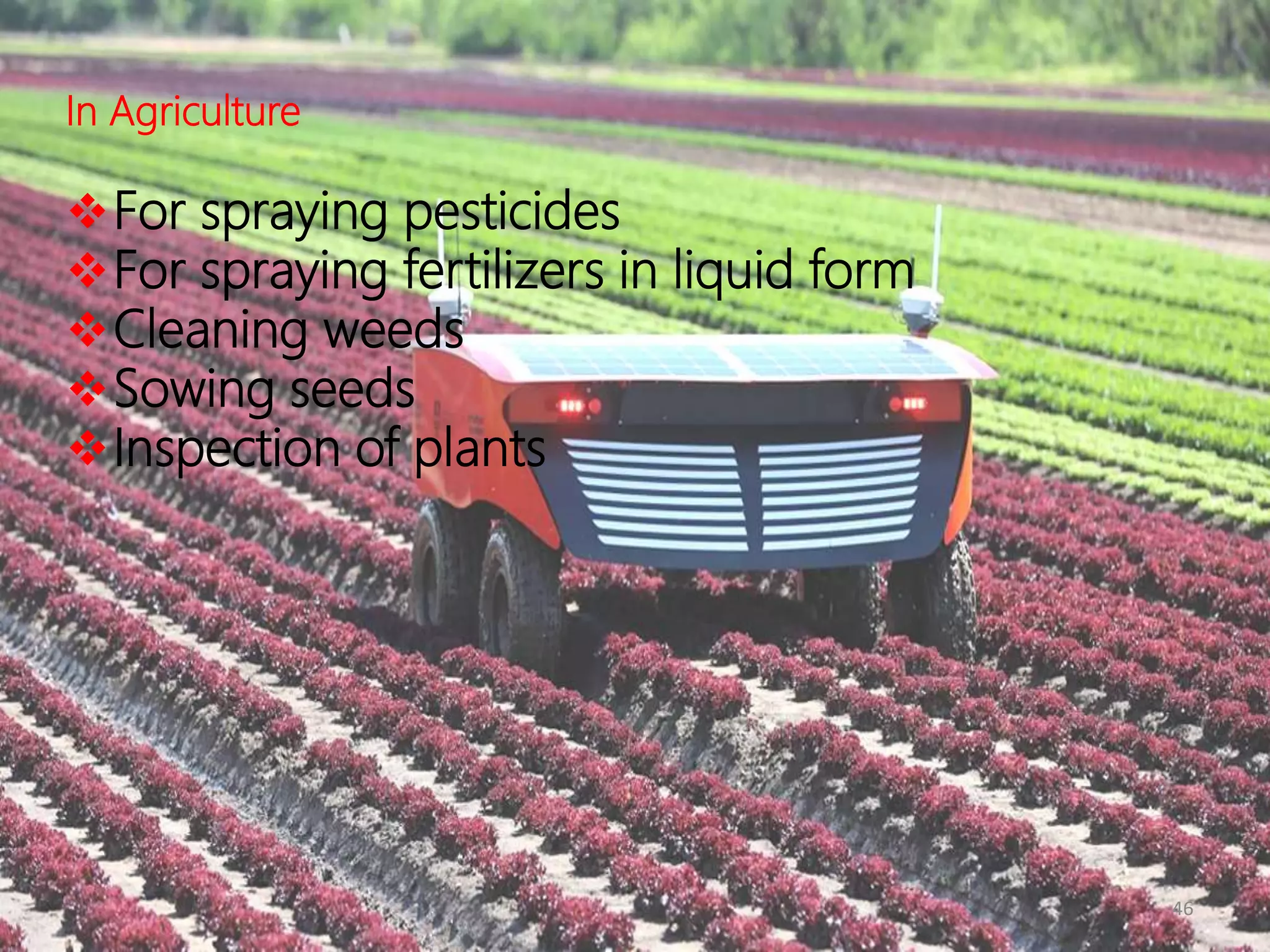
In Agriculture
For spraying pesticides
For spraying fertilizers in liquid form
Cleaning weeds
Sowing seeds
Inspection of plants
47
Some Other Applications
 Replacement of maid-servant
 Garbage collection
 Underground Coal mining
 Sewage-line cleaning
 Fire-fighting etc.
50

Robotics ppt

  • 1.
    NAME- X YZ ROLL NO.- 871898654 B.TECH MECHATRONICS
  • 3.
    Introduction to robotsand robotics Robot Kinematics Robot Dynamics Sensors Robot Vision
  • 4.
    4 Introduction to Robotsand Robotics A Few Questions  What is a robot?  What is robotics?  Why do we study robotics?  How can we teach a robot to perform a particular task?  What are possible applications of robots?  Can a human being be replaced by a robot?, and so on.
  • 5.
    5 A Brief Historyof Robotics Year Events and Development 1954 First patent on manipulator by George Devol, the father of robot 1956 Joseph Engelberger started the first robotics company: Unimation 1962 General Motors used the manipulator: Unimate in die-casting application
  • 6.
    6 3 Hs inRobotics 3 Hs of human beings are copied into Robotics, such as Hand Head Heart
  • 8.
    8 A Robotic System VariousComponents 1.Base 2.Links and Joints 3.End-effector / gripper 4.Wrist 5.Drive / Actuator 6.Controller 7. Sensors
  • 9.
    9 Connectivity / Degreesof Freedom of a Joint Rigid bodies connection Joints with 1 dof Revolute Joint (R)
  • 10.
  • 11.
    11 Joints with twodof Cylindrical Joint (C)
  • 12.
    12 Joints with threedof Ball and Socket Joint / Spherical Joint (𝑺′)
  • 13.
    13 Representation of theJoints Revolute joint (R) Prismatic joint (P) Cylindrical joint (C)
  • 14.
    14 Representation of theJoints Spherical joint (𝑺′) Hooke joint (U) Twisting joint (T) Kinematic Diagram
  • 16.
    16  Based onthe Type of Tasks Performed 1. Point-to-Point Robots Examples: Unimate 2000 T3
  • 17.
  • 18.
    18 Revolute Coordinate orArticulated Coordinate Robots  Rotary movement about three independent axes  Represented as TRR  Suitable for handling parts/components in manufacturing system  Rigidity and accuracy may not be good enough  Examples: T3, PUMA
  • 19.
    19 • Based onMobility Levels 1. Robots with fixed base (also known as manipulators) Serial Parallel PUMA, CRS Stewart platform Manipulators
  • 20.
    20 • Based onMobility Levels (contd.) 2. Mobile robots Wheeled robots Tracked robots Multi-legged robots Mobile robots
  • 21.
    21 • Based onMobility Levels (contd.) 2. Mobile robots Wheeled Robot Six-legged Robot
  • 22.
    22 Workspace of Manipulators volumeof space reached……. Dextrous Reachable Workspace
  • 24.
    24 Resolution Programming resolution Smallest allowableposition increment in robot programme Basic Resolution Unit BRU = 0.01 inch/0.1degree Control resolution Smallest change in position that the feedback device can measure say 0.36 degrees per pulse
  • 25.
    25 Accuracy (mm) It isthe precision with which a computed point can be reached Repeatability (mm) It is defined as the precision with which a robot re-position itself to a previous taught point
  • 26.
    26 Specification of aRobot  Control type  Drive system  Coordinate system  Teaching/Programming methods  Accuracy, Repeatability, Resolution  Pay-load capacity  Weight of the manipulator  Applications  Range and speed of arms and wrist  Sensors used  End-effector/ gripper used
  • 28.
    28 Robot Dynamics  Todetermine joint torques/forces  Robotic joint torque consists of inertia, centrifugal and Coriolis and gravity terms Inertia Term Depends on mass distribution of the links and it is expressed in terms of moment of inertia tensor
  • 29.
  • 30.
  • 32.
    32 1. SENSORS Classification of Sensors InternalSensors Ex. Position sensors, velocity sensors, Acceleration sensors, Force/Moment sensor External Sensors Ex. Temperature sensors, Visual sensor, Proximity sensor, Acoustic sensor
  • 33.
    33 2. SENSORS Classification ofSensors (Cont.) Contact Sensors (Physical contact between sensor mounted on robot and object) Non-Contact Sensors (No physical contact) Proximity sensor Visual sensor Acoustic sensor Range sensor Touch sensor/ Tactile sensor/ Binary sensor (indicates presence or absence of an object) Ex. Micro-switch, Limit switch Force sensor/ Analog sensor (not only the contact is made but also the force is measured) Ex. Sensors using strain gauges
  • 34.
    34 Connected to robot’swrist Micro – switches Figure: Micro – switches placed on two fingers of a robotic hand Finger
  • 36.
    36 Robot Vision • Toextract, characterize and interpret objects present in an image/photograph captured using a camera.
  • 37.
    37 Steps to beFollowed • Step 1: Capturing image of the environment using CCD camera. • Step 2: Light intensity is measured along a particular direction say Y using Electron Beam Scanner (in which the charge accumulated in photo-sites is proportional to light intensity). Analog plot of light intensity is digitized and it is known as A/D conversion or digitizing.
  • 38.
  • 39.
    39 Steps to beFollowed (contd.) • Step 3: Image is stored as an array of pixels (each pixel may have different light intensity values). It is known as frame grabbing. • Step 4: Preprocessing of the data collected in Step 3 is done for noise reduction, restoration of lost information etc.
  • 40.
    40 Robot Motion Planning Grossmotion planning / Free space motion planning Fine motion planning / Compliant motion planning Manipulation Navigation
  • 41.
    41 Task identification MotionPlanning Kinematics Trajectory planning Dynamics Control scheme Motor action Sequence of Robotic Action
  • 42.
    42 Intelligent Robot –Adaptive Motion Planner & Controller (AI to be merged with Robotics); Ex. Robot Soccer Ultimate Goal of the RoboCup: “By the mid-21st century, a team of autonomous humanoid robots shall beat the human World Cup champion team under the official regulations of FIFA”
  • 43.
    43 Application Areas  ArcWelding  Spot Welding  Spray Painting  Pick and Place Operation  Grinding  Drilling  Milling Applications of Robots
  • 44.
    44 Under-Water Applications Purposes  Toexplore various resources  To study under-water environment  To carry out drilling, pipe-line survey, inspection and repair of ships
  • 45.
    45 Space Applications  Forcarrying out on-orbit services, assembly job and interplanetary missions  Spacecraft deployment and retrieval, survey of outside space shuttle; assembly, testing, maintenance of space stations; transport of astronauts to various locations  Robo-nauts  Free-flying robots  Planetary exploration rovers
  • 46.
    46 In Agriculture For sprayingpesticides For spraying fertilizers in liquid form Cleaning weeds Sowing seeds Inspection of plants
  • 47.
    47 Some Other Applications Replacement of maid-servant  Garbage collection  Underground Coal mining  Sewage-line cleaning  Fire-fighting etc.
  • 50.