Jisc RSC YH Roadshow


www.jiscrsc.ac.uk/YH
What is an RSC YH Roadshow


   • We take the technology around our region

   • The focus is on teaching, learning & training

   • Collaborative scenario planning based activities

   • Outcomes
                           • RSC Advisor „Pitch‟

                           • Learner Scenarios

                           • Exploration of the Technology

                           • Time to Create
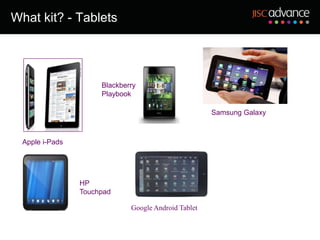
What kit? - Tablets


                      Blackberry
                      Playbook

                                                      Samsung Galaxy


  Apple i-Pads


                 HP
                 Touchpad

                              Google Android Tablet
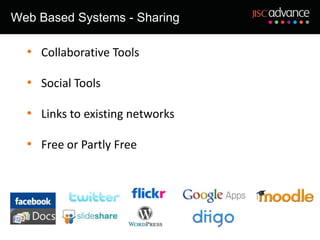
Web Based Systems - Sharing

  • Collaborative Tools

  • Social Tools

  • Links to existing networks

  • Free or Partly Free
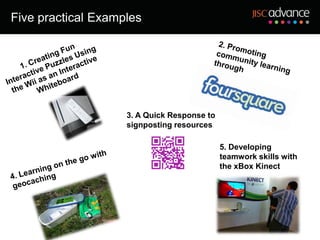
Five practical Examples


                    3. A Quick Response to
                    signposting resources

                                             5. Developing
                                             teamwork skills with
                                             the xBox Kinect
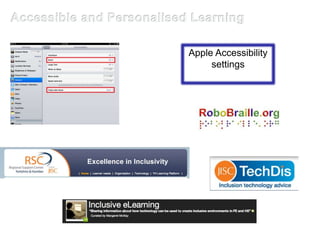
Apple Accessibility
     settings
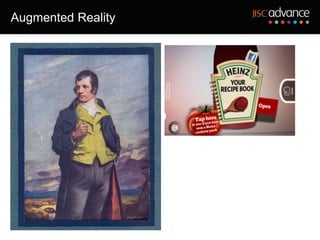
Augmented Reality
The session
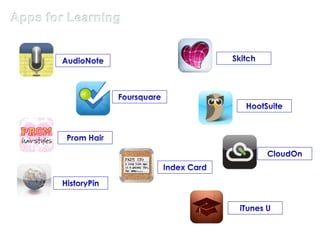
Apps for Learning
Apps for Learning - predictions


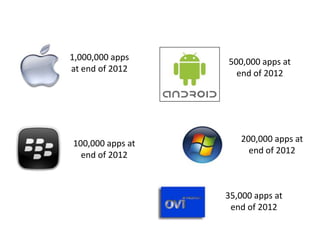
          1,000,000 apps          500,000 apps at
          at end of 2012            end of 2012


           100,000 apps at           200,000 apps at
             end of 2012               end of 2012


                                  35,000 apps at
                                   end of 2012
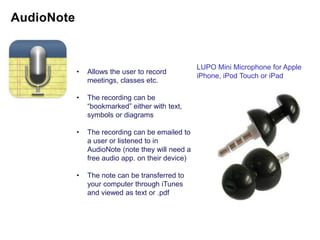
LUPO Mini Microphone for Apple
•   Allows the user to record
                                       iPhone, iPod Touch or iPad
    meetings, classes etc.

•   The recording can be
    “bookmarked” either with text,
    symbols or diagrams

•   The recording can be emailed to
    a user or listened to in
    AudioNote (note they will need a
    free audio app. on their device)

•   The note can be transferred to
    your computer through iTunes
    and viewed as text or .pdf
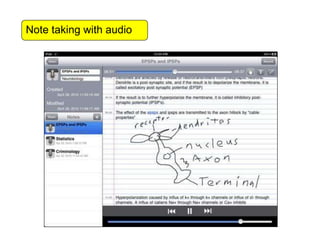
Note taking with audio
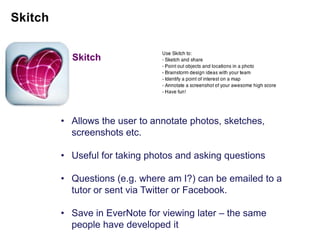
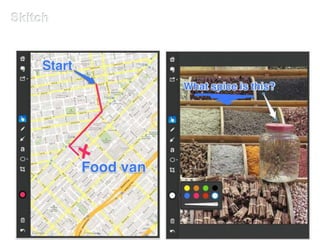
Skitch


• Allows the user to annotate photos, sketches,
  screenshots etc.

• Useful for taking photos and asking questions

• Questions (e.g. where am I?) can be emailed to a
  tutor or sent via Twitter or Facebook.

• Save in EverNote for viewing later – the same
  people have developed it
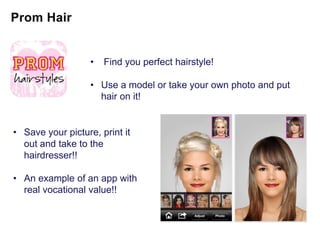
•   Find you perfect hairstyle!

                   • Use a model or take your own photo and put
                     hair on it!


• Save your picture, print it
  out and take to the
  hairdresser!!

• An example of an app with
  real vocational value!!
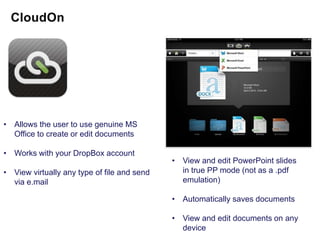
• Allows the user to use genuine MS
  Office to create or edit documents

• Works with your DropBox account
                                             • View and edit PowerPoint slides
• View virtually any type of file and send     in true PP mode (not as a .pdf
  via e.mail                                   emulation)

                                             • Automatically saves documents

                                             • View and edit documents on any
                                               device
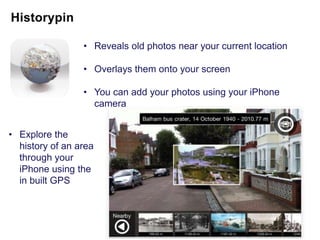
• Reveals old photos near your current location

                 • Overlays them onto your screen

                 • You can add your photos using your iPhone
                   camera


• Explore the
  history of an area
  through your
  iPhone using the
  in built GPS
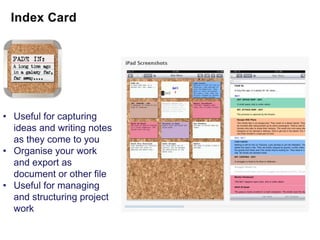
• Useful for capturing
  ideas and writing notes
  as they come to you
• Organise your work
  and export as
  document or other file
• Useful for managing
  and structuring project
  work
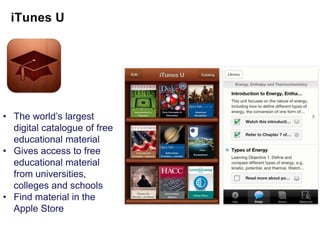
• The world‟s largest
  digital catalogue of free
  educational material
• Gives access to free
  educational material
  from universities,
  colleges and schools
• Find material in the
  Apple Store
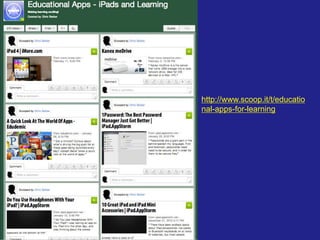
http://www.scoop.it/t/educatio
nal-apps-for-learning
Over to you ….The Task


• Consider your chosen scenario

• Devise ways to address the needs of the learner (or
  group of learners)

• 3 ways to address the learners‟ needs

• Create a suitable resource or plan

• Present back to the whole group
Outcomes

     • E books
        • Hull College
     QR Codes
        • Induction
        • Instruction      Video
     • Video Creation
     • Use of Video
        • Research
        • Production Teams
     • Screencasts
        • Assessment
        • Tutorials
     • Social Networks
        • Course Page
        • Facebook
        • Edmodo, Ning
c.p.barber@leeds.ac.uk

Roadshow cb

  • 1.
    Jisc RSC YHRoadshow www.jiscrsc.ac.uk/YH
  • 2.
    What is anRSC YH Roadshow • We take the technology around our region • The focus is on teaching, learning & training • Collaborative scenario planning based activities • Outcomes • RSC Advisor „Pitch‟ • Learner Scenarios • Exploration of the Technology • Time to Create
  • 3.
    What kit? -Tablets Blackberry Playbook Samsung Galaxy Apple i-Pads HP Touchpad Google Android Tablet
  • 5.
    Web Based Systems- Sharing • Collaborative Tools • Social Tools • Links to existing networks • Free or Partly Free
  • 6.
    Five practical Examples 3. A Quick Response to signposting resources 5. Developing teamwork skills with the xBox Kinect
  • 7.
  • 8.
  • 9.
  • 11.
  • 12.
    Apps for Learning- predictions 1,000,000 apps 500,000 apps at at end of 2012 end of 2012 100,000 apps at 200,000 apps at end of 2012 end of 2012 35,000 apps at end of 2012
  • 15.
    LUPO Mini Microphonefor Apple • Allows the user to record iPhone, iPod Touch or iPad meetings, classes etc. • The recording can be “bookmarked” either with text, symbols or diagrams • The recording can be emailed to a user or listened to in AudioNote (note they will need a free audio app. on their device) • The note can be transferred to your computer through iTunes and viewed as text or .pdf
  • 16.
  • 17.
    Skitch • Allows theuser to annotate photos, sketches, screenshots etc. • Useful for taking photos and asking questions • Questions (e.g. where am I?) can be emailed to a tutor or sent via Twitter or Facebook. • Save in EverNote for viewing later – the same people have developed it
  • 19.
    Find you perfect hairstyle! • Use a model or take your own photo and put hair on it! • Save your picture, print it out and take to the hairdresser!! • An example of an app with real vocational value!!
  • 20.
    • Allows theuser to use genuine MS Office to create or edit documents • Works with your DropBox account • View and edit PowerPoint slides • View virtually any type of file and send in true PP mode (not as a .pdf via e.mail emulation) • Automatically saves documents • View and edit documents on any device
  • 21.
    • Reveals oldphotos near your current location • Overlays them onto your screen • You can add your photos using your iPhone camera • Explore the history of an area through your iPhone using the in built GPS
  • 22.
    • Useful forcapturing ideas and writing notes as they come to you • Organise your work and export as document or other file • Useful for managing and structuring project work
  • 23.
    • The world‟slargest digital catalogue of free educational material • Gives access to free educational material from universities, colleges and schools • Find material in the Apple Store
  • 24.
  • 26.
    Over to you….The Task • Consider your chosen scenario • Devise ways to address the needs of the learner (or group of learners) • 3 ways to address the learners‟ needs • Create a suitable resource or plan • Present back to the whole group
  • 27.
    Outcomes • E books • Hull College QR Codes • Induction • Instruction Video • Video Creation • Use of Video • Research • Production Teams • Screencasts • Assessment • Tutorials • Social Networks • Course Page • Facebook • Edmodo, Ning
  • 28.

Editor's Notes

  • #10 Some of you may have seen this but it is indicative of .app learning reaching some sort of maturity, we could add many more onto this now, given that the iTunes store now claims to have over 600,000 apps and Android has c.500,000 with Blackberry lagging behind at a mere 30,000. Interestingly there has been a 37% removal rate for Android apps and hardly any for Apple apps, no doubt because of their quality control system which I leave you to make a judgment on!
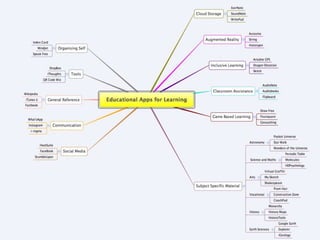
  • #12 What I’ve done here is pick a few apps, they’re not necessarily the best , there may be alternatives but with such a large market to go at, I have had to choose some that I feel are noteworthy. Notice the reference to Cloud Storage which an increasing number of people are turning to for their storage– there are some issues with access at some learning providers which need to be addressed but overall the potential is huge. Other areas which are becoming increasingly “interesting” include Augmented Reality and Games Based Learning – more of which in a few moments. Game based learning is an area where good apps abound. I’ve included 3 in here which are perhaps slightly contentious. I would urge you to search for the subject based apps. The market is now developing a sort of maturity in which some of the simpler, boring apps are being replaced by more effective, interesting and inclusive apps
  • #15 Of all the apps available, I’m just going to concentrate on these 7, for no particular reason and to give you an opportunity to look at these on the devices available and make some comment and observations on their usefulness for teaching and learning
  • #16 MeetingsDyslexic learnersVisual learners
  • #19 Sending routesAsking questions from remote regions
  • #20 A brilliant little app for girls!!
  • #21 Edit and produce any Office document, spreadsheet, PP etc and upload to your DropBox account
  • #26 http://mashable.com/2009/03/01/publish-book/