IPADS AND
 SPECIAL
  NEEDS
LEARNING
IPADS TO SUPPORT
          DIVERSE LEARNERS
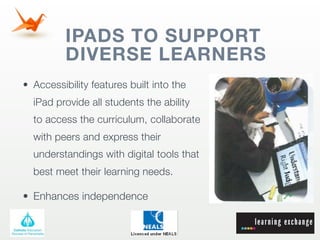
• Accessibility features built into the
  iPad provide all students the ability
  to access the curriculum, collaborate
  with peers and express their
  understandings with digital tools that
  best meet their learning needs.

• Enhances independence
IPADS IN THE SPECIAL
          NEEDS CLASSROOM
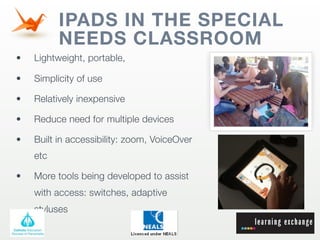
•   Lightweight, portable,

•   Simplicity of use

•   Relatively inexpensive

•   Reduce need for multiple devices

•   Built in accessibility: zoom, VoiceOver
    etc

•   More tools being developed to assist
    with access: switches, adaptive
    styluses
WHY IS THE IPAD USEFUL FOR
             SPECIAL NEEDS STUDENTS
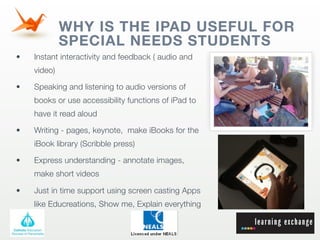
•   Instant interactivity and feedback ( audio and
    video)

•   Speaking and listening to audio versions of
    books or use accessibility functions of iPad to
    have it read aloud

•   Writing - pages, keynote, make iBooks for the
    iBook library (Scribble press)

•   Express understanding - annotate images,
    make short videos

•   Just in time support using screen casting Apps
    like Educreations, Show me, Explain everything
THE IPAD AND ESL
Apps can be used to support activities that may
otherwise be difficult for ESL students to understand.

• Intervention

• Enrichment

• Assistive

• Digital literacy

• Reading

• Organizing resources
HOW
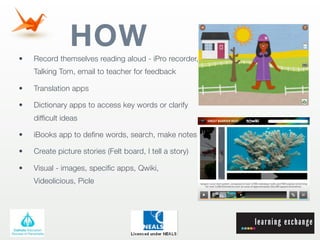
•   Record themselves reading aloud - iPro recorder,
    Talking Tom, email to teacher for feedback

•   Translation apps

•   Dictionary apps to access key words or clarify
    difficult ideas

•   iBooks app to define words, search, make notes

•   Create picture stories (Felt board, I tell a story)

•   Visual - images, specific apps, Qwiki,
    Videolicious, Picle
APPS
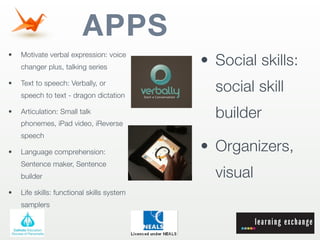
                                            • Social skills:
•   Motivate verbal expression: voice
    changer plus, talking series

•   Text to speech: Verbally, or
    speech to text - dragon dictation
                                              social skill
•   Articulation: Small talk
                                              builder
    phonemes, iPad video, iReverse
    speech

•   Language comprehension:                 • Organizers,
    Sentence maker, Sentence
    builder                                   visual
•   Life skills: functional skills system
    samplers
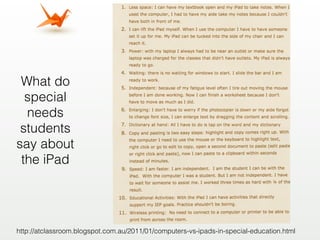
What do
  special
  needs
 students
say about
 the iPad


http://atclassroom.blogspot.com.au/2011/01/computers-vs-ipads-in-special-education.html
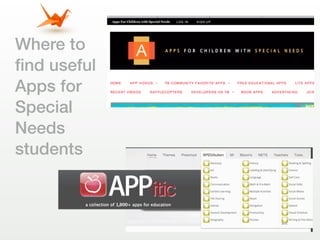
Where to
find useful
Apps for
Special
Needs
students
Integra
iPads special needs learning

iPads special needs learning

  • 1.
    IPADS AND SPECIAL NEEDS LEARNING
  • 2.
    IPADS TO SUPPORT DIVERSE LEARNERS • Accessibility features built into the iPad provide all students the ability to access the curriculum, collaborate with peers and express their understandings with digital tools that best meet their learning needs. • Enhances independence
  • 3.
    IPADS IN THESPECIAL NEEDS CLASSROOM • Lightweight, portable, • Simplicity of use • Relatively inexpensive • Reduce need for multiple devices • Built in accessibility: zoom, VoiceOver etc • More tools being developed to assist with access: switches, adaptive styluses
  • 4.
    WHY IS THEIPAD USEFUL FOR SPECIAL NEEDS STUDENTS • Instant interactivity and feedback ( audio and video) • Speaking and listening to audio versions of books or use accessibility functions of iPad to have it read aloud • Writing - pages, keynote, make iBooks for the iBook library (Scribble press) • Express understanding - annotate images, make short videos • Just in time support using screen casting Apps like Educreations, Show me, Explain everything
  • 5.
    THE IPAD ANDESL Apps can be used to support activities that may otherwise be difficult for ESL students to understand. • Intervention • Enrichment • Assistive • Digital literacy • Reading • Organizing resources
  • 6.
    HOW • Record themselves reading aloud - iPro recorder, Talking Tom, email to teacher for feedback • Translation apps • Dictionary apps to access key words or clarify difficult ideas • iBooks app to define words, search, make notes • Create picture stories (Felt board, I tell a story) • Visual - images, specific apps, Qwiki, Videolicious, Picle
  • 7.
    APPS • Social skills: • Motivate verbal expression: voice changer plus, talking series • Text to speech: Verbally, or speech to text - dragon dictation social skill • Articulation: Small talk builder phonemes, iPad video, iReverse speech • Language comprehension: • Organizers, Sentence maker, Sentence builder visual • Life skills: functional skills system samplers
  • 8.
    What do special needs students say about the iPad http://atclassroom.blogspot.com.au/2011/01/computers-vs-ipads-in-special-education.html
  • 9.
    Where to find useful Appsfor Special Needs students
  • 10.

Editor's Notes

  • #2 \n\n
  • #3 \n\n
  • #4 \n\n
  • #5 \n\n
  • #6 How to integrate iPads into lessons\nIdentify your instructional goals and lesson objectives\nTake a lesson that has already been successful and find apps. That can be integrated into the lesson to :\n
  • #7 Qwiki is an App that presents search results visually and in an animated form with audio and some brief concise easily understood text. \n
  • #8 \nShow verbally\nPicture pusher app \nPusher a number of photos or images appear on the screen and user slides them into a box\n.ACT spell shows one to five large high contrast buttons on t he screen and asks set to spell CVC words from dolce lists. Customizable.\n
  • #9 \n\n
  • #10 \n\n
  • #11 \n\n
  • #12 \n\n