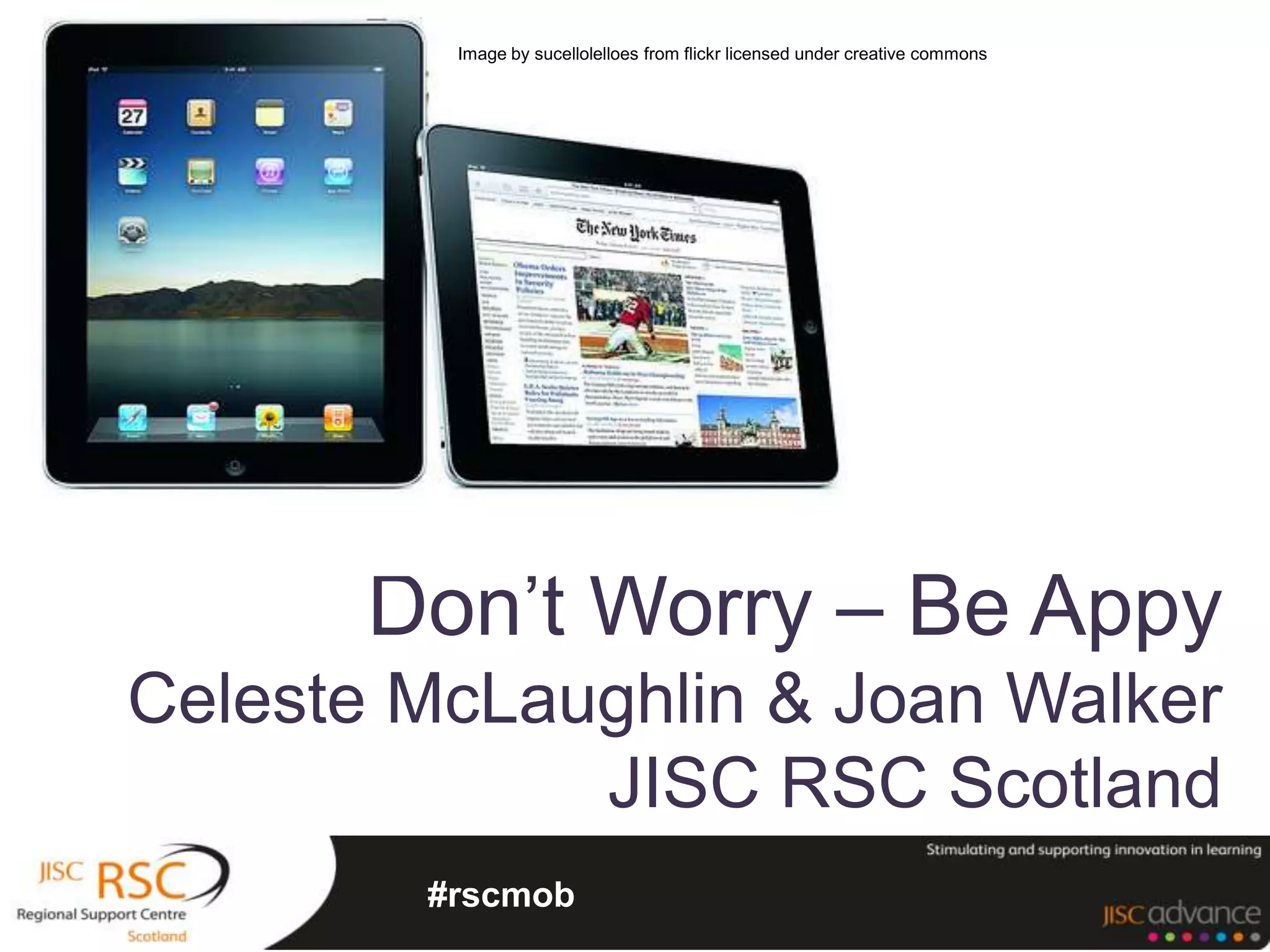
Image by sucellolelloes from flickr licensed under creative commons


       Don’t Worry – Be Appy
Celeste McLaughlin & Joan Walker
             JISC RSC Scotland
        #rscmob
According to a recent report from mobile
manufacturer Ericsson, studies show that:
  “by 2015, 80% of people accessing
  the Internet will be doing so from
  mobile devices.”
Perhaps more important for education:
  “Internet- capable mobile devices will
  outnumber computers within the next
  year.”
                           Johnson, L., Smith, R., Willis, H., Levine, A., and
                            Haywood, K., (2011). The 2011 Horizon Report.
                               Austin, Texas: The New Media Consortium.
“Mobile devices give us a unique opportunity to have
learners embedded in a realistic context at the same
time as having access to supporting tools”
                                         Futurelab (2004)


“Looking at mobile learning in a wider context, we
have to recognize that mobile, personal, and
wireless devices are now radically transforming
societal notions of discourse and knowledge, and
are responsible for new forms of
art, employment, language, commerce, deprivation
, and crime, as well as learning.”
                                           Traxler (2007)
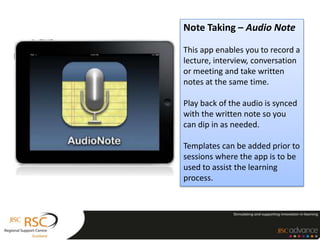
Note Taking – Audio Note

This app enables you to record a
lecture, interview, conversation
or meeting and take written
notes at the same time.

Play back of the audio is synced
with the written note so you
can dip in as needed.

Templates can be added prior to
sessions where the app is to be
used to assist the learning
process.
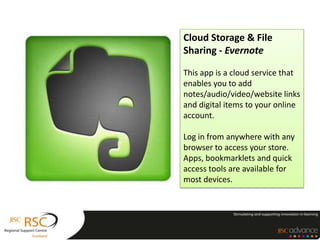
Cloud Storage & File
Sharing - Evernote

This app is a cloud service that
enables you to add
notes/audio/video/website links
and digital items to your online
account.

Log in from anywhere with any
browser to access your store.
Apps, bookmarklets and quick
access tools are available for
most devices.
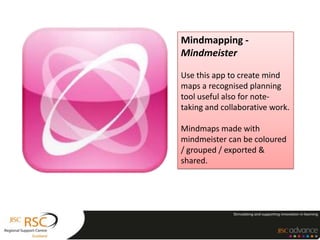
Mindmapping -
Mindmeister

Use this app to create mind
maps a recognised planning
tool useful also for note-
taking and collaborative work.

Mindmaps made with
mindmeister can be coloured
/ grouped / exported &
shared.
Reminders and task lists – Daily
Reminder / Task + to do list

This type of app helps individuals to plan
and organise their studies. They can be
invaluable for students with a wide range
of additional support needs where in
may cases these skills are weak.

Timetables, course milestones and
deadlines can be programmed in
advance. Special notes can be added
Feed Aggregators – Flipboard
/ Pulse / Google Reader

These apps work with RSS feeds and
collect together online services and
resources that you subscribe to in
one place. Resources are presented
in a user friendly manner often in a
magazine style.

Information you select by
subscribing, is presented to you
using these tools.
Ebook Readers – ibooks /
Aldiko

eBook readers are used for reading
digital books and pdf files. They have
a number of very useful tools
including
bookmarking, highlighting, dictionar
y definitions, magnification.

Emerging eBook standards are
enabling
enhancements, images, video and
dynamic content to be included.
iTunes U
The iTunes U app gives students access to all
the materials for a course in a single place.
Students can play video or audio
lectures, read books and view presentations.
See a list of all the assignments for the course
and tick them off as they’re completed.


Ted Talks
Technology, Entertainment and Design
Inspiration and controversial six minute
videos good for sparking discussion on a wide
reange of topics.
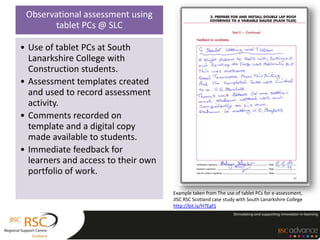
Observational assessment using
       tablet PCs @ SLC

• Use of tablet PCs at South
  Lanarkshire College with
  Construction students.
• Assessment templates created
  and used to record assessment
  activity.
• Comments recorded on
  template and a digital copy
  made available to students.
• Immediate feedback for
  learners and access to their own
  portfolio of work.

                                     Example taken from The use of tablet PCs for e-assessment,
                                     JISC RSC Scotland case study with South Lanarkshire College
                                     http://bit.ly/H7Egf1
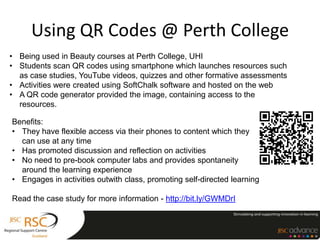
Using QR Codes @ Perth College
• Being used in Beauty courses at Perth College, UHI
• Students scan QR codes using smartphone which launches resources such
  as case studies, YouTube videos, quizzes and other formative assessments
• Activities were created using SoftChalk software and hosted on the web
• A QR code generator provided the image, containing access to the
  resources.

Benefits:
• They have flexible access via their phones to content which they
  can use at any time
• Has promoted discussion and reflection on activities
• No need to pre-book computer labs and provides spontaneity
  around the learning experience
• Engages in activities outwith class, promoting self-directed learning

Read the case study for more information - http://bit.ly/GWMDrI
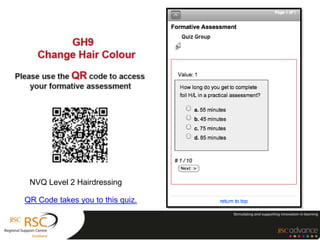
NVQ Level 2 Hairdressing

QR Code takes you to this quiz.
Icons by http://dryicons.com


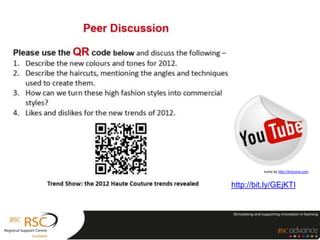
http://bit.ly/GEjKTI
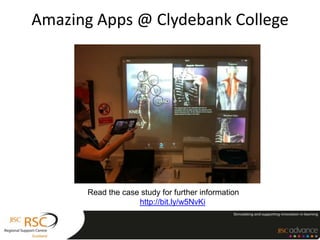
Amazing Apps @ Clydebank College


      Read the case study for further information
                   http://bit.ly/w5NvKi
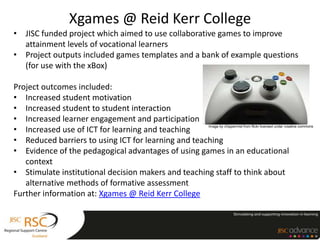
Xgames @ Reid Kerr College
• JISC funded project which aimed to use collaborative games to improve
  attainment levels of vocational learners
• Project outputs included games templates and a bank of example questions
  (for use with the xBox)

Project outcomes included:
• Increased student motivation
• Increased student to student interaction
• Increased learner engagement and participation
• Increased use of ICT for learning and teaching
                                                     Image by chippermist from flickr licensed under creative commons


• Reduced barriers to using ICT for learning and teaching
• Evidence of the pedagogical advantages of using games in an educational
   context
• Stimulate institutional decision makers and teaching staff to think about
   alternative methods of formative assessment
Further information at: Xgames @ Reid Kerr College
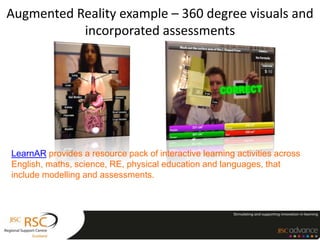
Augmented Reality example – 360 degree visuals and
           incorporated assessments


LearnAR provides a resource pack of interactive learning activities across
English, maths, science, RE, physical education and languages, that
include modelling and assessments.
http://www.jisc.ac.uk/digiemerge
http://www.jisc.ac.uk/emergeresource
http://www.rsc-scotland.ac.uk/

support@rsc-scotland.ac.uk

@RSCScotland

Mail List - http://bit.ly/RSC-info

Scottish mobileassessment190612nonotes

  • 1.
    Image by sucellolelloesfrom flickr licensed under creative commons Don’t Worry – Be Appy Celeste McLaughlin & Joan Walker JISC RSC Scotland #rscmob
  • 2.
    According to arecent report from mobile manufacturer Ericsson, studies show that: “by 2015, 80% of people accessing the Internet will be doing so from mobile devices.” Perhaps more important for education: “Internet- capable mobile devices will outnumber computers within the next year.” Johnson, L., Smith, R., Willis, H., Levine, A., and Haywood, K., (2011). The 2011 Horizon Report. Austin, Texas: The New Media Consortium.
  • 3.
    “Mobile devices giveus a unique opportunity to have learners embedded in a realistic context at the same time as having access to supporting tools” Futurelab (2004) “Looking at mobile learning in a wider context, we have to recognize that mobile, personal, and wireless devices are now radically transforming societal notions of discourse and knowledge, and are responsible for new forms of art, employment, language, commerce, deprivation , and crime, as well as learning.” Traxler (2007)
  • 5.
    Note Taking –Audio Note This app enables you to record a lecture, interview, conversation or meeting and take written notes at the same time. Play back of the audio is synced with the written note so you can dip in as needed. Templates can be added prior to sessions where the app is to be used to assist the learning process.
  • 6.
    Cloud Storage &File Sharing - Evernote This app is a cloud service that enables you to add notes/audio/video/website links and digital items to your online account. Log in from anywhere with any browser to access your store. Apps, bookmarklets and quick access tools are available for most devices.
  • 7.
    Mindmapping - Mindmeister Use thisapp to create mind maps a recognised planning tool useful also for note- taking and collaborative work. Mindmaps made with mindmeister can be coloured / grouped / exported & shared.
  • 8.
    Reminders and tasklists – Daily Reminder / Task + to do list This type of app helps individuals to plan and organise their studies. They can be invaluable for students with a wide range of additional support needs where in may cases these skills are weak. Timetables, course milestones and deadlines can be programmed in advance. Special notes can be added
  • 9.
    Feed Aggregators –Flipboard / Pulse / Google Reader These apps work with RSS feeds and collect together online services and resources that you subscribe to in one place. Resources are presented in a user friendly manner often in a magazine style. Information you select by subscribing, is presented to you using these tools.
  • 10.
    Ebook Readers –ibooks / Aldiko eBook readers are used for reading digital books and pdf files. They have a number of very useful tools including bookmarking, highlighting, dictionar y definitions, magnification. Emerging eBook standards are enabling enhancements, images, video and dynamic content to be included.
  • 11.
    iTunes U The iTunesU app gives students access to all the materials for a course in a single place. Students can play video or audio lectures, read books and view presentations. See a list of all the assignments for the course and tick them off as they’re completed. Ted Talks Technology, Entertainment and Design Inspiration and controversial six minute videos good for sparking discussion on a wide reange of topics.
  • 12.
    Observational assessment using tablet PCs @ SLC • Use of tablet PCs at South Lanarkshire College with Construction students. • Assessment templates created and used to record assessment activity. • Comments recorded on template and a digital copy made available to students. • Immediate feedback for learners and access to their own portfolio of work. Example taken from The use of tablet PCs for e-assessment, JISC RSC Scotland case study with South Lanarkshire College http://bit.ly/H7Egf1
  • 13.
    Using QR Codes@ Perth College • Being used in Beauty courses at Perth College, UHI • Students scan QR codes using smartphone which launches resources such as case studies, YouTube videos, quizzes and other formative assessments • Activities were created using SoftChalk software and hosted on the web • A QR code generator provided the image, containing access to the resources. Benefits: • They have flexible access via their phones to content which they can use at any time • Has promoted discussion and reflection on activities • No need to pre-book computer labs and provides spontaneity around the learning experience • Engages in activities outwith class, promoting self-directed learning Read the case study for more information - http://bit.ly/GWMDrI
  • 14.
    NVQ Level 2Hairdressing QR Code takes you to this quiz.
  • 15.
  • 16.
    Amazing Apps @Clydebank College Read the case study for further information http://bit.ly/w5NvKi
  • 17.
    Xgames @ ReidKerr College • JISC funded project which aimed to use collaborative games to improve attainment levels of vocational learners • Project outputs included games templates and a bank of example questions (for use with the xBox) Project outcomes included: • Increased student motivation • Increased student to student interaction • Increased learner engagement and participation • Increased use of ICT for learning and teaching Image by chippermist from flickr licensed under creative commons • Reduced barriers to using ICT for learning and teaching • Evidence of the pedagogical advantages of using games in an educational context • Stimulate institutional decision makers and teaching staff to think about alternative methods of formative assessment Further information at: Xgames @ Reid Kerr College
  • 18.
    Augmented Reality example– 360 degree visuals and incorporated assessments LearnAR provides a resource pack of interactive learning activities across English, maths, science, RE, physical education and languages, that include modelling and assessments.
  • 19.
  • 20.