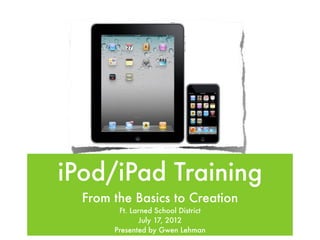
iPod/iPad Training
  From the Basics to Creation
        Ft. Larned School District
              July 17, 2012
       Presented by Gwen Lehman
The iPod
The iPad
The iPad cont.
Accesories
The Basics


• Music & Brightness
                       • Creating Folders
• Searching iPad
                       • Printing
• Rearranging Apps
                       • Cleaning device
• Deleting Apps
Multitasking Gestures


• Return to home screen
• Reveal multitasking bar
• Switch apps
Try it out
Lino Activity
Standard Apps
• Safari          • Contacts
• Mail            • Game Center
• Photos          • iTunes
• Music           • App Store
• Messages        • Newsstand
• Calendar        • FaceTime
• Notes           • Camera
• Reminders       • Photo Booth
• Maps            • Settings
• YouTube
Settings
• Wi-Fi
• Notifications
• Brightness & Wallpaper
• General
• Safari
• App Settings
Syncing & Transferring

• Connect device to computer without
  syncing
• Transfer a file to computer/from
  computer
USD 495 Devices


• Using Filewave to manage apps
• Software Updates
• Carts
Safari


• Add Bookmark
• Add to Home Screen
• Bookmarks - Edit, add folders
Try it out
Notes
Tricks


• Keyboard tricks
• Take a screenshot
• Zoom In/Out
Try it out
iBooks

• Some free, some pay
• Add PDFs & ePub books
• Reading features
• Bookshelf
Look at books available
Troubleshooting

  If something isn’t working right, go
  through the following steps:
1. App stuck updating
2. Restart iPad
3. Contact tech department
Apps 101

• Lite versions
• Compatability
• Finding free apps
• Book apps
Apps
• Interactive Books    • Fun & Games

• Practice Skills      • Kagan Tools

• Tutorials            • Whiteboards &
                         Bulletin Boards
• Reference Tools
                       • Slideshow Viewers
• Study Tools
                       • Common Core
• Educational Videos
Time to Play
Creation Apps

• Graphic Organizers
• Writing/Journaling
• Story Telling
• Photo/Video
• Audio
Time to Create
Student Projects


• Book Reviews w/Pages
• Lee Elementary iPods
Kindergarten Math & ShowMe


 • Sophia
 • Talia
 • Jacob m
Make a lesson
Help Resources

I pod & ipad training

Editor's Notes

  • #2 \n
  • #3 \n
  • #4 \n
  • #5 \n
  • #6 \n
  • #7 Stop after each one and do some of these things\n
  • #8 \n
  • #9 \n
  • #10 \n
  • #11 These come on the device, but some have been restricted or removed for the student profile.\nGo over the student profile\n
  • #12 General - usage, Spotlight Search, password lock/ipad cover lock, restrictions (some are set already for the students), lock rotation, multitasking gestures, keyboard, accessibility (use as needed for your special needs kids), profiles\nSafari - Clear History, Cookies & Data, Turn Bookmarks bar on\n
  • #13 Show individual sync on computer\nShow how to transfer files\n
  • #14 Carts - syncing & charging (don’t have USB plugged into computer if you are just charging), cables do come loose and go bad (try a new one if your device is not charging)\n
  • #15 \n
  • #16 Add a bookmark\nEdit your bookmark\nAdd to the Home Screen\n
  • #17 Change font in Settings\n
  • #18 Try these out as we go along:\nKeyboard picture (split or undock)\nHold the comma key ‘ or the period key “\n-, $, &, ., ?, !, ‘, “\nDouble tap shift to get caps lock\n.com (only in internet browser typing in URL)\nPress the sleep/wake & home button and release after click to take a screenshot\n
  • #19 Create a note - what questions do you currently have?\nEmail it to me\nThen delete the note\n
  • #20 PDFS & ePub - download from wiki cite so they can see how it works (iPad App Evaluation for the classroom & 180 Days)\nReading features - bookmark, highlight, note, define, change font/size/brightness/theme\nBookshelf - moving, deleting, creating collections\n
  • #21 \n
  • #22 App stuck updating - delete the app and reinstall it (you will not have to pay for it again)\nRestart - turn off the iPad and turn it back on again\n\n
  • #23 Compatability - universal means the screen is small on iPad (show Apps Gone Free)\nFinding Apps - Apps Gone Free, Appsfire Deals, Honor Roll, App Hits, AppShopper\nBooks apps - the app may be free, but not the books\n
  • #24 Books - Dracula, Fantastic Flying Books, Drat (find the ten mistakes), Jack and the Beanstalk, Online Safety\nSkills - Lobster Diver, Rocket Speller, 20th Century American History\nTutorials - Learn GarageBand, SnapGuide\nReference Tools - Dictionary, Encyclopedia, Calculator, This Day in History, StarTracker\nStudy Tools - Study Blue, \nEducational Videos - BrainPop, PBS Kids, Khan Academy, Discovery\nGames - Hangman, Doodle Buddy (could also be for educational uses), Angry Birds, Repeeto\nKagan Tools - Virtual Manipulatives, Stick Pick (does cost), Make Dice\nWhiteboards & Bulletin Boards - Sticky Notes, lino, Whiteboard, Educreations (have to create an account)\nSlideshow Viewers - SlideRocket, Prezi Viewer\nCommon Core - Marble Math, Common Core\n
  • #25 \n
  • #26 Graphic Organizers - SimpleMind, MindMeister\nWriting/Journaling - Notes, Pages, My Memoir (cost, but worth it), Writing Prompts\nStory Telling - Book Creator, Buildo Rescue, Toontastic, Sock Puppets, PuppetPals\nPhoto/Video - Skitch, iMovie, Animoto\nAudio - Garageband, VoiceThread, \n
  • #27 \n
  • #28 \n
  • #29 \n
  • #30 Come up with one lesson idea for using the iPod/iPad with the students\n
  • #31 \n