Report Writing
Introduction to Report Writing
Structure of a Report
Using a Template to Write Reports
By: BishaaraAdam
Introduction to Report Writing
 A report is a short, sharp, concise document which is written for
a particular purpose and audience.
 Specific information and evidence are presented, analyzed and
applied to a particular problem or issue.
 The information is presented in a clearly structured format
making use of sections and headings so that the information is
easy to locate and follow.
Structure of a Report
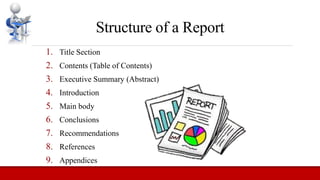
1. Title Section
2. Contents (Table of Contents)
3. Executive Summary (Abstract)
4. Introduction
5. Main body
6. Conclusions
7. Recommendations
8. References
9. Appendices
Title Section
 If the report is short, the front cover can include any information that
you feel is necessary including the author(s) and the date prepared.
 In a longer report, include a table of contents and a definitions of terms.
Contents (Table of Contents)
 A list of the major and minor sections of your report.
 It should list the different chapters and/or headings together with the page
numbers.
 You may want to number chapter headings and subheadings in addition
to providing page references.
Executive summary
 It includes a summary of the major points, conclusions, and
recommendations. It needs to be short as it is a general overview
of the report.
 Some people will read the summary and only skim the report, so
make sure you include all the relevant information.
 It would be best to write this last so you will include everything,
even the points that might be added at the last minute.
Introduction
 The first page of the report needs to have an
introduction.
 You will explain the problem and show the reader
why the report is being made.
 You need to explain how the details of the report are
arranged.
Main body
 This is the main section of the report.
 This section needs to include several
sections, with each having a subtitle.
 Information is usually arranged in order of
importance with the most important
information coming first.
Conclusion
 In the conclusion you should show the overall significance of what has
been covered.
 Include the most important points that have been made in the report or
highlight what you consider to be the most central issues or findings.
 No new material should be introduced in the conclusion.
 This is what needs to be done.
 This section is for your suggested solution to the problem and/or what
you think should happen next, i.e. the action(s) you recommend.
 Explain your recommendations, putting them in order of priority.
Recommendations
References
 This is a list giving the full details of all the sources to which
you have made reference within your text.
Appendices
 This includes all the information (graphs, charts, tables or
other data) you used in your report but did not include in the
body.
Using a Template to Write Reports
 When you create a report that is based on an existing report template, you
build the report on a template that already contains objects.
 This can save you time designing a new report.
 Templates are particularly useful when you want to create several reports
that require one or two of the same objects.
 A report can be created containing one or two common objects, and saved
as a template.
 Then you can build reports based on the template and simply add individual
objects required by each report.

Report Writing

  • 1.
    Report Writing Introduction toReport Writing Structure of a Report Using a Template to Write Reports By: BishaaraAdam
  • 2.
    Introduction to ReportWriting  A report is a short, sharp, concise document which is written for a particular purpose and audience.  Specific information and evidence are presented, analyzed and applied to a particular problem or issue.  The information is presented in a clearly structured format making use of sections and headings so that the information is easy to locate and follow.
  • 3.
    Structure of aReport 1. Title Section 2. Contents (Table of Contents) 3. Executive Summary (Abstract) 4. Introduction 5. Main body 6. Conclusions 7. Recommendations 8. References 9. Appendices
  • 4.
    Title Section  Ifthe report is short, the front cover can include any information that you feel is necessary including the author(s) and the date prepared.  In a longer report, include a table of contents and a definitions of terms. Contents (Table of Contents)  A list of the major and minor sections of your report.  It should list the different chapters and/or headings together with the page numbers.  You may want to number chapter headings and subheadings in addition to providing page references.
  • 5.
    Executive summary  Itincludes a summary of the major points, conclusions, and recommendations. It needs to be short as it is a general overview of the report.  Some people will read the summary and only skim the report, so make sure you include all the relevant information.  It would be best to write this last so you will include everything, even the points that might be added at the last minute.
  • 6.
    Introduction  The firstpage of the report needs to have an introduction.  You will explain the problem and show the reader why the report is being made.  You need to explain how the details of the report are arranged.
  • 7.
    Main body  Thisis the main section of the report.  This section needs to include several sections, with each having a subtitle.  Information is usually arranged in order of importance with the most important information coming first.
  • 8.
    Conclusion  In theconclusion you should show the overall significance of what has been covered.  Include the most important points that have been made in the report or highlight what you consider to be the most central issues or findings.  No new material should be introduced in the conclusion.  This is what needs to be done.  This section is for your suggested solution to the problem and/or what you think should happen next, i.e. the action(s) you recommend.  Explain your recommendations, putting them in order of priority. Recommendations
  • 9.
    References  This isa list giving the full details of all the sources to which you have made reference within your text. Appendices  This includes all the information (graphs, charts, tables or other data) you used in your report but did not include in the body.
  • 10.
    Using a Templateto Write Reports  When you create a report that is based on an existing report template, you build the report on a template that already contains objects.  This can save you time designing a new report.  Templates are particularly useful when you want to create several reports that require one or two of the same objects.  A report can be created containing one or two common objects, and saved as a template.  Then you can build reports based on the template and simply add individual objects required by each report.