Watershed
Delineation
Using QSWAT
Raster Analysis
• represent a continuous variable in space such
as
• elevation,
• precipitation,
• noise,
• satellite images or product generated.
Watershed delineation needs an outlet
and DEM
Outlet
• bring XY
• Add to QGIS
• Convert to shape file
DEM
• Download
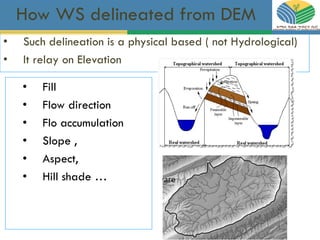
How WS delineated from DEM
• Fill
• Flow direction
• Flo accumulation
• Slope ,
• Aspect,
• Hill shade …
• Such delineation is a physical based ( not Hydrological)
• It relay on Elevation
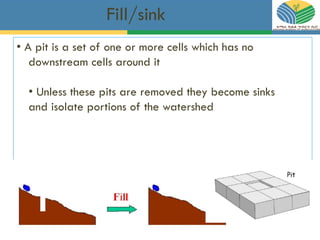
Fill/sink
• A pit is a set of one or more cells which has no
downstream cells around it
• Unless these pits are removed they become sinks
and isolate portions of the watershed
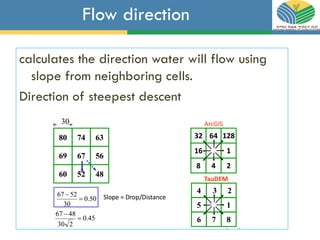
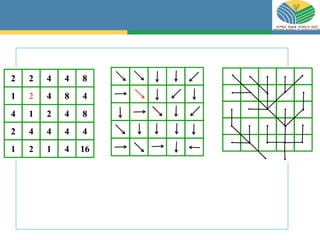
Flow direction
calculates the direction water will flow using
slope from neighboring cells.
Direction of steepest descent
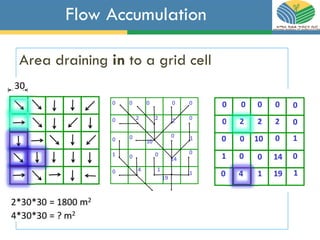
Flow Accumulation
Area draining in to a grid cell
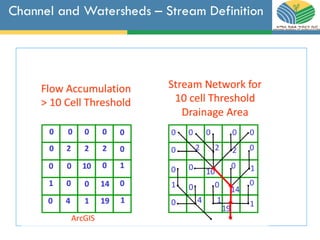
Channel and Watersheds – Stream Definition
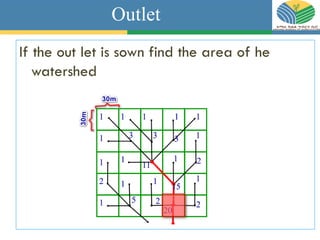
Outlet
If the out let is sown find the area of he
watershed
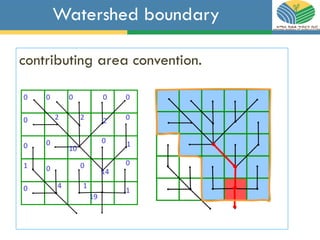
Watershed boundary
contributing area convention.
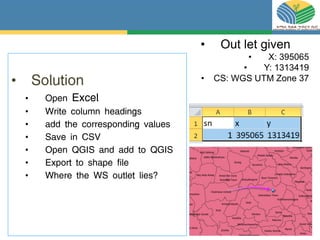
• Solution
• Open Excel
• Write column headings
• add the corresponding values
• Save in CSV
• Open QGIS and add to QGIS
• Export to shape file
• Where the WS outlet lies?
• Out let given
• X: 395065
• Y: 1313419
• CS: WGS UTM Zone 37
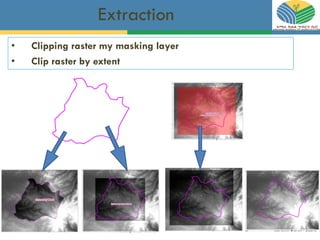
Extraction
• Clipping raster my masking layer
• Clip raster by extent
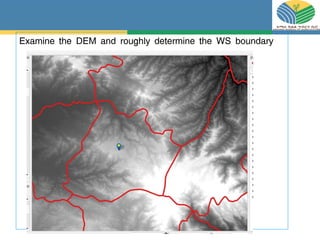
Examine the DEM and roughly determine the WS boundary
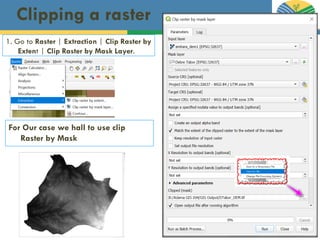
Clipping a raster
1. Go to Raster | Extraction | Clip Raster by
Extent | Clip Raster by Mask Layer.
For Our case we hall to use clip
Raster by Mask
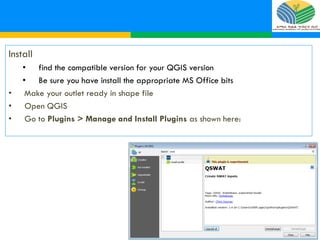
Install
• find the compatible version for your QGIS version
• Be sure you have install the appropriate MS Office bits
• Make your outlet ready in shape file
• Open QGIS
• Go to Plugins > Manage and Install Plugins as shown here:
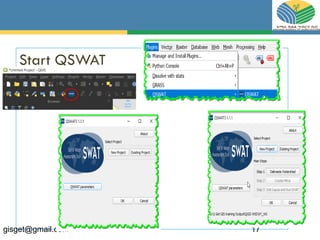
Start QSWAT
gisget@gmail.com 17
gisget@gmail.com 18
gisget@gmail.com 19
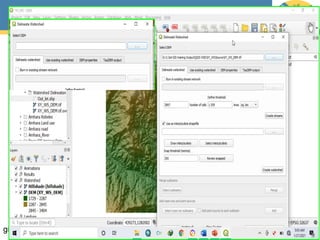
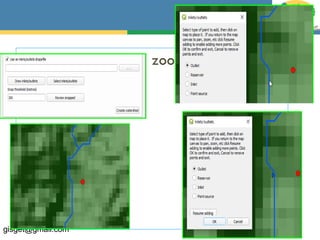
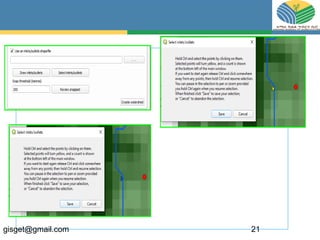
Add your outlet and zoom to it
gisget@gmail.com 20
gisget@gmail.com 21
gisget@gmail.com 22
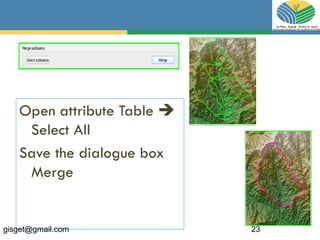
Open attribute Table 
Select All
Save the dialogue box
Merge
gisget@gmail.com 23
gisget@gmail.com 24

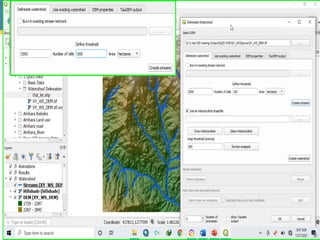
Qswat