Question 6: What have you learnt about
technologies from the process of constructing
this product?
Colour Code:
Alistair
Connor
Will
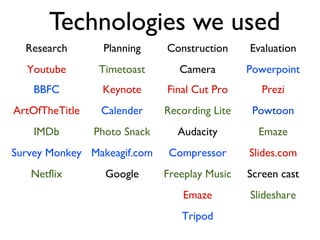
Technologies we used
Research Planning Construction Evaluation
Youtube Timetoast Camera Powerpoint
BBFC Keynote Final Cut Pro Prezi
ArtOfTheTitle Calender Recording Lite Powtoon
IMDb Photo Snack Audacity Emaze
Survey Monkey Makeagif.com Compressor Slides.com
Netflix Google Freeplay Music Screen cast
Emaze Slideshare
Tripod
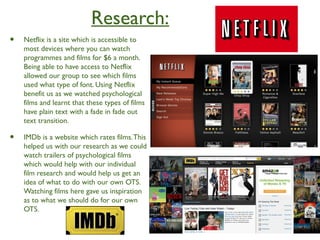
Research:
• Netflix is a site which is accessible to
most devices where you can watch
programmes and films for $6 a month.
Being able to have access to Netflix
allowed our group to see which films
used what type of font. Using Netflix
benefit us as we watched psychological
films and learnt that these types of films
have plain text with a fade in fade out
text transition.
• IMDb is a website which rates films.This
helped us with our research as we could
watch trailers of psychological films
which would help with our individual
film research and would help us get an
idea of what to do with our own OTS.
Watching films here gave us inspiration
as to what we should do for our own
OTS.
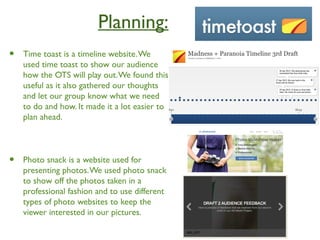
Planning:
• Time toast is a timeline website.We
used time toast to show our audience
how the OTS will play out.We found this
useful as it also gathered our thoughts
and let our group know what we need
to do and how. It made it a lot easier to
plan ahead.
• Photo snack is a website used for
presenting photos.We used photo snack
to show off the photos taken in a
professional fashion and to use different
types of photo websites to keep the
viewer interested in our pictures.
Construction:
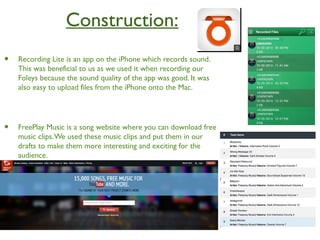
• Recording Lite is an app on the iPhone which records sound.
This was beneficial to us as we used it when recording our
Foleys because the sound quality of the app was good. It was
also easy to upload files from the iPhone onto the Mac.
• FreePlay Music is a song website where you can download free
music clips.We used these music clips and put them in our
drafts to make them more interesting and exciting for the
audience.
Evaluation
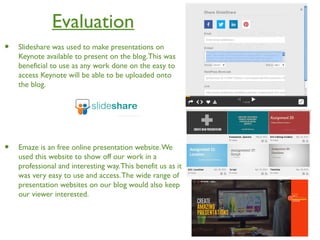
• Slideshare was used to make presentations on
Keynote available to present on the blog.This was
beneficial to use as any work done on the easy to
access Keynote will be able to be uploaded onto
the blog.
• Emaze is an free online presentation website.We
used this website to show off our work in a
professional and interesting way.This benefit us as it
was very easy to use and access.The wide range of
presentation websites on our blog would also keep
our viewer interested.
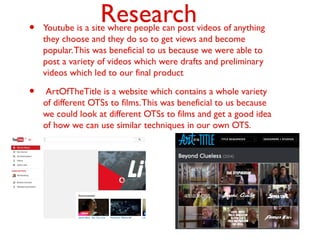
Research• Youtube is a site where people can post videos of anything
they choose and they do so to get views and become
popular.This was beneficial to us because we were able to
post a variety of videos which were drafts and preliminary
videos which led to our final product
• ArtOfTheTitle is a website which contains a whole variety
of different OTSs to films.This was beneficial to us because
we could look at different OTSs to films and get a good idea
of how we can use similar techniques in our own OTS.
Planning
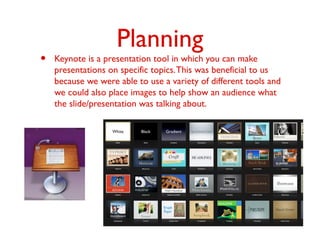
• Keynote is a presentation tool in which you can make
presentations on specific topics.This was beneficial to us
because we were able to use a variety of different tools and
we could also place images to help show an audience what
the slide/presentation was talking about.
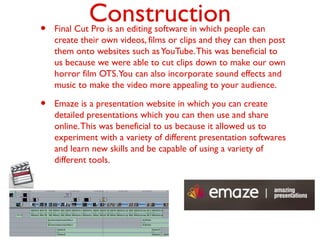
Construction• Final Cut Pro is an editing software in which people can
create their own videos, films or clips and they can then post
them onto websites such asYouTube.This was beneficial to
us because we were able to cut clips down to make our own
horror film OTS.You can also incorporate sound effects and
music to make the video more appealing to your audience.
• Emaze is a presentation website in which you can create
detailed presentations which you can then use and share
online.This was beneficial to us because it allowed us to
experiment with a variety of different presentation softwares
and learn new skills and be capable of using a variety of
different tools.
Evaluation
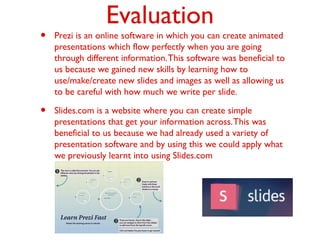
• Prezi is an online software in which you can create animated
presentations which flow perfectly when you are going
through different information.This software was beneficial to
us because we gained new skills by learning how to
use/make/create new slides and images as well as allowing us
to be careful with how much we write per slide.
• Slides.com is a website where you can create simple
presentations that get your information across.This was
beneficial to us because we had already used a variety of
presentation software and by using this we could apply what
we previously learnt into using Slides.com
Research
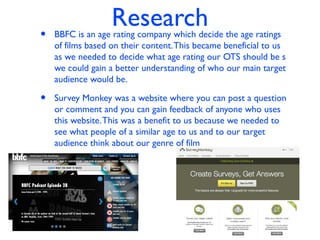
• BBFC is an age rating company which decide the age ratings
of films based on their content.This became beneficial to us
as we needed to decide what age rating our OTS should be s
we could gain a better understanding of who our main target
audience would be.
• Survey Monkey was a website where you can post a question
or comment and you can gain feedback of anyone who uses
this website.This was a benefit to us because we needed to
see what people of a similar age to us and to our target
audience think about our genre of film
Planning
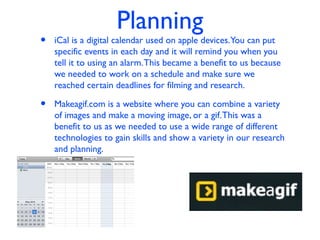
• iCal is a digital calendar used on apple devices.You can put
specific events in each day and it will remind you when you
tell it to using an alarm.This became a benefit to us because
we needed to work on a schedule and make sure we
reached certain deadlines for filming and research.
• Makeagif.com is a website where you can combine a variety
of images and make a moving image, or a gif.This was a
benefit to us as we needed to use a wide range of different
technologies to gain skills and show a variety in our research
and planning.
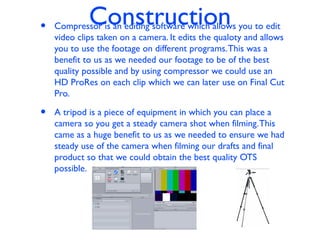
Construction• Compressor is an editing software which allows you to edit
video clips taken on a camera. It edits the qualoty and allows
you to use the footage on different programs.This was a
benefit to us as we needed our footage to be of the best
quality possible and by using compressor we could use an
HD ProRes on each clip which we can later use on Final Cut
Pro.
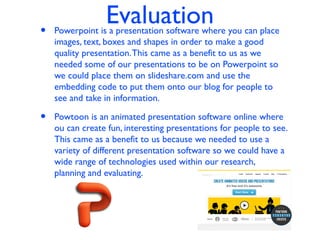
• A tripod is a piece of equipment in which you can place a
camera so you get a steady camera shot when filming.This
came as a huge benefit to us as we needed to ensure we had
steady use of the camera when filming our drafts and final
product so that we could obtain the best quality OTS
possible.
Evaluation• Powerpoint is a presentation software where you can place
images, text, boxes and shapes in order to make a good
quality presentation.This came as a benefit to us as we
needed some of our presentations to be on Powerpoint so
we could place them on slideshare.com and use the
embedding code to put them onto our blog for people to
see and take in information.
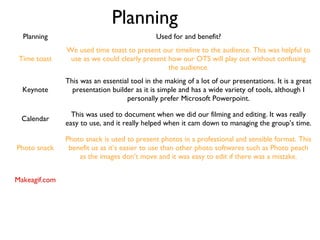
• Powtoon is an animated presentation software online where
ou can create fun, interesting presentations for people to see.
This came as a benefit to us because we needed to use a
variety of different presentation software so we could have a
wide range of technologies used within our research,
planning and evaluating.
Research Use for and benefit?
Youtube
We used this to look up and examine opening sequences as well as foleys and camera tricks. We
also looked at other OTSs which were of a similar genre to our own OTS.
BBFC
We used this to categorise our film into an age rating. The website gave us lots of
detail in to what category we should put our film in using certain themes to help
us distinguish between the 12A and 15 ratings.
ArtoftheTitle
We used this to analyse and evaluate real Opening Title Sequences. We looked at
different types of OTS to learn what we could do for our own film.
IMDB
When doing individual film research, this website helped us get an idea of critics’
opinions on a film and things to consider for our own OTS.
Survey Monkey
We used this technology to help us understand what people liked in the horror
genre and in the genre we chose to do for our OTS.
Technologies we used
Slideshare
This website was predominantly used to receive our embed code so that we could put our Powerpoint and
Keynote presentations onto our blog. It was quick and easy to use.
Planning
Planning Used for and benefit?
Time toast
We used time toast to present our timeline to the audience. This was helpful to
use as we could clearly present how our OTS will play out without confusing
the audience.
Keynote
This was an essential tool in the making of a lot of our presentations. It is a great
presentation builder as it is simple and has a wide variety of tools, although I
personally prefer Microsoft Powerpoint.
Calendar
This was used to document when we did our filming and editing. It was really
easy to use, and it really helped when it cam down to managing the group’s time.
Photo snack
Photo snack is used to present photos in a professional and sensible format. This
benefit us as it’s easier to use than other photo softwares such as Photo peach
as the images don’t move and it was easy to edit if there was a mistake.
Makeagif.com
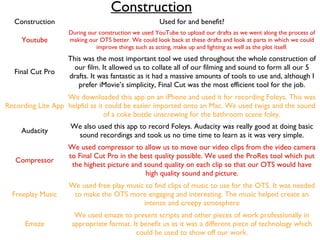
Construction
Construction Used for and benefit?
Youtube
During our construction we used YouTube to upload our drafts as we went along the process of
making our OTS better. We could look back at these drafts and look at parts in which we could
improve things such as acting, make up and lighting as well as the plot itself.
Final Cut Pro
This was the most important tool we used throughout the whole construction of
our film. It allowed us to collate all of our filming and sound to form all our 5
drafts. It was fantastic as it had a massive amounts of tools to use and, although I
prefer iMovie’s simplicity, Final Cut was the most efficient tool for the job.
Recording Lite App
We downloaded this app on an iPhone and used it for recording Foleys. This was
helpful as it could be easier imported onto an Mac. We used twigs and the sound
of a coke bottle unscrewing for the bathroom scene foley.
Audacity
We also used this app to record Foleys. Audacity was really good at doing basic
sound recordings and took us no time time to learn as it was very simple.
Compressor
We used compressor to allow us to move our video clips from the video camera
to Final Cut Pro in the best quality possible. We used the ProRes tool which put
the highest picture and sound quality on each clip so that our OTS would have
high quality sound and picture.
Freeplay Music
We used free play music to find clips of music to use for the OTS. It was needed
to make the OTS more engaging and interesting. The music helped create an
intense and creepy atmosphere
Emaze
We used emaze to present scripts and other pieces of work professionally in
appropriate format. It benefit us as it was a different piece of technology which
could be used to show off our work.
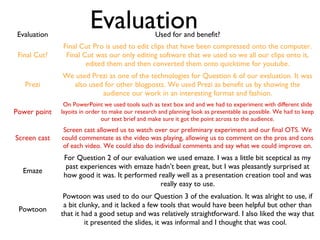
EvaluationEvaluation Used for and benefit?
Final Cut?
Final Cut Pro is used to edit clips that have been compressed onto the computer.
Final Cut was our only editing software that we used so we all our clips onto it,
edited them and then converted them onto quicktime for youtube.
Prezi
We used Prezi as one of the technologies for Question 6 of our evaluation. It was
also used for other blogposts. We used Prezi as benefit us by showing the
audience our work in an interesting format and fashion.
Power point
On PowerPoint we used tools such as text box and and we had to experiment with different slide
layoits in order to make our research and planning look as presentable as possible. We had to keep
our text brief and make sure it got the point across to the audience.
Screen cast
Screen cast allowed us to watch over our preliminary experiment and our final OTS. We
could commentate as the video was playing, allowing us to comment on the pros and cons
of each video. We could also do individual comments and say what we could improve on.
Emaze
For Question 2 of our evaluation we used emaze. I was a little bit sceptical as my
past experiences with emaze hadn’t been great, but I was pleasantly surprised at
how good it was. It performed really well as a presentation creation tool and was
really easy to use.
Powtoon
Powtoon was used to do our Question 3 of the evaluation. It was alright to use, if
a bit clunky, and it lacked a few tools that would have been helpful but other than
that it had a good setup and was relatively straightforward. I also liked the way that
it presented the slides, it was informal and I thought that was cool.

Q6 evaluation

  • 1.
    Question 6: Whathave you learnt about technologies from the process of constructing this product? Colour Code: Alistair Connor Will
  • 2.
    Technologies we used ResearchPlanning Construction Evaluation Youtube Timetoast Camera Powerpoint BBFC Keynote Final Cut Pro Prezi ArtOfTheTitle Calender Recording Lite Powtoon IMDb Photo Snack Audacity Emaze Survey Monkey Makeagif.com Compressor Slides.com Netflix Google Freeplay Music Screen cast Emaze Slideshare Tripod
  • 3.
    Research: • Netflix isa site which is accessible to most devices where you can watch programmes and films for $6 a month. Being able to have access to Netflix allowed our group to see which films used what type of font. Using Netflix benefit us as we watched psychological films and learnt that these types of films have plain text with a fade in fade out text transition. • IMDb is a website which rates films.This helped us with our research as we could watch trailers of psychological films which would help with our individual film research and would help us get an idea of what to do with our own OTS. Watching films here gave us inspiration as to what we should do for our own OTS.
  • 4.
    Planning: • Time toastis a timeline website.We used time toast to show our audience how the OTS will play out.We found this useful as it also gathered our thoughts and let our group know what we need to do and how. It made it a lot easier to plan ahead. • Photo snack is a website used for presenting photos.We used photo snack to show off the photos taken in a professional fashion and to use different types of photo websites to keep the viewer interested in our pictures.
  • 5.
    Construction: • Recording Liteis an app on the iPhone which records sound. This was beneficial to us as we used it when recording our Foleys because the sound quality of the app was good. It was also easy to upload files from the iPhone onto the Mac. • FreePlay Music is a song website where you can download free music clips.We used these music clips and put them in our drafts to make them more interesting and exciting for the audience.
  • 6.
    Evaluation • Slideshare wasused to make presentations on Keynote available to present on the blog.This was beneficial to use as any work done on the easy to access Keynote will be able to be uploaded onto the blog. • Emaze is an free online presentation website.We used this website to show off our work in a professional and interesting way.This benefit us as it was very easy to use and access.The wide range of presentation websites on our blog would also keep our viewer interested.
  • 7.
    Research• Youtube isa site where people can post videos of anything they choose and they do so to get views and become popular.This was beneficial to us because we were able to post a variety of videos which were drafts and preliminary videos which led to our final product • ArtOfTheTitle is a website which contains a whole variety of different OTSs to films.This was beneficial to us because we could look at different OTSs to films and get a good idea of how we can use similar techniques in our own OTS.
  • 8.
    Planning • Keynote isa presentation tool in which you can make presentations on specific topics.This was beneficial to us because we were able to use a variety of different tools and we could also place images to help show an audience what the slide/presentation was talking about.
  • 9.
    Construction• Final CutPro is an editing software in which people can create their own videos, films or clips and they can then post them onto websites such asYouTube.This was beneficial to us because we were able to cut clips down to make our own horror film OTS.You can also incorporate sound effects and music to make the video more appealing to your audience. • Emaze is a presentation website in which you can create detailed presentations which you can then use and share online.This was beneficial to us because it allowed us to experiment with a variety of different presentation softwares and learn new skills and be capable of using a variety of different tools.
  • 10.
    Evaluation • Prezi isan online software in which you can create animated presentations which flow perfectly when you are going through different information.This software was beneficial to us because we gained new skills by learning how to use/make/create new slides and images as well as allowing us to be careful with how much we write per slide. • Slides.com is a website where you can create simple presentations that get your information across.This was beneficial to us because we had already used a variety of presentation software and by using this we could apply what we previously learnt into using Slides.com
  • 11.
    Research • BBFC isan age rating company which decide the age ratings of films based on their content.This became beneficial to us as we needed to decide what age rating our OTS should be s we could gain a better understanding of who our main target audience would be. • Survey Monkey was a website where you can post a question or comment and you can gain feedback of anyone who uses this website.This was a benefit to us because we needed to see what people of a similar age to us and to our target audience think about our genre of film
  • 12.
    Planning • iCal isa digital calendar used on apple devices.You can put specific events in each day and it will remind you when you tell it to using an alarm.This became a benefit to us because we needed to work on a schedule and make sure we reached certain deadlines for filming and research. • Makeagif.com is a website where you can combine a variety of images and make a moving image, or a gif.This was a benefit to us as we needed to use a wide range of different technologies to gain skills and show a variety in our research and planning.
  • 13.
    Construction• Compressor isan editing software which allows you to edit video clips taken on a camera. It edits the qualoty and allows you to use the footage on different programs.This was a benefit to us as we needed our footage to be of the best quality possible and by using compressor we could use an HD ProRes on each clip which we can later use on Final Cut Pro. • A tripod is a piece of equipment in which you can place a camera so you get a steady camera shot when filming.This came as a huge benefit to us as we needed to ensure we had steady use of the camera when filming our drafts and final product so that we could obtain the best quality OTS possible.
  • 14.
    Evaluation• Powerpoint isa presentation software where you can place images, text, boxes and shapes in order to make a good quality presentation.This came as a benefit to us as we needed some of our presentations to be on Powerpoint so we could place them on slideshare.com and use the embedding code to put them onto our blog for people to see and take in information. • Powtoon is an animated presentation software online where ou can create fun, interesting presentations for people to see. This came as a benefit to us because we needed to use a variety of different presentation software so we could have a wide range of technologies used within our research, planning and evaluating.
  • 15.
    Research Use forand benefit? Youtube We used this to look up and examine opening sequences as well as foleys and camera tricks. We also looked at other OTSs which were of a similar genre to our own OTS. BBFC We used this to categorise our film into an age rating. The website gave us lots of detail in to what category we should put our film in using certain themes to help us distinguish between the 12A and 15 ratings. ArtoftheTitle We used this to analyse and evaluate real Opening Title Sequences. We looked at different types of OTS to learn what we could do for our own film. IMDB When doing individual film research, this website helped us get an idea of critics’ opinions on a film and things to consider for our own OTS. Survey Monkey We used this technology to help us understand what people liked in the horror genre and in the genre we chose to do for our OTS. Technologies we used Slideshare This website was predominantly used to receive our embed code so that we could put our Powerpoint and Keynote presentations onto our blog. It was quick and easy to use.
  • 16.
    Planning Planning Used forand benefit? Time toast We used time toast to present our timeline to the audience. This was helpful to use as we could clearly present how our OTS will play out without confusing the audience. Keynote This was an essential tool in the making of a lot of our presentations. It is a great presentation builder as it is simple and has a wide variety of tools, although I personally prefer Microsoft Powerpoint. Calendar This was used to document when we did our filming and editing. It was really easy to use, and it really helped when it cam down to managing the group’s time. Photo snack Photo snack is used to present photos in a professional and sensible format. This benefit us as it’s easier to use than other photo softwares such as Photo peach as the images don’t move and it was easy to edit if there was a mistake. Makeagif.com
  • 17.
    Construction Construction Used forand benefit? Youtube During our construction we used YouTube to upload our drafts as we went along the process of making our OTS better. We could look back at these drafts and look at parts in which we could improve things such as acting, make up and lighting as well as the plot itself. Final Cut Pro This was the most important tool we used throughout the whole construction of our film. It allowed us to collate all of our filming and sound to form all our 5 drafts. It was fantastic as it had a massive amounts of tools to use and, although I prefer iMovie’s simplicity, Final Cut was the most efficient tool for the job. Recording Lite App We downloaded this app on an iPhone and used it for recording Foleys. This was helpful as it could be easier imported onto an Mac. We used twigs and the sound of a coke bottle unscrewing for the bathroom scene foley. Audacity We also used this app to record Foleys. Audacity was really good at doing basic sound recordings and took us no time time to learn as it was very simple. Compressor We used compressor to allow us to move our video clips from the video camera to Final Cut Pro in the best quality possible. We used the ProRes tool which put the highest picture and sound quality on each clip so that our OTS would have high quality sound and picture. Freeplay Music We used free play music to find clips of music to use for the OTS. It was needed to make the OTS more engaging and interesting. The music helped create an intense and creepy atmosphere Emaze We used emaze to present scripts and other pieces of work professionally in appropriate format. It benefit us as it was a different piece of technology which could be used to show off our work.
  • 18.
    EvaluationEvaluation Used forand benefit? Final Cut? Final Cut Pro is used to edit clips that have been compressed onto the computer. Final Cut was our only editing software that we used so we all our clips onto it, edited them and then converted them onto quicktime for youtube. Prezi We used Prezi as one of the technologies for Question 6 of our evaluation. It was also used for other blogposts. We used Prezi as benefit us by showing the audience our work in an interesting format and fashion. Power point On PowerPoint we used tools such as text box and and we had to experiment with different slide layoits in order to make our research and planning look as presentable as possible. We had to keep our text brief and make sure it got the point across to the audience. Screen cast Screen cast allowed us to watch over our preliminary experiment and our final OTS. We could commentate as the video was playing, allowing us to comment on the pros and cons of each video. We could also do individual comments and say what we could improve on. Emaze For Question 2 of our evaluation we used emaze. I was a little bit sceptical as my past experiences with emaze hadn’t been great, but I was pleasantly surprised at how good it was. It performed really well as a presentation creation tool and was really easy to use. Powtoon Powtoon was used to do our Question 3 of the evaluation. It was alright to use, if a bit clunky, and it lacked a few tools that would have been helpful but other than that it had a good setup and was relatively straightforward. I also liked the way that it presented the slides, it was informal and I thought that was cool.