HOW DID YOU USE MEDIA
TECHNOLOGIES IN THE
CONSTRUCTION AND
RESEARCH, PLANNING AND
EVALUATION STAGES?

Laura Davies, Michael Rowell, Liam Pearson
TECHNOLOGIES USED
TECHNOLOGIES USED
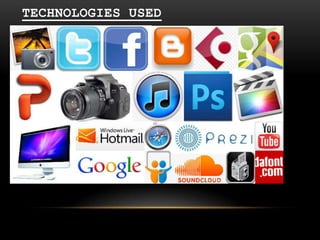
As you can see from the previous
slide we used a lot of different
media technologies throughout this
project. We used many of these
technologies for different reasons,
for example presenting our work after
the critical research stages in the
phase of the project. Some of these
technologies allowed us to be more
creative and use different ways to
present ideas and planning. Also,
using a range of different medias
allows the full project to flow
steadily as a whole and it does not
get boring in the means of
presentation and how interactive the
full project is.

•
•
•
•
•
•
•
•
•
•
•
•
•
•
•
•
•
•
•
•

iPhoto
Twitter
Facebook
Blogger
Cubase
Google Maps
Powerpoint
Canon EOS 650D
iTunes
Photoshop CS6
Final Cut
iMac
Email (hotmail)
Google search engine
Safari (internet browser)
Prezi
Slideshare
Soundcloud
Pixlr O Matic
Dafont.com
STARTING THE PROJECT...

•

When starting the project me and the rest of my group
decided that we would use Apple software when creating our
projects. We decided on using iMacs as they offer a range
of brilliant editing software, they are fast and I am also
very familiar with them from having my own at home. We
understood that we are going to have a large number of
files, photos and would be having to multitask quite a lot
– this again was the reason we have decided to use iMacs
to complete our work on.

•

We also decided to use Safari as a primary internet
browser for our project. This is because is very fast and
efficient – and it a Mac default browser.

•

Finally, we concluded that we were going to present all of
our work through the stages on Blogger. This is because is
an easy software to understand and is available anywhere
with internet access. Also we agreed that it would be easy
for the moderator to mark and follow through when
assessing the project.
RESEARCH
During our research stage of developing our music video, we
used mainly Microsoft office programs (uploaded via
slideshare) to showcase our research findings. We found
during our research that Microsoft Office programs, such as
word and powerpoint were industry standard and popular. We
also found them simple to use and they allowed us to easily
document our findings in a way so that anyone could easily
interpret or examine. All of these individual elements of our
Media Portfolio we found could be best kept in the form of a
blog.
We used a website called Blogger, a user friendly and free
blogging site that we were all comfortable using. This
technique of having our work on blog format allowed us to
easily keep track of all our documents and to organise them
efficiently into the categories they fall under. These
categories are research, planning, construction and
evaluation.
When exploring media and genre conventions in the research
stage of the project we also used a software called Prezi,
which enabled us to present an online, interactive
presentation. Also, when conducting initial audience research
we used Microsoft Excel to deal with numbers and percentages
effectively and that helped us construct our typical target
audience.
PLANNING
•

During the planning stage of our music video, we realised that relying
on Microsoft office tools alone would simply not be the best way to get
across our vision of what we wanted in our video. We began to look and
search for new programs, tools and techniques to showcase our planning
ideas. One of the new ways we used media technologies in our portfolio
was the use of the video hosting website Youtube. Youtube is easily the
most popular and largest hosting website in the world, leading to us
using it to publically post videos of us testing out various different
cameras, studio/location testing and our storyboard animatic. We
realised this was the best way as the videos could be simply embedded
into our blog and were accessible to anyone who viewed it.

•

During this stage, our group created many props and costume ideas for
our video, along with a storyboard. As these were all physical elements
as opposed to digital, we figured the best way to show them would be to
take pictures of them using a camera followed uploading them directly
the blog. The camera we used was a Canon 650d provided by one of our
group members, which we thought captured, the props, especially the
masks, with enough detail to seem clear to anyone viewing it. This
ultimately became the camera we filmed with. Before coming to the
conclusion that we wanted to use the Canon DSLR camera we tried out
another camera. The camera we tried initially was a Panasonic HC-V110
camcorder provided by the college. Whilst testing this camera our group
realised that the camera failed to work well in low light, which played
an important factor in our video, specifically the band shots. This
camera also failed to capture video with the quality we desired, which
we discovered was achievable with the canon.

•

In the planning phase we realised that our song choice was really long
song (over 6 minutes long). We decided as a group that it would be
difficult and time consuming to create a 6 minute long video. After
realising this we used the programme Cubase to trim the song down and
cut it at the instrumental part. We used Soundcloud to receive some
feedback form doing this to make sure that the new cut down song sounded
okay.
CONSTRUCTION
•

Once we felt we had planned our video to a certain extent, we
moved on with the construction of our Music Video, Digipak and
Poster. Our first move was to film the footage we needed (in
accordance with our shooting schedule) to be edited. Using our
chosen camera, we also hired out a track/dolly, tripod and zoom
lens. These 3 pieces of equipment widened our range of
different filming techniques, giving us more choices on which
shots to use. Once we had the footage that we needed, we had to
choose video editing software. The editing software we had
chosen was Final Cut Pro. Our decision to use this program was
based primarily on how we could access it easily during
lessons. This made it so that we could edit during lesson as
well as outside, and that everyone in our group had a chance to
edit the video as opposed to just having one member edit the
whole thing. Another reason our group chose this piece of
software was that everyone in our group had used it before at
one point, ultimately allowing us to save time learning the
program from scratch prior to editing.

•

For the panes of the digipak and poster we used the programme
Photoshop CS6. This is because it is the best editing software
that I am familiar with. Also, in the planning stage we decided
that the images we are going to use are going to be fairly
complicated with numerous layers – therefore photoshop is the
best editing option.

•

After using Photoshop to create our digipak images we also used
an online software called Pixrl – which gives retro effects and
film like qualities to images. This style of editing fit in so
well with our genre that we decided to use Pixrl after
producing the final images in Photoshop.
EVALUATION
•

In the evaluation stage of the process we used
various technologies to present our evaluation in an
interactive format. Microsoft word was first used to
draft our answers on, the posted them onto the blog.
Question 1 was the most interactive as we composed a
speech from the draft answers and filmed our director
(Michael) explaining how our video uses various media
theory and incorporates conventions. We filmed this
is in the TV studio using the green screen so that we
could place our record company logo on it as a
background. For the second question in the evaluation
we produced a prezi which is an interactive
presentation so that it makes it more user friendly
and easy to follow for the audience. We used social
media technologies such as Facebook and Twitter to
receive audience feedback from our video. We also
asked fellow class members for feedback and
constructive criticism so that we could reflect on
our products as a whole. Finally for question 4 we
used Microsoft PowerPoint (this presentation) to put
together a presentation of how we used media
technologies through the research, planning,
construction and evaluation stages of the project.

Evaluation Q4

  • 1.
    HOW DID YOUUSE MEDIA TECHNOLOGIES IN THE CONSTRUCTION AND RESEARCH, PLANNING AND EVALUATION STAGES? Laura Davies, Michael Rowell, Liam Pearson
  • 2.
  • 3.
    TECHNOLOGIES USED As youcan see from the previous slide we used a lot of different media technologies throughout this project. We used many of these technologies for different reasons, for example presenting our work after the critical research stages in the phase of the project. Some of these technologies allowed us to be more creative and use different ways to present ideas and planning. Also, using a range of different medias allows the full project to flow steadily as a whole and it does not get boring in the means of presentation and how interactive the full project is. • • • • • • • • • • • • • • • • • • • • iPhoto Twitter Facebook Blogger Cubase Google Maps Powerpoint Canon EOS 650D iTunes Photoshop CS6 Final Cut iMac Email (hotmail) Google search engine Safari (internet browser) Prezi Slideshare Soundcloud Pixlr O Matic Dafont.com
  • 4.
    STARTING THE PROJECT... • Whenstarting the project me and the rest of my group decided that we would use Apple software when creating our projects. We decided on using iMacs as they offer a range of brilliant editing software, they are fast and I am also very familiar with them from having my own at home. We understood that we are going to have a large number of files, photos and would be having to multitask quite a lot – this again was the reason we have decided to use iMacs to complete our work on. • We also decided to use Safari as a primary internet browser for our project. This is because is very fast and efficient – and it a Mac default browser. • Finally, we concluded that we were going to present all of our work through the stages on Blogger. This is because is an easy software to understand and is available anywhere with internet access. Also we agreed that it would be easy for the moderator to mark and follow through when assessing the project.
  • 5.
    RESEARCH During our researchstage of developing our music video, we used mainly Microsoft office programs (uploaded via slideshare) to showcase our research findings. We found during our research that Microsoft Office programs, such as word and powerpoint were industry standard and popular. We also found them simple to use and they allowed us to easily document our findings in a way so that anyone could easily interpret or examine. All of these individual elements of our Media Portfolio we found could be best kept in the form of a blog. We used a website called Blogger, a user friendly and free blogging site that we were all comfortable using. This technique of having our work on blog format allowed us to easily keep track of all our documents and to organise them efficiently into the categories they fall under. These categories are research, planning, construction and evaluation. When exploring media and genre conventions in the research stage of the project we also used a software called Prezi, which enabled us to present an online, interactive presentation. Also, when conducting initial audience research we used Microsoft Excel to deal with numbers and percentages effectively and that helped us construct our typical target audience.
  • 6.
    PLANNING • During the planningstage of our music video, we realised that relying on Microsoft office tools alone would simply not be the best way to get across our vision of what we wanted in our video. We began to look and search for new programs, tools and techniques to showcase our planning ideas. One of the new ways we used media technologies in our portfolio was the use of the video hosting website Youtube. Youtube is easily the most popular and largest hosting website in the world, leading to us using it to publically post videos of us testing out various different cameras, studio/location testing and our storyboard animatic. We realised this was the best way as the videos could be simply embedded into our blog and were accessible to anyone who viewed it. • During this stage, our group created many props and costume ideas for our video, along with a storyboard. As these were all physical elements as opposed to digital, we figured the best way to show them would be to take pictures of them using a camera followed uploading them directly the blog. The camera we used was a Canon 650d provided by one of our group members, which we thought captured, the props, especially the masks, with enough detail to seem clear to anyone viewing it. This ultimately became the camera we filmed with. Before coming to the conclusion that we wanted to use the Canon DSLR camera we tried out another camera. The camera we tried initially was a Panasonic HC-V110 camcorder provided by the college. Whilst testing this camera our group realised that the camera failed to work well in low light, which played an important factor in our video, specifically the band shots. This camera also failed to capture video with the quality we desired, which we discovered was achievable with the canon. • In the planning phase we realised that our song choice was really long song (over 6 minutes long). We decided as a group that it would be difficult and time consuming to create a 6 minute long video. After realising this we used the programme Cubase to trim the song down and cut it at the instrumental part. We used Soundcloud to receive some feedback form doing this to make sure that the new cut down song sounded okay.
  • 7.
    CONSTRUCTION • Once we feltwe had planned our video to a certain extent, we moved on with the construction of our Music Video, Digipak and Poster. Our first move was to film the footage we needed (in accordance with our shooting schedule) to be edited. Using our chosen camera, we also hired out a track/dolly, tripod and zoom lens. These 3 pieces of equipment widened our range of different filming techniques, giving us more choices on which shots to use. Once we had the footage that we needed, we had to choose video editing software. The editing software we had chosen was Final Cut Pro. Our decision to use this program was based primarily on how we could access it easily during lessons. This made it so that we could edit during lesson as well as outside, and that everyone in our group had a chance to edit the video as opposed to just having one member edit the whole thing. Another reason our group chose this piece of software was that everyone in our group had used it before at one point, ultimately allowing us to save time learning the program from scratch prior to editing. • For the panes of the digipak and poster we used the programme Photoshop CS6. This is because it is the best editing software that I am familiar with. Also, in the planning stage we decided that the images we are going to use are going to be fairly complicated with numerous layers – therefore photoshop is the best editing option. • After using Photoshop to create our digipak images we also used an online software called Pixrl – which gives retro effects and film like qualities to images. This style of editing fit in so well with our genre that we decided to use Pixrl after producing the final images in Photoshop.
  • 8.
    EVALUATION • In the evaluationstage of the process we used various technologies to present our evaluation in an interactive format. Microsoft word was first used to draft our answers on, the posted them onto the blog. Question 1 was the most interactive as we composed a speech from the draft answers and filmed our director (Michael) explaining how our video uses various media theory and incorporates conventions. We filmed this is in the TV studio using the green screen so that we could place our record company logo on it as a background. For the second question in the evaluation we produced a prezi which is an interactive presentation so that it makes it more user friendly and easy to follow for the audience. We used social media technologies such as Facebook and Twitter to receive audience feedback from our video. We also asked fellow class members for feedback and constructive criticism so that we could reflect on our products as a whole. Finally for question 4 we used Microsoft PowerPoint (this presentation) to put together a presentation of how we used media technologies through the research, planning, construction and evaluation stages of the project.