Evaluation
Question 4?
HOW DID YOU USE MEDIA TECHNOLOGIES IN THE CONSTRUCTION AND
RESEARCH, PLANNING AND EVALUATION STAGES?
Research and Planning
 During the research and planning stages we used a lot of computer software and
programmes such as, Prezi, power point, blogger and google. Google was our main
search engine for finding out a lot of information about our Target Audience initially, and
to gather information about conventions within our music genre. Google provided us with
the means to develop and reinforce our existing thoughts and knowledge about our
genre and our Target Audience. It gave us an advantage on learning a little bit about our
TA before we went out and interviewed them. Which meant we could start building a
questionnaire. Prezi and power point allowed us to type up our research and then publish
it on blogger. Creating a database where we kept all of our findings. For the research we
used the camera quite a bit, for filming our target audience interviews, finding who our
cast was going to be. The camera meant that we would be able to review the answers
and candidates responses and talent as many times as possible. We also filmed our initial
pitch in front of the whole class, which meant that we could later on go back to the pitch
and see what points sounded good and which ones didn't.
Blogger was very useful as it made it easier for us to
review data we had previously collected and compare
it to new data. It was also a good means to keeping
everything we had done and found in one place,
making it easier to find information we needed or to look
back on previous work. It meant we could publish all our
work for all to see, and be able to publish our final
evaluation questions. Because it was available for
anyone to see meant that we could get feedback on
work we had done.
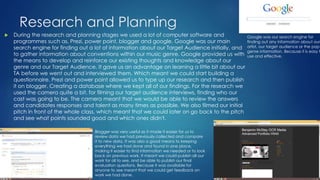
Google was our search engine for
finding out any information about our
artist, our target audience or the pop
genre information. Because it is easy t
use and effective.
Research and Planning
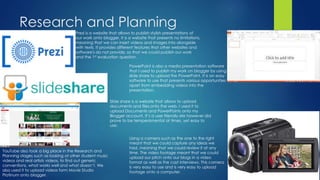
Prezi is a website that allows to publish stylish presentations of
our work onto blogger. It is a website that presents no limitations,
meaning that we can insert videos and images into alongside
with texts. It provides different features that other websites and
software's do not provide, so that we could publish our work
and the 1st evaluation question.
PowerPoint is also a media presentation software
that I used to publish my work on blogger by using
slide share to upload the PowerPoint. It is an easy
software to use that presents various opportunities
apart from embedding videos into the
presentation.
Slide share is a website that allows to upload
documents and files onto the web. I used it to
upload Documents and PowerPoints onto my
Blogger account. It’s a user friendly site however did
prove to be temperamental at times, yet easy to
use.
Using a camera such as the one to the right
meant that we could capture any ideas we
had, meaning that we could review it at any
time. The video footage meant that we could
upload our pitch onto our blogs in a video
format as well as the cast interviews. This camera
is very easy to use and is very easy to upload
footage onto a computer.
YouTube also took a big place in the Research and
Planning stages such as looking at other student music
videos and real artists videos, to find out generic
conventions, what works well and what doesn’t. We
also used it to upload videos form Movie Studio
Platinum onto blogger.
Construction
 During the construction stages of the main product but also the
ancillary texts we used many different media technologies, ranging
from Movie Studio Platinum as an editing software, voice recorders,
mobile phones… To start our construction off we used digital HD
Video Recorder cameras to film the main product. We also used a
voice recorder to record the two actors voices at the beginning of
the video. Mobile phones were a big part of the logistics in creating
the main video but also one features in the video itself. For the two
ancillary texts we used a Digital HD Camera to take the pictures in
the digipack and the advert. Photoshop was used to edit the
pictures and bring them all together to create the digipack and the
advert.
The camera was obviously an item in media
technology that paid a crucial role in the
making of the video, as it was the best way
to capture the footage needed for the
video. Due to it being a HD camera means
that footage quality will be higher.
Movie Studio Platinum was our software of choice for editing our
music video. We used it to link all of the different scenes together
by cutting out footage, merging footage together. Editing certain
scenes with special effects such as the Black and White, the dream
like effect towards the end of the video. Mixed with the slow mo to
create the effect of a dream being experienced in real life. This
software meant that what we had visualized could come to life
through editing what we had shot and creating the music video
piece by piece. This software is also very complicated to use, It
takes up a lot of time playing around with it to find the correct
effects and create the perfect timing.
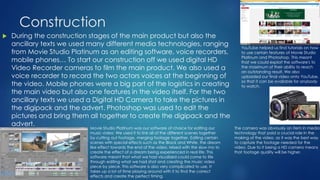
YouTube helped us find tutorials on how
to use certain features of Movie Studio
Platinum and Photoshop. This meant
that we could exploit the software's to
the maximum of their ability to reach
an outstanding result. We also
uploaded our final video onto YouTube,
so that it can be available for anybody
to watch.
Construction
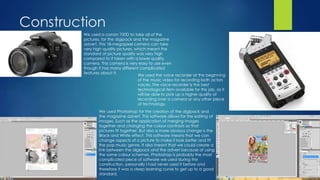
We used a canon 700D to take all of the
pictures, for the digipack and the magazine
advert. This 18-megapixel camera can take
very high quality pictures, which meant the
standard of picture quality was very high
compared to if taken with a lower quality
camera. This camera is very easy to use even
though it has many different complicated
features about it.
We used Photoshop for the creation of the digipack and
the magazine advert. This software allows for the editing of
images. Such as the application of merging images
together and changing the colour contrasts so that
pictures fit together. But also a more obvious change is the
Black and White effect. This software means that we can
change aspects of a picture to make it look better and fit
the pop music genre. It also meant that we could create a
link between the digipack and the advert because of using
the same colour schemes. Photoshop is probably the most
complicated piece of software we used during the
construction, personally I had never used it before and
therefore it was a steep learning curve to get up to a good
standard.
We used the voice recorder at the beginning
of the music video for recording both actors
voices. The voice recorder is the best
technological item available for this job, as it
will be able to pick up a higher quality of
recording over a camera or any other piece
of technology.
Evaluation
 For the evaluation questions I used many different software's and
websites to create the answers to the questions 1-4. For Question 1 I
used Prezi as the website to create the question and answer.
Because it meant I had a lot of space to answer such a big and
diverse question. For question 2 I used the voice recorder to record
my voice, then I imported it into Movie Studio Platinum to edit it and
put images into the video of screen shots of my work. The I
uploaded the video to blogger via YouTube. Powtoon also a media
presentation website, that also allows us to publish our work onto
blogger. This program was a little limited compared to prezi, it
wouldn’t allow to publish embed videos in the video format. I used
this website for my evaluation question 3. For the final question that I
am answering now I am using PowerPoint as I believed that this
would be the best software to present this particular question.

Evaluation question 4 (1)

  • 1.
    Evaluation Question 4? HOW DIDYOU USE MEDIA TECHNOLOGIES IN THE CONSTRUCTION AND RESEARCH, PLANNING AND EVALUATION STAGES?
  • 2.
    Research and Planning During the research and planning stages we used a lot of computer software and programmes such as, Prezi, power point, blogger and google. Google was our main search engine for finding out a lot of information about our Target Audience initially, and to gather information about conventions within our music genre. Google provided us with the means to develop and reinforce our existing thoughts and knowledge about our genre and our Target Audience. It gave us an advantage on learning a little bit about our TA before we went out and interviewed them. Which meant we could start building a questionnaire. Prezi and power point allowed us to type up our research and then publish it on blogger. Creating a database where we kept all of our findings. For the research we used the camera quite a bit, for filming our target audience interviews, finding who our cast was going to be. The camera meant that we would be able to review the answers and candidates responses and talent as many times as possible. We also filmed our initial pitch in front of the whole class, which meant that we could later on go back to the pitch and see what points sounded good and which ones didn't. Blogger was very useful as it made it easier for us to review data we had previously collected and compare it to new data. It was also a good means to keeping everything we had done and found in one place, making it easier to find information we needed or to look back on previous work. It meant we could publish all our work for all to see, and be able to publish our final evaluation questions. Because it was available for anyone to see meant that we could get feedback on work we had done. Google was our search engine for finding out any information about our artist, our target audience or the pop genre information. Because it is easy t use and effective.
  • 3.
    Research and Planning Preziis a website that allows to publish stylish presentations of our work onto blogger. It is a website that presents no limitations, meaning that we can insert videos and images into alongside with texts. It provides different features that other websites and software's do not provide, so that we could publish our work and the 1st evaluation question. PowerPoint is also a media presentation software that I used to publish my work on blogger by using slide share to upload the PowerPoint. It is an easy software to use that presents various opportunities apart from embedding videos into the presentation. Slide share is a website that allows to upload documents and files onto the web. I used it to upload Documents and PowerPoints onto my Blogger account. It’s a user friendly site however did prove to be temperamental at times, yet easy to use. Using a camera such as the one to the right meant that we could capture any ideas we had, meaning that we could review it at any time. The video footage meant that we could upload our pitch onto our blogs in a video format as well as the cast interviews. This camera is very easy to use and is very easy to upload footage onto a computer. YouTube also took a big place in the Research and Planning stages such as looking at other student music videos and real artists videos, to find out generic conventions, what works well and what doesn’t. We also used it to upload videos form Movie Studio Platinum onto blogger.
  • 4.
    Construction  During theconstruction stages of the main product but also the ancillary texts we used many different media technologies, ranging from Movie Studio Platinum as an editing software, voice recorders, mobile phones… To start our construction off we used digital HD Video Recorder cameras to film the main product. We also used a voice recorder to record the two actors voices at the beginning of the video. Mobile phones were a big part of the logistics in creating the main video but also one features in the video itself. For the two ancillary texts we used a Digital HD Camera to take the pictures in the digipack and the advert. Photoshop was used to edit the pictures and bring them all together to create the digipack and the advert. The camera was obviously an item in media technology that paid a crucial role in the making of the video, as it was the best way to capture the footage needed for the video. Due to it being a HD camera means that footage quality will be higher. Movie Studio Platinum was our software of choice for editing our music video. We used it to link all of the different scenes together by cutting out footage, merging footage together. Editing certain scenes with special effects such as the Black and White, the dream like effect towards the end of the video. Mixed with the slow mo to create the effect of a dream being experienced in real life. This software meant that what we had visualized could come to life through editing what we had shot and creating the music video piece by piece. This software is also very complicated to use, It takes up a lot of time playing around with it to find the correct effects and create the perfect timing. YouTube helped us find tutorials on how to use certain features of Movie Studio Platinum and Photoshop. This meant that we could exploit the software's to the maximum of their ability to reach an outstanding result. We also uploaded our final video onto YouTube, so that it can be available for anybody to watch.
  • 5.
    Construction We used acanon 700D to take all of the pictures, for the digipack and the magazine advert. This 18-megapixel camera can take very high quality pictures, which meant the standard of picture quality was very high compared to if taken with a lower quality camera. This camera is very easy to use even though it has many different complicated features about it. We used Photoshop for the creation of the digipack and the magazine advert. This software allows for the editing of images. Such as the application of merging images together and changing the colour contrasts so that pictures fit together. But also a more obvious change is the Black and White effect. This software means that we can change aspects of a picture to make it look better and fit the pop music genre. It also meant that we could create a link between the digipack and the advert because of using the same colour schemes. Photoshop is probably the most complicated piece of software we used during the construction, personally I had never used it before and therefore it was a steep learning curve to get up to a good standard. We used the voice recorder at the beginning of the music video for recording both actors voices. The voice recorder is the best technological item available for this job, as it will be able to pick up a higher quality of recording over a camera or any other piece of technology.
  • 6.
    Evaluation  For theevaluation questions I used many different software's and websites to create the answers to the questions 1-4. For Question 1 I used Prezi as the website to create the question and answer. Because it meant I had a lot of space to answer such a big and diverse question. For question 2 I used the voice recorder to record my voice, then I imported it into Movie Studio Platinum to edit it and put images into the video of screen shots of my work. The I uploaded the video to blogger via YouTube. Powtoon also a media presentation website, that also allows us to publish our work onto blogger. This program was a little limited compared to prezi, it wouldn’t allow to publish embed videos in the video format. I used this website for my evaluation question 3. For the final question that I am answering now I am using PowerPoint as I believed that this would be the best software to present this particular question.