Facebook Timeline for Brands – Essential Training
                                       Prophets
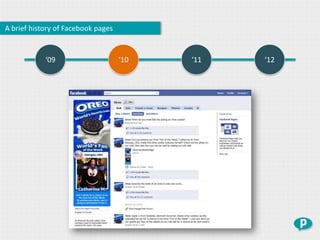
A brief history of Facebook pages


      “People tried to connect with brands in a way that didn’t work.
          So we created Pages with features such as Apps, tabs and
                                    wall-like interaction”
                                                             Facebook - 2009
A brief history of Facebook pages


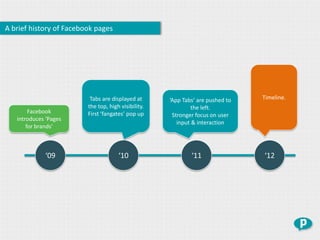
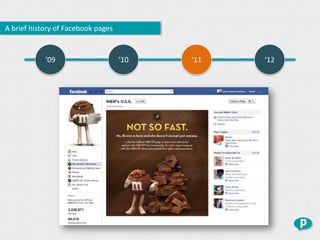
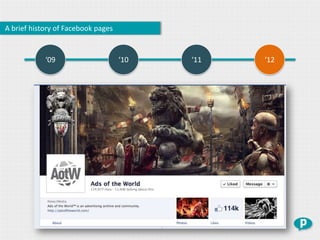
                          Tabs are displayed at      ‘App Tabs‘ are pushed to   Timeline.
                         the top, high visibility.           the left.
        Facebook         First ‘fangates’ pop up      Stronger focus on user
   introduces ‘Pages
                                                        input & interaction
       for brands’


             ‘09                      ‘10                    ‘11                ‘12
A brief history of Facebook pages


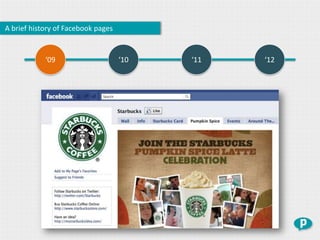
            ‘09                     ‘10   ‘11   ‘12
A brief history of Facebook pages


            ‘09                     ‘10   ‘11   ‘12
A brief history of Facebook pages


            ‘09                     ‘10   ‘11   ‘12
A brief history of Facebook pages


            ‘09                     ‘10   ‘11   ‘12
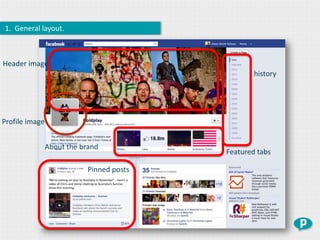
1. General layout.


Header image
                                                   history


Profile image


                About the brand
                                           Featured tabs

                            Pinned posts
Timeline changes almost everything.


                                      General layout
                                       Profile photo
                                      About section
                                       Tabs & apps
                                       Pinned posts
                               Display location of apps
                                Fangating is no longer
                             No auto refresh upon liking
                            No more default landing tabs
                                  More app space
                                      Same app rules
                 Great examples no promotions in the header image
                                            …
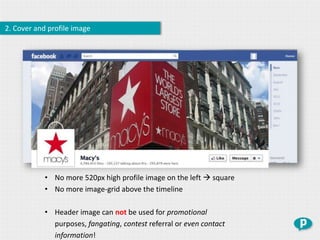
2. Cover and profile image


            • No more 520px high profile image on the left  square
            • No more image-grid above the timeline

            • Header image can not be used for promotional
              purposes, fangating, contest referral or even contact
              information!
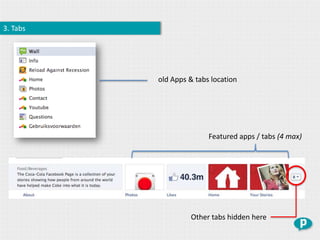
3. Tabs


          old Apps & tabs location


                         Featured apps / tabs (4 max)


                   Other tabs hidden here
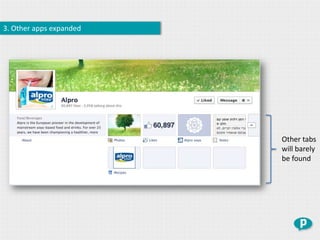
3. Other apps expanded


                         Other tabs
                         will barely
                         be found
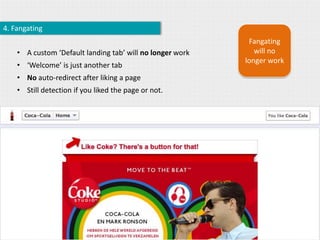
4. Fangating
                                                            Fangating
    • A custom ‘Default landing tab’ will no longer work      will no
                                                           longer work
    • ‘Welcome’ is just another tab
    • No auto-redirect after liking a page
    • Still detection if you liked the page or not.
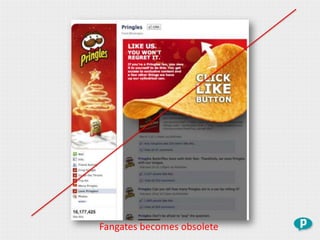
Fangates becomes obsolete
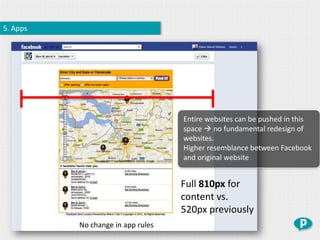
5. Apps


                                   Entire websites can be pushed in this
                                   space  no fundamental redesign of
                                   websites.
                                   Higher resemblance between Facebook
                                   and original website


                                   Full 810px for
                                   content vs.
                                   520px previously
          No change in app rules
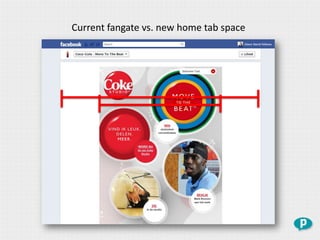
Current fangate vs. new home tab space
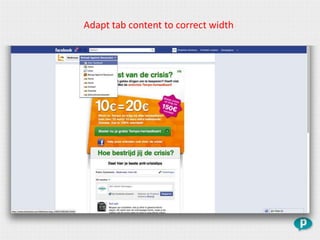
Adapt tab content to correct width
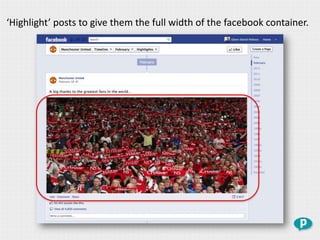
‘Highlight’ posts to give them the full width of the facebook container.
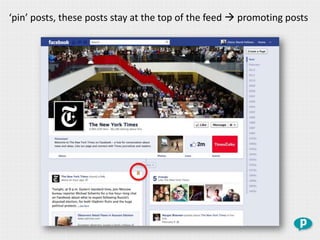
‘pin’ posts, these posts stay at the top of the feed  promoting posts
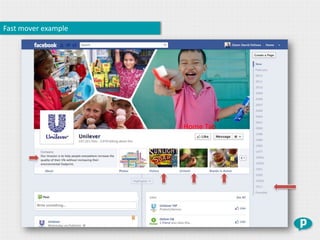
Fast mover example


                     Home Tab
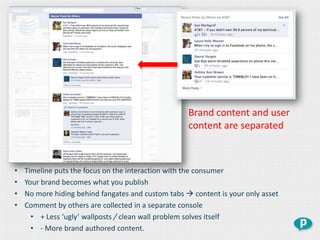
Brand content and user
                                                    content are separated


•   Timeline puts the focus on the interaction with the consumer
•   Your brand becomes what you publish
•   No more hiding behind fangates and custom tabs  content is your only asset
•   Comment by others are collected in a separate console
      • + Less ‘ugly’ wallposts / clean wall problem solves itself
      • - More brand authored content.
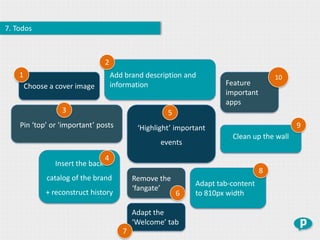
7. Todos


                                  2
    1                                 Add brand description and                        10
        Choose a cover image          information                      Feature
                                                                       important
                                                                       apps
                   3                                   5
    Pin ‘top’ or ‘important’ posts            ‘Highlight’ important                          9
                                                                         Clean up the wall
                                                     events
                                  4
                Insert the back
                                                                                   8
              catalog of the brand           Remove the
                                                               Adapt tab-content
                                             ‘fangate’
              + reconstruct history                        6   to 810px width

                                             Adapt the
                                             ‘Welcome’ tab
                                         7
30.03
                      2012
Facebook will enforce the timeline for brands end of march. Ready or not…


                       Let’s get started!


                    info@prophets.be

Prophets presents "Facebook Timeline for brands essential training"

  • 1.
    Facebook Timeline forBrands – Essential Training Prophets
  • 2.
    A brief historyof Facebook pages “People tried to connect with brands in a way that didn’t work. So we created Pages with features such as Apps, tabs and wall-like interaction” Facebook - 2009
  • 3.
    A brief historyof Facebook pages Tabs are displayed at ‘App Tabs‘ are pushed to Timeline. the top, high visibility. the left. Facebook First ‘fangates’ pop up Stronger focus on user introduces ‘Pages input & interaction for brands’ ‘09 ‘10 ‘11 ‘12
  • 4.
    A brief historyof Facebook pages ‘09 ‘10 ‘11 ‘12
  • 5.
    A brief historyof Facebook pages ‘09 ‘10 ‘11 ‘12
  • 6.
    A brief historyof Facebook pages ‘09 ‘10 ‘11 ‘12
  • 7.
    A brief historyof Facebook pages ‘09 ‘10 ‘11 ‘12
  • 8.
    1. General layout. Headerimage history Profile image About the brand Featured tabs Pinned posts
  • 9.
    Timeline changes almosteverything. General layout Profile photo About section Tabs & apps Pinned posts Display location of apps Fangating is no longer No auto refresh upon liking No more default landing tabs More app space Same app rules Great examples no promotions in the header image …
  • 10.
    2. Cover andprofile image • No more 520px high profile image on the left  square • No more image-grid above the timeline • Header image can not be used for promotional purposes, fangating, contest referral or even contact information!
  • 11.
    3. Tabs old Apps & tabs location Featured apps / tabs (4 max) Other tabs hidden here
  • 12.
    3. Other appsexpanded Other tabs will barely be found
  • 13.
    4. Fangating Fangating • A custom ‘Default landing tab’ will no longer work will no longer work • ‘Welcome’ is just another tab • No auto-redirect after liking a page • Still detection if you liked the page or not.
  • 14.
  • 15.
    5. Apps Entire websites can be pushed in this space  no fundamental redesign of websites. Higher resemblance between Facebook and original website Full 810px for content vs. 520px previously No change in app rules
  • 16.
    Current fangate vs.new home tab space
  • 17.
    Adapt tab contentto correct width
  • 18.
    ‘Highlight’ posts togive them the full width of the facebook container.
  • 19.
    ‘pin’ posts, theseposts stay at the top of the feed  promoting posts
  • 20.
  • 21.
    Brand content anduser content are separated • Timeline puts the focus on the interaction with the consumer • Your brand becomes what you publish • No more hiding behind fangates and custom tabs  content is your only asset • Comment by others are collected in a separate console • + Less ‘ugly’ wallposts / clean wall problem solves itself • - More brand authored content.
  • 22.
    7. Todos 2 1 Add brand description and 10 Choose a cover image information Feature important apps 3 5 Pin ‘top’ or ‘important’ posts ‘Highlight’ important 9 Clean up the wall events 4 Insert the back 8 catalog of the brand Remove the Adapt tab-content ‘fangate’ + reconstruct history 6 to 810px width Adapt the ‘Welcome’ tab 7
  • 23.
    30.03 2012 Facebook will enforce the timeline for brands end of march. Ready or not… Let’s get started! info@prophets.be

Editor's Notes

  • #7 ----- Meeting Notes (06/03/12 17:57) -----eigen pagina.