11 THINGS YOU NEED TO
KNOW ABOUT NEW
FACEBOOK PAGES

CARI SULTANIK
MARCH 24, 2012
CONTENTS
1.   Timing
2.   Cover photo
3.   Tabs
4.   About section
5.   Apps
6.   Friend activity
7.   Pinning and highlighting
8.   Milestones
9.   Page names
10. Personal messaging
11. Insights
TIMING
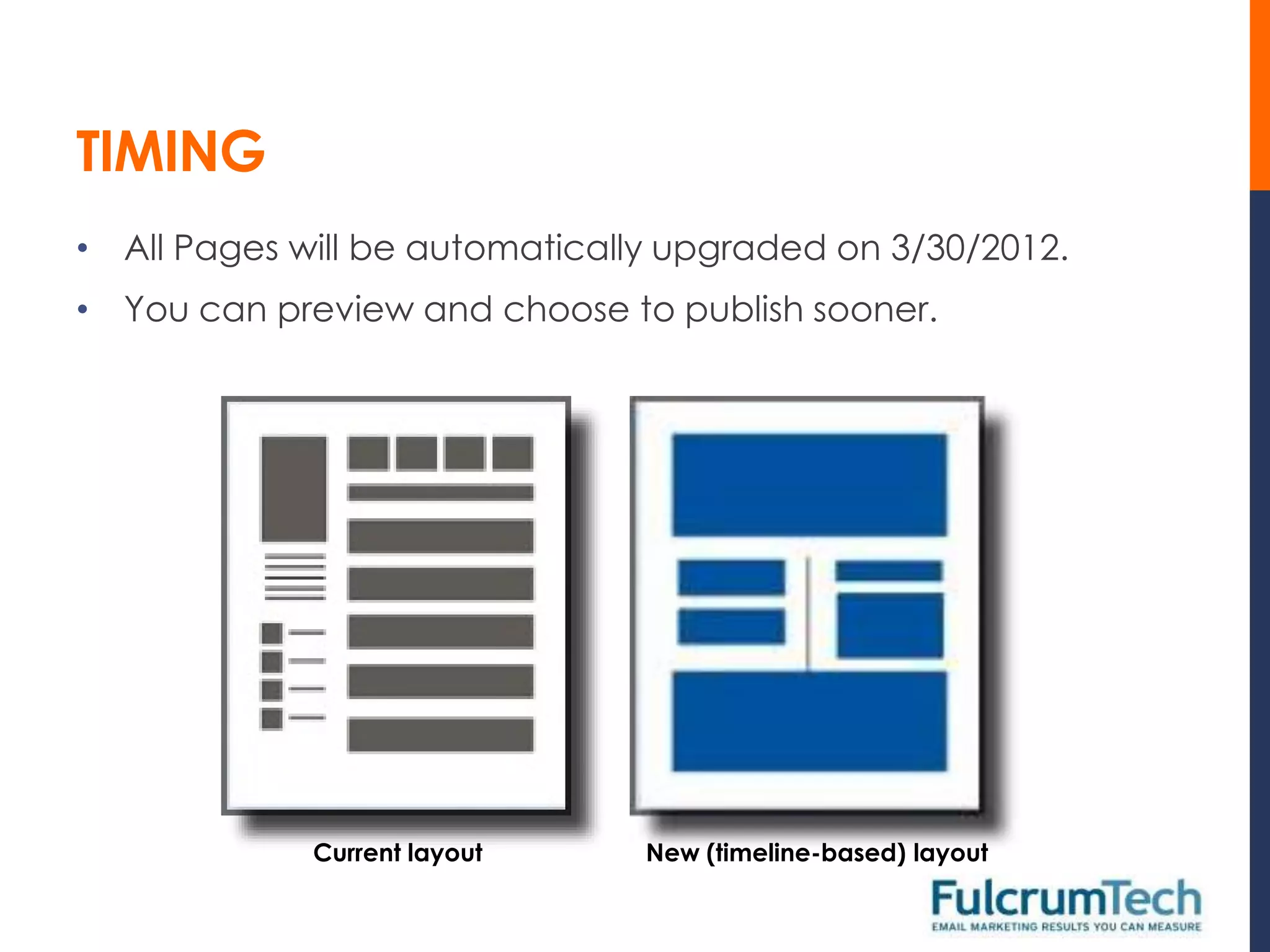
• All Pages will be automatically upgraded on 3/30/2012.
• You can preview and choose to publish sooner.


             Current layout     New (timeline-based) layout
COVER PHOTO
•   Currently you have a profile
    picture at the top of your
    Page.
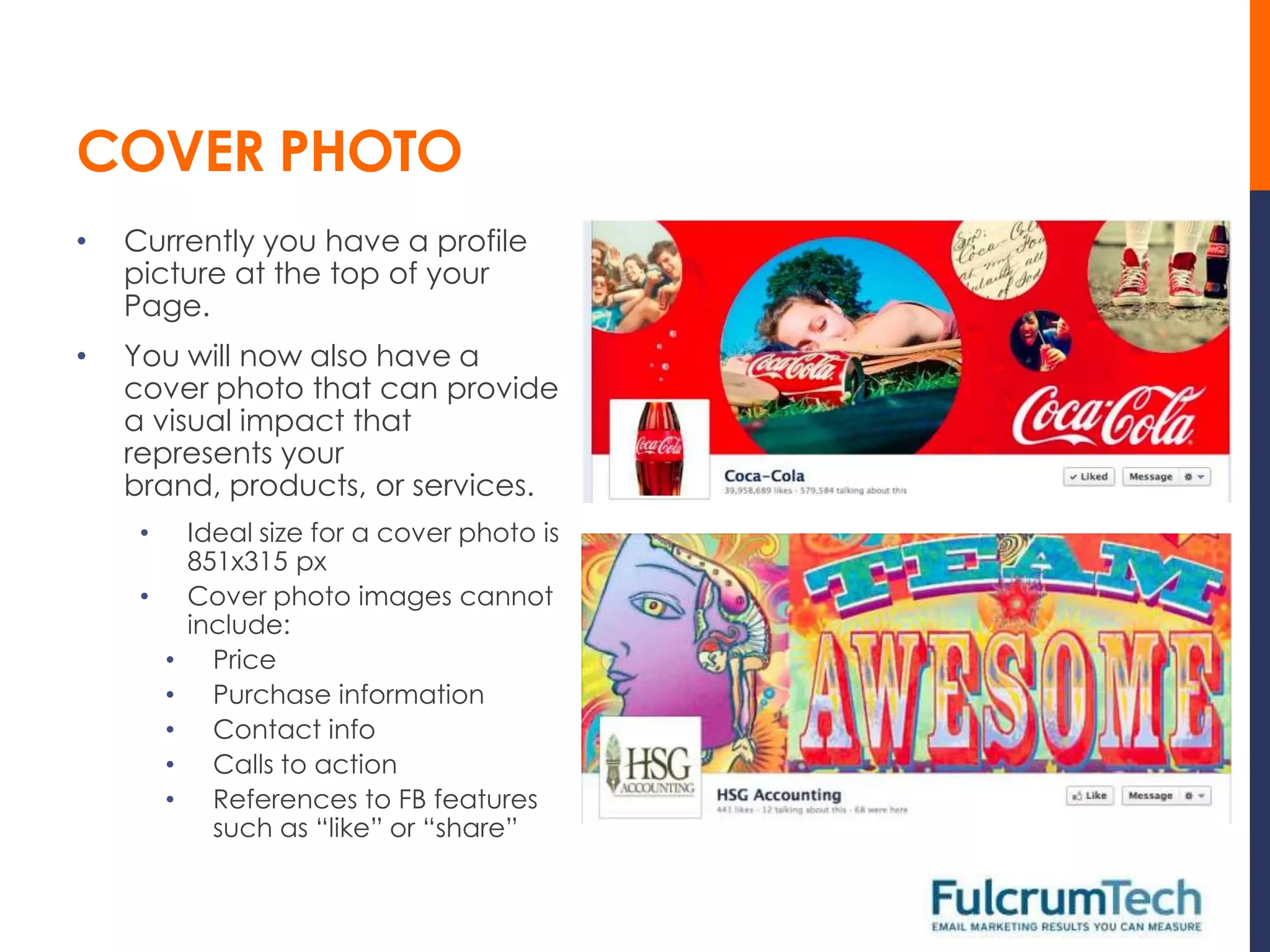
•   You will now also have a
    cover photo that can provide
    a visual impact that
    represents your
    brand, products, or services.
     •       Ideal size for a cover photo is
             851x315 px
     •       Cover photo images cannot
             include:
         •     Price
         •     Purchase information
         •     Contact info
         •     Calls to action
         •     References to FB features
               such as “like” or “share”
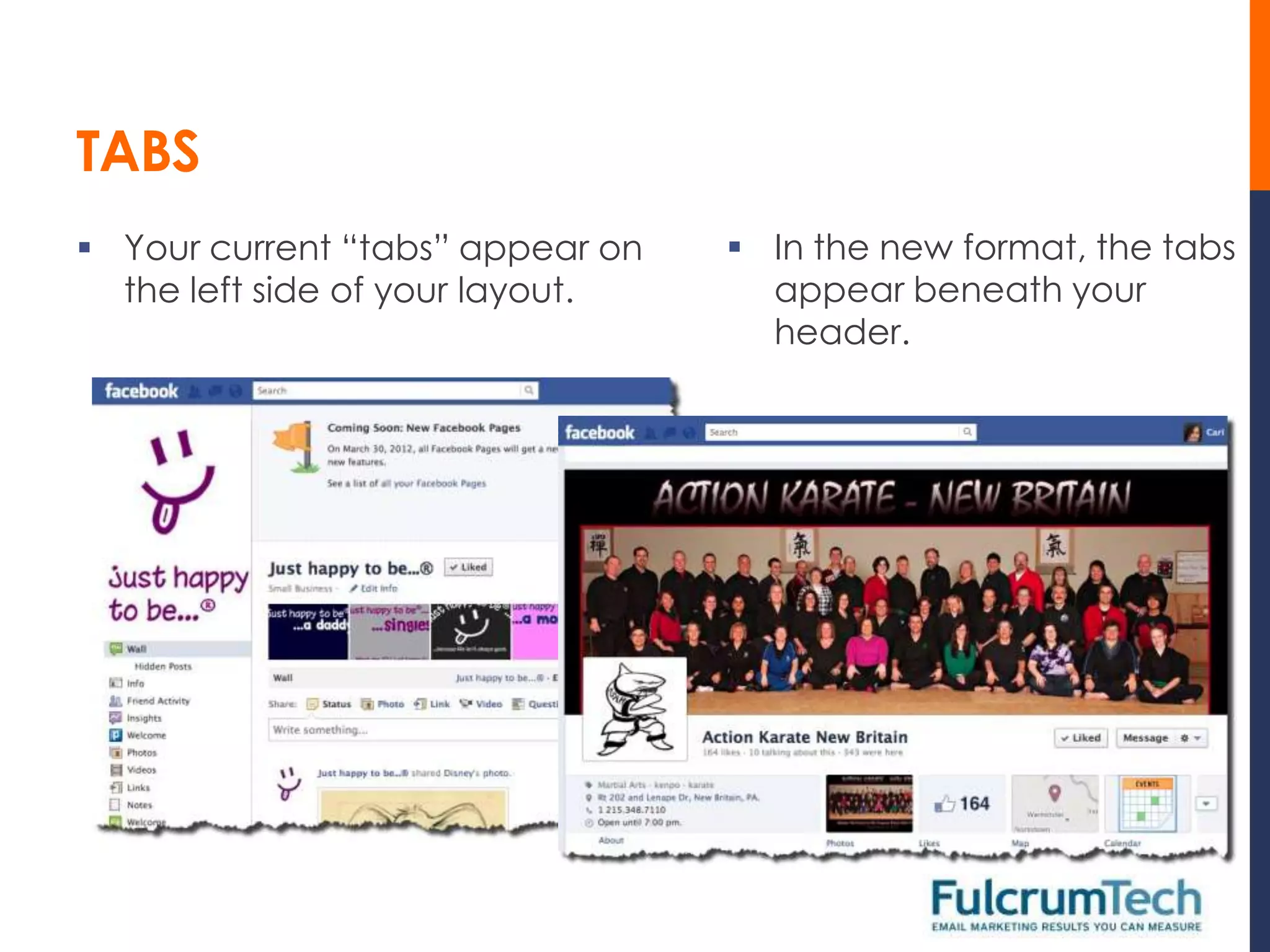
TABS
 Your current “tabs” appear on    In the new format, the tabs
  the left side of your layout.     appear beneath your
                                    header.
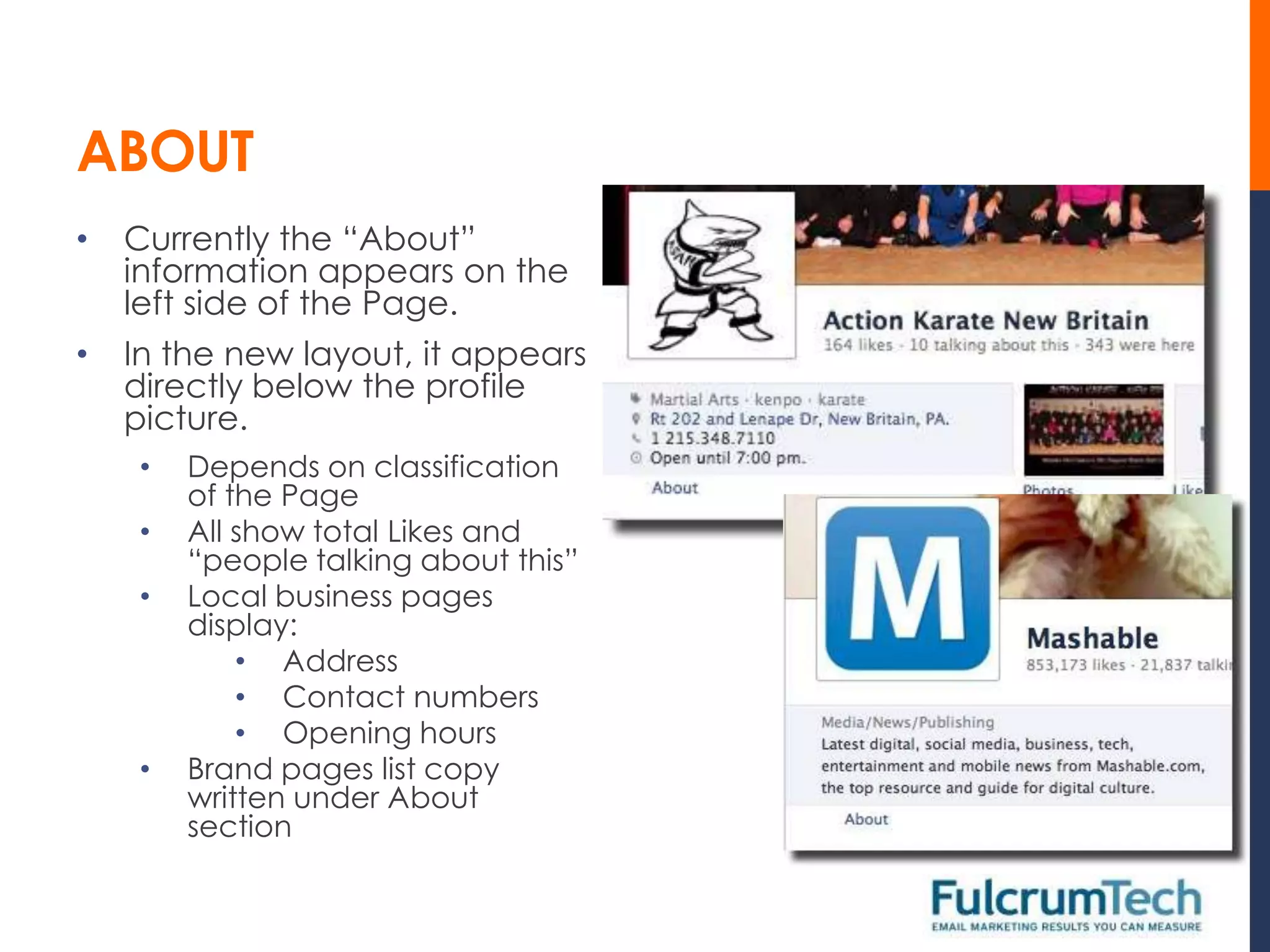
ABOUT
•   Currently the “About”
    information appears on the
    left side of the Page.
•   In the new layout, it appears
    directly below the profile
    picture.
    •   Depends on classification
        of the Page
    •   All show total Likes and
        “people talking about this”
    •   Local business pages
        display:
            • Address
            • Contact numbers
            • Opening hours
    •   Brand pages list copy
        written under About
        section
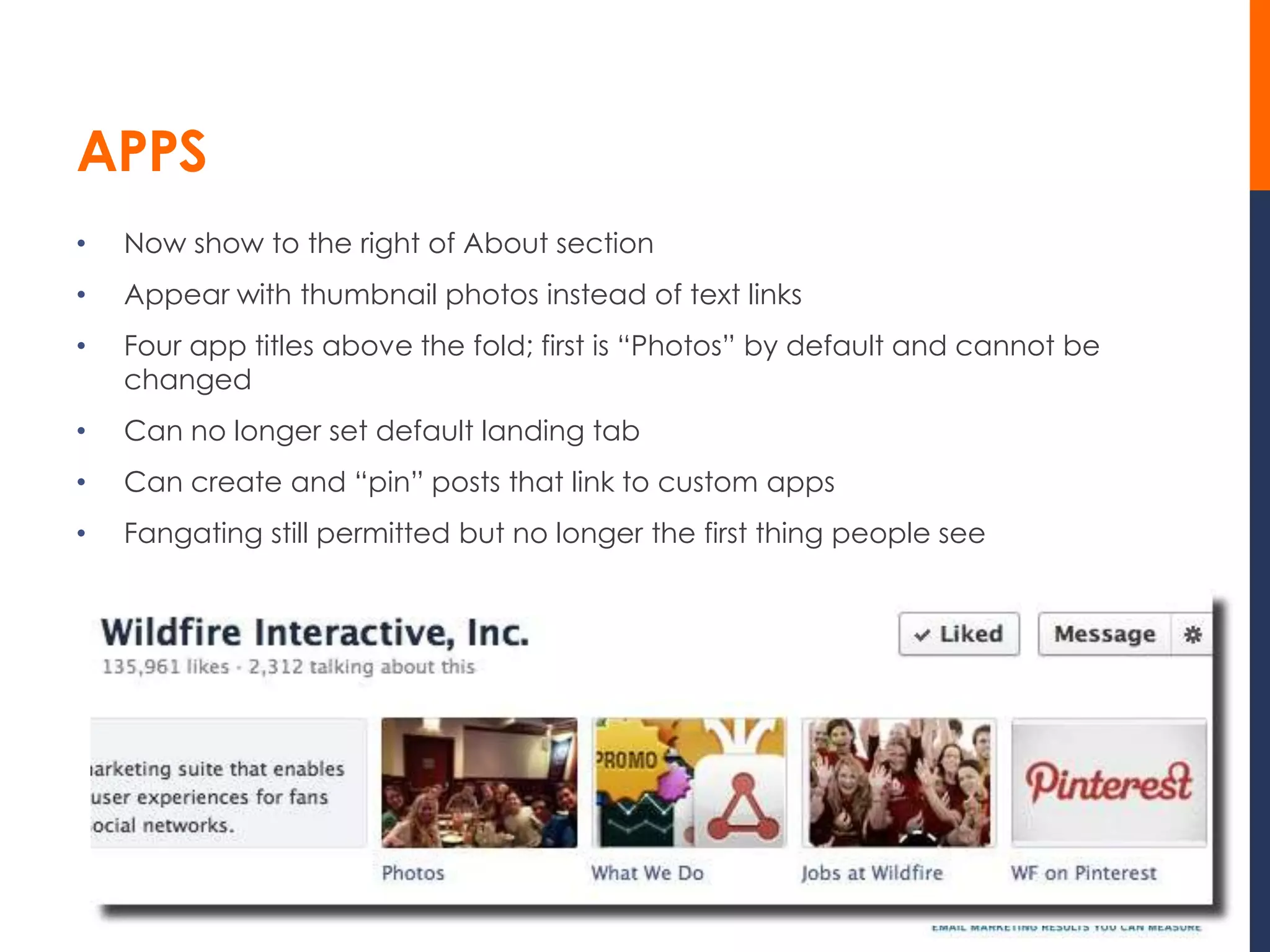
APPS
•   Now show to the right of About section
•   Appear with thumbnail photos instead of text links
•   Four app titles above the fold; first is “Photos” by default and cannot be
    changed
•   Can no longer set default landing tab
•   Can create and “pin” posts that link to custom apps
•   Fangating still permitted but no longer the first thing people see
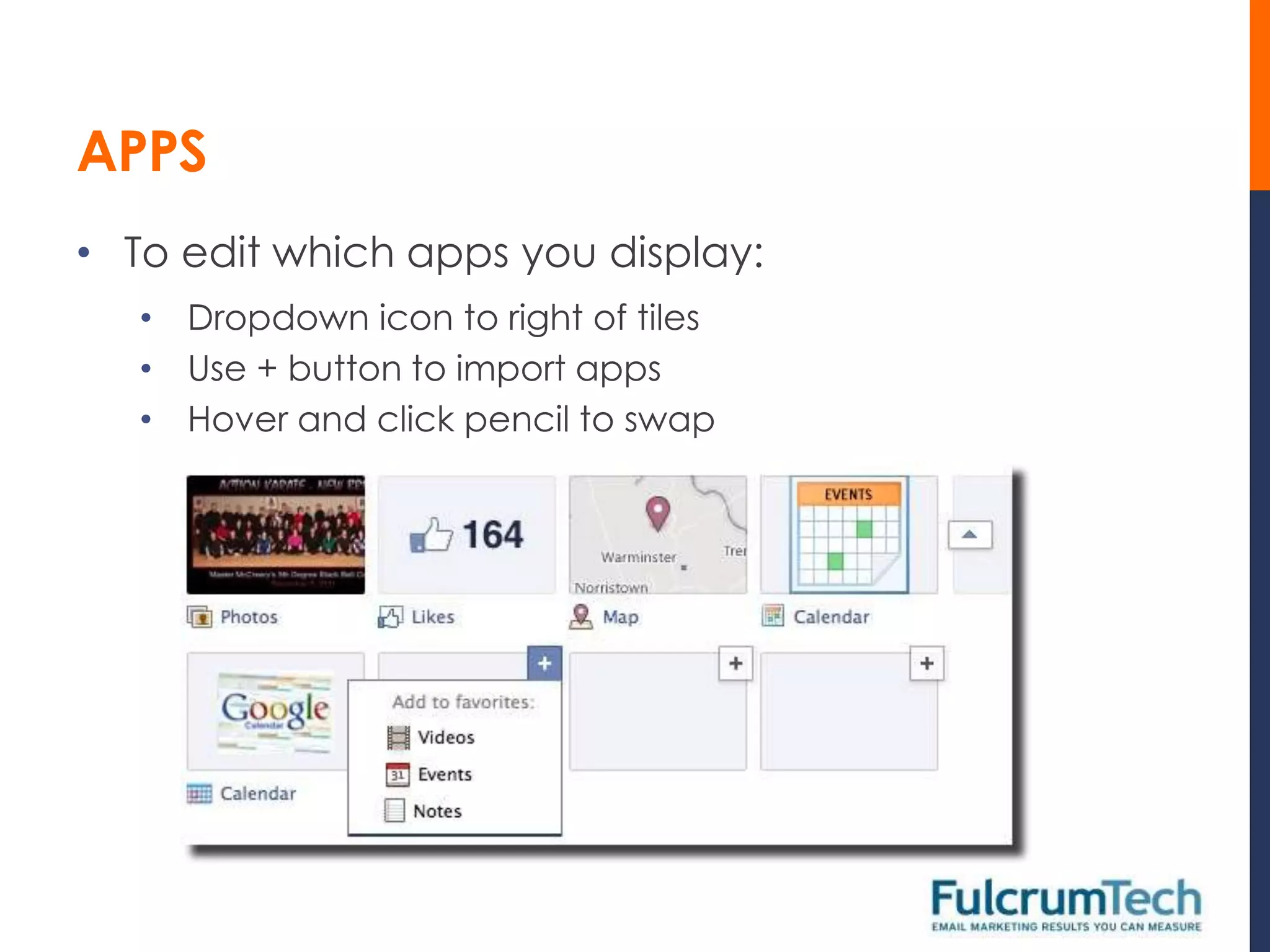
APPS
• To edit which apps you display:
   • Dropdown icon to right of tiles
   • Use + button to import apps
   • Hover and click pencil to swap
FRIEND ACTIVITY
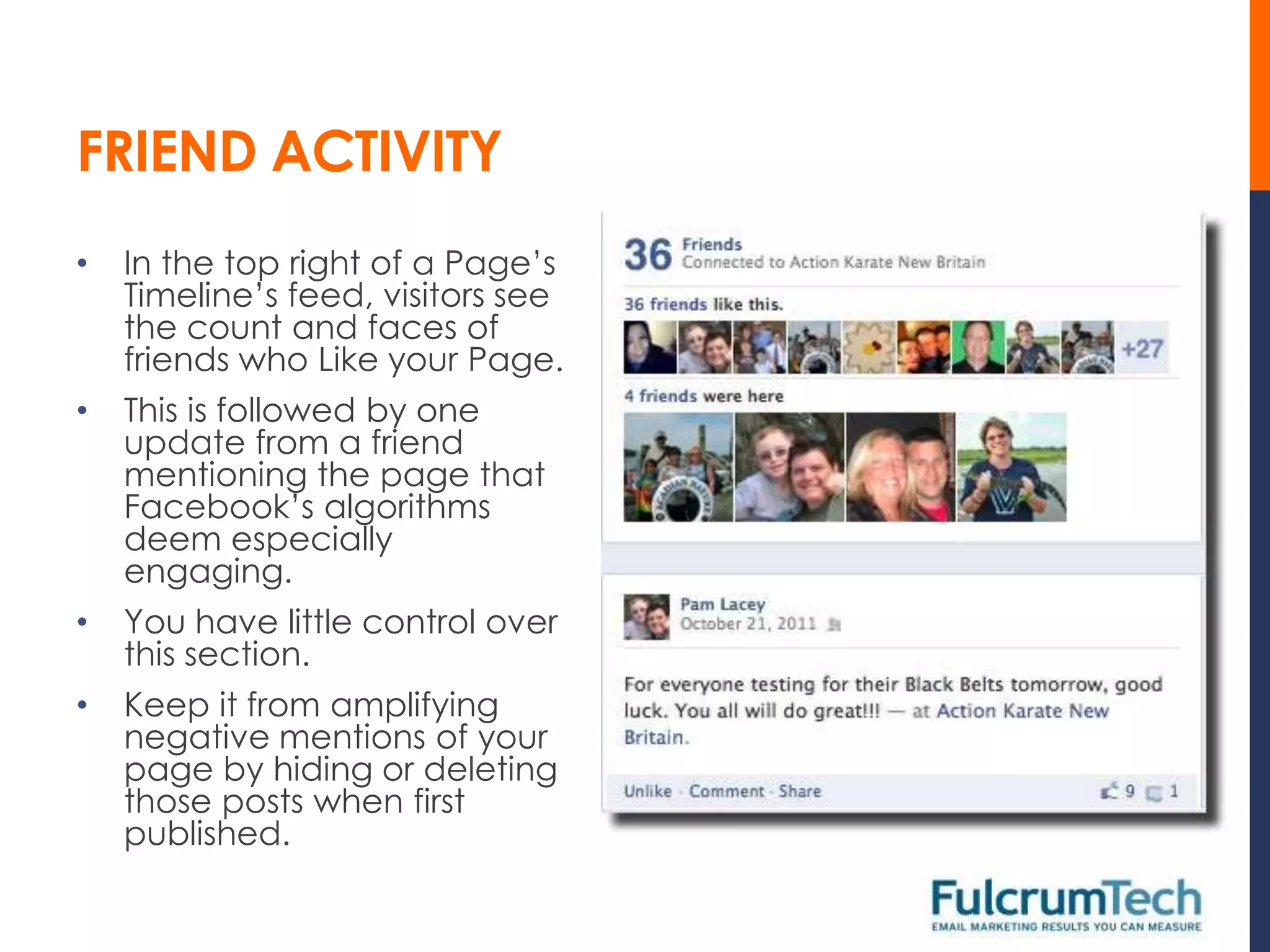
•   In the top right of a Page’s
    Timeline’s feed, visitors see
    the count and faces of
    friends who Like your Page.
•   This is followed by one
    update from a friend
    mentioning the page that
    Facebook’s algorithms
    deem especially
    engaging.
•   You have little control over
    this section.
•   Keep it from amplifying
    negative mentions of your
    page by hiding or deleting
    those posts when first
    published.
FRIEND ACTIVITY AND POSTS BY OTHERS
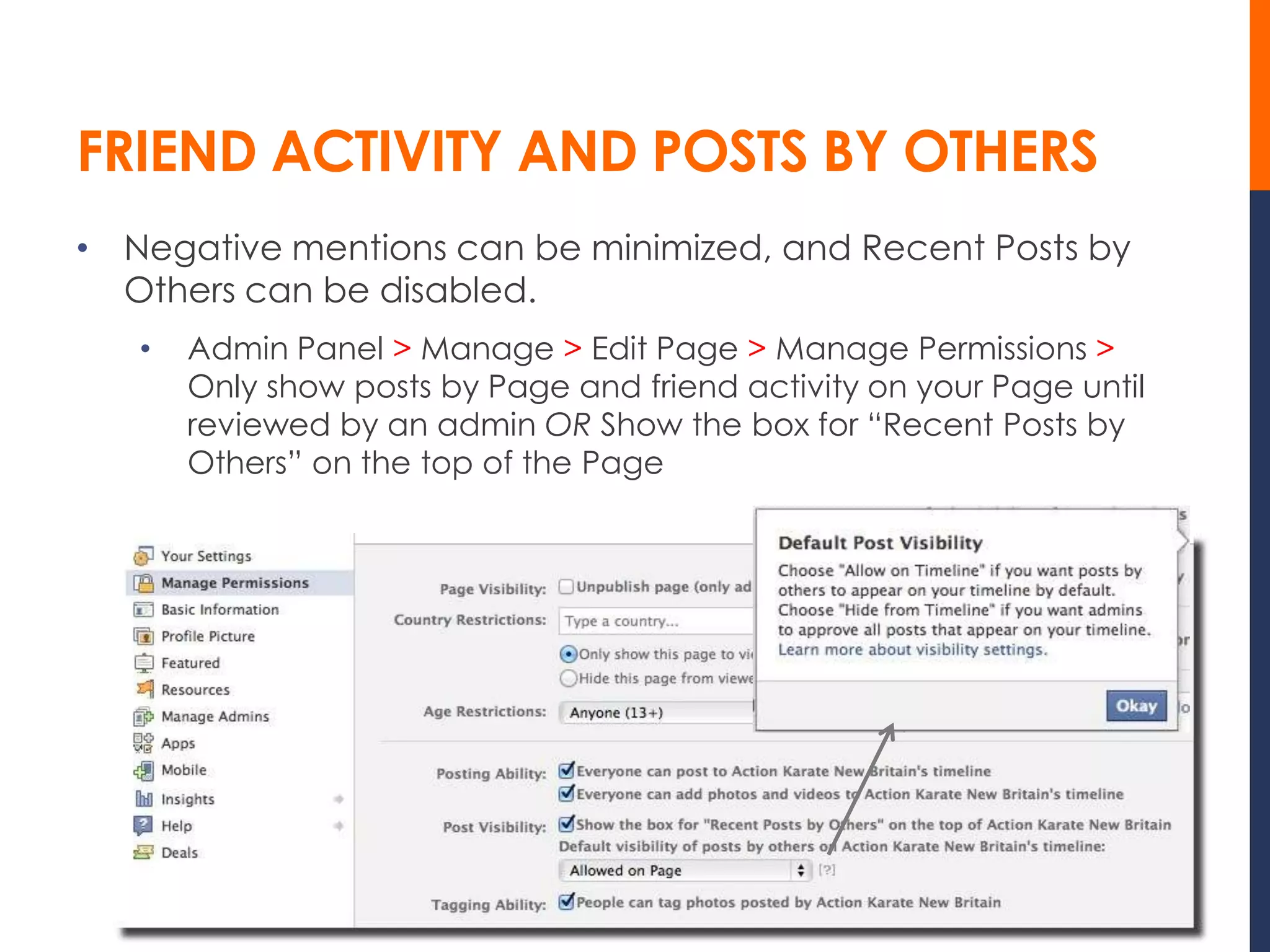
• Negative mentions can be minimized, and Recent Posts by
  Others can be disabled.
   •   Admin Panel > Manage > Edit Page > Manage Permissions >
       Only show posts by Page and friend activity on your Page until
       reviewed by an admin OR Show the box for “Recent Posts by
       Others” on the top of the Page
PINNING AND HIGHLIGHTING
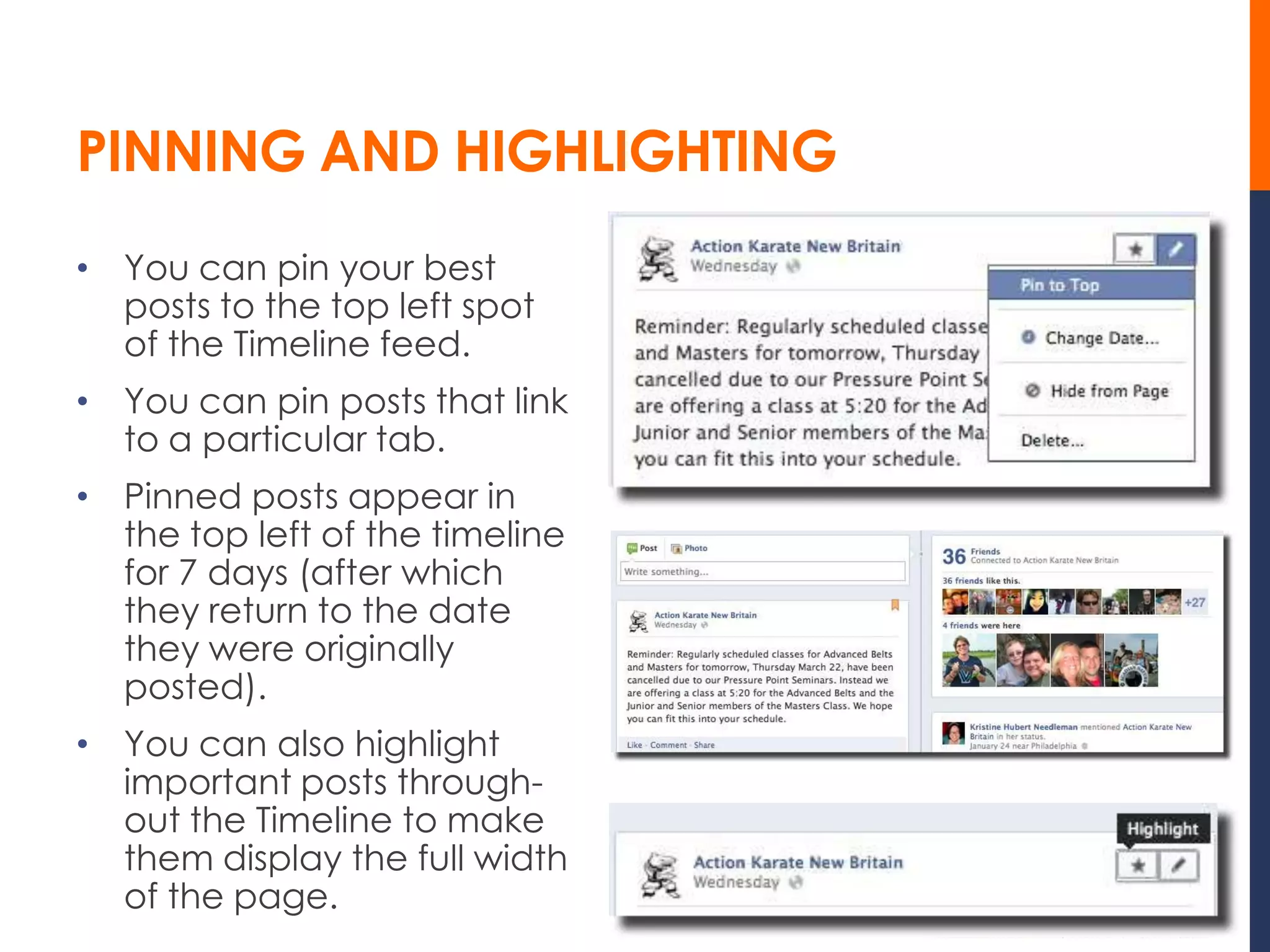
• You can pin your best
  posts to the top left spot
  of the Timeline feed.
• You can pin posts that link
  to a particular tab.
• Pinned posts appear in
  the top left of the timeline
  for 7 days (after which
  they return to the date
  they were originally
  posted).
• You can also highlight
  important posts through-
  out the Timeline to make
  them display the full width
  of the page.
MILESTONES

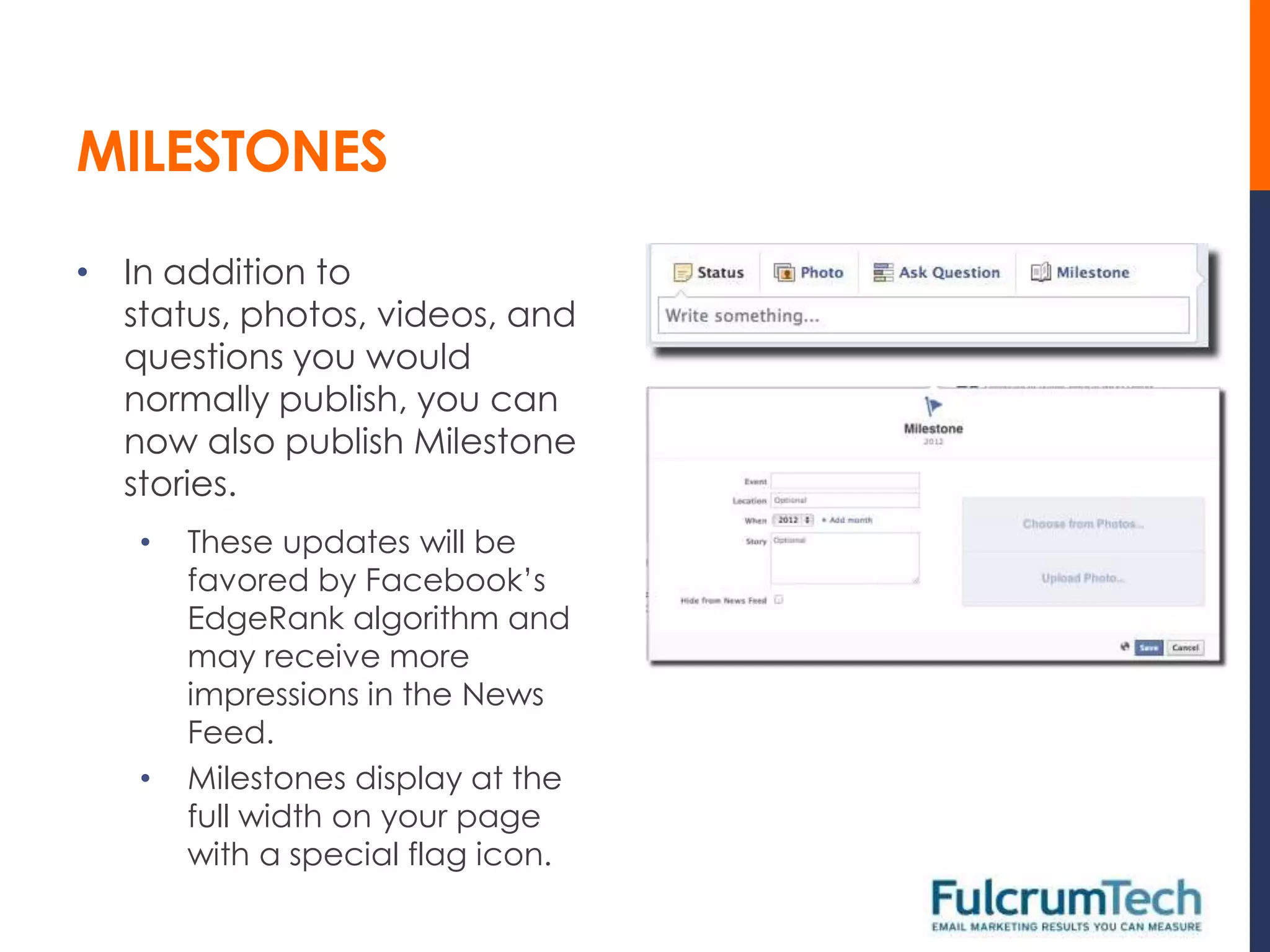
• In addition to
  status, photos, videos, and
  questions you would
  normally publish, you can
  now also publish Milestone
  stories.
   •   These updates will be
       favored by Facebook’s
       EdgeRank algorithm and
       may receive more
       impressions in the News
       Feed.
   •   Milestones display at the
       full width on your page
       with a special flag icon.
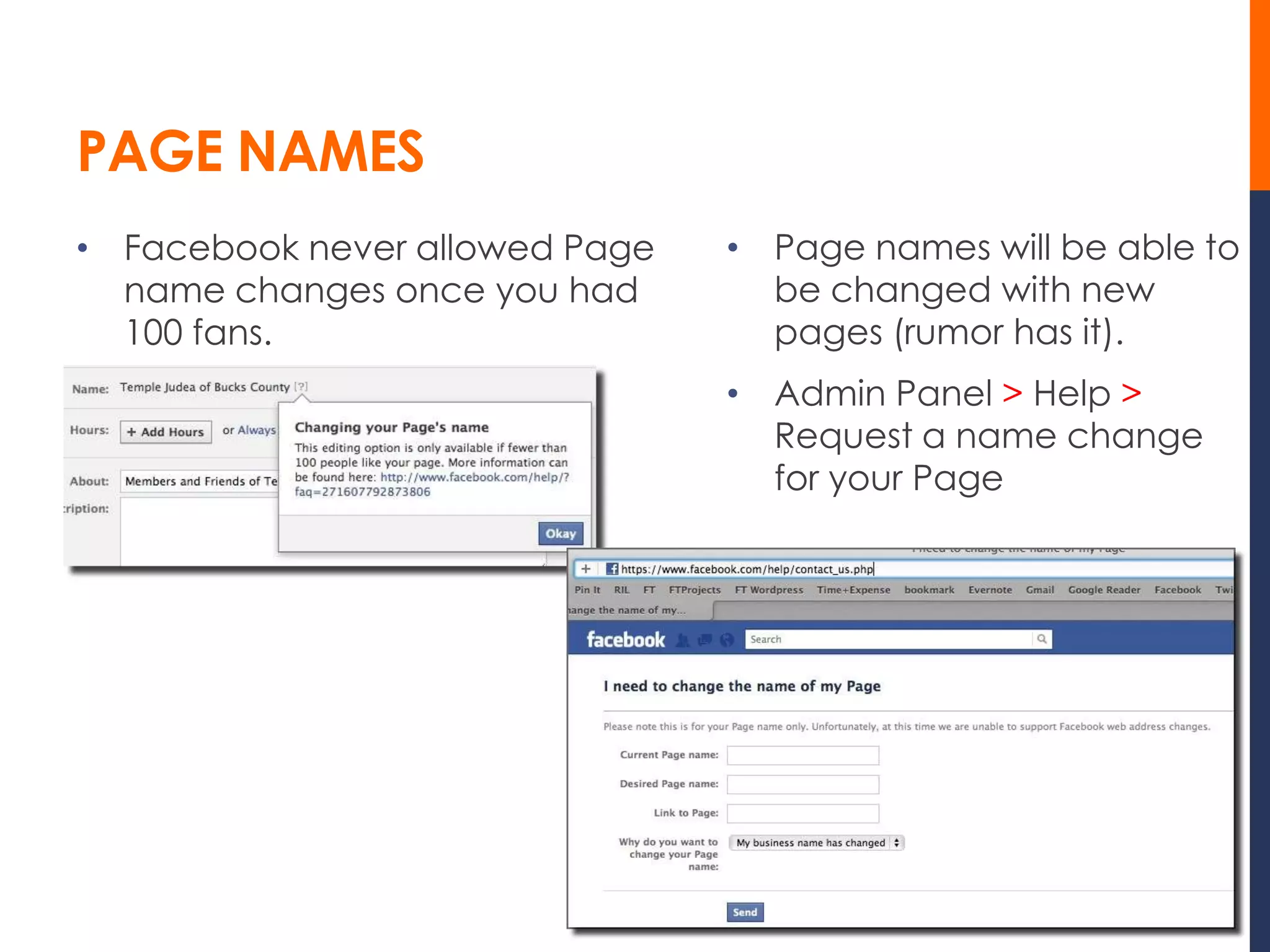
PAGE NAMES
• Facebook never allowed Page   • Page names will be able to
  name changes once you had       be changed with new
  100 fans.                       pages (rumor has it).
                                • Admin Panel > Help >
                                  Request a name change
                                  for your Page
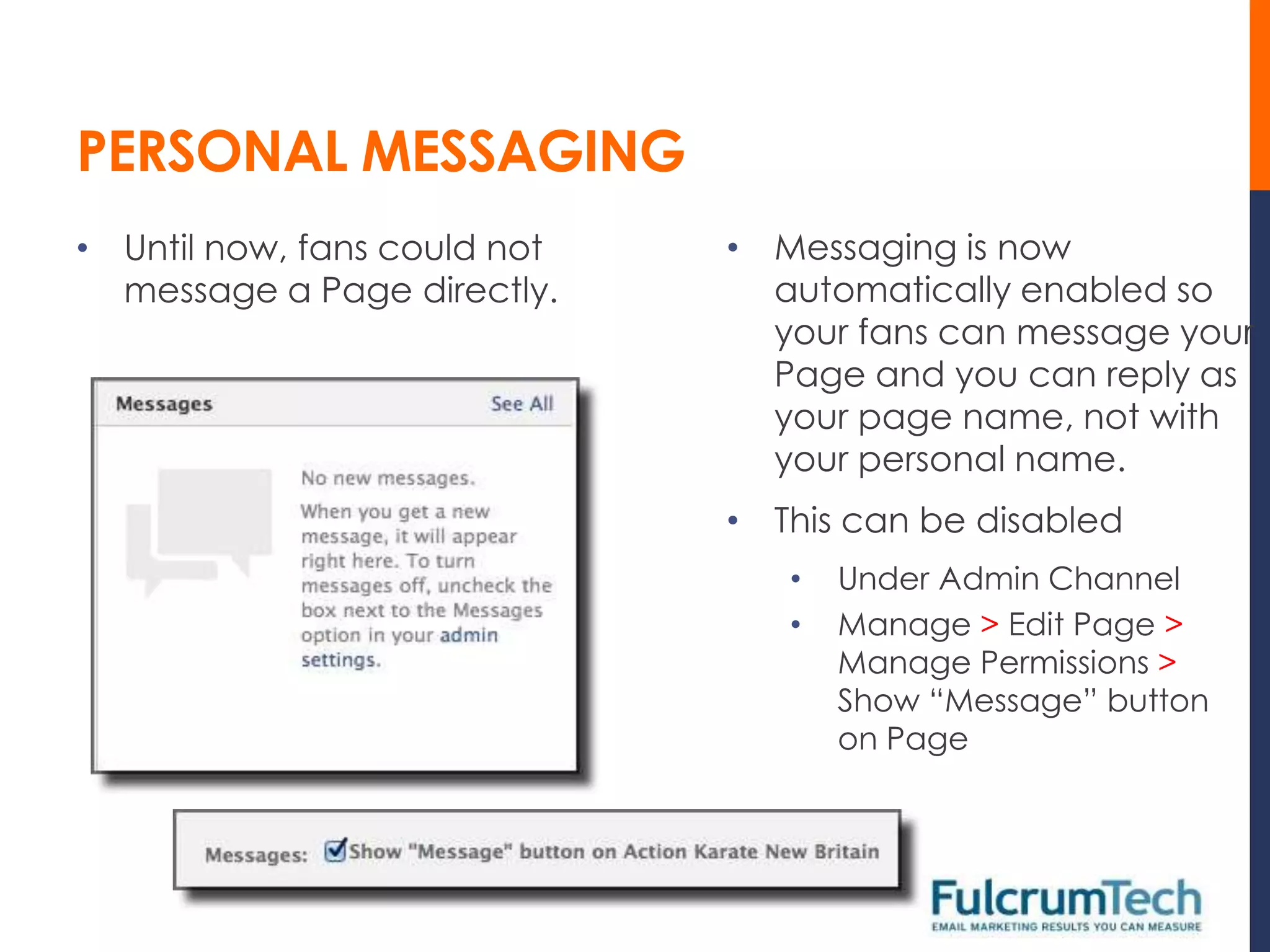
PERSONAL MESSAGING
• Until now, fans could not   • Messaging is now
  message a Page directly.      automatically enabled so
                                your fans can message your
                                Page and you can reply as
                                your page name, not with
                                your personal name.
                              • This can be disabled
                                 •   Under Admin Channel
                                 •   Manage > Edit Page >
                                     Manage Permissions >
                                     Show “Message” button
                                     on Page
INSIGHTS

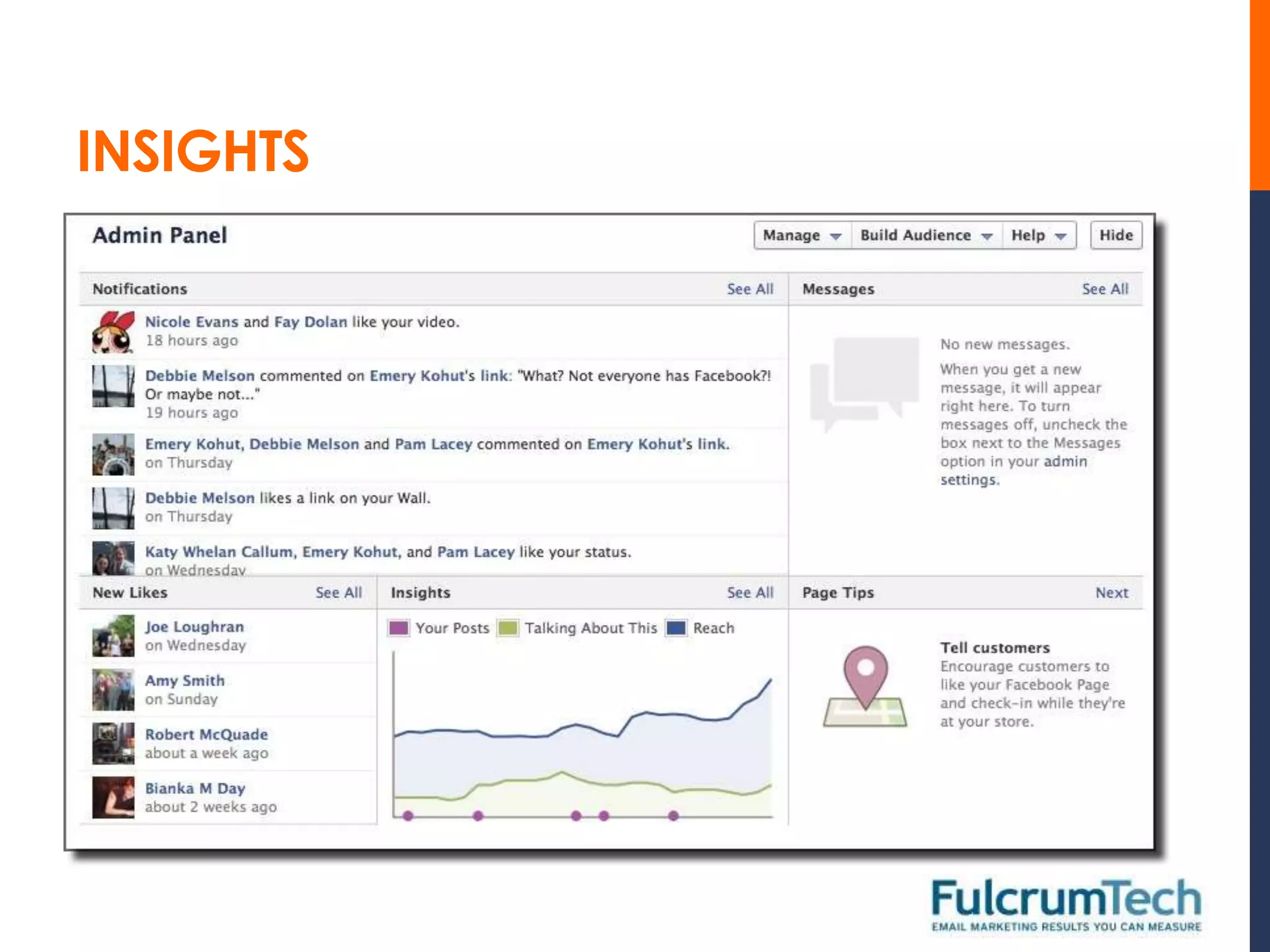
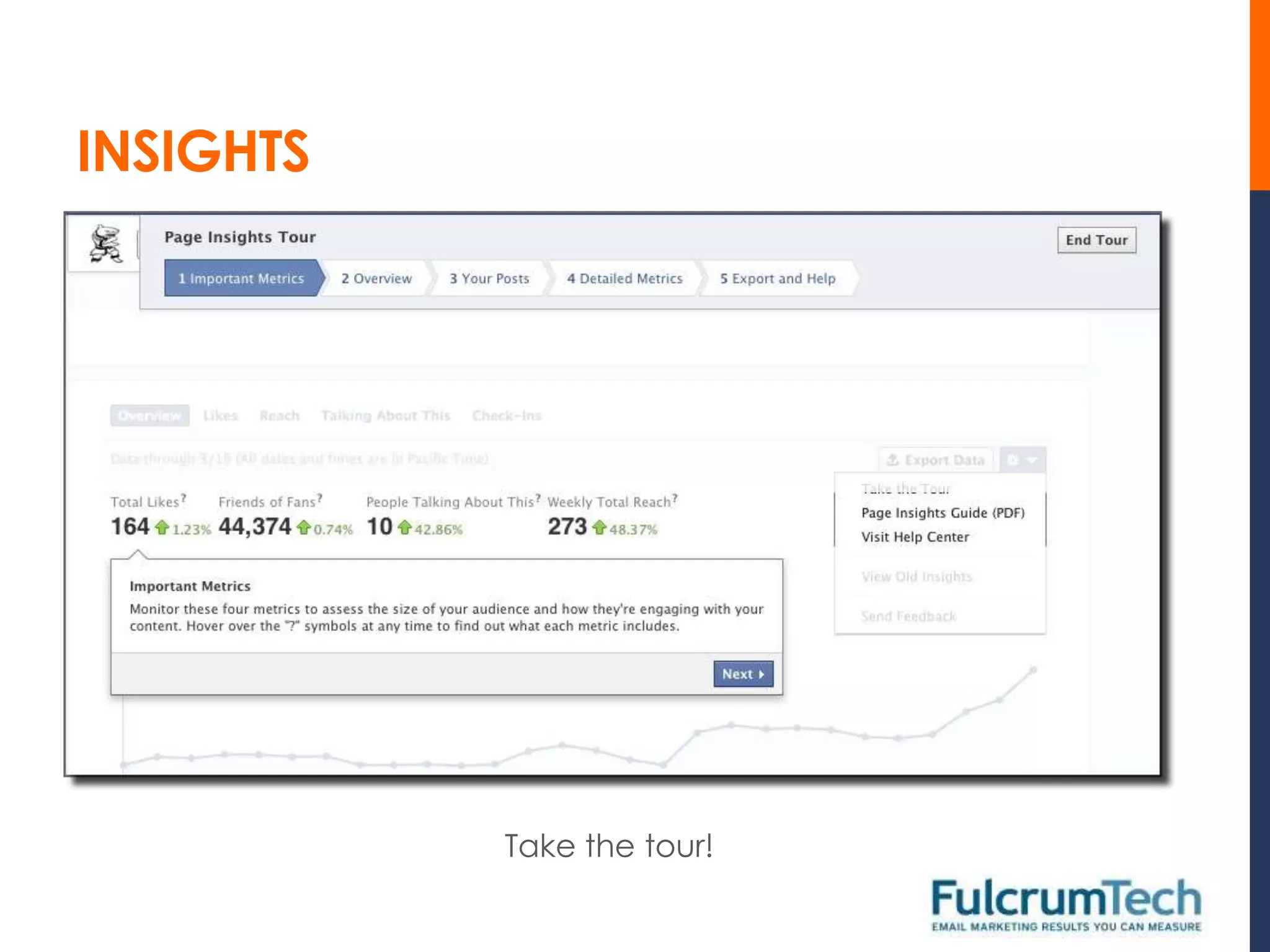
• The new format uses an Admin Panel, which includes:
   •   Notifications
   •   New Likes
   •   Insights
   •   Messages


• Options for Page management, help, and marketing are
  under the Manage, Build Audience, and Help buttons.
• You can hide the Admin Panel.
INSIGHTS
INSIGHTS


           Take the tour!
IMPORTANT TO-DO ITEMS
• Choose or create a beautiful cover image that represents
  the heart and soul of your brand.
• Write a short and compelling “About Us” description.
• Feature your most important apps after photos.
• Pin the post you want to drive the most traffic to each week.
• Highlight great historical posts by you and your fans.
• Create milestones when you have important events in your
  business.
• Hide or delete embarrassing, out-of-date, or negative posts.
• Monitor your insights closely to identify what types of content
  your fans are most likely to engage with and share.
BACKGROUND
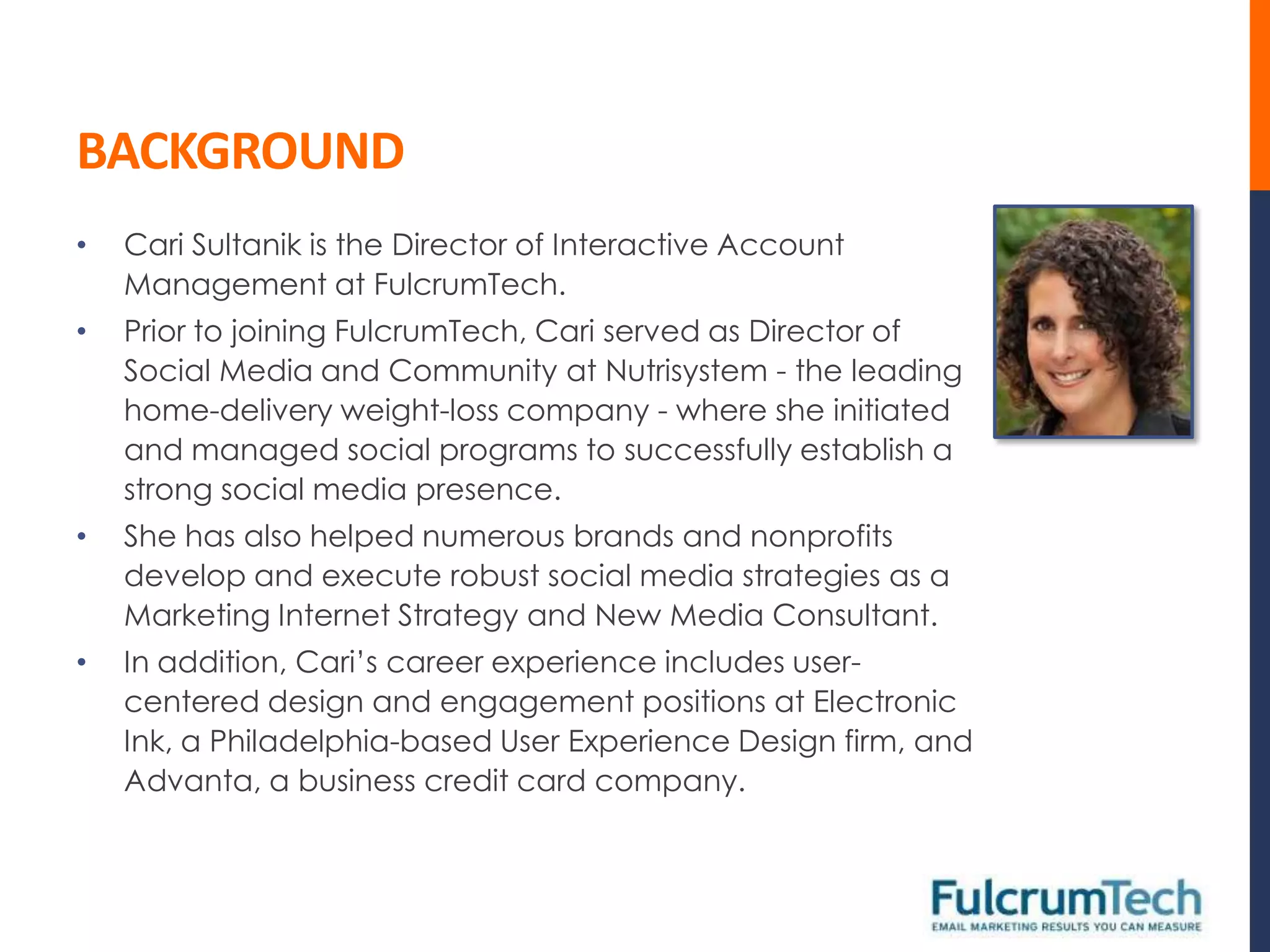
•   Cari Sultanik is the Director of Interactive Account
    Management at FulcrumTech.
•   Prior to joining FulcrumTech, Cari served as Director of
    Social Media and Community at Nutrisystem - the leading
    home-delivery weight-loss company - where she initiated
    and managed social programs to successfully establish a
    strong social media presence.
•   She has also helped numerous brands and nonprofits
    develop and execute robust social media strategies as a
    Marketing Internet Strategy and New Media Consultant.
•   In addition, Cari’s career experience includes user-
    centered design and engagement positions at Electronic
    Ink, a Philadelphia-based User Experience Design firm, and
    Advanta, a business credit card company.
BACKGROUND
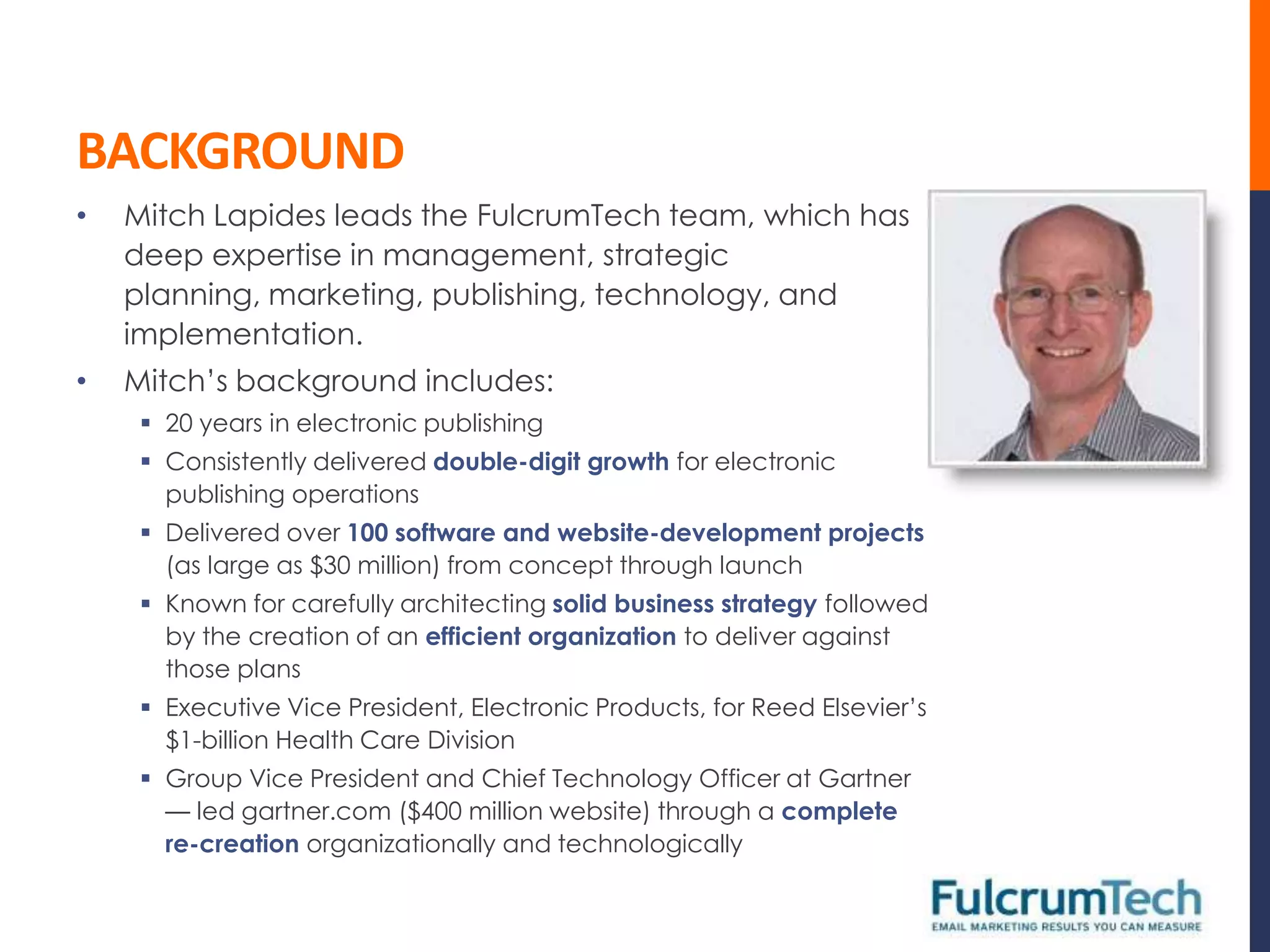
•   Mitch Lapides leads the FulcrumTech team, which has
    deep expertise in management, strategic
    planning, marketing, publishing, technology, and
    implementation.
•   Mitch’s background includes:
      20 years in electronic publishing
      Consistently delivered double-digit growth for electronic
       publishing operations
      Delivered over 100 software and website-development projects
       (as large as $30 million) from concept through launch
      Known for carefully architecting solid business strategy followed
       by the creation of an efficient organization to deliver against
       those plans
      Executive Vice President, Electronic Products, for Reed Elsevier’s
       $1-billion Health Care Division
      Group Vice President and Chief Technology Officer at Gartner
       — led gartner.com ($400 million website) through a complete
       re-creation organizationally and technologically
FULCRUMTECH CONTACT INFORMATION
 Mitch Lapides, President and CEO
    Email: mlapides@fulcrumtech.net
    Twitter: @mitchlapides
    Phone: 215-489-9336
    Website: http://www.fulcrumtech.net


 Cari Sultanik, Director, Interactive Account Management
    Email: csultanik@fulcrumtech.net
    Twitter: @carisultanik


 Sign up for our newsletter today:
  http://www.fulcrumtech.net/newsletter/

11 Things You Need to Know about the New Facebook Pages

  • 1.
    11 THINGS YOUNEED TO KNOW ABOUT NEW FACEBOOK PAGES CARI SULTANIK MARCH 24, 2012
  • 2.
    CONTENTS 1. Timing 2. Cover photo 3. Tabs 4. About section 5. Apps 6. Friend activity 7. Pinning and highlighting 8. Milestones 9. Page names 10. Personal messaging 11. Insights
  • 3.
    TIMING • All Pageswill be automatically upgraded on 3/30/2012. • You can preview and choose to publish sooner. Current layout New (timeline-based) layout
  • 4.
    COVER PHOTO • Currently you have a profile picture at the top of your Page. • You will now also have a cover photo that can provide a visual impact that represents your brand, products, or services. • Ideal size for a cover photo is 851x315 px • Cover photo images cannot include: • Price • Purchase information • Contact info • Calls to action • References to FB features such as “like” or “share”
  • 5.
    TABS  Your current“tabs” appear on  In the new format, the tabs the left side of your layout. appear beneath your header.
  • 6.
    ABOUT • Currently the “About” information appears on the left side of the Page. • In the new layout, it appears directly below the profile picture. • Depends on classification of the Page • All show total Likes and “people talking about this” • Local business pages display: • Address • Contact numbers • Opening hours • Brand pages list copy written under About section
  • 7.
    APPS • Now show to the right of About section • Appear with thumbnail photos instead of text links • Four app titles above the fold; first is “Photos” by default and cannot be changed • Can no longer set default landing tab • Can create and “pin” posts that link to custom apps • Fangating still permitted but no longer the first thing people see
  • 8.
    APPS • To editwhich apps you display: • Dropdown icon to right of tiles • Use + button to import apps • Hover and click pencil to swap
  • 9.
    FRIEND ACTIVITY • In the top right of a Page’s Timeline’s feed, visitors see the count and faces of friends who Like your Page. • This is followed by one update from a friend mentioning the page that Facebook’s algorithms deem especially engaging. • You have little control over this section. • Keep it from amplifying negative mentions of your page by hiding or deleting those posts when first published.
  • 10.
    FRIEND ACTIVITY ANDPOSTS BY OTHERS • Negative mentions can be minimized, and Recent Posts by Others can be disabled. • Admin Panel > Manage > Edit Page > Manage Permissions > Only show posts by Page and friend activity on your Page until reviewed by an admin OR Show the box for “Recent Posts by Others” on the top of the Page
  • 11.
    PINNING AND HIGHLIGHTING •You can pin your best posts to the top left spot of the Timeline feed. • You can pin posts that link to a particular tab. • Pinned posts appear in the top left of the timeline for 7 days (after which they return to the date they were originally posted). • You can also highlight important posts through- out the Timeline to make them display the full width of the page.
  • 12.
    MILESTONES • In additionto status, photos, videos, and questions you would normally publish, you can now also publish Milestone stories. • These updates will be favored by Facebook’s EdgeRank algorithm and may receive more impressions in the News Feed. • Milestones display at the full width on your page with a special flag icon.
  • 13.
    PAGE NAMES • Facebooknever allowed Page • Page names will be able to name changes once you had be changed with new 100 fans. pages (rumor has it). • Admin Panel > Help > Request a name change for your Page
  • 14.
    PERSONAL MESSAGING • Untilnow, fans could not • Messaging is now message a Page directly. automatically enabled so your fans can message your Page and you can reply as your page name, not with your personal name. • This can be disabled • Under Admin Channel • Manage > Edit Page > Manage Permissions > Show “Message” button on Page
  • 15.
    INSIGHTS • The newformat uses an Admin Panel, which includes: • Notifications • New Likes • Insights • Messages • Options for Page management, help, and marketing are under the Manage, Build Audience, and Help buttons. • You can hide the Admin Panel.
  • 16.
  • 17.
    INSIGHTS Take the tour!
  • 18.
    IMPORTANT TO-DO ITEMS •Choose or create a beautiful cover image that represents the heart and soul of your brand. • Write a short and compelling “About Us” description. • Feature your most important apps after photos. • Pin the post you want to drive the most traffic to each week. • Highlight great historical posts by you and your fans. • Create milestones when you have important events in your business. • Hide or delete embarrassing, out-of-date, or negative posts. • Monitor your insights closely to identify what types of content your fans are most likely to engage with and share.
  • 19.
    BACKGROUND • Cari Sultanik is the Director of Interactive Account Management at FulcrumTech. • Prior to joining FulcrumTech, Cari served as Director of Social Media and Community at Nutrisystem - the leading home-delivery weight-loss company - where she initiated and managed social programs to successfully establish a strong social media presence. • She has also helped numerous brands and nonprofits develop and execute robust social media strategies as a Marketing Internet Strategy and New Media Consultant. • In addition, Cari’s career experience includes user- centered design and engagement positions at Electronic Ink, a Philadelphia-based User Experience Design firm, and Advanta, a business credit card company.
  • 20.
    BACKGROUND • Mitch Lapides leads the FulcrumTech team, which has deep expertise in management, strategic planning, marketing, publishing, technology, and implementation. • Mitch’s background includes:  20 years in electronic publishing  Consistently delivered double-digit growth for electronic publishing operations  Delivered over 100 software and website-development projects (as large as $30 million) from concept through launch  Known for carefully architecting solid business strategy followed by the creation of an efficient organization to deliver against those plans  Executive Vice President, Electronic Products, for Reed Elsevier’s $1-billion Health Care Division  Group Vice President and Chief Technology Officer at Gartner — led gartner.com ($400 million website) through a complete re-creation organizationally and technologically
  • 21.
    FULCRUMTECH CONTACT INFORMATION Mitch Lapides, President and CEO  Email: mlapides@fulcrumtech.net  Twitter: @mitchlapides  Phone: 215-489-9336  Website: http://www.fulcrumtech.net  Cari Sultanik, Director, Interactive Account Management  Email: csultanik@fulcrumtech.net  Twitter: @carisultanik  Sign up for our newsletter today: http://www.fulcrumtech.net/newsletter/