
principles of design
01.28.15
starting off,
There are no rules. There are no rules. There are no rules.
Well, there are rules, but they were made to be broken.
PRINCIPLES OF DESIGN
01.28.15
“They’re more what you’d call
guidelines ”
–Captain Barbossa, Designer
the
principles
of design
balance
emphasis
movement
pattern
repetition
proportion
rhythm
variety
unity
the
principles
of design
balance
emphasis
movement
pattern
repetition
proportion
rhythm
variety
unity
!
Balance is the distribution of the visual weight of objects, colors,
texture, and space. If the design was a scale, these elements should
be balanced to make a design feel stable. In symmetrical balance,
the elements used on one side of the design are similar to those on
the other side; in asymmetrical balance, the sides are different but
still look balanced. In radial balance, the elements are arranged
around a central point and may be similar
balance
the
principles
of design
balance
emphasis
movement
pattern
repetition
proportion
rhythm
variety
unity
!
Emphasis is the part of the design that catches the viewer’s 

attention. Usually the artist will make one area stand out by
contrasting it with other areas. The area could be different in 

size, color, texture, shape, etc.
emphasis
the
principles
of design
balance
emphasis
movement
pattern
repetition
proportion
rhythm
variety
unity
!
Movement is the path the viewer’s eye takes through the work of
art, often to focal areas. Such movement can be directed along lines,
edges, shape, and color within the work of art.
movement
!
(Words borrowed from getty.edu/education)
the
principles
of design
balance
emphasis
movement
pattern
repetition
proportion
rhythm
variety
unity
!
Pattern is the repeating of an object or symbol all over the work of art.
pattern
the
principles
of design
balance
emphasis
movement
pattern
repetition
proportion
rhythm
variety
unity
!
Repetition works with pattern to make the work of art seem active. 

The repetition of elements of design creates unity within the work of art.
repetition
the
principles
of design
balance
emphasis
movement
pattern
repetition
proportion
rhythm
variety
unity
!
Proportion is the feeling of unity created when all parts (sizes, amounts,
or number) relate well with each other. When drawing the human
figure, proportion can refer to the size of the head compared to the rest
of the body.
proportion
the
principles
of design
balance
emphasis
movement
pattern
repetition
proportion
rhythm
variety
unity
!
Besides being a word that I can never spell correctly, rhythm is created
when one or more elements of design are used repeatedly to create a
feeling of organized movement. Rhythm creates a mood like music 

or dancing. To keep rhythm exciting and active, variety is essential.
rhythm
the
principles
of design
balance
emphasis
movement
pattern
repetition
proportion
rhythm
variety
unity
!
Variety is the use of several elements of design to hold the
viewer’s attention and to guide the viewer’s eye through and
around the work of art.
variety
the
principles
of design
balance
emphasis
movement
pattern
repetition
proportion
rhythm
variety
unity
!
Unity is the feeling of harmony between all parts 

of the work of art, which creates a sense of completeness.
unity
try to avoid
bad design
bad designtext inside circles
(usually)
bad design
text near the edges
of anything
doesn’t this make you feel
uncomfortable? yes
bad design
terrible
color
combinations
bad design
not very legible
text on top of
images
bad design
unbalanced lines of text are truly
terrible.
but, balanced lines 

of text can be very nice.
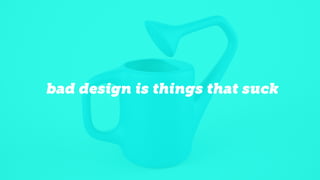
bad design is things that suck
!
Pair contrasting fonts. This essentially
narrows down, in most cases, to using a
sans-serif font for headlines, and a serif font
for body copy.
tips for the
uninitiated #1
GRAB THAT
ATTENTION
And then ease your way into the story with a nice, smaller,
serif font. You see this everywhere, because it works very well.
And then ease your way into the story with a nice, smaller,
serif font. You see this everywhere, because it works very well.
http://framescollection.com/tunnelrats.html
!
If you’re going to have text on top of an
image (and the image doesn’t naturally give
a nice contrast between text and picture),
try using an overlay! We do this on most of
our websites. I’ve done it all throughout this
presentation, you’ve probably noticed.
tips for the
uninitiated #2
text on top of image
Good design is generally based off of a grid system. On the
web, that translates to designing within a 960 or 1280 grid.
In layman's presentation terms, it means keep your titles,
photos, body copy, etc consistently in the same place, or at
least follow the same concept. For this presentation, that
meant centered blocks of left-aligned text for copy heavy
slides, and centered blocks of center-aligned texts on top
of images for title-heavy slides.
tips for the
uninitiated #3
http://www.dehaus.be/bar
Lorem ipsum dolor sit amet, consectetur adipiscing elit, sed
do eiusmod tempor incididunt ut labore et dolore magna
aliqua. Ut enim ad minim veniam, quis nostrud exercitation
ullamco laboris nisi ut aliquip ex ea commodo consequat.
Duis aute irure dolor in reprehenderit in voluptate velit esse
cillum dolore eu fugiat nulla pariatur.
headlines
Lorem ipsum dolor sit amet, consectetur adipiscing elit, sed
do eiusmod tempor incididunt ut labore et dolore magna
aliqua. Ut enim ad minim veniam, quis nostrud exercitation
ullamco laboris nisi ut aliquip ex ea commodo consequat.
Duis aute irure dolor in reprehenderit in voluptate velit esse
cillum dolore eu fugiat nulla pariatur.
http://www.thomasrobin.net/
Break the system to provide emphasis. This is tricky to 

get right. Break it once, it looks like a mistake. Break it
twice, it looks like two mistakes. Break it three times, and
it’s a system for breaking the system. Break it ten times,
you look like a terrible designer. So, break the system
approximately three times. The system can be broken 

with positioning (breaking the grid), color, fonts, etc.
tips for the
uninitiated #4
http://brianhoffdesign.com/#/work
the end.
This is me breaking the system with color, and ending the presentation.

The Principles of Design