By
Ayush Garg
1.
2.
3.
4.
5.

Primary Memory
Secondary Memory
Summary
Questions & Answers
Thank You
Only one directly accessible to the CPU.
Used to hold the temporarily data during the execution.
Other names are – Main Memory or Internal Memory
Types of Primary memory–

1.
2.
3.
4.
1.

2.
3.

5.
6.

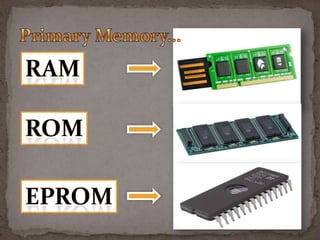
RAM – Random Access Memory
ROM – Read Only Memory
PROM/EPROM - Programmable ROM

It has a Limited Capacity
Information is retained only when it is Actively
Rehearsed.
s
1. Secondary Memory also known as EXTERNAL
MEMORY or AUXILIARY MEMORY.
2. Often formatted according to a File Systems Format.
3. Provide abstraction necessary to organize data into files
and directories.
4. Also Providing Additional Information METADATA
describing the owner of the certain file.
 Allows

Stored Data to Be Accessed Quickly In Any
Random Order
It Has Taken The Form Of Integrated Circuits
 It is Associated With Volatile Types Of Memory
 Where The Stored Data Is LOST If The Power Is
REMOVED
 Any Location In The Device Can Be Selected At Random,
Access To The Information Stored Is DIRECT
 A Class Of Data Storage Device
 It Reads the Data In Sequence
 Very Much In Contrast With RAM (where Data Can Be
Accessed In Any Order)
 They Are Usually A Form Of Magnetic Devices
 Access Can STILL Be Made To Arbitrary Locations
 Typically Used For Secondary Storage
 It Has High Density And Cost As Compared To RAM
 As Well As Resistance to Wear and Non-Volatility
 EXAMPLE – Hard Disks, CD- ROMS And Magnetic Tapes
 HARD DISKS
 PERFORMANCE ENHANCEMENTS

 OPTICAL DISKS
 SPECIALISED MEDIA
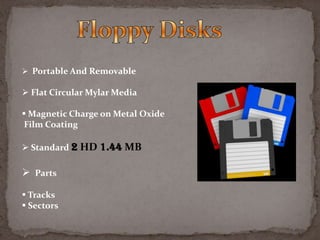
 FLOPPY DISKS
 Portable And Removable

 Flat Circular Mylar Media
 Magnetic Charge on Metal Oxide
Film Coating
 Standard 2 HD 1.44 MB

 Parts
 Tracks
 Sectors
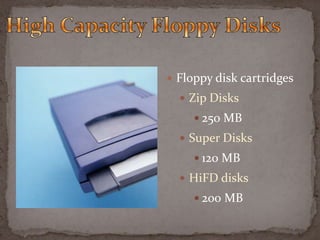
 Floppy disk cartridges
 Zip Disks
 250 MB

 Super Disks
 120 MB
 HiFD disks
 200 MB
 Metallic disks

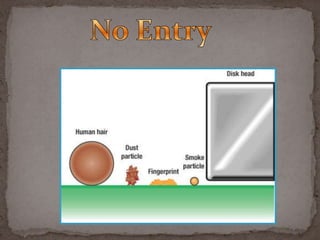
 Fast retrieval, greater capacity
 Read/write heads ride cushion of air .000001”

thick
 Three types

 Internal hard disk
 Hard-disk cartridge

 Hard-disk pack
 Inside system unit
 Non-removable or portable
 Great capacity
 Over 100 Gigabytes
 Fast access speed
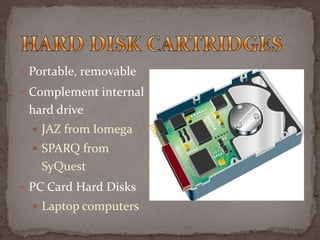
 Portable, removable
 Complement internal

hard drive
 JAZ from Iomega
 SPARQ from

SyQuest
 PC Card Hard Disks
 Laptop computers
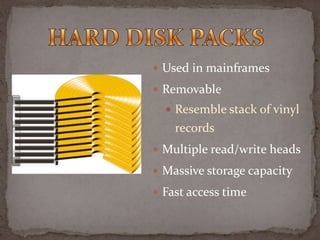
 Used in mainframes
 Removable

 Resemble stack of vinyl

records
 Multiple read/write heads
 Massive storage capacity
 Fast access time
 Improving performance of hard disks
 Disk caching
 Redundant Arrays of Inexpensive Disks (RAID)
 File compression and decompression
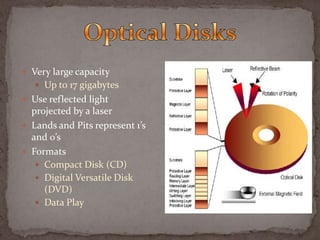
 Very large capacity

 Up to 17 gigabytes
 Use reflected light

projected by a laser
 Lands and Pits represent 1’s
and 0’s
 Formats
 Compact Disk (CD)
 Digital Versatile Disk
(DVD)
 Data Play
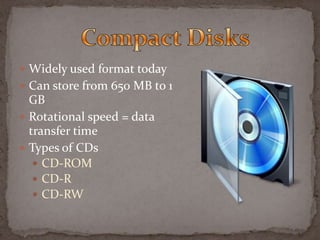
 Widely used format today
 Can store from 650 MB to 1

GB
 Rotational speed = data
transfer time
 Types of CDs
 CD-ROM
 CD-R
 CD-RW
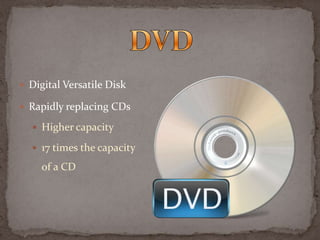
 Digital Versatile Disk
 Rapidly replacing CDs
 Higher capacity
 17 times the capacity

of a CD
 DVD types
 DVD-ROM
 Read only memory
 DVD-R
 Recordable
 DVD-RAM or DVD-RW
 Competing rewritable formats
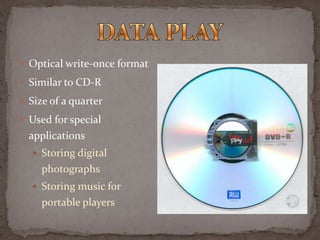
 Optical write-once format
 Similar to CD-R
 Size of a quarter
 Used for special

applications
 Storing digital

photographs
 Storing music for

portable players
 Sequential access
 Commonly used for backing-up data
 Very large capacity
 Types of magnetic tape
 Tape cartridges

 Magnetic tape reels
 Tape cartridges
 Backup tape for microcomputer
 Capacities range from 120 MB to 5 GB
 Digital audio tape (DAT)
 Tape reels
 Minicomputer and mainframe
 1/2 inch wide and 1/2 mile long
 Stores 1600 to 6400 cpi
 Internet hard drive
 Free or low-cost storage on the Web

 Access information from any location
 Access time is greater
 Solid-state storage

 No moving parts
 Flash memory cards
 Blue laser light optical

devices
 Aimed more accurately
 Can increase storage
capacity to 27 GB per
standard optical disk
 New players will likely play
both
Presentation on computer data storage

Presentation on computer data storage

  • 1.
  • 2.
  • 3.
    Only one directlyaccessible to the CPU. Used to hold the temporarily data during the execution. Other names are – Main Memory or Internal Memory Types of Primary memory– 1. 2. 3. 4. 1. 2. 3. 5. 6. RAM – Random Access Memory ROM – Read Only Memory PROM/EPROM - Programmable ROM It has a Limited Capacity Information is retained only when it is Actively Rehearsed.
  • 5.
    s 1. Secondary Memoryalso known as EXTERNAL MEMORY or AUXILIARY MEMORY. 2. Often formatted according to a File Systems Format. 3. Provide abstraction necessary to organize data into files and directories. 4. Also Providing Additional Information METADATA describing the owner of the certain file.
  • 6.
     Allows Stored Datato Be Accessed Quickly In Any Random Order It Has Taken The Form Of Integrated Circuits  It is Associated With Volatile Types Of Memory  Where The Stored Data Is LOST If The Power Is REMOVED  Any Location In The Device Can Be Selected At Random, Access To The Information Stored Is DIRECT
  • 7.
     A ClassOf Data Storage Device  It Reads the Data In Sequence  Very Much In Contrast With RAM (where Data Can Be Accessed In Any Order)  They Are Usually A Form Of Magnetic Devices  Access Can STILL Be Made To Arbitrary Locations  Typically Used For Secondary Storage  It Has High Density And Cost As Compared To RAM  As Well As Resistance to Wear and Non-Volatility  EXAMPLE – Hard Disks, CD- ROMS And Magnetic Tapes
  • 8.
     HARD DISKS PERFORMANCE ENHANCEMENTS  OPTICAL DISKS  SPECIALISED MEDIA  FLOPPY DISKS
  • 9.
     Portable AndRemovable  Flat Circular Mylar Media  Magnetic Charge on Metal Oxide Film Coating  Standard 2 HD 1.44 MB  Parts  Tracks  Sectors
  • 10.
     Floppy diskcartridges  Zip Disks  250 MB  Super Disks  120 MB  HiFD disks  200 MB
  • 11.
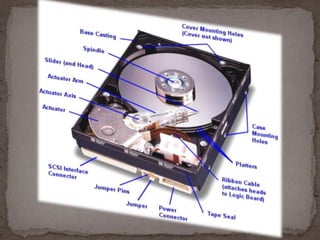
     Metallic disks Fast retrieval, greater capacity  Read/write heads ride cushion of air .000001” thick  Three types  Internal hard disk  Hard-disk cartridge  Hard-disk pack
  • 13.
     Inside systemunit  Non-removable or portable  Great capacity  Over 100 Gigabytes  Fast access speed
  • 14.
     Portable, removable Complement internal hard drive  JAZ from Iomega  SPARQ from SyQuest  PC Card Hard Disks  Laptop computers
  • 15.
     Used inmainframes  Removable  Resemble stack of vinyl records  Multiple read/write heads  Massive storage capacity  Fast access time
  • 16.
     Improving performanceof hard disks  Disk caching  Redundant Arrays of Inexpensive Disks (RAID)  File compression and decompression
  • 17.
     Very largecapacity  Up to 17 gigabytes  Use reflected light projected by a laser  Lands and Pits represent 1’s and 0’s  Formats  Compact Disk (CD)  Digital Versatile Disk (DVD)  Data Play
  • 18.
     Widely usedformat today  Can store from 650 MB to 1 GB  Rotational speed = data transfer time  Types of CDs  CD-ROM  CD-R  CD-RW
  • 19.
     Digital VersatileDisk  Rapidly replacing CDs  Higher capacity  17 times the capacity of a CD
  • 20.
     DVD types DVD-ROM  Read only memory  DVD-R  Recordable  DVD-RAM or DVD-RW  Competing rewritable formats
  • 21.
     Optical write-onceformat  Similar to CD-R  Size of a quarter  Used for special applications  Storing digital photographs  Storing music for portable players
  • 22.
     Sequential access Commonly used for backing-up data  Very large capacity  Types of magnetic tape  Tape cartridges  Magnetic tape reels
  • 24.
     Tape cartridges Backup tape for microcomputer  Capacities range from 120 MB to 5 GB  Digital audio tape (DAT)  Tape reels  Minicomputer and mainframe  1/2 inch wide and 1/2 mile long  Stores 1600 to 6400 cpi
  • 25.
     Internet harddrive  Free or low-cost storage on the Web  Access information from any location  Access time is greater  Solid-state storage  No moving parts  Flash memory cards
  • 26.
     Blue laserlight optical devices  Aimed more accurately  Can increase storage capacity to 27 GB per standard optical disk  New players will likely play both