Technology Integration in Adult ESL Instruction Available at ___________ [email_address] Carolina TESOL 2009, Adult Education Michele Cona Arlington Education & Employment Program (REEP)
Outline Background Power and Impact of Technology  Ideas for Integration Adult ESL Instruction Professional Development of Teachers Conclusion
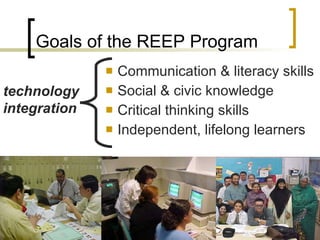
Communication & literacy skills  Social & civic knowledge Critical thinking skills Independent, lifelong learners Goals of the REEP Program technology integration
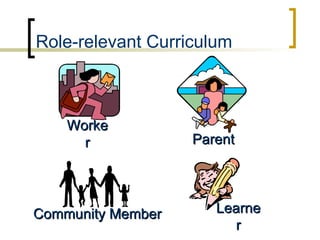
Worker Parent Community Member Learner Role-relevant Curriculum
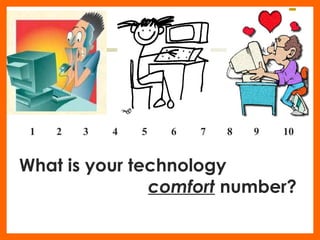
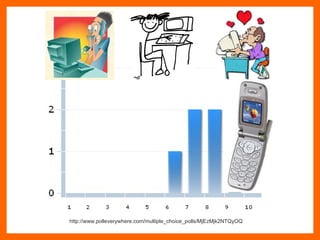
1  2  3  4  5  6  7  8  9  10 What is your technology  comfort  number?
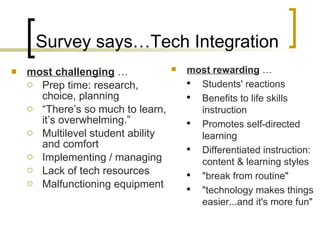
Survey says…Tech Integration most challenging  … Prep time: research, choice, planning  “ There’s so much to learn, it’s overwhelming.” Multilevel student ability and comfort Implementing / managing  Lack of tech resources  Malfunctioning equipment most rewarding   … Students' reactions Benefits to life skills instruction Promotes self-directed learning Differentiated instruction: content & learning styles "break from routine" "technology makes things easier...and it's more fun"
Council for the Advancement of Adult Literacy (CAAL), 2009 Study The Power of Technology to Transform Adult Learning Jobs require some education or training. ICT (“digital”) literacy is seen as essential for employment. Access to resources is limited. Adults are highly motivated to gain ICT skills. Technology is important in everyday life. Technology extends and enhances learning.
National Institute for Literacy (NIFL), 2008 Study Investigating the Language and Literacy Skills Required for Independent Online Learning “ No threshold” Engaging Real benefits Skills development Authentic learning environment Connectivity and accessibility of content a challenge
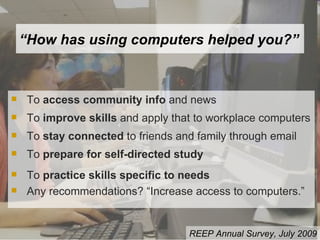
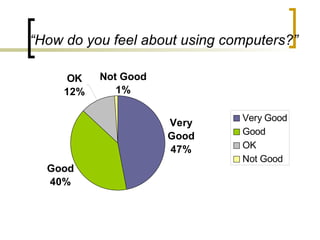
“ How has using computers helped you?” To  access community info  and news  To  improve skills  and apply that to workplace computers To  stay connected  to friends and family through email To  prepare for self-directed study To  practice skills specific to needs Any recommendations? “Increase access to computers.” REEP Annual Survey, July 2009
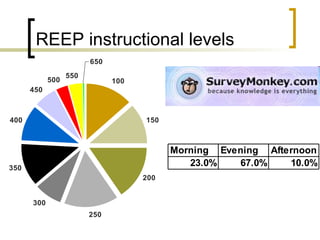
REEP instructional levels
“ How do you feel about using computers?”
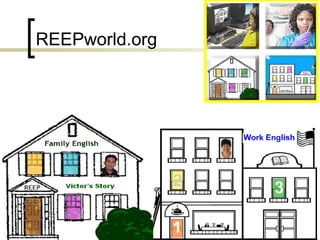
REEPworld.org
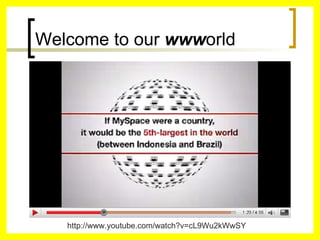
Welcome to our  www orld http://www.youtube.com/watch?v=cL9Wu2kWwSY
Literacy: (UNESCO) “ Identify, understand, interpret, create, communicate, compute and use printed and written materials”  A continuum of learning to support an individual’s ability to achieve his/her goals and to participate fully in the wider society. Virtual Literacy : Use of technology tools to  enhance and extend one’s ability to achieve literacy goals. What does all this mean for “literacy?” Via: Growing Learners’ Skills Through Virtual Literacy,  NIFL Discussion, August 2009 http://www.nifl.gov/lincs/discussions/professionaldevelopment/09onlinepartII_fulldiscussion.html#Defining_Virtual_Literacy
Very. Cool. Tools. “ The research is pretty clear, technology-mediated learning is most efficiently done through authentic, meaningful tasks and rarely in isolation.”  ~ Heidi Silver-Paciulla   via NIFL Disc. Listserv August 2009
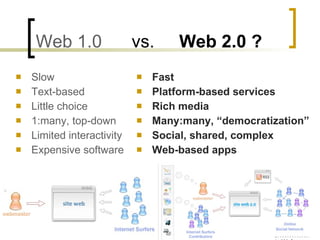
Web 1.0   vs.  Web 2.0 ? Slow Text-based Little choice 1:many, top-down Limited interactivity Expensive software Fast Platform-based services Rich media Many:many, “democratization” Social, shared, complex Web-based apps
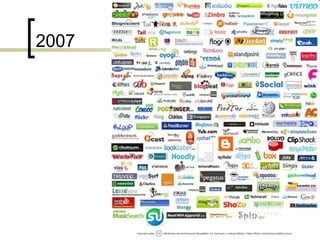
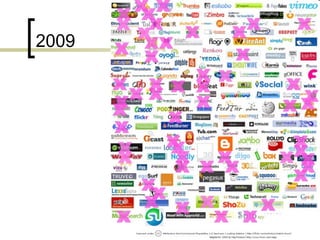
How many Web 2.0 sites are there?
2007
2009
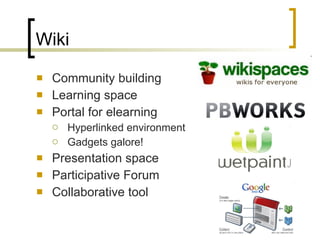
Wiki Community building Learning space Portal for elearning Hyperlinked environment Gadgets galore! Presentation space Participative Forum  Collaborative tool
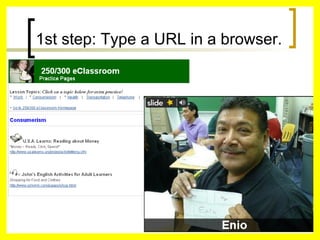
1st step: Type a URL in a browser.
Blog, Audioblog, Microblog Community building Social network Discussion Forum Class, school news Presentation space Portal for elearning Hyperlinked environment Gadgets galore! Collaborative tool
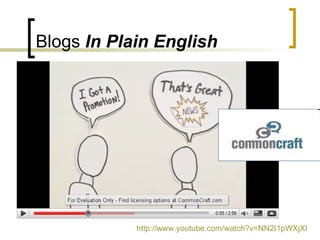
Blogs  In Plain English http://www.youtube.com/watch?v=NN2I1pWXjXI
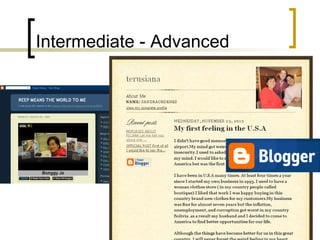
Intermediate - Advanced
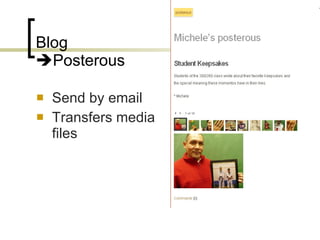
Blog   Posterous Send by email Transfers media files
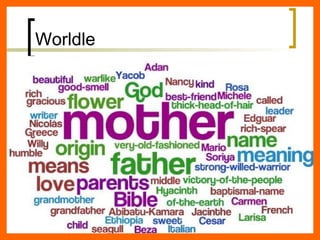
Worldle
 
 
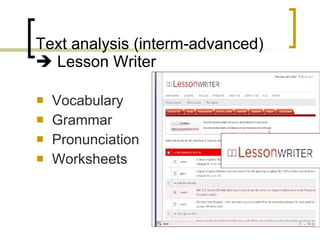
Text analysis (interm-advanced)   Lesson Writer Vocabulary Grammar Pronunciation Worksheets
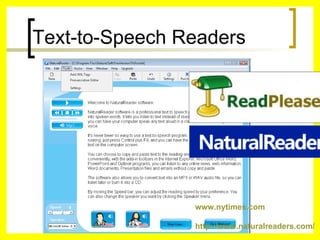
Text-to-Speech Readers www.nytimes.com http://www.naturalreaders.com/
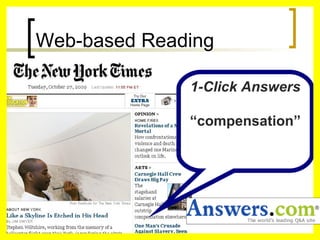
Web-based Reading 1-Click Answers “ compensation”
Google Apps
 
Audio     Music    Voice     Podcasts Students Storytelling Pronunciation Culminating Assessment Day/Week in review Narrating presentations
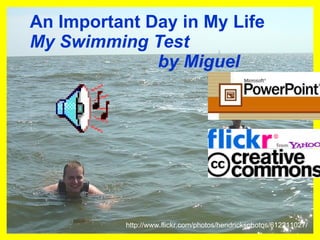
An Important Day in My Life My Swimming Test by Miguel http://www.flickr.com/photos/hendricksphotos/612211027/
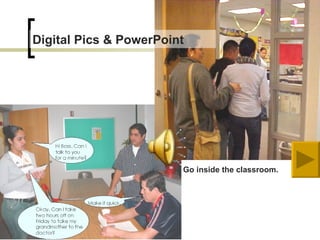
Go inside the classroom. Digital Pics & PowerPoint
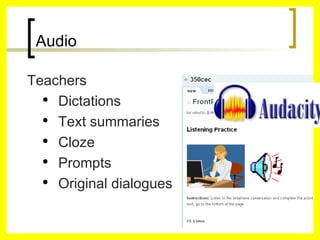
Audio Teachers Dictations Text summaries Cloze Prompts Original dialogues
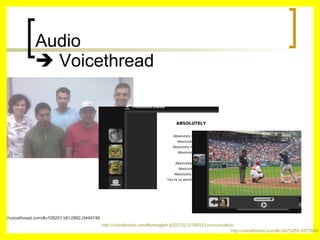
Audio    Voicethread http://voicethread.com/#u108201.b612882.i3444746 http://voicethread.com/#q+english.b332702.i2190023 pronunciation   http://voicethread.com/#q.b675289.i3573566
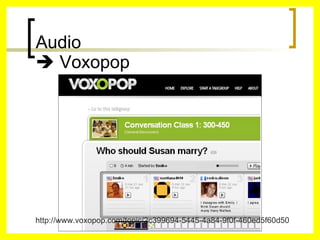
Audio    Voxopop http://www.voxopop.com/topic/2c399694-5445-4a84-9f0f-460ed5f60d50
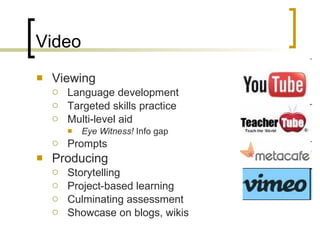
Video Viewing Language development Targeted skills practice Multi-level aid Eye Witness!  Info gap Prompts Producing Storytelling Project-based learning Culminating assessment Showcase on blogs, wikis
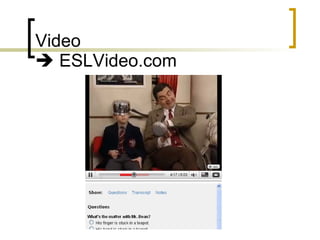
Video    ESLVideo.com
Cell phones & Smartphones “ The mobile device will be the primary connection tool to the internet for most people in the world in 2020.”  ~ Pew Research Center   December 2008
Cell phones Allowed! Google information Audioblogs, Drop.io, Box.net, Voicethread  Texting Photos Recording Listen to the radio Apps! Apps! Apps!
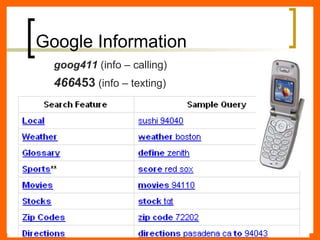
Google Information goog411  (info – calling) 466 453  (info – texting)
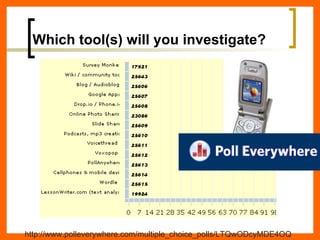
Which tool(s) will you investigate? http://www.polleverywhere.com/multiple_choice_polls/LTQwODcyMDE4OQ
Beyond the One-day Workshop “ Viral Professional Development is emerging in education as a viable method of increasing teacher engagement and learning…and collaborating on a grassroots level.” ~ The Cool Cat Teacher Blog   Blogpost, June 2008
 
Community of Practice
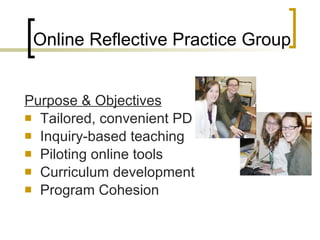
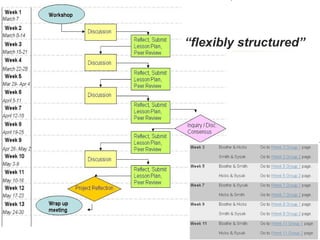
Purpose & Objectives Tailored, convenient PD Inquiry-based teaching Piloting online tools Curriculum development Program Cohesion Online Reflective Practice Group
 
“ flexibly structured”
 
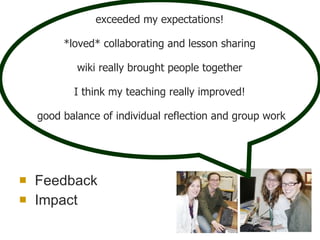
Feedback Impact exceeded my expectations!  *loved* collaborating and lesson sharing   wiki really brought people together  I think my teaching really improved!  good balance of individual reflection and group work
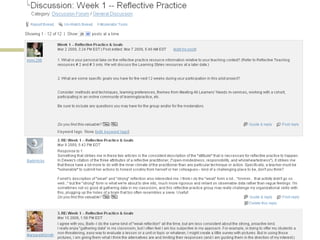
Online Discussion Groups
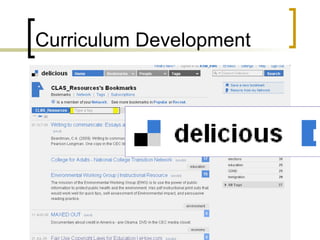
Curriculum Development
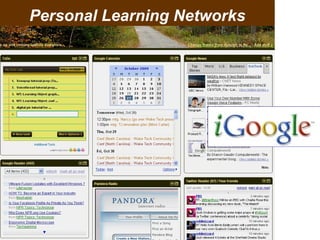
Personal Learning Networks
Conclusion The power of technology to support adult ESL and life skills instruction is profound Effective integration depends on employment of instructional best practices Online tools offer many benefits to professional development for teachers Make a plan, go slowly, reflect, and share The time to expand your technology integration online is  now !
http://www.polleverywhere.com/multiple_choice_polls/MjEzMjk2NTQyOQ
Technology Integration in Adult ESL Instruction materials available at ___________ [email_address] Carolina TESOL 2009 Michele Cona Arlington Education & Employment Program (REEP) Thank you!

Presentation

  • 1.
    Technology Integration inAdult ESL Instruction Available at ___________ [email_address] Carolina TESOL 2009, Adult Education Michele Cona Arlington Education & Employment Program (REEP)
  • 2.
    Outline Background Powerand Impact of Technology Ideas for Integration Adult ESL Instruction Professional Development of Teachers Conclusion
  • 3.
    Communication & literacyskills Social & civic knowledge Critical thinking skills Independent, lifelong learners Goals of the REEP Program technology integration
  • 4.
    Worker Parent CommunityMember Learner Role-relevant Curriculum
  • 5.
    1 2 3 4 5 6 7 8 9 10 What is your technology comfort number?
  • 6.
    Survey says…Tech Integrationmost challenging … Prep time: research, choice, planning  “ There’s so much to learn, it’s overwhelming.” Multilevel student ability and comfort Implementing / managing Lack of tech resources  Malfunctioning equipment most rewarding … Students' reactions Benefits to life skills instruction Promotes self-directed learning Differentiated instruction: content & learning styles "break from routine" "technology makes things easier...and it's more fun"
  • 7.
    Council for theAdvancement of Adult Literacy (CAAL), 2009 Study The Power of Technology to Transform Adult Learning Jobs require some education or training. ICT (“digital”) literacy is seen as essential for employment. Access to resources is limited. Adults are highly motivated to gain ICT skills. Technology is important in everyday life. Technology extends and enhances learning.
  • 8.
    National Institute forLiteracy (NIFL), 2008 Study Investigating the Language and Literacy Skills Required for Independent Online Learning “ No threshold” Engaging Real benefits Skills development Authentic learning environment Connectivity and accessibility of content a challenge
  • 9.
    “ How hasusing computers helped you?” To access community info and news To improve skills and apply that to workplace computers To stay connected to friends and family through email To prepare for self-directed study To practice skills specific to needs Any recommendations? “Increase access to computers.” REEP Annual Survey, July 2009
  • 10.
  • 11.
    “ How doyou feel about using computers?”
  • 12.
  • 13.
    Welcome to our www orld http://www.youtube.com/watch?v=cL9Wu2kWwSY
  • 14.
    Literacy: (UNESCO) “Identify, understand, interpret, create, communicate, compute and use printed and written materials” A continuum of learning to support an individual’s ability to achieve his/her goals and to participate fully in the wider society. Virtual Literacy : Use of technology tools to enhance and extend one’s ability to achieve literacy goals. What does all this mean for “literacy?” Via: Growing Learners’ Skills Through Virtual Literacy, NIFL Discussion, August 2009 http://www.nifl.gov/lincs/discussions/professionaldevelopment/09onlinepartII_fulldiscussion.html#Defining_Virtual_Literacy
  • 15.
    Very. Cool. Tools.“ The research is pretty clear, technology-mediated learning is most efficiently done through authentic, meaningful tasks and rarely in isolation.” ~ Heidi Silver-Paciulla via NIFL Disc. Listserv August 2009
  • 16.
    Web 1.0 vs. Web 2.0 ? Slow Text-based Little choice 1:many, top-down Limited interactivity Expensive software Fast Platform-based services Rich media Many:many, “democratization” Social, shared, complex Web-based apps
  • 17.
    How many Web2.0 sites are there?
  • 18.
  • 19.
  • 20.
    Wiki Community buildingLearning space Portal for elearning Hyperlinked environment Gadgets galore! Presentation space Participative Forum Collaborative tool
  • 21.
    1st step: Typea URL in a browser.
  • 22.
    Blog, Audioblog, MicroblogCommunity building Social network Discussion Forum Class, school news Presentation space Portal for elearning Hyperlinked environment Gadgets galore! Collaborative tool
  • 23.
    Blogs InPlain English http://www.youtube.com/watch?v=NN2I1pWXjXI
  • 24.
  • 25.
    Blog Posterous Send by email Transfers media files
  • 26.
  • 27.
  • 28.
  • 29.
    Text analysis (interm-advanced) Lesson Writer Vocabulary Grammar Pronunciation Worksheets
  • 30.
    Text-to-Speech Readers www.nytimes.comhttp://www.naturalreaders.com/
  • 31.
    Web-based Reading 1-ClickAnswers “ compensation”
  • 32.
  • 33.
  • 34.
    Audio  Music  Voice  Podcasts Students Storytelling Pronunciation Culminating Assessment Day/Week in review Narrating presentations
  • 35.
    An Important Dayin My Life My Swimming Test by Miguel http://www.flickr.com/photos/hendricksphotos/612211027/
  • 36.
    Go inside theclassroom. Digital Pics & PowerPoint
  • 37.
    Audio Teachers DictationsText summaries Cloze Prompts Original dialogues
  • 38.
    Audio  Voicethread http://voicethread.com/#u108201.b612882.i3444746 http://voicethread.com/#q+english.b332702.i2190023 pronunciation http://voicethread.com/#q.b675289.i3573566
  • 39.
    Audio  Voxopop http://www.voxopop.com/topic/2c399694-5445-4a84-9f0f-460ed5f60d50
  • 40.
    Video Viewing Languagedevelopment Targeted skills practice Multi-level aid Eye Witness! Info gap Prompts Producing Storytelling Project-based learning Culminating assessment Showcase on blogs, wikis
  • 41.
    Video  ESLVideo.com
  • 42.
    Cell phones &Smartphones “ The mobile device will be the primary connection tool to the internet for most people in the world in 2020.” ~ Pew Research Center December 2008
  • 43.
    Cell phones Allowed!Google information Audioblogs, Drop.io, Box.net, Voicethread Texting Photos Recording Listen to the radio Apps! Apps! Apps!
  • 44.
    Google Information goog411 (info – calling) 466 453 (info – texting)
  • 45.
    Which tool(s) willyou investigate? http://www.polleverywhere.com/multiple_choice_polls/LTQwODcyMDE4OQ
  • 46.
    Beyond the One-dayWorkshop “ Viral Professional Development is emerging in education as a viable method of increasing teacher engagement and learning…and collaborating on a grassroots level.” ~ The Cool Cat Teacher Blog Blogpost, June 2008
  • 47.
  • 48.
  • 49.
    Purpose & ObjectivesTailored, convenient PD Inquiry-based teaching Piloting online tools Curriculum development Program Cohesion Online Reflective Practice Group
  • 50.
  • 51.
  • 52.
  • 53.
    Feedback Impact exceededmy expectations! *loved* collaborating and lesson sharing wiki really brought people together I think my teaching really improved! good balance of individual reflection and group work
  • 54.
  • 55.
  • 56.
  • 57.
    Conclusion The powerof technology to support adult ESL and life skills instruction is profound Effective integration depends on employment of instructional best practices Online tools offer many benefits to professional development for teachers Make a plan, go slowly, reflect, and share The time to expand your technology integration online is now !
  • 58.
  • 59.
    Technology Integration inAdult ESL Instruction materials available at ___________ [email_address] Carolina TESOL 2009 Michele Cona Arlington Education & Employment Program (REEP) Thank you!

Editor's Notes

  • #2 This PPT template is called Axis
  • #5 8 beginning-intermediate (100-450) lifeskills topics all language skills 1 advanced (550) academic skills preparation emphasis on reading and writing ---------------------------------------------- Online curricula Adult ESL Curriculum Family L iteracy C urriculum Outreach Curriculum Lesson plans Activities Resources
  • #6 Not your aptitude or skillset. Comfort, because it all starts with attitude. Show my graph.
  • #7 Depending on the application, has significant potential for culminating assessment (oral), study skills, project-based learning, self-directed skills with integrated use of a class wiki and uploading to portable players
  • #8 October 21, 2009 (New York) -- CAAL today released THE POWER OF TECHNOLOGY TO TRANSFORM ADULT LEARNING: Expanding Access to Adult Education and Workforce Skills Through Distance Learning. This 65- page paper is based on a 9-month project directed by Dr. Mary L. McCain of TechVision 21 in Washington, D.C. Federal and state government is the primary audience but CAAL also aims to help inform private sector engagement and assist program and curriculum development professionals. Among the report's recommendations are to establish a national web portal to meet the needs of both adult learners and professional/skilled ICT users; federal incentives to encourage and help states integrate technology-assisted learning into overall adult education and workforce skills planning; projects to support the development of distance learning in a variety of areas (such as distance learning certifications, performance measures that validate ICT literacy, and online learning assessment); a strong research, analysis, and evaluation program; and activities to foster stakeholder involvement, including the philanthropic and business communities. The POWER OF TECHNOLOGY includes a primer section on the tools of technology. Another section presents exemplary national and state technology-based program models for instruction, professional development, and program/data management. Findings of recent research on distance learning are presented and analyzed, and an extensive bibliographic appendix is included. The report is available as NC- CAAL11 from the CAAL website at www.caalusa.org/publications/html . It can also be purchased directly from CAAL ($20 plus postage, volume discounts available). Mary L. McCain for CAAL, October 2009 http://www. caalusa .org/POWER_OF_TECH. pdf McCain shows that recent research supports a large-scale use of technology to increase access to and improve adult education and workforce skills training in America.   In fact, she notes, the National Commission on Adult Literacy and others have recently concluded that the nation’s economic viability, standard of living, and core democratic principles are in jeopardy if many more millions of adults are not provided effective college- and job-readiness skills in the next decade and beyond. The scale with which she details means implementing the extensive use of distance learning and all available, related technology tools.   Among the facts she presents as “fundamental” include:            Jobs increasingly require some education or training. o        The majority of jobs already or will eventually require some college education or job training, and nearly half of all American adults need some kind of skills training to be competitive for positions.            ICT (“digital”) literacy is essential to employment. o        Information and communications technology skills (ICT literacy) are essential, both on and off the job, as 70 percent of all jobs in the U.S. will require some level of ICT skills by 2016.            Access to resources is limited. o        Many good technology-based training programs and tools exist, but access to information and awareness of them is limited.            Extensive and rigorous evaluation of existing programs is needed, as well as development of new programs, to assure quality and relevance for a diverse constituency.            Planning for technology use needs to be set into comprehensive statewide adult education and workforce skills development plans.            Adults are highly motivated to gain computer literacy skills. o        across the literacy and language spectrum show strong motivation to gain computer literacy skills, perceived as key to work advancement. In fact, time spent in employment and exposure to ICT substantially enhance literacy proficiency generally. Learners at even the lowest levels of literacy and language proficiency can engage with online learning content. Reports indicate that they are eager to do so and that they benefit in important ways, e.g., self-confidence, self-directedness, and independence.            Technology plays an important role in everyday life and work. o        Access to it and connectivity to the Internet are growing rapidly, even among low-skilled adults. (Despite the higher costs of broadband, 63 percent of all Americans have broadband connectivity at home, some 77 percent of adults have a computer, and 84 percent have a cell phone.) However, although access is growing among all categories of users, the digital divide remains problematic for certain categories of potential learners, especially those at the lowest skills levels and most in need of services.   Finally, and perhaps most importantly for our purposes tonight, it important to know and accept that …            Technology extends and enhances learning. o        Whether an adult has no experience using computers or the Internet or is well-versed in ICT skills, technology offers an entirely new environment and learning experience that adds to or can go beyond the traditional classroom experience of instructor-led text-based formats. Research shows that self-study through distance learning – where materials are delivered through a variety of media – holds high promise in terms of learning gains, and persistence and motivation are markedly better than in traditional classroom-only settings, even for low-skilled learners.   The study notes that technology can support the effort to address the current demand and any future large-scale system reform. o        We now live in a world that functions increasingly in a technology-encompassed mode, and learning and work are less and less accessible to those who cannot use technology. Adult learners across the literacy and language spectrum recognize this and their enrollment choices will likely begin to reflect this awareness and need. Taking advantage of current and developing opportunities in an information society requires that individuals and program managers have ICT literacy (information and communications technology skills). It also requires that we all understand what the “ tools of technology ” are and what they are good for, and that we learn from and build on what we already know.   Info on methods of delivery and learner gains:       Info on ICT skills:     Access . Knowing about and knowing how to collect and/or retrieve information. Searching, finding/locating, and retrieving information in digital environments.     Manage . Applying an existing organizational or classification scheme. Conducting a rudimentary and preliminary organization of accessed information for retrieval and future application. • Integrate . Interpreting and representing information (summarizing, comparing, and contrasting) material from multiple sources by using ICT tools. • Evaluate . Making judgments about the quality, relevance, usefulness, or efficiency of information. Judging the currency, appropriateness, and adequacy of information and information sources for a specific purpose (including determining authority, bias, and timelines of materials). • Create . Generating information by adapting, applying, designing, inventing, or authoring information in ICT environments to describe an event, express an opinion, or support a basic argument, viewpoint, or position. • Communicate . Communicating information persuasively to meet needs of various audiences through use of an appropriate medium. Communicating, adapting, and presenting information properly in its context (audience, media) in ICT environments and for a peer audience.
  • #9   http://www. nifl . gov /publications/ pdf / NIFLOnlineLearningReport . pdf   In fact, Silver-Paciulla’s report for the National Institutes for Literacy (October 2008) concludes that in the search for threshold levels of literacy and language proficiency necessary for adult learners to use the Internet for independent learning, such thresholds did not exist: Learners at even the lowest levels of literacy and language proficiency can engage with online learning content, they are motivated to do so, and there are many benefits to engaging in online learning for them.   However, understanding how to balance the interaction among the learners’ skills, the opportunities they encounter, and the supports available can create new options and opportunities for learning, instruction, program planning, and content development.            Understanding the interrelatedness of the task, skill, and supports necessitates research and development to guide the design of learning environments and activities that are flexible and that can differentiate on all three dimensions. Experimenting with flexible supports, both human and technological — the variable most accessible to adjustments by educators, program managers, and Web designers — is likely to yield a wealth of information to guide further development.          The centrality of work readiness — what the British call “ upskilling ”— to adults ’ learning lives provides a key leverage point for programming and content design to address this goal more directly and, through it, more basic literacy and language skills.          Adults’ existing family and social networks that have proven critical to learning pursuits with technology provide another leverage point that could be tapped with community-based, authentic learning environments, activities, and products.          Self-directed skills valued in lifelong learners can be nurtured by providing facilitated access to online, independent learning environments. The studies converge on the findings that engagement with these environments fostered the skills associated with successful self-directed learning.          large numbers of visitors to the freely available online sites such as English for All , TV 411 , and California Distance Learning Project Online indicate that users are finding them. However, evaluation data are needed to determine how users are interacting and learning with the material and whether these sites are or could be stepping stones into more formal courses of study.          Rates of access and connectivity in the low-income community are definitely growing, yet high- quality equipment and broadband or wireless access are far from ubiquitous. This reality constrains development and dissemination of online learning portals and sites. Findings from the United Kingdom (Selwyn, Gorard, & Furlong, 2006) do not support an expanded use of public Internet terminals by the low literacy and language proficiency population as a solution to this problem.          The use of emerging technologies to deliver learning content is only beginning to be reported in the research literature (for example, Kambouri, Mellar, & Logan, 2006). Nevertheless, technology enthusiasts believe strongly that consumer electronics (such as cell phones and personal digital assistants [PDAs]), interactive Web 2.0 platforms (such as blogs, videoconferencing, and immersive environments), and the convergence of media (such as television and radio delivered over the Internet) have the potential to reach new populations and provide authentic learning and communication.   Online environments engage and inspire adults, serve the common adult goal of improving workforce readiness, provide authentic communication channels that tap into adults ’ family and community involvement, and supply an opportunity to engage in self-study and informal learning. We have confirmation that we are headed in the right direction with the inclusion of online technologies for the instruction and engagement of adult learners, even those with the most limited skills and language proficiencies. What is missing is research and evaluation that could provide guidance on content design and flexible supports to serve users ’ needs and create new options and opportunities for learning, instruction, program planning, and content development.   According to a study done by The Children’s Partnership in 2000, 1% of all Internet content was accessible or relevant to the estimated at the time 50 million Americans with low-income, low-literacy, and low English proficiency. They updated the study in 2002 and can you guess what the % was? 5%. However, the fast-paced change in design and functionality on the Internet since then has focused on creating a more user-friendly environment.    
  • #10 helped students access community information, such as maps and directions          improved skills and made it easier to use computers at work          helped students access world news          helped students stay connected to friends and family through email          allowed students to practice what they are studying in class          prepared students to use computers outside of school to continue their English studies offered different kinds of practice for grammar, pronunciation, listening, reading, writing, spelling and mechanics, vocabulary development, research
  • #11 Who answered this survey? 609 students (dip in enrollment during the summer) We used Survey Monkey and received more substantive responses
  • #13 REEPworld is a project of the Arlington Education & Employment Program (REEP) in Arlington, Virginia. This project was funded by an English Language Civics (EL Civics) grant awarded by the Commonwealth of Virginia in 2004-2005. The goal of this project is to provide adult English language learners with level-appropriate, web-based activities that target lifeskill areas, while also preparing students to use the Internet as a tool for learning and participating in their communities. The lessons contained in this website are intended for adult English language learners and were designed with low-proficiency and low-literacy learners in mind. REEPworld is unique in the following respects: users may access this site free of charge and without a login navigation tools are simple and clear , allowing low-literacy/ low-level learners to explore the site easily lessons are based on lifeskills content , promoting language skill development as well as content-based learning lessons and activities are pedagogically sequenced to support student learning lessons make use of graphics and sound that enhance learning lessons were designed by a team of ESL teachers and have been piloted with adult ESL students
  • #14 5 minutes http://www.youtube.com/watch?v=cL9Wu2kWwSY
  • #15 “Identify, understand, interpret, create, communicate, compute and use printed and written materials” A continuum of learning to enable and development an individual’s ability to achieve his/her goals and to participate fully in the wider society.
  • #16 Community, Voice, Collaboration Let’s start with a big picture view. We’re all about community at REEP. We aim to support our students in identifying the roles they play in their communities, whether that be in the classroom, the Arlington community, or now even in the world. So the first group of tools I’ll discuss emphasize establishing a presence on the Web. A forum and collaborative space that offers, to the majority of our students, their first foray online community of learning as an extension, complement, and sometimes enhancement to their in-class work. Community building.
  • #17 Nick Peachey Webinar: Web 2.0 Tools for Language Development http://breeze.lpm.uni-sb.de/p22363126/
  • #19 Ease of controls, greater controls, convergence apps (mashups), user-centralized perspective But SO many, how am I supposed to vet these and figure out how to integrate them? You’re not. There is a growing redundancy and they weed themselves out
  • #20 But they’re still growing, but remember user-generated content is at the heart of all of this, so they’re necessarily making it easier for you And the timing is perfect. It’s a constant stream – in fact, the numbers we’ve discussed are staggering and growth is exponential. But rest assured, and take heart, if you can now create/edit/save a Word document you can have a website in 3 minutes, heck, if you hunt-n-peck and click you can contribute to a blog, if you can send an email with an attachment you can even blog, if you can send a text message the world, literally, is at your fingertips. Hopefully, I’ve piqued your interested and you’re thinking to yourself right now, OK, what can I do to slowly and methodically integrating technology and digital literacy skills in my instruction? Well, there’s far too many ideas out there for me to demonstrate everything. If you can relate, as an instructor, as a program, as a member of community of practice, to the mission, approach, and makeup of our program, then I believe it will be useful to show you what’s been working well with our classes and, later on, with professional development activities for our teachers.
  • #21 If you can create, edit, and save a word processing file, you can have a website Community and collaboration, culminating assessment, negotiation of meaning, voice and identity, presentation, knowledge base and content area archive, online classroom management, portal to self-directed learning with teacher and student selected links, dialogue to inform classroom curricula, forum Stories Cesar Willy http://langwitches.org/blog/2009/10/09/thoughts-on-setting-up-a-student-created-wiki/ http://thejournal.com/articles/2009/10/07/more-challenges-with-wikis-4-ways-to-move-students-from-passive-to-active.aspx http://docs.google.com/present/view?id=dhn2vcv5_164hj4tw6gf
  • #22 Let it grow organically, project by project, and make connections to in-class learning, and create a carrot, that is, provoke an urgency to go online without fear. http://300350english.pbworks.com/About+this+wiki -- I learned the hard way to take a class photo the first week of the cycle and not to wait until the end-of-cycle party, attrition rates as they are. So, the Ss get accustomed to the use of a digital camera in instruction, and in less than a week’s turnaround, I can use that photo in instruction because they’ll be practicing What’s his name? Where is he from? While using their own class photo as a prompt. That does a lot for community building and creating a bond amongst the students.
  • #23 http://teacherleaders.typepad.com/the_tempered_radical/2009/10/part-one-teacher-tips-for-blogging-projects.html http://reepblogs.blogspot.com/
  • #24 Don’t underestimate the importance of pre-teaching the concept and scaffolding the learning before getting on to a blog. An intermediate level teacher, which has its own writing focus curriculum at REEP, had students contribute comments with index cards on a physical bulletin board before eventually moving to an online blog. Students work on the blog was well-prepped before submission. http://teacherleaders.typepad.com/the_tempered_radical/2009/10/part-one-teacher-tips-for-blogging-projects.html
  • #26 Automatically transfers most attached multimedia files from email to web based player.
  • #27 http://docs.google.com/present/view?id=dhn2vcv5_157dpbsg9c5 A common Web 2.0 feature for blogs, wikis, social bookmarking sites are tags, keywords assigned to content to categorize content. It provides a visual representation of the repetition of tags. Wordle is a free tool that generates a word cloud of your text, whatever text that may be. It’s an interesting way to teach the conceptual idea of tagging but it can be used in many different ways and at various instructional levels. This is an example of the information I took from blog entries done by my low intermediate students. It was part of a webquest during the second week of class. They looked up the meaning of their name on a website and then responded to question prompts on the blog. The activity introduced them to writing on the blog and I allotted about 20 minutes for the activity. On my own, I copied the text from their responses and used Worldle to generate the word cloud. How do you think we used the text in this word cloud for follow up in-class activities? (categorized parts of speech, students brought up the importance of family and religion in naming customs)
  • #28 Can you guess this famous American speech?
  • #29 Can you guess this famous American document?
  • #32 Mention Google librarian tools and Lesson Writer’s Text Analysis
  • #33 It cannot be understated the endless power and possibilities that are made available to you once you create a Google account. http://services.google.com/apps/resources/overviews/welcome/topicWelcome/ Apps Tutorial http://docs.google.com/present/view?id=dhn2vcv5_8323t58h3ft Docs http://docs.google.com/present/view?id=dhn2vcv5_175fp5qg9d3 Earth
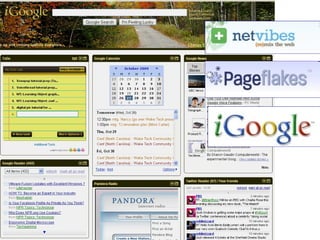
  • #34 Personal homepages / Profile pages Metagators Feeds and widgets/plug-ins
  • #36 Voice and identity, communicative skills, office software skills
  • #39 http://voicethread.com/#q.b612882.i3444746 bob’s class http://voicethread.com/#q+english.b332702.i2190023 pronunciation http://voicethread.com/#q.b675289.i3573566 holiday and traditions prompt
  • #40 http://www.voxopop.com/ Emily’s class example
  • #41 Depending on the application, has significant potential for culminating assessment (oral), study skills, project-based learning, self-directed skills with integrated use of a class wiki and uploading to portable players
  • #43 Some 84 percent of all adults have a cell phone.
  • #44 The World In 2020: The Mobile Device Will Be The Primary Connection Tool To The Internet Pew Internet & American Life Project Report / The Future of the Internet III / Dec 14, 2008 http://www.pewinternet.org/Reports/2008/The-Future-of-the-Internet-III.aspx http://www.pewinternet.org/Topics.aspx
  • #47 Community, Voice, Collaboration Let’s start with a big picture view. We’re all about community at REEP. We aim to support our students in identifying the roles they play in their communities, whether that be in the classroom, the Arlington community, or now even in the world. So the first group of tools I’ll discuss emphasize establishing a presence on the Web. A forum and collaborative space that offers, to the majority of our students, their first foray online community of learning as an extension, complement, and sometimes enhancement to their in-class work. Community building.
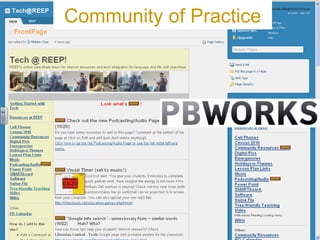
  • #49 Community of Practice Idea Share Wiki, vetted and tailored to meet specific needs of our teachers using our curriculum Organizational knowledge that’s further developing curriculum Archive of all PD happening – Can’t make a brown bag lunch? Catch a screencast and get handouts on the wiki. Establishing new teacher routines of participating online Workshop 2.0 just held – in the sense that it was a blended model, guiding teachers through activities that integrated office products and collaborative tools, with the overarching goals of getting their feet wet to try it with their class Google docs and a wiki were used to create, collaborate, and manage project planning and implementation Wiki and blog integration has increased over the past year – nearly half now know how to do it, anxiety and disinterest has turned into enthusiasm
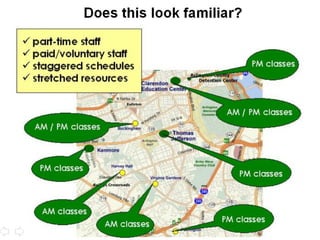
  • #50 This project embraces new technologies to address an age-old challenge in adult ESL instruction – how to provide relevant and ongoing professional development to a part-time teaching staff, who work at multiple sites and with staggered schedules. By conducting all activities online, we can more effectively and flexibly provide quality professional development that goes beyond what can be provided in a workshop of several hours.  
  • #51 A critical factor in the successful implementation of this kind of project is the use of a wiki . A wiki is a free, web-based collaborative tool that enables users of a shared site to freely create webpages, start discussion threads, and edit page content, and all requiring just basic word processing skills. In the project, the four teachers -- Margaret Austin Smith, Karli Boothe, Barbara Hicks, and Ruth Sysak – post their lesson plans and peer reviews to the wiki, reacting to what their fellow teachers are doing. The participants, who work at two different sites, were competitively selected and represent a cross section of instructional levels and have varying levels of technology expertise.
  • #53 The teachers receive weekly feedback on their work and the archive of lesson plans and discussions creates a valuable collection of ideas that will support fellow teachers in their practice. Ultimately, it will inform curriculum development at REEP. It is also our hope that this project serve as a model for future REEP activities, for conducting professional development as well as integrating online instruction and collaboration with our students.
  • #54 Outcomes: tailored PD, program cohesion (community building and standards), curriculum development, nurtured technology integration leaders Positive all around, give quote… Acted as a focus group on future PD planning – help to set plan for in-service series on unit planning and project-based learning
  • #55 In response to feedback for particular PD interests, such as Working with Volunteers in the Classroom, Supporting Students with Learning Disabilities, and Cross-cultural Communications, we’ve planned online discussion group to last for two weeks (as requested by teachers that they be planned participation) Discussions are archived on the wiki site, as is the content from the Online Reflective Practice Group project.
  • #56 Content-based curriculum for advanced English and US culture being developed and piloted by three teachers. We use social bookmarking site Delicious to archive and organize all resources (handout, links) and share new resources to be vetted. Resource links through the curriculum site link directly to Delicious I keep track of updates through an RSS feed aggregator Google Reader
  • #57 Although we have access to Blackboard through Arlington Public Schools, we’ve found Google apps are working well to bring our administration online and collaborating with shared calendars, docs, and sites. Personal homepages / Profile pages Metagators Feeds and widgets/plug-ins
  • #59 http://www.polleverywhere.com/multiple_choice_polls/MjEzMjk2NTQyOQ
  • #60 This PPT template is called Axis