
Yes!  You  Can  Use the Web  with  Beginning-level Adult English Language Learners! Carolina TESOL Conference October 29-31, 2009 Michele Cona Arlington Education & Employment Program (REEP) Office of Career, Technical, and Adult Education Arlington Public Schools, Arlington, Virginia
Internet Use in Adult ESOL Instruction Benefits Challenges
Session Agenda Instructional websites Examples! REEPworld.org  Lesson Plan Integration Authentic resources One website project examples Multi-website project example Wrap up
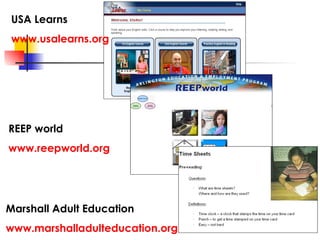
USA Learns www.usalearns.org REEP world www.reepworld.org Marshall Adult Education www.marshalladulteducation.org
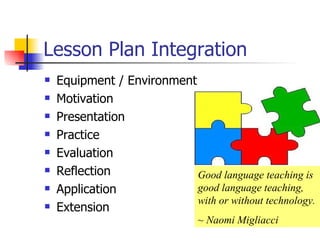
Lesson Plan Integration Equipment / Environment Motivation Presentation Practice Evaluation Reflection  Application Extension Good language teaching is good language teaching, with or without technology.  ~ Naomi Migliacci
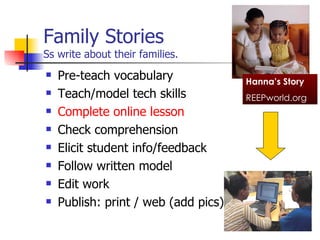
Family Stories Ss write about their families. Pre-teach vocabulary Teach/model tech skills Complete online lesson Check comprehension Elicit student info/feedback Follow written model Edit work Publish: print / web (add pics) Hanna’s Story REEPworld.org
Teacher Resources page! Get printables for pre-lab pre-teaching and post-lab followup
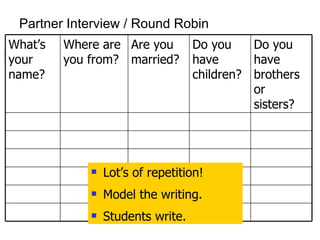
Partner Interview / Round Robin Lot’s of repetition! Model the writing. Students write. Do you have children? Do you have brothers or sisters?  Are you married? Where are you from? What’s your name?
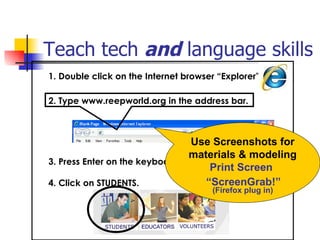
Teach tech  and  language skills   1. Double click on the Internet browser “Explorer”             3. Press Enter on the keyboard.  4. Click on STUDENTS. 2. Type www.reepworld.org in the address bar. Use Screenshots for materials & modeling Print Screen  “ ScreenGrab!”   (Firefox plug in)
Projects! One  website
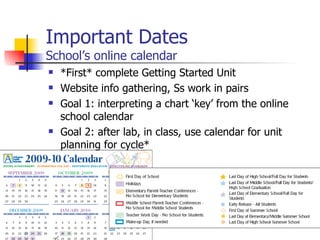
Important Dates School’s online calendar *First* complete Getting Started Unit Website info gathering, Ss work in pairs Goal 1: interpreting a chart ‘key’ from the online school calendar Goal 2: after lab, in class, use calendar for unit planning for cycle*
Finding The Best Price Supermarket online Circulars/Flyers *First* complete Consumerism & Food Unit(s) Organize like an Info gap, pairs get info and share with other pairs back in class Goal 1: report back on, consolidate, and compare prices Goal 2: discuss budgeting
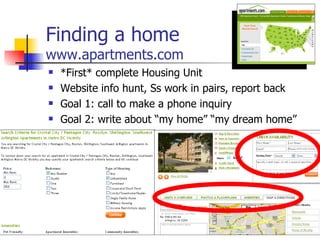
Finding a home www.apartments.com *First* complete Housing Unit Website info hunt, Ss work in pairs, report back Goal 1: call to make a phone inquiry Goal 2: write about “my home” “my dream home”
Multiple  website
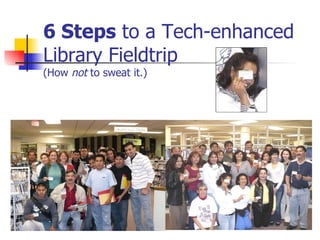
6 Steps  to a Tech-enhanced Library Fieldtrip (How  not  to sweat it.)
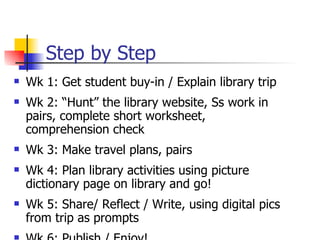
Wk 1: Get student buy-in / Explain library trip Wk 2: “Hunt” the library website, Ss work in pairs, complete short worksheet, comprehension check Wk 3: Make travel plans, pairs Wk 4: Plan library activities using picture dictionary page on library and go! Wk 5: Share/ Reflect / Write, using digital pics from trip as prompts Wk 6: Publish / Enjoy! Step by Step
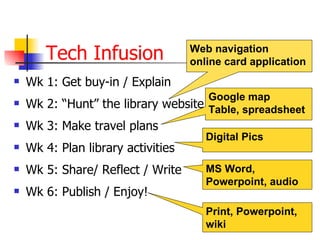
Tech Infusion Wk 1: Get buy-in / Explain Wk 2: “Hunt” the library website Wk 3: Make travel plans Wk 4: Plan library activities Wk 5: Share/ Reflect / Write Wk 6: Publish / Enjoy! Web navigation online card application MS Word, Powerpoint, audio Digital Pics Google map Table, spreadsheet Print, Powerpoint, wiki
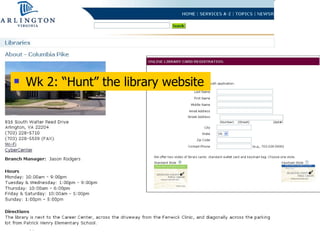
Wk 2: “Hunt” the library website
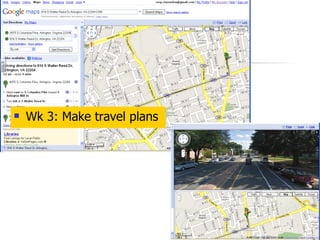
Wk 3: Make travel plans
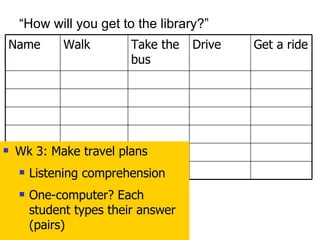
“ How will you get to the library?” Wk 3: Make travel plans Listening comprehension One-computer? Each student types their answer (pairs) Drive Get a ride Take the bus Walk Name
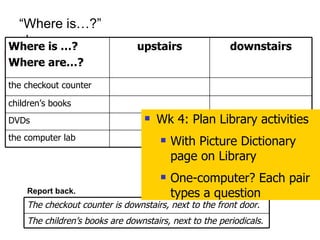
Report back. “ Where is…?” Wk 4: Plan Library activities With Picture Dictionary page on Library One-computer? Each pair types a question the computer lab DVDs children’s books the checkout counter downstairs upstairs Where is …? Where are…? The children’s books are downstairs, next to the periodicals. The checkout counter is downstairs, next to the front door.
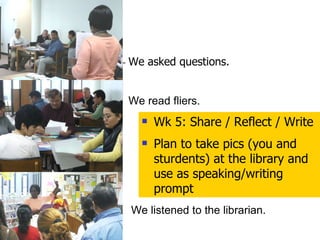
We asked questions. We read fliers. We listened to the librarian. Wk 5: Share / Reflect / Write Plan to take pics (you and sturdents) at the library and use as speaking/writing prompt
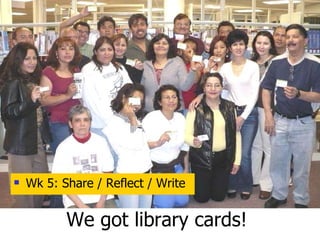
We got library cards! Wk 5: Share / Reflect / Write
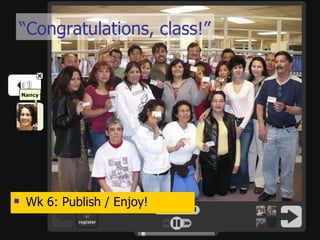
“ Congratulations, class!” Wk 6: Publish / Enjoy!
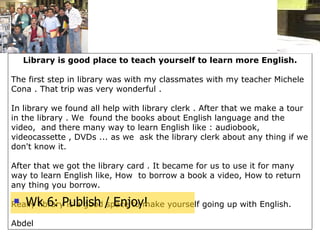
Library is good place to teach yourself to learn more English.   The first step in library was with my classmates with my teacher Michele Cona . That trip was very wonderful .   In library we found all help with library clerk . After that we make a tour in the library . We  found the books about English language and the video,  and there many way to learn English like : audiobook, videocassette , DVDs ... as we  ask the library clerk about any thing if we don't know it. After that we got the library card . It became for us to use it for many way to learn English like, How  to borrow a book a video, How to return any thing you borrow. Really library is a good space to make yourself going up with English.   Abdel   Wk 6: Publish / Enjoy!
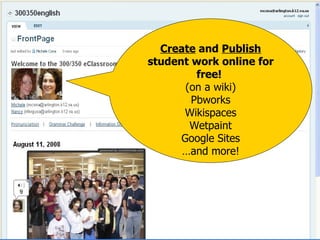
Create  and  Publish  student work online for free!  (on a wiki) Pbworks Wikispaces Wetpaint Google Sites … and more!
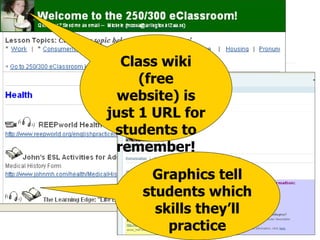
Class wiki (free website) is just 1 URL for students to remember! Graphics tell students which skills they’ll practice
Wrap up Questions? Contact me [email_address] (703) 228-7229
Resources

presentation

  • 1.
    Yes! You Can Use the Web with Beginning-level Adult English Language Learners! Carolina TESOL Conference October 29-31, 2009 Michele Cona Arlington Education & Employment Program (REEP) Office of Career, Technical, and Adult Education Arlington Public Schools, Arlington, Virginia
  • 2.
    Internet Use inAdult ESOL Instruction Benefits Challenges
  • 3.
    Session Agenda Instructionalwebsites Examples! REEPworld.org Lesson Plan Integration Authentic resources One website project examples Multi-website project example Wrap up
  • 4.
    USA Learns www.usalearns.orgREEP world www.reepworld.org Marshall Adult Education www.marshalladulteducation.org
  • 5.
    Lesson Plan IntegrationEquipment / Environment Motivation Presentation Practice Evaluation Reflection Application Extension Good language teaching is good language teaching, with or without technology. ~ Naomi Migliacci
  • 6.
    Family Stories Sswrite about their families. Pre-teach vocabulary Teach/model tech skills Complete online lesson Check comprehension Elicit student info/feedback Follow written model Edit work Publish: print / web (add pics) Hanna’s Story REEPworld.org
  • 7.
    Teacher Resources page!Get printables for pre-lab pre-teaching and post-lab followup
  • 8.
    Partner Interview /Round Robin Lot’s of repetition! Model the writing. Students write. Do you have children? Do you have brothers or sisters? Are you married? Where are you from? What’s your name?
  • 9.
    Teach tech and language skills   1. Double click on the Internet browser “Explorer”            3. Press Enter on the keyboard. 4. Click on STUDENTS. 2. Type www.reepworld.org in the address bar. Use Screenshots for materials & modeling Print Screen “ ScreenGrab!” (Firefox plug in)
  • 10.
  • 11.
    Important Dates School’sonline calendar *First* complete Getting Started Unit Website info gathering, Ss work in pairs Goal 1: interpreting a chart ‘key’ from the online school calendar Goal 2: after lab, in class, use calendar for unit planning for cycle*
  • 12.
    Finding The BestPrice Supermarket online Circulars/Flyers *First* complete Consumerism & Food Unit(s) Organize like an Info gap, pairs get info and share with other pairs back in class Goal 1: report back on, consolidate, and compare prices Goal 2: discuss budgeting
  • 13.
    Finding a homewww.apartments.com *First* complete Housing Unit Website info hunt, Ss work in pairs, report back Goal 1: call to make a phone inquiry Goal 2: write about “my home” “my dream home”
  • 14.
  • 15.
    6 Steps to a Tech-enhanced Library Fieldtrip (How not to sweat it.)
  • 16.
    Wk 1: Getstudent buy-in / Explain library trip Wk 2: “Hunt” the library website, Ss work in pairs, complete short worksheet, comprehension check Wk 3: Make travel plans, pairs Wk 4: Plan library activities using picture dictionary page on library and go! Wk 5: Share/ Reflect / Write, using digital pics from trip as prompts Wk 6: Publish / Enjoy! Step by Step
  • 17.
    Tech Infusion Wk1: Get buy-in / Explain Wk 2: “Hunt” the library website Wk 3: Make travel plans Wk 4: Plan library activities Wk 5: Share/ Reflect / Write Wk 6: Publish / Enjoy! Web navigation online card application MS Word, Powerpoint, audio Digital Pics Google map Table, spreadsheet Print, Powerpoint, wiki
  • 18.
    Wk 2: “Hunt”the library website
  • 19.
    Wk 3: Maketravel plans
  • 20.
    “ How willyou get to the library?” Wk 3: Make travel plans Listening comprehension One-computer? Each student types their answer (pairs) Drive Get a ride Take the bus Walk Name
  • 21.
    Report back. “Where is…?” Wk 4: Plan Library activities With Picture Dictionary page on Library One-computer? Each pair types a question the computer lab DVDs children’s books the checkout counter downstairs upstairs Where is …? Where are…? The children’s books are downstairs, next to the periodicals. The checkout counter is downstairs, next to the front door.
  • 22.
    We asked questions.We read fliers. We listened to the librarian. Wk 5: Share / Reflect / Write Plan to take pics (you and sturdents) at the library and use as speaking/writing prompt
  • 23.
    We got librarycards! Wk 5: Share / Reflect / Write
  • 24.
    “ Congratulations, class!”Wk 6: Publish / Enjoy!
  • 25.
    Library is goodplace to teach yourself to learn more English.   The first step in library was with my classmates with my teacher Michele Cona . That trip was very wonderful .   In library we found all help with library clerk . After that we make a tour in the library . We  found the books about English language and the video,  and there many way to learn English like : audiobook, videocassette , DVDs ... as we  ask the library clerk about any thing if we don't know it. After that we got the library card . It became for us to use it for many way to learn English like, How  to borrow a book a video, How to return any thing you borrow. Really library is a good space to make yourself going up with English.   Abdel Wk 6: Publish / Enjoy!
  • 26.
    Create and Publish student work online for free! (on a wiki) Pbworks Wikispaces Wetpaint Google Sites … and more!
  • 27.
    Class wiki (freewebsite) is just 1 URL for students to remember! Graphics tell students which skills they’ll practice
  • 28.
    Wrap up Questions?Contact me [email_address] (703) 228-7229
  • 29.

Editor's Notes

  • #3 How do you see students’ use of the computer in general, and the Internet in particular, fitting into their language instruction? What are possible benefits and possible challenges with using the Internet with beginning-level ELLs? As we look at examples, be thinking about what language skills students need as prerequisite and that they practice? What prerequisite tech skills do they need? Especially true for projects.
  • #5 The good news: They are plenty of websites out there for beginning-level adult ELLs! We will look at 3.
  • #6 Equipment/Environment: Consider the features of the instructional setting: classroom or lab setup, computer access, number of students, etc. Review the learning activity and make certain it meets topic/language skills objectives List prerequisite Internet skills and prerequisite language skills Develop tentative learning activity, including assessment Decide language skills, topic, or computer skills to use or teach Choose most appropriate way to incorporate activity into the curriculum Ongoing evaluation for both instructor and student Assess students’ language and Internet skills
  • #7 Pre-teach vocabulary Use printables in Teacher Resources Complete online lesson Need flash player Check for comprehension Worksheets, story strips in groups, asking questions Elicit student info Repeat questions in info grids (conversation / writing) Follow a model Teacher’s own Edit each other’s work Checklist Publish to print or web with photos MS word, wiki Audio: Voicethread or mp3 (Audacity)
  • #9 (class listening activity)
  • #10 Plan to teach the prerequisite tech skills to complete the activity.
  • #11 At desktop, doubleclick on Internet icon. Type URL in address bar. Press enter, or click Go! (green arrow) Click on Students
  • #12 *REEP students choose their topic units for the cycle through a needs assessment process. See the REEP curriculum on line for needs assessment techniques.
  • #17 Wk 6: Get consensus on taking a fieldtrip to the library 5 weeks from now during class time. Explain 1 step each week. Wk 5: Gather info and complete online form Library website Wk 4: Get location and directions (school, home) Google maps, street view Wk 3: Travel and visit plans Online table or spreadsheet: carpool, public transportation, walking Questions for librarian, info to gather Cellphones cameras, digital cameras Wk 2: Trip! Photo storage in Google album and on wiki page (teacher) Write a sentence for your picture (s) Wk 1: Publish (print and/or online) Publish work to wiki and enjoy!
  • #18 Wk 6: Get consensus on taking a fieldtrip to the library 5 weeks from now during class time. Explain 1 step each week. Wk 5: Gather info and complete online form Library website Wk 4: Get location and directions (school, home) Google maps, street view Wk 3: Travel and visit plans Online table or spreadsheet: carpool, public transportation, walking Questions for librarian, info to gather Cellphones cameras, digital cameras Wk 2: Trip! Photo storage in Google album and on wiki page (teacher) Write a sentence for your picture (s) Wk 1: Publish (print and/or online) Publish work to wiki and enjoy!
  • #20 Directional language, from school / home Time, distance By driving, public transit, walking Street view, landmarks See alternate routes to compare info
  • #21 (class listening activity)
  • #22 Gather info.
  • #25 online photo album with audio Voicethread.com