Replacing URL hacks with Actions
@SFDCAdvocate
Michael White
Sr. Salesforce Analyst
Preparing for Lightning
Michael White
Sr. Salesforce Analyst
Varian Medical Systems
172 Trailhead Badges
4 Superbadges
Forward-Looking Statements
Statement under the Private Securities Litigation Reform Act of 1995:
This presentation may contain forward-looking statements that involve risks, uncertainties, and assumptions. If any such uncertainties materialize or if any
of the assumptions proves incorrect, the results of salesforce.com, inc. could differ materially from the results expressed or implied by the forward-looking
statements we make. All statements other than statements of historical fact could be deemed forward-looking, including any projections of product or
service availability, subscriber growth, earnings, revenues, or other financial items and any statements regarding strategies or plans of management for
future operations, statements of belief, any statements concerning new, planned, or upgraded services or technology developments and customer contracts
or use of our services.
The risks and uncertainties referred to above include – but are not limited to – risks associated with developing and delivering new functionality for our
service, new products and services, our new business model, our past operating losses, possible fluctuations in our operating results and rate of growth,
interruptions or delays in our Web hosting, breach of our security measures, the outcome of any litigation, risks associated with completed and any possible
mergers and acquisitions, the immature market in which we operate, our relatively limited operating history, our ability to expand, retain, and motivate our
employees and manage our growth, new releases of our service and successful customer deployment, our limited history reselling non-salesforce.com
products, and utilization and selling to larger enterprise customers. Further information on potential factors that could affect the financial results of
salesforce.com, inc. is included in our annual report on Form 10-K for the most recent fiscal year and in our quarterly report on Form 10-Q for the most
recent fiscal quarter. These documents and others containing important disclosures are available on the SEC Filings section of the Investor Information
section of our Web site.
Any unreleased services or features referenced in this or other presentations, press releases or public statements are not currently available and may not
be delivered on time or at all. Customers who purchase our services should make the purchase decisions based upon features that are currently available.
Salesforce.com, inc. assumes no obligation and does not intend to update these forward-looking statements.
The current state of URL hacks
What is a URL hack?
The phrase URL hack describes a method for crafting a special hyperlink or script and exposing it
via button or formula field.
These specially crafted hyperlinks often used to provide additional functionality and automation to
end-users.
Examples:
• Setting record types for newly created records.
• Pre-populating values on child records created from parent.
• Sending emails with a specific template IDs.
Example from the Success Community
Admin needed to streamline creation of renewal opportunities from Account detail page.
Organization uses multiple opportunity record types.
New records must be created with a specific record type and pre-set values for other fields.
Prompting / end-user selection of record type is confusing and error prone.
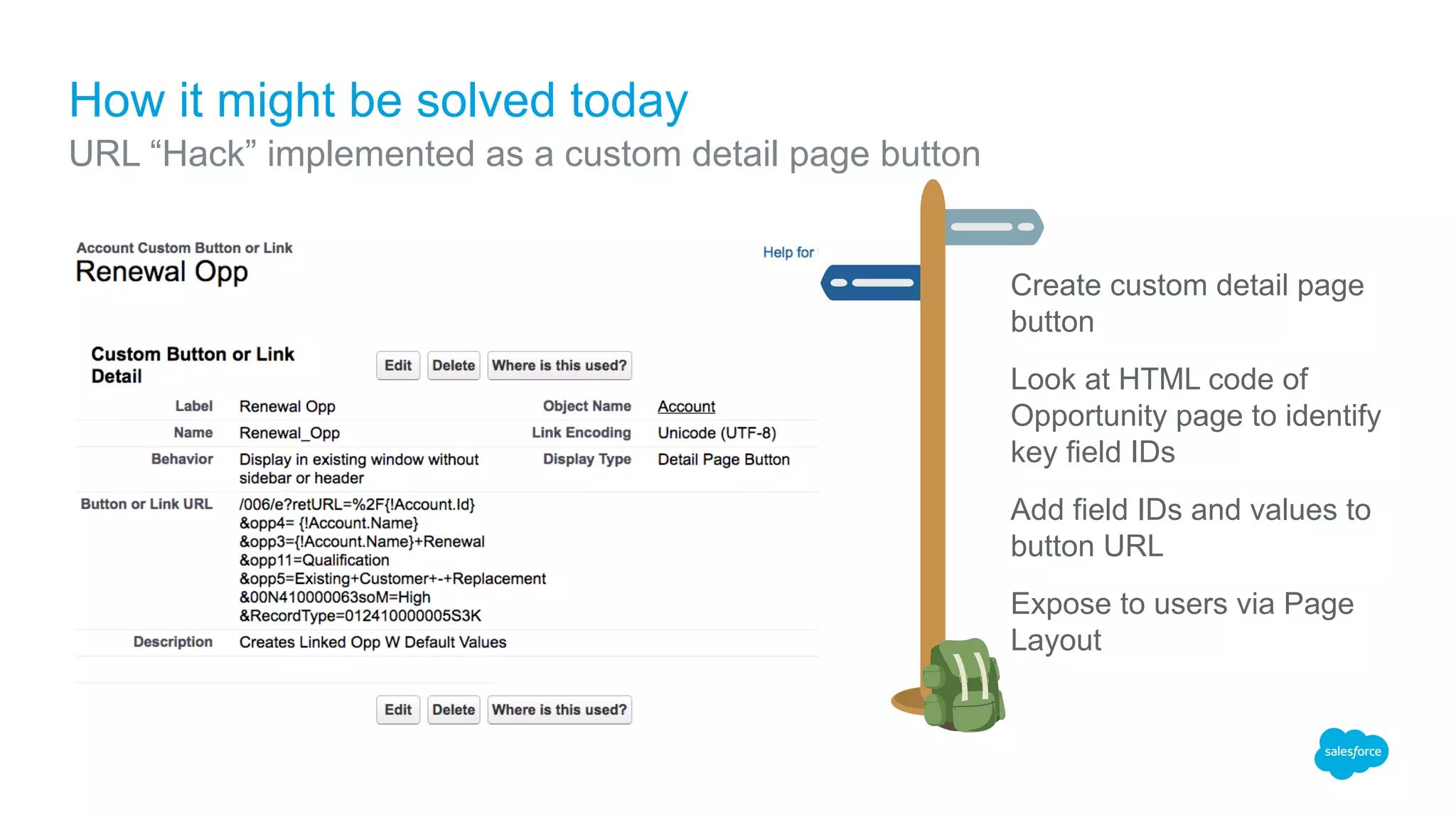
Create custom detail page
button
Look at HTML code of
Opportunity page to identify
key field IDs
Add field IDs and values to
button URL
Expose to users via Page
Layout
How it might be solved today
URL “Hack” implemented as a custom detail page button
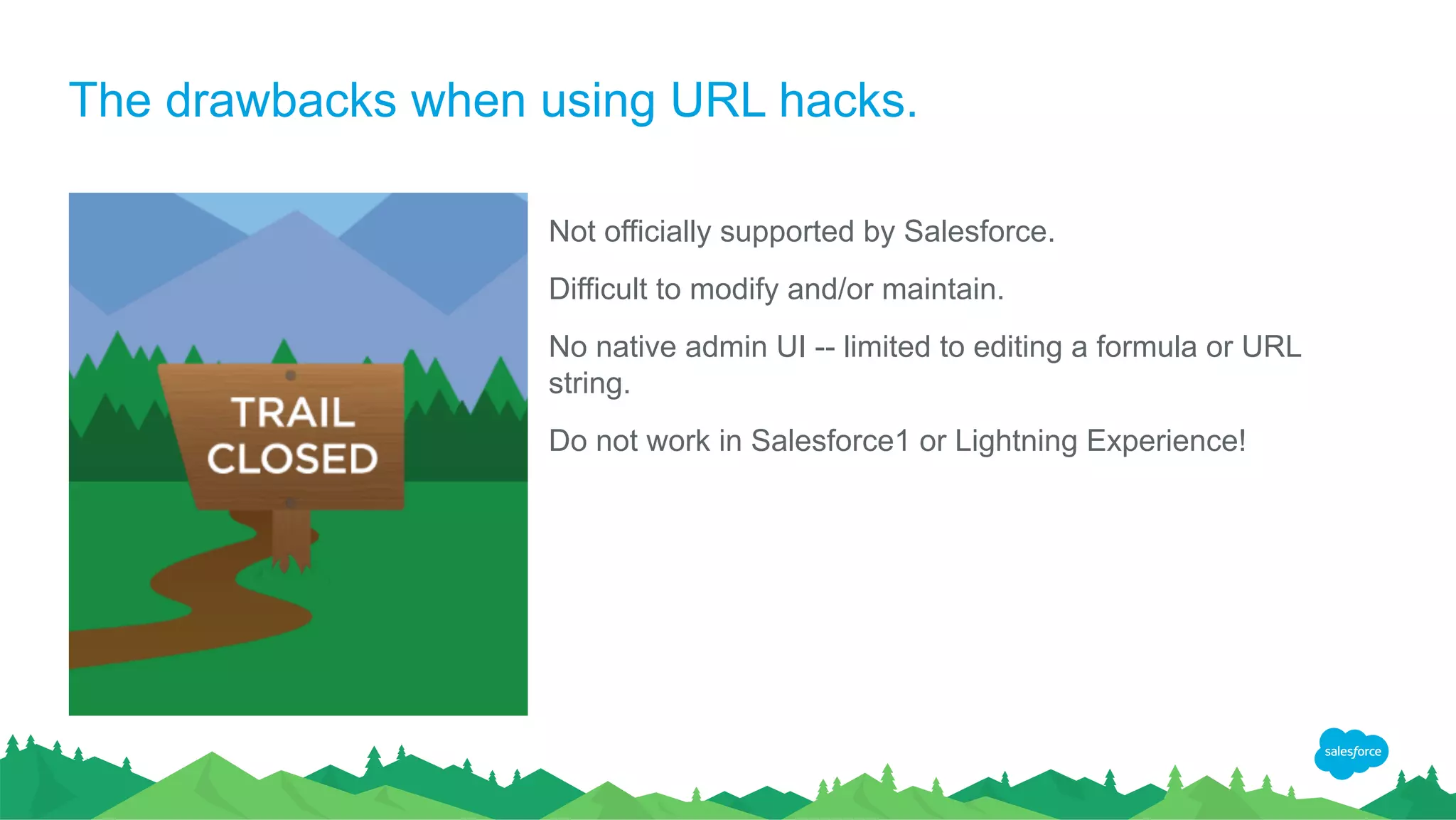
The drawbacks when using URL hacks.
Not officially supported by Salesforce.
Difficult to modify and/or maintain.
No native admin UI -- limited to editing a formula or URL
string.
Do not work in Salesforce1 or Lightning Experience!
Looking down the Trail
Future proofing your Admin enhancements
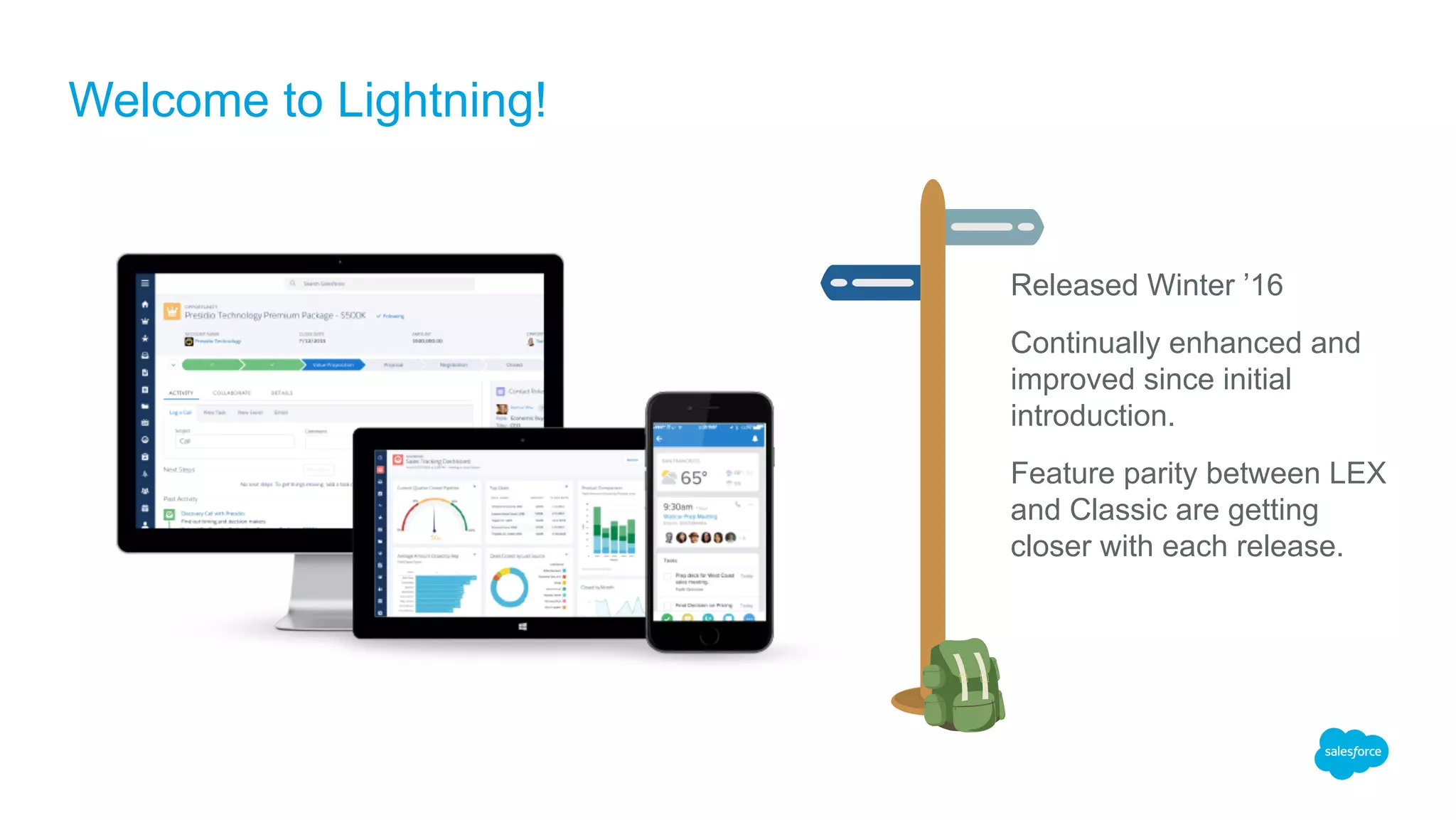
Released Winter ’16
Continually enhanced and
improved since initial
introduction.
Feature parity between LEX
and Classic are getting
closer with each release.
Welcome to Lightning!
Start building compatible solutions now!
Lightning Experience IS the Future
As Admins, we need to build Lightning friendly solutions today.
Learn the new tools and technologies available to Admins.
Prepare our business users to make the switch.
This Way
To The
Future
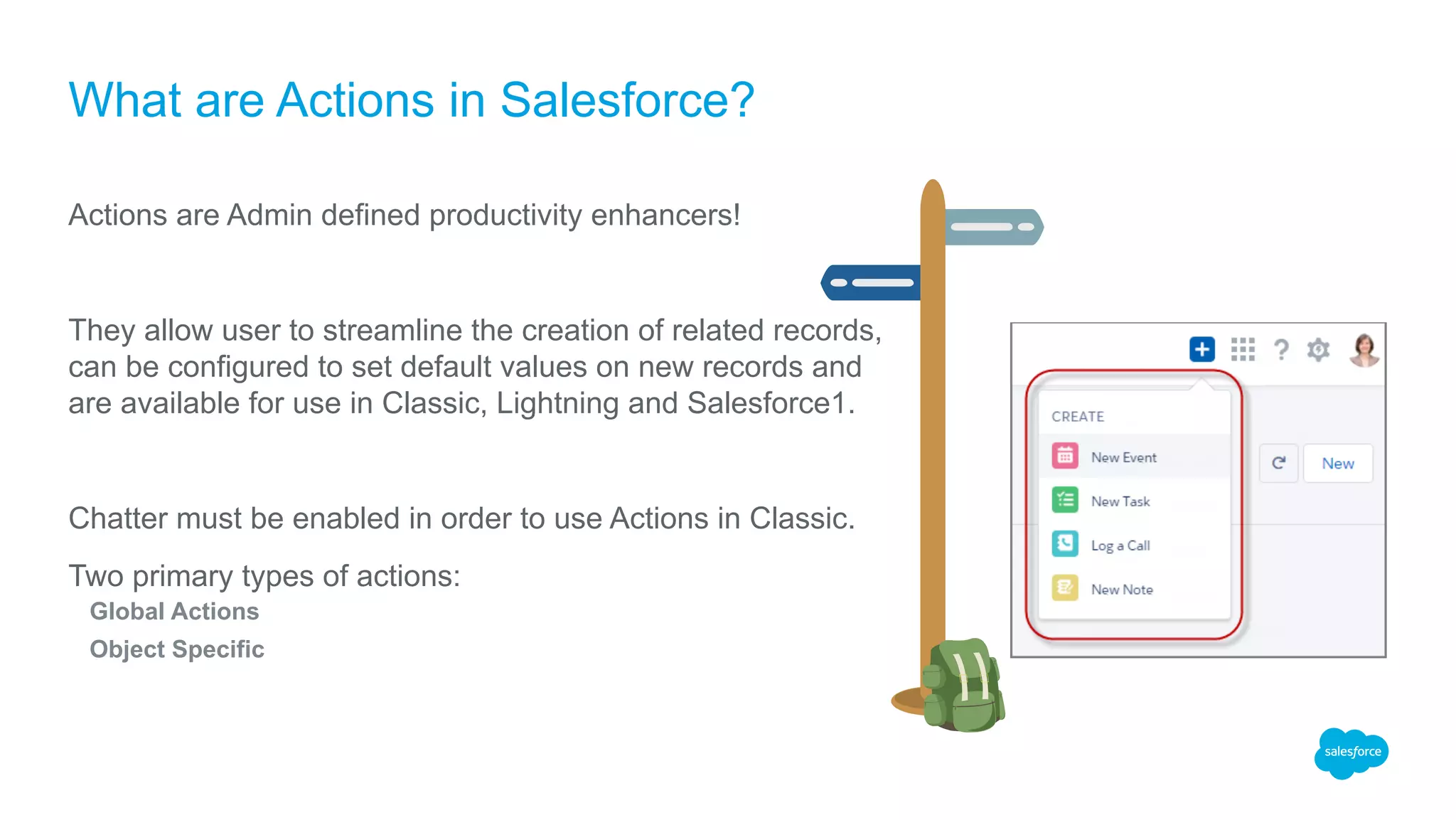
What are Actions in Salesforce?
Actions are Admin defined productivity enhancers!
They allow user to streamline the creation of related records,
can be configured to set default values on new records and
are available for use in Classic, Lightning and Salesforce1.
Chatter must be enabled in order to use Actions in Classic.
Two primary types of actions:
Global Actions
Object Specific
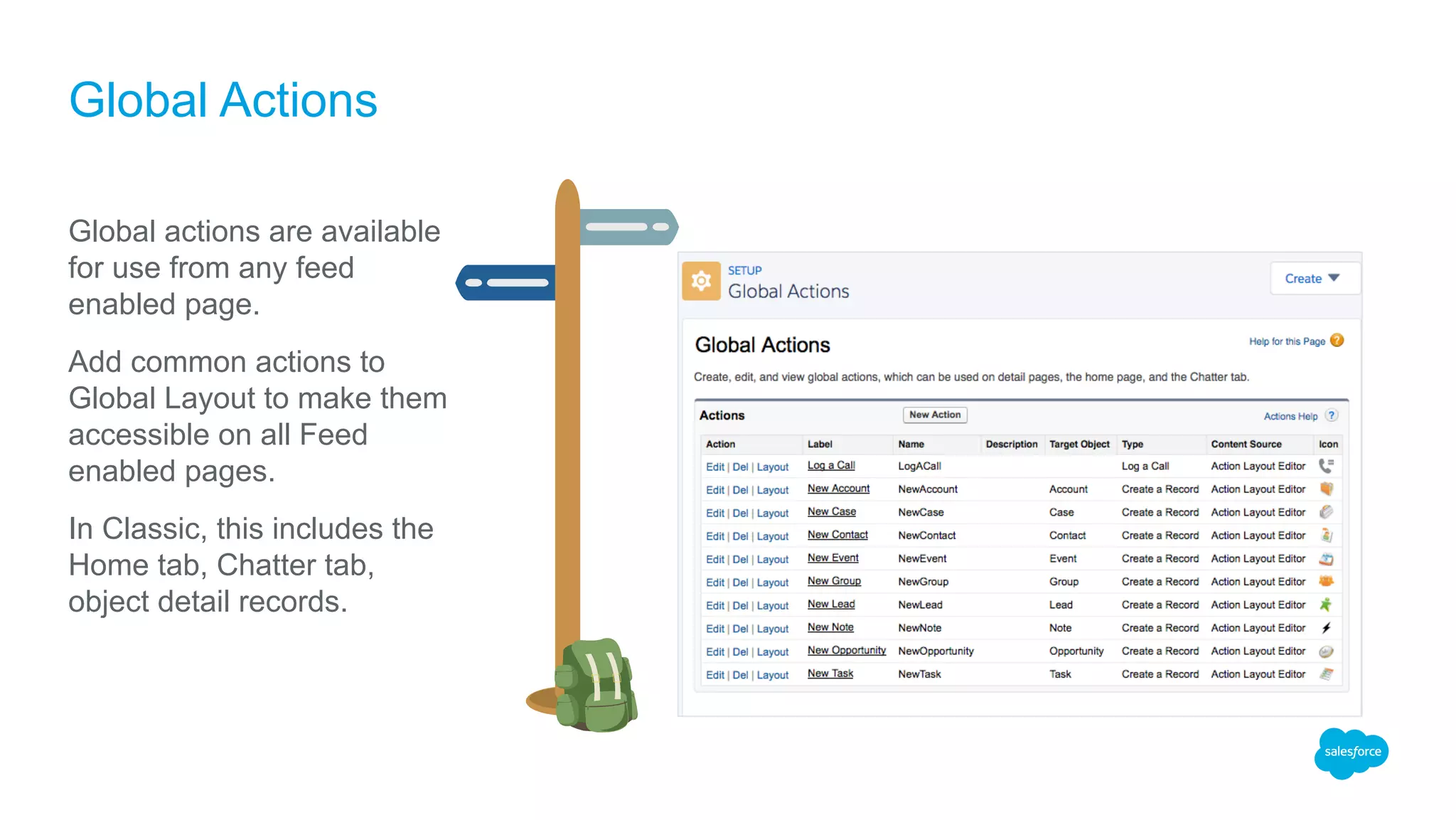
Global actions are available
for use from any feed
enabled page.
Add common actions to
Global Layout to make them
accessible on all Feed
enabled pages.
In Classic, this includes the
Home tab, Chatter tab,
object detail records.
Global Actions
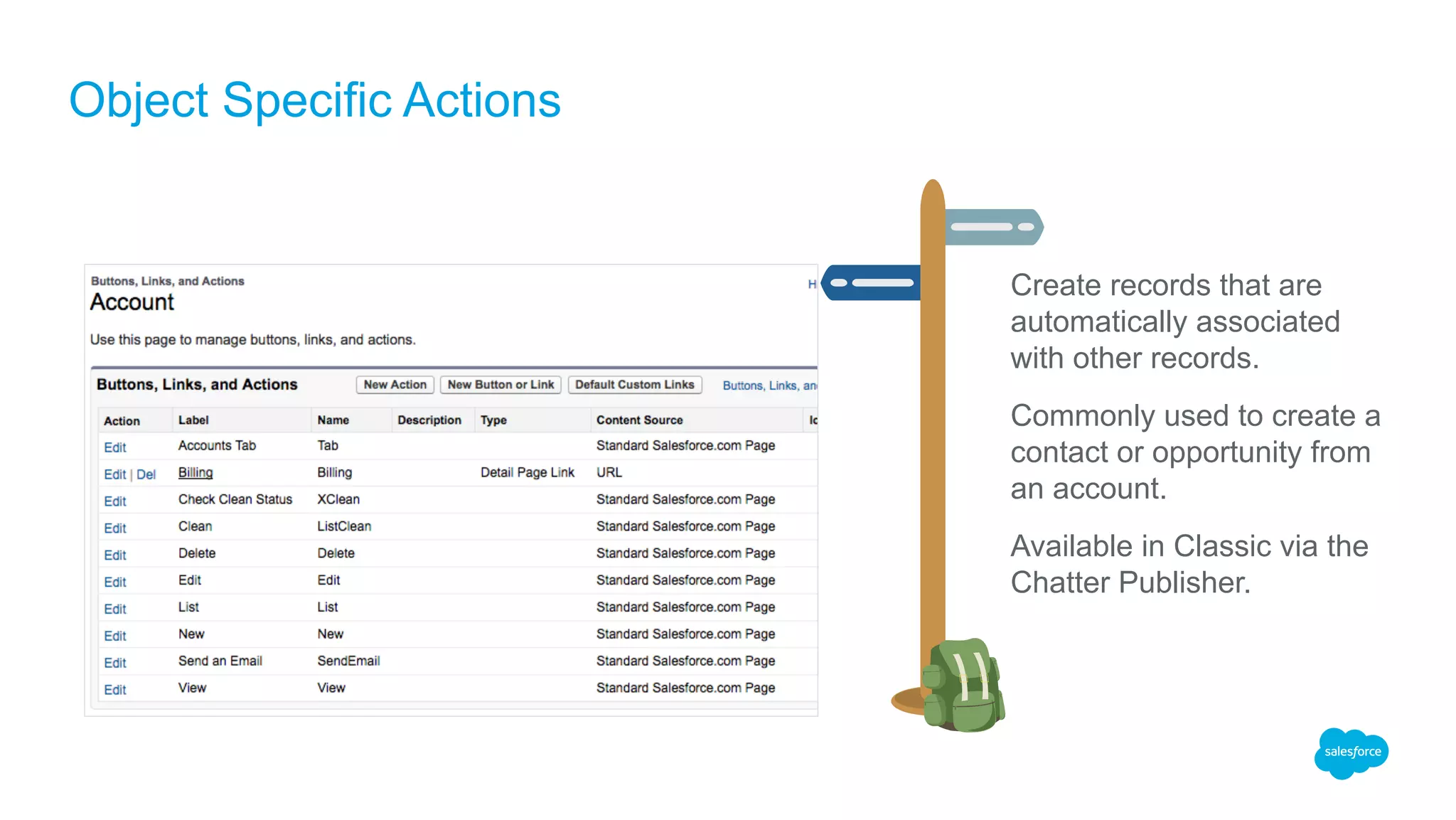
Create records that are
automatically associated
with other records.
Commonly used to create a
contact or opportunity from
an account.
Available in Classic via the
Chatter Publisher.
Object Specific Actions
Making Actions Available to Users
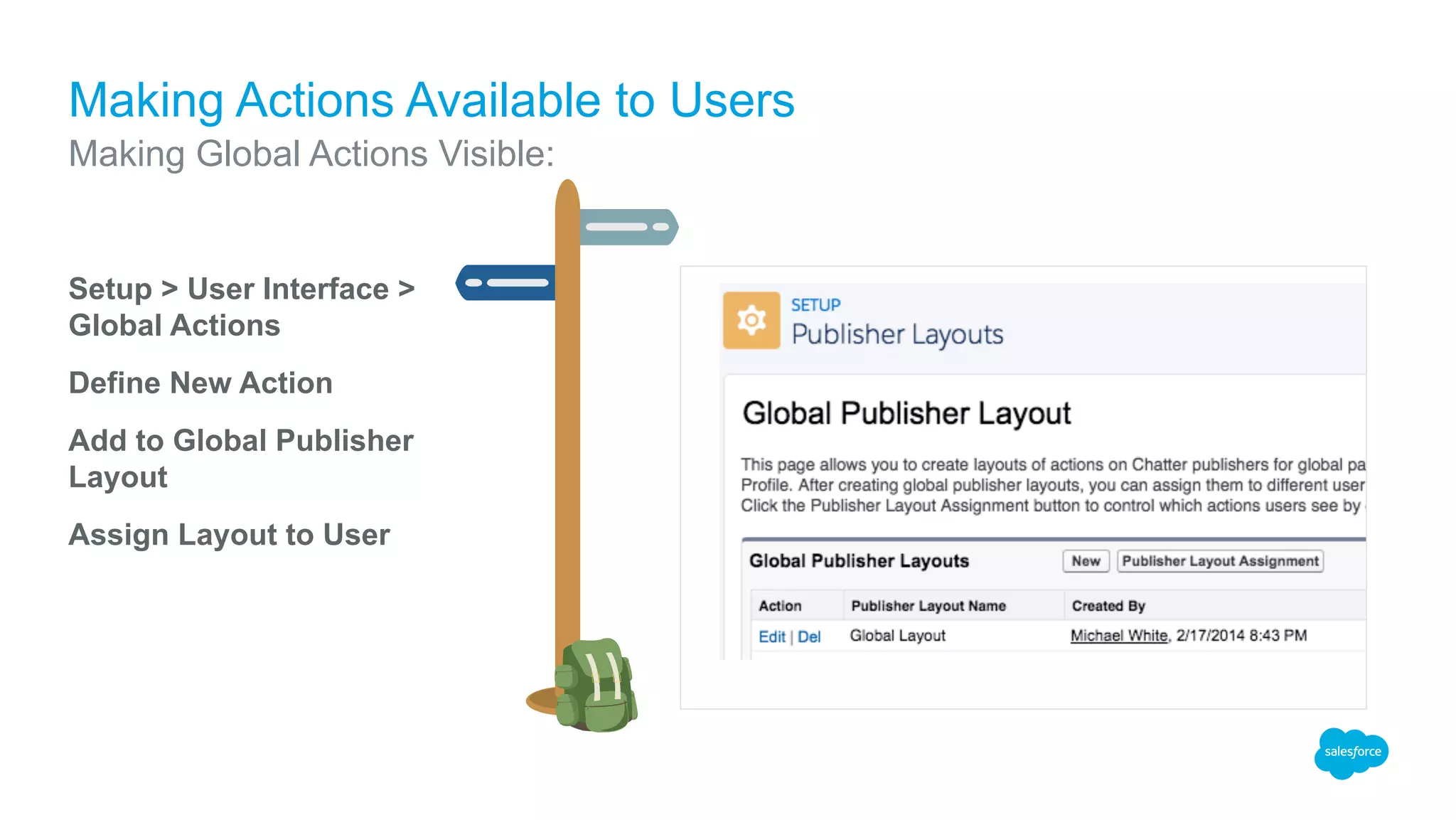
Making Global Actions Visible:
Setup > User Interface >
Global Actions
Define New Action
Add to Global Publisher
Layout
Assign Layout to User
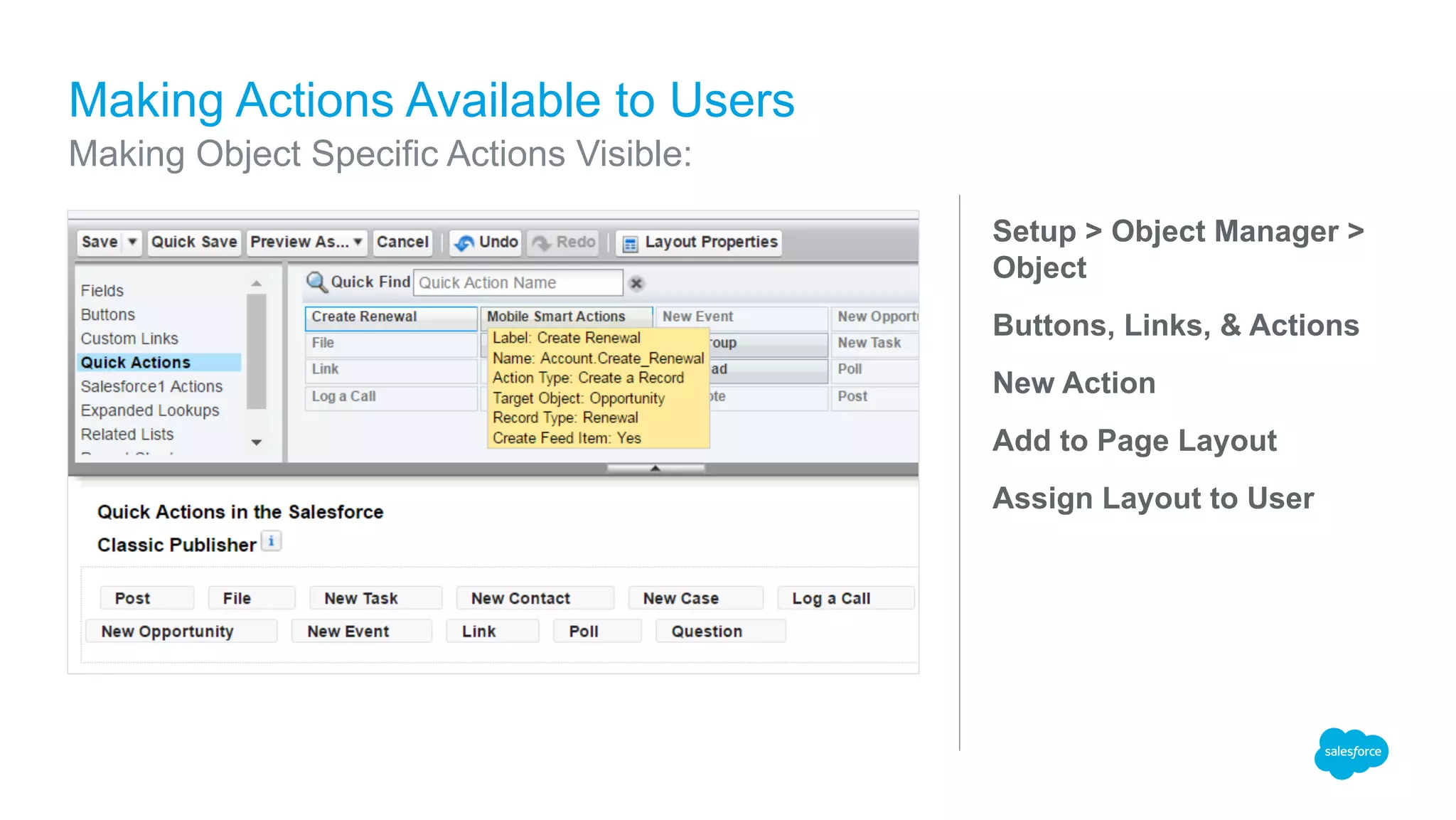
Setup > Object Manager >
Object
Buttons, Links, & Actions
New Action
Add to Page Layout
Assign Layout to User
Making Actions Available to Users
Making Object Specific Actions Visible:
Demo
Actions in Classic, Lightning & SF1
Example from the Success Community
Admin need to streamline creation of renewal opportunities.
Business users want the ability to create these from the Account detail page.
Organization uses multiple opportunity record types.
New records must be created with a specific record type and preset other field values.
Prompting / end-user selection of record type is confusing and error prone.
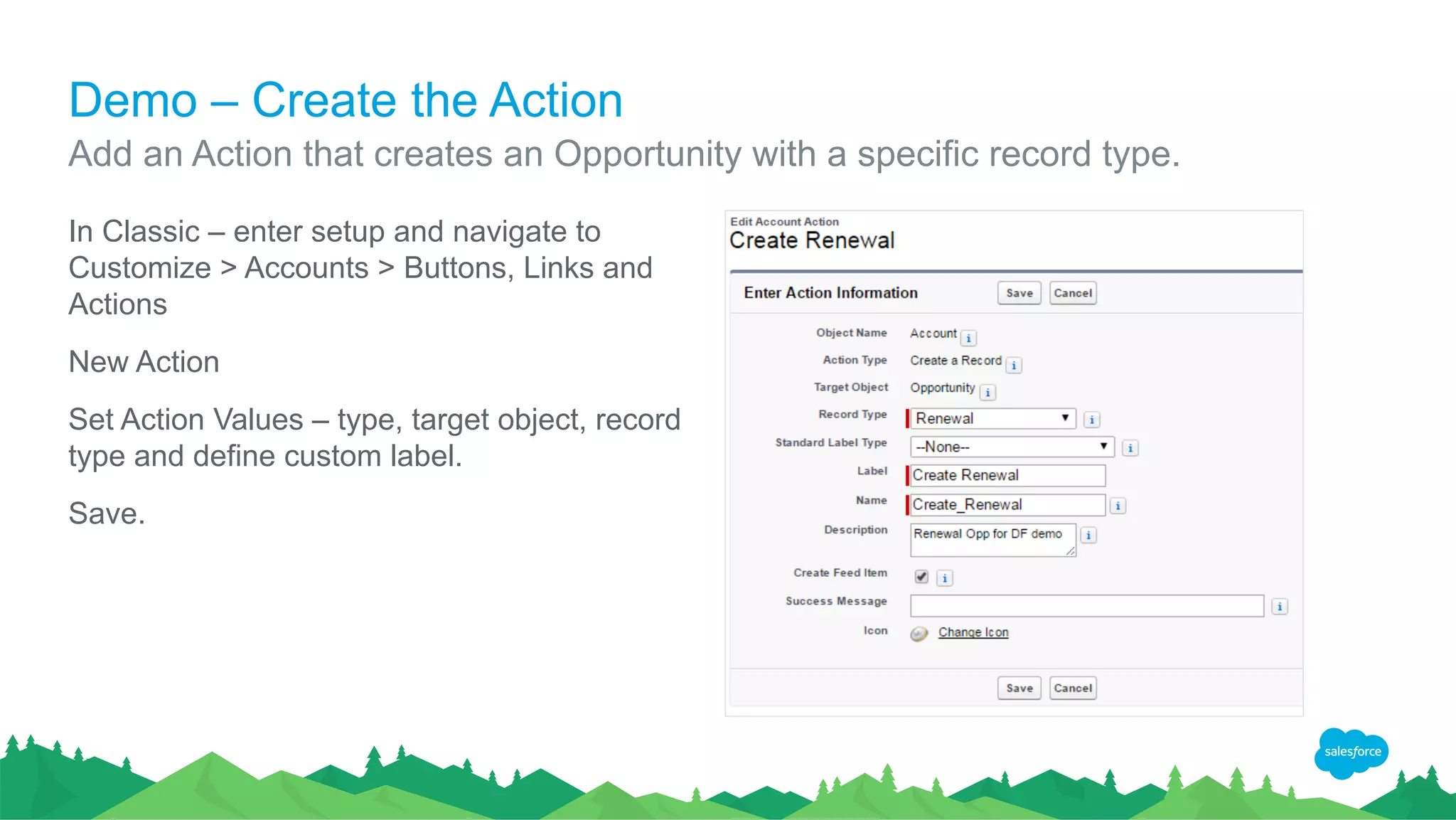
Demo – Create the Action
In Classic – enter setup and navigate to
Customize > Accounts > Buttons, Links and
Actions
New Action
Set Action Values – type, target object, record
type and define custom label.
Save.
Add an Action that creates an Opportunity with a specific record type.
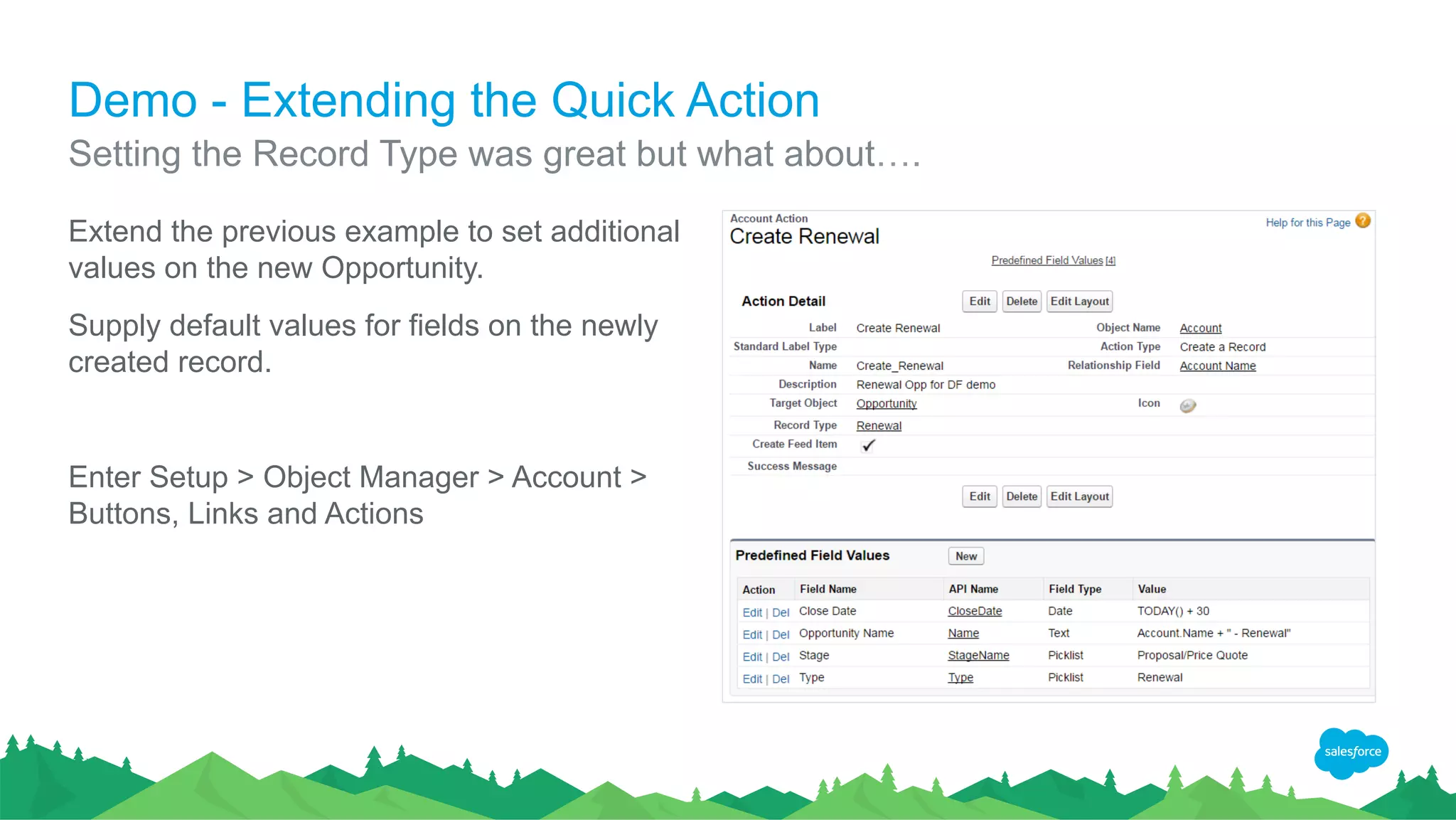
Demo - Extending the Quick Action
Extend the previous example to set additional
values on the new Opportunity.
Supply default values for fields on the newly
created record.
Enter Setup > Object Manager > Account >
Buttons, Links and Actions
Setting the Record Type was great but what about….
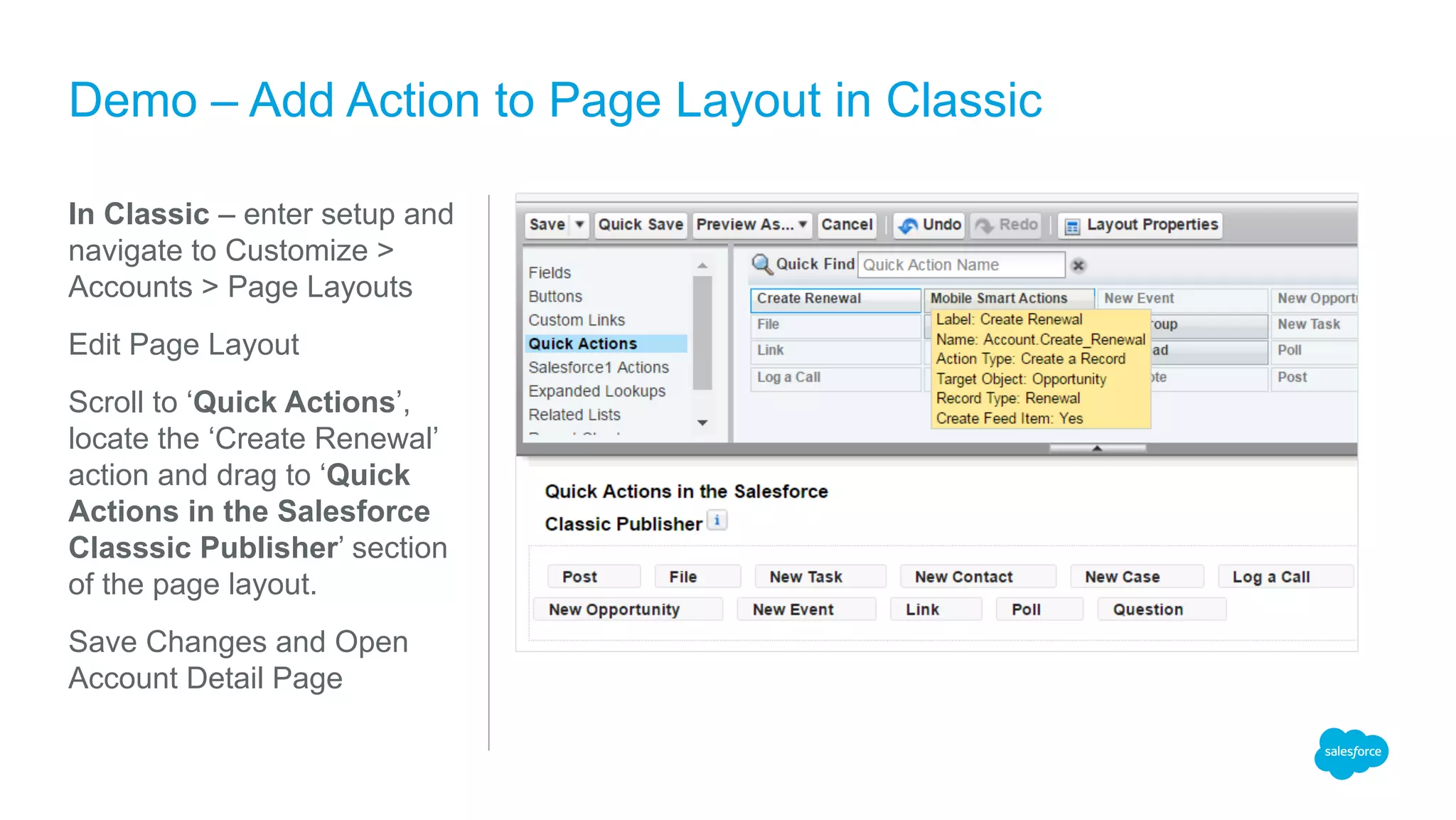
In Classic – enter setup and
navigate to Customize >
Accounts > Page Layouts
Edit Page Layout
Scroll to ‘Quick Actions’,
locate the ‘Create Renewal’
action and drag to ‘Quick
Actions in the Salesforce
Classsic Publisher’ section
of the page layout.
Save Changes and Open
Account Detail Page
Demo – Add Action to Page Layout in Classic
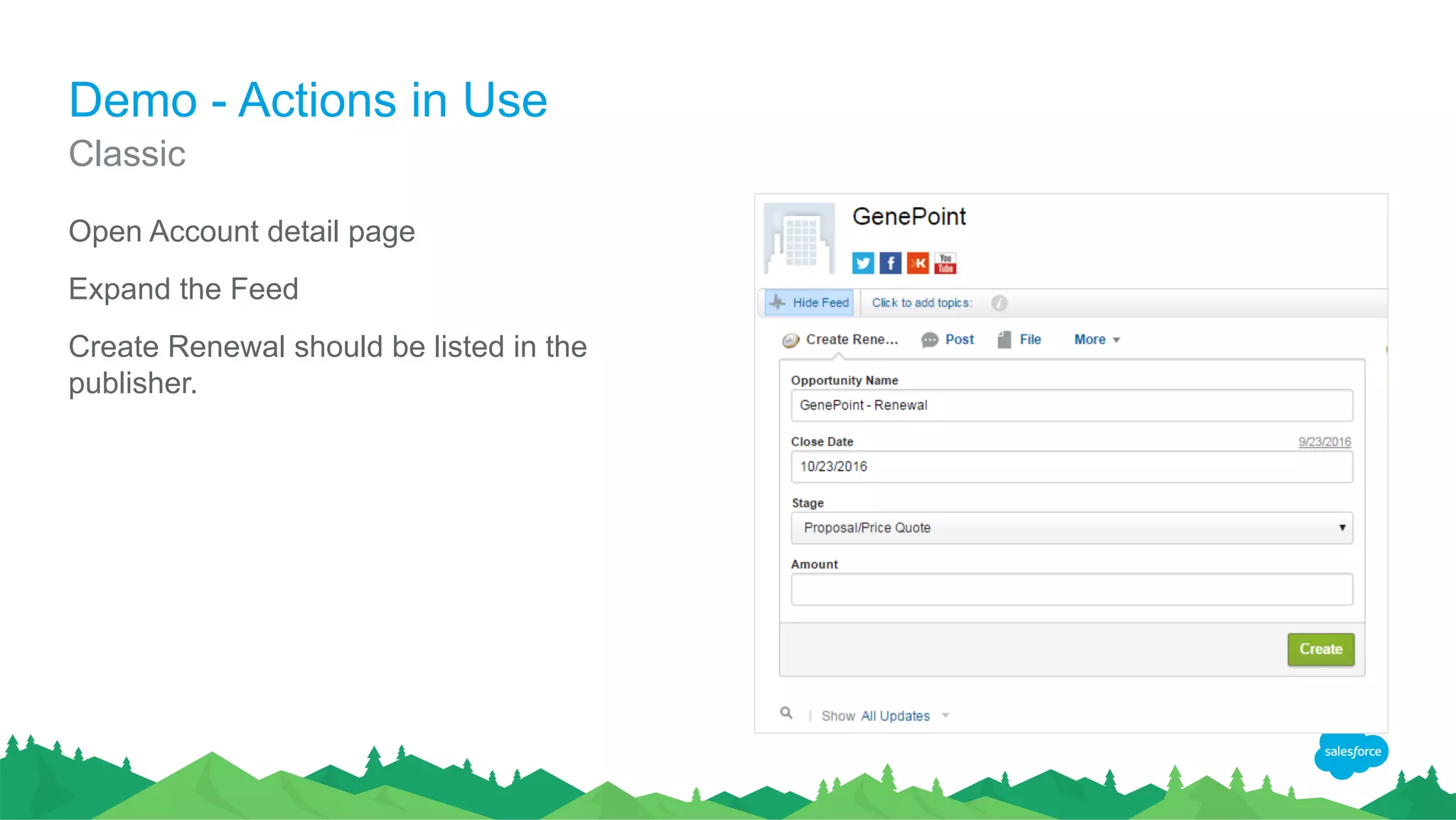
Demo - Actions in Use
Open Account detail page
Expand the Feed
Create Renewal should be listed in the
publisher.
Classic
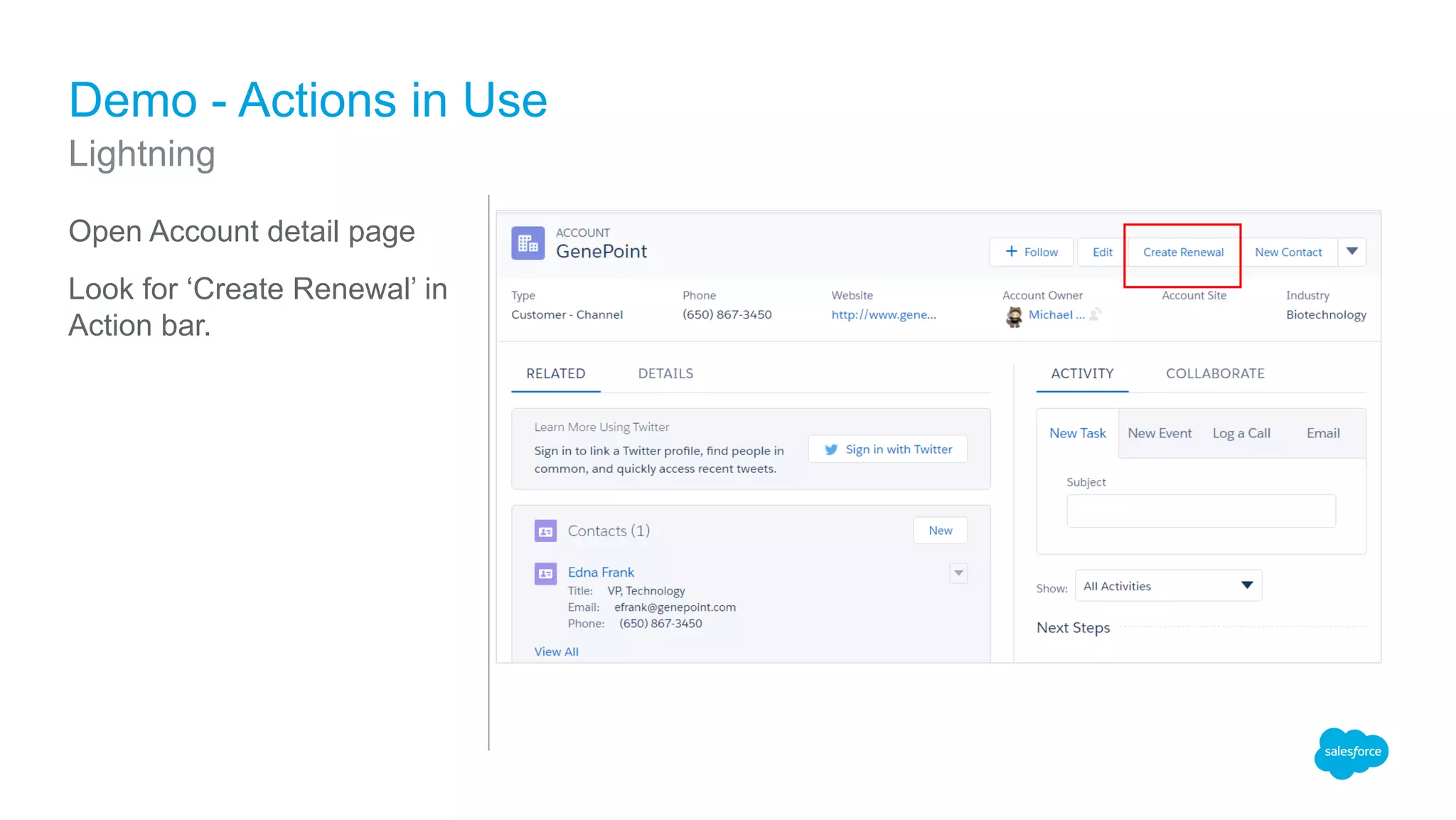
Open Account detail page
Look for ‘Create Renewal’ in
Action bar.
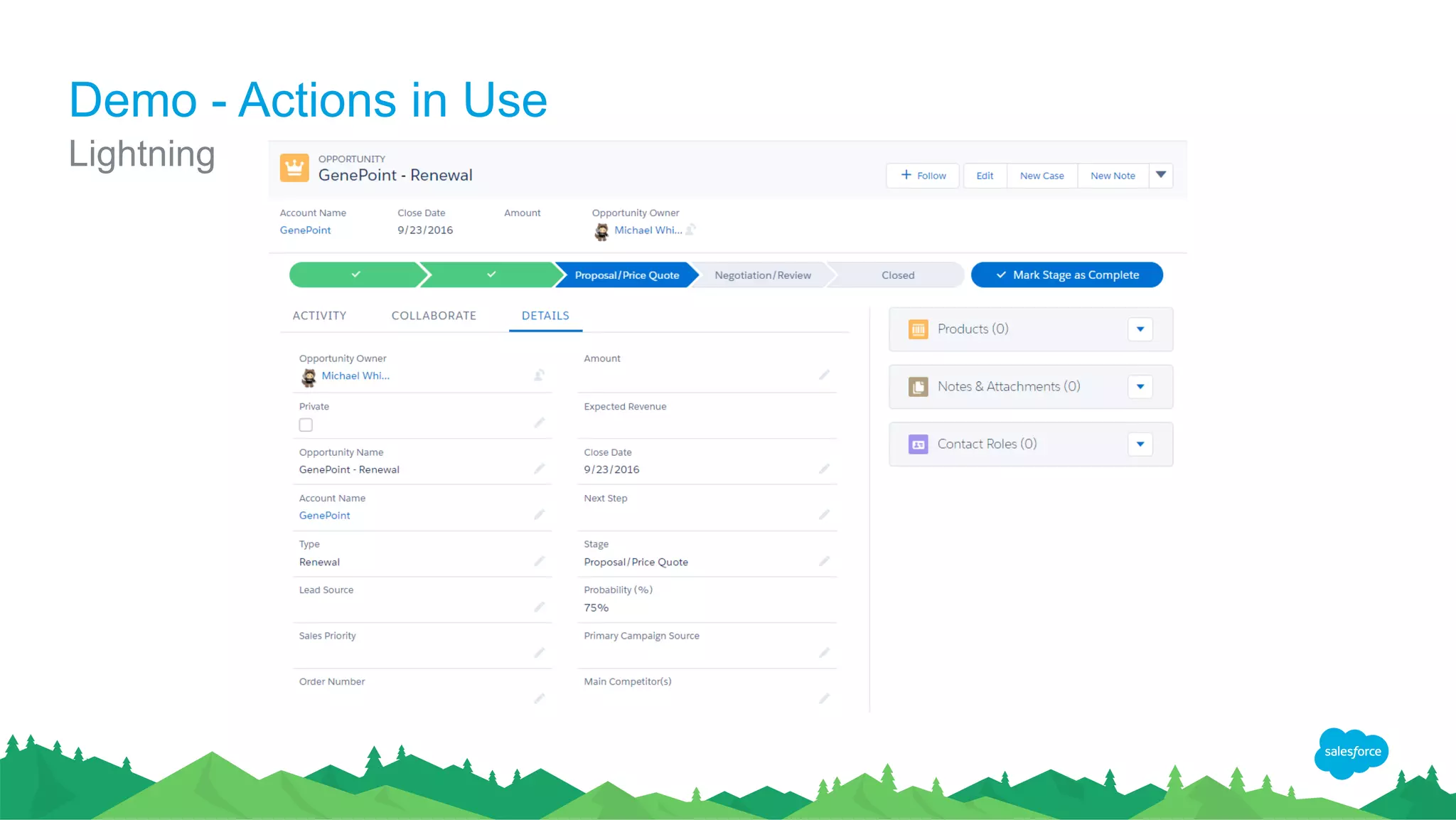
Demo - Actions in Use
Lightning
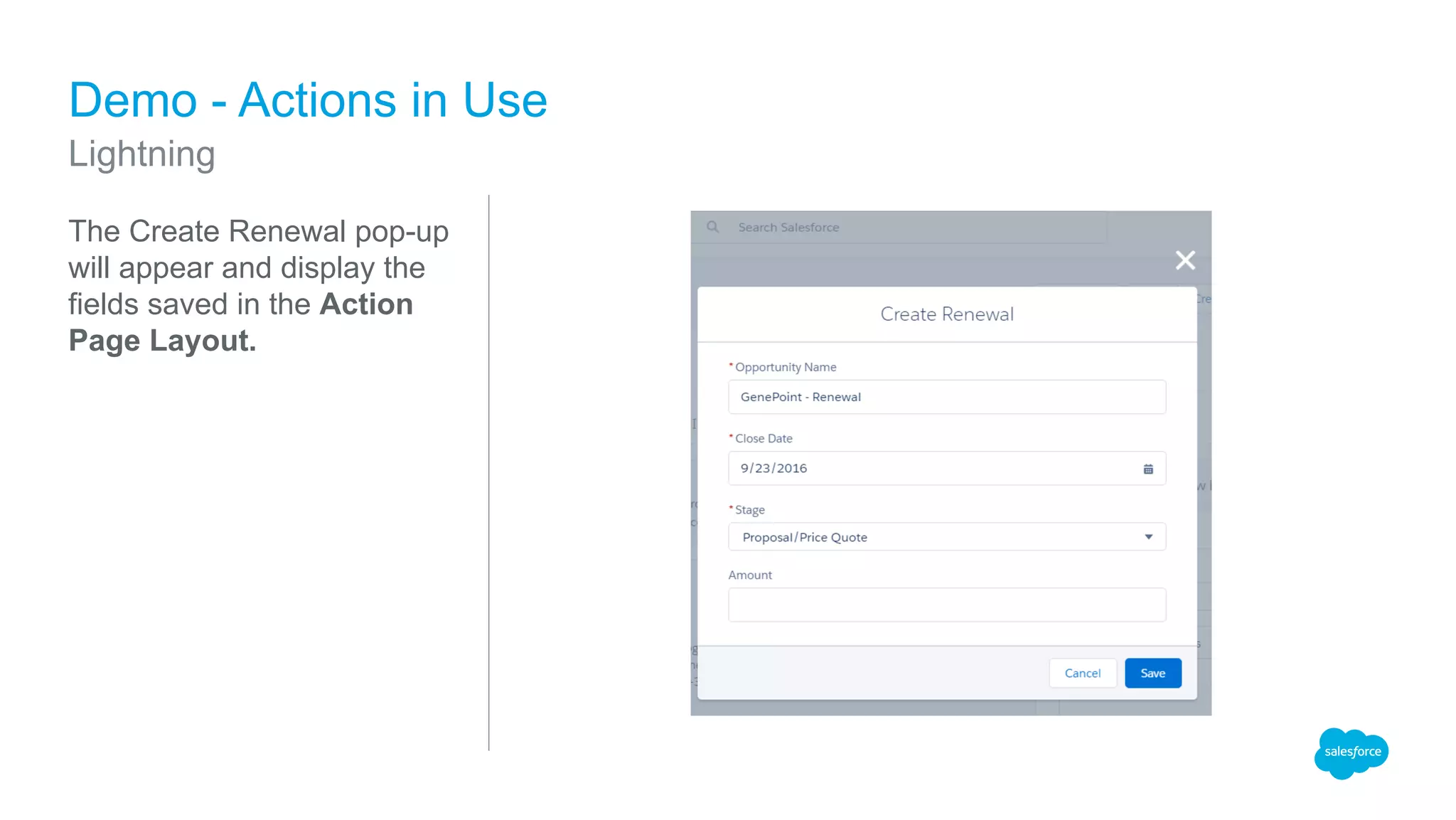
The Create Renewal pop-up
will appear and display the
fields saved in the Action
Page Layout.
Demo - Actions in Use
Lightning
Demo - Actions in Use
Lightning
Demo - Accessing Actions in Salesforce1
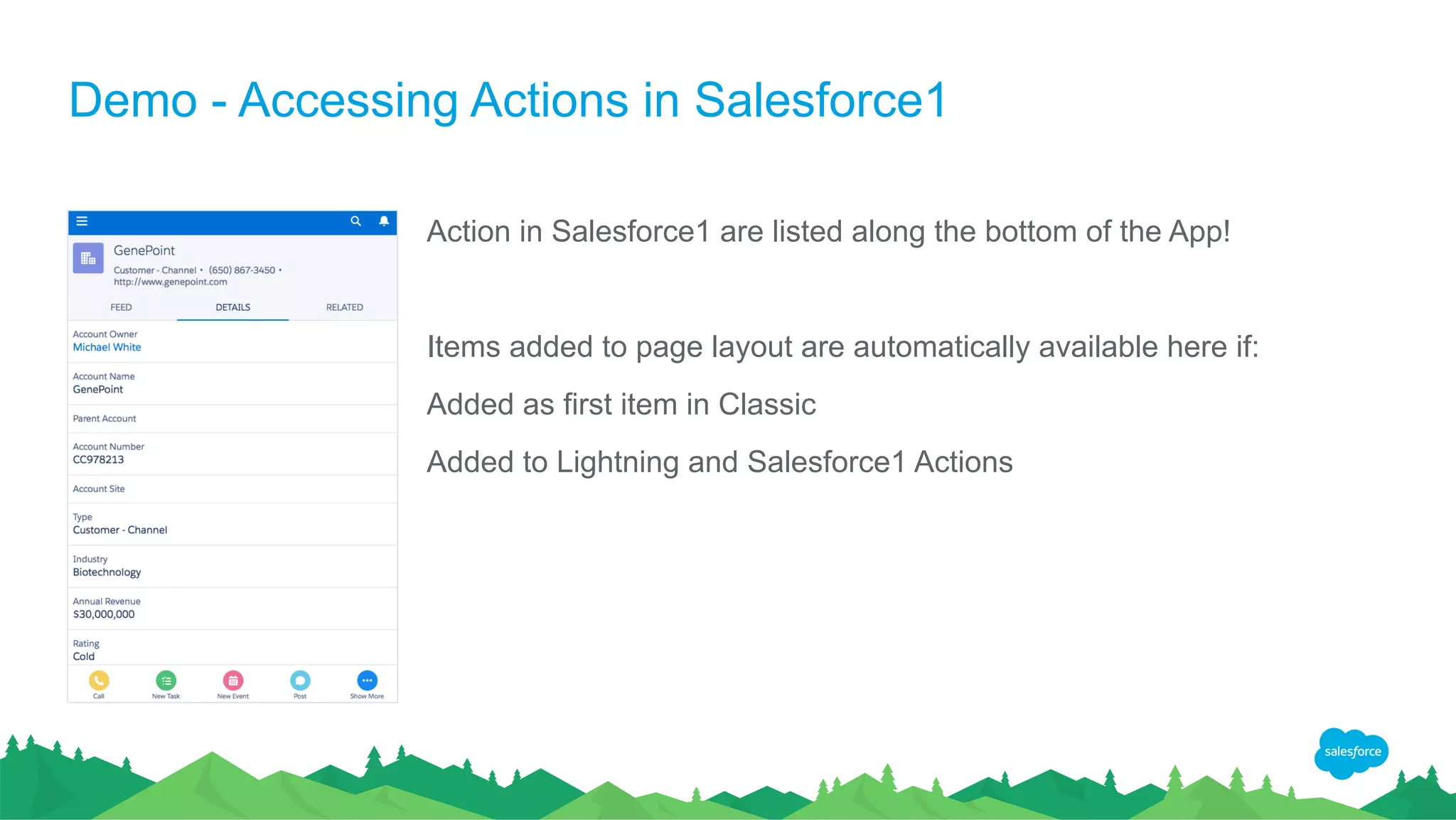
Action in Salesforce1 are listed along the bottom of the App!
Items added to page layout are automatically available here if:
Added as first item in Classic
Added to Lightning and Salesforce1 Actions
Demo - Accessing Actions in Salesforce1
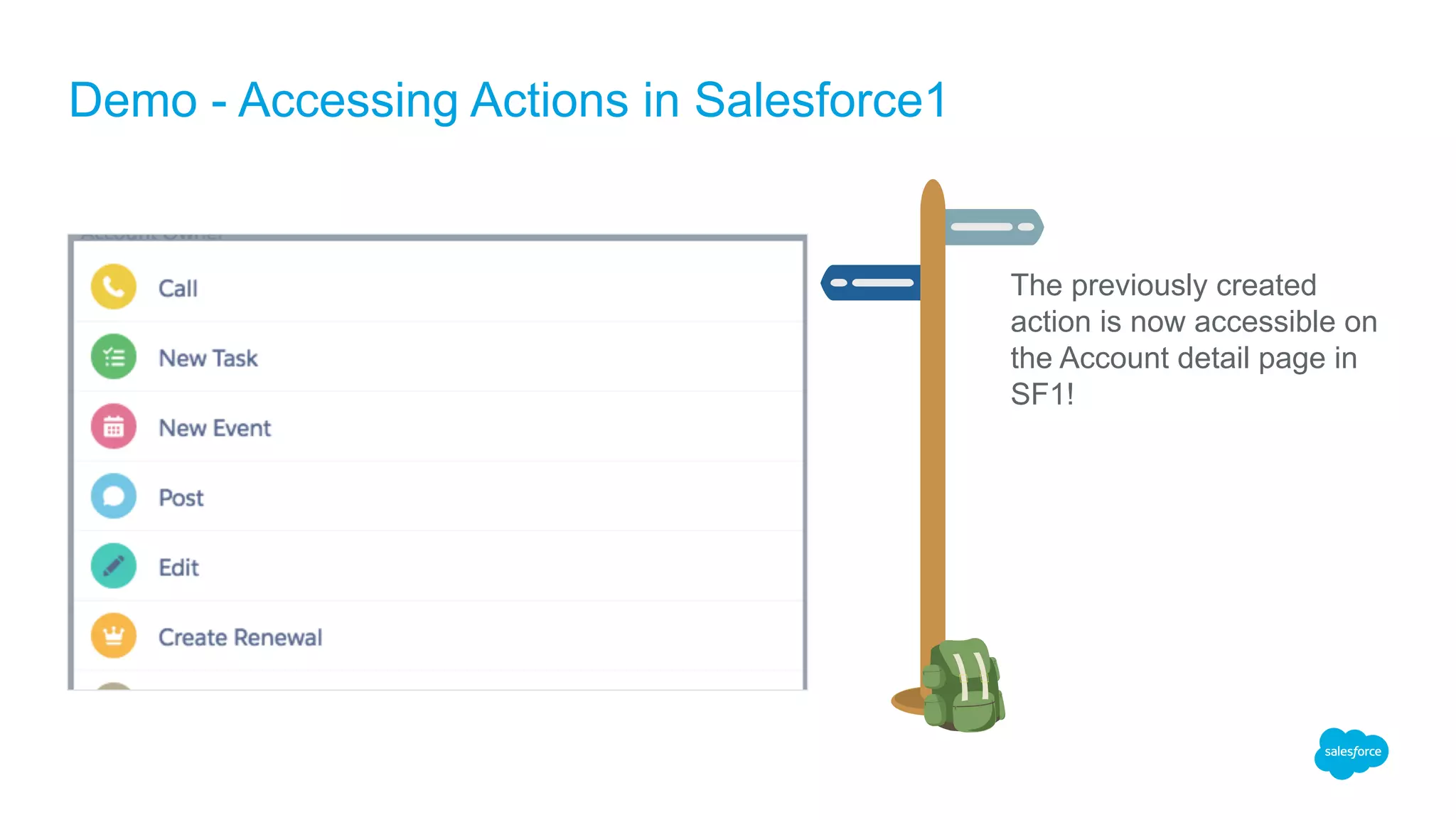
The previously created
action is now accessible on
the Account detail page in
SF1!
Demo - Accessing Actions in Salesforce1
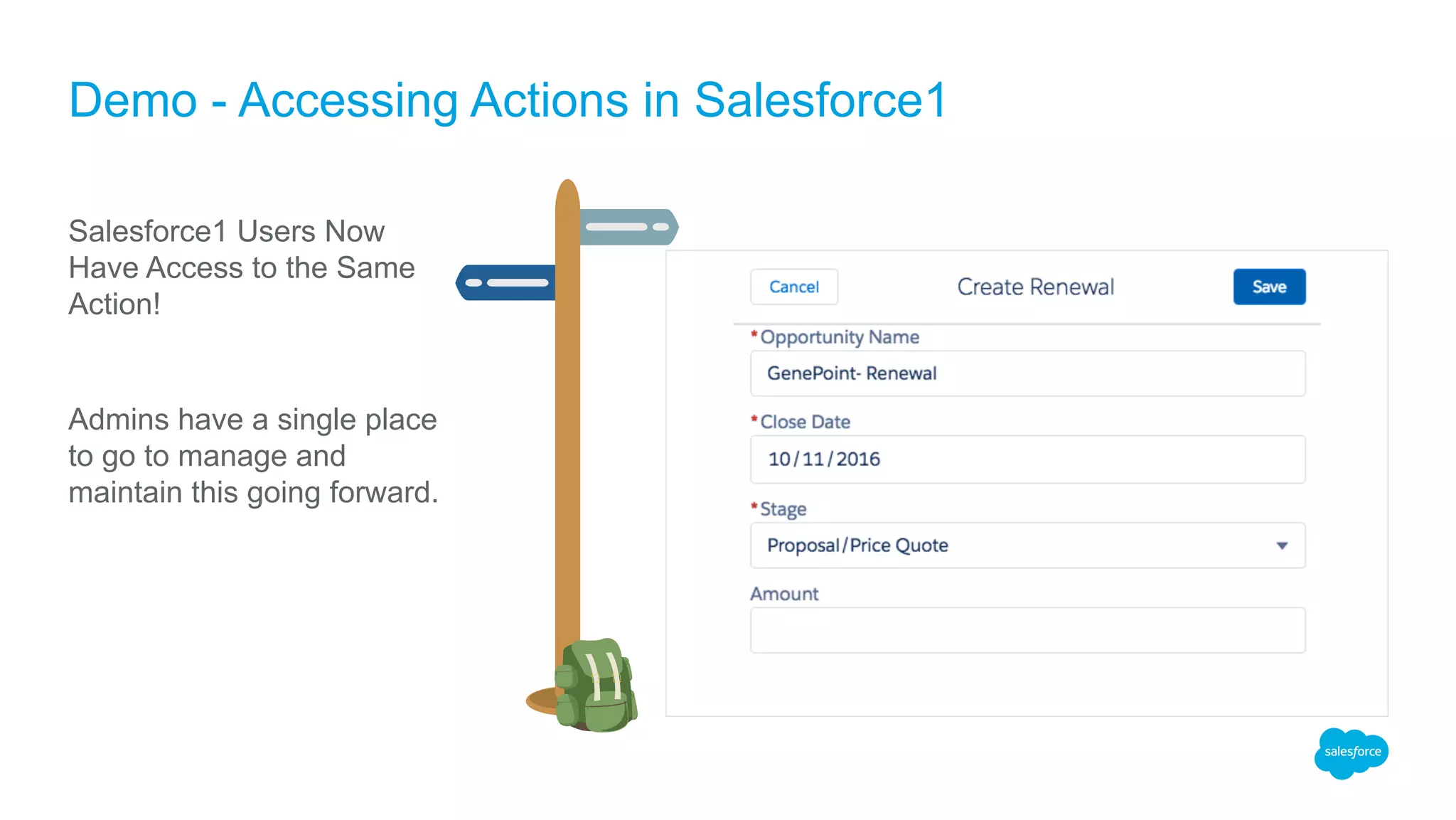
Salesforce1 Users Now
Have Access to the Same
Action!
Admins have a single place
to go to manage and
maintain this going forward.
Additional Resources
Trailhead Modules and Reference Guides
Additional Resources
Trailhead Modules
Salesforce1 Mobile Basics
App Customization
App Customization Lite
Chatter Basics
Implementation Guides:
Quick Actions Implementation Guide
Salesforce Developer Blog:
Take the First Steps: Ways You Can Replace JavaScript Buttons
Q&A
Thank Y u

Preparing for Lightning: Replacing URL Hacks with Actions

  • 1.
    Replacing URL hackswith Actions @SFDCAdvocate Michael White Sr. Salesforce Analyst Preparing for Lightning
  • 2.
    Michael White Sr. SalesforceAnalyst Varian Medical Systems 172 Trailhead Badges 4 Superbadges
  • 3.
    Forward-Looking Statements Statement underthe Private Securities Litigation Reform Act of 1995: This presentation may contain forward-looking statements that involve risks, uncertainties, and assumptions. If any such uncertainties materialize or if any of the assumptions proves incorrect, the results of salesforce.com, inc. could differ materially from the results expressed or implied by the forward-looking statements we make. All statements other than statements of historical fact could be deemed forward-looking, including any projections of product or service availability, subscriber growth, earnings, revenues, or other financial items and any statements regarding strategies or plans of management for future operations, statements of belief, any statements concerning new, planned, or upgraded services or technology developments and customer contracts or use of our services. The risks and uncertainties referred to above include – but are not limited to – risks associated with developing and delivering new functionality for our service, new products and services, our new business model, our past operating losses, possible fluctuations in our operating results and rate of growth, interruptions or delays in our Web hosting, breach of our security measures, the outcome of any litigation, risks associated with completed and any possible mergers and acquisitions, the immature market in which we operate, our relatively limited operating history, our ability to expand, retain, and motivate our employees and manage our growth, new releases of our service and successful customer deployment, our limited history reselling non-salesforce.com products, and utilization and selling to larger enterprise customers. Further information on potential factors that could affect the financial results of salesforce.com, inc. is included in our annual report on Form 10-K for the most recent fiscal year and in our quarterly report on Form 10-Q for the most recent fiscal quarter. These documents and others containing important disclosures are available on the SEC Filings section of the Investor Information section of our Web site. Any unreleased services or features referenced in this or other presentations, press releases or public statements are not currently available and may not be delivered on time or at all. Customers who purchase our services should make the purchase decisions based upon features that are currently available. Salesforce.com, inc. assumes no obligation and does not intend to update these forward-looking statements.
  • 4.
    The current stateof URL hacks
  • 5.
    What is aURL hack? The phrase URL hack describes a method for crafting a special hyperlink or script and exposing it via button or formula field. These specially crafted hyperlinks often used to provide additional functionality and automation to end-users. Examples: • Setting record types for newly created records. • Pre-populating values on child records created from parent. • Sending emails with a specific template IDs.
  • 6.
    Example from theSuccess Community Admin needed to streamline creation of renewal opportunities from Account detail page. Organization uses multiple opportunity record types. New records must be created with a specific record type and pre-set values for other fields. Prompting / end-user selection of record type is confusing and error prone.
  • 7.
    Create custom detailpage button Look at HTML code of Opportunity page to identify key field IDs Add field IDs and values to button URL Expose to users via Page Layout How it might be solved today URL “Hack” implemented as a custom detail page button
  • 8.
    The drawbacks whenusing URL hacks. Not officially supported by Salesforce. Difficult to modify and/or maintain. No native admin UI -- limited to editing a formula or URL string. Do not work in Salesforce1 or Lightning Experience!
  • 9.
    Looking down theTrail Future proofing your Admin enhancements
  • 10.
    Released Winter ’16 Continuallyenhanced and improved since initial introduction. Feature parity between LEX and Classic are getting closer with each release. Welcome to Lightning!
  • 11.
    Start building compatiblesolutions now! Lightning Experience IS the Future As Admins, we need to build Lightning friendly solutions today. Learn the new tools and technologies available to Admins. Prepare our business users to make the switch. This Way To The Future
  • 12.
    What are Actionsin Salesforce? Actions are Admin defined productivity enhancers! They allow user to streamline the creation of related records, can be configured to set default values on new records and are available for use in Classic, Lightning and Salesforce1. Chatter must be enabled in order to use Actions in Classic. Two primary types of actions: Global Actions Object Specific
  • 13.
    Global actions areavailable for use from any feed enabled page. Add common actions to Global Layout to make them accessible on all Feed enabled pages. In Classic, this includes the Home tab, Chatter tab, object detail records. Global Actions
  • 14.
    Create records thatare automatically associated with other records. Commonly used to create a contact or opportunity from an account. Available in Classic via the Chatter Publisher. Object Specific Actions
  • 15.
    Making Actions Availableto Users Making Global Actions Visible: Setup > User Interface > Global Actions Define New Action Add to Global Publisher Layout Assign Layout to User
  • 16.
    Setup > ObjectManager > Object Buttons, Links, & Actions New Action Add to Page Layout Assign Layout to User Making Actions Available to Users Making Object Specific Actions Visible:
  • 17.
    Demo Actions in Classic,Lightning & SF1
  • 18.
    Example from theSuccess Community Admin need to streamline creation of renewal opportunities. Business users want the ability to create these from the Account detail page. Organization uses multiple opportunity record types. New records must be created with a specific record type and preset other field values. Prompting / end-user selection of record type is confusing and error prone.
  • 19.
    Demo – Createthe Action In Classic – enter setup and navigate to Customize > Accounts > Buttons, Links and Actions New Action Set Action Values – type, target object, record type and define custom label. Save. Add an Action that creates an Opportunity with a specific record type.
  • 20.
    Demo - Extendingthe Quick Action Extend the previous example to set additional values on the new Opportunity. Supply default values for fields on the newly created record. Enter Setup > Object Manager > Account > Buttons, Links and Actions Setting the Record Type was great but what about….
  • 21.
    In Classic –enter setup and navigate to Customize > Accounts > Page Layouts Edit Page Layout Scroll to ‘Quick Actions’, locate the ‘Create Renewal’ action and drag to ‘Quick Actions in the Salesforce Classsic Publisher’ section of the page layout. Save Changes and Open Account Detail Page Demo – Add Action to Page Layout in Classic
  • 22.
    Demo - Actionsin Use Open Account detail page Expand the Feed Create Renewal should be listed in the publisher. Classic
  • 23.
    Open Account detailpage Look for ‘Create Renewal’ in Action bar. Demo - Actions in Use Lightning
  • 24.
    The Create Renewalpop-up will appear and display the fields saved in the Action Page Layout. Demo - Actions in Use Lightning
  • 25.
    Demo - Actionsin Use Lightning
  • 26.
    Demo - AccessingActions in Salesforce1 Action in Salesforce1 are listed along the bottom of the App! Items added to page layout are automatically available here if: Added as first item in Classic Added to Lightning and Salesforce1 Actions
  • 27.
    Demo - AccessingActions in Salesforce1 The previously created action is now accessible on the Account detail page in SF1!
  • 28.
    Demo - AccessingActions in Salesforce1 Salesforce1 Users Now Have Access to the Same Action! Admins have a single place to go to manage and maintain this going forward.
  • 29.
  • 30.
    Additional Resources Trailhead Modules Salesforce1Mobile Basics App Customization App Customization Lite Chatter Basics Implementation Guides: Quick Actions Implementation Guide Salesforce Developer Blog: Take the First Steps: Ways You Can Replace JavaScript Buttons
  • 31.
  • 32.

Editor's Notes

  • #4 Key Takeaway: We are a publicly traded company. Please make your buying decisions only on the products commercially available from Salesforce. Talk Track: Before I begin, just a quick note that when considering future developments, whether by us or with any other solution provider, you should always base your purchasing decisions on what is currently available.
  • #14 Predefined quick-actions already exist in Salesforce today to facilitate the creation of top-level records such as Accounts, Leads, and Tasks. Predefined actions include items such as: Post File New Event New Task Log a Call Poll Add common actions to Global Layout to make them accessible across the org.
  • #15  Object specific actions allow the creation of event, task and object records with master detail or lookup relationship to the parent object. Partial list of standard objects include: Account Contact Case Lead Opportunity Add object specific actions to the applicable page layout to make them accessible to users.
  • #21 Switch to Lightning UI/ Enter Admin Mode and review current Action values