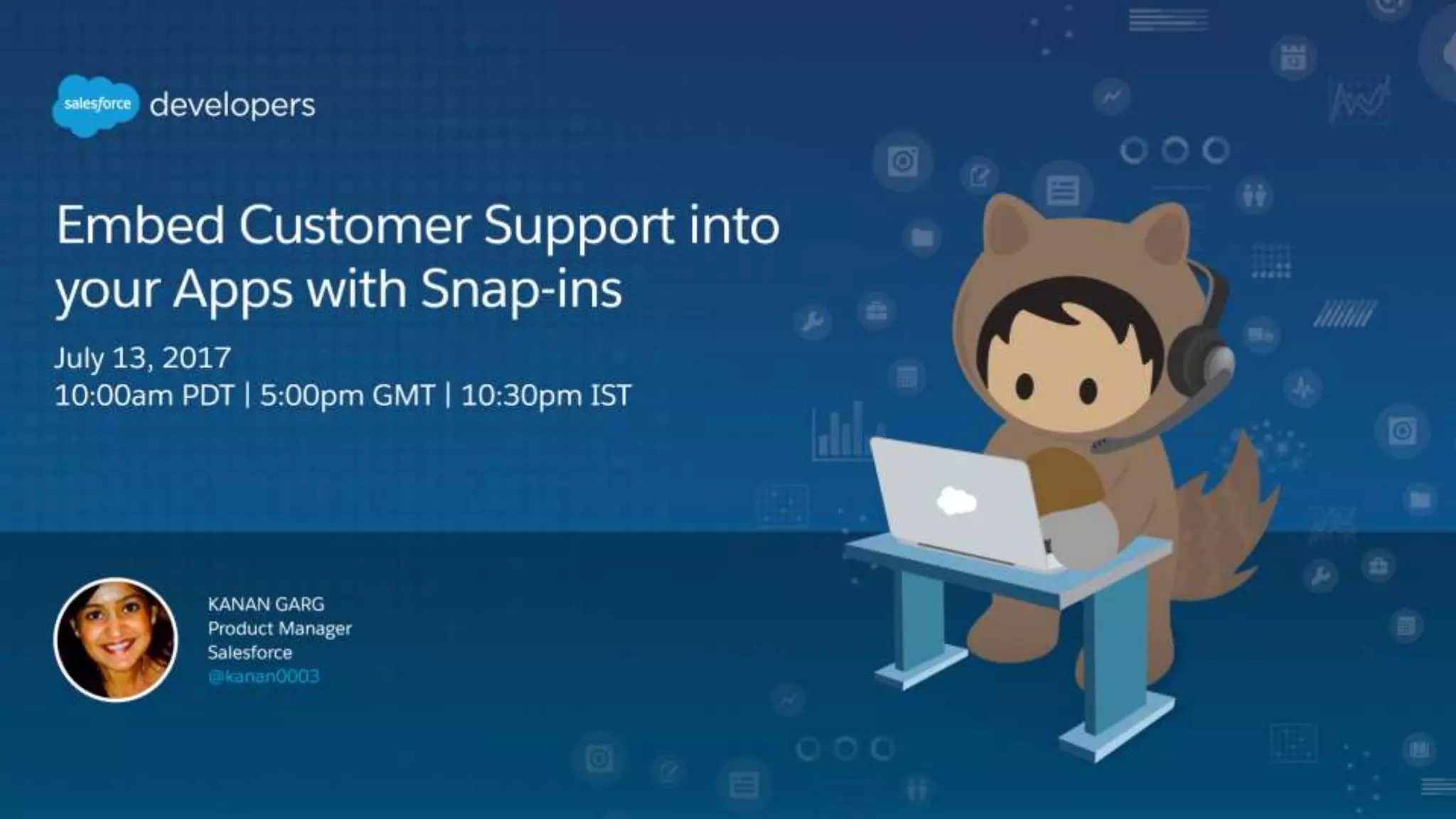


Kanan Garg, Product Manager
July 13, 2017
Embed support in your webpages with Snap-Ins
Forward-Looking Statement
Statement under the Private Securities Litigation Reform Act of 1995: This presentation may contain forward-looking statements that involve
risks, uncertainties, and assumptions. If any such uncertainties materialize or if any of the assumptions proves incorrect, the results of
salesforce.com, inc. could differ materially from the results expressed or implied by the forward-looking statements we make. All statements other
than statements of historical fact could be deemed forward-looking, including any projections of product or service availability, subscriber growth,
earnings, revenues, or other financial items and any statements regarding strategies or plans of management for future operations, statements of
belief, any statements concerning new, planned, or upgraded services or technology developments and customer contracts or use of our services.
The risks and uncertainties referred to above include – but are not limited to – risks associated with developing and delivering new functionality for
our service, new products and services, our new business model, our past operating losses, possible fluctuations in our operating results and rate
of growth, interruptions or delays in our Web hosting, breach of our security measures, the outcome of any litigation, risks associated with
completed and any possible mergers and acquisitions, the immature market in which we operate, our relatively limited operating history, our ability
to expand, retain, and motivate our employees and manage our growth, new releases of our service and successful customer deployment, our
limited history reselling non-salesforce.com products, and utilization and selling to larger enterprise customers. Further information on potential
factors that could affect the financial results of salesforce.com, inc. is included in our annual report on Form 10-K for the most recent fiscal year
and in our quarterly report on Form 10-Q for the most recent fiscal quarter. These documents and others containing important disclosures are
available on the SEC Filings section of the Investor Information section of our Web site.
Any unreleased services or features referenced in this or other presentations, press releases or public statements are not currently available and
may not be delivered on time or at all. Customers who purchase our services should make the purchase decisions based upon features that are
currently available. Salesforce.com, inc. assumes no obligation and does not intend to update these forward-looking statements.
Go Social!
Salesforce Developers
The video will be posted to YouTube & the
webinar recap page (same URL as registration).This webinar is being recorded!
@salesforcedevs / #forcewebinar
▪ Don’t wait until the end to ask your question!
– Technical support will answer questions starting now.
▪ Respect Q&A etiquette
– Please don’t repeat questions. The support team is working
their way down the queue.
▪ Stick around for live Q&A at the end
– Speakers will tackle more questions at the end, time-
allowing.
▪ Head to Developer Forums
– More questions? Visit developer.salesforce.com/forums
Have Questions?
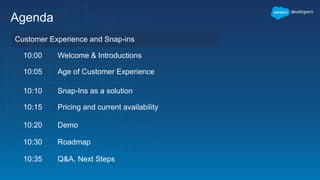
Agenda
Customer Experience and Snap-ins
10:00 Welcome & Introductions
10:05 Age of Customer Experience
10:10 Snap-Ins as a solution
10:15 Pricing and current availability
10:20 Demo
10:30 Roadmap
10:35 Q&A, Next Steps
Customer Expectations Continue to Rise Faster Than Ever
PERSONALIZED
INTELLIGENT
MOBILE
CONNECTE
D
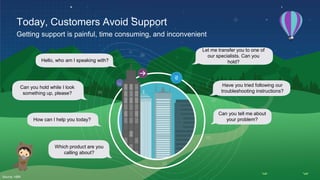
Today, Customers Avoid Support
Getting support is painful, time consuming, and inconvenient
Which product are you
calling about?
How can I help you today?
Can you hold while I look
something up, please?
Let me transfer you to one of
our specialists. Can you
hold?Hello, who am I speaking with?
Can you tell me about
your problem?
Have you tried following our
troubleshooting instructions?
Source: HBR
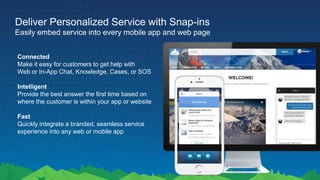
Deliver Personalized Service with Snap-ins
Easily embed service into every mobile app and web page
Connected
Make it easy for customers to get help with
Web or In-App Chat, Knowledge, Cases, or SOS
Intelligent
Provide the best answer the first time based on
where the customer is within your app or website
Fast
Quickly integrate a branded, seamless service
experience into any web or mobile app
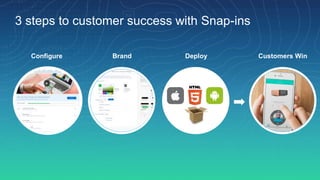
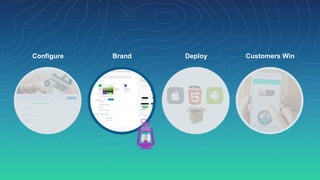
Configure Brand Deploy Customers Win
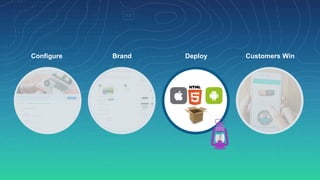
3 steps to customer success with Snap-ins
Configure Brand Deploy Customers Win
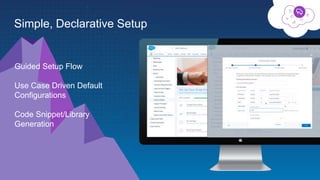
Guided Setup Flow
Use Case Driven Default
Configurations
Code Snippet/Library
Generation
Simple, Declarative Setup
Configure Brand Deploy Customers Win
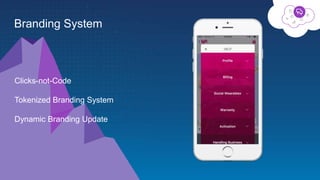
Clicks-not-Code
Tokenized Branding System
Dynamic Branding Update
Branding System
Configure Brand Deploy Customers Win
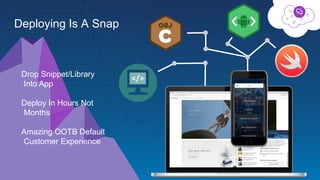
Deploying Is A Snap
Drop Snippet/Library
Into App
Deploy In Hours Not
Months
Amazing OOTB Default
Customer Experience
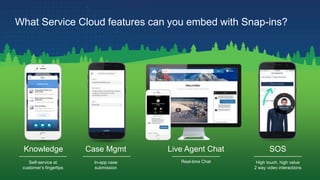
Knowledge Case Mgmt Live Agent Chat SOS
High touch, high value
2 way video interactions
In-app case
submission
Self-service at
customer’s fingertips
Real-time Chat
What Service Cloud features can you embed with Snap-ins?
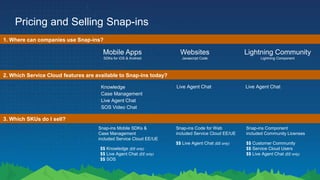
Pricing and Selling Snap-ins
1. Where can companies use Snap-ins?
Mobile Apps
SDKs for iOS & Android
Websites
Javascript Code
Lightning Community
Lightning Component
3. Which SKUs do I sell?
Snap-ins Mobile SDKs &
Case Management
included Service Cloud EE/UE
$$ Knowledge (EE only)
$$ Live Agent Chat (EE only)
$$ SOS
Snap-ins Code for Web
included Service Cloud EE/UE
$$ Live Agent Chat (EE only)
Snap-ins Component
included Community Licenses
$$ Customer Community
$$ Service Cloud Users
$$ Live Agent Chat (EE only)
2. Which Service Cloud features are available to Snap-ins today?
Knowledge
Case Management
Live Agent Chat
SOS Video Chat
Live Agent Chat Live Agent Chat
In class exercise
In class exercise Roadmap/ Q&ACX and Snap-ins
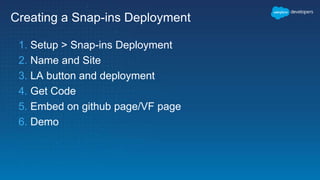
Creating a Snap-ins Deployment
1. Setup > Snap-ins Deployment
2. Name and Site
3. LA button and deployment
4. Get Code
5. Embed on github page/VF page
6. Demo
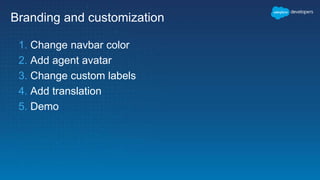
Branding and customization
1. Change navbar color
2. Add agent avatar
3. Change custom labels
4. Add translation
5. Demo
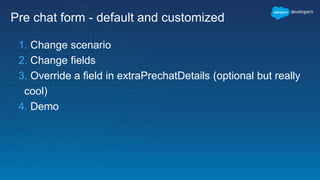
Pre chat form - default and customized
1. Change scenario
2. Change fields
3. Override a field in extraPrechatDetails (optional but really
cool)
4. Demo
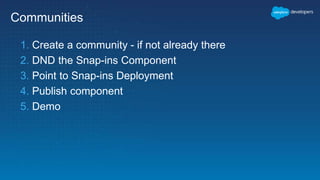
Communities
1. Create a community - if not already there
2. DND the Snap-ins Component
3. Point to Snap-ins Deployment
4. Publish component
5. Demo
Roadmap
In class exercise RoadmapCX and Snap-ins
Snap-ins Roadmap
Spring ‘18
Summer ‘18+
Winter ‘18
[Web]
Knowledge - POC
Book an Appointment
[Mobile]
Performance
improvements
Address customer
feedback
[Web]
Knowledge - Beta
Multi product setup
Chatbot Integration
Book an Appointment - Beta
[Mobile]
Einstein in Knowledge
Surveys
[Web]
Knowledge - GA
Case
Chatbot Integration
[Mobile]
Chatbot integration
Q & A
Try Trailhead: trailhead.salesforce.com
Join the conversation: @salesforcedevs
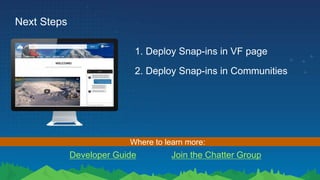
Next Steps
1. Deploy Snap-ins in VF page
Developer Guide Join the Chatter Group
Where to learn more:
2. Deploy Snap-ins in Communities
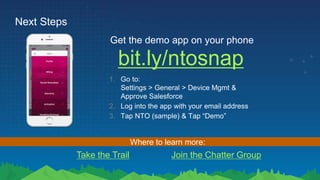
Next Steps
bit.ly/ntosnap
Get the demo app on your phone
1. Go to:
Settings > General > Device Mgmt &
Approve Salesforce
2. Log into the app with your email address
3. Tap NTO (sample) & Tap “Demo”
Take the Trail Join the Chatter Group
Where to learn more:
Survey
Your feedback is crucial to the success of our
webinar programs. Please fill out the survey
at the end of the webinar. Thank you!
Thank You

Embed Customer Support into your Apps with Snap-ins

  • 1.
    Kanan Garg, ProductManager July 13, 2017 Embed support in your webpages with Snap-Ins
  • 2.
    Forward-Looking Statement Statement underthe Private Securities Litigation Reform Act of 1995: This presentation may contain forward-looking statements that involve risks, uncertainties, and assumptions. If any such uncertainties materialize or if any of the assumptions proves incorrect, the results of salesforce.com, inc. could differ materially from the results expressed or implied by the forward-looking statements we make. All statements other than statements of historical fact could be deemed forward-looking, including any projections of product or service availability, subscriber growth, earnings, revenues, or other financial items and any statements regarding strategies or plans of management for future operations, statements of belief, any statements concerning new, planned, or upgraded services or technology developments and customer contracts or use of our services. The risks and uncertainties referred to above include – but are not limited to – risks associated with developing and delivering new functionality for our service, new products and services, our new business model, our past operating losses, possible fluctuations in our operating results and rate of growth, interruptions or delays in our Web hosting, breach of our security measures, the outcome of any litigation, risks associated with completed and any possible mergers and acquisitions, the immature market in which we operate, our relatively limited operating history, our ability to expand, retain, and motivate our employees and manage our growth, new releases of our service and successful customer deployment, our limited history reselling non-salesforce.com products, and utilization and selling to larger enterprise customers. Further information on potential factors that could affect the financial results of salesforce.com, inc. is included in our annual report on Form 10-K for the most recent fiscal year and in our quarterly report on Form 10-Q for the most recent fiscal quarter. These documents and others containing important disclosures are available on the SEC Filings section of the Investor Information section of our Web site. Any unreleased services or features referenced in this or other presentations, press releases or public statements are not currently available and may not be delivered on time or at all. Customers who purchase our services should make the purchase decisions based upon features that are currently available. Salesforce.com, inc. assumes no obligation and does not intend to update these forward-looking statements.
  • 3.
    Go Social! Salesforce Developers SalesforceDevelopers Salesforce Developers The video will be posted to YouTube & the webinar recap page (same URL as registration).This webinar is being recorded! @salesforcedevs / #forcewebinar
  • 4.
    ▪ Don’t waituntil the end to ask your question! – Technical support will answer questions starting now. ▪ Respect Q&A etiquette – Please don’t repeat questions. The support team is working their way down the queue. ▪ Stick around for live Q&A at the end – Speakers will tackle more questions at the end, time- allowing. ▪ Head to Developer Forums – More questions? Visit developer.salesforce.com/forums Have Questions?
  • 5.
    Agenda Customer Experience andSnap-ins 10:00 Welcome & Introductions 10:05 Age of Customer Experience 10:10 Snap-Ins as a solution 10:15 Pricing and current availability 10:20 Demo 10:30 Roadmap 10:35 Q&A, Next Steps
  • 6.
    Customer Expectations Continueto Rise Faster Than Ever PERSONALIZED INTELLIGENT MOBILE CONNECTE D
  • 7.
    Today, Customers AvoidSupport Getting support is painful, time consuming, and inconvenient Which product are you calling about? How can I help you today? Can you hold while I look something up, please? Let me transfer you to one of our specialists. Can you hold?Hello, who am I speaking with? Can you tell me about your problem? Have you tried following our troubleshooting instructions? Source: HBR
  • 8.
    Deliver Personalized Servicewith Snap-ins Easily embed service into every mobile app and web page Connected Make it easy for customers to get help with Web or In-App Chat, Knowledge, Cases, or SOS Intelligent Provide the best answer the first time based on where the customer is within your app or website Fast Quickly integrate a branded, seamless service experience into any web or mobile app
  • 9.
    Configure Brand DeployCustomers Win 3 steps to customer success with Snap-ins
  • 10.
  • 11.
    Guided Setup Flow UseCase Driven Default Configurations Code Snippet/Library Generation Simple, Declarative Setup
  • 12.
  • 13.
  • 14.
  • 15.
    Deploying Is ASnap Drop Snippet/Library Into App Deploy In Hours Not Months Amazing OOTB Default Customer Experience
  • 16.
    Knowledge Case MgmtLive Agent Chat SOS High touch, high value 2 way video interactions In-app case submission Self-service at customer’s fingertips Real-time Chat What Service Cloud features can you embed with Snap-ins?
  • 17.
    Pricing and SellingSnap-ins 1. Where can companies use Snap-ins? Mobile Apps SDKs for iOS & Android Websites Javascript Code Lightning Community Lightning Component 3. Which SKUs do I sell? Snap-ins Mobile SDKs & Case Management included Service Cloud EE/UE $$ Knowledge (EE only) $$ Live Agent Chat (EE only) $$ SOS Snap-ins Code for Web included Service Cloud EE/UE $$ Live Agent Chat (EE only) Snap-ins Component included Community Licenses $$ Customer Community $$ Service Cloud Users $$ Live Agent Chat (EE only) 2. Which Service Cloud features are available to Snap-ins today? Knowledge Case Management Live Agent Chat SOS Video Chat Live Agent Chat Live Agent Chat
  • 18.
    In class exercise Inclass exercise Roadmap/ Q&ACX and Snap-ins
  • 19.
    Creating a Snap-insDeployment 1. Setup > Snap-ins Deployment 2. Name and Site 3. LA button and deployment 4. Get Code 5. Embed on github page/VF page 6. Demo
  • 20.
    Branding and customization 1.Change navbar color 2. Add agent avatar 3. Change custom labels 4. Add translation 5. Demo
  • 21.
    Pre chat form- default and customized 1. Change scenario 2. Change fields 3. Override a field in extraPrechatDetails (optional but really cool) 4. Demo
  • 22.
    Communities 1. Create acommunity - if not already there 2. DND the Snap-ins Component 3. Point to Snap-ins Deployment 4. Publish component 5. Demo
  • 23.
    Roadmap In class exerciseRoadmapCX and Snap-ins
  • 24.
    Snap-ins Roadmap Spring ‘18 Summer‘18+ Winter ‘18 [Web] Knowledge - POC Book an Appointment [Mobile] Performance improvements Address customer feedback [Web] Knowledge - Beta Multi product setup Chatbot Integration Book an Appointment - Beta [Mobile] Einstein in Knowledge Surveys [Web] Knowledge - GA Case Chatbot Integration [Mobile] Chatbot integration
  • 25.
    Q & A TryTrailhead: trailhead.salesforce.com Join the conversation: @salesforcedevs
  • 26.
    Next Steps 1. DeploySnap-ins in VF page Developer Guide Join the Chatter Group Where to learn more: 2. Deploy Snap-ins in Communities
  • 27.
    Next Steps bit.ly/ntosnap Get thedemo app on your phone 1. Go to: Settings > General > Device Mgmt & Approve Salesforce 2. Log into the app with your email address 3. Tap NTO (sample) & Tap “Demo” Take the Trail Join the Chatter Group Where to learn more:
  • 29.
    Survey Your feedback iscrucial to the success of our webinar programs. Please fill out the survey at the end of the webinar. Thank you!
  • 30.