Make your App
Lightning Ready
Forward-Looking Statements
​Statement under the Private Securities Litigation Reform Act of 1995:
​This presentation may contain forward-looking statements that involve risks, uncertainties, and assumptions. If any such uncertainties materialize or if any
of the assumptions proves incorrect, the results of salesforce.com, inc. could differ materially from the results expressed or implied by the forward-looking
statements we make. All statements other than statements of historical fact could be deemed forward-looking, including any projections of product or
service availability, subscriber growth, earnings, revenues, or other financial items and any statements regarding strategies or plans of management for
future operations, statements of belief, any statements concerning new, planned, or upgraded services or technology developments and customer
contracts or use of our services.
​The risks and uncertainties referred to above include – but are not limited to – risks associated with developing and delivering new functionality for our
service, new products and services, our new business model, our past operating losses, possible fluctuations in our operating results and rate of growth,
interruptions or delays in our Web hosting, breach of our security measures, the outcome of any litigation, risks associated with completed and any possible
mergers and acquisitions, the immature market in which we operate, our relatively limited operating history, our ability to expand, retain, and motivate our
employees and manage our growth, new releases of our service and successful customer deployment, our limited history reselling non-salesforce.com
products, and utilization and selling to larger enterprise customers. Further information on potential factors that could affect the financial results of
salesforce.com, inc. is included in our annual report on Form 10-K for the most recent fiscal year and in our quarterly report on Form 10-Q for the most
recent fiscal quarter. These documents and others containing important disclosures are available on the SEC Filings section of the Investor Information
section of our Web site.
​Any unreleased services or features referenced in this or other presentations, press releases or public statements are not currently available and may not
be delivered on time or at all. Customers who purchase our services should make the purchase decisions based upon features that are currently available.
Salesforce.com, inc. assumes no obligation and does not intend to update these forward-looking statements.
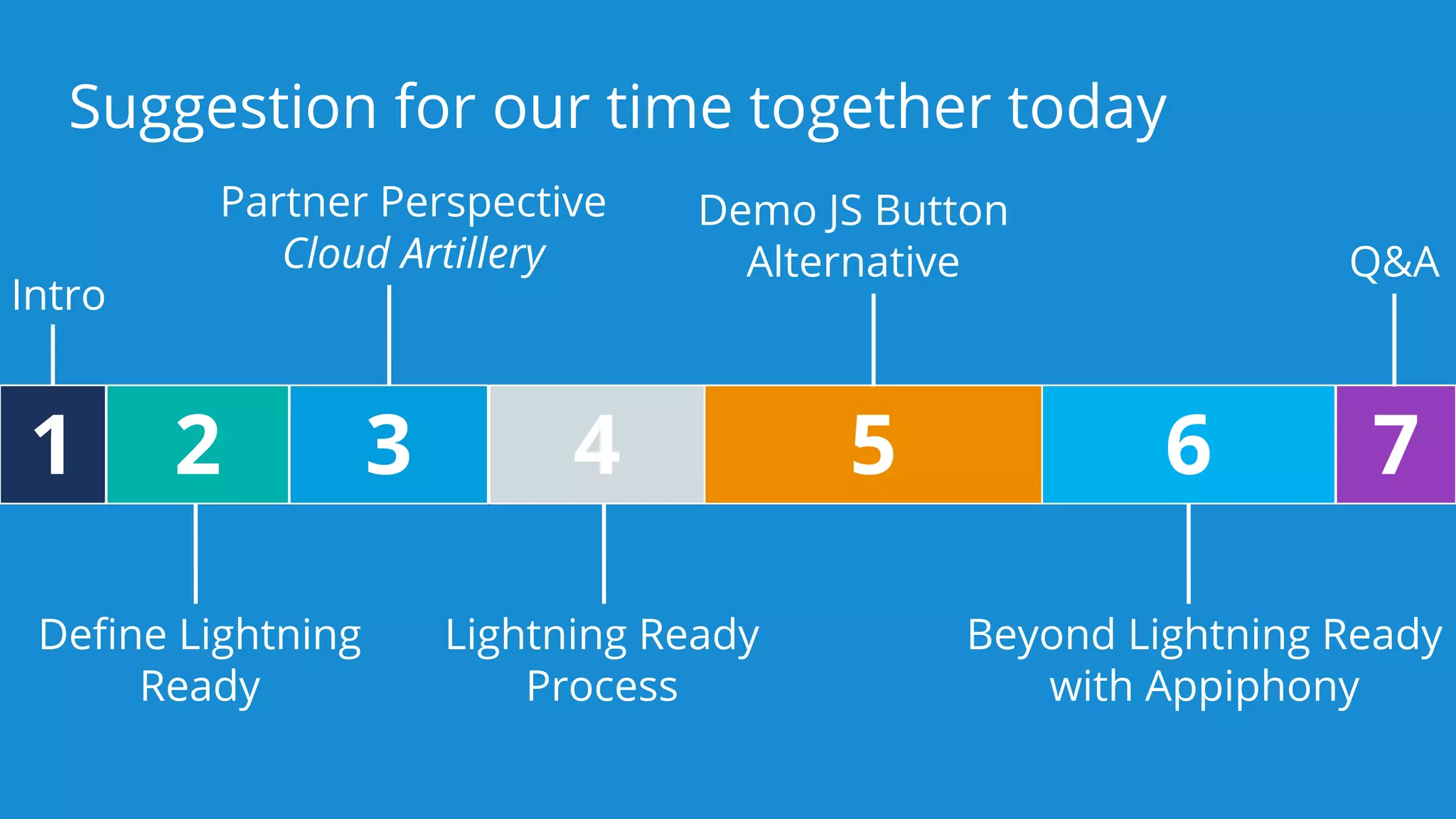
Suggestion for our time together today
1 2 3 5 6 7
Intro
Define Lightning
Ready
Partner Perspective
Cloud Artillery Q&A
4
Lightning Ready
Process
Demo JS Button
Alternative
Beyond Lightning Ready
with Appiphony
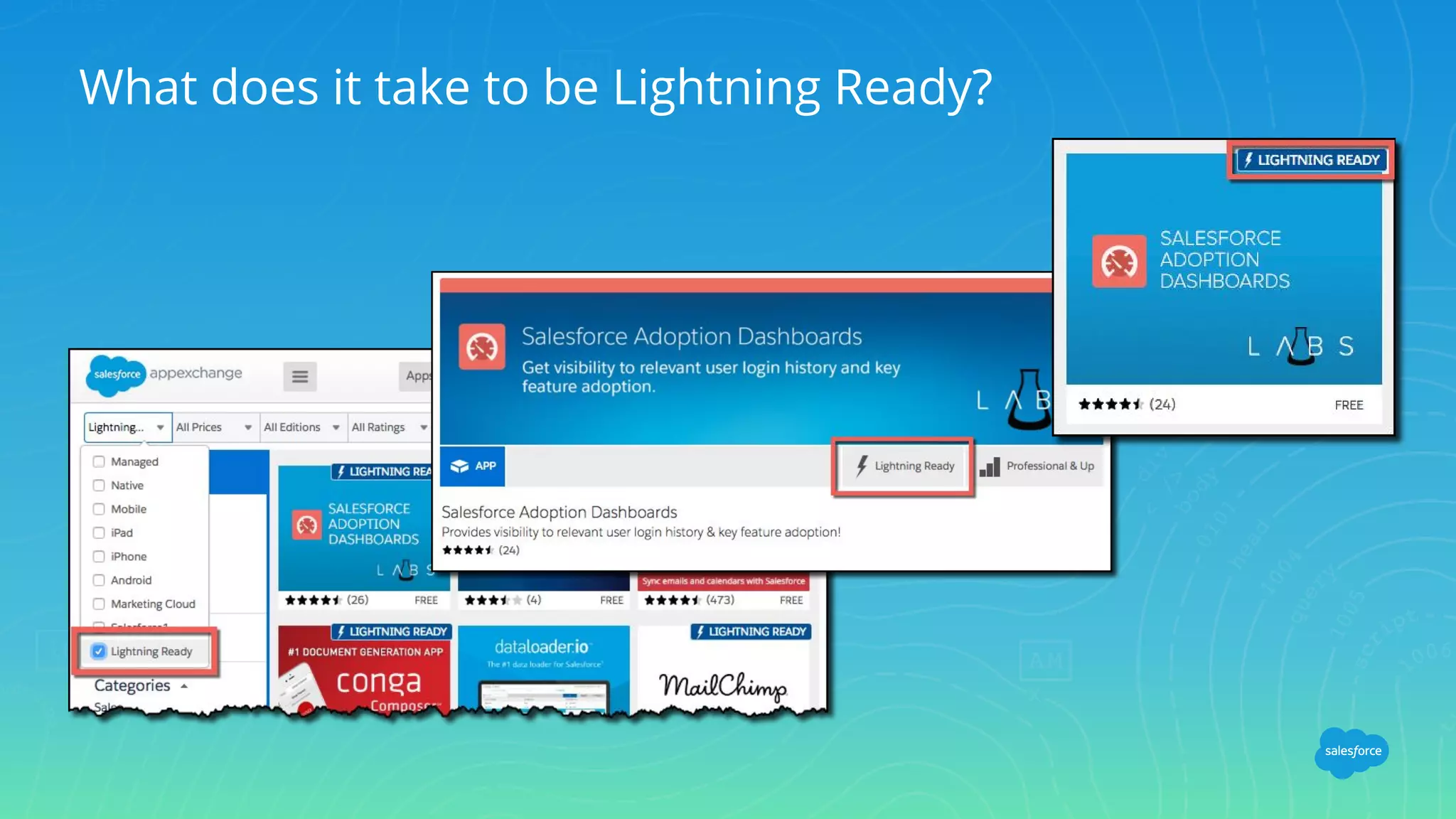
What does it take to be Lightning Ready?
Lightning Ready Requirements
There’s only one
100% of your End-User Use Cases must
work as expected in Lightning Experience
Existing Apps
All existing apps should be Lightning
Ready by February 2017
Standards for customer success
New Apps
All new apps that enter into an
agreement on or after March 1, 2017
must be Lightning Ready.
Common Questions
All my end-user use cases already work as expected in Lightning Experience. What do I do?
❖ Open a case
Does every use case of my app need to work in Lightning Experience?
❖ A qualified “yes”. Every end-user use case must function as expected in Lightning Experience.
Admin use cases are optional.
Do I have to re-style my app in order to be Lightning Ready?
❖ No, but we do strongly encourage all partners to adopt the Salesforce Lightning Design System to
be consistent with the Lightning Experience.
Do I have to use Lightning Components in order to be Lightning Ready?
❖ No, but If some of your features don’t work in Lightning Experience then this is a good opportunity
to adopt Lightning Components if they will make your app Lightning Ready.
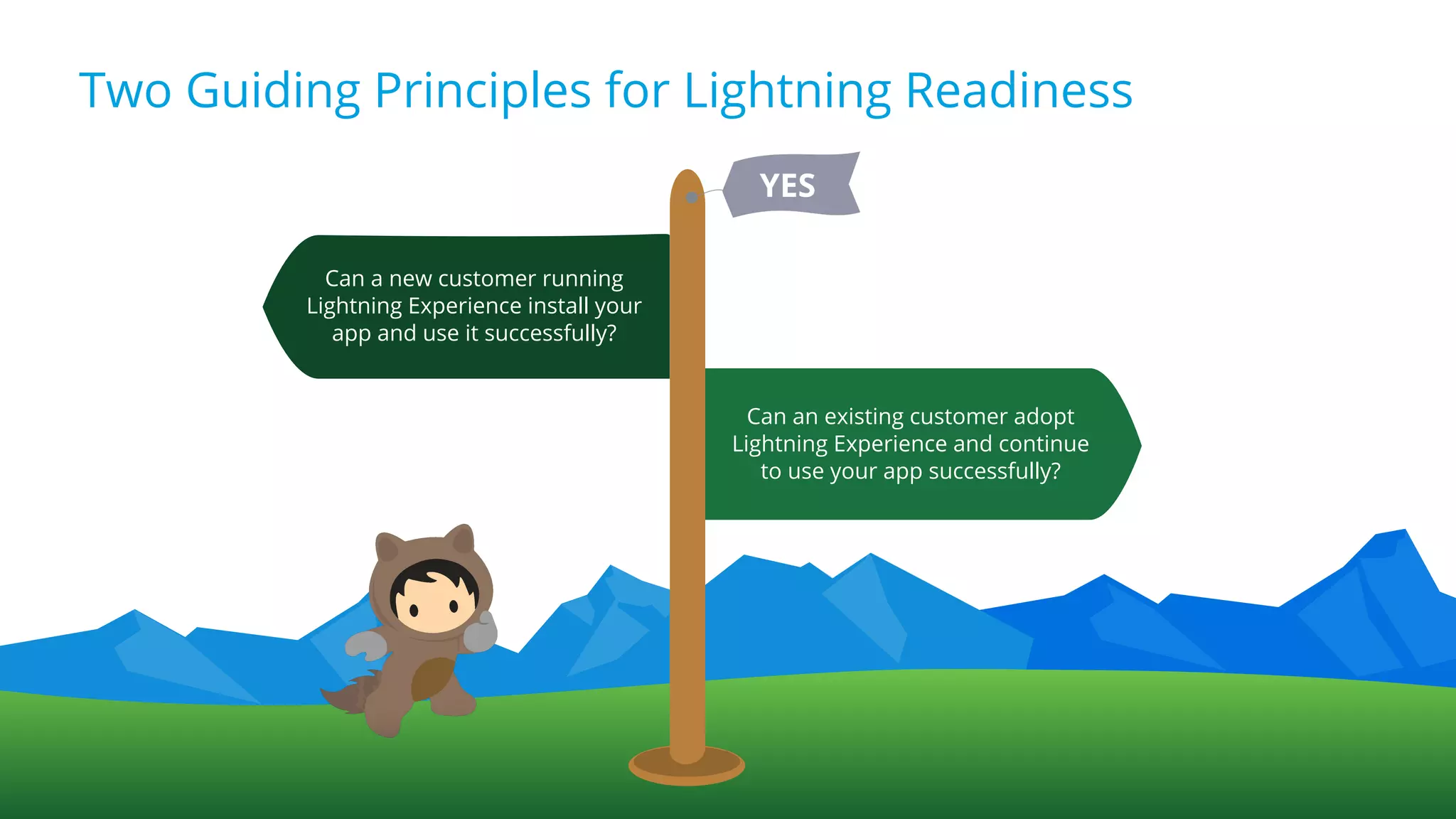
Two Guiding Principles for Lightning Readiness
Can a new customer running
Lightning Experience install your
app and use it successfully?
Can an existing customer adopt
Lightning Experience and continue
to use your app successfully?
YES
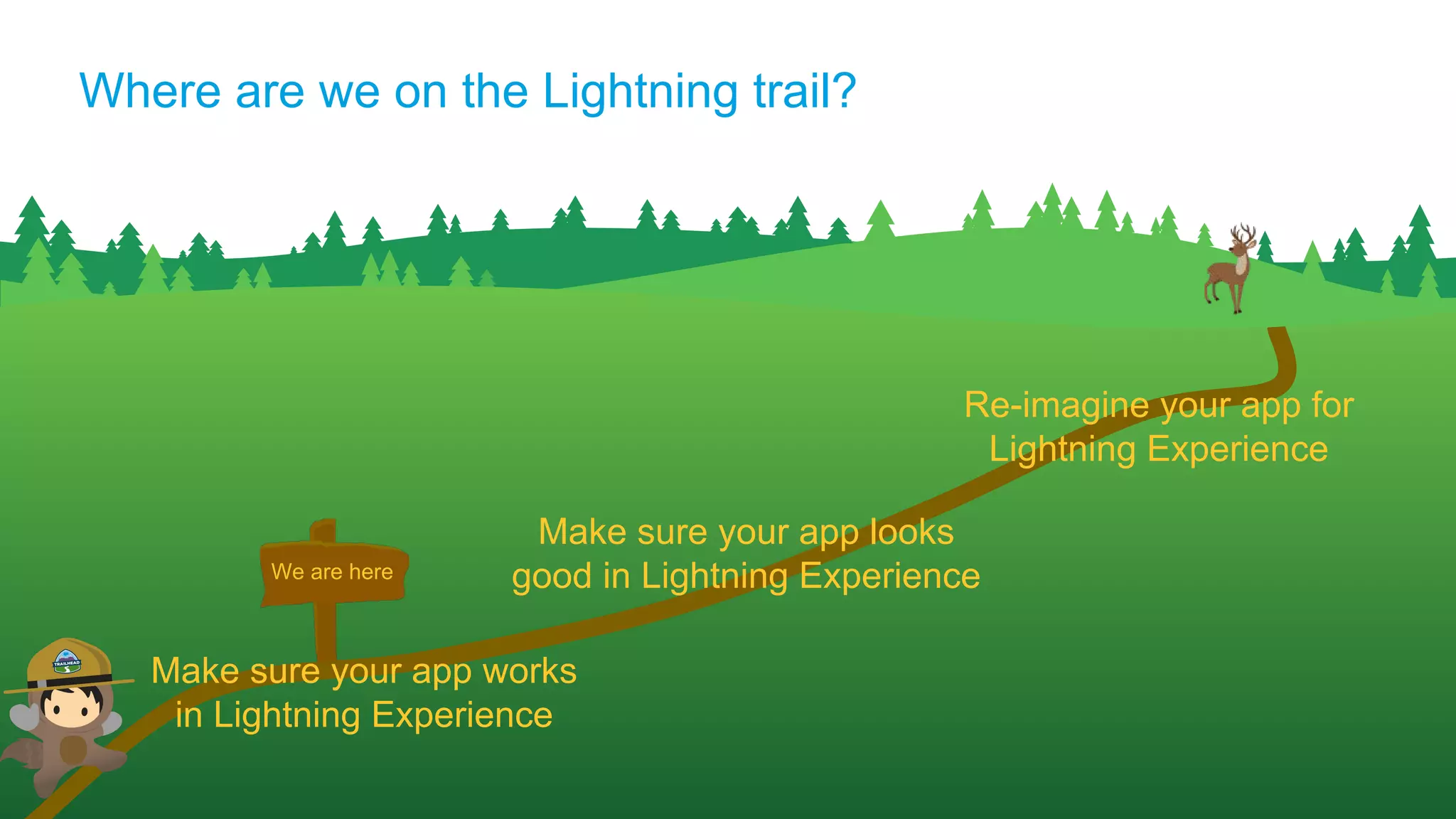
We are here
Where are we on the Lightning trail?
Make sure your app works
in Lightning Experience
Make sure your app looks
good in Lightning Experience
Re-imagine your app for
Lightning Experience
One Partner’s
Experience
Cloud Artillery
Lightning Ready
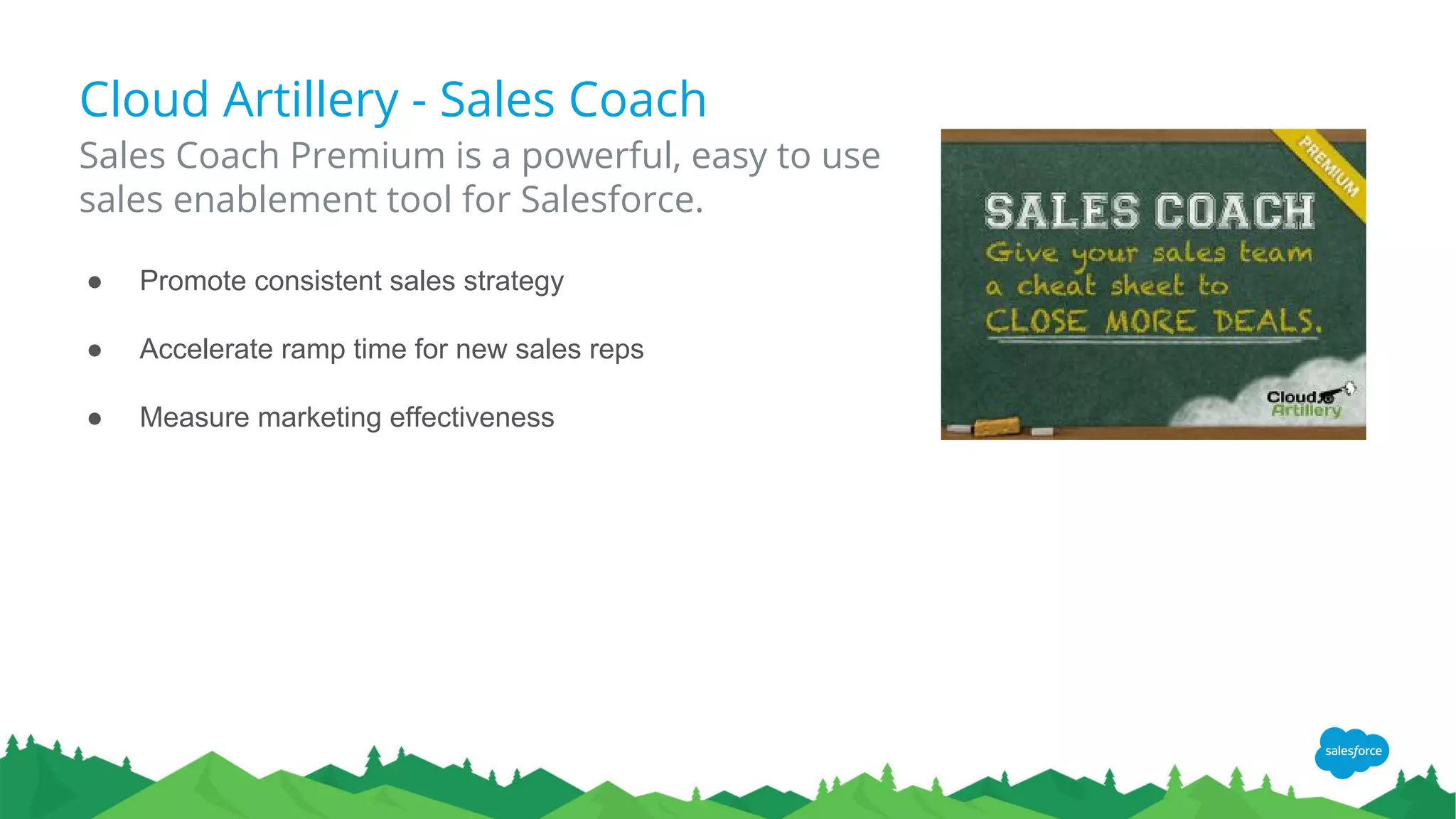
Cloud Artillery - Sales Coach
Sales Coach Premium is a powerful, easy to use
sales enablement tool for Salesforce.
● Promote consistent sales strategy
● Accelerate ramp time for new sales reps
● Measure marketing effectiveness
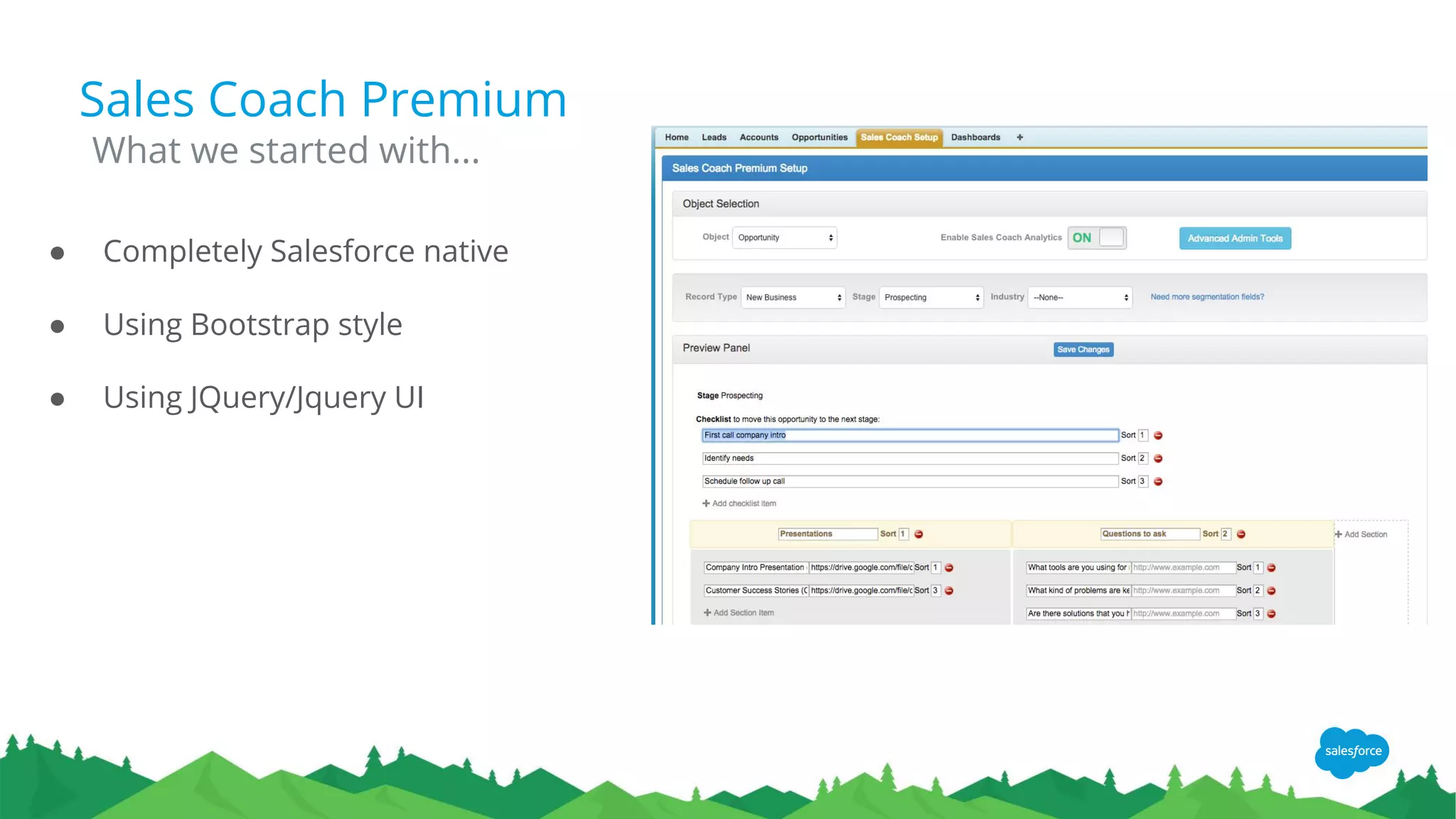
Sales Coach Premium
● Completely Salesforce native
● Using Bootstrap style
● Using JQuery/Jquery UI
What we started with...
Sales Coach Premium
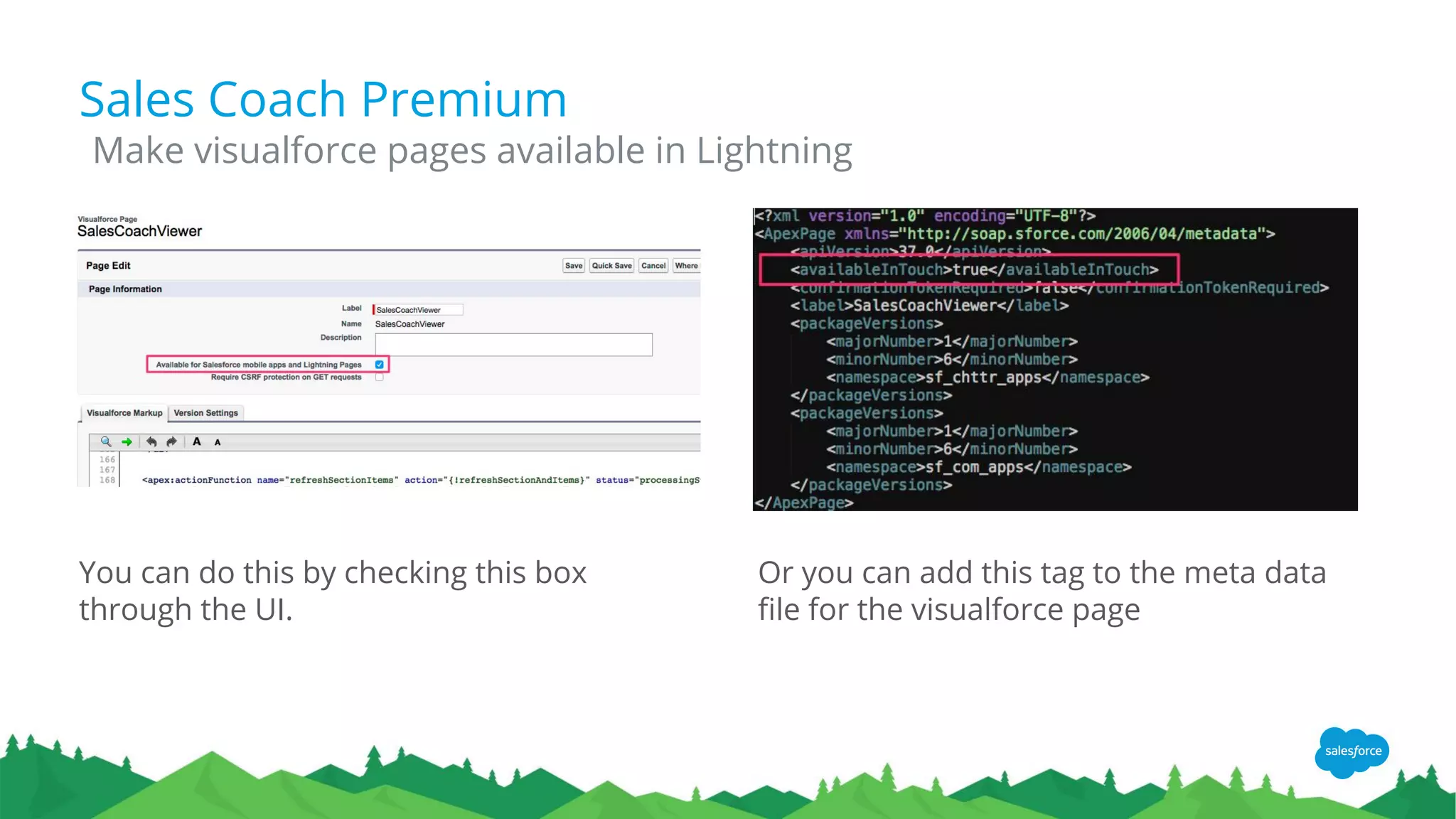
You can do this by checking this box
through the UI.
Make visualforce pages available in Lightning
Or you can add this tag to the meta data
file for the visualforce page
Sales Coach Premium
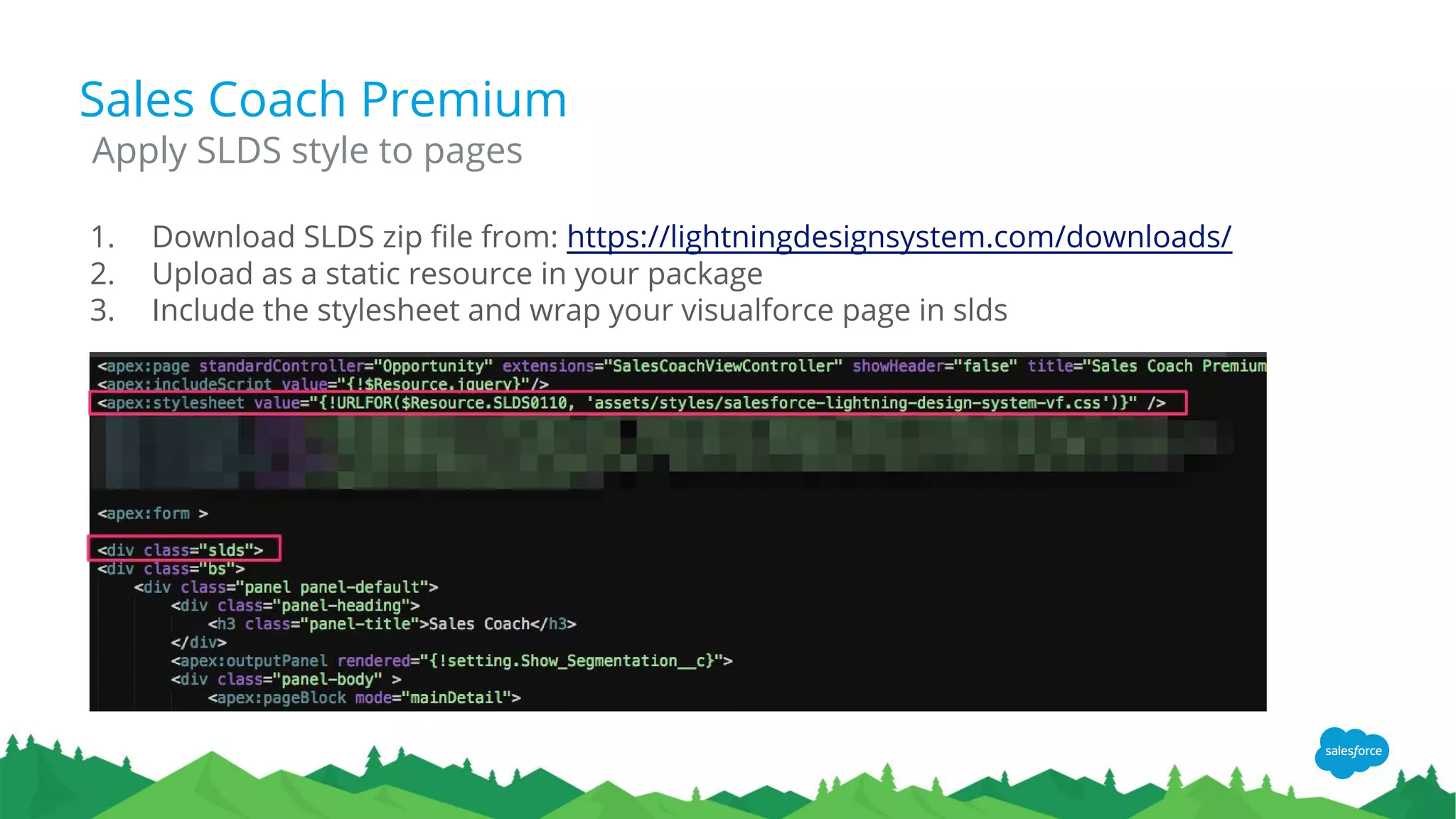
1. Download SLDS zip file from: https://lightningdesignsystem.com/downloads/
2. Upload as a static resource in your package
3. Include the stylesheet and wrap your visualforce page in slds
Apply SLDS style to pages
Sales Coach Premium
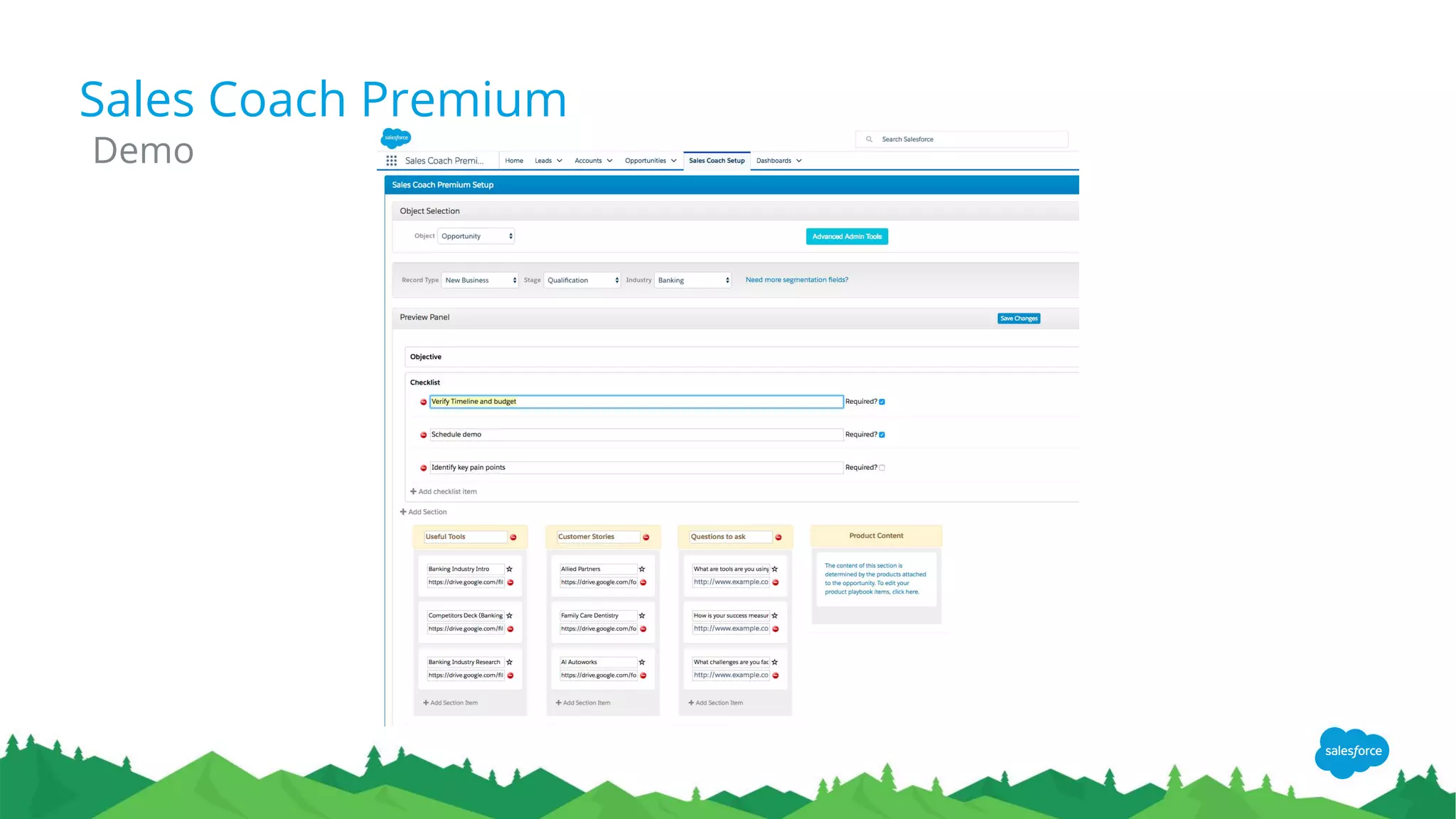
Demo
Evaluating Lightning
Readiness
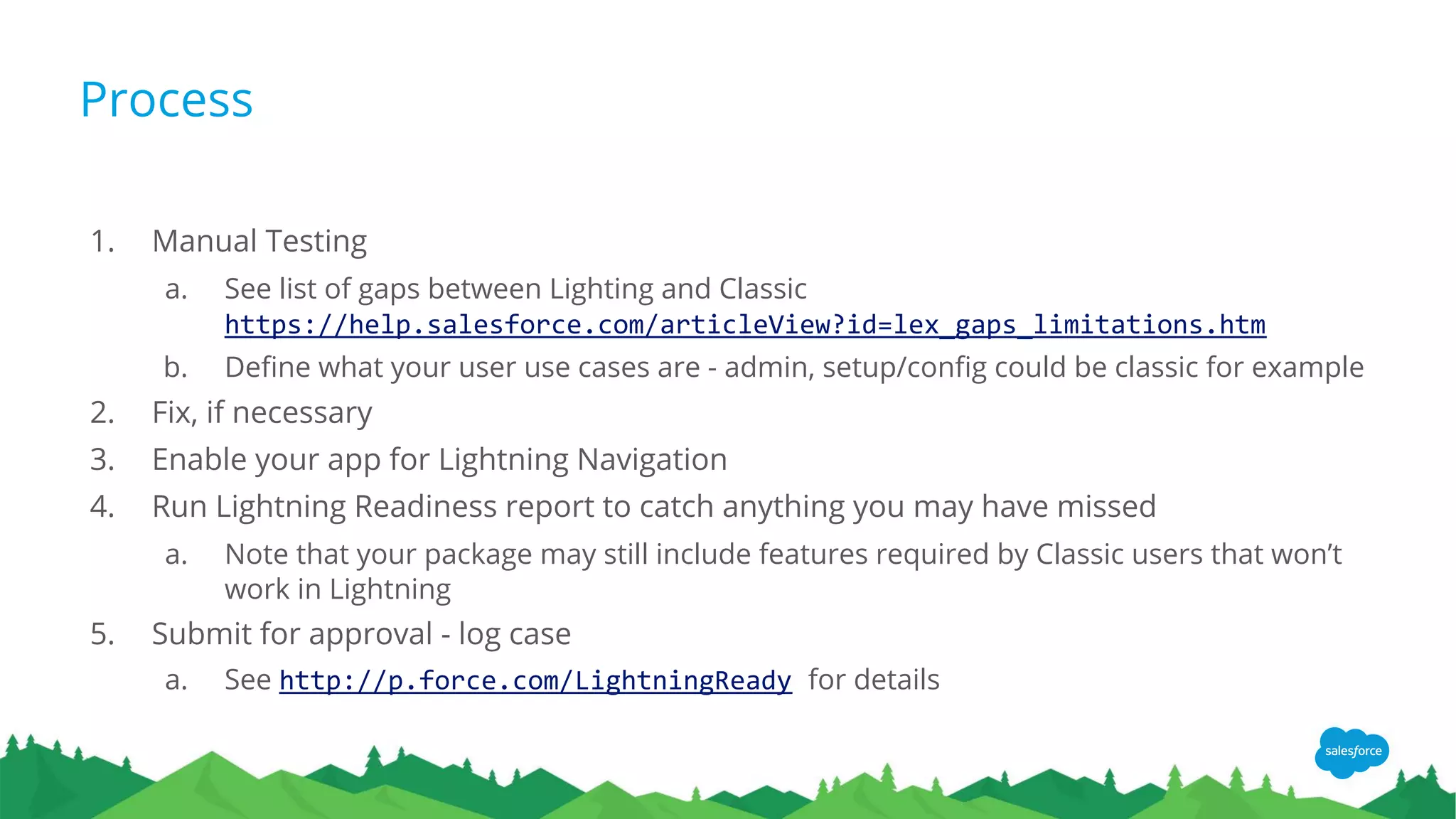
Process
1. Manual Testing
a. See list of gaps between Lighting and Classic
https://help.salesforce.com/articleView?id=lex_gaps_limitations.htm
b. Define what your user use cases are - admin, setup/config could be classic for example
2. Fix, if necessary
3. Enable your app for Lightning Navigation
4. Run Lightning Readiness report to catch anything you may have missed
a. Note that your package may still include features required by Classic users that won’t
work in Lightning
5. Submit for approval - log case
a. See http://p.force.com/LightningReady for details
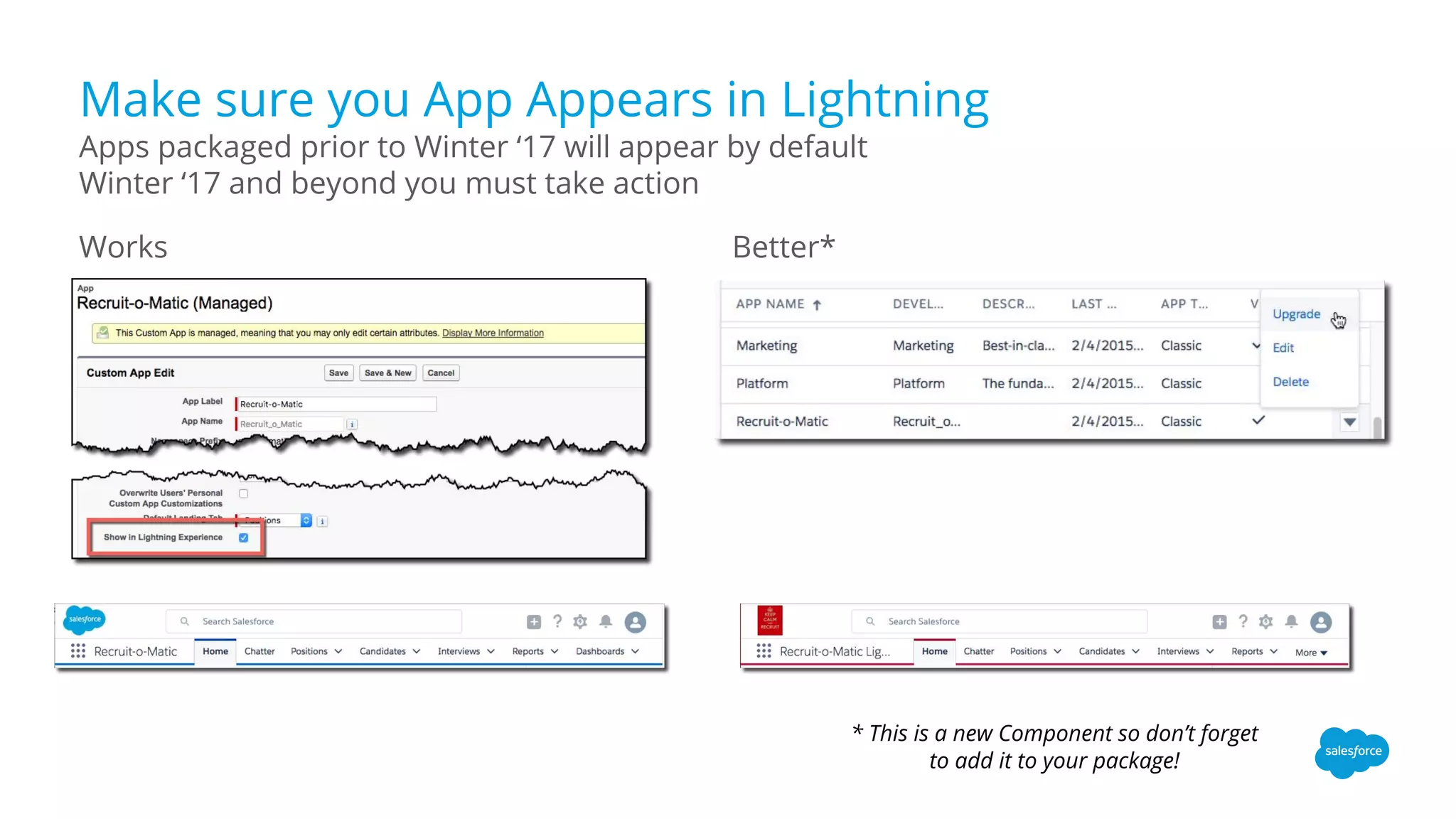
Make sure you App Appears in Lightning
Works Better*
Apps packaged prior to Winter ‘17 will appear by default
Winter ‘17 and beyond you must take action
* This is a new Component so don’t forget
to add it to your package!
What if something
doesn’t work?
Your App
Lightning Ready
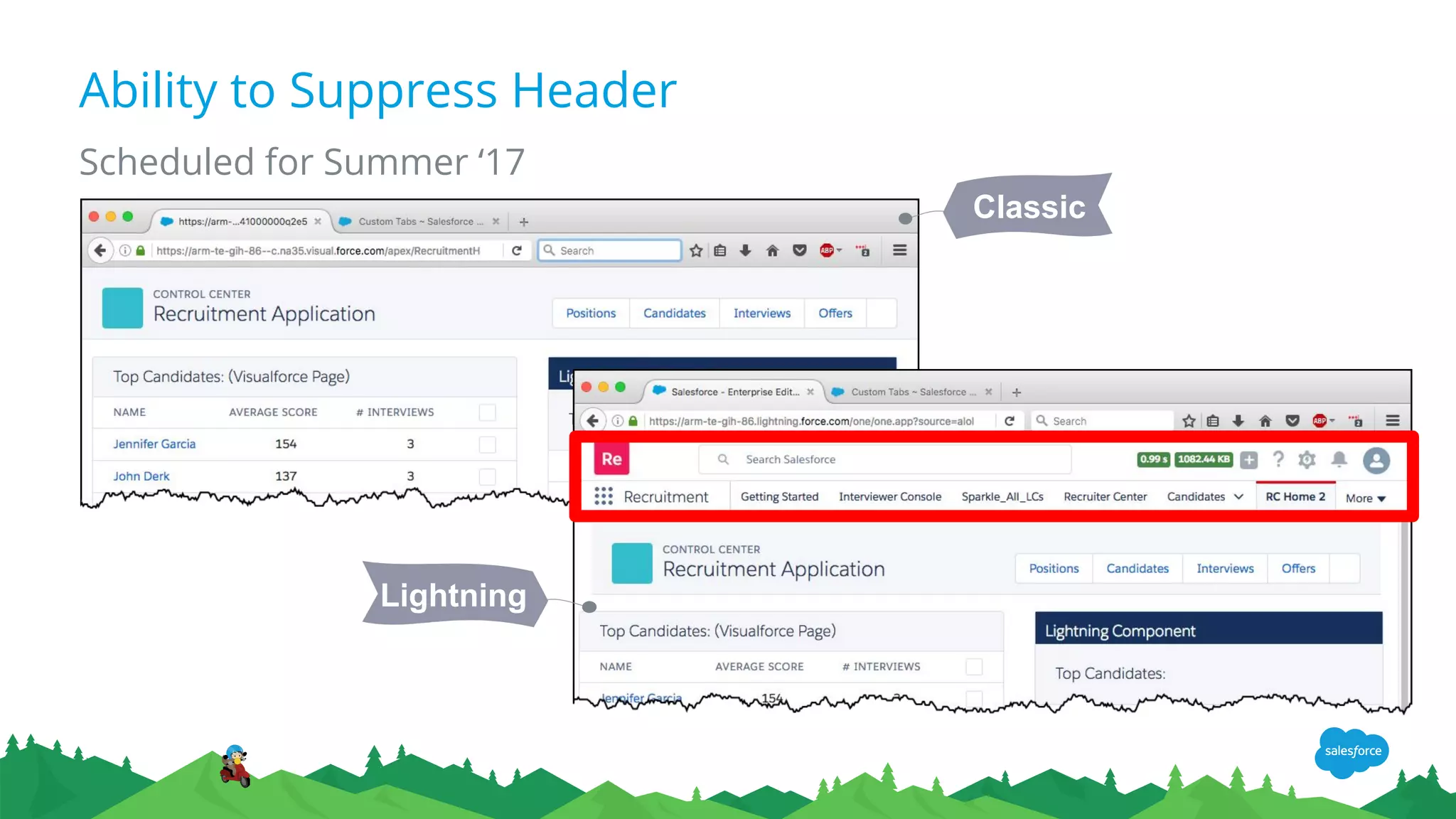
Ability to Suppress Header
Scheduled for Summer ‘17
Classic
Lightning
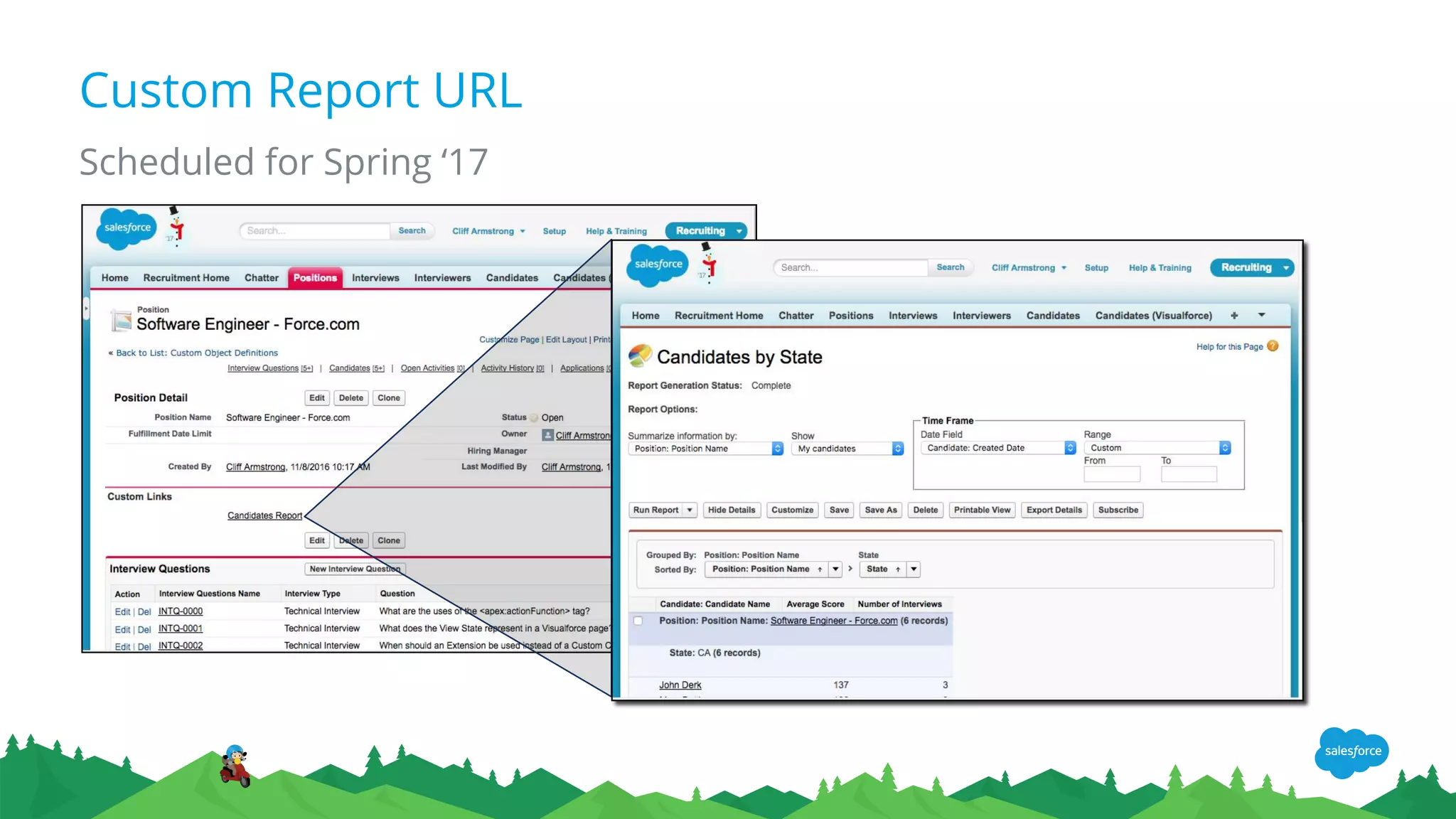
Custom Report URL
Scheduled for Spring ‘17
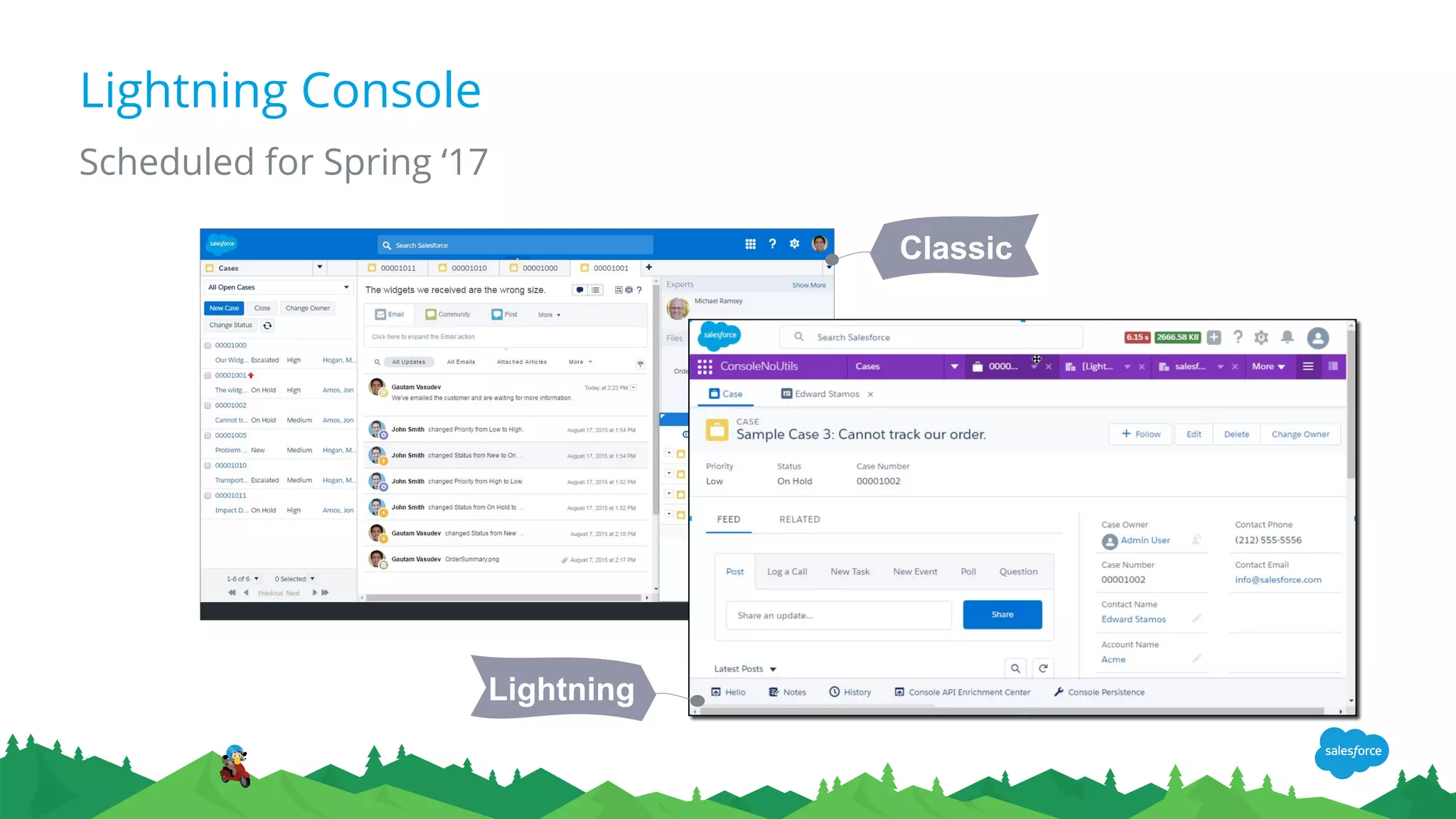
Lightning Console
Scheduled for Spring ‘17
Classic
Lightning
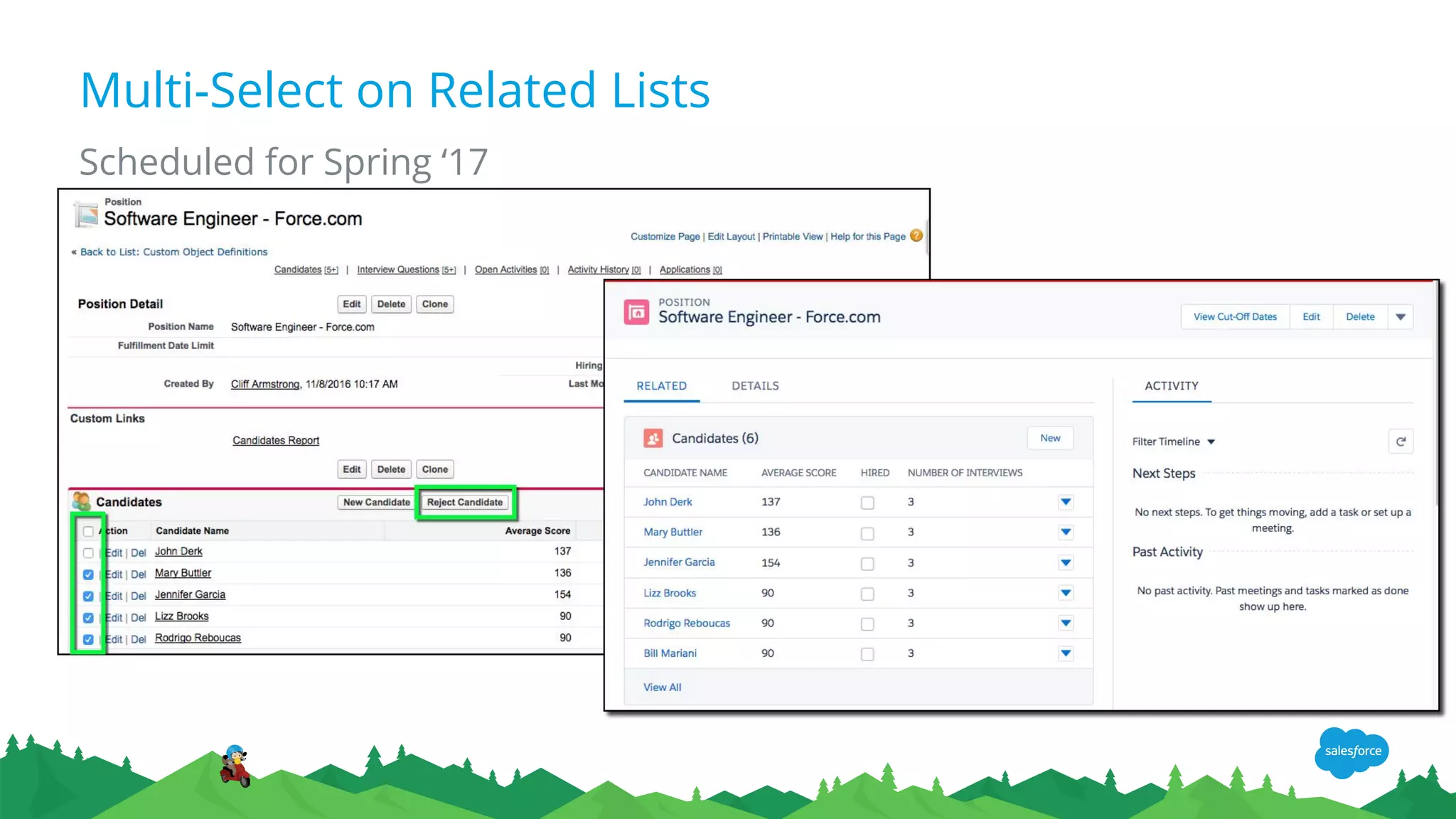
Multi-Select on Related Lists
Scheduled for Spring ‘17
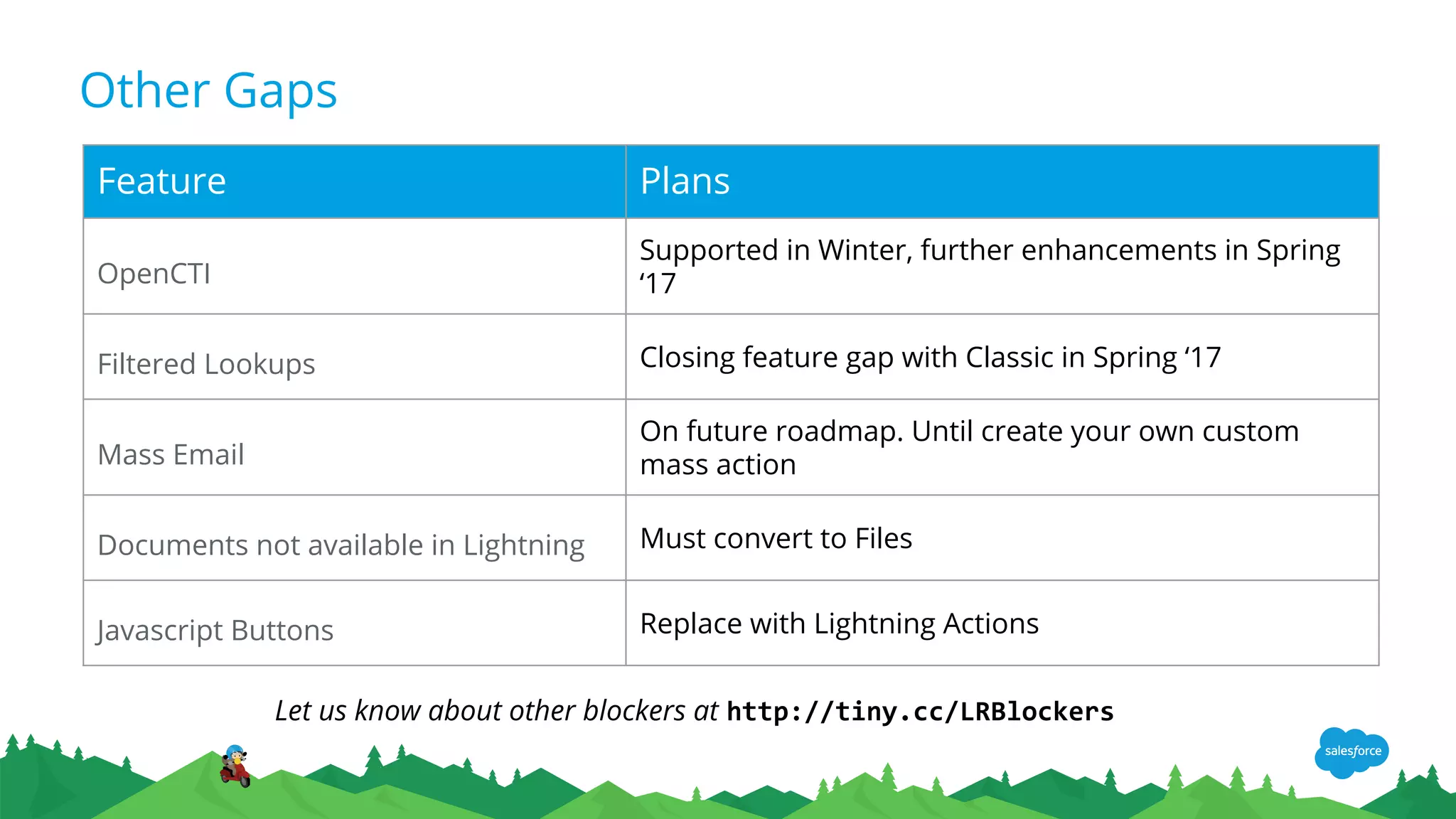
Other Gaps
Feature Plans
OpenCTI
Supported in Winter, further enhancements in Spring
‘17
Filtered Lookups Closing feature gap with Classic in Spring ‘17
Mass Email
On future roadmap. Until create your own custom
mass action
Documents not available in Lightning Must convert to Files
Javascript Buttons Replace with Lightning Actions
Let us know about other blockers at http://tiny.cc/LRBlockers
Demo Javascript
Button Alternative
Rodrigo Reboucas, Salesforce
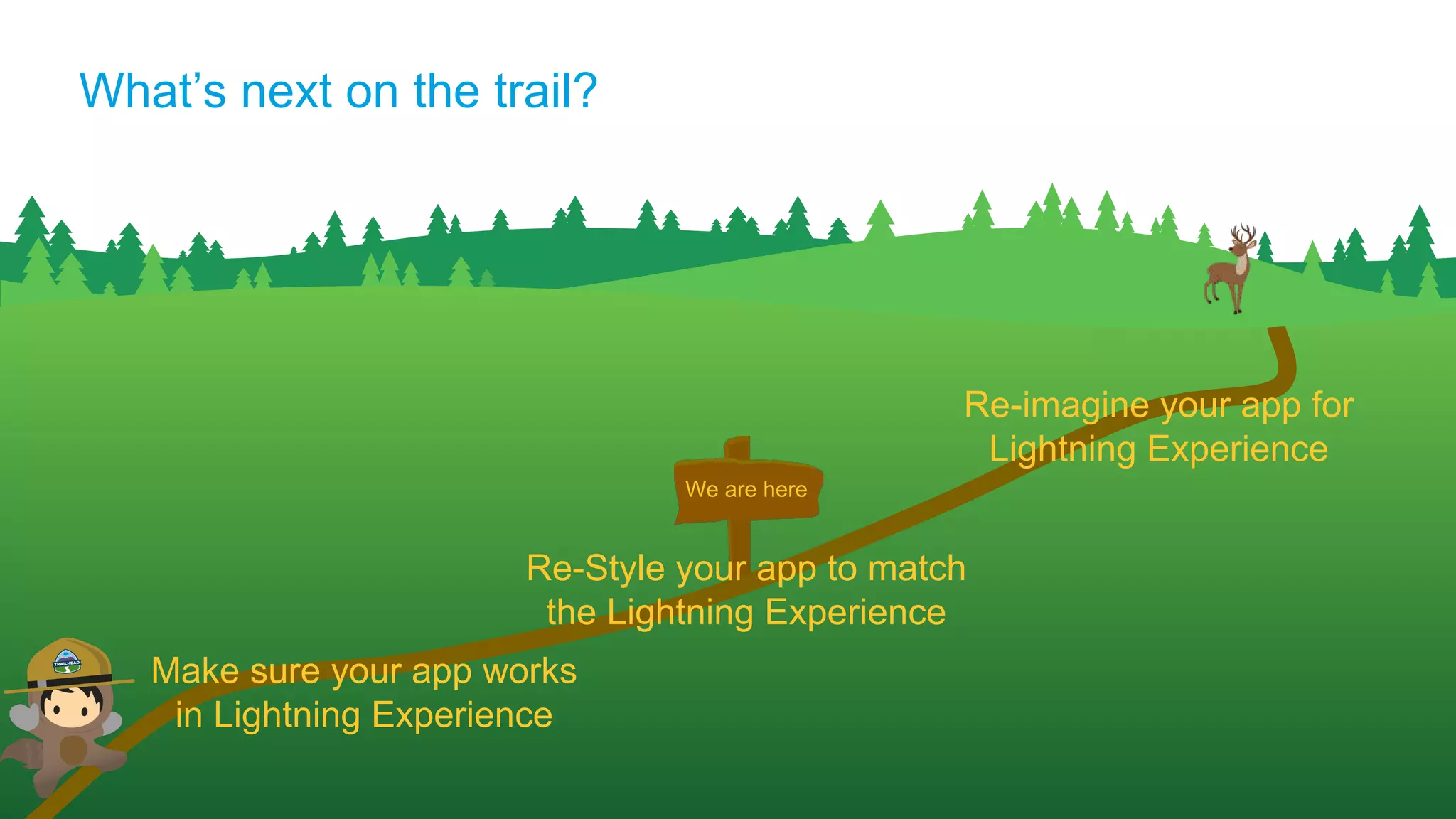
We are here
What’s next on the trail?
Make sure your app works
in Lightning Experience
Re-Style your app to match
the Lightning Experience
Re-imagine your app for
Lightning Experience
Beyond Lightning
Ready
Appiphony
Appiphony
● We design, architect and build Salesforce applications
● Founded in 2006
● Known for
○ User experience design expertise
○ Pushing the edges of what is possible on the platform
○ Executing the largest most complex projects on Salesforce
● A few of our customers...
Salesforce Product Development Outsourcer (PDO) based in Chicago
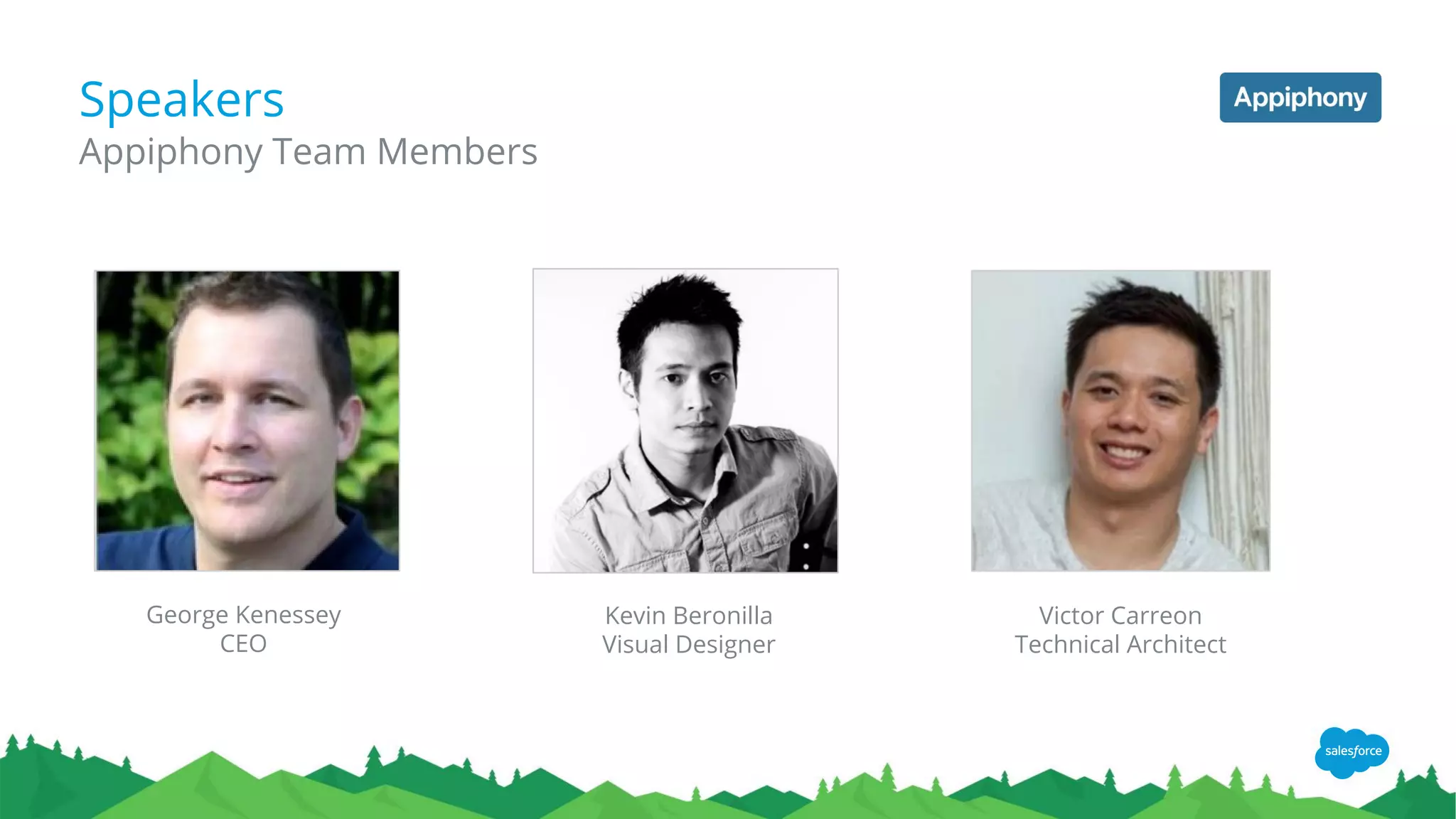
Speakers
Appiphony Team Members
George Kenessey
CEO
Kevin Beronilla
Visual Designer
Victor Carreon
Technical Architect
Our Story
● Project to build an Enterprise Recruiting application
● As we finished the Lightning desktop was released
● Challenge: Restyle 15 Visualforce (VF) pages to look Lightning (like Salesforce built it!)
● Approach: Convert all VF pages to fully leverage the Salesforce Lighting Design System
(SLDS) to look Lightning in both Classic and the Lightning Desktop
● You have already learned to how to get your VF page working in the Lightning Desktop
(Thanks Cloud Artillery!)
● Today, we will share the steps Appiphony took to update each page to look Lightning
by leveraging SLDS
6 Steps to redesigning your VF page to look Lightning
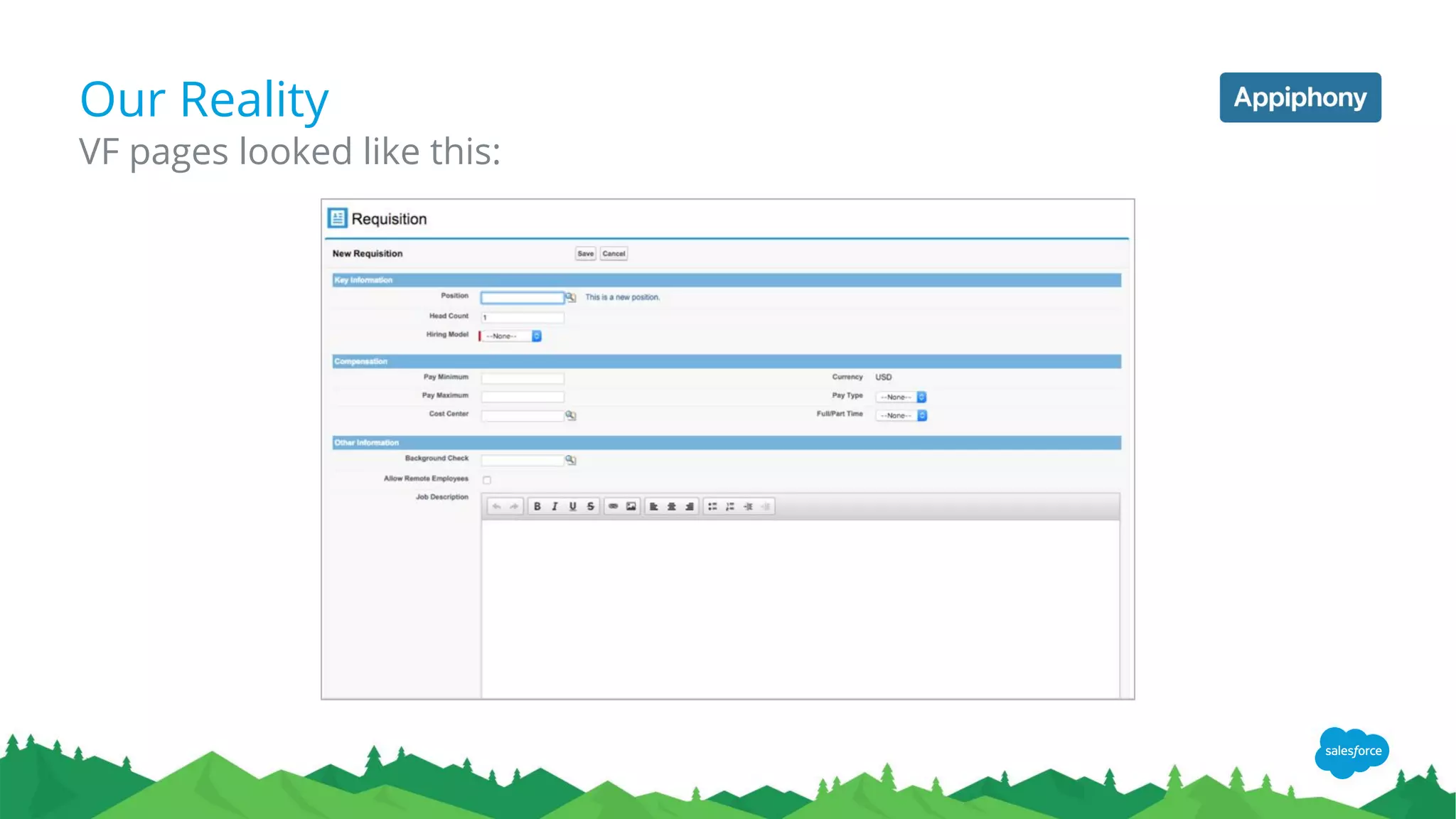
Our Reality
VF pages looked like this:
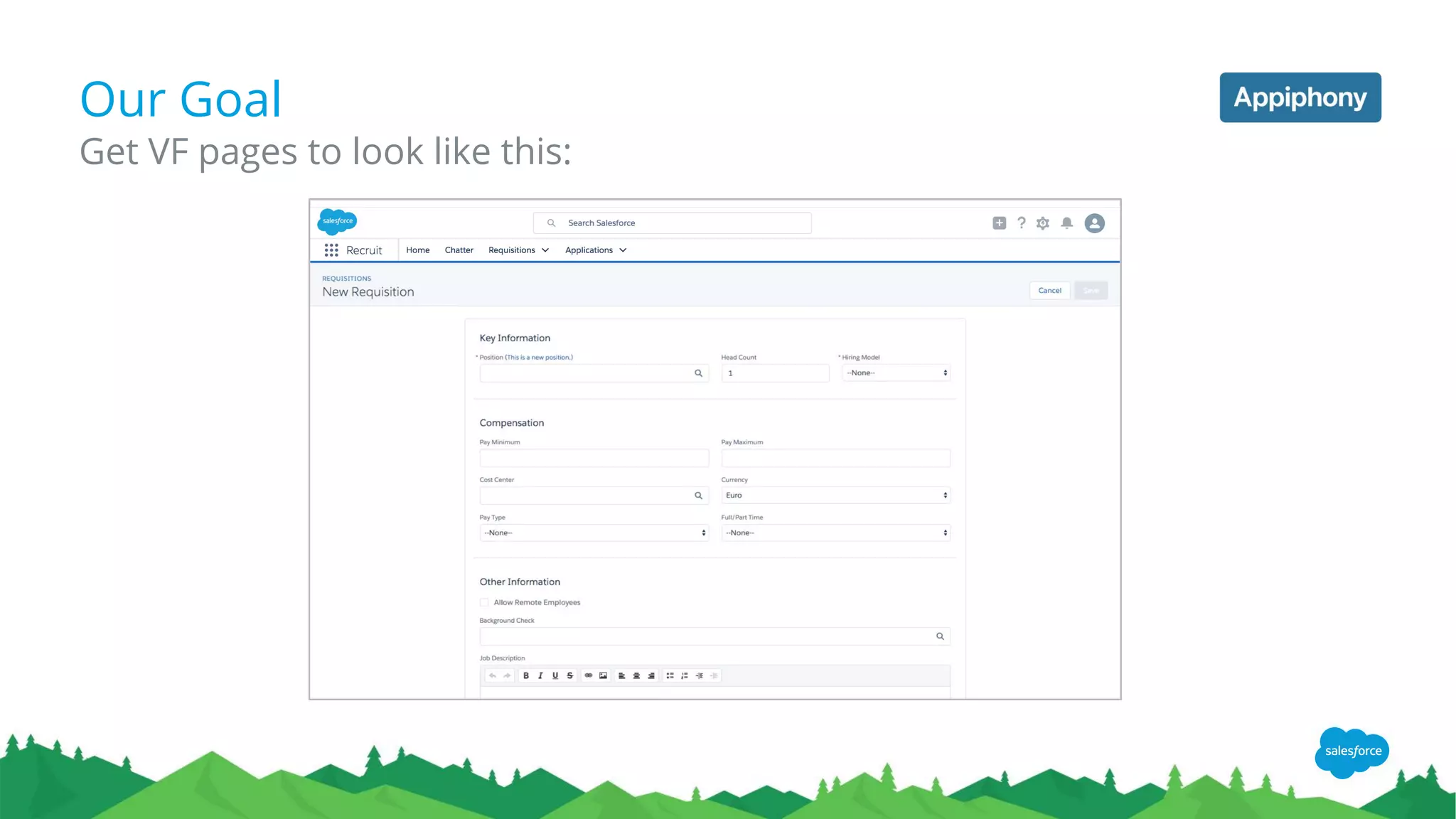
Our Goal
Get VF pages to look like this:
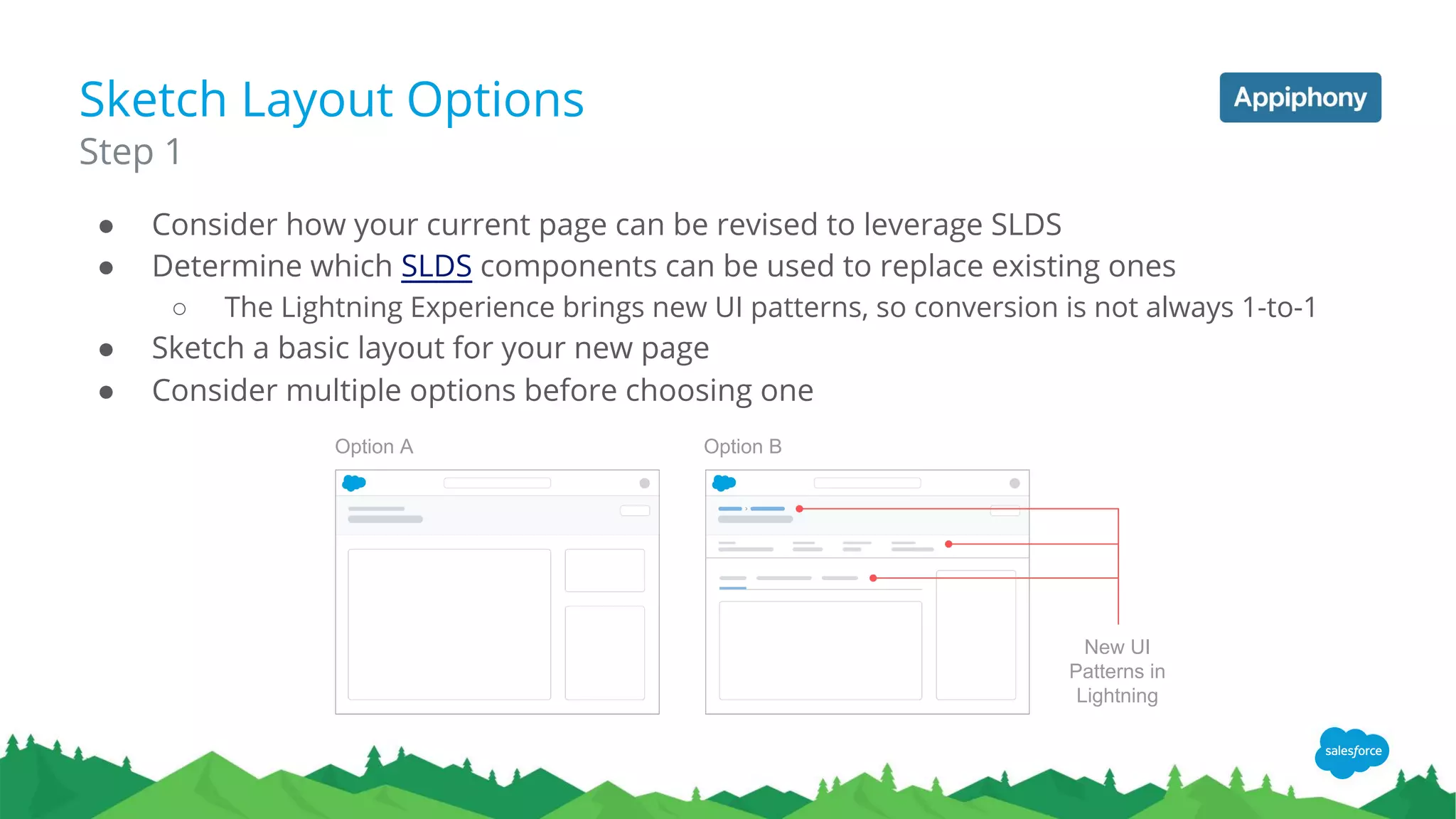
Sketch Layout Options
● Consider how your current page can be revised to leverage SLDS
● Determine which SLDS components can be used to replace existing ones
○ The Lightning Experience brings new UI patterns, so conversion is not always 1-to-1
● Sketch a basic layout for your new page
● Consider multiple options before choosing one
Step 1
Option A Option B
New UI
Patterns in
Lightning
Mock-Up HTML/CSS
● Use SLDS CSS classes and markup to realize your design
○ Utilizing their code samples will help get you started on foundation
○ Learning Block, Element, Modifier (BEM) conventions will increase your overall
understanding of SLDS
○ Custom CSS can make use of SLDS Design Tokens (for preprocessors and Aura)
Step 2
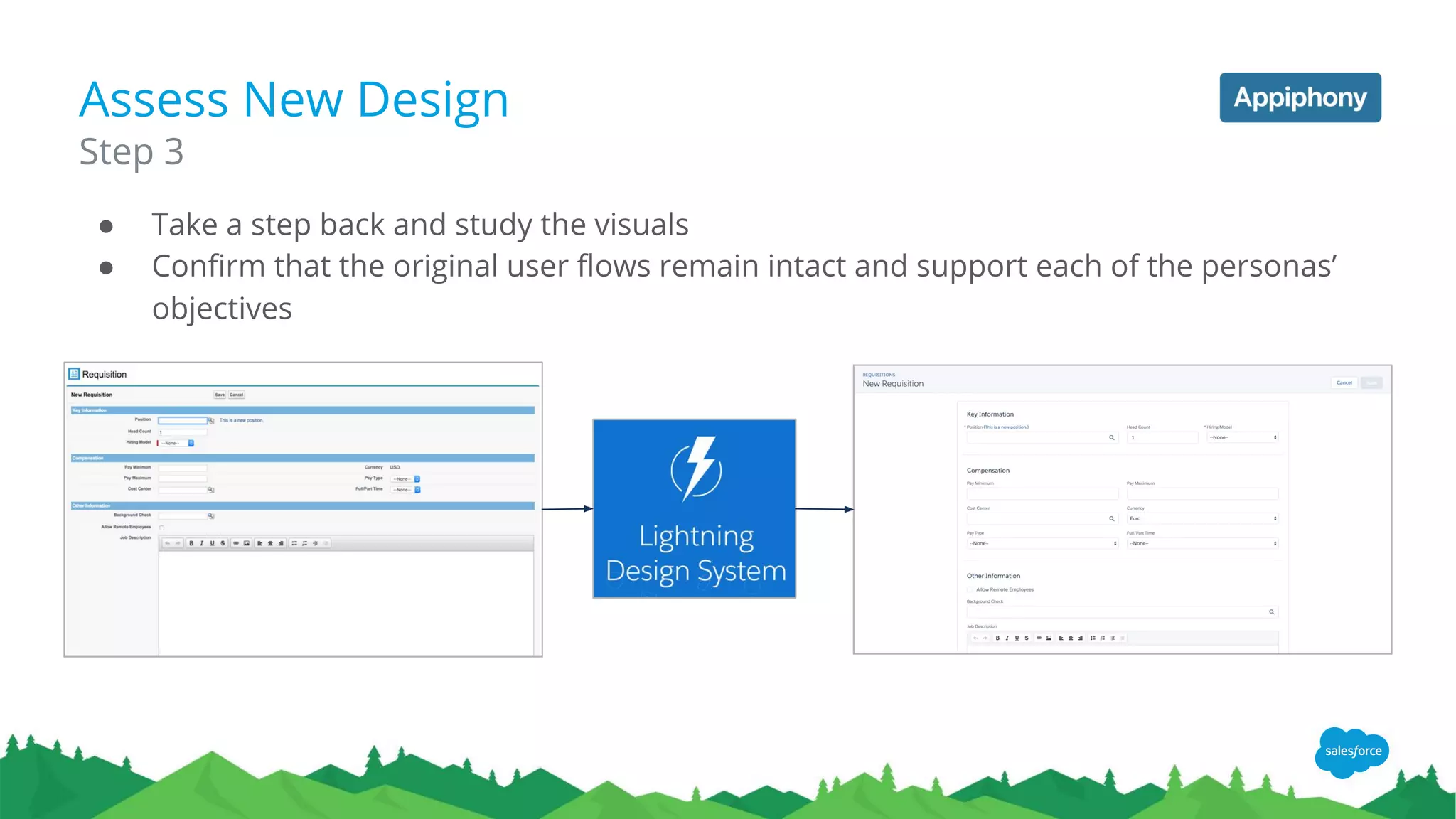
Assess New Design
● Take a step back and study the visuals
● Confirm that the original user flows remain intact and support each of the personas’
objectives
Step 3
Update Existing VF Page
● Take the front-end code and apply it to the existing Visualforce page
● Some of your front-end interactions will require updates to JavaScript code
● Communication with the back-end mostly remains intact
○ Initial page loads can pull the same data and existing Remote Actions can still be used
Step 4
● Once the working Visualforce page is complete, demo the page to the app’s
stakeholders and some current users (if possible)
● Gather feedback and revise the page based on what you learn
Step 5
Demo for Feedback
Prepare for Release
● After your feature takes shape, prepare a package for the QA team to test
● Make updates per QA’s feedback (rinse and repeat)
● Create a production package for the AppExchange
Step 6
Tip 1
Accessing icons from SLDS Static Resource can be tricky
Reference the Static Resource directly with a Merge Field if the markup is inside of the Visualforce page
<use xlink:href="{!URLFOR($Resource.SLDS0120)}/assets/icons/standard-sprite/svg/symbols.svg#account"></use>
● SLDS icons are retrieved by URL paths in a <use> tag.
● When working in a Visualforce page, you will have to define the path to the Static
Resource in order for icons to appear.
● SLDS is limited to HTML/CSS only
● You have to write your own JavaScript to add interactivity
● Example: the SLDS Datepicker only provides the markup & styling
● Appiphony built a JQuery based library of plugins to solve this issue & it’s open source!
○ jQuery plugins associated to SLDS components that the ability to interact and work
with data
○ Followed SLDS’s component structure to easily identify which plugins to use where
Tip 2
You’ll need to add JavaScript
http://aljs.appiphony.com
Thank you!
Ping us if we can help
www.appiphony.com
info@appiphony.com
Wrap up / Q&A
Resources
TRAILHEAD
SELF-PACED TUTORIALS
● Lightning Experience Basics
● Upgrade Classic App to a Lightning App
● Using Visualforce in Lightning Experience
● Lightning Alternatives to JavaScript Buttons
DREAMFORCE SESSION RECORDINGS
● Preparing for Lightning: Replacing URL Hacks with Actions
● Using 3rd Party JS Libraries with Lightning Components
● Mega Lightning Roadmap:Future of Lightning and the
Customer Success Platform
● Lightning Roadmap Sneak Peek
● Developing with Visualforce and the Lightning Design
System
● Five Cool Ways to use Actions in Lightning Experience
LIGHTNING ROADMAP
https://help.salesforce.com/articleView?id=lex_roadmap.htm
THIS WEBINAR
Appihphony Lightning JS
Salesforce Lightning Design System
What’s blocking your Lightning Readiness?
http://tiny.cc/LRBlockers
JAVASCRIPT BUTTONS?
LEARN HOW TO CONVERT TO LIGHTNING
https://sfdc.co/JSButtonBlog
https://sfdc.co/JSButtonBlog2
https://sfdc.co/JSButtonBlog3
LIGHTNING ASSESSMENT
ASSESS YOUR ORGANIZATION’S READINESS
FOR LIGHTNING
http://sfdc.co/Lightning-Check
PARTNER COMMUNITY - LIGHTNING READY
LIGHTNING READY DETAILS & WEBINARS
http://p.force.com/lightningready
● Lightning Ready Chatter Group
● Lightning Navigation & Apps - Winter ‘17
● Summer ‘16 Lightning Update for ISVs
Q&A
Thank Y u

Make Your App Lightning Ready with Winter '17 (December 8, 2016)

  • 1.
  • 2.
    Forward-Looking Statements ​Statement underthe Private Securities Litigation Reform Act of 1995: ​This presentation may contain forward-looking statements that involve risks, uncertainties, and assumptions. If any such uncertainties materialize or if any of the assumptions proves incorrect, the results of salesforce.com, inc. could differ materially from the results expressed or implied by the forward-looking statements we make. All statements other than statements of historical fact could be deemed forward-looking, including any projections of product or service availability, subscriber growth, earnings, revenues, or other financial items and any statements regarding strategies or plans of management for future operations, statements of belief, any statements concerning new, planned, or upgraded services or technology developments and customer contracts or use of our services. ​The risks and uncertainties referred to above include – but are not limited to – risks associated with developing and delivering new functionality for our service, new products and services, our new business model, our past operating losses, possible fluctuations in our operating results and rate of growth, interruptions or delays in our Web hosting, breach of our security measures, the outcome of any litigation, risks associated with completed and any possible mergers and acquisitions, the immature market in which we operate, our relatively limited operating history, our ability to expand, retain, and motivate our employees and manage our growth, new releases of our service and successful customer deployment, our limited history reselling non-salesforce.com products, and utilization and selling to larger enterprise customers. Further information on potential factors that could affect the financial results of salesforce.com, inc. is included in our annual report on Form 10-K for the most recent fiscal year and in our quarterly report on Form 10-Q for the most recent fiscal quarter. These documents and others containing important disclosures are available on the SEC Filings section of the Investor Information section of our Web site. ​Any unreleased services or features referenced in this or other presentations, press releases or public statements are not currently available and may not be delivered on time or at all. Customers who purchase our services should make the purchase decisions based upon features that are currently available. Salesforce.com, inc. assumes no obligation and does not intend to update these forward-looking statements.
  • 3.
    Suggestion for ourtime together today 1 2 3 5 6 7 Intro Define Lightning Ready Partner Perspective Cloud Artillery Q&A 4 Lightning Ready Process Demo JS Button Alternative Beyond Lightning Ready with Appiphony
  • 4.
    What does ittake to be Lightning Ready?
  • 5.
    Lightning Ready Requirements There’sonly one 100% of your End-User Use Cases must work as expected in Lightning Experience
  • 6.
    Existing Apps All existingapps should be Lightning Ready by February 2017 Standards for customer success New Apps All new apps that enter into an agreement on or after March 1, 2017 must be Lightning Ready.
  • 7.
    Common Questions All myend-user use cases already work as expected in Lightning Experience. What do I do? ❖ Open a case Does every use case of my app need to work in Lightning Experience? ❖ A qualified “yes”. Every end-user use case must function as expected in Lightning Experience. Admin use cases are optional. Do I have to re-style my app in order to be Lightning Ready? ❖ No, but we do strongly encourage all partners to adopt the Salesforce Lightning Design System to be consistent with the Lightning Experience. Do I have to use Lightning Components in order to be Lightning Ready? ❖ No, but If some of your features don’t work in Lightning Experience then this is a good opportunity to adopt Lightning Components if they will make your app Lightning Ready.
  • 8.
    Two Guiding Principlesfor Lightning Readiness Can a new customer running Lightning Experience install your app and use it successfully? Can an existing customer adopt Lightning Experience and continue to use your app successfully? YES
  • 9.
    We are here Whereare we on the Lightning trail? Make sure your app works in Lightning Experience Make sure your app looks good in Lightning Experience Re-imagine your app for Lightning Experience
  • 10.
  • 11.
    Cloud Artillery -Sales Coach Sales Coach Premium is a powerful, easy to use sales enablement tool for Salesforce. ● Promote consistent sales strategy ● Accelerate ramp time for new sales reps ● Measure marketing effectiveness
  • 12.
    Sales Coach Premium ●Completely Salesforce native ● Using Bootstrap style ● Using JQuery/Jquery UI What we started with...
  • 13.
    Sales Coach Premium Youcan do this by checking this box through the UI. Make visualforce pages available in Lightning Or you can add this tag to the meta data file for the visualforce page
  • 14.
    Sales Coach Premium 1.Download SLDS zip file from: https://lightningdesignsystem.com/downloads/ 2. Upload as a static resource in your package 3. Include the stylesheet and wrap your visualforce page in slds Apply SLDS style to pages
  • 15.
  • 16.
  • 17.
    Process 1. Manual Testing a.See list of gaps between Lighting and Classic https://help.salesforce.com/articleView?id=lex_gaps_limitations.htm b. Define what your user use cases are - admin, setup/config could be classic for example 2. Fix, if necessary 3. Enable your app for Lightning Navigation 4. Run Lightning Readiness report to catch anything you may have missed a. Note that your package may still include features required by Classic users that won’t work in Lightning 5. Submit for approval - log case a. See http://p.force.com/LightningReady for details
  • 18.
    Make sure youApp Appears in Lightning Works Better* Apps packaged prior to Winter ‘17 will appear by default Winter ‘17 and beyond you must take action * This is a new Component so don’t forget to add it to your package!
  • 19.
    What if something doesn’twork? Your App Lightning Ready
  • 20.
    Ability to SuppressHeader Scheduled for Summer ‘17 Classic Lightning
  • 21.
  • 22.
    Lightning Console Scheduled forSpring ‘17 Classic Lightning
  • 23.
    Multi-Select on RelatedLists Scheduled for Spring ‘17
  • 24.
    Other Gaps Feature Plans OpenCTI Supportedin Winter, further enhancements in Spring ‘17 Filtered Lookups Closing feature gap with Classic in Spring ‘17 Mass Email On future roadmap. Until create your own custom mass action Documents not available in Lightning Must convert to Files Javascript Buttons Replace with Lightning Actions Let us know about other blockers at http://tiny.cc/LRBlockers
  • 25.
  • 26.
    We are here What’snext on the trail? Make sure your app works in Lightning Experience Re-Style your app to match the Lightning Experience Re-imagine your app for Lightning Experience
  • 27.
  • 28.
    Appiphony ● We design,architect and build Salesforce applications ● Founded in 2006 ● Known for ○ User experience design expertise ○ Pushing the edges of what is possible on the platform ○ Executing the largest most complex projects on Salesforce ● A few of our customers... Salesforce Product Development Outsourcer (PDO) based in Chicago
  • 29.
    Speakers Appiphony Team Members GeorgeKenessey CEO Kevin Beronilla Visual Designer Victor Carreon Technical Architect
  • 30.
    Our Story ● Projectto build an Enterprise Recruiting application ● As we finished the Lightning desktop was released ● Challenge: Restyle 15 Visualforce (VF) pages to look Lightning (like Salesforce built it!) ● Approach: Convert all VF pages to fully leverage the Salesforce Lighting Design System (SLDS) to look Lightning in both Classic and the Lightning Desktop ● You have already learned to how to get your VF page working in the Lightning Desktop (Thanks Cloud Artillery!) ● Today, we will share the steps Appiphony took to update each page to look Lightning by leveraging SLDS 6 Steps to redesigning your VF page to look Lightning
  • 31.
    Our Reality VF pageslooked like this:
  • 32.
    Our Goal Get VFpages to look like this:
  • 33.
    Sketch Layout Options ●Consider how your current page can be revised to leverage SLDS ● Determine which SLDS components can be used to replace existing ones ○ The Lightning Experience brings new UI patterns, so conversion is not always 1-to-1 ● Sketch a basic layout for your new page ● Consider multiple options before choosing one Step 1 Option A Option B New UI Patterns in Lightning
  • 34.
    Mock-Up HTML/CSS ● UseSLDS CSS classes and markup to realize your design ○ Utilizing their code samples will help get you started on foundation ○ Learning Block, Element, Modifier (BEM) conventions will increase your overall understanding of SLDS ○ Custom CSS can make use of SLDS Design Tokens (for preprocessors and Aura) Step 2
  • 35.
    Assess New Design ●Take a step back and study the visuals ● Confirm that the original user flows remain intact and support each of the personas’ objectives Step 3
  • 36.
    Update Existing VFPage ● Take the front-end code and apply it to the existing Visualforce page ● Some of your front-end interactions will require updates to JavaScript code ● Communication with the back-end mostly remains intact ○ Initial page loads can pull the same data and existing Remote Actions can still be used Step 4
  • 37.
    ● Once theworking Visualforce page is complete, demo the page to the app’s stakeholders and some current users (if possible) ● Gather feedback and revise the page based on what you learn Step 5 Demo for Feedback
  • 38.
    Prepare for Release ●After your feature takes shape, prepare a package for the QA team to test ● Make updates per QA’s feedback (rinse and repeat) ● Create a production package for the AppExchange Step 6
  • 39.
    Tip 1 Accessing iconsfrom SLDS Static Resource can be tricky Reference the Static Resource directly with a Merge Field if the markup is inside of the Visualforce page <use xlink:href="{!URLFOR($Resource.SLDS0120)}/assets/icons/standard-sprite/svg/symbols.svg#account"></use> ● SLDS icons are retrieved by URL paths in a <use> tag. ● When working in a Visualforce page, you will have to define the path to the Static Resource in order for icons to appear.
  • 40.
    ● SLDS islimited to HTML/CSS only ● You have to write your own JavaScript to add interactivity ● Example: the SLDS Datepicker only provides the markup & styling ● Appiphony built a JQuery based library of plugins to solve this issue & it’s open source! ○ jQuery plugins associated to SLDS components that the ability to interact and work with data ○ Followed SLDS’s component structure to easily identify which plugins to use where Tip 2 You’ll need to add JavaScript http://aljs.appiphony.com
  • 41.
    Thank you! Ping usif we can help www.appiphony.com info@appiphony.com
  • 42.
  • 43.
    Resources TRAILHEAD SELF-PACED TUTORIALS ● LightningExperience Basics ● Upgrade Classic App to a Lightning App ● Using Visualforce in Lightning Experience ● Lightning Alternatives to JavaScript Buttons DREAMFORCE SESSION RECORDINGS ● Preparing for Lightning: Replacing URL Hacks with Actions ● Using 3rd Party JS Libraries with Lightning Components ● Mega Lightning Roadmap:Future of Lightning and the Customer Success Platform ● Lightning Roadmap Sneak Peek ● Developing with Visualforce and the Lightning Design System ● Five Cool Ways to use Actions in Lightning Experience LIGHTNING ROADMAP https://help.salesforce.com/articleView?id=lex_roadmap.htm THIS WEBINAR Appihphony Lightning JS Salesforce Lightning Design System What’s blocking your Lightning Readiness? http://tiny.cc/LRBlockers JAVASCRIPT BUTTONS? LEARN HOW TO CONVERT TO LIGHTNING https://sfdc.co/JSButtonBlog https://sfdc.co/JSButtonBlog2 https://sfdc.co/JSButtonBlog3 LIGHTNING ASSESSMENT ASSESS YOUR ORGANIZATION’S READINESS FOR LIGHTNING http://sfdc.co/Lightning-Check PARTNER COMMUNITY - LIGHTNING READY LIGHTNING READY DETAILS & WEBINARS http://p.force.com/lightningready ● Lightning Ready Chatter Group ● Lightning Navigation & Apps - Winter ‘17 ● Summer ‘16 Lightning Update for ISVs
  • 44.
  • 45.