P-7: PCB and PCB
Design
Compiled by: Prof.G.B.Rathod
EC Dept, BVM Engineering College
PCB
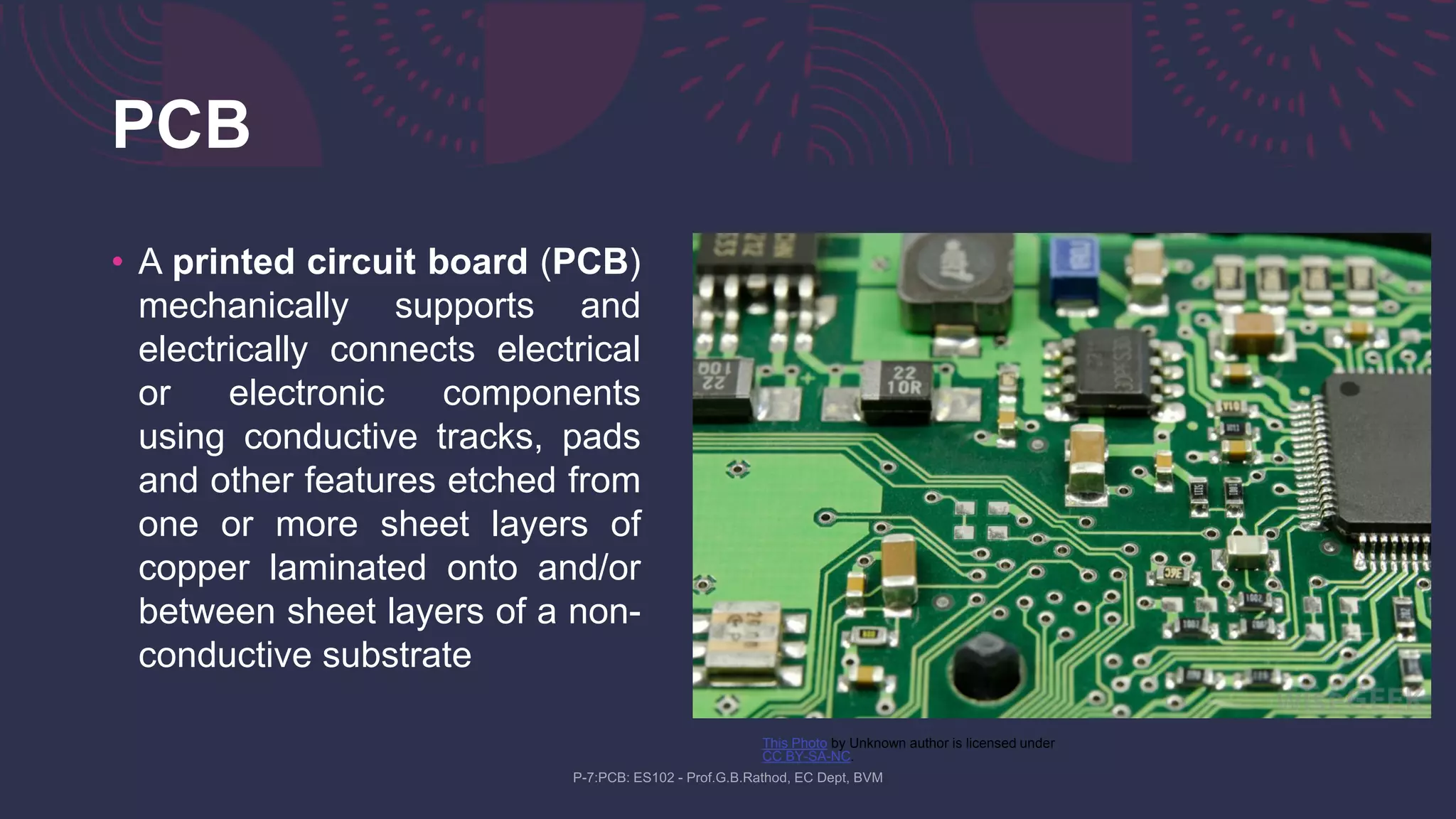
• A printed circuit board (PCB)
mechanically supports and
electrically connects electrical
or electronic components
using conductive tracks, pads
and other features etched from
one or more sheet layers of
copper laminated onto and/or
between sheet layers of a non-
conductive substrate
This Photo by Unknown author is licensed under
CC BY-SA-NC.
Introduction
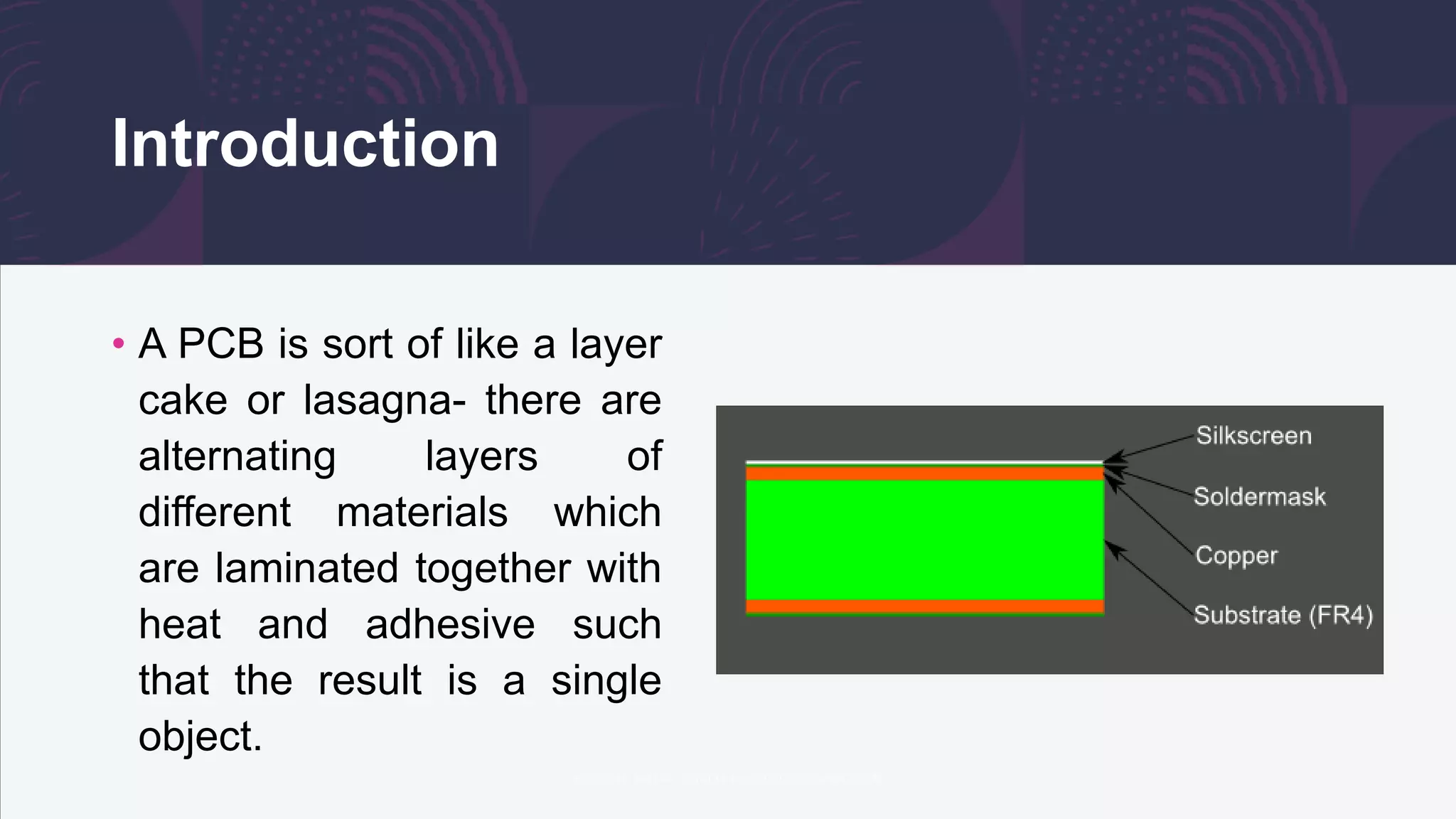
• A PCB is sort of like a layer
cake or lasagna- there are
alternating layers of
different materials which
are laminated together with
heat and adhesive such
that the result is a single
object.
FR4
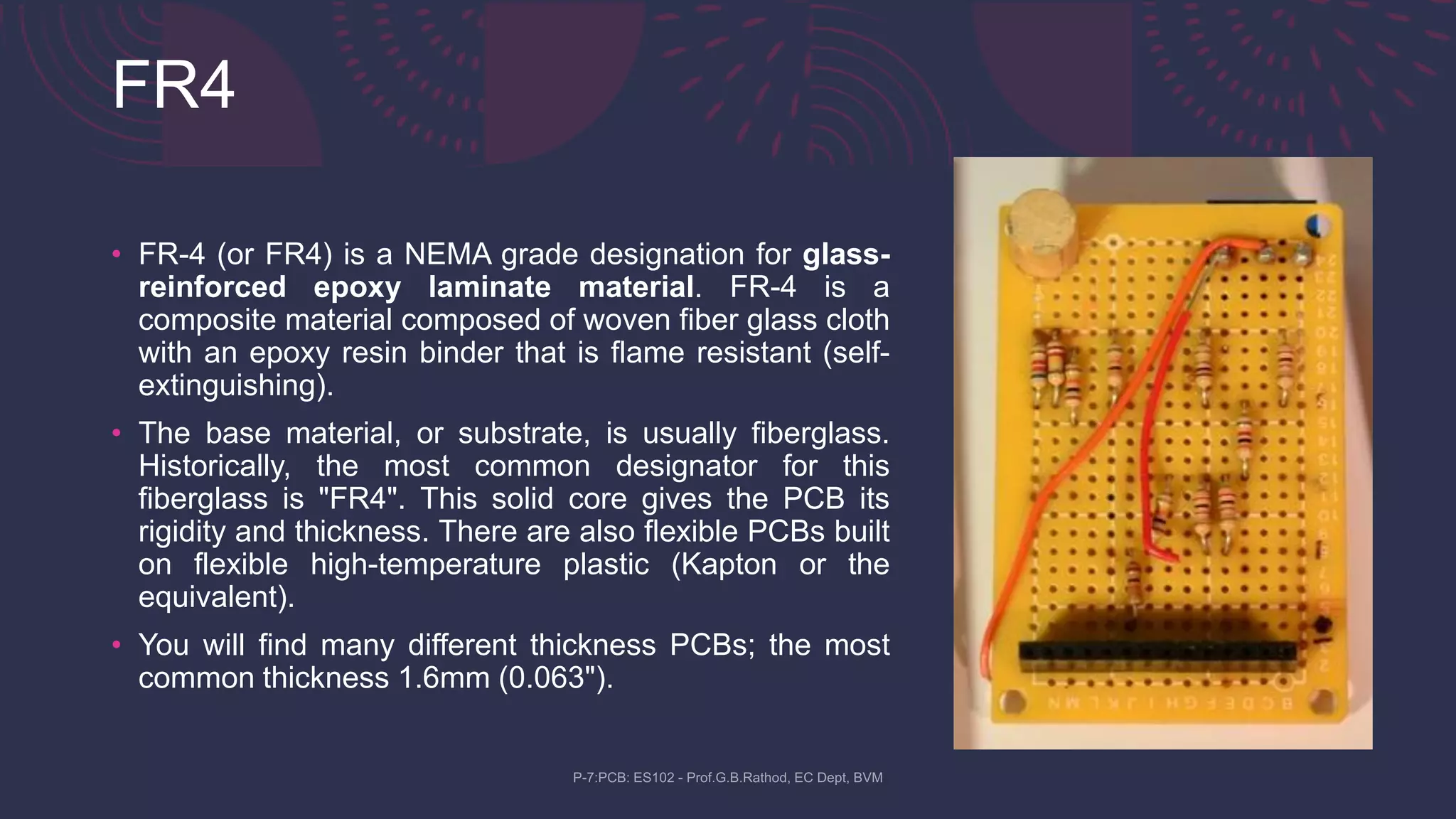
• FR-4 (or FR4) is a NEMA grade designation for glass-
reinforced epoxy laminate material. FR-4 is a
composite material composed of woven fiber glass cloth
with an epoxy resin binder that is flame resistant (self-
extinguishing).
• The base material, or substrate, is usually fiberglass.
Historically, the most common designator for this
fiberglass is "FR4". This solid core gives the PCB its
rigidity and thickness. There are also flexible PCBs built
on flexible high-temperature plastic (Kapton or the
equivalent).
• You will find many different thickness PCBs; the most
common thickness 1.6mm (0.063").
Copper
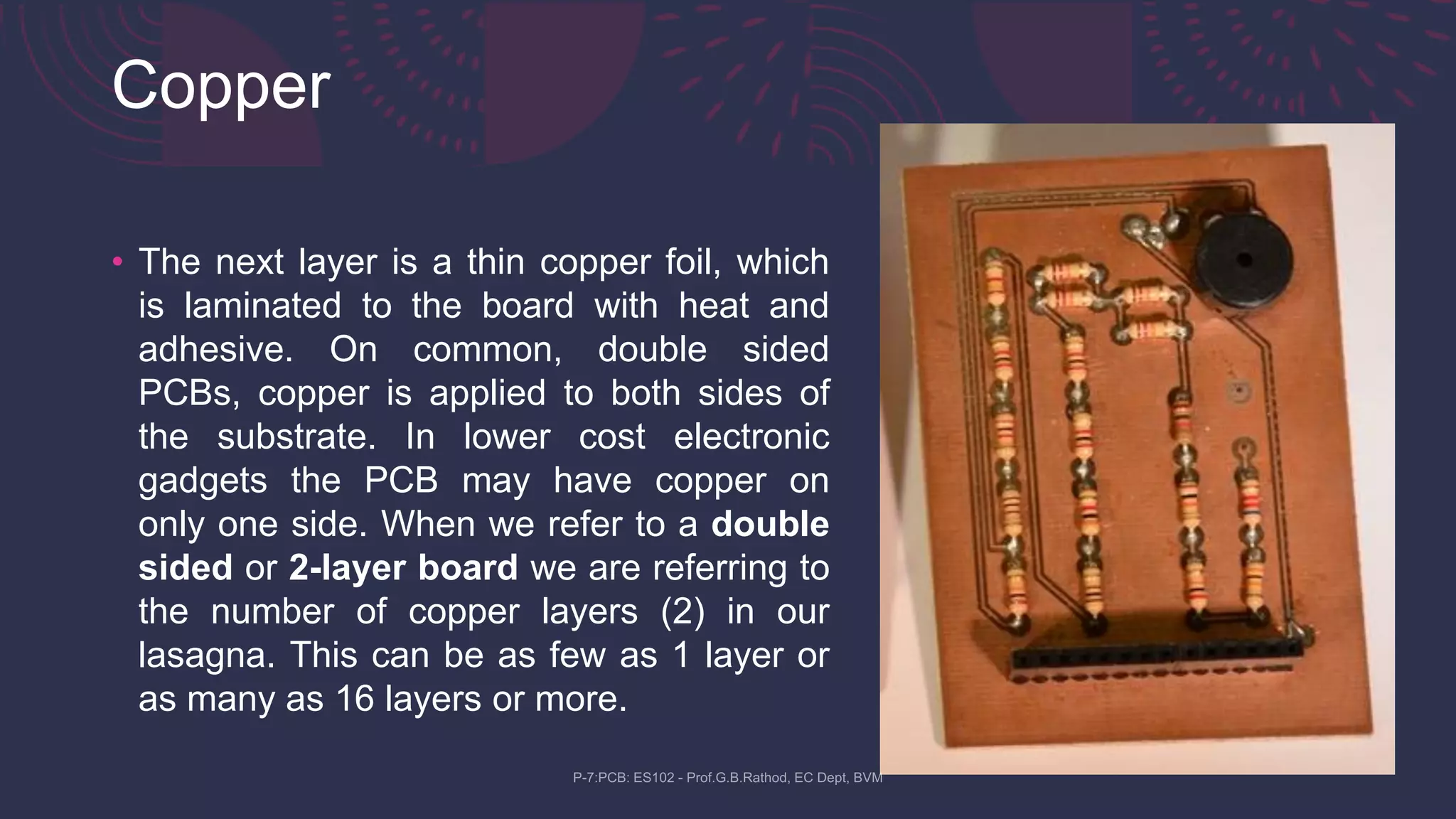
• The next layer is a thin copper foil, which
is laminated to the board with heat and
adhesive. On common, double sided
PCBs, copper is applied to both sides of
the substrate. In lower cost electronic
gadgets the PCB may have copper on
only one side. When we refer to a double
sided or 2-layer board we are referring to
the number of copper layers (2) in our
lasagna. This can be as few as 1 layer or
as many as 16 layers or more.
Soldermask
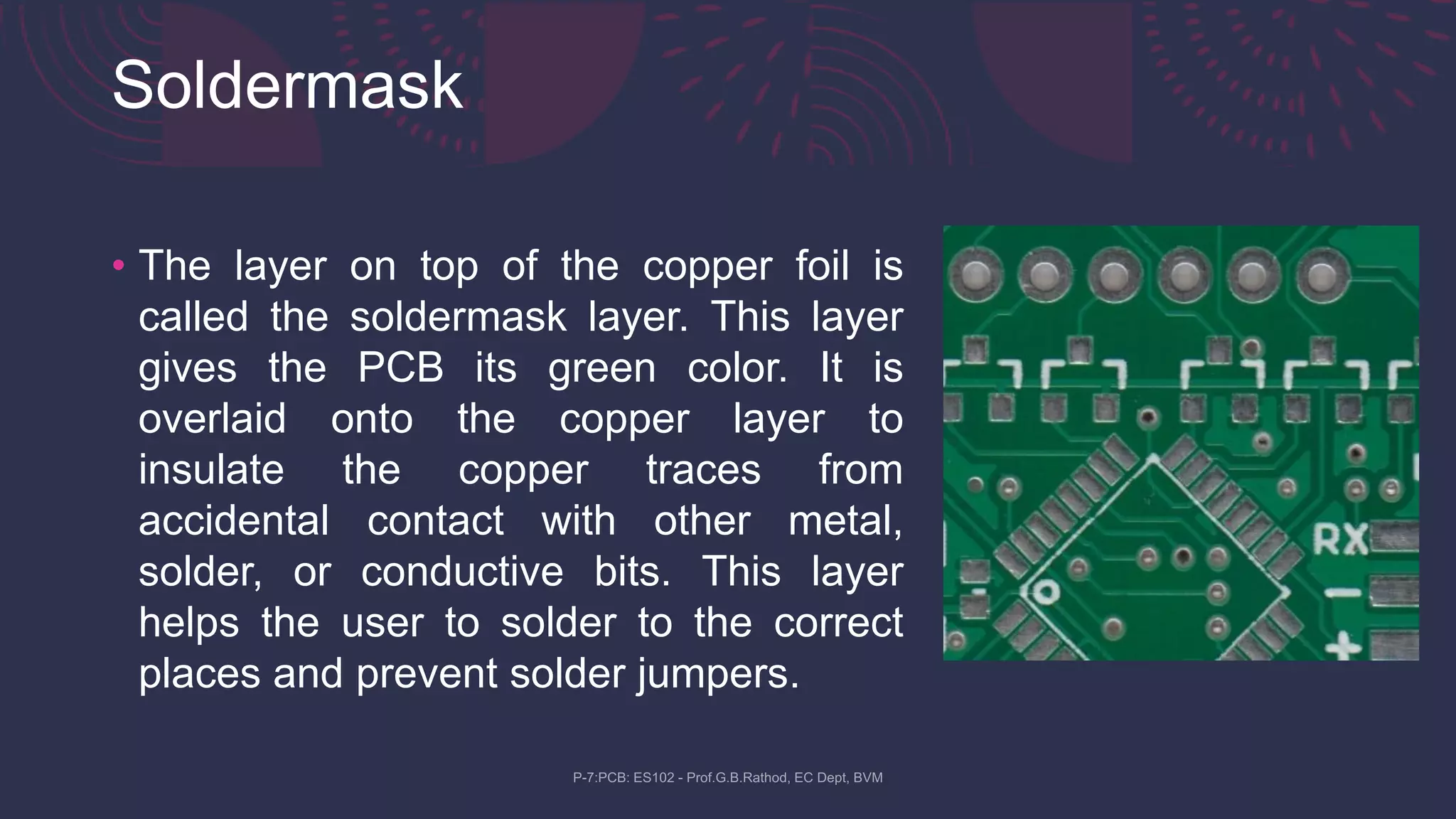
• The layer on top of the copper foil is
called the soldermask layer. This layer
gives the PCB its green color. It is
overlaid onto the copper layer to
insulate the copper traces from
accidental contact with other metal,
solder, or conductive bits. This layer
helps the user to solder to the correct
places and prevent solder jumpers.
Silkscreen
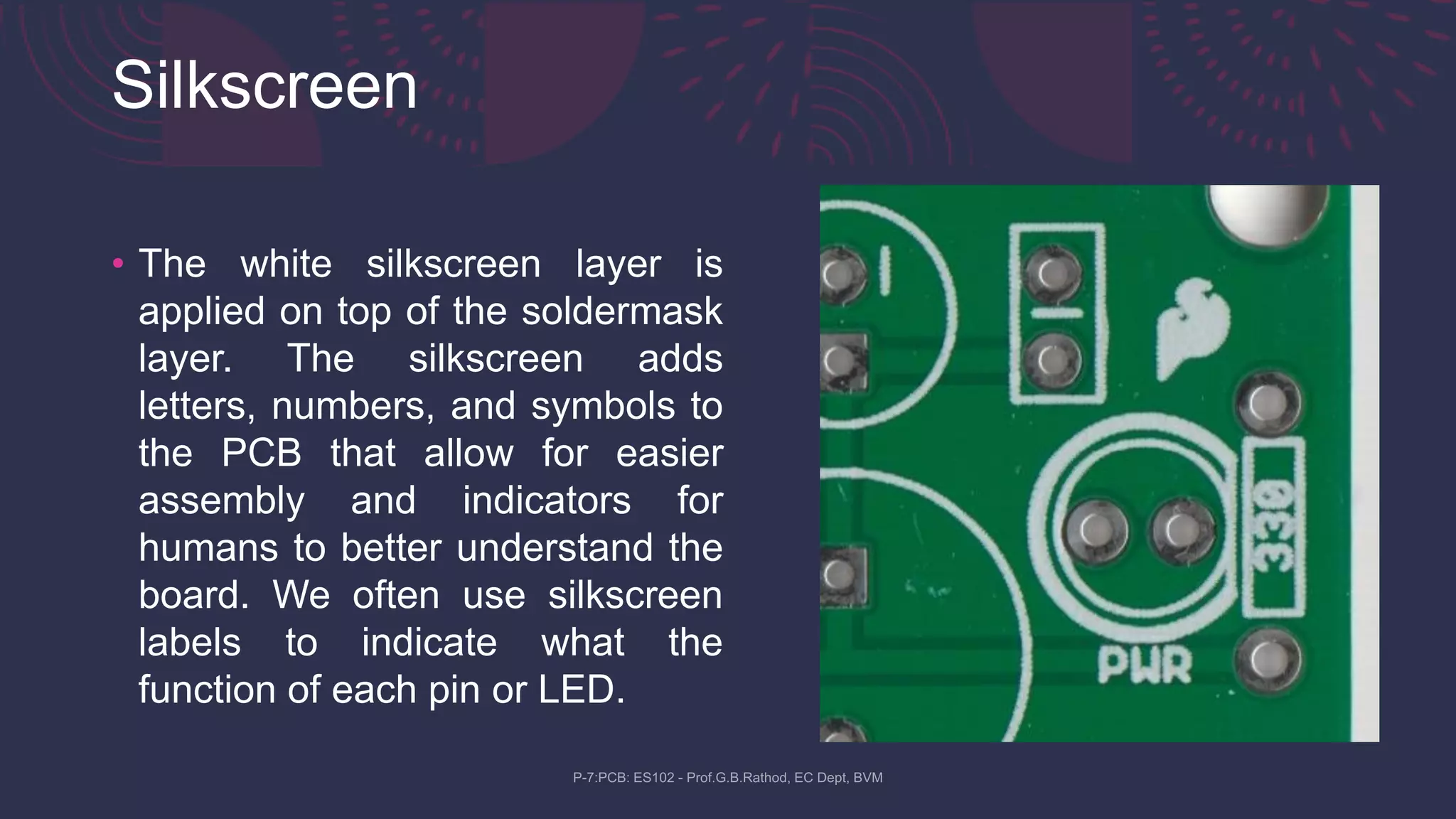
• The white silkscreen layer is
applied on top of the soldermask
layer. The silkscreen adds
letters, numbers, and symbols to
the PCB that allow for easier
assembly and indicators for
humans to better understand the
board. We often use silkscreen
labels to indicate what the
function of each pin or LED.
Some Common Terms related to
PCB
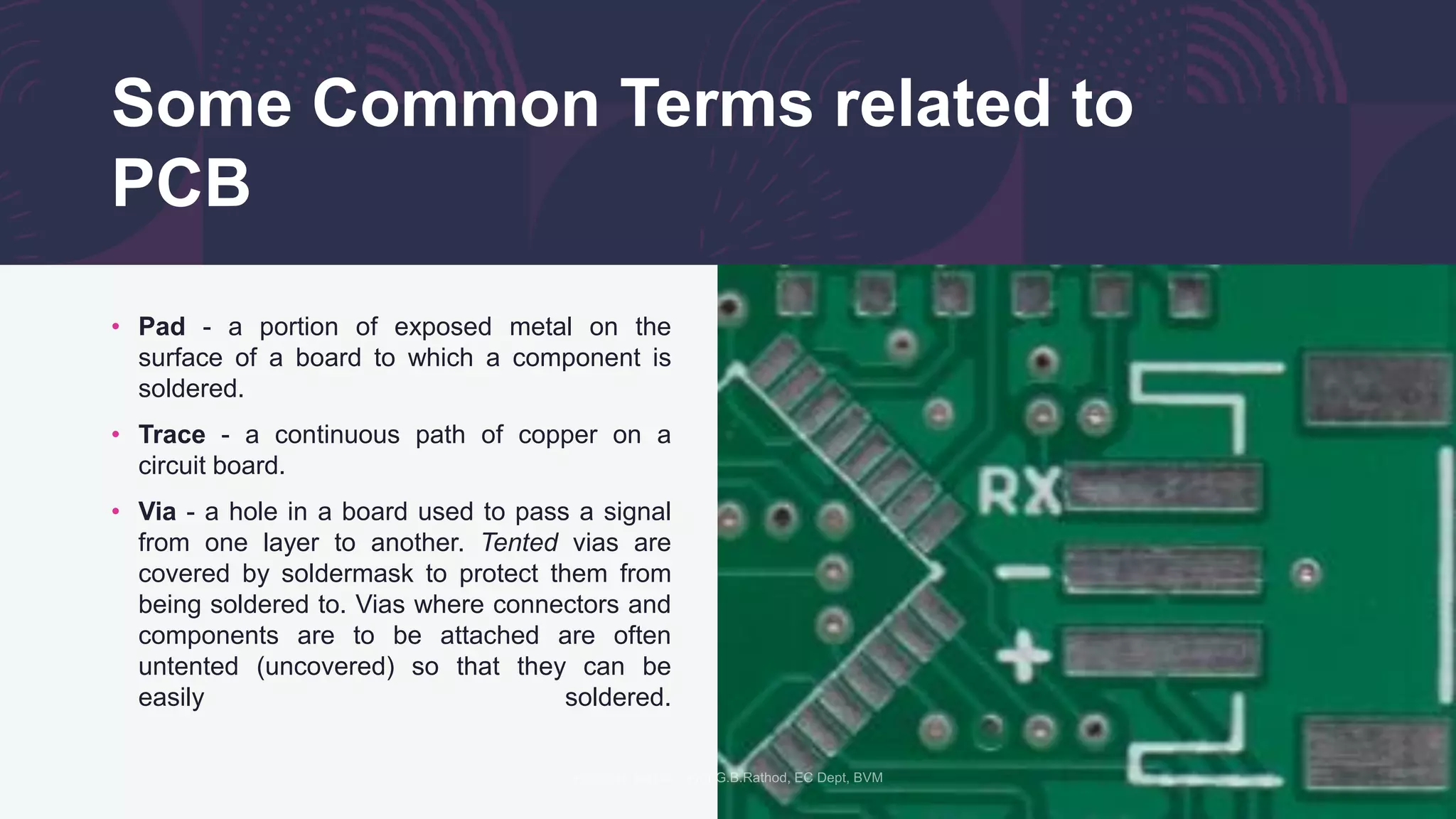
• Pad - a portion of exposed metal on the
surface of a board to which a component is
soldered.
• Trace - a continuous path of copper on a
circuit board.
• Via - a hole in a board used to pass a signal
from one layer to another. Tented vias are
covered by soldermask to protect them from
being soldered to. Vias where connectors and
components are to be attached are often
untented (uncovered) so that they can be
easily soldered.
Let's see the basics of PCB
• Making perfect PCB at home - YouTube
Try these softwares for pcb design
• Minimal Board Editorのページ (suigyodo.com)
• FreePCB-2 | an open source PCB editor for Microsoft Windows,
released under the GNU General Public License.
• KiCad EDA - Schematic Capture & PCB Design Software
• FidoCadJ Download (darwinne.github.io)
• EasyEDA - Online PCB design & circuit simulator
Thank You
Scan QR Code for more information

Practical No-7: PCB and PCB design

  • 1.
    P-7: PCB andPCB Design Compiled by: Prof.G.B.Rathod EC Dept, BVM Engineering College
  • 2.
    PCB • A printedcircuit board (PCB) mechanically supports and electrically connects electrical or electronic components using conductive tracks, pads and other features etched from one or more sheet layers of copper laminated onto and/or between sheet layers of a non- conductive substrate This Photo by Unknown author is licensed under CC BY-SA-NC.
  • 3.
    Introduction • A PCBis sort of like a layer cake or lasagna- there are alternating layers of different materials which are laminated together with heat and adhesive such that the result is a single object.
  • 4.
    FR4 • FR-4 (orFR4) is a NEMA grade designation for glass- reinforced epoxy laminate material. FR-4 is a composite material composed of woven fiber glass cloth with an epoxy resin binder that is flame resistant (self- extinguishing). • The base material, or substrate, is usually fiberglass. Historically, the most common designator for this fiberglass is "FR4". This solid core gives the PCB its rigidity and thickness. There are also flexible PCBs built on flexible high-temperature plastic (Kapton or the equivalent). • You will find many different thickness PCBs; the most common thickness 1.6mm (0.063").
  • 5.
    Copper • The nextlayer is a thin copper foil, which is laminated to the board with heat and adhesive. On common, double sided PCBs, copper is applied to both sides of the substrate. In lower cost electronic gadgets the PCB may have copper on only one side. When we refer to a double sided or 2-layer board we are referring to the number of copper layers (2) in our lasagna. This can be as few as 1 layer or as many as 16 layers or more.
  • 6.
    Soldermask • The layeron top of the copper foil is called the soldermask layer. This layer gives the PCB its green color. It is overlaid onto the copper layer to insulate the copper traces from accidental contact with other metal, solder, or conductive bits. This layer helps the user to solder to the correct places and prevent solder jumpers.
  • 7.
    Silkscreen • The whitesilkscreen layer is applied on top of the soldermask layer. The silkscreen adds letters, numbers, and symbols to the PCB that allow for easier assembly and indicators for humans to better understand the board. We often use silkscreen labels to indicate what the function of each pin or LED.
  • 8.
    Some Common Termsrelated to PCB • Pad - a portion of exposed metal on the surface of a board to which a component is soldered. • Trace - a continuous path of copper on a circuit board. • Via - a hole in a board used to pass a signal from one layer to another. Tented vias are covered by soldermask to protect them from being soldered to. Vias where connectors and components are to be attached are often untented (uncovered) so that they can be easily soldered.
  • 9.
    Let's see thebasics of PCB • Making perfect PCB at home - YouTube
  • 10.
    Try these softwaresfor pcb design • Minimal Board Editorのページ (suigyodo.com) • FreePCB-2 | an open source PCB editor for Microsoft Windows, released under the GNU General Public License. • KiCad EDA - Schematic Capture & PCB Design Software • FidoCadJ Download (darwinne.github.io) • EasyEDA - Online PCB design & circuit simulator
  • 11.
    Thank You Scan QRCode for more information