Power Pointers 
zzzzzzzzzz 
zzzzzzzzzz 
zzzz 
Avoiding Death by 
PowerPoint 
1
About the Slides 
There’s an art 
to this, you 
know. 
2
The 3-Part Presentation 
• Tell 
’em 
what 
you’re 
going 
to tell 
’em 
Introduction 
Body • Then tell 
• Tell 
’em 
’em what 
you told 
’em 
Conclusion 
3
Design Tips 
 Bullet points 
 Short phrases 
 Active voice 
 Clear 
 Consistent 
Don’t clutter: 
Elements should 
support, not 
distract 
4
7 X 7 
 7 lines per 
slide 
maximum 
 7 words 
per line 
maximum 
5
For High Impact 
 Short shows 
 Few words 
 Big fonts (24 +) 
 Cool graphics 
◦ Respect 
copyright! 
 Funny is often 
good 
6
Review for 
accuracy 
 Spelling 
 Word usage 
 Content 
 Proofread, 
proofread, 
proofread! 
7
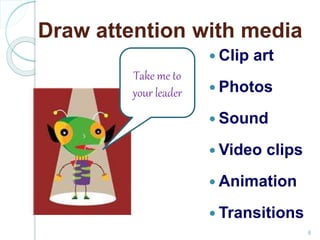
Draw attention with media 
 Clip art 
 Photos 
 Sound 
 Video clips 
 Animation 
 Transitions 
Take me to 
your leader 
8
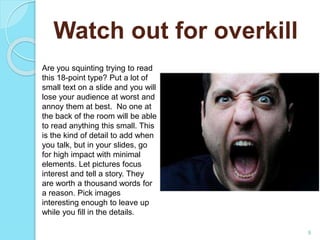
Watch out for overkill 
Are you squinting trying to read 
this 18-point type? Put a lot of 
small text on a slide and you will 
lose your audience at worst and 
annoy them at best. No one at 
the back of the room will be able 
to read anything this small. This 
is the kind of detail to add when 
you talk, but in your slides, go 
for high impact with minimal 
elements. Let pictures focus 
interest and tell a story. They 
are worth a thousand words for 
a reason. Pick images 
interesting enough to leave up 
while you fill in the details. 
9
About the narration 
Blah blah 
blah blah 
blah blah 
blah blah 
blah blah 
10
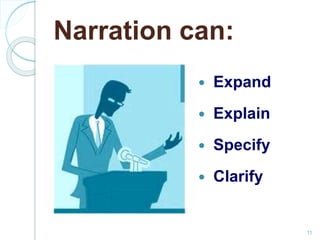
Narration can: 
 Expand 
 Explain 
 Specify 
 Clarify 
11
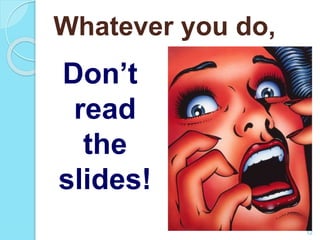
Whatever you do, 
Don’t 
read 
the 
slides! 
12
Review 
 What are the three parts of a three-part 
presentation? 
 State the 7X7 Rule. 
 What is the purpose of media such as 
clip art and animation? 
 What should you never do when 
narrating? 
13

Power point rules

  • 1.
    Power Pointers zzzzzzzzzz zzzzzzzzzz zzzz Avoiding Death by PowerPoint 1
  • 2.
    About the Slides There’s an art to this, you know. 2
  • 3.
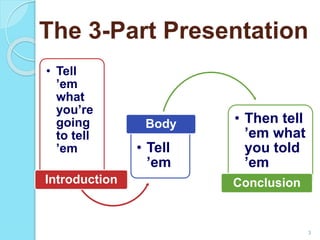
    The 3-Part Presentation • Tell ’em what you’re going to tell ’em Introduction Body • Then tell • Tell ’em ’em what you told ’em Conclusion 3
  • 4.
    Design Tips Bullet points  Short phrases  Active voice  Clear  Consistent Don’t clutter: Elements should support, not distract 4
  • 5.
    7 X 7  7 lines per slide maximum  7 words per line maximum 5
  • 6.
    For High Impact  Short shows  Few words  Big fonts (24 +)  Cool graphics ◦ Respect copyright!  Funny is often good 6
  • 7.
    Review for accuracy  Spelling  Word usage  Content  Proofread, proofread, proofread! 7
  • 8.
    Draw attention withmedia  Clip art  Photos  Sound  Video clips  Animation  Transitions Take me to your leader 8
  • 9.
    Watch out foroverkill Are you squinting trying to read this 18-point type? Put a lot of small text on a slide and you will lose your audience at worst and annoy them at best. No one at the back of the room will be able to read anything this small. This is the kind of detail to add when you talk, but in your slides, go for high impact with minimal elements. Let pictures focus interest and tell a story. They are worth a thousand words for a reason. Pick images interesting enough to leave up while you fill in the details. 9
  • 10.
    About the narration Blah blah blah blah blah blah blah blah blah blah 10
  • 11.
    Narration can: Expand  Explain  Specify  Clarify 11
  • 12.
    Whatever you do, Don’t read the slides! 12
  • 13.
    Review  Whatare the three parts of a three-part presentation?  State the 7X7 Rule.  What is the purpose of media such as clip art and animation?  What should you never do when narrating? 13