Adding Images to
PowerPoint
Correctly saving and citing images


                          Ellen Dickman
                          3/13/2013
What are public domain images?
   Free to use but you still must cite the image

     What isn’t in public domain?

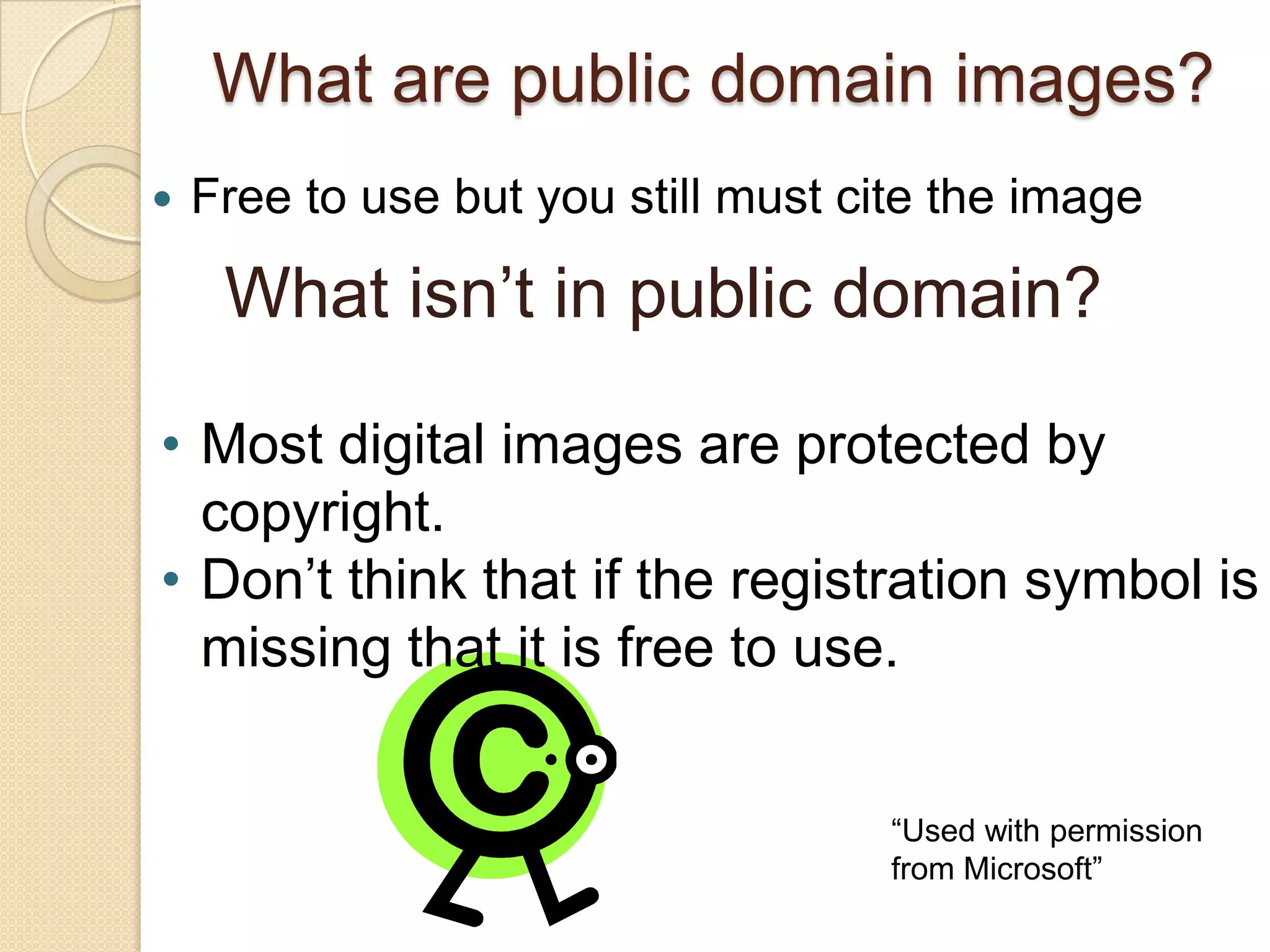
• Most digital images are protected by
  copyright.
• Don’t think that if the registration symbol is
  missing that it is free to use.


                                     “Used with permission
                                     from Microsoft”
But what if I can’t live without
it?
If you want to use an image for a
PowerPoint presentation and you
question it’s free use, obtain permission
from the copyright holder.
                     IDEAS
                     E-mail the author or
                         photographer
                    Call the publisher

                 “Used with permission from Microsoft”
Always cite!
Regardless of the
copyright status
you must cite
where you obtained
the image.
Badgers DO care!


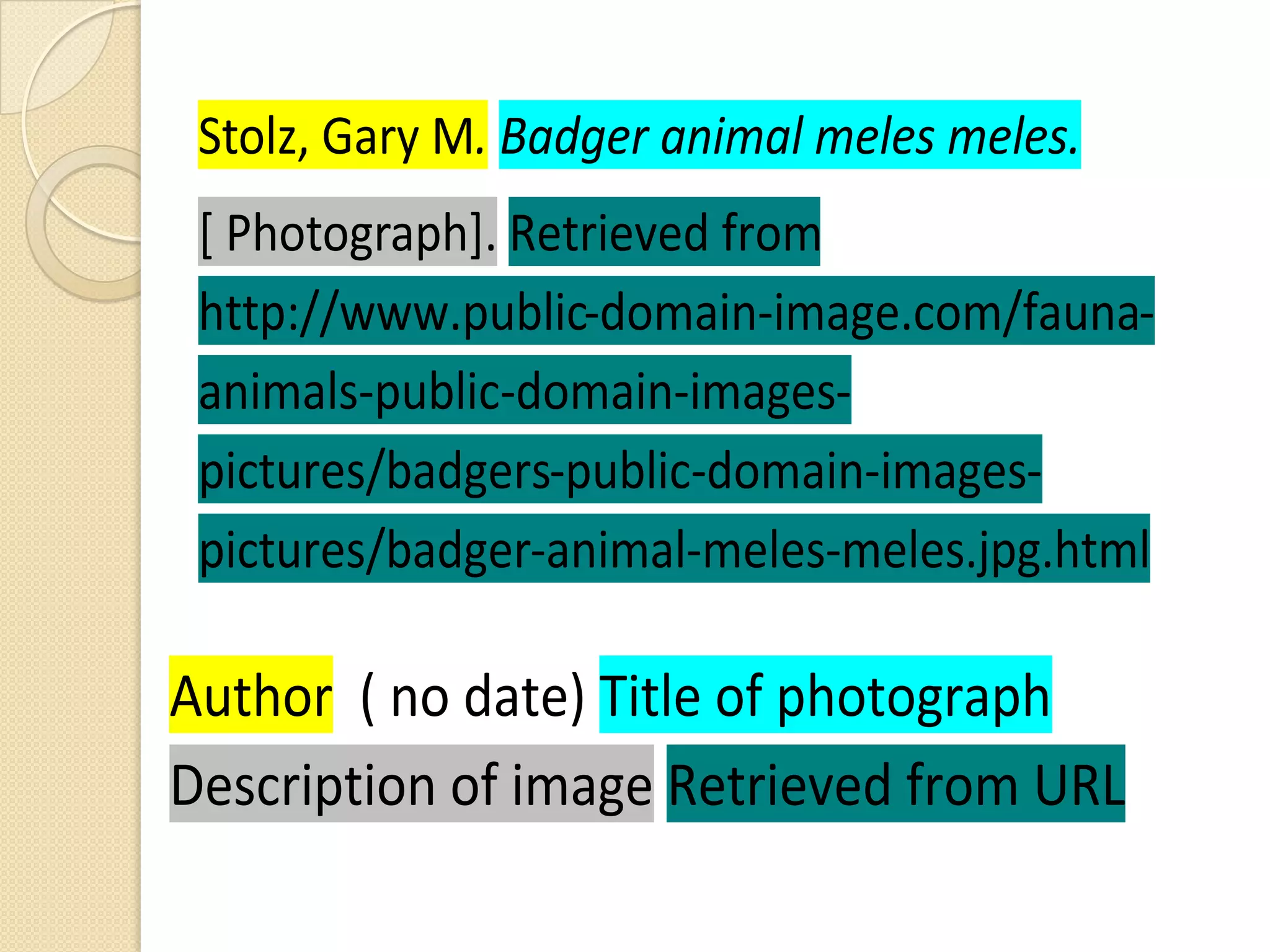
Stolz, Gary M. Badger animal meles meles. [ Photograph]. Retrieved
from http://www.public-domain-image.com/fauna-animals-public-
domain-images-pictures/badgers-public-domain-images-
pictures/badger-animal-meles-meles.jpg.html
Standard APA citation of an
 image
As a general rule, the following elements
are needed in the citation:
 Owner/creator/photographer/artist's
  name, if known
 Date of image
 Name of Image in italics
 If no name, describe and put in brackets
 Retrieved from: URL if applicable
Retrieved from
 http://www.public-domain-image.com/fauna-
 animals-public-domain-images-
 pictures/badgers-public-domain-images-
 pictures/badger-animal-meles-meles.jpg.html

Author ( no date) Title of photograph
Description of image Retrieved from URL
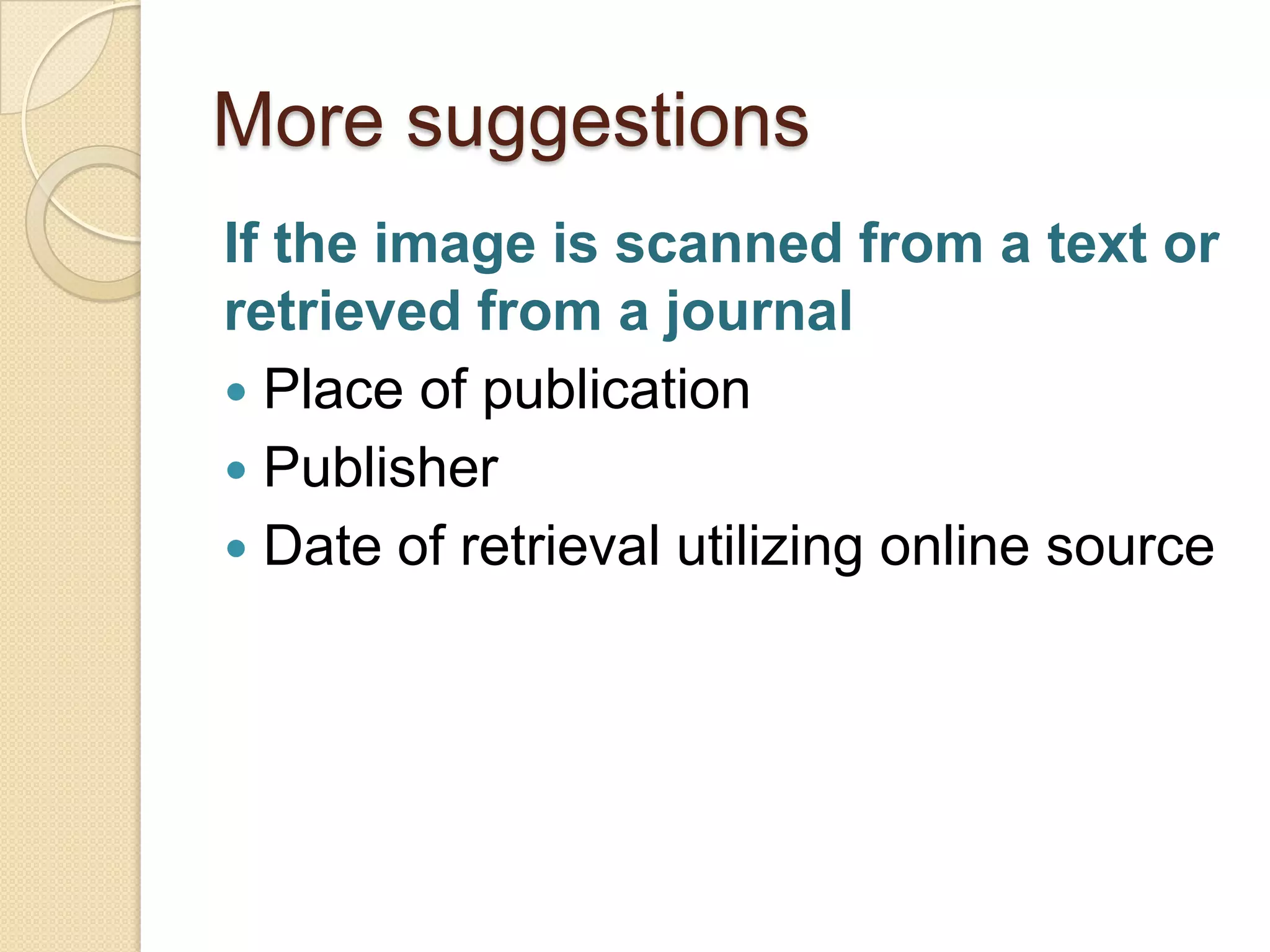
More suggestions
If the image is scanned from a text or
retrieved from a journal
 Place of publication
 Publisher
 Date of retrieval utilizing online source
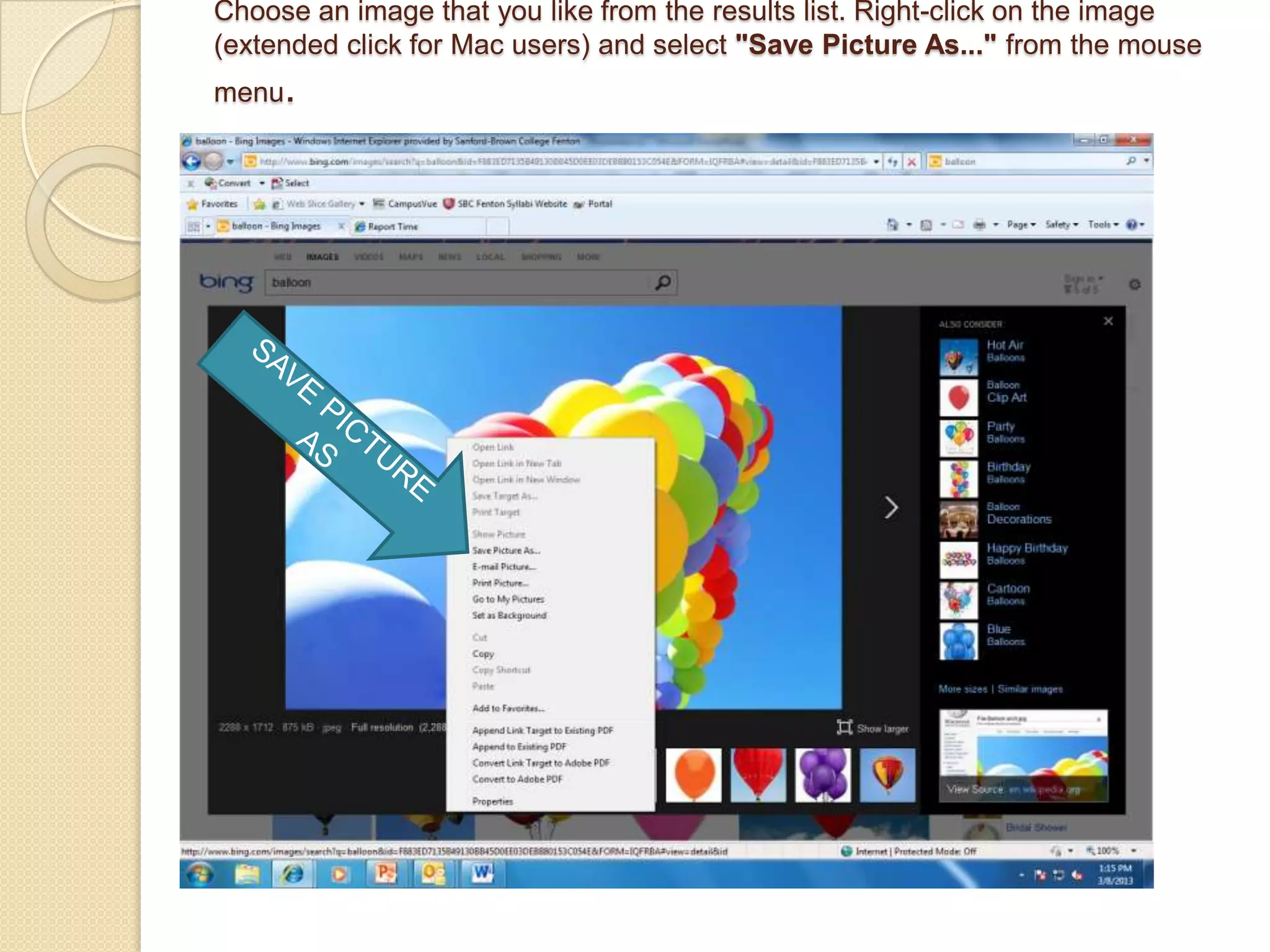
Choose an image that you like from the results list. Right-click on the image
(extended click for Mac users) and select "Save Picture As..." from the mouse
menu.
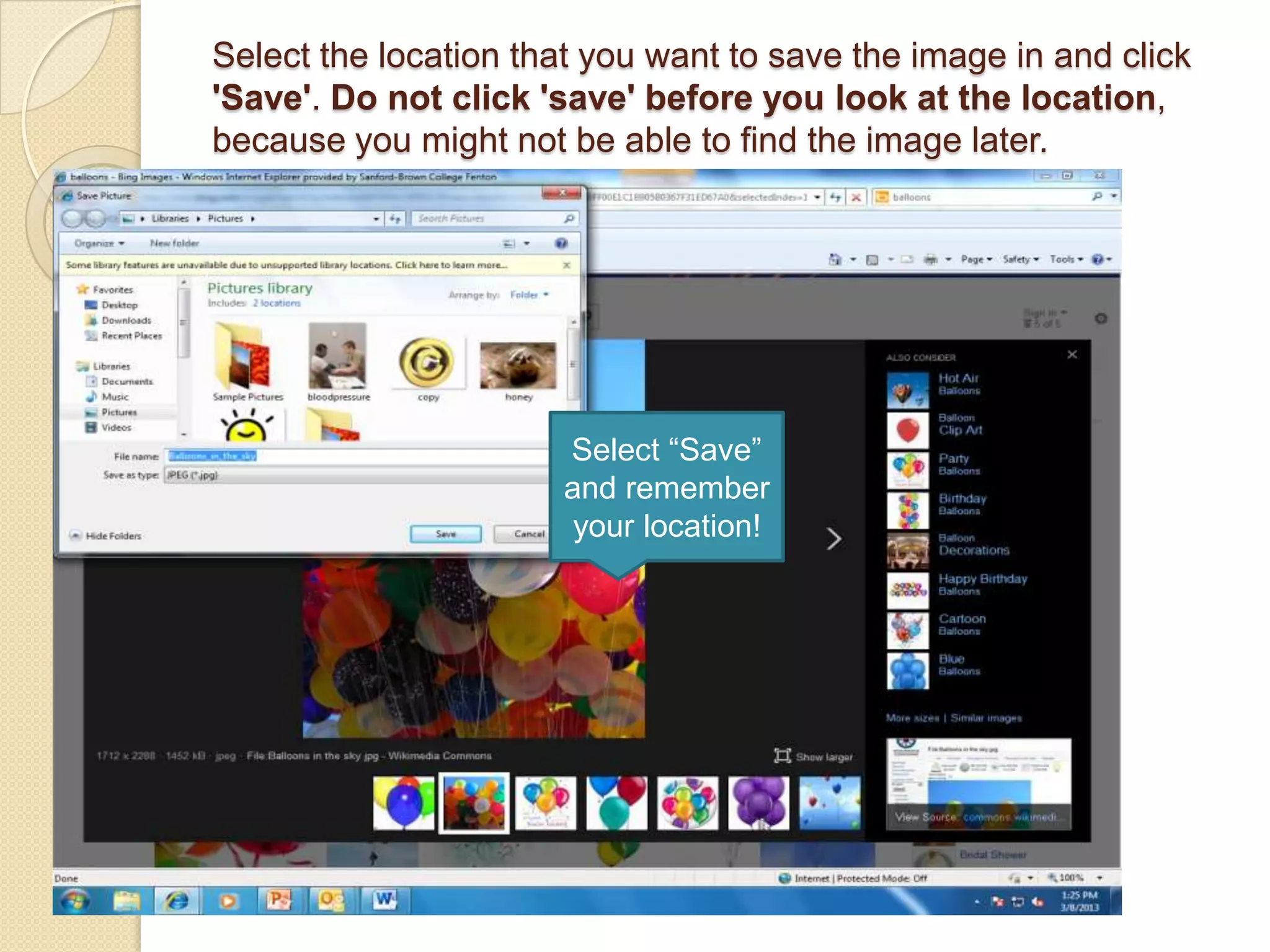
Select the location that you want to save the image in and click
'Save'. Do not click 'save' before you look at the location,
because you might not be able to find the image later.


                      Select “Save”
                      and remember
                       your location!
Helpful Hint!
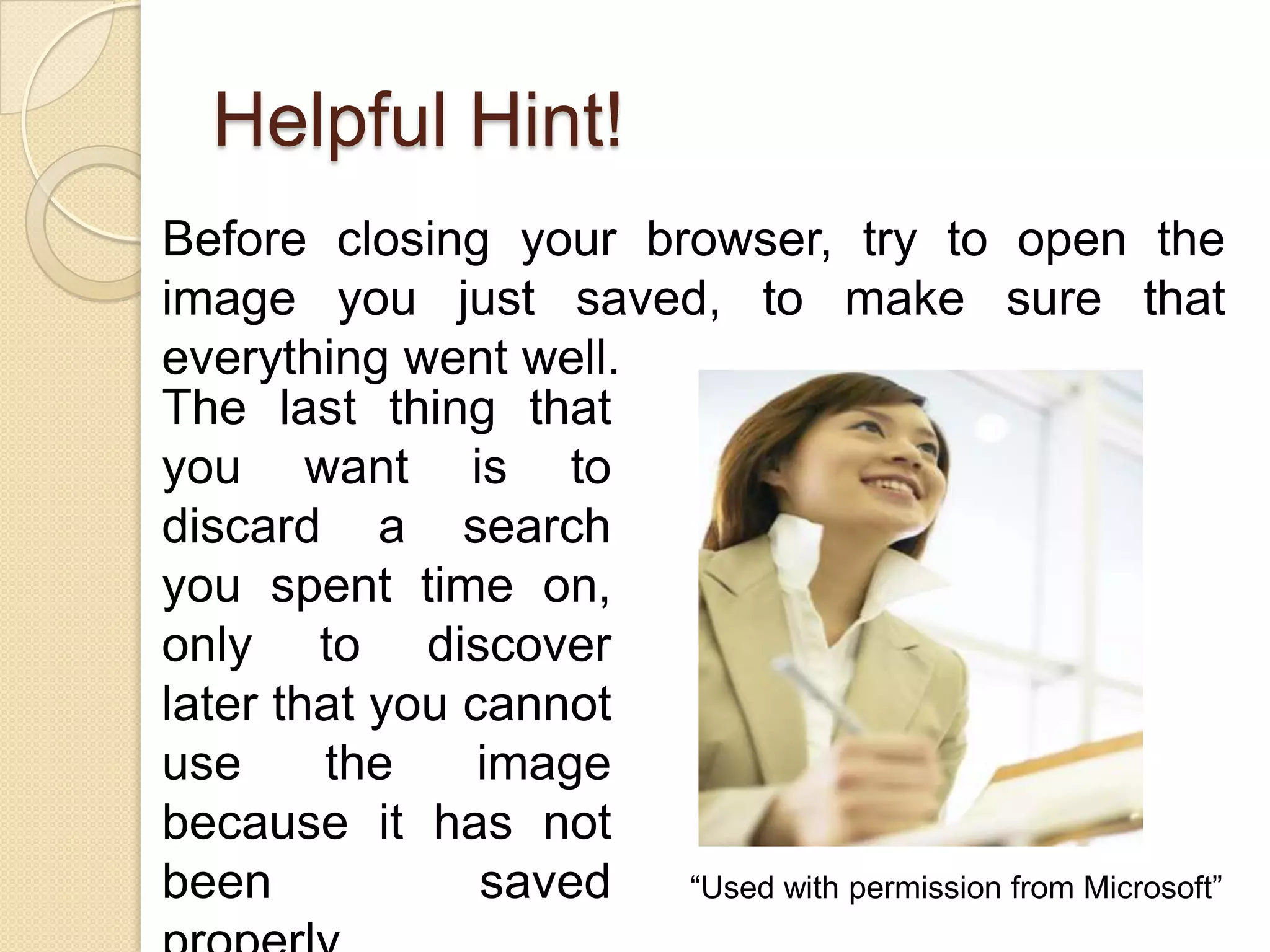
Before closing your browser, try to open the
image you just saved, to make sure that
everything went well.
The last thing that
you want is to
discard a search
you spent time on,
only to discover
later that you cannot
use     the     image
because it has not
been            saved “Used with permission from Microsoft”
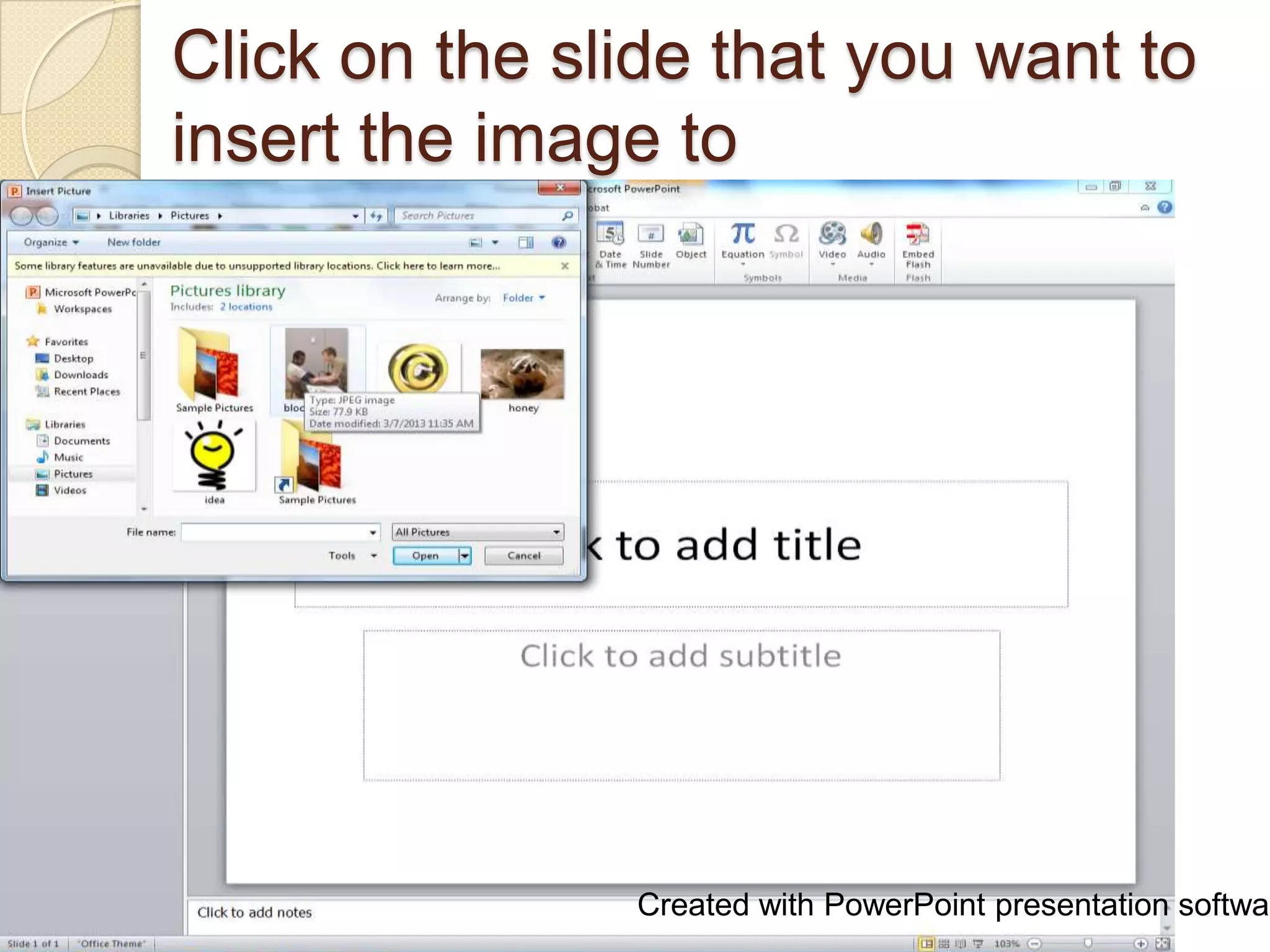
Click on the slide that you want to
insert the image to


               Created with PowerPoint presentation softwar
Green, Yvonne. Blood Pressure
                               Screening. [Photograph]. Retrieved
                               from:
                               http://phil.cdc.gov/phil/details.asp
Select Insert <
Picture < From
File...
On the 'Insert Picture'
dialog, find and
double-click on the
image that you want
to insert to
PowerPoint
                          Created with PowerPoint presentation
                          software.
Helpful Hint!
You will want to resize the
picture and don’t forget to
cite the image.


                “Used with permission from Microsoft”
So….what do I cite?
Any items obtained from the web or
scanned from a print source should be
attributed to the owner of the
copyrighted work. This includes
photographs, paintings, or other works
of art, tables, graphs, and other
illustrations from primary or secondary
source materials. Youtube videos
should also be attributed.

Citing and Saving Images on Powerpoint

  • 1.
    Adding Images to PowerPoint Correctlysaving and citing images Ellen Dickman 3/13/2013
  • 2.
    What are publicdomain images?  Free to use but you still must cite the image What isn’t in public domain? • Most digital images are protected by copyright. • Don’t think that if the registration symbol is missing that it is free to use. “Used with permission from Microsoft”
  • 3.
    But what ifI can’t live without it? If you want to use an image for a PowerPoint presentation and you question it’s free use, obtain permission from the copyright holder. IDEAS E-mail the author or photographer Call the publisher “Used with permission from Microsoft”
  • 4.
    Always cite! Regardless ofthe copyright status you must cite where you obtained the image.
  • 5.
    Badgers DO care! Stolz,Gary M. Badger animal meles meles. [ Photograph]. Retrieved from http://www.public-domain-image.com/fauna-animals-public- domain-images-pictures/badgers-public-domain-images- pictures/badger-animal-meles-meles.jpg.html
  • 6.
    Standard APA citationof an image As a general rule, the following elements are needed in the citation:  Owner/creator/photographer/artist's name, if known  Date of image  Name of Image in italics  If no name, describe and put in brackets  Retrieved from: URL if applicable
  • 7.
    Retrieved from http://www.public-domain-image.com/fauna- animals-public-domain-images- pictures/badgers-public-domain-images- pictures/badger-animal-meles-meles.jpg.html Author ( no date) Title of photograph Description of image Retrieved from URL
  • 8.
    More suggestions If theimage is scanned from a text or retrieved from a journal  Place of publication  Publisher  Date of retrieval utilizing online source
  • 9.
    Choose an imagethat you like from the results list. Right-click on the image (extended click for Mac users) and select "Save Picture As..." from the mouse menu.
  • 10.
    Select the locationthat you want to save the image in and click 'Save'. Do not click 'save' before you look at the location, because you might not be able to find the image later. Select “Save” and remember your location!
  • 11.
    Helpful Hint! Before closingyour browser, try to open the image you just saved, to make sure that everything went well. The last thing that you want is to discard a search you spent time on, only to discover later that you cannot use the image because it has not been saved “Used with permission from Microsoft”
  • 12.
    Click on theslide that you want to insert the image to Created with PowerPoint presentation softwar
  • 13.
    Green, Yvonne. BloodPressure Screening. [Photograph]. Retrieved from: http://phil.cdc.gov/phil/details.asp Select Insert < Picture < From File... On the 'Insert Picture' dialog, find and double-click on the image that you want to insert to PowerPoint Created with PowerPoint presentation software.
  • 14.
    Helpful Hint! You willwant to resize the picture and don’t forget to cite the image. “Used with permission from Microsoft”
  • 15.
    So….what do Icite? Any items obtained from the web or scanned from a print source should be attributed to the owner of the copyrighted work. This includes photographs, paintings, or other works of art, tables, graphs, and other illustrations from primary or secondary source materials. Youtube videos should also be attributed.