7 Tips to wow
PowerPoint
presentationBy : Phindile Khumalo
1. Start with
a question
Challenging your audience with a question (problem
statements, analogies, quotes, and anecdotes work
well, too) is a tried-and-true attention-grabber that
can kickstart your presentation’s momentum.
It must be relevant to your audience, of course; if it’s
also a bit evocative, all the better.
Dedicate your first or second slide solely to the
question – bold font, big letters, lots of white space –
to immediately establish the tone and content of what
they’re about to hear/see, and engage the mental cogs
right from the get-go.
2. Keep it short
And sweet
As with most things, less is more. Impactful
presentations stay on point: they set the scene,
structure the information to support the main
point, and sum it up. Keep in mind that you’ll
spend approximately 3-5 minutes on each slide.
So if you’re allocated 30 minutes, your entire
presentation should be only 6-10 slides. So …

*Limit the information on each slide. Your slide

deck is a tool to enhance you, not to replace you.
Do not drop your entire speech into the slide, “read”
your slides, or use them as your “notes” because
you’ll lose your audience. Instead, use slides to
display a single image or a smattering of phrases or
bullet points, and use them as points of intrigue
and/or clarification for your talk.
*Write tight.
The rule of thumb is a single idea per slide. Not
two. One idea at a time. It’s easy to recommend
and very hard to do; humans are very skilled at
drifting into tangents and going off topic before
we realize it. The more you can stay on subject,
the more clear your points will be, and the longer
you’ll keep your audience’s attention.
*Keep the main idea in front of people.
Writing tight aside, you may have support slides
to a key point or idea. If you do, do not assume
(you know why, right?) that your audience will
be keeping up with you. So be sure to keep the
main idea front and center (e.g., in a pervasive
header or footer across the grouped slides) to
keep your audience from getting lost.
3. Use colour
effectively
Colours and contrast are big players in
stimulating visual
appeal, and they can play significant roles in
establishing and carrying the tone of your
subject matter. Don’t be afraid to use them,
but do practice restraint. (Unless your
presentation is a study of unicorns in glitter,
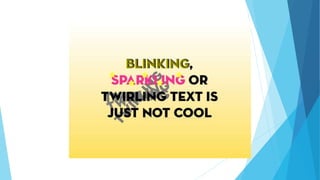
reign in the sparkle.)
You want color to support the presentation,
not detract from it. Choose your palate and
usage of same thoughtfully, and don’t
overlook where your presentation will be
viewed. If it will be printed, test to ensure
that the colors you choose look good on
paper and do not, for example, bury the
text or compromise the message.
4. Simplify
Complexity is not a good way to drive home a
point. (As Telecomquotes CEO, Michael
Bremmer, says, “A confused mind never
buys.”) To the extent possible – and of course
this depends on your audience – simplify
complicated ideas so they’re accessible and
straightforward. If your presentation feels
pedantic and/or out-of-reach to your audience,
they’ll feel alienated and disconnected, neither
of which will be your goal.
5. Show off your
personality
Be yourself. Sure you might be nervous (even
Barbra Streisand is known to lose her cookies
before a performance), but you can still be
authentic. People are receptive to authenticity
and forgiving of a few jitters, as long as you
talk to them (not at them), and you show some
character. Make it light. Tell a joke here and
there. And definitely make eye contact. It will
serve you well.
6. Break it up
with something
different
Part of grabbing and keeping the
attention of your audience involves
breaking the flow. Find opportunities to
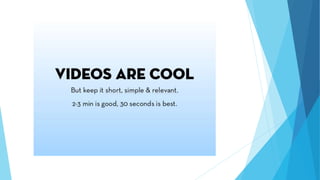
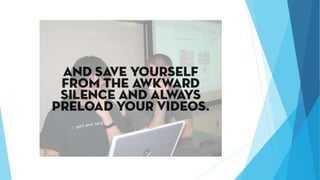
mix things up a bit by using animation,
showing a video, taking a poll, or cutting
to a comic strip or joke. If it’s a live
presentation, move around – across the
stage or around the room – rather than
standing sentinel behind a lectern.
End with a
call-to-action
If you’ve done your job right, your presentation
should leave them wanting more. Give them
one or more actions they can take
immediately. Including links is good. Also be
sure your name, title, company, website, email,
phone number, and anything else pertinent is
on your closing slide. Make it easy for your
audience to take another step with you.
http://www.business2community.com/brandviews/act-on/7-tips-take-
powerpoint-presentations-meh-wow-01118009#tvZaAM3QgZBB2lWK.99
http://www.business2community.com/brandviews/act-on/7-tips-take-
powerpoint-presentations-meh-wow-01118009#Gp3lZoOx7TgGxuRq.97
http://image.slidesharecdn.com/blogslideshowpresentation-
100603173640-phpapp01/95/blog-slideshow-presentation-13-
728.jpg?cb=1275586695

Presentation12

  • 1.
    7 Tips towow PowerPoint presentationBy : Phindile Khumalo
  • 2.
  • 4.
    Challenging your audiencewith a question (problem statements, analogies, quotes, and anecdotes work well, too) is a tried-and-true attention-grabber that can kickstart your presentation’s momentum. It must be relevant to your audience, of course; if it’s also a bit evocative, all the better. Dedicate your first or second slide solely to the question – bold font, big letters, lots of white space – to immediately establish the tone and content of what they’re about to hear/see, and engage the mental cogs right from the get-go.
  • 5.
    2. Keep itshort And sweet
  • 7.
    As with mostthings, less is more. Impactful presentations stay on point: they set the scene, structure the information to support the main point, and sum it up. Keep in mind that you’ll spend approximately 3-5 minutes on each slide. So if you’re allocated 30 minutes, your entire presentation should be only 6-10 slides. So …
  • 9.
    *Limit the informationon each slide. Your slide deck is a tool to enhance you, not to replace you. Do not drop your entire speech into the slide, “read” your slides, or use them as your “notes” because you’ll lose your audience. Instead, use slides to display a single image or a smattering of phrases or bullet points, and use them as points of intrigue and/or clarification for your talk.
  • 12.
    *Write tight. The ruleof thumb is a single idea per slide. Not two. One idea at a time. It’s easy to recommend and very hard to do; humans are very skilled at drifting into tangents and going off topic before we realize it. The more you can stay on subject, the more clear your points will be, and the longer you’ll keep your audience’s attention.
  • 14.
    *Keep the mainidea in front of people. Writing tight aside, you may have support slides to a key point or idea. If you do, do not assume (you know why, right?) that your audience will be keeping up with you. So be sure to keep the main idea front and center (e.g., in a pervasive header or footer across the grouped slides) to keep your audience from getting lost.
  • 15.
  • 18.
    Colours and contrastare big players in stimulating visual appeal, and they can play significant roles in establishing and carrying the tone of your subject matter. Don’t be afraid to use them, but do practice restraint. (Unless your presentation is a study of unicorns in glitter, reign in the sparkle.)
  • 20.
    You want colorto support the presentation, not detract from it. Choose your palate and usage of same thoughtfully, and don’t overlook where your presentation will be viewed. If it will be printed, test to ensure that the colors you choose look good on paper and do not, for example, bury the text or compromise the message.
  • 22.
  • 24.
    Complexity is nota good way to drive home a point. (As Telecomquotes CEO, Michael Bremmer, says, “A confused mind never buys.”) To the extent possible – and of course this depends on your audience – simplify complicated ideas so they’re accessible and straightforward. If your presentation feels pedantic and/or out-of-reach to your audience, they’ll feel alienated and disconnected, neither of which will be your goal.
  • 27.
    5. Show offyour personality
  • 30.
    Be yourself. Sureyou might be nervous (even Barbra Streisand is known to lose her cookies before a performance), but you can still be authentic. People are receptive to authenticity and forgiving of a few jitters, as long as you talk to them (not at them), and you show some character. Make it light. Tell a joke here and there. And definitely make eye contact. It will serve you well.
  • 32.
    6. Break itup with something different
  • 35.
    Part of grabbingand keeping the attention of your audience involves breaking the flow. Find opportunities to mix things up a bit by using animation, showing a video, taking a poll, or cutting to a comic strip or joke. If it’s a live presentation, move around – across the stage or around the room – rather than standing sentinel behind a lectern.
  • 38.
  • 40.
    If you’ve doneyour job right, your presentation should leave them wanting more. Give them one or more actions they can take immediately. Including links is good. Also be sure your name, title, company, website, email, phone number, and anything else pertinent is on your closing slide. Make it easy for your audience to take another step with you.
  • 44.