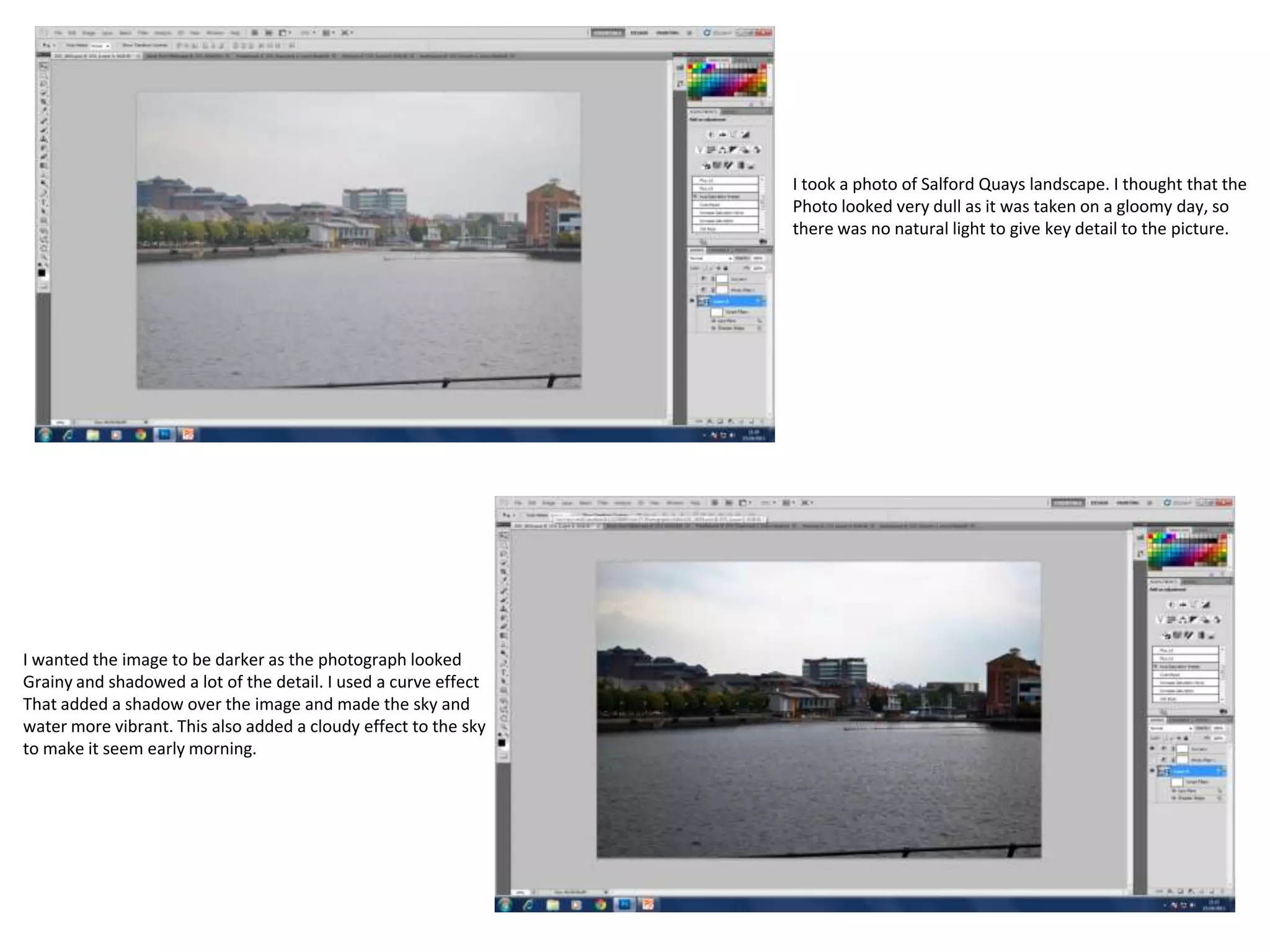
I took a photo of Salford Quays landscape. I thought that the
Photo looked very dull as it was taken on a gloomy day, so
there was no natural light to give key detail to the picture.

I wanted the image to be darker as the photograph looked
Grainy and shadowed a lot of the detail. I used a curve effect
That added a shadow over the image and made the sky and
water more vibrant. This also added a cloudy effect to the sky
to make it seem early morning.
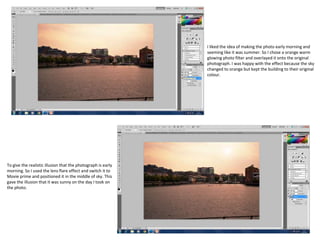
I liked the idea of making the photo early morning and
seeming like it was summer. So I chose a orange warm
glowing photo filter and overlayed it onto the original
photograph. I was happy with the effect because the sky
changed to orange but kept the building to their original
colour.

To give the realistic illusion that the photograph is early
morning. So I used the lens flare effect and switch it to
Movie prime and positioned it in the middle of sky. This
gave the illusion that it was sunny on the day I took on
the photo.
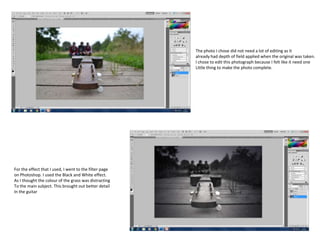
The photo I chose did not need a lot of editing as it
already had depth of field applied when the original was taken.
I chose to edit this photograph because I felt like it need one
Little thing to make the photo complete.

For the effect that I used, I went to the filter page
on Photoshop. I used the Black and White effect.
As I thought the colour of the grass was distracting
To the main subject. This brought out better detail
In the guitar
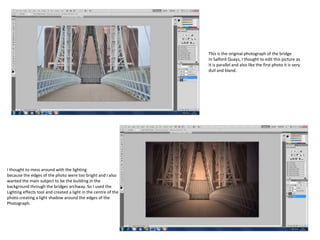
This is the original photograph of the bridge
In Salford Quays, I thought to edit this picture as
It is parallel and also like the first photo it is very
dull and bland.

I thought to mess around with the lighting
because the edges of the photo were too bright and I also
wanted the main subject to be the building in the
background through the bridges archway. So I used the
Lighting effects tool and created a light in the centre of the
photo creating a light shadow around the edges of the
Photograph.
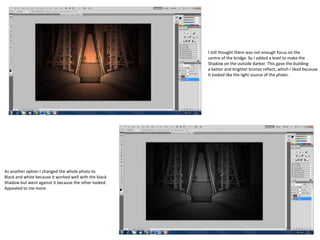
I still thought there was not enough focus on the
centre of the bridge. So I added a level to make the
Shadow on the outside darker. This gave the building
a better and brighter bronze reflect, which I liked because
It looked like the light source of the photo.

As another option I changed the whole photo to
Black and white because it worked well with the black
Shadow but went against it because the other looked.
Appealed to me more.

Photoshop screenshots

  • 1.
    I took aphoto of Salford Quays landscape. I thought that the Photo looked very dull as it was taken on a gloomy day, so there was no natural light to give key detail to the picture. I wanted the image to be darker as the photograph looked Grainy and shadowed a lot of the detail. I used a curve effect That added a shadow over the image and made the sky and water more vibrant. This also added a cloudy effect to the sky to make it seem early morning.
  • 2.
    I liked theidea of making the photo early morning and seeming like it was summer. So I chose a orange warm glowing photo filter and overlayed it onto the original photograph. I was happy with the effect because the sky changed to orange but kept the building to their original colour. To give the realistic illusion that the photograph is early morning. So I used the lens flare effect and switch it to Movie prime and positioned it in the middle of sky. This gave the illusion that it was sunny on the day I took on the photo.
  • 3.
    The photo Ichose did not need a lot of editing as it already had depth of field applied when the original was taken. I chose to edit this photograph because I felt like it need one Little thing to make the photo complete. For the effect that I used, I went to the filter page on Photoshop. I used the Black and White effect. As I thought the colour of the grass was distracting To the main subject. This brought out better detail In the guitar
  • 4.
    This is theoriginal photograph of the bridge In Salford Quays, I thought to edit this picture as It is parallel and also like the first photo it is very dull and bland. I thought to mess around with the lighting because the edges of the photo were too bright and I also wanted the main subject to be the building in the background through the bridges archway. So I used the Lighting effects tool and created a light in the centre of the photo creating a light shadow around the edges of the Photograph.
  • 5.
    I still thoughtthere was not enough focus on the centre of the bridge. So I added a level to make the Shadow on the outside darker. This gave the building a better and brighter bronze reflect, which I liked because It looked like the light source of the photo. As another option I changed the whole photo to Black and white because it worked well with the black Shadow but went against it because the other looked. Appealed to me more.