Performance Schema for MySQL Troubleshooting
Sveta Smirnova
Senior Principal Technical Support Engineer
Overview
What is inside?
• MySQL 5.6
52 tables
554 instruments
31 variables
• MySQL 5.7
76 tables
893 instruments
40 variables
Overview
What can you troubleshoot?
• Internal server’s bottlenecks, caused by locks,
mutexes, IO
• Less optimal statements
• Most expensive operations
• Connection issues
• Memory usage
• Replication failures
• More
Basic setup
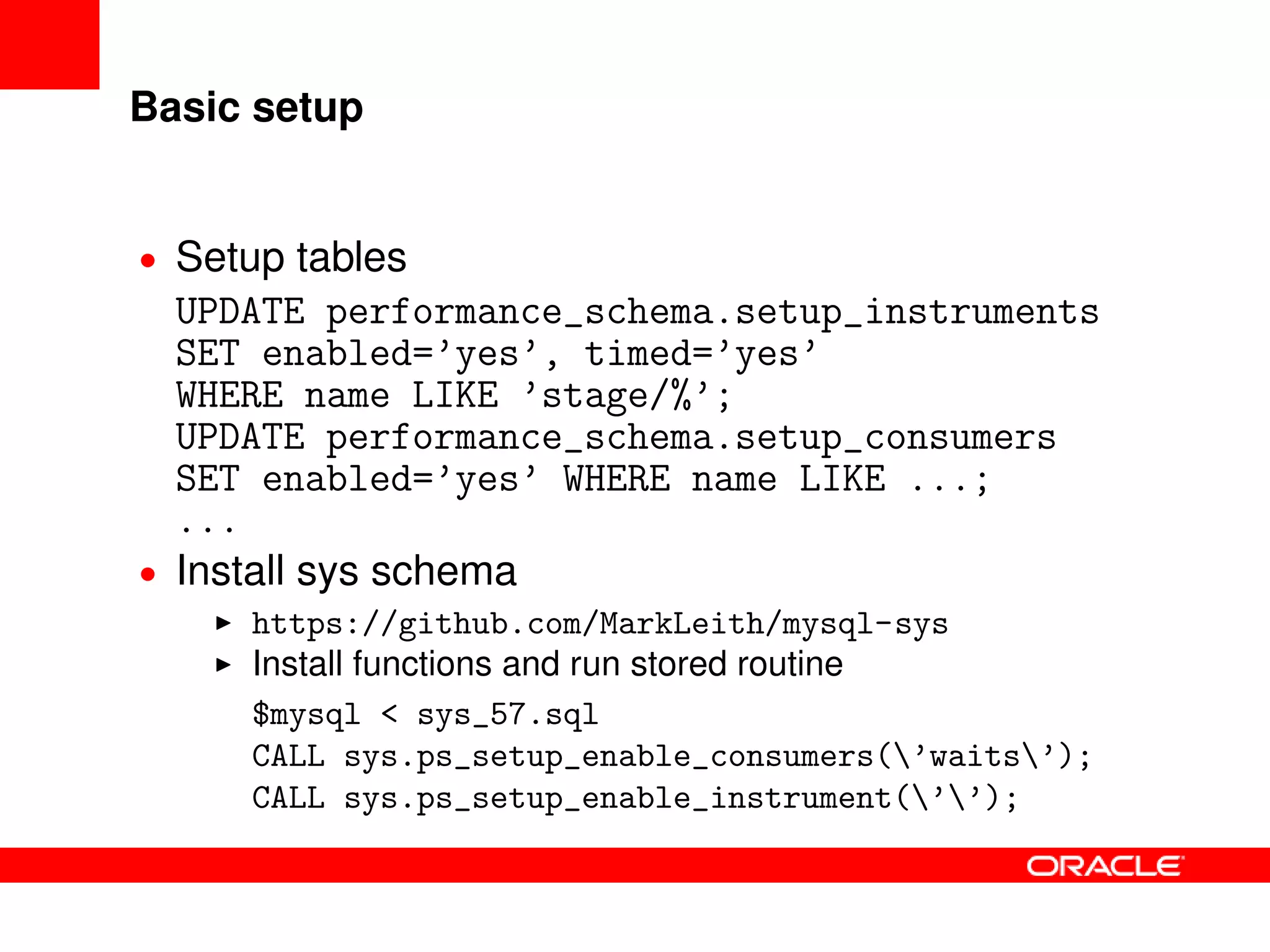
• Setup tables
UPDATE performance_schema.setup_instruments
SET enabled=’yes’, timed=’yes’
WHERE name LIKE ’stage/%’;
UPDATE performance_schema.setup_consumers
SET enabled=’yes’ WHERE name LIKE ...;
...
• Install sys schema
https://github.com/MarkLeith/mysql-sys
Install functions and run stored routine
$mysql < sys_57.sql
CALL sys.ps_setup_enable_consumers(’waits’);
CALL sys.ps_setup_enable_instrument(’’);
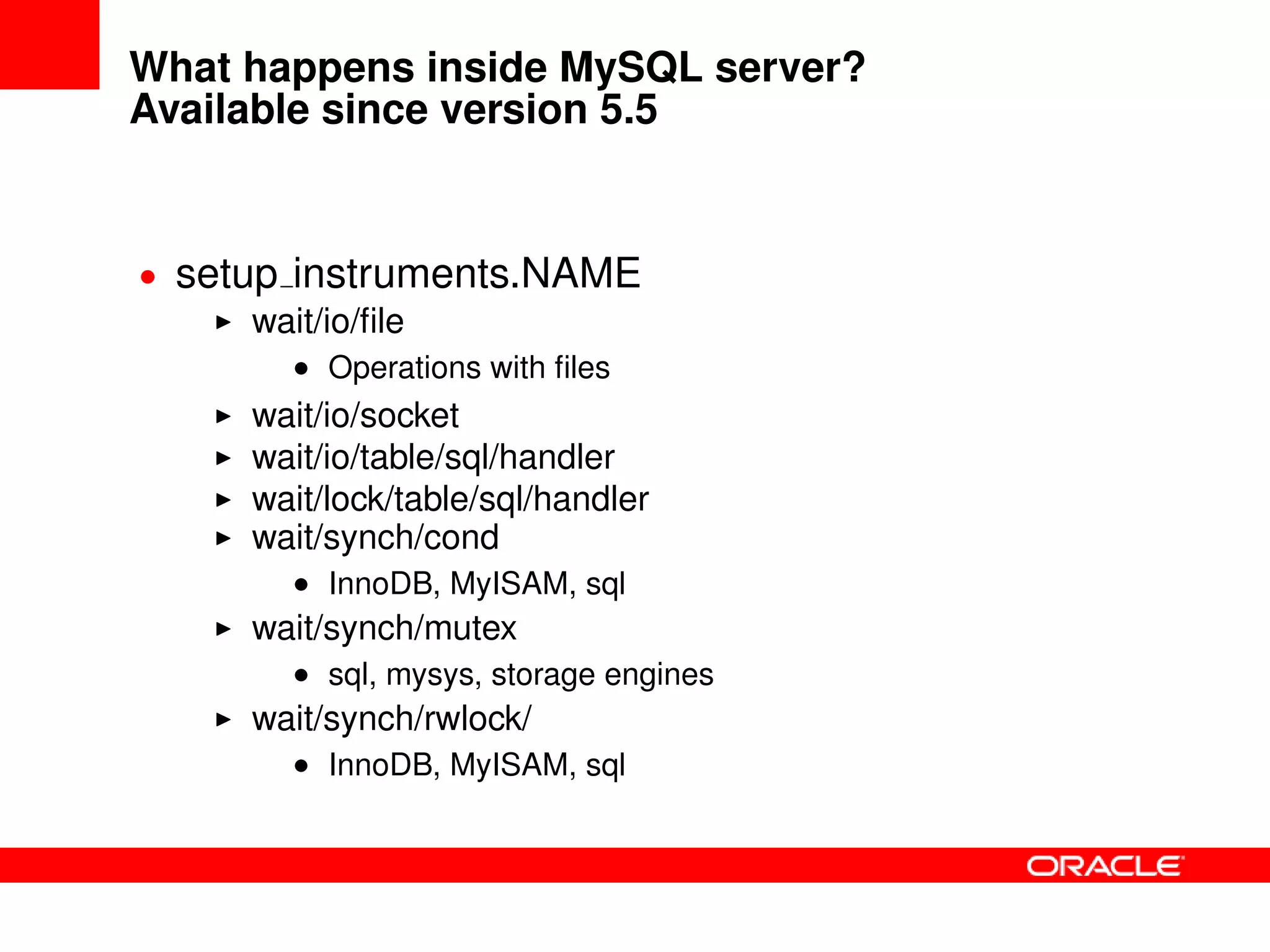
What happens inside MySQL server?
Available since version 5.5
• setup instruments.NAME
wait/io/file
• Operations with files
wait/io/socket
wait/io/table/sql/handler
wait/lock/table/sql/handler
wait/synch/cond
• InnoDB, MyISAM, sql
wait/synch/mutex
• sql, mysys, storage engines
wait/synch/rwlock/
• InnoDB, MyISAM, sql
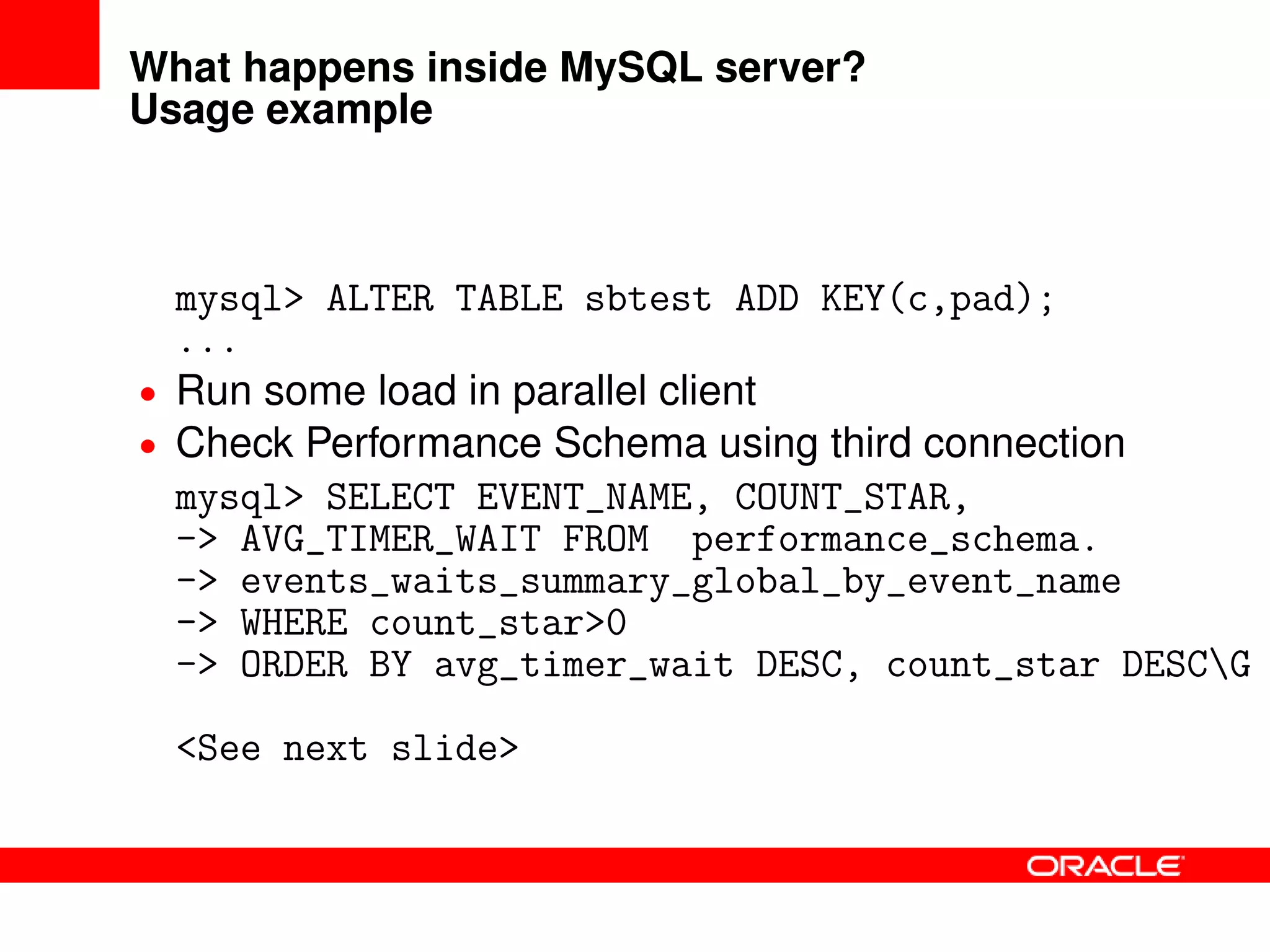
What happens inside MySQL server?
Usage example
mysql> ALTER TABLE sbtest ADD KEY(c,pad);
...
• Run some load in parallel client
• Check Performance Schema using third connection
mysql> SELECT EVENT_NAME, COUNT_STAR,
-> AVG_TIMER_WAIT FROM performance_schema.
-> events_waits_summary_global_by_event_name
-> WHERE count_star>0
-> ORDER BY avg_timer_wait DESC, count_star DESCG
<See next slide>
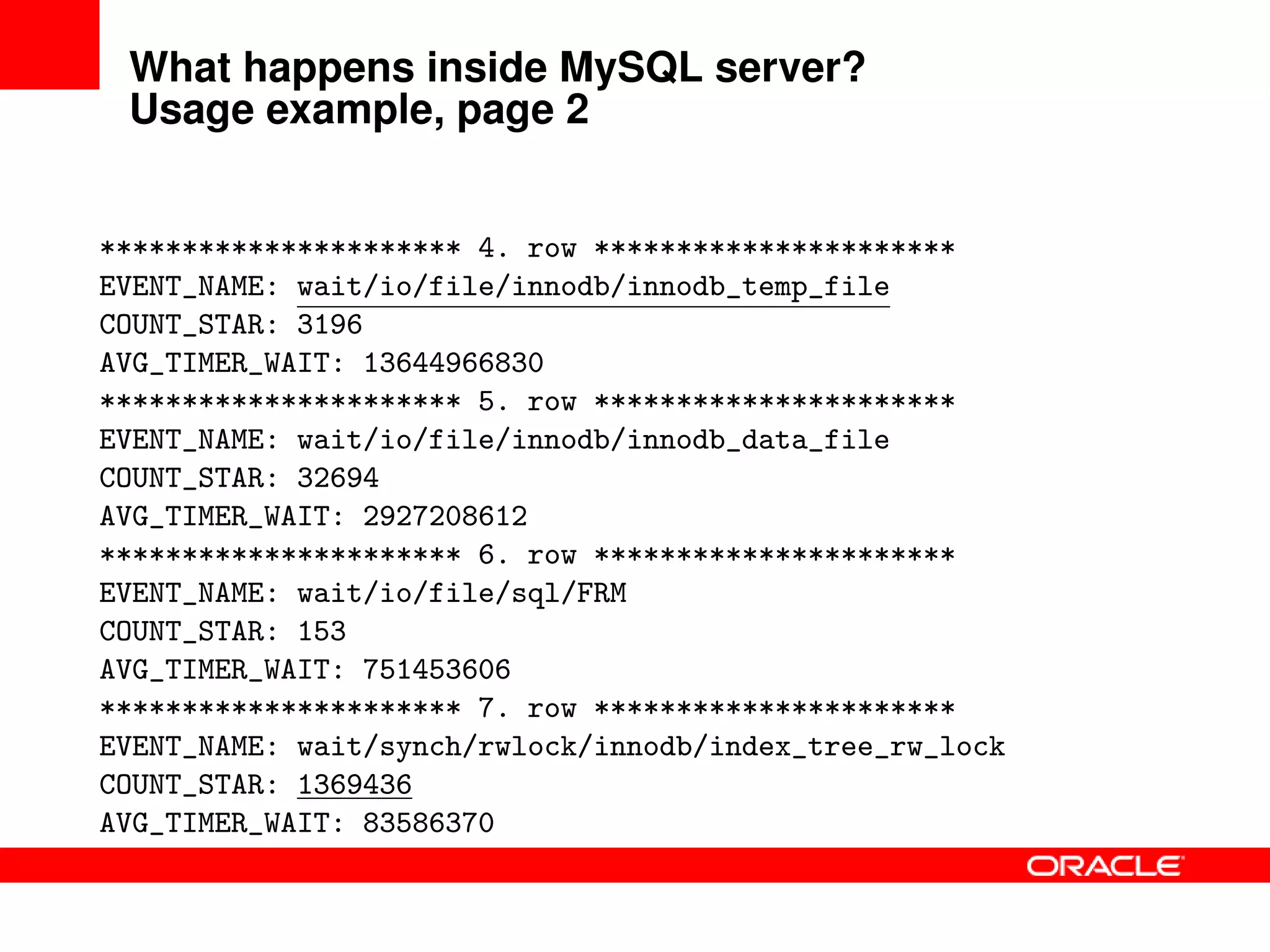
What happens inside MySQL server?
Usage example, page 2
********************** 4. row **********************
EVENT_NAME: wait/io/file/innodb/innodb_temp_file
COUNT_STAR: 3196
AVG_TIMER_WAIT: 13644966830
********************** 5. row **********************
EVENT_NAME: wait/io/file/innodb/innodb_data_file
COUNT_STAR: 32694
AVG_TIMER_WAIT: 2927208612
********************** 6. row **********************
EVENT_NAME: wait/io/file/sql/FRM
COUNT_STAR: 153
AVG_TIMER_WAIT: 751453606
********************** 7. row **********************
EVENT_NAME: wait/synch/rwlock/innodb/index_tree_rw_lock
COUNT_STAR: 1369436
AVG_TIMER_WAIT: 83586370
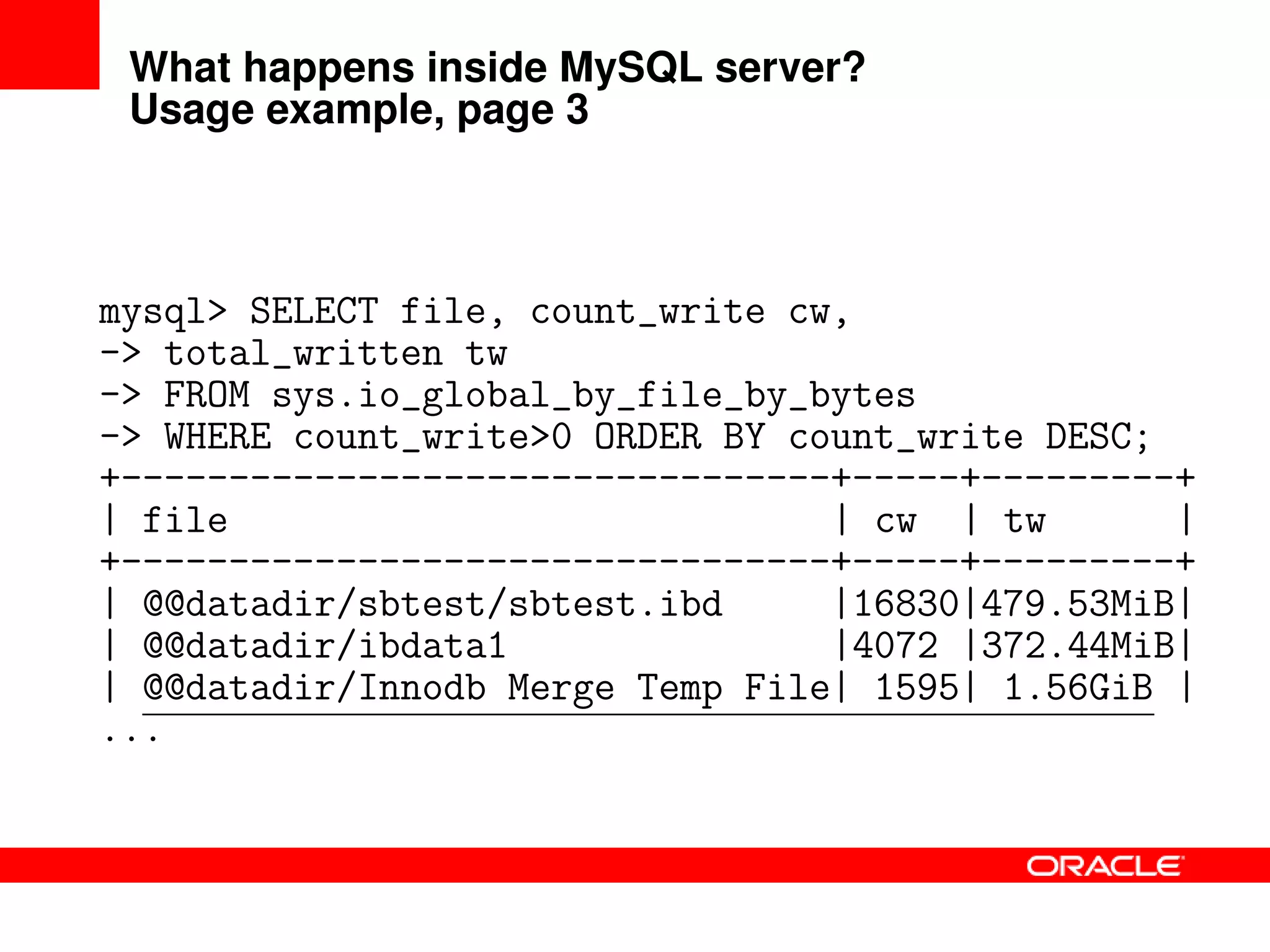
What happens inside MySQL server?
Usage example, page 3
mysql> SELECT file, count_write cw,
-> total_written tw
-> FROM sys.io_global_by_file_by_bytes
-> WHERE count_write>0 ORDER BY count_write DESC;
+---------------------------------+-----+---------+
| file | cw | tw |
+---------------------------------+-----+---------+
| @@datadir/sbtest/sbtest.ibd |16830|479.53MiB|
| @@datadir/ibdata1 |4072 |372.44MiB|
| @@datadir/Innodb Merge Temp File| 1595| 1.56GiB |
...
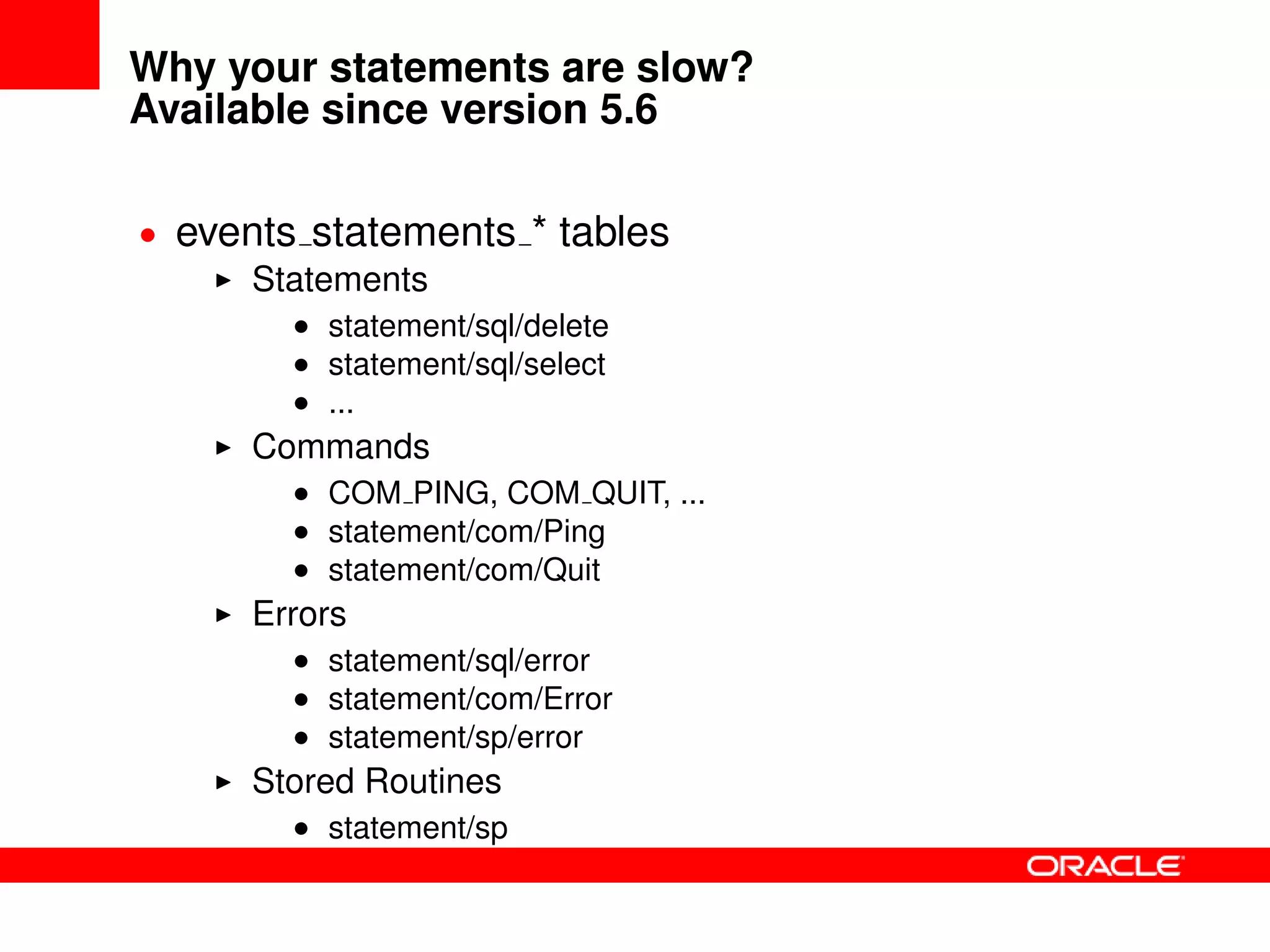
Why your statements are slow?
Available since version 5.6
• events statements * tables
Statements
• statement/sql/delete
• statement/sql/select
• ...
Commands
• COM PING, COM QUIT, ...
• statement/com/Ping
• statement/com/Quit
Errors
• statement/sql/error
• statement/com/Error
• statement/sp/error
Stored Routines
• statement/sp
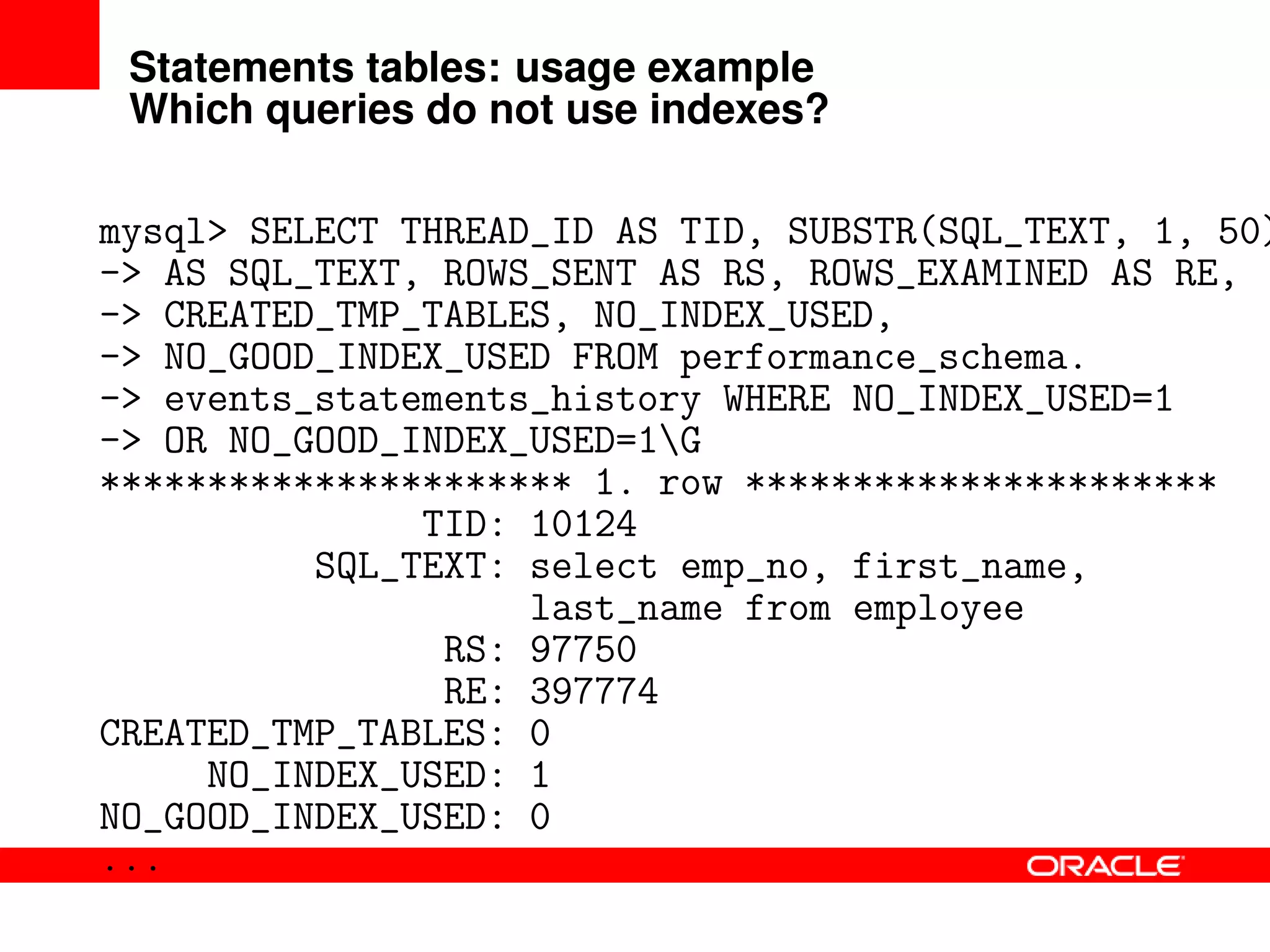
Statements tables: usage example
Which queries do not use indexes?
mysql> SELECT THREAD_ID AS TID, SUBSTR(SQL_TEXT, 1, 50)
-> AS SQL_TEXT, ROWS_SENT AS RS, ROWS_EXAMINED AS RE,
-> CREATED_TMP_TABLES, NO_INDEX_USED,
-> NO_GOOD_INDEX_USED FROM performance_schema.
-> events_statements_history WHERE NO_INDEX_USED=1
-> OR NO_GOOD_INDEX_USED=1G
********************** 1. row **********************
TID: 10124
SQL_TEXT: select emp_no, first_name,
last_name from employee
RS: 97750
RE: 397774
CREATED_TMP_TABLES: 0
NO_INDEX_USED: 1
NO_GOOD_INDEX_USED: 0
...
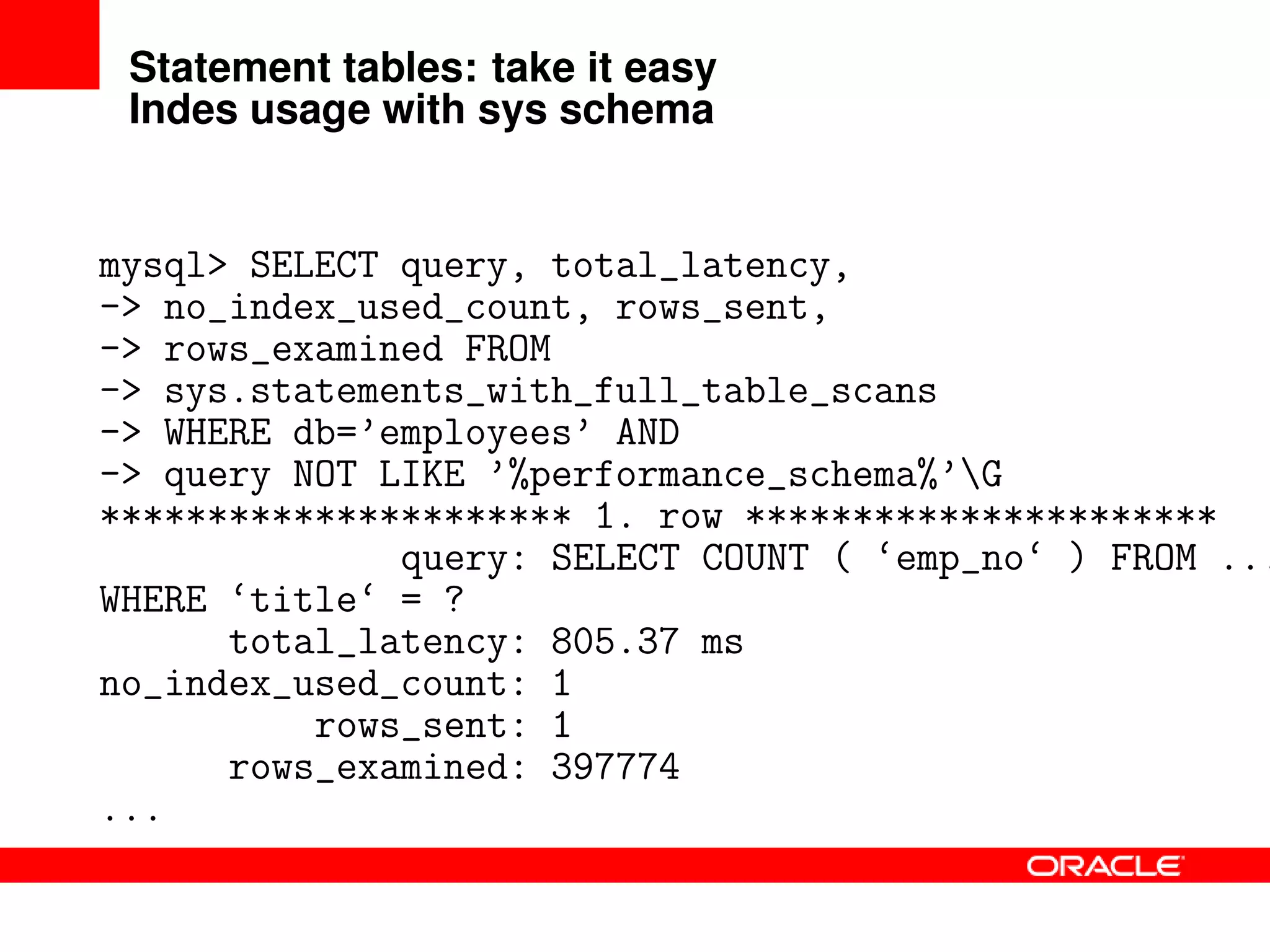
Statement tables: take it easy
Indes usage with sys schema
mysql> SELECT query, total_latency,
-> no_index_used_count, rows_sent,
-> rows_examined FROM
-> sys.statements_with_full_table_scans
-> WHERE db=’employees’ AND
-> query NOT LIKE ’%performance_schema%’G
********************** 1. row **********************
query: SELECT COUNT ( ‘emp_no‘ ) FROM ...
WHERE ‘title‘ = ?
total_latency: 805.37 ms
no_index_used_count: 1
rows_sent: 1
rows_examined: 397774
...
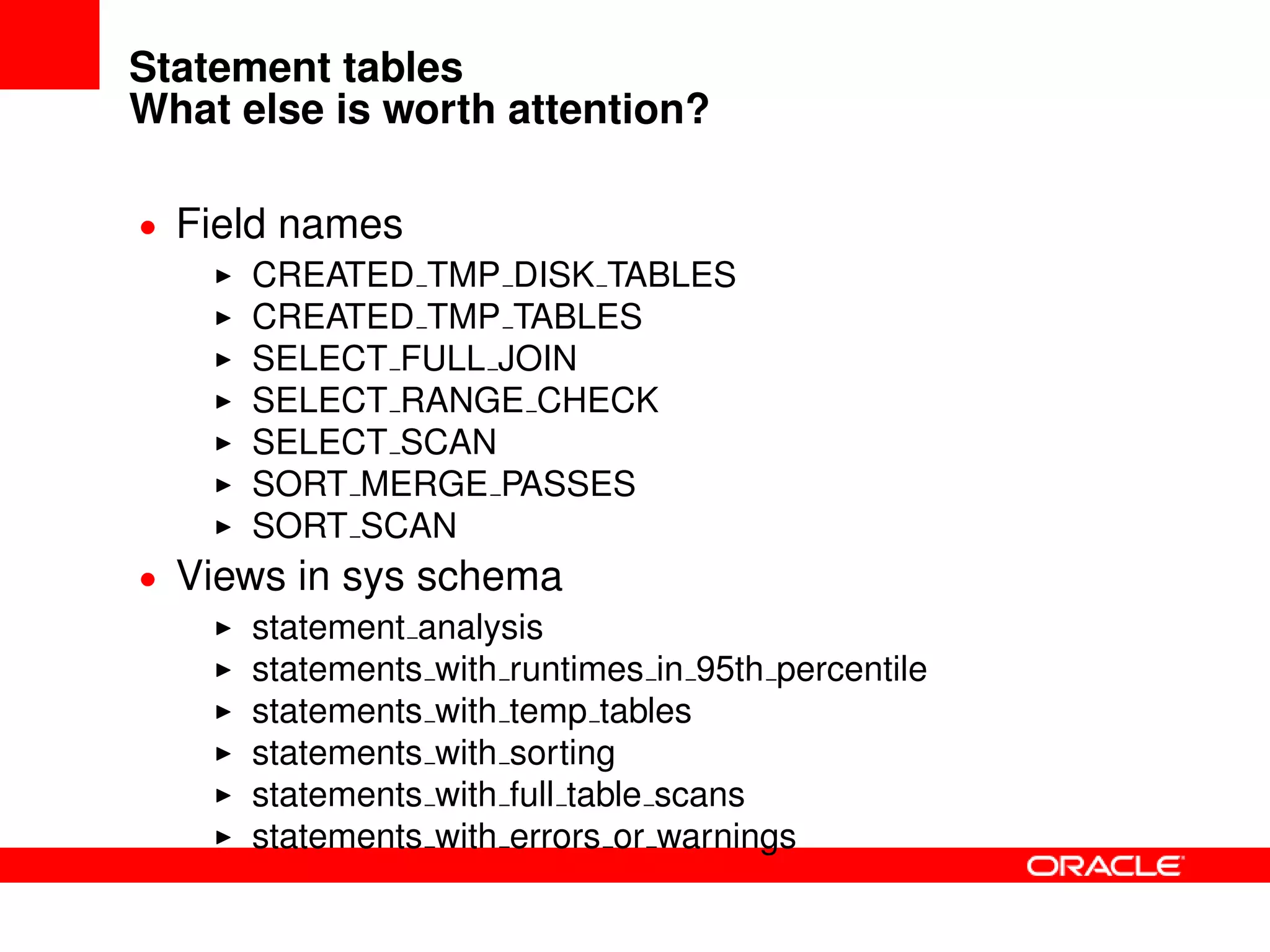
Statement tables
What else is worth attention?
• Field names
CREATED TMP DISK TABLES
CREATED TMP TABLES
SELECT FULL JOIN
SELECT RANGE CHECK
SELECT SCAN
SORT MERGE PASSES
SORT SCAN
• Views in sys schema
statement analysis
statements with runtimes in 95th percentile
statements with temp tables
statements with sorting
statements with full table scans
statements with errors or warnings
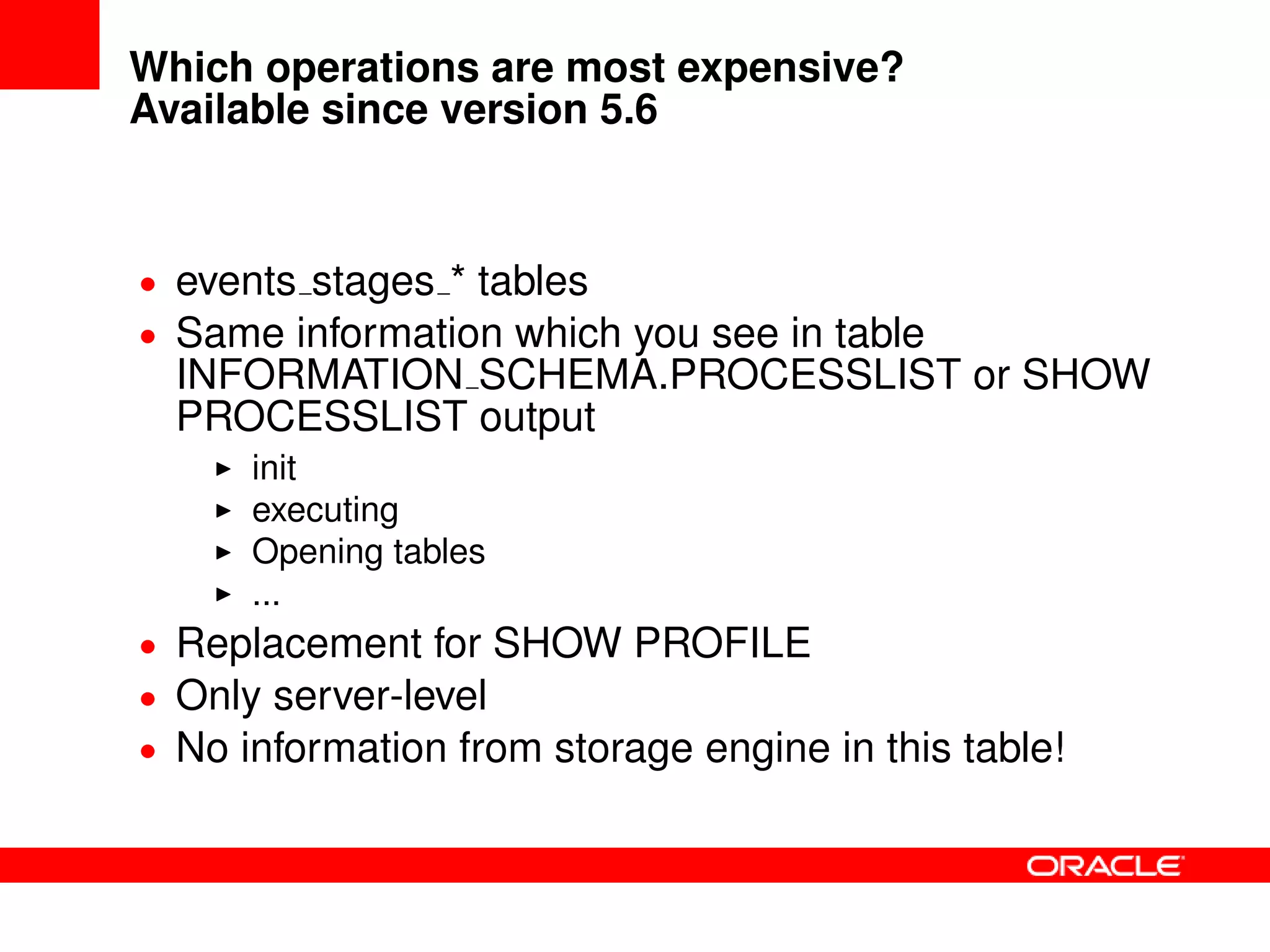
Which operations are most expensive?
Available since version 5.6
• events stages * tables
• Same information which you see in table
INFORMATION SCHEMA.PROCESSLIST or SHOW
PROCESSLIST output
init
executing
Opening tables
...
• Replacement for SHOW PROFILE
• Only server-level
• No information from storage engine in this table!
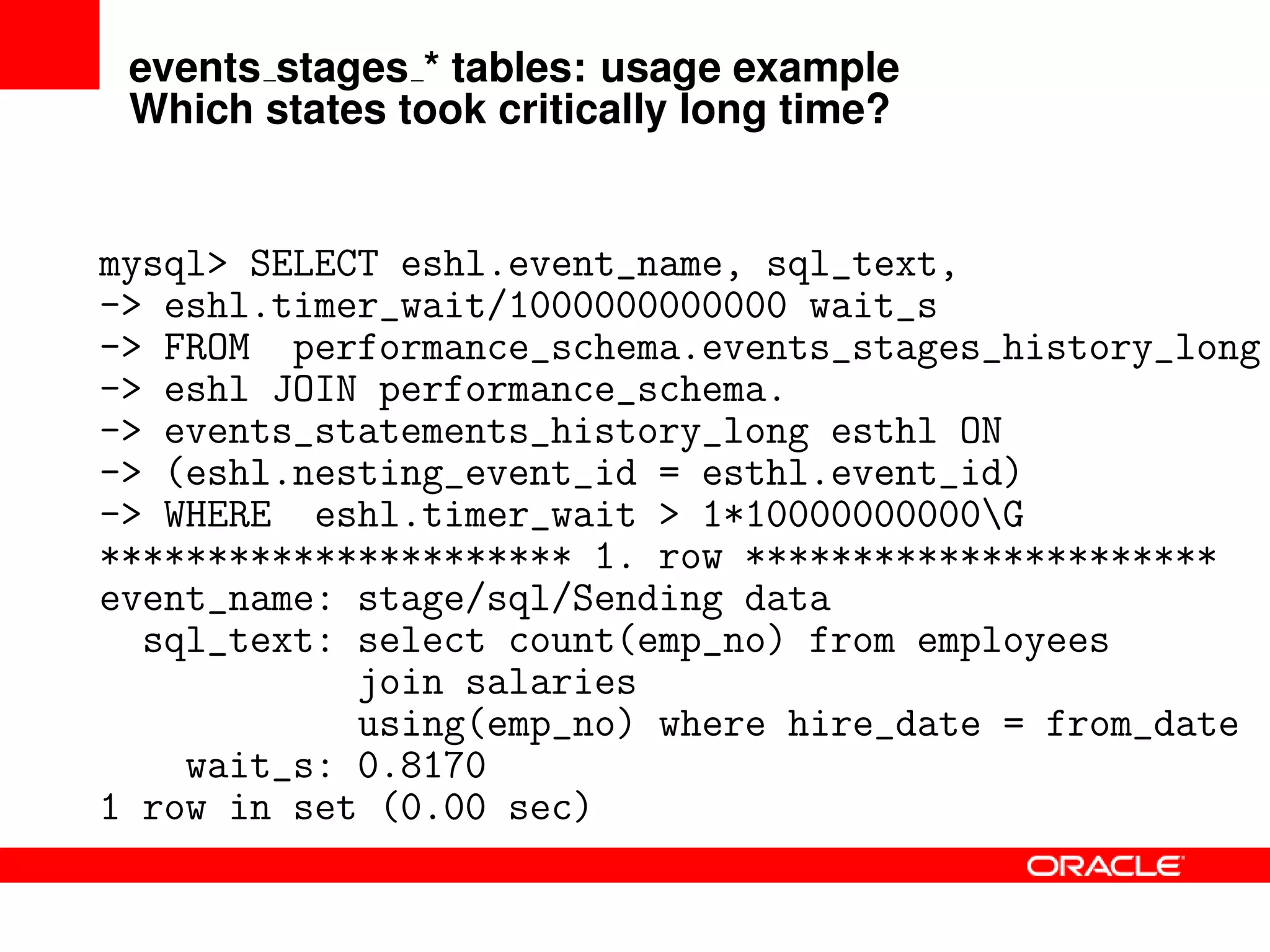
events stages * tables: usage example
Which states took critically long time?
mysql> SELECT eshl.event_name, sql_text,
-> eshl.timer_wait/1000000000000 wait_s
-> FROM performance_schema.events_stages_history_long
-> eshl JOIN performance_schema.
-> events_statements_history_long esthl ON
-> (eshl.nesting_event_id = esthl.event_id)
-> WHERE eshl.timer_wait > 1*10000000000G
********************** 1. row **********************
event_name: stage/sql/Sending data
sql_text: select count(emp_no) from employees
join salaries
using(emp_no) where hire_date = from_date
wait_s: 0.8170
1 row in set (0.00 sec)
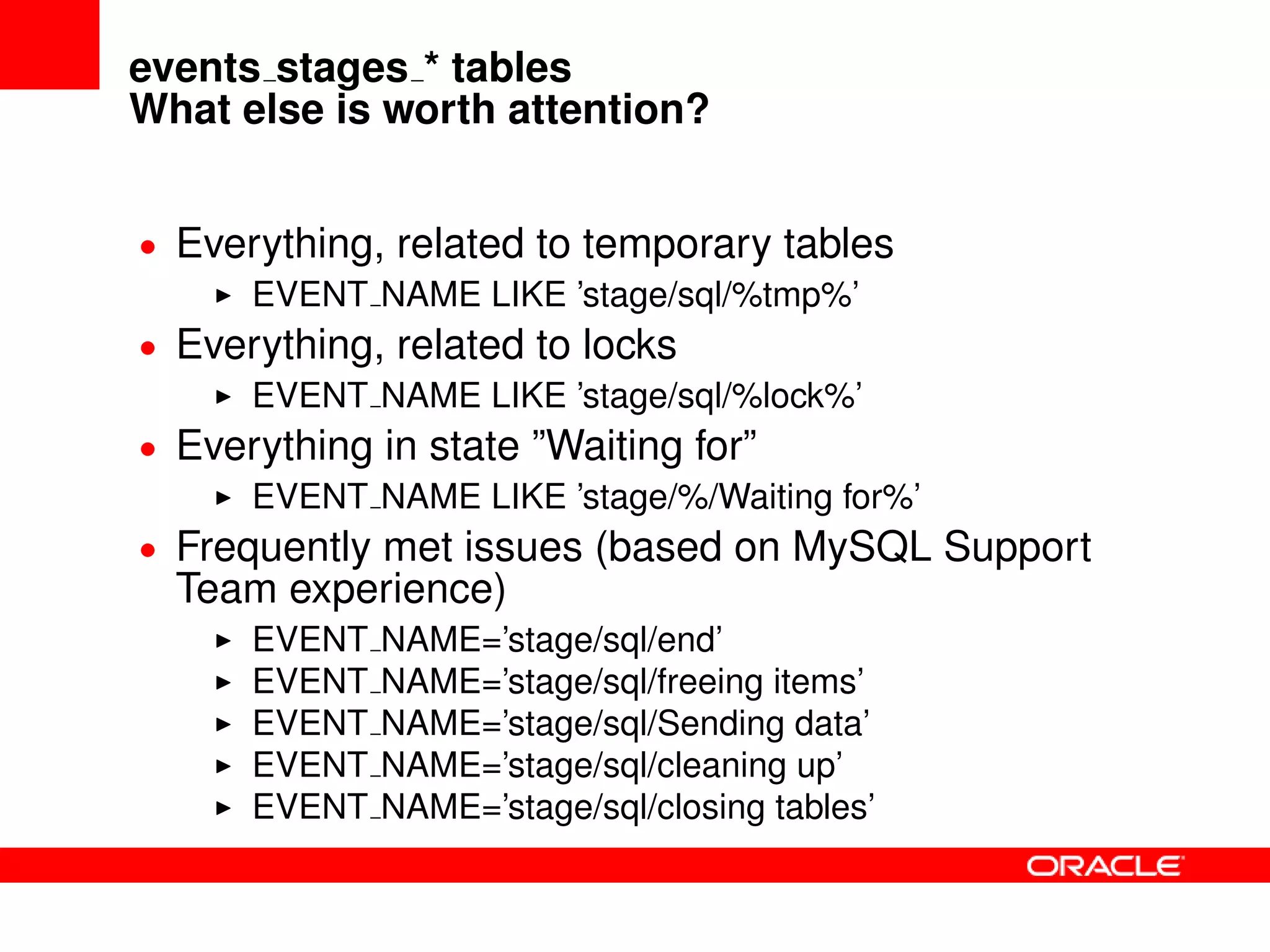
events stages * tables
What else is worth attention?
• Everything, related to temporary tables
EVENT NAME LIKE ’stage/sql/%tmp%’
• Everything, related to locks
EVENT NAME LIKE ’stage/sql/%lock%’
• Everything in state ”Waiting for”
EVENT NAME LIKE ’stage/%/Waiting for%’
• Frequently met issues (based on MySQL Support
Team experience)
EVENT NAME=’stage/sql/end’
EVENT NAME=’stage/sql/freeing items’
EVENT NAME=’stage/sql/Sending data’
EVENT NAME=’stage/sql/cleaning up’
EVENT NAME=’stage/sql/closing tables’
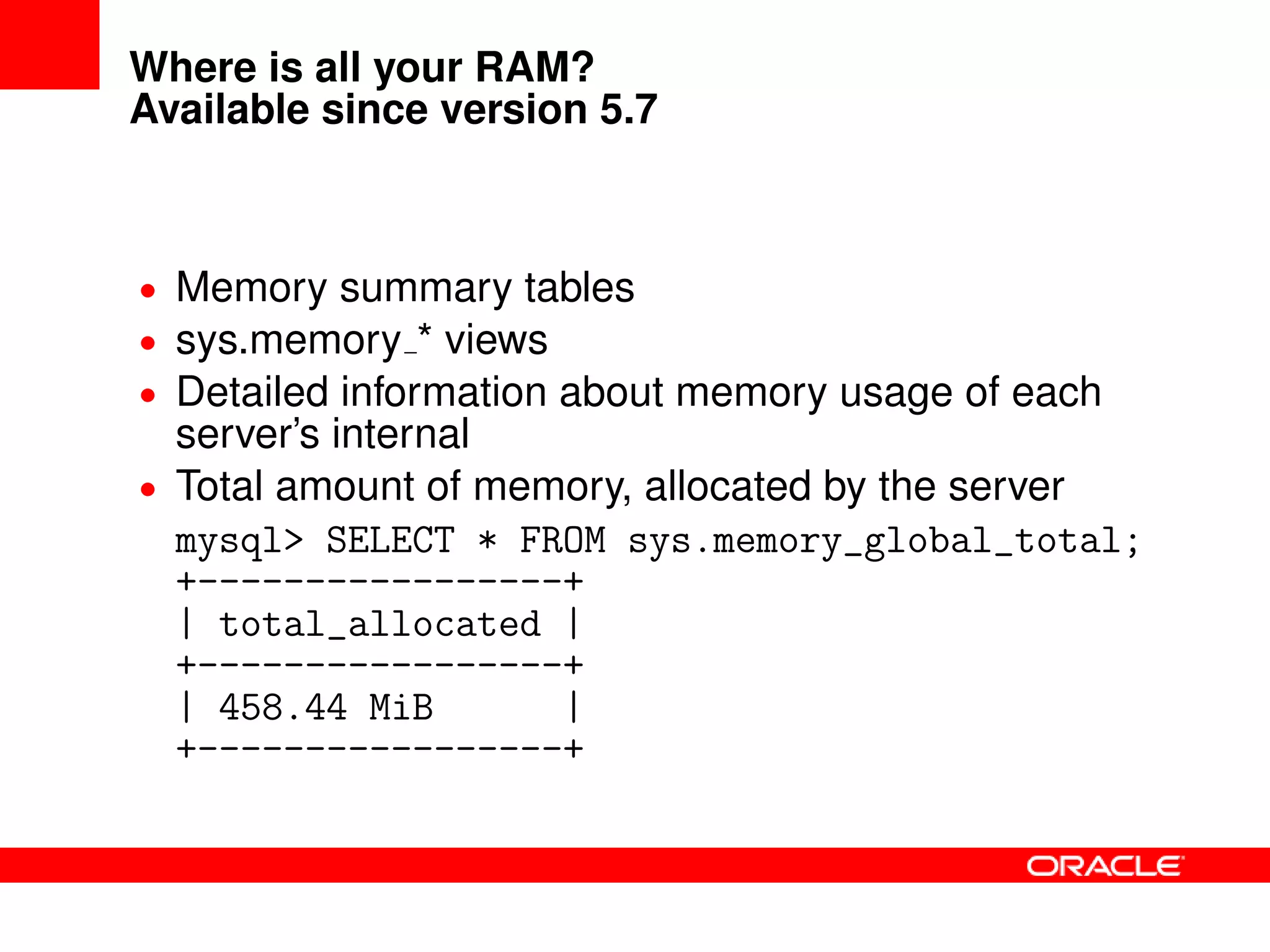
Where is all your RAM?
Available since version 5.7
• Memory summary tables
• sys.memory * views
• Detailed information about memory usage of each
server’s internal
• Total amount of memory, allocated by the server
mysql> SELECT * FROM sys.memory_global_total;
+-----------------+
| total_allocated |
+-----------------+
| 458.44 MiB |
+-----------------+
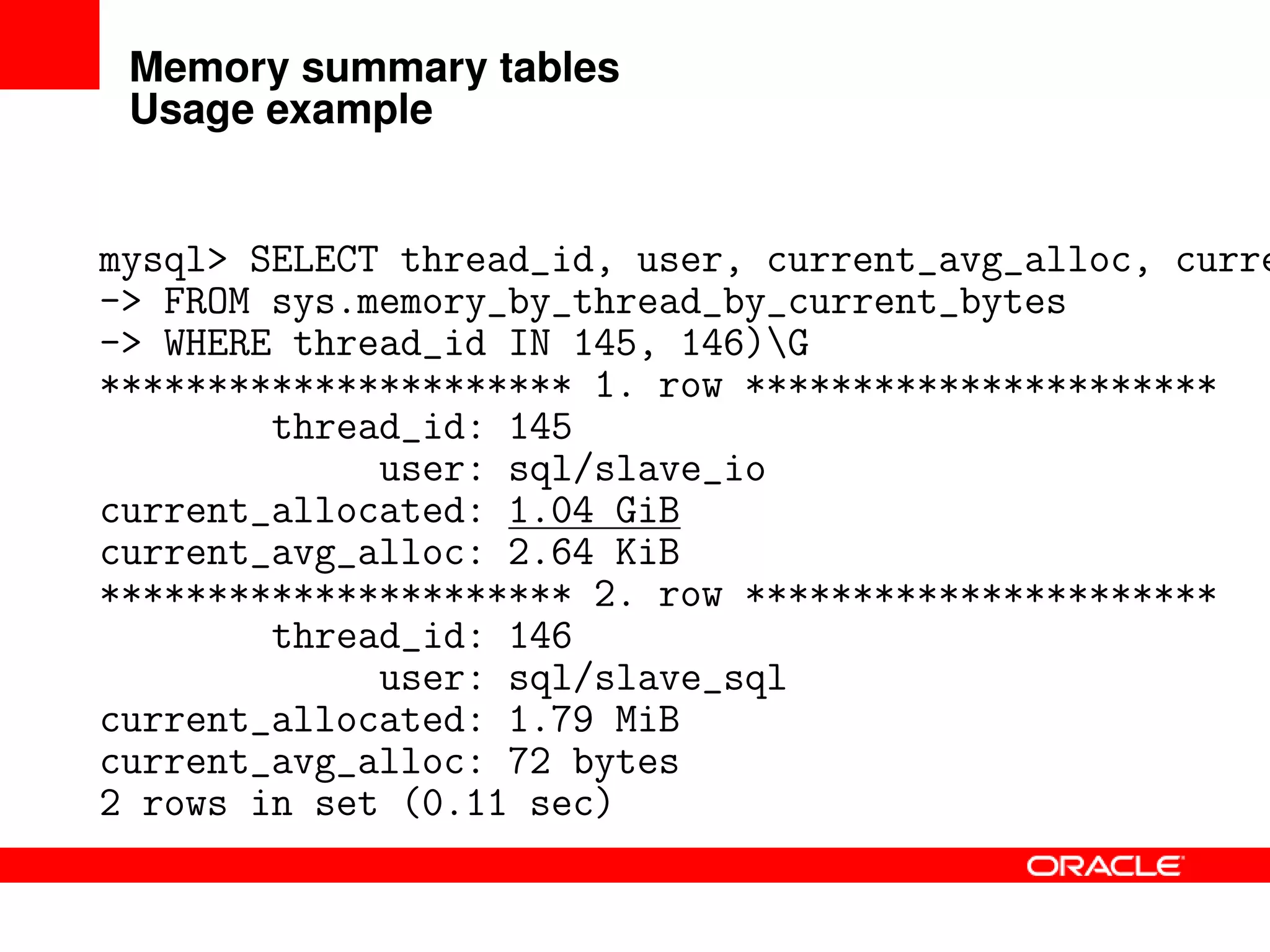
Memory summary tables
Usage example
mysql> SELECT thread_id, user, current_avg_alloc, curre
-> FROM sys.memory_by_thread_by_current_bytes
-> WHERE thread_id IN 145, 146)G
********************** 1. row **********************
thread_id: 145
user: sql/slave_io
current_allocated: 1.04 GiB
current_avg_alloc: 2.64 KiB
********************** 2. row **********************
thread_id: 146
user: sql/slave_sql
current_allocated: 1.79 MiB
current_avg_alloc: 72 bytes
2 rows in set (0.11 sec)
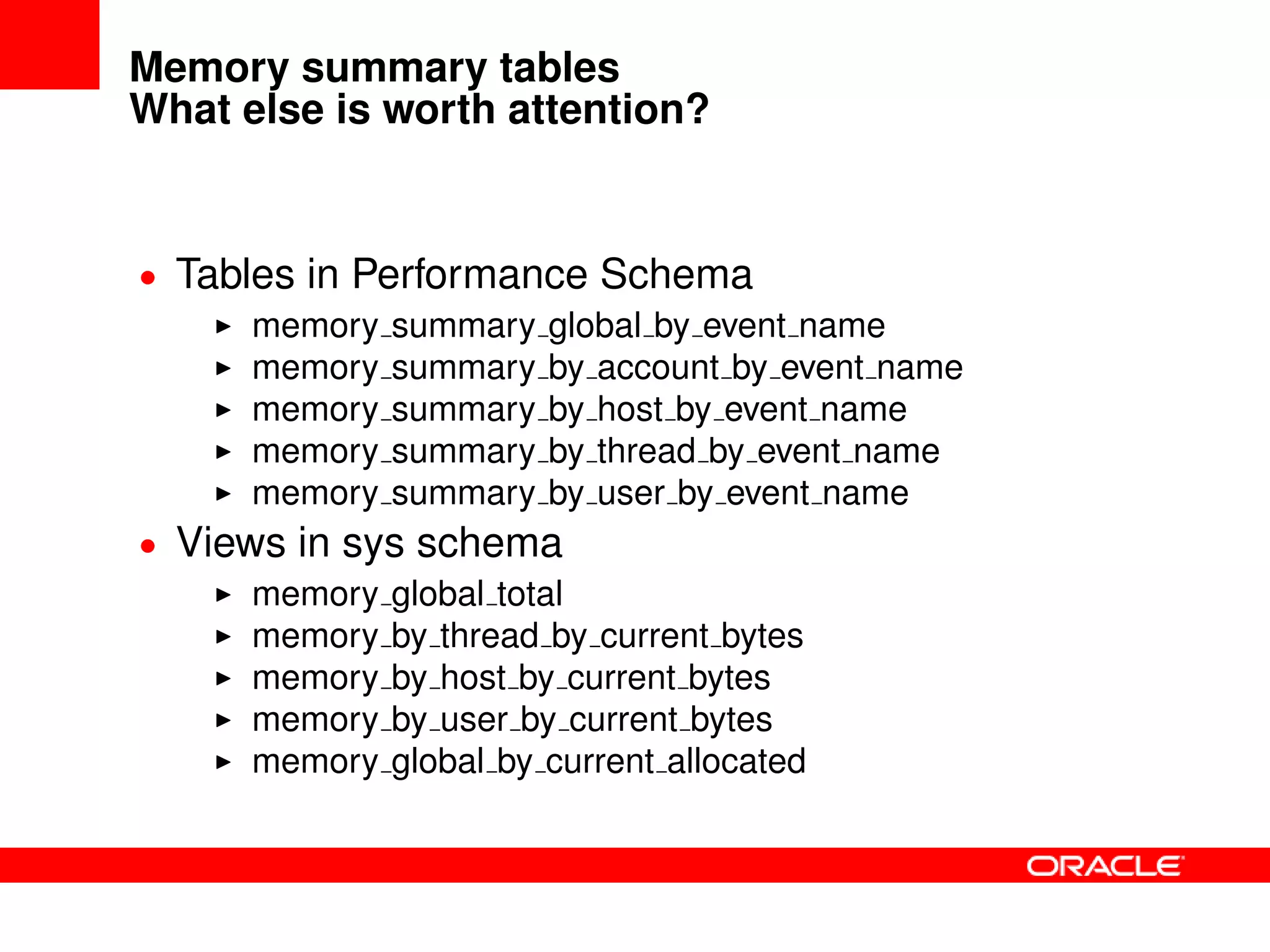
Memory summary tables
What else is worth attention?
• Tables in Performance Schema
memory summary global by event name
memory summary by account by event name
memory summary by host by event name
memory summary by thread by event name
memory summary by user by event name
• Views in sys schema
memory global total
memory by thread by current bytes
memory by host by current bytes
memory by user by current bytes
memory global by current allocated
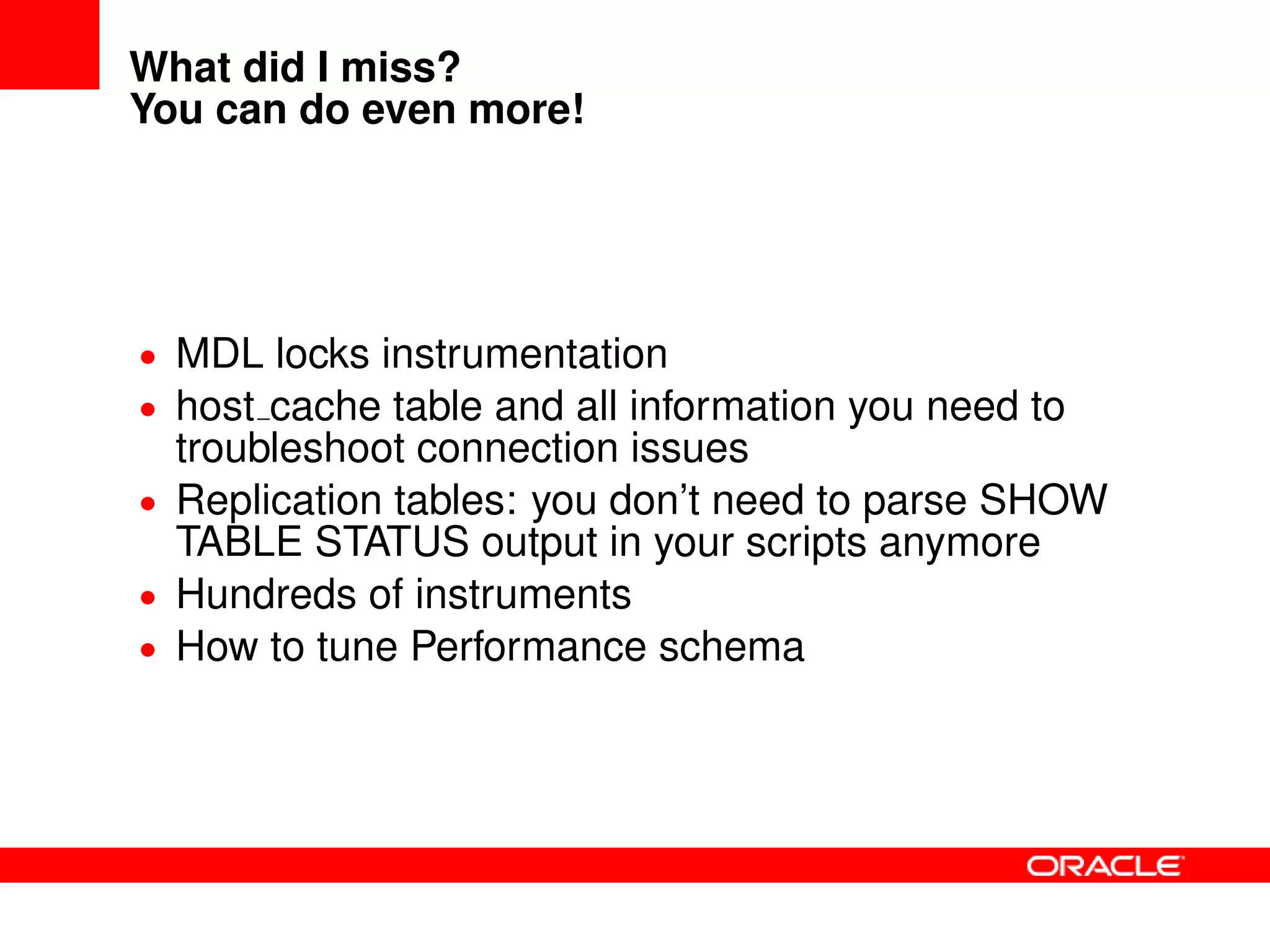
What did I miss?
You can do even more!
• MDL locks instrumentation
• host cache table and all information you need to
troubleshoot connection issues
• Replication tables: you don’t need to parse SHOW
TABLE STATUS output in your scripts anymore
• Hundreds of instruments
• How to tune Performance schema
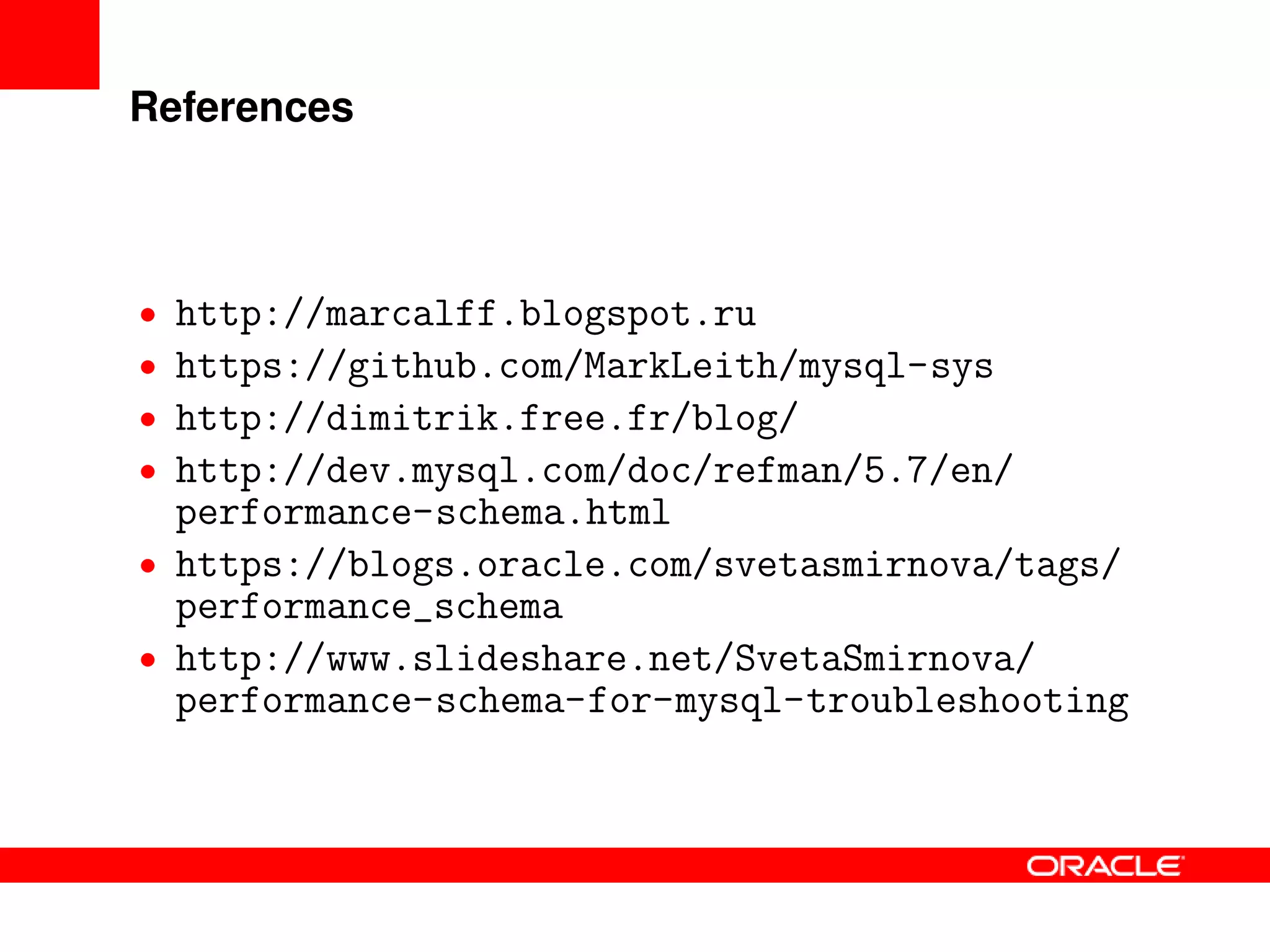
References
• http://marcalff.blogspot.ru
• https://github.com/MarkLeith/mysql-sys
• http://dimitrik.free.fr/blog/
• http://dev.mysql.com/doc/refman/5.7/en/
performance-schema.html
• https://blogs.oracle.com/svetasmirnova/tags/
performance_schema
• http://www.slideshare.net/SvetaSmirnova/
performance-schema-for-mysql-troubleshooting
Thank you
?
The preceding is intended to outline our general product
direction. It is intended for information purposes only, and
may not be incorporated into any contract. It is not a
commitment to deliver any material, code, or functionality,
and should not be relied upon in making purchasing
decisions. The development, release, and timing of any
features or functionality described for Oracle’s products
remains at the sole discretion of Oracle.

Performance Schema for MySQL Troubleshooting

  • 1.
    Performance Schema forMySQL Troubleshooting Sveta Smirnova Senior Principal Technical Support Engineer
  • 2.
    Overview What is inside? •MySQL 5.6 52 tables 554 instruments 31 variables • MySQL 5.7 76 tables 893 instruments 40 variables
  • 3.
    Overview What can youtroubleshoot? • Internal server’s bottlenecks, caused by locks, mutexes, IO • Less optimal statements • Most expensive operations • Connection issues • Memory usage • Replication failures • More
  • 4.
    Basic setup • Setuptables UPDATE performance_schema.setup_instruments SET enabled=’yes’, timed=’yes’ WHERE name LIKE ’stage/%’; UPDATE performance_schema.setup_consumers SET enabled=’yes’ WHERE name LIKE ...; ... • Install sys schema https://github.com/MarkLeith/mysql-sys Install functions and run stored routine $mysql < sys_57.sql CALL sys.ps_setup_enable_consumers(’waits’); CALL sys.ps_setup_enable_instrument(’’);
  • 5.
    What happens insideMySQL server? Available since version 5.5 • setup instruments.NAME wait/io/file • Operations with files wait/io/socket wait/io/table/sql/handler wait/lock/table/sql/handler wait/synch/cond • InnoDB, MyISAM, sql wait/synch/mutex • sql, mysys, storage engines wait/synch/rwlock/ • InnoDB, MyISAM, sql
  • 6.
    What happens insideMySQL server? Usage example mysql> ALTER TABLE sbtest ADD KEY(c,pad); ... • Run some load in parallel client • Check Performance Schema using third connection mysql> SELECT EVENT_NAME, COUNT_STAR, -> AVG_TIMER_WAIT FROM performance_schema. -> events_waits_summary_global_by_event_name -> WHERE count_star>0 -> ORDER BY avg_timer_wait DESC, count_star DESCG <See next slide>
  • 7.
    What happens insideMySQL server? Usage example, page 2 ********************** 4. row ********************** EVENT_NAME: wait/io/file/innodb/innodb_temp_file COUNT_STAR: 3196 AVG_TIMER_WAIT: 13644966830 ********************** 5. row ********************** EVENT_NAME: wait/io/file/innodb/innodb_data_file COUNT_STAR: 32694 AVG_TIMER_WAIT: 2927208612 ********************** 6. row ********************** EVENT_NAME: wait/io/file/sql/FRM COUNT_STAR: 153 AVG_TIMER_WAIT: 751453606 ********************** 7. row ********************** EVENT_NAME: wait/synch/rwlock/innodb/index_tree_rw_lock COUNT_STAR: 1369436 AVG_TIMER_WAIT: 83586370
  • 8.
    What happens insideMySQL server? Usage example, page 3 mysql> SELECT file, count_write cw, -> total_written tw -> FROM sys.io_global_by_file_by_bytes -> WHERE count_write>0 ORDER BY count_write DESC; +---------------------------------+-----+---------+ | file | cw | tw | +---------------------------------+-----+---------+ | @@datadir/sbtest/sbtest.ibd |16830|479.53MiB| | @@datadir/ibdata1 |4072 |372.44MiB| | @@datadir/Innodb Merge Temp File| 1595| 1.56GiB | ...
  • 9.
    Why your statementsare slow? Available since version 5.6 • events statements * tables Statements • statement/sql/delete • statement/sql/select • ... Commands • COM PING, COM QUIT, ... • statement/com/Ping • statement/com/Quit Errors • statement/sql/error • statement/com/Error • statement/sp/error Stored Routines • statement/sp
  • 10.
    Statements tables: usageexample Which queries do not use indexes? mysql> SELECT THREAD_ID AS TID, SUBSTR(SQL_TEXT, 1, 50) -> AS SQL_TEXT, ROWS_SENT AS RS, ROWS_EXAMINED AS RE, -> CREATED_TMP_TABLES, NO_INDEX_USED, -> NO_GOOD_INDEX_USED FROM performance_schema. -> events_statements_history WHERE NO_INDEX_USED=1 -> OR NO_GOOD_INDEX_USED=1G ********************** 1. row ********************** TID: 10124 SQL_TEXT: select emp_no, first_name, last_name from employee RS: 97750 RE: 397774 CREATED_TMP_TABLES: 0 NO_INDEX_USED: 1 NO_GOOD_INDEX_USED: 0 ...
  • 11.
    Statement tables: takeit easy Indes usage with sys schema mysql> SELECT query, total_latency, -> no_index_used_count, rows_sent, -> rows_examined FROM -> sys.statements_with_full_table_scans -> WHERE db=’employees’ AND -> query NOT LIKE ’%performance_schema%’G ********************** 1. row ********************** query: SELECT COUNT ( ‘emp_no‘ ) FROM ... WHERE ‘title‘ = ? total_latency: 805.37 ms no_index_used_count: 1 rows_sent: 1 rows_examined: 397774 ...
  • 12.
    Statement tables What elseis worth attention? • Field names CREATED TMP DISK TABLES CREATED TMP TABLES SELECT FULL JOIN SELECT RANGE CHECK SELECT SCAN SORT MERGE PASSES SORT SCAN • Views in sys schema statement analysis statements with runtimes in 95th percentile statements with temp tables statements with sorting statements with full table scans statements with errors or warnings
  • 13.
    Which operations aremost expensive? Available since version 5.6 • events stages * tables • Same information which you see in table INFORMATION SCHEMA.PROCESSLIST or SHOW PROCESSLIST output init executing Opening tables ... • Replacement for SHOW PROFILE • Only server-level • No information from storage engine in this table!
  • 14.
    events stages *tables: usage example Which states took critically long time? mysql> SELECT eshl.event_name, sql_text, -> eshl.timer_wait/1000000000000 wait_s -> FROM performance_schema.events_stages_history_long -> eshl JOIN performance_schema. -> events_statements_history_long esthl ON -> (eshl.nesting_event_id = esthl.event_id) -> WHERE eshl.timer_wait > 1*10000000000G ********************** 1. row ********************** event_name: stage/sql/Sending data sql_text: select count(emp_no) from employees join salaries using(emp_no) where hire_date = from_date wait_s: 0.8170 1 row in set (0.00 sec)
  • 15.
    events stages *tables What else is worth attention? • Everything, related to temporary tables EVENT NAME LIKE ’stage/sql/%tmp%’ • Everything, related to locks EVENT NAME LIKE ’stage/sql/%lock%’ • Everything in state ”Waiting for” EVENT NAME LIKE ’stage/%/Waiting for%’ • Frequently met issues (based on MySQL Support Team experience) EVENT NAME=’stage/sql/end’ EVENT NAME=’stage/sql/freeing items’ EVENT NAME=’stage/sql/Sending data’ EVENT NAME=’stage/sql/cleaning up’ EVENT NAME=’stage/sql/closing tables’
  • 16.
    Where is allyour RAM? Available since version 5.7 • Memory summary tables • sys.memory * views • Detailed information about memory usage of each server’s internal • Total amount of memory, allocated by the server mysql> SELECT * FROM sys.memory_global_total; +-----------------+ | total_allocated | +-----------------+ | 458.44 MiB | +-----------------+
  • 17.
    Memory summary tables Usageexample mysql> SELECT thread_id, user, current_avg_alloc, curre -> FROM sys.memory_by_thread_by_current_bytes -> WHERE thread_id IN 145, 146)G ********************** 1. row ********************** thread_id: 145 user: sql/slave_io current_allocated: 1.04 GiB current_avg_alloc: 2.64 KiB ********************** 2. row ********************** thread_id: 146 user: sql/slave_sql current_allocated: 1.79 MiB current_avg_alloc: 72 bytes 2 rows in set (0.11 sec)
  • 18.
    Memory summary tables Whatelse is worth attention? • Tables in Performance Schema memory summary global by event name memory summary by account by event name memory summary by host by event name memory summary by thread by event name memory summary by user by event name • Views in sys schema memory global total memory by thread by current bytes memory by host by current bytes memory by user by current bytes memory global by current allocated
  • 19.
    What did Imiss? You can do even more! • MDL locks instrumentation • host cache table and all information you need to troubleshoot connection issues • Replication tables: you don’t need to parse SHOW TABLE STATUS output in your scripts anymore • Hundreds of instruments • How to tune Performance schema
  • 20.
    References • http://marcalff.blogspot.ru • https://github.com/MarkLeith/mysql-sys •http://dimitrik.free.fr/blog/ • http://dev.mysql.com/doc/refman/5.7/en/ performance-schema.html • https://blogs.oracle.com/svetasmirnova/tags/ performance_schema • http://www.slideshare.net/SvetaSmirnova/ performance-schema-for-mysql-troubleshooting
  • 21.
  • 22.
  • 23.
    The preceding isintended to outline our general product direction. It is intended for information purposes only, and may not be incorporated into any contract. It is not a commitment to deliver any material, code, or functionality, and should not be relied upon in making purchasing decisions. The development, release, and timing of any features or functionality described for Oracle’s products remains at the sole discretion of Oracle.