Moving to the NoSQL side: MySQL JSON functions
Sveta Smirnova
Senior Principal Technical Support Engineer
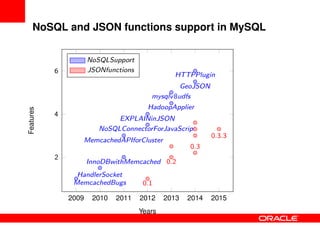
NoSQL and JSON functions support in MySQL
0.1
0.2
0.3
0.3.3
MemcachedBugs
HandlerSocket
InnoDBwithMemcached
MemcachedAPIforCluster
NoSQLConnectorForJavaScript
EXPLAINinJSON
HadoopApplier
mysqlv8udfs
GeoJSON
HTTPPlugin
2009 2010 2011 2012 2013 2014 2015
2
4
6
Years
Features
NoSQLSupport
JSONfunctions
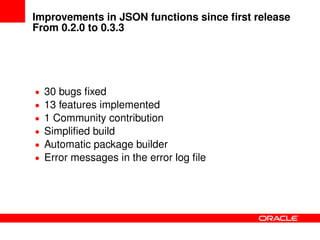
Improvements in JSON functions since first release
From 0.2.0 to 0.3.3
• 30 bugs fixed
• 13 features implemented
• 1 Community contribution
• Simplified build
• Automatic package builder
• Error messages in the error log file
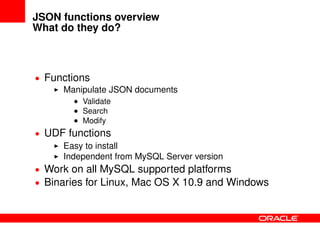
JSON functions overview
What do they do?
• Functions
Manipulate JSON documents
• Validate
• Search
• Modify
• UDF functions
Easy to install
Independent from MySQL Server version
• Work on all MySQL supported platforms
• Binaries for Linux, Mac OS X 10.9 and Windows
Function descriptions
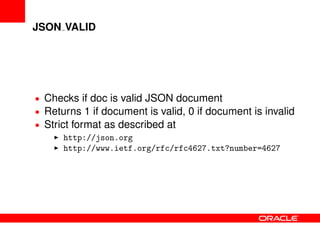
JSON VALID
• Checks if doc is valid JSON document
• Returns 1 if document is valid, 0 if document is invalid
• Strict format as described at
http://json.org
http://www.ietf.org/rfc/rfc4627.txt?number=4627
JSON VALID
Usage example
mysql> select json_valid(
-> ’{"Fosdem": ["conference", 2015]}’),
-> json_valid(’["conference", 2015]’),
-> json_valid(’"conference"’),
-> json_valid(’{"Fosdem"}’)G
********************** 1. row **********************
json_valid(’{"Fosdem": ["conference", 2015]}’): 1
json_valid(’["conference", 2015]’): 1
json_valid(’"conference"’): 1
json_valid(’{"Fosdem"}’): 0
1 row in set (0.00 sec)
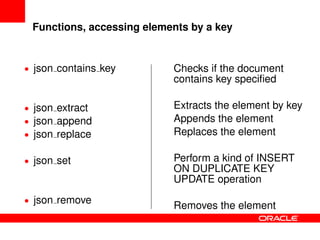
Functions, accessing elements by a key
• json contains key
• json extract
• json append
• json replace
• json set
• json remove
Checks if the document
contains key specified
Extracts the element by key
Appends the element
Replaces the element
Perform a kind of INSERT
ON DUPLICATE KEY
UPDATE operation
Removes the element
json contains key(doc, keypart1, keypart2, ...)
Usage example
SET optimizer_trace=1;
mysql> select user from mysql.user;
...
mysql> select json_contains_key(trace, ’steps’, ’1’,
-> ’join_optimization’, ’steps’, ’0’,
-> ’condition_processing’) as contains
-> from information_schema.optimizer_trace;
+----------+
| contains |
+----------+
| 0 |
+----------+
1 row in set (0.01 sec)
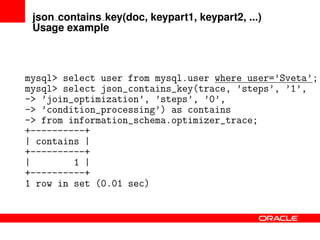
json contains key(doc, keypart1, keypart2, ...)
Usage example
mysql> select user from mysql.user where user=’Sveta’;
mysql> select json_contains_key(trace, ’steps’, ’1’,
-> ’join_optimization’, ’steps’, ’0’,
-> ’condition_processing’) as contains
-> from information_schema.optimizer_trace;
+----------+
| contains |
+----------+
| 1 |
+----------+
1 row in set (0.01 sec)
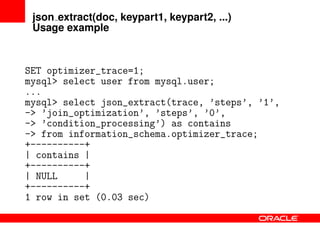
json extract(doc, keypart1, keypart2, ...)
Usage example
SET optimizer_trace=1;
mysql> select user from mysql.user;
...
mysql> select json_extract(trace, ’steps’, ’1’,
-> ’join_optimization’, ’steps’, ’0’,
-> ’condition_processing’) as contains
-> from information_schema.optimizer_trace;
+----------+
| contains |
+----------+
| NULL |
+----------+
1 row in set (0.03 sec)
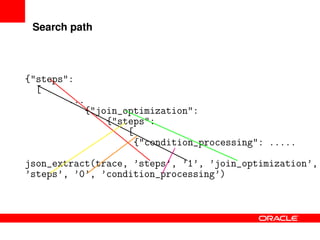
Search path
{"steps":
[
...
{"join_optimization":
{"steps":
[
{"condition_processing": .....
json_extract(trace, ’steps’, ’1’, ’join_optimization’,
’steps’, ’0’, ’condition_processing’)
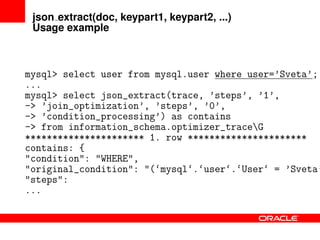
json extract(doc, keypart1, keypart2, ...)
Usage example
mysql> select user from mysql.user where user=’Sveta’;
...
mysql> select json_extract(trace, ’steps’, ’1’,
-> ’join_optimization’, ’steps’, ’0’,
-> ’condition_processing’) as contains
-> from information_schema.optimizer_traceG
********************** 1. row **********************
contains: {
"condition": "WHERE",
"original_condition": "(‘mysql‘.‘user‘.‘User‘ = ’Sveta’
"steps":
...
json append(doc, keypart1, keypart2, ..., new element)
Usage example
mysql> select json_append(
-> ’{"Fosdem": ["conference", 2015]}’,
-> ’Fosdem’, 2, ’"Brussels"’) as el2,
-> json_append(’{"Fosdem": ["conference", 2015]}’,
-> ’Fosdem’, -1, ’"Brussels"’) as ‘el-1‘,
-> json_append(’{"Fosdem": ["conference", 2015]}’,
-> ’Fosdem’, 1, ’"Brussels"’) as el1G
********************** 1. row **********************
el2: {"Fosdem": ["conference", 2015, "Brussels"]}
el-1: {"Fosdem": ["conference", 2015, "Brussels"]}
el1: {"Fosdem": ["conference", 2015]}
1 row in set (0.00 sec)
json replace(doc, keypart1, keypart2, ..., new value)
Usage example
mysql> select json_replace(
-> ’{"Fosdem": ["conference", 2015]}’,
-> ’Fosdem’, 0, ’"User conference"’) as el0,
-> json_replace(’{"Fosdem": ["conference", 2015]}’,
-> ’Fosdem’, 2, ’"User conference"’) as el2,
-> json_replace(’{"Fosdem": ["conference", 2015]}’,
-> ’Fosdem’, -1, ’"User conference"’) as ‘el-1‘G
********************** 1. row **********************
el0: {"Fosdem": ["User conference", 2015]}
el2: {"Fosdem": ["conference", 2015]}
el-1: {"Fosdem": ["conference", 2015]}
1 row in set (0.01 sec)
json set(doc, keypart1, keypart2, ..., new value)
Usage example
mysql> select json_set(
-> ’{"Fosdem": ["conference", 2015]}’,
-> ’Fosdem’, 0, ’"User conference"’) as el0,
-> json_set(’{"Fosdem": ["conference", 2015]}’,
-> ’Fosdem’, 2, ’"Brussels"’) as el2,
-> json_set(’{"Fosdem": ["conference", 2015]}’,
-> ’Fosdem’, -1, ’"Brussels"’) as ‘el-1‘G
********************** 1. row **********************
el0: {"Fosdem": ["User conference", 2015]}
el2: {"Fosdem": ["conference", 2015, "Brussels"]}
el-1: {"Fosdem": ["conference", 2015, "Brussels"]}
1 row in set (0.00 sec)
json remove(doc, keypart1, keypart2, ...)
Usage example
mysql> select json_remove(
-> ’{"Fosdem": ["conference", 2015]}’,
-> ’Fosdem’, 1) as el1,
-> json_remove(’{"Fosdem": ["conference", 2015]}’,
-> ’Fosdem’, 2) as el2,
-> json_remove(’{"Fosdem": ["conference", 2015]}’,
-> ’Fosdem’, -1) as ‘el-1‘G
********************** 1. row **********************
el1: {"Fosdem": ["conference"]}
el2: {"Fosdem": ["conference", 2015]}
el-1: {"Fosdem": ["conference", 2015]}
1 row in set (0.00 sec)
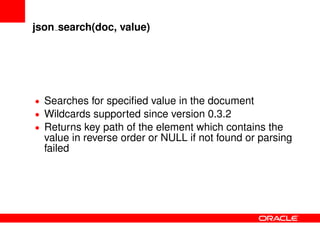
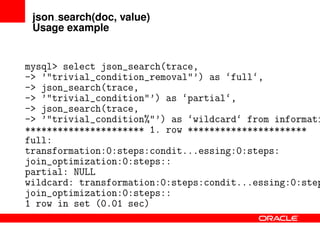
json search(doc, value)
• Searches for specified value in the document
• Wildcards supported since version 0.3.2
• Returns key path of the element which contains the
value in reverse order or NULL if not found or parsing
failed
json search(doc, value)
Usage example
mysql> select json_search(trace,
-> ’"trivial_condition_removal"’) as ‘full‘,
-> json_search(trace,
-> ’"trivial_condition"’) as ‘partial‘,
-> json_search(trace,
-> ’"trivial_condition%"’) as ‘wildcard‘ from informati
********************** 1. row **********************
full:
transformation:0:steps:condit...essing:0:steps:
join_optimization:0:steps::
partial: NULL
wildcard: transformation:0:steps:condit...essing:0:step
join_optimization:0:steps::
1 row in set (0.01 sec)
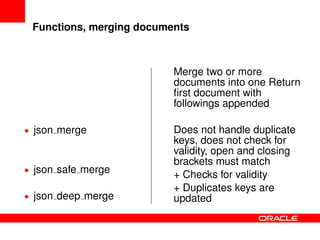
Functions, merging documents
• json merge
• json safe merge
• json deep merge
Merge two or more
documents into one Return
first document with
followings appended
Does not handle duplicate
keys, does not check for
validity, open and closing
brackets must match
+ Checks for validity
+ Duplicates keys are
updated
json [safe |deep ]merge(doc1, doc2, ...)
Usage example
mysql> select json_merge(’{"Fosdem": ["BE", 2014]}’,
-> ’{"Fosdem": ["BE" 2015]}’) as ’jm’,
-> json_safe_merge(’{"Fosdem": ["BE", 2014]}’,
-> ’{"Fosdem": ["BE" 2015]}’) as ’jsm’,
-> json_safe_merge(’{"Fosdem": ["BE", 2014]}’,
-> ’{"Fosdem": ["BE", 2015]}’) as ’jsm’,
-> json_deep_merge(’{"Fosdem": ["BE", 2014]}’,
-> ’{"Fosdem": ["BE", 2015]}’) as ’jdm’G
********************** 1. row **********************
jm: {"Fosdem": ["BE", 2014], "Fosdem": ["BE" 2015]}
jsm: {"Fosdem": ["BE", 2014]}
jsm: {"Fosdem": ["BE", 2014], "Fosdem": ["BE", 2015]}
jdm: {"Fosdem": ["BE", 2014, "BE", 2015]}
1 row in set (0.00 sec)
json depth(doc)
• Returns depth of the document
• mysql> select json_depth(
-> ’{"Fosdem": ["conference", 2015]}’)
-> as ’json_depth’;
+------------+
| json_depth |
+------------+
| 3 |
+------------+
1 row in set (0.00 sec)
json count(doc[, keypart1[, keypart2[, ...]]])
• Returns number of childs of the key specified
• mysql> select json_count(
-> ’{"Fosdem": ["conference", 2015]}’)
-> as ’root count’,
-> json_count(’{"Fosdem": ["conference", 2015]}’,
-> ’Fosdem’) as ’first element count’G
********************** 1. row *********************
root count: 1
first element count: 2
1 row in set (0.00 sec)
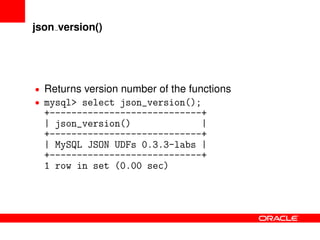
json version()
• Returns version number of the functions
• mysql> select json_version();
+----------------------------+
| json_version() |
+----------------------------+
| MySQL JSON UDFs 0.3.3-labs |
+----------------------------+
1 row in set (0.00 sec)
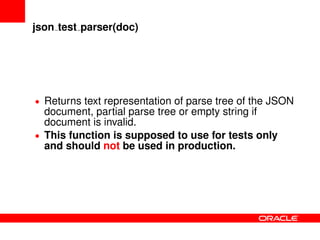
json test parser(doc)
• Returns text representation of parse tree of the JSON
document, partial parse tree or empty string if
document is invalid.
• This function is supposed to use for tests only
and should not be used in production.
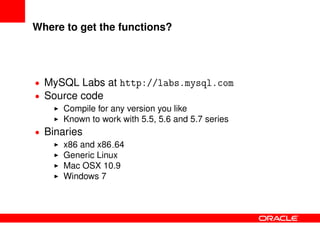
Where to get the functions?
• MySQL Labs at http://labs.mysql.com
• Source code
Compile for any version you like
Known to work with 5.5, 5.6 and 5.7 series
• Binaries
x86 and x86 64
Generic Linux
Mac OSX 10.9
Windows 7
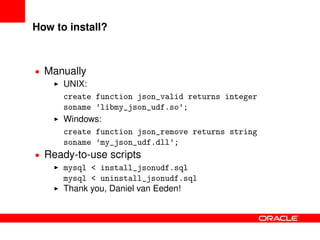
How to install?
• Manually
UNIX:
create function json_valid returns integer
soname ’libmy_json_udf.so’;
Windows:
create function json_remove returns string
soname ’my_json_udf.dll’;
• Ready-to-use scripts
mysql < install_jsonudf.sql
mysql < uninstall_jsonudf.sql
Thank you, Daniel van Eeden!
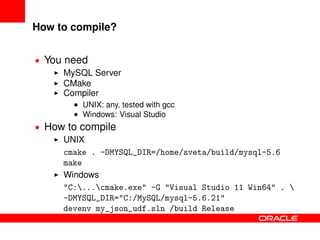
How to compile?
• You need
MySQL Server
CMake
Compiler
• UNIX: any, tested with gcc
• Windows: Visual Studio
• How to compile
UNIX
cmake . -DMYSQL_DIR=/home/sveta/build/mysql-5.6
make
Windows
"C:...cmake.exe" -G "Visual Studio 11 Win64" . 
-DMYSQL_DIR="C:/MySQL/mysql-5.6.21"
devenv my_json_udf.sln /build Release
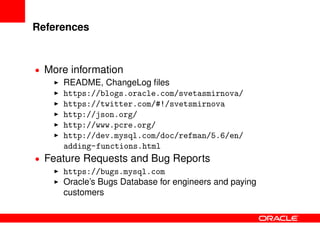
References
• More information
README, ChangeLog files
https://blogs.oracle.com/svetasmirnova/
https://twitter.com/#!/svetsmirnova
http://json.org/
http://www.pcre.org/
http://dev.mysql.com/doc/refman/5.6/en/
adding-functions.html
• Feature Requests and Bug Reports
https://bugs.mysql.com
Oracle’s Bugs Database for engineers and paying
customers
Thank you
?
The preceding is intended to outline our general product
direction. It is intended for information purposes only, and
may not be incorporated into any contract. It is not a
commitment to deliver any material, code, or functionality,
and should not be relied upon in making purchasing
decisions. The development, release, and timing of any
features or functionality described for Oracle’s products
remains at the sole discretion of Oracle.

Moving to the NoSQL side: MySQL JSON functions

  • 1.
    Moving to theNoSQL side: MySQL JSON functions Sveta Smirnova Senior Principal Technical Support Engineer
  • 2.
    NoSQL and JSONfunctions support in MySQL 0.1 0.2 0.3 0.3.3 MemcachedBugs HandlerSocket InnoDBwithMemcached MemcachedAPIforCluster NoSQLConnectorForJavaScript EXPLAINinJSON HadoopApplier mysqlv8udfs GeoJSON HTTPPlugin 2009 2010 2011 2012 2013 2014 2015 2 4 6 Years Features NoSQLSupport JSONfunctions
  • 3.
    Improvements in JSONfunctions since first release From 0.2.0 to 0.3.3 • 30 bugs fixed • 13 features implemented • 1 Community contribution • Simplified build • Automatic package builder • Error messages in the error log file
  • 4.
    JSON functions overview Whatdo they do? • Functions Manipulate JSON documents • Validate • Search • Modify • UDF functions Easy to install Independent from MySQL Server version • Work on all MySQL supported platforms • Binaries for Linux, Mac OS X 10.9 and Windows
  • 5.
  • 6.
    JSON VALID • Checksif doc is valid JSON document • Returns 1 if document is valid, 0 if document is invalid • Strict format as described at http://json.org http://www.ietf.org/rfc/rfc4627.txt?number=4627
  • 7.
    JSON VALID Usage example mysql>select json_valid( -> ’{"Fosdem": ["conference", 2015]}’), -> json_valid(’["conference", 2015]’), -> json_valid(’"conference"’), -> json_valid(’{"Fosdem"}’)G ********************** 1. row ********************** json_valid(’{"Fosdem": ["conference", 2015]}’): 1 json_valid(’["conference", 2015]’): 1 json_valid(’"conference"’): 1 json_valid(’{"Fosdem"}’): 0 1 row in set (0.00 sec)
  • 8.
    Functions, accessing elementsby a key • json contains key • json extract • json append • json replace • json set • json remove Checks if the document contains key specified Extracts the element by key Appends the element Replaces the element Perform a kind of INSERT ON DUPLICATE KEY UPDATE operation Removes the element
  • 9.
    json contains key(doc,keypart1, keypart2, ...) Usage example SET optimizer_trace=1; mysql> select user from mysql.user; ... mysql> select json_contains_key(trace, ’steps’, ’1’, -> ’join_optimization’, ’steps’, ’0’, -> ’condition_processing’) as contains -> from information_schema.optimizer_trace; +----------+ | contains | +----------+ | 0 | +----------+ 1 row in set (0.01 sec)
  • 10.
    json contains key(doc,keypart1, keypart2, ...) Usage example mysql> select user from mysql.user where user=’Sveta’; mysql> select json_contains_key(trace, ’steps’, ’1’, -> ’join_optimization’, ’steps’, ’0’, -> ’condition_processing’) as contains -> from information_schema.optimizer_trace; +----------+ | contains | +----------+ | 1 | +----------+ 1 row in set (0.01 sec)
  • 11.
    json extract(doc, keypart1,keypart2, ...) Usage example SET optimizer_trace=1; mysql> select user from mysql.user; ... mysql> select json_extract(trace, ’steps’, ’1’, -> ’join_optimization’, ’steps’, ’0’, -> ’condition_processing’) as contains -> from information_schema.optimizer_trace; +----------+ | contains | +----------+ | NULL | +----------+ 1 row in set (0.03 sec)
  • 12.
    Search path {"steps": [ ... {"join_optimization": {"steps": [ {"condition_processing": ..... json_extract(trace,’steps’, ’1’, ’join_optimization’, ’steps’, ’0’, ’condition_processing’)
  • 13.
    json extract(doc, keypart1,keypart2, ...) Usage example mysql> select user from mysql.user where user=’Sveta’; ... mysql> select json_extract(trace, ’steps’, ’1’, -> ’join_optimization’, ’steps’, ’0’, -> ’condition_processing’) as contains -> from information_schema.optimizer_traceG ********************** 1. row ********************** contains: { "condition": "WHERE", "original_condition": "(‘mysql‘.‘user‘.‘User‘ = ’Sveta’ "steps": ...
  • 14.
    json append(doc, keypart1,keypart2, ..., new element) Usage example mysql> select json_append( -> ’{"Fosdem": ["conference", 2015]}’, -> ’Fosdem’, 2, ’"Brussels"’) as el2, -> json_append(’{"Fosdem": ["conference", 2015]}’, -> ’Fosdem’, -1, ’"Brussels"’) as ‘el-1‘, -> json_append(’{"Fosdem": ["conference", 2015]}’, -> ’Fosdem’, 1, ’"Brussels"’) as el1G ********************** 1. row ********************** el2: {"Fosdem": ["conference", 2015, "Brussels"]} el-1: {"Fosdem": ["conference", 2015, "Brussels"]} el1: {"Fosdem": ["conference", 2015]} 1 row in set (0.00 sec)
  • 15.
    json replace(doc, keypart1,keypart2, ..., new value) Usage example mysql> select json_replace( -> ’{"Fosdem": ["conference", 2015]}’, -> ’Fosdem’, 0, ’"User conference"’) as el0, -> json_replace(’{"Fosdem": ["conference", 2015]}’, -> ’Fosdem’, 2, ’"User conference"’) as el2, -> json_replace(’{"Fosdem": ["conference", 2015]}’, -> ’Fosdem’, -1, ’"User conference"’) as ‘el-1‘G ********************** 1. row ********************** el0: {"Fosdem": ["User conference", 2015]} el2: {"Fosdem": ["conference", 2015]} el-1: {"Fosdem": ["conference", 2015]} 1 row in set (0.01 sec)
  • 16.
    json set(doc, keypart1,keypart2, ..., new value) Usage example mysql> select json_set( -> ’{"Fosdem": ["conference", 2015]}’, -> ’Fosdem’, 0, ’"User conference"’) as el0, -> json_set(’{"Fosdem": ["conference", 2015]}’, -> ’Fosdem’, 2, ’"Brussels"’) as el2, -> json_set(’{"Fosdem": ["conference", 2015]}’, -> ’Fosdem’, -1, ’"Brussels"’) as ‘el-1‘G ********************** 1. row ********************** el0: {"Fosdem": ["User conference", 2015]} el2: {"Fosdem": ["conference", 2015, "Brussels"]} el-1: {"Fosdem": ["conference", 2015, "Brussels"]} 1 row in set (0.00 sec)
  • 17.
    json remove(doc, keypart1,keypart2, ...) Usage example mysql> select json_remove( -> ’{"Fosdem": ["conference", 2015]}’, -> ’Fosdem’, 1) as el1, -> json_remove(’{"Fosdem": ["conference", 2015]}’, -> ’Fosdem’, 2) as el2, -> json_remove(’{"Fosdem": ["conference", 2015]}’, -> ’Fosdem’, -1) as ‘el-1‘G ********************** 1. row ********************** el1: {"Fosdem": ["conference"]} el2: {"Fosdem": ["conference", 2015]} el-1: {"Fosdem": ["conference", 2015]} 1 row in set (0.00 sec)
  • 18.
    json search(doc, value) •Searches for specified value in the document • Wildcards supported since version 0.3.2 • Returns key path of the element which contains the value in reverse order or NULL if not found or parsing failed
  • 19.
    json search(doc, value) Usageexample mysql> select json_search(trace, -> ’"trivial_condition_removal"’) as ‘full‘, -> json_search(trace, -> ’"trivial_condition"’) as ‘partial‘, -> json_search(trace, -> ’"trivial_condition%"’) as ‘wildcard‘ from informati ********************** 1. row ********************** full: transformation:0:steps:condit...essing:0:steps: join_optimization:0:steps:: partial: NULL wildcard: transformation:0:steps:condit...essing:0:step join_optimization:0:steps:: 1 row in set (0.01 sec)
  • 20.
    Functions, merging documents •json merge • json safe merge • json deep merge Merge two or more documents into one Return first document with followings appended Does not handle duplicate keys, does not check for validity, open and closing brackets must match + Checks for validity + Duplicates keys are updated
  • 21.
    json [safe |deep]merge(doc1, doc2, ...) Usage example mysql> select json_merge(’{"Fosdem": ["BE", 2014]}’, -> ’{"Fosdem": ["BE" 2015]}’) as ’jm’, -> json_safe_merge(’{"Fosdem": ["BE", 2014]}’, -> ’{"Fosdem": ["BE" 2015]}’) as ’jsm’, -> json_safe_merge(’{"Fosdem": ["BE", 2014]}’, -> ’{"Fosdem": ["BE", 2015]}’) as ’jsm’, -> json_deep_merge(’{"Fosdem": ["BE", 2014]}’, -> ’{"Fosdem": ["BE", 2015]}’) as ’jdm’G ********************** 1. row ********************** jm: {"Fosdem": ["BE", 2014], "Fosdem": ["BE" 2015]} jsm: {"Fosdem": ["BE", 2014]} jsm: {"Fosdem": ["BE", 2014], "Fosdem": ["BE", 2015]} jdm: {"Fosdem": ["BE", 2014, "BE", 2015]} 1 row in set (0.00 sec)
  • 22.
    json depth(doc) • Returnsdepth of the document • mysql> select json_depth( -> ’{"Fosdem": ["conference", 2015]}’) -> as ’json_depth’; +------------+ | json_depth | +------------+ | 3 | +------------+ 1 row in set (0.00 sec)
  • 23.
    json count(doc[, keypart1[,keypart2[, ...]]]) • Returns number of childs of the key specified • mysql> select json_count( -> ’{"Fosdem": ["conference", 2015]}’) -> as ’root count’, -> json_count(’{"Fosdem": ["conference", 2015]}’, -> ’Fosdem’) as ’first element count’G ********************** 1. row ********************* root count: 1 first element count: 2 1 row in set (0.00 sec)
  • 24.
    json version() • Returnsversion number of the functions • mysql> select json_version(); +----------------------------+ | json_version() | +----------------------------+ | MySQL JSON UDFs 0.3.3-labs | +----------------------------+ 1 row in set (0.00 sec)
  • 25.
    json test parser(doc) •Returns text representation of parse tree of the JSON document, partial parse tree or empty string if document is invalid. • This function is supposed to use for tests only and should not be used in production.
  • 26.
    Where to getthe functions? • MySQL Labs at http://labs.mysql.com • Source code Compile for any version you like Known to work with 5.5, 5.6 and 5.7 series • Binaries x86 and x86 64 Generic Linux Mac OSX 10.9 Windows 7
  • 27.
    How to install? •Manually UNIX: create function json_valid returns integer soname ’libmy_json_udf.so’; Windows: create function json_remove returns string soname ’my_json_udf.dll’; • Ready-to-use scripts mysql < install_jsonudf.sql mysql < uninstall_jsonudf.sql Thank you, Daniel van Eeden!
  • 28.
    How to compile? •You need MySQL Server CMake Compiler • UNIX: any, tested with gcc • Windows: Visual Studio • How to compile UNIX cmake . -DMYSQL_DIR=/home/sveta/build/mysql-5.6 make Windows "C:...cmake.exe" -G "Visual Studio 11 Win64" . -DMYSQL_DIR="C:/MySQL/mysql-5.6.21" devenv my_json_udf.sln /build Release
  • 29.
    References • More information README,ChangeLog files https://blogs.oracle.com/svetasmirnova/ https://twitter.com/#!/svetsmirnova http://json.org/ http://www.pcre.org/ http://dev.mysql.com/doc/refman/5.6/en/ adding-functions.html • Feature Requests and Bug Reports https://bugs.mysql.com Oracle’s Bugs Database for engineers and paying customers
  • 30.
  • 31.
  • 32.
    The preceding isintended to outline our general product direction. It is intended for information purposes only, and may not be incorporated into any contract. It is not a commitment to deliver any material, code, or functionality, and should not be relied upon in making purchasing decisions. The development, release, and timing of any features or functionality described for Oracle’s products remains at the sole discretion of Oracle.