

BOOLEAN SEARCHING
 AN ONLINE SEARCH TECHNIQUE
HARLEM SHAKE
 (PEANUTS EDITION)
BOOLEAN SEARCHING

• Also called “Boolean Logic.”
• A type of search syntax or search technique which
  helps the user conduct a better, more exact
  search.
• It is used when searching using more than one
  keyword or phrase.
• When conducting a search, a person uses the
  Boolean operators: AND, OR, and NOT.
• These operators are used to link words and phrases
  for more precise queries.
WHERE DOES BOOLEAN COME FROM?

• Boolean logic takes its name from British
  mathematician George Boole (1815-1864), who
  wrote about a system of logic designed to produce
  better search results by formulating precise queries.
• He called it the "calculus of thought."
• From his writings, we have derived Boolean logic
  and its operators: AND, OR, and NOT.
HOW BOOLEAN LOGIC WORKS

• It uses the words AND, OR and NOT to search for
  items containing both terms, either term, or a term
  only if not accompanied by another term.
• All databases and web search engines have help
  pages explaining how Boolean logic works in their
  specific system.
BOOLEAN “AND”

• The Boolean AND actually narrows your search by
  retrieving only documents that contain every one of
  the keywords you enter. The more terms you
  enter, the narrower your search becomes.

   EXAMPLE: truth AND justice
   EXAMPLE: truth AND justice AND ethics AND
 congress
BOOLEAN “AND”


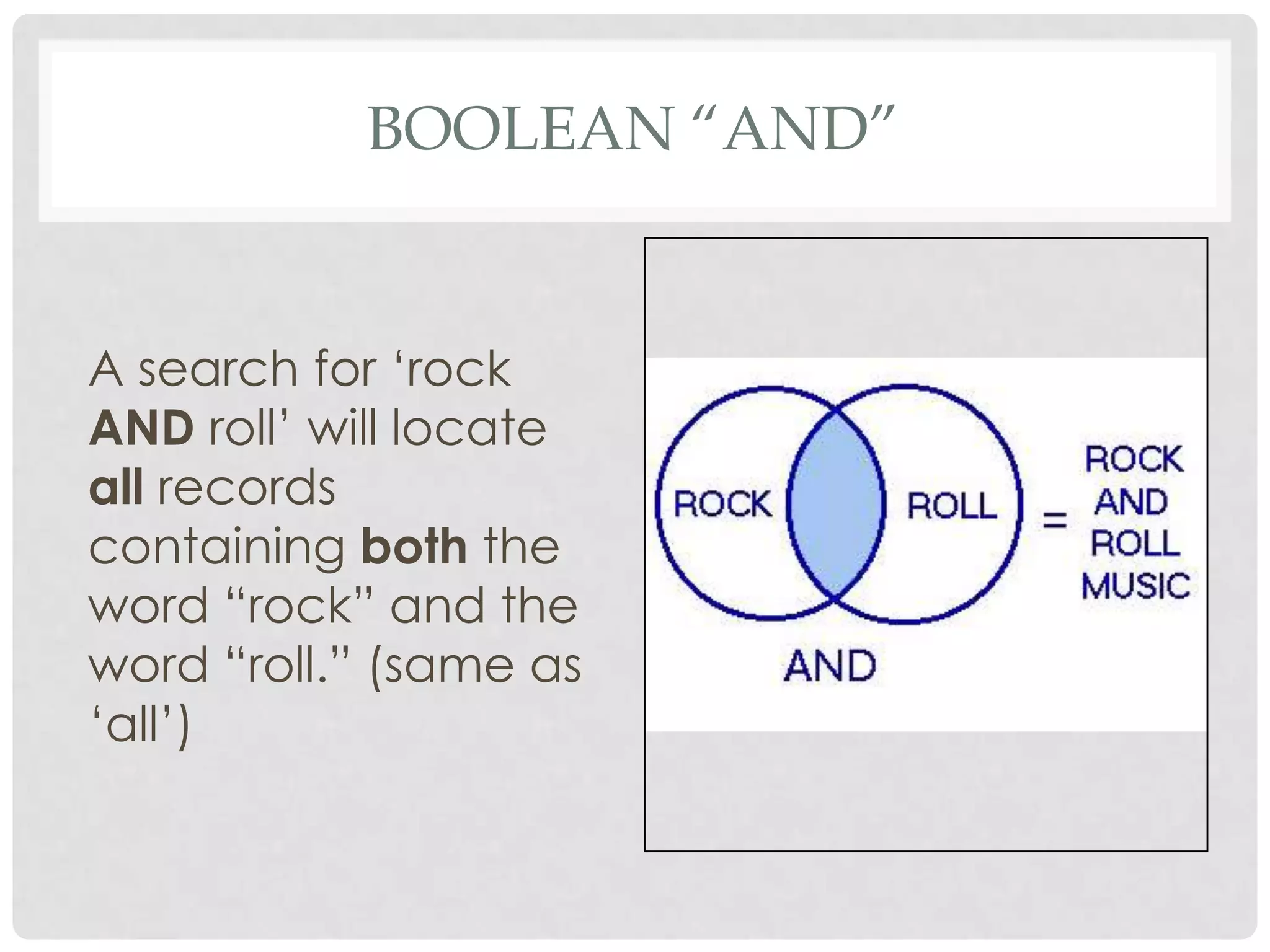
A search for „rock
AND roll‟ will locate
all records
containing both the
word “rock” and the
word “roll.” (same as
„all‟)
BOOLEAN “OR”

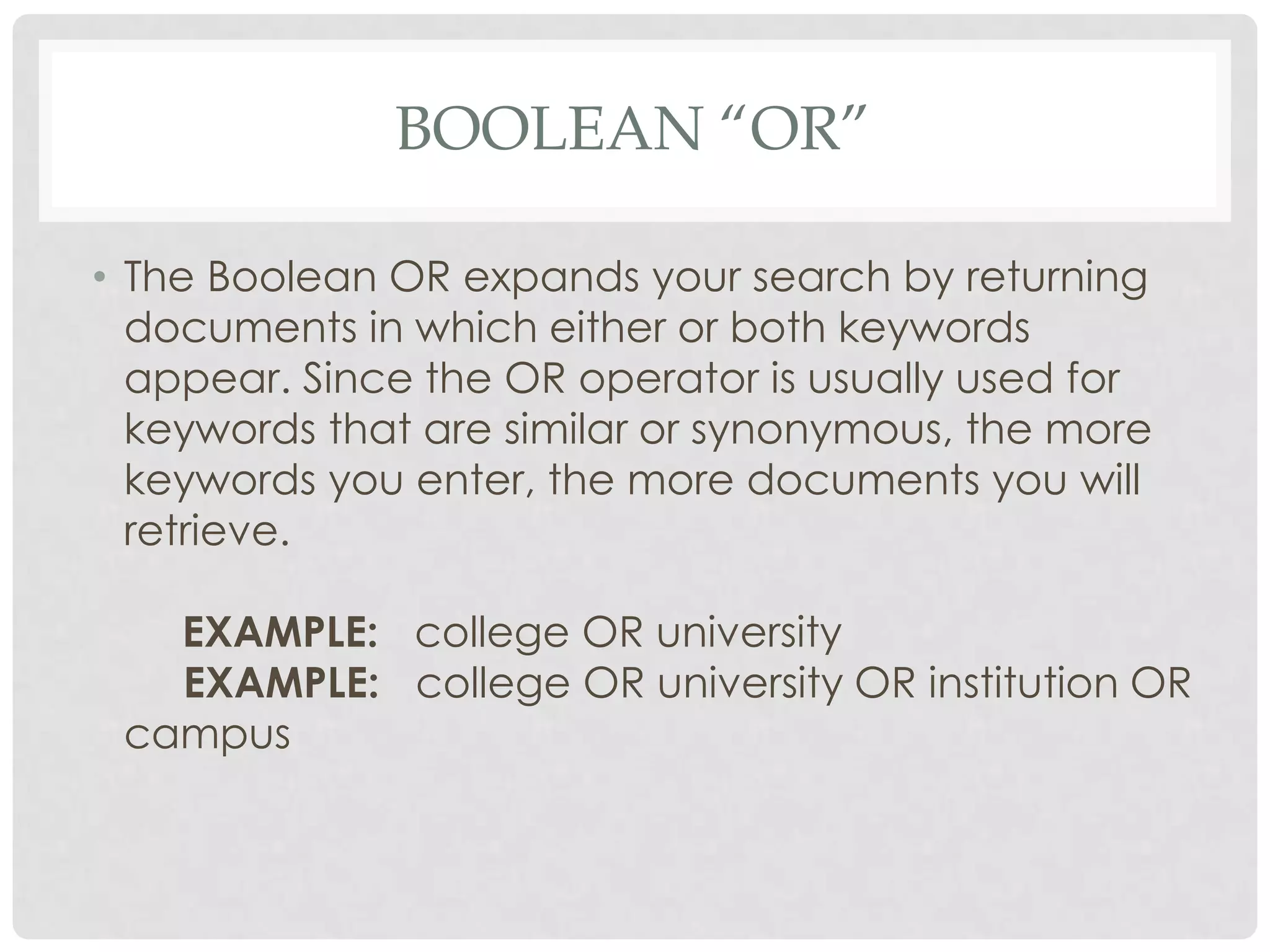
• The Boolean OR expands your search by returning
  documents in which either or both keywords
  appear. Since the OR operator is usually used for
  keywords that are similar or synonymous, the more
  keywords you enter, the more documents you will
  retrieve.

   EXAMPLE: college OR university
   EXAMPLE: college OR university OR institution OR
 campus
BOOLEAN “OR”


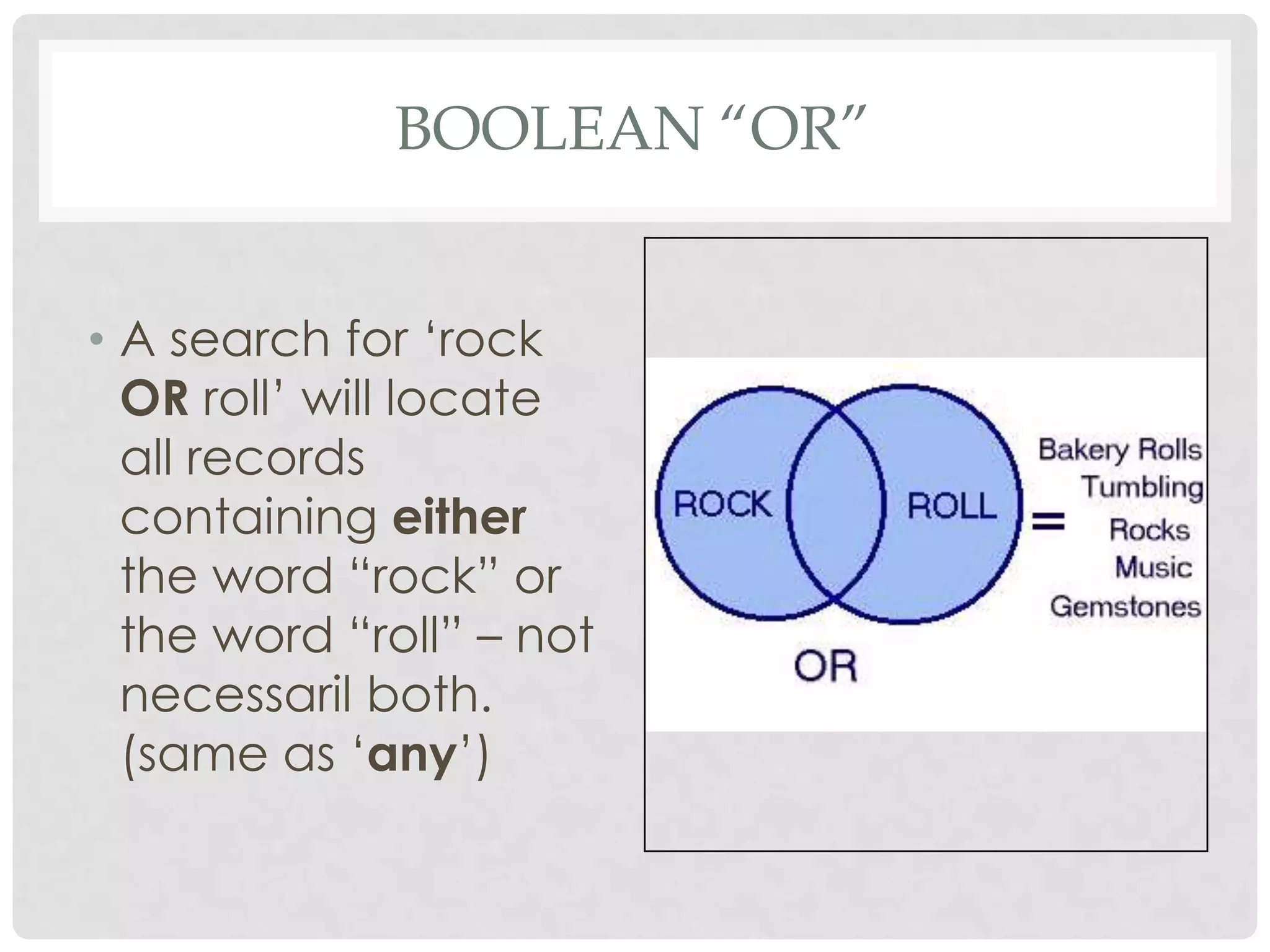
• A search for „rock
  OR roll‟ will locate
  all records
  containing either
  the word “rock” or
  the word “roll” – not
  necessaril both.
  (same as „any‟)
BOOLEAN “NOT” / “AND NOT”

• The Boolean NOT or AND NOT (sometimes typed as
  ANDNOT) limits your search by returning only your first
  keyword but not the second, even if the first word
  appears in that document, too.

     EXAMPLE: saturn AND NOT car
     EXAMPLE: pepsi AND NOT coke
• Tip: NOT can be dangerous. Let's say you want to search
  for items about Mexico, but not New Mexico, so you use
  NOT to exclude the word "New" from your retrieved set.
  This would prevent you from retrieving an article about
  "New regulations in Mexico" because it contained the
  word "New," although that wasn't what you intended.
BOOLEAN “NOT” / “AND NOT”


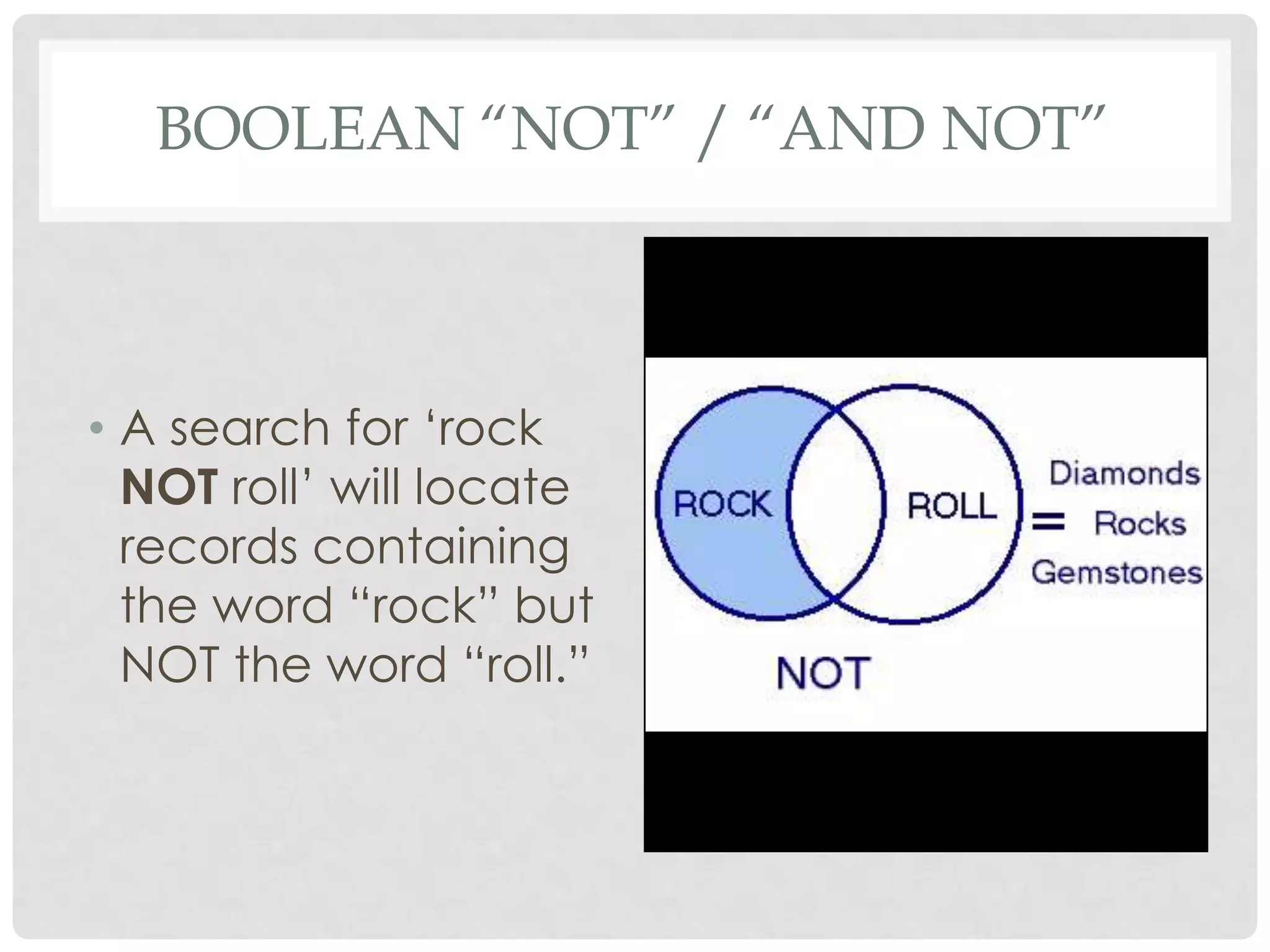
• A search for „rock
  NOT roll‟ will locate
  records containing
  the word “rock” but
  NOT the word “roll.”
BOOLEAN LOGIC
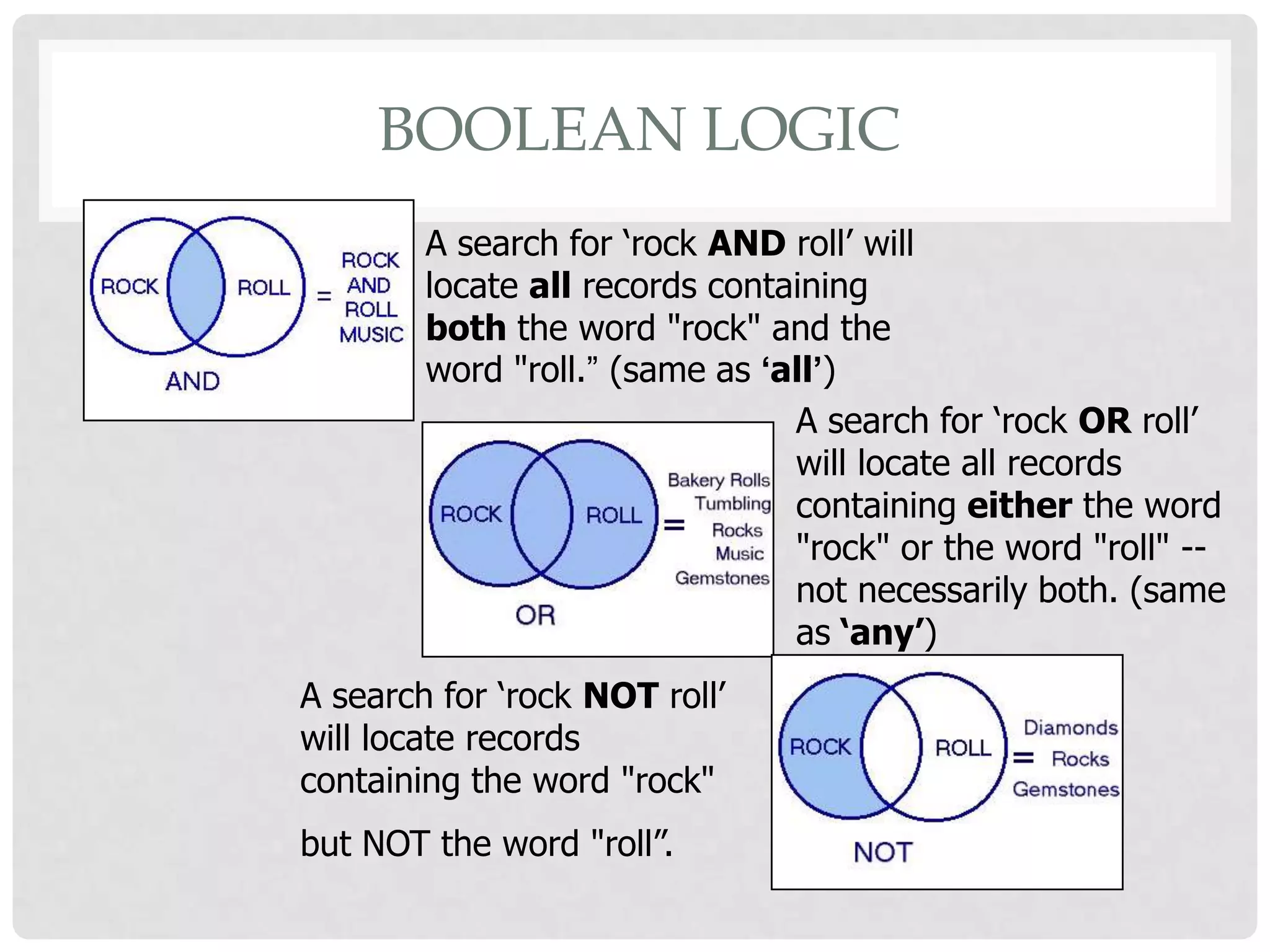
        A search for ‘rock AND roll’ will
        locate all records containing
        both the word "rock" and the
        word "roll.” (same as ‘all’)
                                A search for ‘rock OR roll’
                                will locate all records
                                containing either the word
                                "rock" or the word "roll" --
                                not necessarily both. (same
                                as ‘any’)
A search for ‘rock NOT roll’
will locate records
containing the word "rock"
but NOT the word "roll”.
NESTING . . . WITH BOOLEAN
             OPERATORS
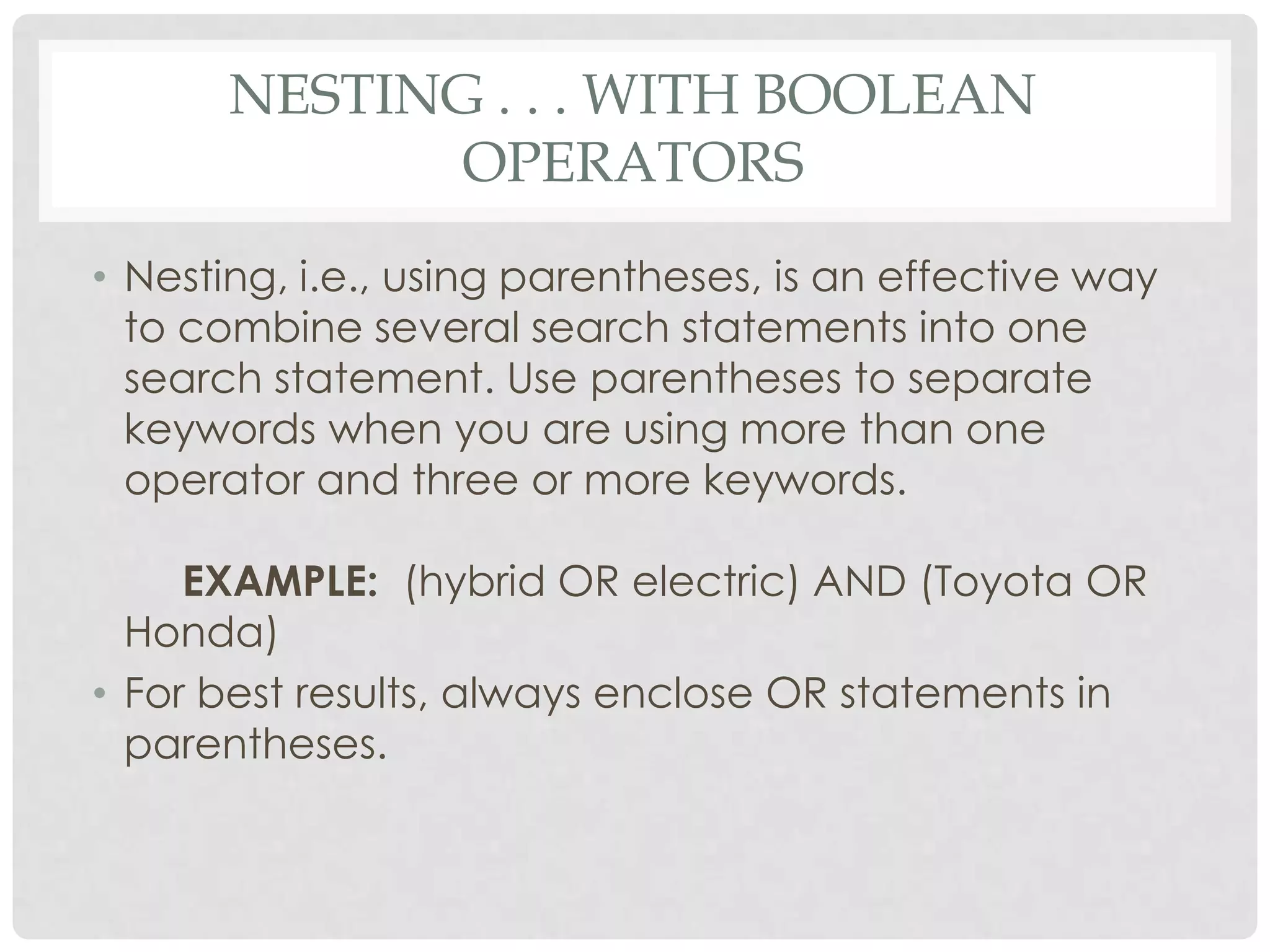
• Nesting, i.e., using parentheses, is an effective way
  to combine several search statements into one
  search statement. Use parentheses to separate
  keywords when you are using more than one
  operator and three or more keywords.

     EXAMPLE: (hybrid OR electric) AND (Toyota OR
  Honda)
• For best results, always enclose OR statements in
  parentheses.
IMPLIED BOOLEAN OPERATORS

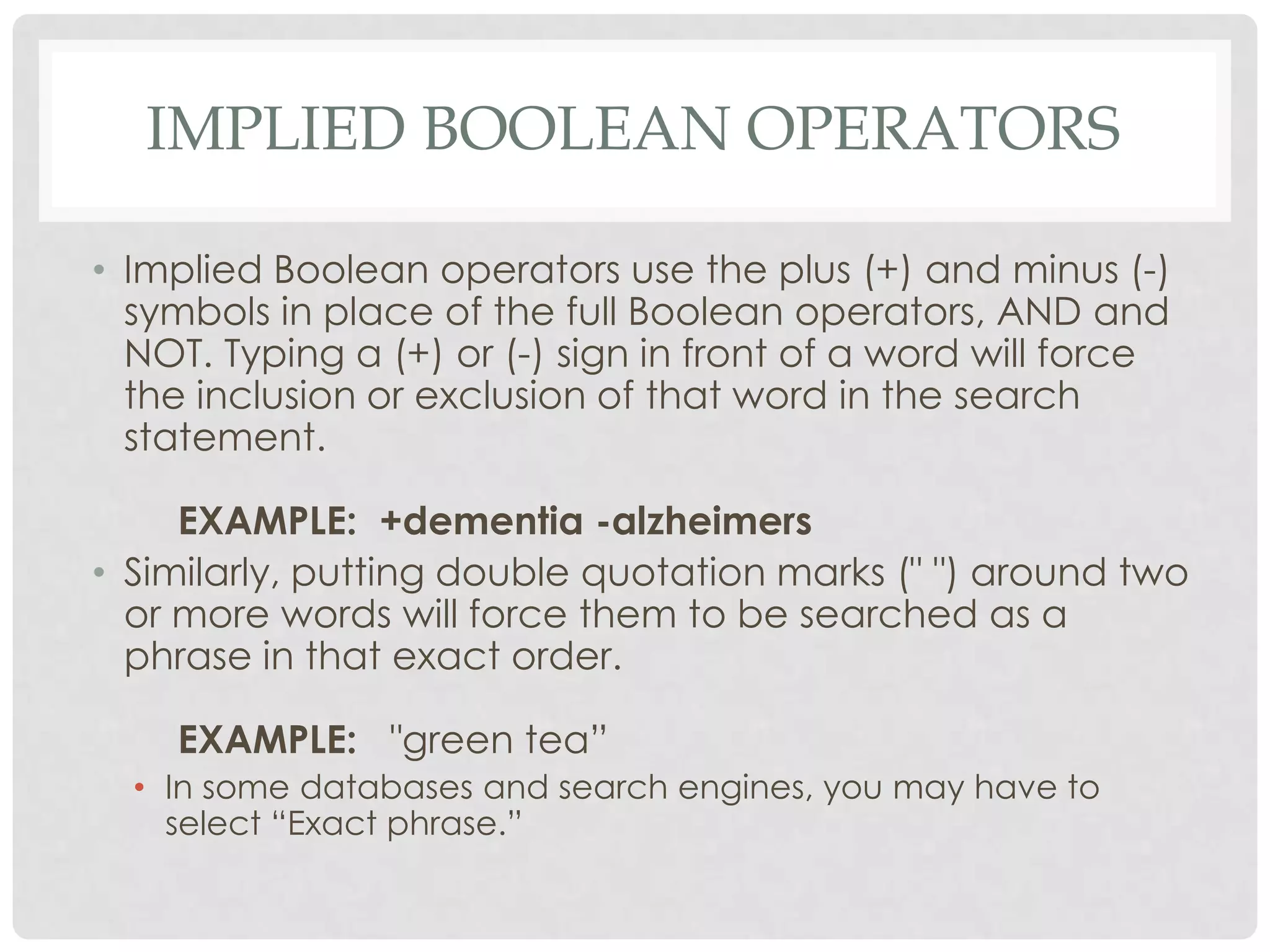
• Implied Boolean operators use the plus (+) and minus (-)
  symbols in place of the full Boolean operators, AND and
  NOT. Typing a (+) or (-) sign in front of a word will force
  the inclusion or exclusion of that word in the search
  statement.

     EXAMPLE: +dementia -alzheimers
• Similarly, putting double quotation marks (" ") around two
  or more words will force them to be searched as a
  phrase in that exact order.

    EXAMPLE: "green tea”
  • In some databases and search engines, you may have to
    select “Exact phrase.”
THINGS TO CONSIDER WHEN USING
         BOOLEAN LOGIC
• Different databases and search engines handle Boolean
  operators differently. For example, some accept
  NOT, while one accepts ANDNOT as one word, others
  AND NOT as two words. Some require the operators to
  be typed in capital letters while others do not.
• You may have to indicate if it‟s a Boolean search. This
  option would usually be available in the advanced
  search option.
• Different databases and search engines may only allow
  full Boolean operators in the advanced search
  option, while implied Boolean operators may only be
  used in the basic search options or vice versa.
THINGS TO CONSIDER WHEN USING
         BOOLEAN LOGIC
• Some databases and search engines use drop-
  down menu options to spell out the Boolean logic in
  short phrases.
• For example . . .
 • "All of the words" or "Must contain” = AND
 • "Any of the words" or "Should contain” = OR
 • "Must not contain” = NOT.
ACTIVITIES

• Using Google‟s advanced search page, use
  different Boolean operators to search for the words
  truth and justice.
BIBLIOGRAPHY

• Bare Bones Lesson 8: Searching with Boolean logic and
  proximity operators. (n.d.). The University of South Carolina
  Beaufort. Retrieved February 20, 2013, from
  http://www.sc.edu/beaufort/library/pages/bones/lesson8.sht
  ml
• Boolean searching: The operators and, and not, or. (1998-
  2012). Retrieved February 20, 2013, from
  http://www.pandia.com/goalgetter/4.html
• Neyer, L. (2013, February 11). Library database searching.
  Library Database Searching. Retrieved February 20, 2013, from
  http://www.slideshare.net/lneyer/library-databasesearcing
• Schwartz, K. L. (2009-2012). Skills for online searching. A+
  Research & Writing for High School and College Students.
  Retrieved February 20, 2013, from
  http://www.ipl.org/div/aplus/skills.htm

Online Search Techniques-Boolean Searching

  • 1.
    BOOLEAN SEARCHING ANONLINE SEARCH TECHNIQUE
  • 2.
  • 3.
    BOOLEAN SEARCHING • Alsocalled “Boolean Logic.” • A type of search syntax or search technique which helps the user conduct a better, more exact search. • It is used when searching using more than one keyword or phrase. • When conducting a search, a person uses the Boolean operators: AND, OR, and NOT. • These operators are used to link words and phrases for more precise queries.
  • 4.
    WHERE DOES BOOLEANCOME FROM? • Boolean logic takes its name from British mathematician George Boole (1815-1864), who wrote about a system of logic designed to produce better search results by formulating precise queries. • He called it the "calculus of thought." • From his writings, we have derived Boolean logic and its operators: AND, OR, and NOT.
  • 5.
    HOW BOOLEAN LOGICWORKS • It uses the words AND, OR and NOT to search for items containing both terms, either term, or a term only if not accompanied by another term. • All databases and web search engines have help pages explaining how Boolean logic works in their specific system.
  • 6.
    BOOLEAN “AND” • TheBoolean AND actually narrows your search by retrieving only documents that contain every one of the keywords you enter. The more terms you enter, the narrower your search becomes. EXAMPLE: truth AND justice EXAMPLE: truth AND justice AND ethics AND congress
  • 7.
    BOOLEAN “AND” A searchfor „rock AND roll‟ will locate all records containing both the word “rock” and the word “roll.” (same as „all‟)
  • 8.
    BOOLEAN “OR” • TheBoolean OR expands your search by returning documents in which either or both keywords appear. Since the OR operator is usually used for keywords that are similar or synonymous, the more keywords you enter, the more documents you will retrieve. EXAMPLE: college OR university EXAMPLE: college OR university OR institution OR campus
  • 9.
    BOOLEAN “OR” • Asearch for „rock OR roll‟ will locate all records containing either the word “rock” or the word “roll” – not necessaril both. (same as „any‟)
  • 10.
    BOOLEAN “NOT” /“AND NOT” • The Boolean NOT or AND NOT (sometimes typed as ANDNOT) limits your search by returning only your first keyword but not the second, even if the first word appears in that document, too. EXAMPLE: saturn AND NOT car EXAMPLE: pepsi AND NOT coke • Tip: NOT can be dangerous. Let's say you want to search for items about Mexico, but not New Mexico, so you use NOT to exclude the word "New" from your retrieved set. This would prevent you from retrieving an article about "New regulations in Mexico" because it contained the word "New," although that wasn't what you intended.
  • 11.
    BOOLEAN “NOT” /“AND NOT” • A search for „rock NOT roll‟ will locate records containing the word “rock” but NOT the word “roll.”
  • 12.
    BOOLEAN LOGIC A search for ‘rock AND roll’ will locate all records containing both the word "rock" and the word "roll.” (same as ‘all’) A search for ‘rock OR roll’ will locate all records containing either the word "rock" or the word "roll" -- not necessarily both. (same as ‘any’) A search for ‘rock NOT roll’ will locate records containing the word "rock" but NOT the word "roll”.
  • 13.
    NESTING . .. WITH BOOLEAN OPERATORS • Nesting, i.e., using parentheses, is an effective way to combine several search statements into one search statement. Use parentheses to separate keywords when you are using more than one operator and three or more keywords. EXAMPLE: (hybrid OR electric) AND (Toyota OR Honda) • For best results, always enclose OR statements in parentheses.
  • 14.
    IMPLIED BOOLEAN OPERATORS •Implied Boolean operators use the plus (+) and minus (-) symbols in place of the full Boolean operators, AND and NOT. Typing a (+) or (-) sign in front of a word will force the inclusion or exclusion of that word in the search statement. EXAMPLE: +dementia -alzheimers • Similarly, putting double quotation marks (" ") around two or more words will force them to be searched as a phrase in that exact order. EXAMPLE: "green tea” • In some databases and search engines, you may have to select “Exact phrase.”
  • 15.
    THINGS TO CONSIDERWHEN USING BOOLEAN LOGIC • Different databases and search engines handle Boolean operators differently. For example, some accept NOT, while one accepts ANDNOT as one word, others AND NOT as two words. Some require the operators to be typed in capital letters while others do not. • You may have to indicate if it‟s a Boolean search. This option would usually be available in the advanced search option. • Different databases and search engines may only allow full Boolean operators in the advanced search option, while implied Boolean operators may only be used in the basic search options or vice versa.
  • 16.
    THINGS TO CONSIDERWHEN USING BOOLEAN LOGIC • Some databases and search engines use drop- down menu options to spell out the Boolean logic in short phrases. • For example . . . • "All of the words" or "Must contain” = AND • "Any of the words" or "Should contain” = OR • "Must not contain” = NOT.
  • 17.
    ACTIVITIES • Using Google‟sadvanced search page, use different Boolean operators to search for the words truth and justice.
  • 18.
    BIBLIOGRAPHY • Bare BonesLesson 8: Searching with Boolean logic and proximity operators. (n.d.). The University of South Carolina Beaufort. Retrieved February 20, 2013, from http://www.sc.edu/beaufort/library/pages/bones/lesson8.sht ml • Boolean searching: The operators and, and not, or. (1998- 2012). Retrieved February 20, 2013, from http://www.pandia.com/goalgetter/4.html • Neyer, L. (2013, February 11). Library database searching. Library Database Searching. Retrieved February 20, 2013, from http://www.slideshare.net/lneyer/library-databasesearcing • Schwartz, K. L. (2009-2012). Skills for online searching. A+ Research & Writing for High School and College Students. Retrieved February 20, 2013, from http://www.ipl.org/div/aplus/skills.htm

Editor's Notes

  • #5 Have any of the students done Boolean Math in math class?