CHAPTER 4 Search Engines:  The Basics
Search engine overview  Searching options Specialty search engines  Meta search engines 1 2 3 4
Search engine shortcuts  Mashups Desktop search programs Keeping up-to-date 5 6 7 8
Search engine and web directories Larger No intervention Searching not browsing
What is a search engine? Service on the web that allows searching of a large database of web pages by word, phrase, and other criteria  May provide other services as translation, shopping, … etc Any site containing search box could be considered to have a search engine
How search engines are created  Four major steps are involved : Spiders (crawlers) Indexing program & index Search engine program HTML user interface
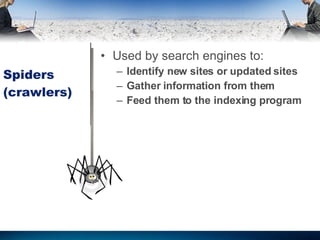
Spiders (crawlers) Used by search engines to: Identify new sites or updated sites Gather information from them Feed them to the indexing program
Indexing program & index In each new identified page it will index: Every word   URL Meta tags URLs of links on the page Image file names
Search engine program Retrieves the user query Arranges the retrieved records (relevance ranking algorithm) Factors affecting relevance ranking algorithm: Page popularity (by # of pages linked to it) Number of key words occurrence Proximity to search terms Location of searched terms
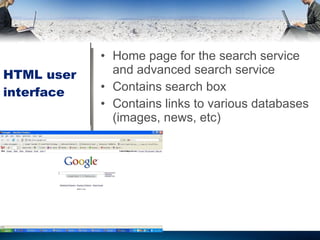
HTML user interface Home page for the search service and advanced search service Contains search box Contains links to various databases (images, news, etc)
Search options Varies from search engine to other Some are in the home page, others in advanced search page Available in: Menu approach Prefix approach
Examples of search options Phrase searching Language specification File type Specifying the retrieved term location: Title URL Links  Boolean operations
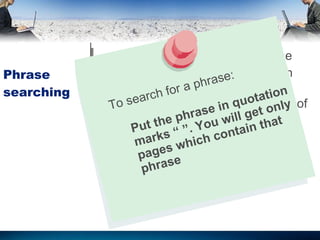
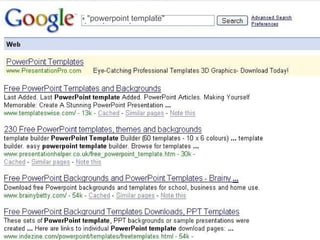
Phrase searching Available in every search engine Done the same way in all search engine  Search engines have a limit on # of entered words To search for a phrase: Put the phrase in quotation marks “ ”. You will get only pages which contain that phrase
" powerpoint template " " powerpoint template "
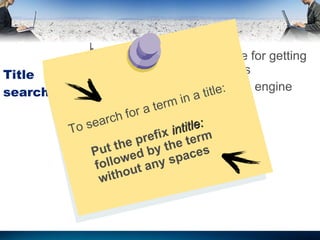
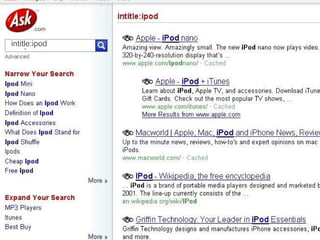
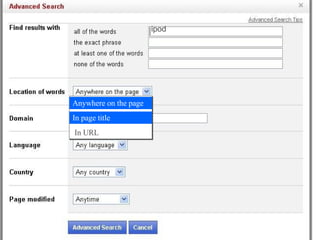
Title searching Most powerful technique for getting highly relevant outcomes Available in every search engine To search for a term in a title: Put the prefix  intitle:  followed by the term without any spaces
intitle : ipod intitle : ipod
ipod Anywhere on the page In page title Anywhere on the page In page title In URL
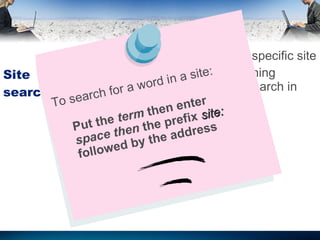
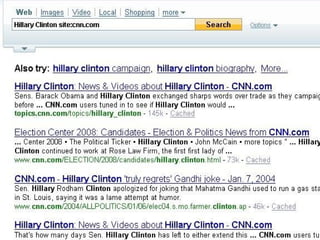
Site searching Performing a search in a specific site Even if the site has searching capabilities; its better to search in large engines To search for a word in a site: Put the  term  then enter  space then  the prefix  site:  followed by the address
Hillary Clinton site:cnn.com
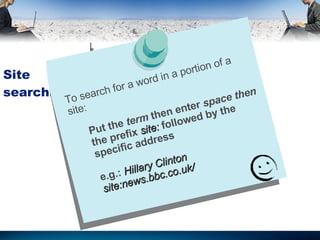
Site searching To search for a word in a portion of a site: Put the  term  then enter  space then  the prefix  site:  followed by the specific address e.g.:  Hillary Clinton site : news . bbc . co . uk /
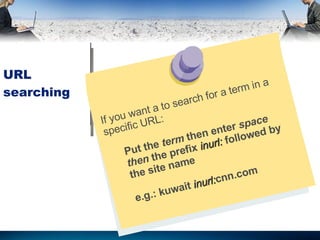
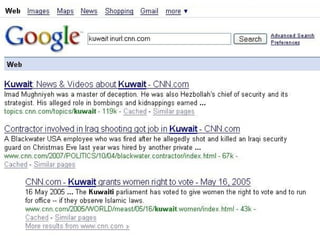
URL searching If you want a to search for a term in a specific URL: Put the  term  then enter  space then  the prefix  inurl:  followed by the site name e.g.:  kuwait  inurl: cnn.com
kuwait inurl:cnn.com
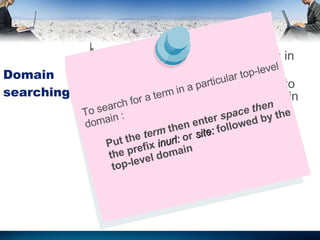
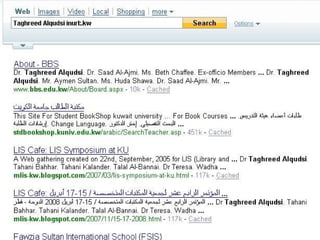
Domain searching It is identical to URL searching in many search engines  But its useful limit you retrieval to sites a particular top-level domain To search for a term in a particular top-level domain : Put the  term  then enter  space then  the prefix  inurl:  or  site:  followed by the top-level domain
Taghreed Alqudsi inurl:.kw
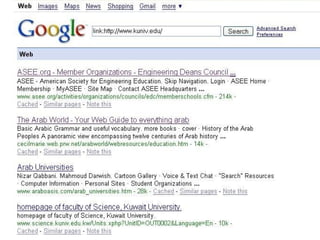
Link searching Check which web pages have linked to your organization’s URL So useful in identifying who is interested in your organization Available in some search engines
http://www.kuniv.edu/
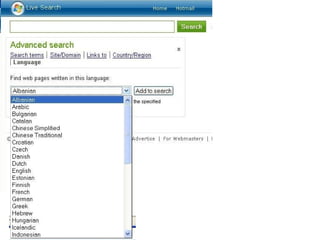
Language searching Allow user to limit his retrieval to pages written in a given language Search engine differs in languages provided
 
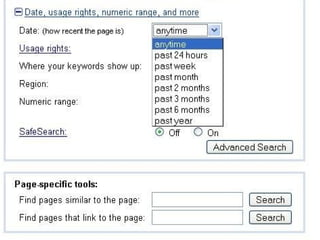
Search by date Provided by most major engines Impossible to determine “date created” or “date of publication” Determines page last modification date or when was the last crawling by the search engine
 
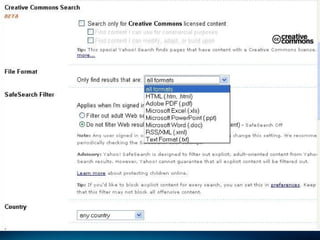
Searching by file type Limits user retrieval to specific file type It includes PDF, Word documents, Excel, Powerpoint, … etc
 
Boolean search options The process of identifying web pages that contain a particular combination of search terms AND = must all be presented OR = any group of terms is accepted NOT “-”= if its presented the item rejected Combination could be used along with parentheses () to indicate the order
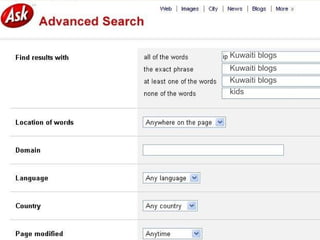
Boolean search options All major search engines automatically AND your query terms Available in: Syntax approach  Menu approach If you want a to search for a group of terms: e.g.:  Blog  AND  Kuwait  - kids
Kuwaiti blogs Kuwaiti blogs Kuwaiti blogs kids
Full Boolean Search engine is considered to have full boolean capabilities if it provides all boolean operations (AND, OR, NOT) Engines vary in syntax used for boolean expressions
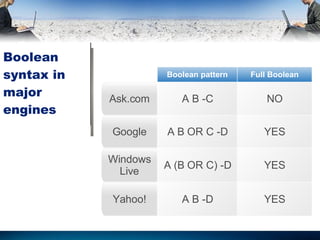
Boolean syntax in major engines NO A B -C Ask.com YES A B -D Yahoo! YES A (B OR C) -D Windows Live YES A B OR C -D Google Full Boolean Boolean pattern
Search engine overlap No single search engine covers everything  Due to differences in: Crawling Indexing Web pages included in databases
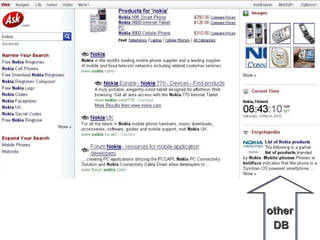
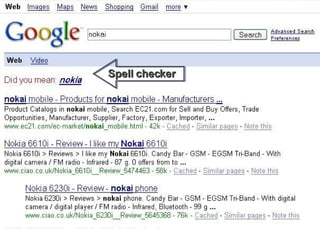
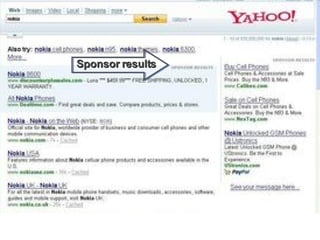
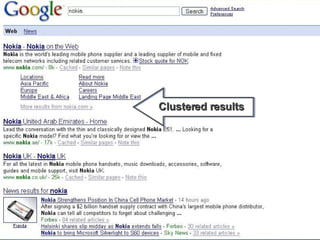
Results pages Take extra seconds to look at details in each record May Search other databases (images, video, news, … etc)  “ Translate this page” Spell checker Sponsor results Clustered results
other  DB
Spell checker
Sponsor results
Clustered results
Search engine accounts Some features are provided only for users who have account with the engine Spamophobic, don’t be afraid
 
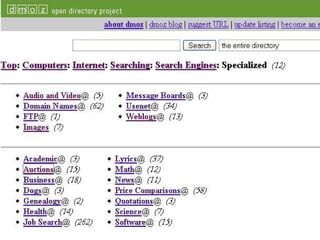
Specialty search engine Some are geographic (focusing on sites from one country) Some are topical (focusing on a particular subject area) Dmoz.org open directory
 
Meta search engines Services that let user search several search engine at the same time Most powerful are: Dogpile.com Ixquick.com Vivisimo.com MetaCrawler.com  Search.com
Meta search engines drawbacks May not cover all large engines Most only return the first 10 or 20 records Most syntax does not work Some present paid listing first
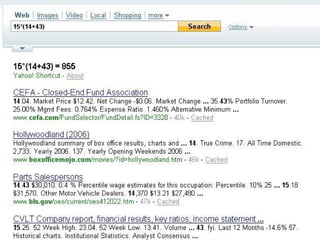
Search engine shortcuts Just enter a brief statement in main search box and answer will appear Calculator Spell Check  Definition Hotel finder Check http :// www . extremesearcher . com / shortcuts
15*(14+43)
Mashups  Website that combines content from more than one source into an integrated experience E.g.: A broad range of geographic location code was integrated with maps and aerial images producing exciting way to find and visualize data Maps can display property for sale or rent
Mashups Send a GeoGreeting  http :// www . geogreeting . com / main . html Who is Sick?  U . S .  Fast Food Map  Starbucks Coffee Finder  Ask 500 People  Wikimapia
Desktop search programs Provided by all major search engines Download for free Index the contents of the PC Used to search all files The best is Google Differ in: Which file types are indexed How much control you have over what indexed What searching option are provided
Keeping up-to-date Searchenginewatch.com Provide up-to-date news and reports in a clear and readable style Valuable for both search engine user and web site developer Access to much of the site content is free Free weekly newsletter
For listening

google search engine

  • 1.
    CHAPTER 4 SearchEngines: The Basics
  • 2.
    Search engine overview Searching options Specialty search engines Meta search engines 1 2 3 4
  • 3.
    Search engine shortcuts Mashups Desktop search programs Keeping up-to-date 5 6 7 8
  • 4.
    Search engine andweb directories Larger No intervention Searching not browsing
  • 5.
    What is asearch engine? Service on the web that allows searching of a large database of web pages by word, phrase, and other criteria May provide other services as translation, shopping, … etc Any site containing search box could be considered to have a search engine
  • 6.
    How search enginesare created Four major steps are involved : Spiders (crawlers) Indexing program & index Search engine program HTML user interface
  • 7.
    Spiders (crawlers) Usedby search engines to: Identify new sites or updated sites Gather information from them Feed them to the indexing program
  • 8.
    Indexing program &index In each new identified page it will index: Every word URL Meta tags URLs of links on the page Image file names
  • 9.
    Search engine programRetrieves the user query Arranges the retrieved records (relevance ranking algorithm) Factors affecting relevance ranking algorithm: Page popularity (by # of pages linked to it) Number of key words occurrence Proximity to search terms Location of searched terms
  • 10.
    HTML user interfaceHome page for the search service and advanced search service Contains search box Contains links to various databases (images, news, etc)
  • 11.
    Search options Variesfrom search engine to other Some are in the home page, others in advanced search page Available in: Menu approach Prefix approach
  • 12.
    Examples of searchoptions Phrase searching Language specification File type Specifying the retrieved term location: Title URL Links Boolean operations
  • 13.
    Phrase searching Availablein every search engine Done the same way in all search engine Search engines have a limit on # of entered words To search for a phrase: Put the phrase in quotation marks “ ”. You will get only pages which contain that phrase
  • 14.
    " powerpoint template" " powerpoint template "
  • 15.
    Title searching Mostpowerful technique for getting highly relevant outcomes Available in every search engine To search for a term in a title: Put the prefix intitle: followed by the term without any spaces
  • 16.
    intitle : ipodintitle : ipod
  • 17.
    ipod Anywhere onthe page In page title Anywhere on the page In page title In URL
  • 18.
    Site searching Performinga search in a specific site Even if the site has searching capabilities; its better to search in large engines To search for a word in a site: Put the term then enter space then the prefix site: followed by the address
  • 19.
  • 20.
    Site searching Tosearch for a word in a portion of a site: Put the term then enter space then the prefix site: followed by the specific address e.g.: Hillary Clinton site : news . bbc . co . uk /
  • 21.
    URL searching Ifyou want a to search for a term in a specific URL: Put the term then enter space then the prefix inurl: followed by the site name e.g.: kuwait inurl: cnn.com
  • 22.
  • 23.
    Domain searching Itis identical to URL searching in many search engines But its useful limit you retrieval to sites a particular top-level domain To search for a term in a particular top-level domain : Put the term then enter space then the prefix inurl: or site: followed by the top-level domain
  • 24.
  • 25.
    Link searching Checkwhich web pages have linked to your organization’s URL So useful in identifying who is interested in your organization Available in some search engines
  • 26.
  • 27.
    Language searching Allowuser to limit his retrieval to pages written in a given language Search engine differs in languages provided
  • 28.
  • 29.
    Search by dateProvided by most major engines Impossible to determine “date created” or “date of publication” Determines page last modification date or when was the last crawling by the search engine
  • 30.
  • 31.
    Searching by filetype Limits user retrieval to specific file type It includes PDF, Word documents, Excel, Powerpoint, … etc
  • 32.
  • 33.
    Boolean search optionsThe process of identifying web pages that contain a particular combination of search terms AND = must all be presented OR = any group of terms is accepted NOT “-”= if its presented the item rejected Combination could be used along with parentheses () to indicate the order
  • 34.
    Boolean search optionsAll major search engines automatically AND your query terms Available in: Syntax approach Menu approach If you want a to search for a group of terms: e.g.: Blog AND Kuwait - kids
  • 35.
    Kuwaiti blogs Kuwaitiblogs Kuwaiti blogs kids
  • 36.
    Full Boolean Searchengine is considered to have full boolean capabilities if it provides all boolean operations (AND, OR, NOT) Engines vary in syntax used for boolean expressions
  • 37.
    Boolean syntax inmajor engines NO A B -C Ask.com YES A B -D Yahoo! YES A (B OR C) -D Windows Live YES A B OR C -D Google Full Boolean Boolean pattern
  • 38.
    Search engine overlapNo single search engine covers everything Due to differences in: Crawling Indexing Web pages included in databases
  • 39.
    Results pages Takeextra seconds to look at details in each record May Search other databases (images, video, news, … etc) “ Translate this page” Spell checker Sponsor results Clustered results
  • 40.
  • 41.
  • 42.
  • 43.
  • 44.
    Search engine accountsSome features are provided only for users who have account with the engine Spamophobic, don’t be afraid
  • 45.
  • 46.
    Specialty search engineSome are geographic (focusing on sites from one country) Some are topical (focusing on a particular subject area) Dmoz.org open directory
  • 47.
  • 48.
    Meta search enginesServices that let user search several search engine at the same time Most powerful are: Dogpile.com Ixquick.com Vivisimo.com MetaCrawler.com Search.com
  • 49.
    Meta search enginesdrawbacks May not cover all large engines Most only return the first 10 or 20 records Most syntax does not work Some present paid listing first
  • 50.
    Search engine shortcutsJust enter a brief statement in main search box and answer will appear Calculator Spell Check Definition Hotel finder Check http :// www . extremesearcher . com / shortcuts
  • 51.
  • 52.
    Mashups Websitethat combines content from more than one source into an integrated experience E.g.: A broad range of geographic location code was integrated with maps and aerial images producing exciting way to find and visualize data Maps can display property for sale or rent
  • 53.
    Mashups Send aGeoGreeting http :// www . geogreeting . com / main . html Who is Sick? U . S . Fast Food Map Starbucks Coffee Finder Ask 500 People Wikimapia
  • 54.
    Desktop search programsProvided by all major search engines Download for free Index the contents of the PC Used to search all files The best is Google Differ in: Which file types are indexed How much control you have over what indexed What searching option are provided
  • 55.
    Keeping up-to-date Searchenginewatch.comProvide up-to-date news and reports in a clear and readable style Valuable for both search engine user and web site developer Access to much of the site content is free Free weekly newsletter
  • 56.