

ONLINE SEARCH TECHNIQUES
     Wildcards & Truncation
LIBRARY BLONDE
WILDCARDS & TRUNCATION


• Use truncation (or stemming) and wildcards to look for variations in
  spelling and word form and to increase your search results.
• The English language has many variations of the same word. For example:
                                dog and dogs
                               give and giving
• Some words also are combinations of several words. For example:
                                   doghouse
• You may need to search for some of these combinations at the same time,
  normally the singular and plural form of the same noun.
WILDCARDS & TRUNCATION


• Involves substituting symbols for certain letters of a word so that the
  search engine will retrieve items with any letter in that spot in the word.
• The symbol used is usually *.
WILDCARDS


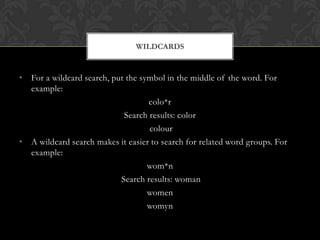
• For a wildcard search, put the symbol in the middle of the word. For
  example:
                                   colo*r
                            Search results: color
                                   colour
• A wildcard search makes it easier to search for related word groups. For
  example:
                                   wom*n
                           Search results: woman
                                   women
                                   womyn
TRUNCATION


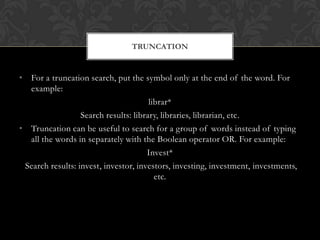
• For a truncation search, put the symbol only at the end of the word. For
  example:
                                       librar*
                  Search results: library, libraries, librarian, etc.
• Truncation can be useful to search for a group of words instead of typing
  all the words in separately with the Boolean operator OR. For example:
                                      Invest*
 Search results: invest, investor, investors, investing, investment, investments,
                                         etc.
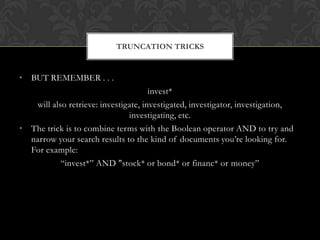
TRUNCATION TRICKS


• BUT REMEMBER . . .
                                      invest*
   will also retrieve: investigate, investigated, investigator, investigation,
                               investigating, etc.
• The trick is to combine terms with the Boolean operator AND to try and
  narrow your search results to the kind of documents you’re looking for.
  For example:
           “invest*” AND "stock* or bond* or financ* or money”
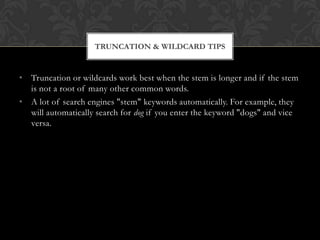
TRUNCATION & WILDCARD TIPS


• Truncation or wildcards work best when the stem is longer and if the stem
  is not a root of many other common words.
• A lot of search engines "stem" keywords automatically. For example, they
  will automatically search for dog if you enter the keyword "dogs" and vice
  versa.
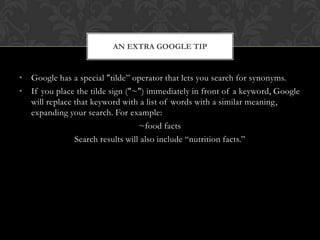
AN EXTRA GOOGLE TIP


• Google has a special "tilde” operator that lets you search for synonyms.
• If you place the tilde sign ("~") immediately in front of a keyword, Google
  will replace that keyword with a list of words with a similar meaning,
  expanding your search. For example:
                                  ~food facts
               Search results will also include “nutrition facts.”
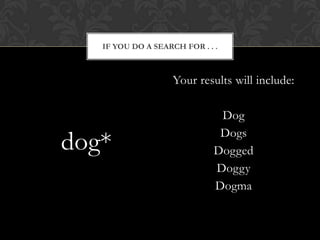
IF YOU DO A SEARCH FOR . . .


                    Your results will include:

                               Dog
                               Dogs
dog*                          Dogged
                              Doggy
                              Dogma
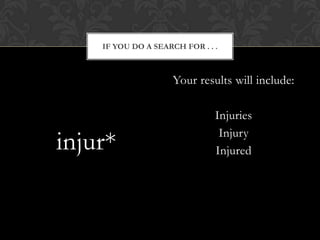
IF YOU DO A SEARCH FOR . . .


                     Your results will include:

                               Injuries
                                Injury
injur*                         Injured
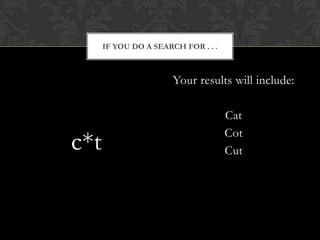
IF YOU DO A SEARCH FOR . . .


                       Your results will include:

                                     Cat
                                     Cot
c*t                                  Cut
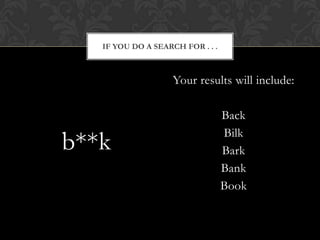
IF YOU DO A SEARCH FOR . . .


                    Your results will include:

                                  Back
                                  Bilk
b**k                              Bark
                                  Bank
                                  Book
BIBLIOGRAPHY


Chamberlain, E. (2006, September 7). Bare bones lesson 7: Basic search tips.
The University of South Carolina Beaufort Library. Retrieved March 20, 2013, from
http://www.sc.edu/beaufort/library/pages/bones/lesson7.shtml

P&S Koch. (2012). Truncation or wildcards in internet searching. Truncation or
Wild Cards in Internet Searching. Retrieved March 20, 2013, from
http://www.pandia.com/goalgetter/9.html

Schwartz, K. L. (2008). Skills for online searching. Ipl2: Research & Writing Info
Search. Retrieved March 12, 2013, from
http://www.ipl.org/div/aplus/skills.htm

Online Search Techniques-Wildcards & Truncation

  • 1.
    ONLINE SEARCH TECHNIQUES Wildcards & Truncation
  • 2.
  • 3.
    WILDCARDS & TRUNCATION •Use truncation (or stemming) and wildcards to look for variations in spelling and word form and to increase your search results. • The English language has many variations of the same word. For example: dog and dogs give and giving • Some words also are combinations of several words. For example: doghouse • You may need to search for some of these combinations at the same time, normally the singular and plural form of the same noun.
  • 4.
    WILDCARDS & TRUNCATION •Involves substituting symbols for certain letters of a word so that the search engine will retrieve items with any letter in that spot in the word. • The symbol used is usually *.
  • 5.
    WILDCARDS • For awildcard search, put the symbol in the middle of the word. For example: colo*r Search results: color colour • A wildcard search makes it easier to search for related word groups. For example: wom*n Search results: woman women womyn
  • 6.
    TRUNCATION • For atruncation search, put the symbol only at the end of the word. For example: librar* Search results: library, libraries, librarian, etc. • Truncation can be useful to search for a group of words instead of typing all the words in separately with the Boolean operator OR. For example: Invest* Search results: invest, investor, investors, investing, investment, investments, etc.
  • 7.
    TRUNCATION TRICKS • BUTREMEMBER . . . invest* will also retrieve: investigate, investigated, investigator, investigation, investigating, etc. • The trick is to combine terms with the Boolean operator AND to try and narrow your search results to the kind of documents you’re looking for. For example: “invest*” AND "stock* or bond* or financ* or money”
  • 8.
    TRUNCATION & WILDCARDTIPS • Truncation or wildcards work best when the stem is longer and if the stem is not a root of many other common words. • A lot of search engines "stem" keywords automatically. For example, they will automatically search for dog if you enter the keyword "dogs" and vice versa.
  • 9.
    AN EXTRA GOOGLETIP • Google has a special "tilde” operator that lets you search for synonyms. • If you place the tilde sign ("~") immediately in front of a keyword, Google will replace that keyword with a list of words with a similar meaning, expanding your search. For example: ~food facts Search results will also include “nutrition facts.”
  • 10.
    IF YOU DOA SEARCH FOR . . . Your results will include: Dog Dogs dog* Dogged Doggy Dogma
  • 11.
    IF YOU DOA SEARCH FOR . . . Your results will include: Injuries Injury injur* Injured
  • 12.
    IF YOU DOA SEARCH FOR . . . Your results will include: Cat Cot c*t Cut
  • 13.
    IF YOU DOA SEARCH FOR . . . Your results will include: Back Bilk b**k Bark Bank Book
  • 14.
    BIBLIOGRAPHY Chamberlain, E. (2006,September 7). Bare bones lesson 7: Basic search tips. The University of South Carolina Beaufort Library. Retrieved March 20, 2013, from http://www.sc.edu/beaufort/library/pages/bones/lesson7.shtml P&S Koch. (2012). Truncation or wildcards in internet searching. Truncation or Wild Cards in Internet Searching. Retrieved March 20, 2013, from http://www.pandia.com/goalgetter/9.html Schwartz, K. L. (2008). Skills for online searching. Ipl2: Research & Writing Info Search. Retrieved March 12, 2013, from http://www.ipl.org/div/aplus/skills.htm