ADVANCED SEARCH TECHNIQUES IN GOOGLE
BECOME A POWER USER
THE EASY WAY TO SEARCH GOOGLE IS TO ENTER
YOUR SEARCH TERMS ON THE GOOGLE HOME PAGE.
ADVANCED TECHNIQUES ALLOW YOU TO FOCUS YOUR
SEARCH AND FIND WHAT YOU ARE LOOKING FOR.
THESE ARE THE TECHNIQUES WHICH
WILL BE COVERED IN THIS PRESENTATION:
1. Use quotation marks: “ “
2. Use a dash: - .
3. Use a tilde: ~
4. Use “site:”
5. Use two periods: ..
6. Use an asterisk: *
7. Use “related:”
1. QUOTATION MARKS
“I have not yet begun to fight”
When you put a word or phrase in quotes, the results will only
include pages with the same words in the same order as the
ones inside the quotes.
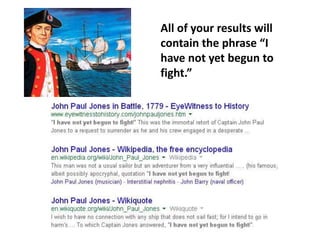
All of your results will
contain the phrase “I
have not yet begun to
fight.”
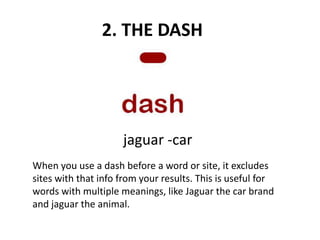
2. THE DASH
jaguar -car
When you use a dash before a word or site, it excludes
sites with that info from your results. This is useful for
words with multiple meanings, like Jaguar the car brand
and jaguar the animal.
CATS NOT CARS
jaguar -car
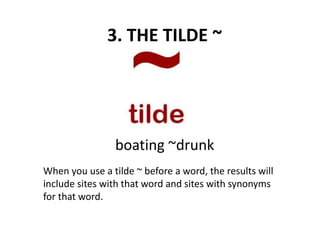
3. THE TILDE ~
When you use a tilde ~ before a word, the results will
include sites with that word and sites with synonyms
for that word.
boating ~drunk
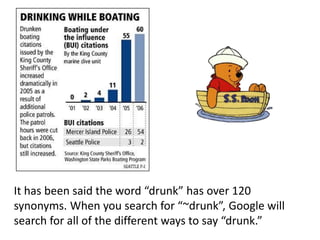
It has been said the word “drunk” has over 120
synonyms. When you search for “~drunk”, Google will
search for all of the different ways to say “drunk.”
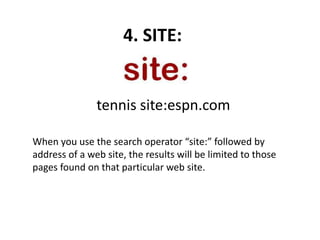
4. SITE:
When you use the search operator “site:” followed by
address of a web site, the results will be limited to those
pages found on that particular web site.
tennis site:espn.com
This search will list all of the pages on
espn.com that contain the word tennis.
5. THE TWO PERIODS
When you separate numbers by two periods without
spaces, you see results that contain numbers in a
range.
tennis 1955..1960
camera $50..$100
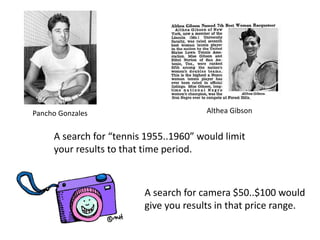
A search for “tennis 1955..1960” would limit
your results to that time period.
Pancho Gonzales Althea Gibson
A search for camera $50..$100 would
give you results in that price range.
6. THE ASTERISK *
Add an asterisk as a placeholder for
any unknown or wildcard terms.
“* pluribius unum”
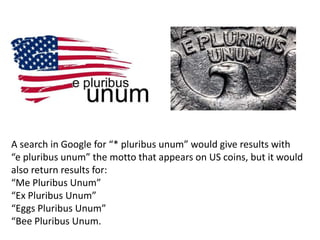
A search in Google for “* pluribus unum” would give results with
“e pluribus unum” the motto that appears on US coins, but it would
also return results for:
“Me Pluribus Unum”
“Ex Pluribus Unum”
“Eggs Pluribus Unum”
“Bee Pluribus Unum.
7. RELATED:
When you use the “related:” search operator, you can find
sites that are similar to one that you already know.
related:cnn.com
related:webmd.com
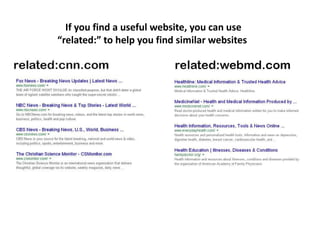
If you find a useful website, you can use
“related:” to help you find similar websites
Advanced Search Techniques In Google

Advanced Search Techniques In Google

  • 1.
    ADVANCED SEARCH TECHNIQUESIN GOOGLE BECOME A POWER USER
  • 2.
    THE EASY WAYTO SEARCH GOOGLE IS TO ENTER YOUR SEARCH TERMS ON THE GOOGLE HOME PAGE. ADVANCED TECHNIQUES ALLOW YOU TO FOCUS YOUR SEARCH AND FIND WHAT YOU ARE LOOKING FOR.
  • 3.
    THESE ARE THETECHNIQUES WHICH WILL BE COVERED IN THIS PRESENTATION: 1. Use quotation marks: “ “ 2. Use a dash: - . 3. Use a tilde: ~ 4. Use “site:” 5. Use two periods: .. 6. Use an asterisk: * 7. Use “related:”
  • 4.
    1. QUOTATION MARKS “Ihave not yet begun to fight” When you put a word or phrase in quotes, the results will only include pages with the same words in the same order as the ones inside the quotes.
  • 5.
    All of yourresults will contain the phrase “I have not yet begun to fight.”
  • 6.
    2. THE DASH jaguar-car When you use a dash before a word or site, it excludes sites with that info from your results. This is useful for words with multiple meanings, like Jaguar the car brand and jaguar the animal.
  • 7.
  • 8.
    3. THE TILDE~ When you use a tilde ~ before a word, the results will include sites with that word and sites with synonyms for that word. boating ~drunk
  • 9.
    It has beensaid the word “drunk” has over 120 synonyms. When you search for “~drunk”, Google will search for all of the different ways to say “drunk.”
  • 10.
    4. SITE: When youuse the search operator “site:” followed by address of a web site, the results will be limited to those pages found on that particular web site. tennis site:espn.com
  • 11.
    tennis site:espn.com This searchwill list all of the pages on espn.com that contain the word tennis.
  • 12.
    5. THE TWOPERIODS When you separate numbers by two periods without spaces, you see results that contain numbers in a range. tennis 1955..1960 camera $50..$100
  • 13.
    A search for“tennis 1955..1960” would limit your results to that time period. Pancho Gonzales Althea Gibson A search for camera $50..$100 would give you results in that price range.
  • 14.
    6. THE ASTERISK* Add an asterisk as a placeholder for any unknown or wildcard terms. “* pluribius unum”
  • 15.
    A search inGoogle for “* pluribus unum” would give results with “e pluribus unum” the motto that appears on US coins, but it would also return results for: “Me Pluribus Unum” “Ex Pluribus Unum” “Eggs Pluribus Unum” “Bee Pluribus Unum.
  • 16.
    7. RELATED: When youuse the “related:” search operator, you can find sites that are similar to one that you already know. related:cnn.com related:webmd.com
  • 17.
    If you finda useful website, you can use “related:” to help you find similar websites