
APRIL 2, 2016
GROUPS & PLANNER
Gina Montgomery, V-TSP, MCSA, MCTS, MCP
#SPSSA
HOUSEKEEPING
THANKYOU TO OUR SPONSORS!
STAY FOR THE RAFFLE,
JOIN US FOR SHAREPINT!
Deol Sports Bar & Grill
6851 Chase Hill Boulevard
San Antonio,TX 78249
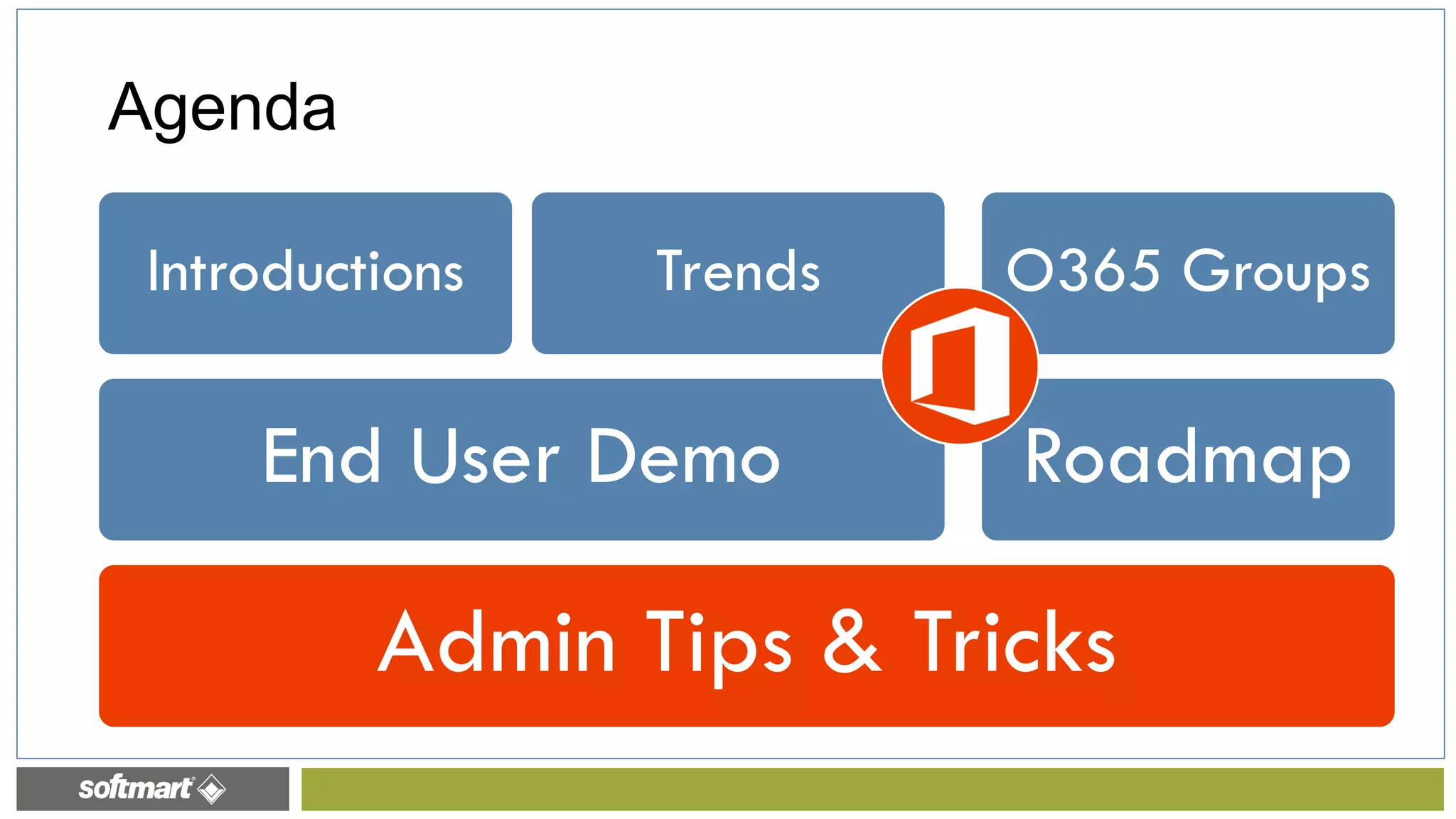
Admin Tips & Tricks
End User Demo
Introductions Trends
Office 365
Planner
O365 Groups
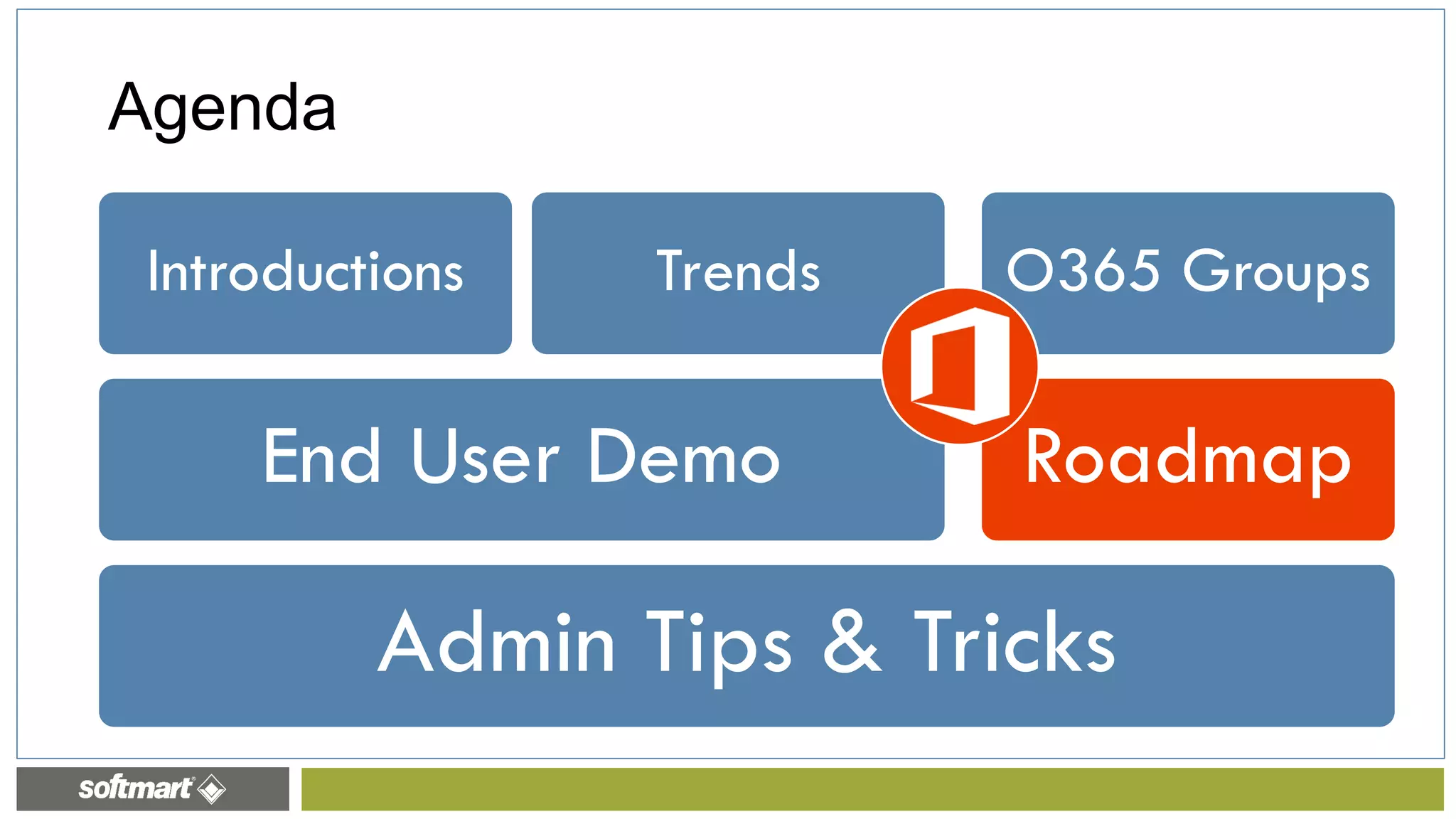
Agenda
Introductions
www.ginamontgomery.com
@ginaMMontgomery
gina.montgomery@softmart.com
b-gimon@microsoft.com
Gina Montgomery, V-TSP MCSA MCTS MCP
Softmart – Vice President, Corporate Strategy
Admin Tips & Tricks
End User Demo
Introductions Trends
Office 365
Planner
O365 Groups
Agenda
The Modern Workplace
Modern Collaboration
Social
Reality of Dispersed Teams
The Mobile Experience
Intelligent Fabric
End User Experience / Need for Integration Trumps IT “Gatekeeper”
Trends
Admin Tips & Tricks
End User Demo
Introductions Trends
Office 365
Planner
O365 Groups
Agenda
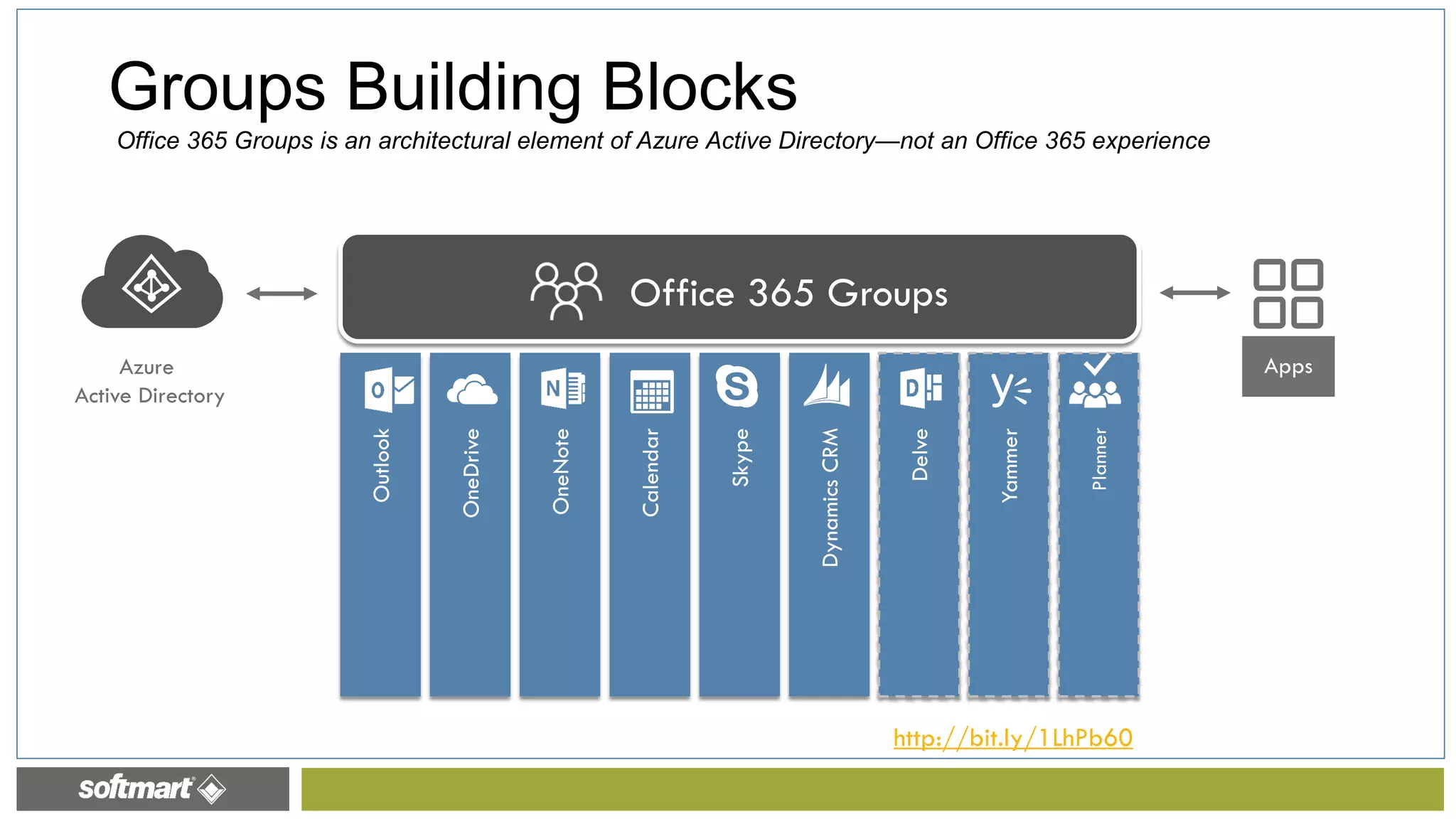
Azure
Active Directory
Groups Building Blocks
http://bit.ly/1LhPb60
Office 365 Groups is an architectural element of Azure Active Directory—not an Office 365 experience
What Experiences Do You Get With O365 Groups?
CONVERSATIONS FILES
CALENDAR PEOPLE PLAN
NOTEBOOK
http://bit.ly/1LhPb60
Admin Tips & Tricks
End User Demo
Introductions Trends
Office 365
Planner
O365 Groups
Agenda
Admin Tips & Tricks
End User Demo
Introductions Trends
Office 365
Planner
O365 Groups
Agenda
Creating Plans and Tracking Tasks
with Office 365 Planner
Planner Hub
• Favorite Plans
• Plan Roll-Up
• My Tasks Aggregation
• The Planner Board
• A SharePoint Online
document library, set up
with appropriate permissions.
• A group mailbox for email
and conversations.
• A group calendar.
What’s in a plan?
4/2/2016
As each plan is created, it is also set up as an Office 365 group and includes:
Planner Board
• Organize and divvy up plan
tasks using the Board.
• You can set start dates and
due dates, set progress
status, and assign people to
tasks.
• You can also keep track of
working groups for virtual
teams, feature crews, ship
goals, and action items.
• Determine goals and overall plan start and due date.
• Define and order tasks with start and due dates.
• Decide who should work on those tasks.
• Check the availability of those people for the tasks.
• Gather or create the documents you will need to share
with your team.
Get Granular with Plans
4/2/2016Softmart Proprietary and Confidential
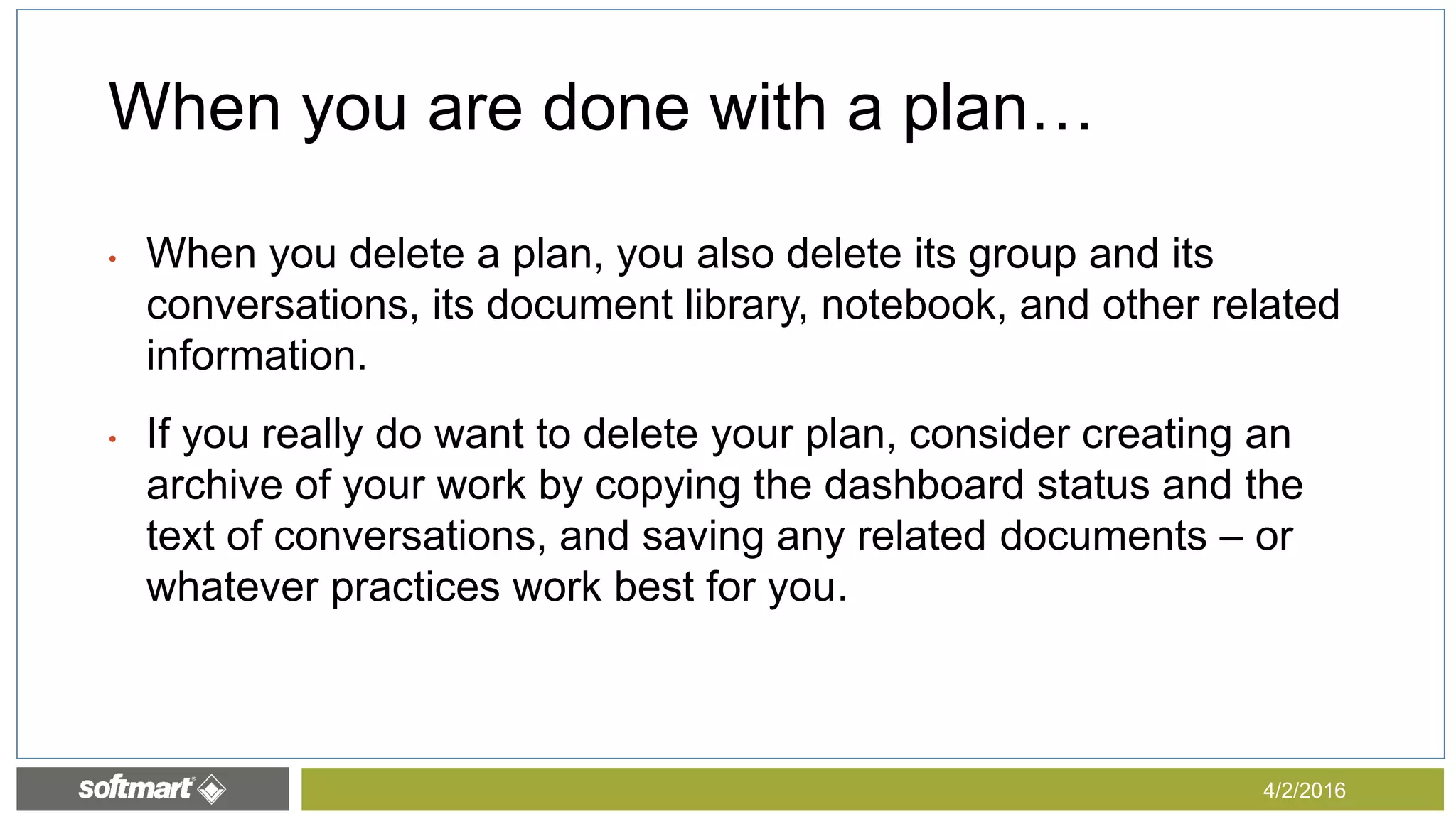
• When you delete a plan, you also delete its group and its
conversations, its document library, notebook, and other related
information.
• If you really do want to delete your plan, consider creating an
archive of your work by copying the dashboard status and the
text of conversations, and saving any related documents – or
whatever practices work best for you.
When you are done with a plan…
4/2/2016
Office 365 Planner
Admin Tips & Tricks
End User Demo
Introductions Trends
Roadmap
O365 Groups
Agenda
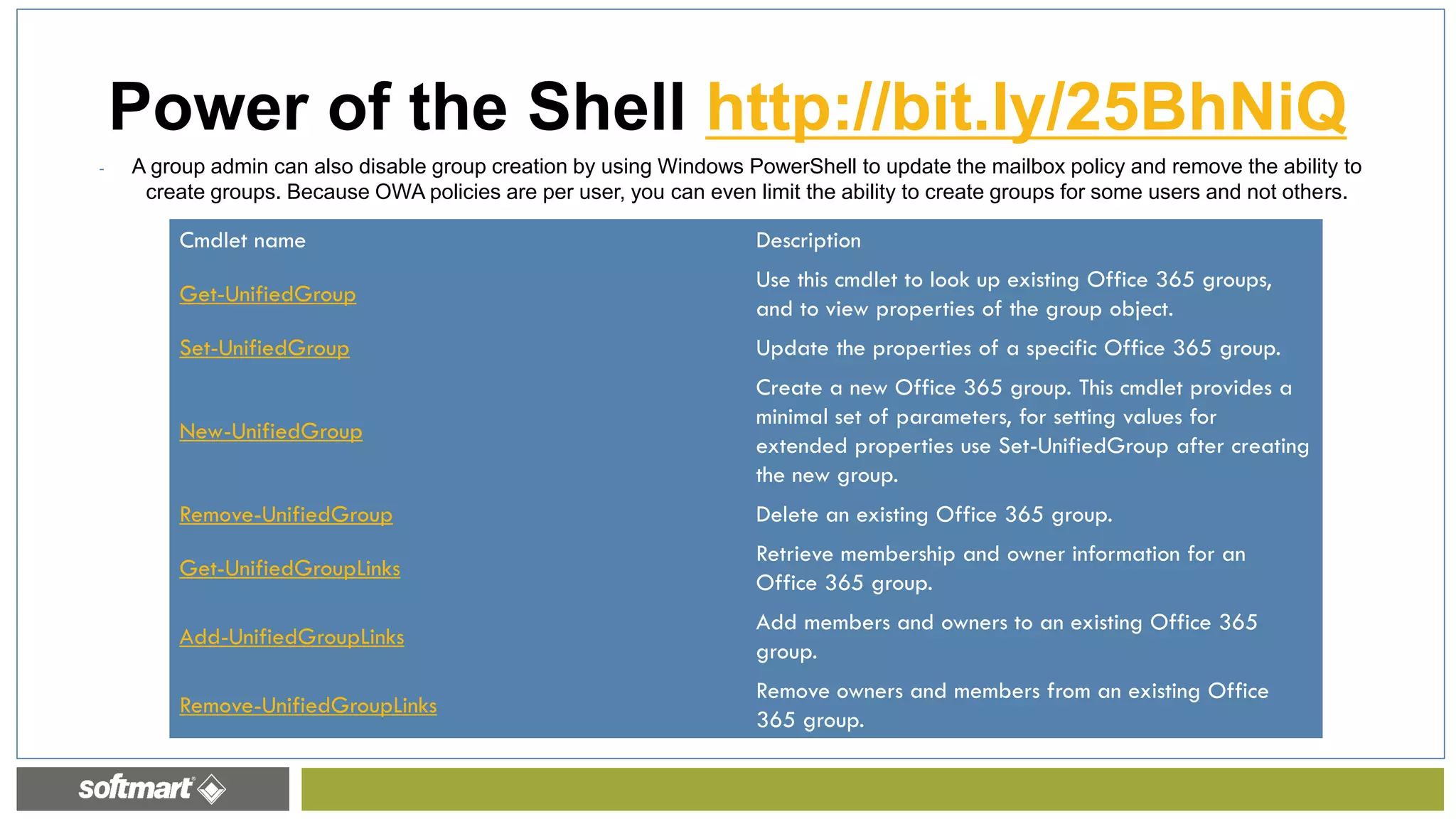
- A group admin can also disable group creation by using Windows PowerShell to update the mailbox policy and remove the ability to
create groups. Because OWA policies are per user, you can even limit the ability to create groups for some users and not others.
Power of the Shell http://bit.ly/25BhNiQ
Cmdlet name Description
Get-UnifiedGroup
Use this cmdlet to look up existing Office 365 groups,
and to view properties of the group object.
Set-UnifiedGroup Update the properties of a specific Office 365 group.
New-UnifiedGroup
Create a new Office 365 group. This cmdlet provides a
minimal set of parameters, for setting values for
extended properties use Set-UnifiedGroup after creating
the new group.
Remove-UnifiedGroup Delete an existing Office 365 group.
Get-UnifiedGroupLinks
Retrieve membership and owner information for an
Office 365 group.
Add-UnifiedGroupLinks
Add members and owners to an existing Office 365
group.
Remove-UnifiedGroupLinks
Remove owners and members from an existing Office
365 group.
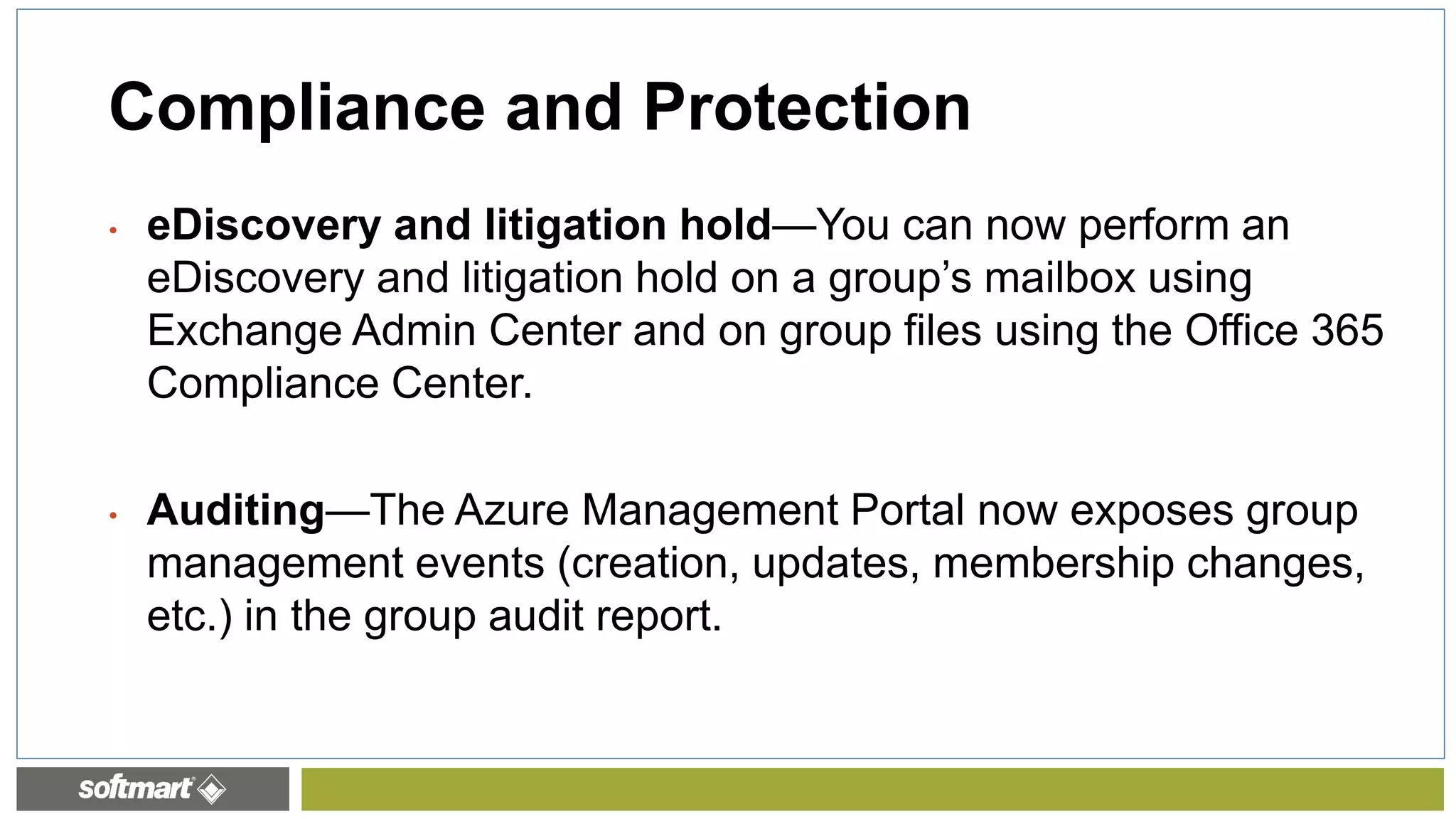
• eDiscovery and litigation hold—You can now perform an
eDiscovery and litigation hold on a group’s mailbox using
Exchange Admin Center and on group files using the Office 365
Compliance Center.
• Auditing—The Azure Management Portal now exposes group
management events (creation, updates, membership changes,
etc.) in the group audit report.
Compliance and Protection
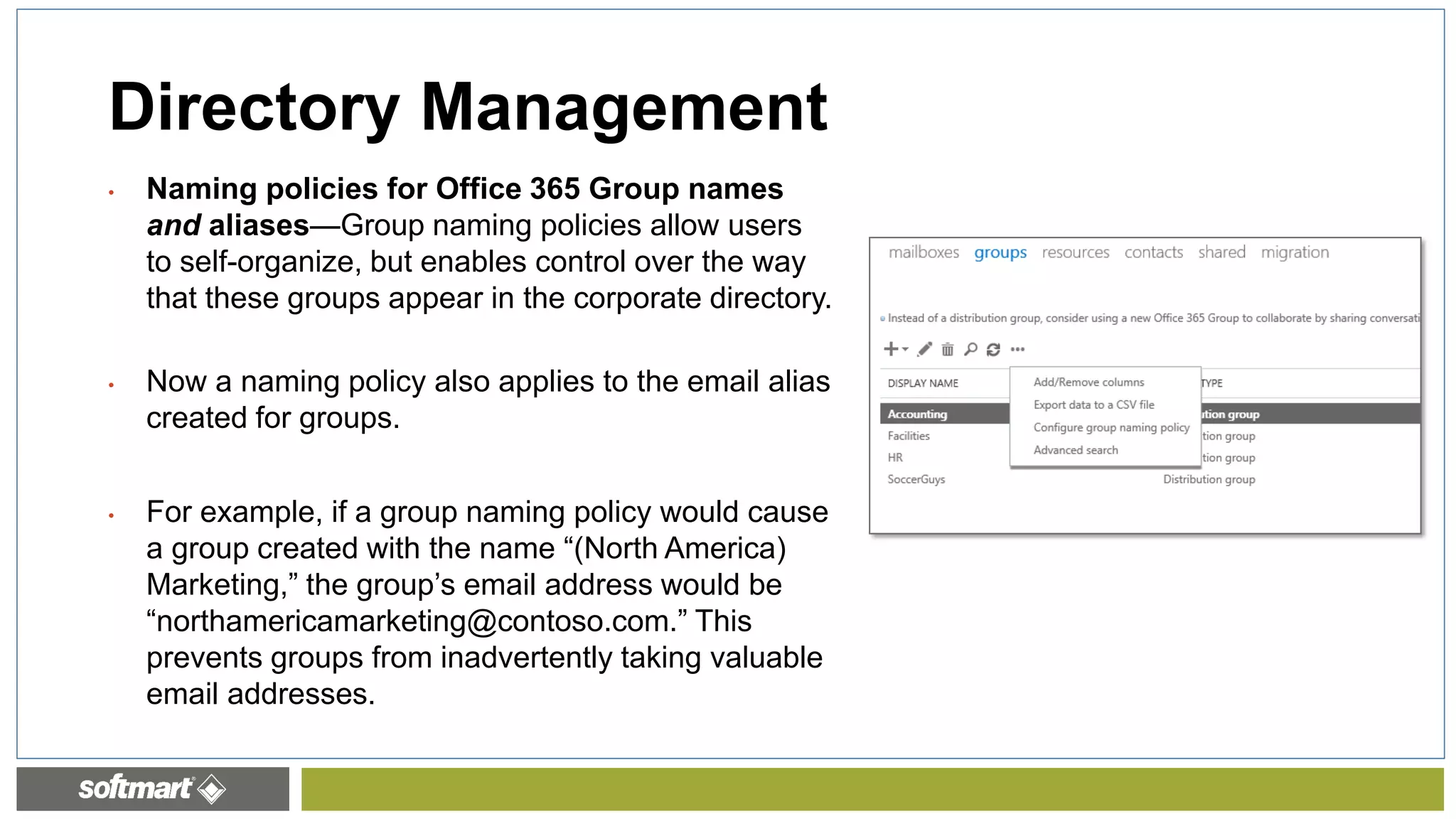
• Naming policies for Office 365 Group names
and aliases—Group naming policies allow users
to self-organize, but enables control over the way
that these groups appear in the corporate directory.
• Now a naming policy also applies to the email alias
created for groups.
• For example, if a group naming policy would cause
a group created with the name “(North America)
Marketing,” the group’s email address would be
“northamericamarketing@contoso.com.” This
prevents groups from inadvertently taking valuable
email addresses.
Directory Management
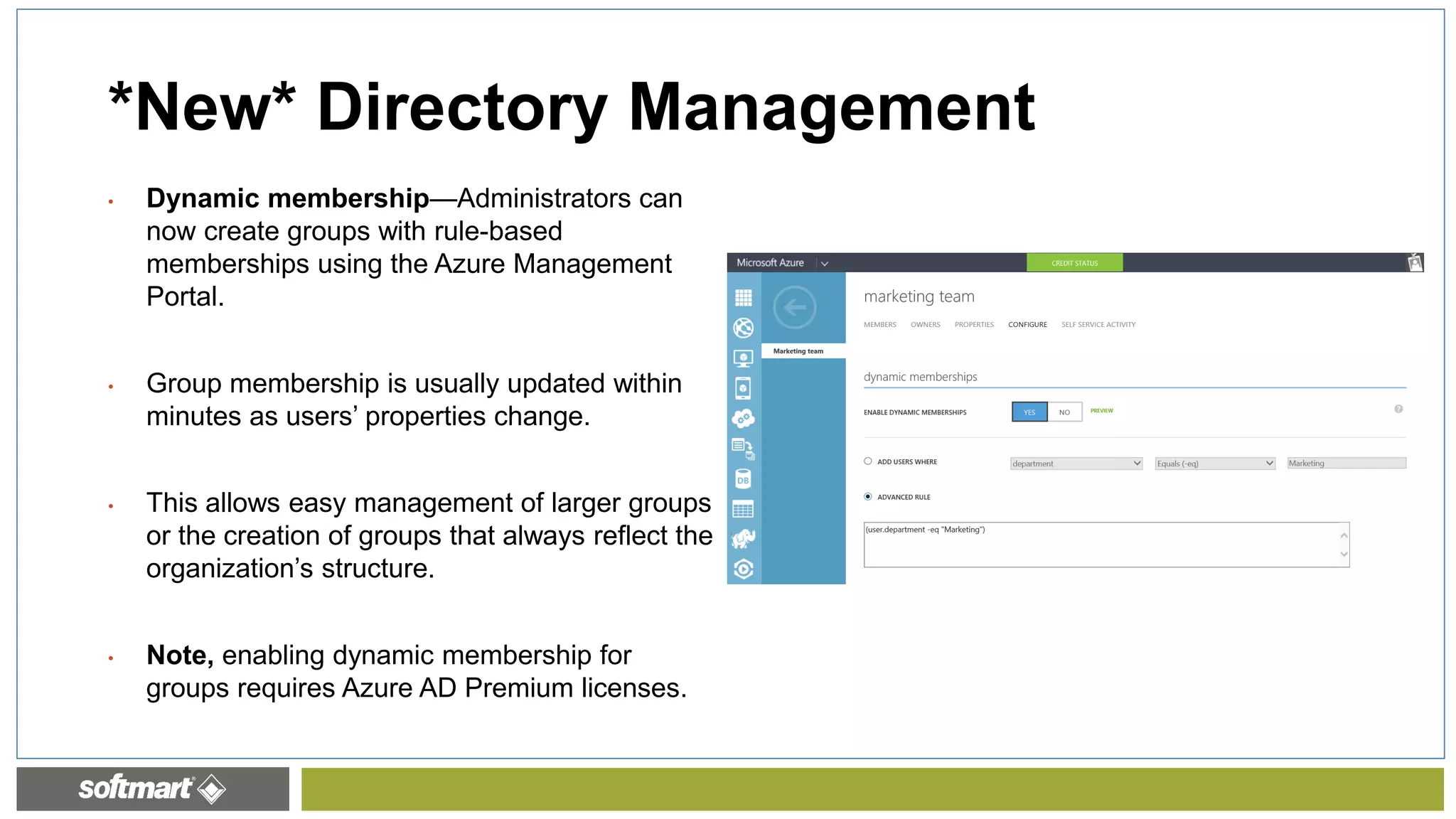
• Dynamic membership—Administrators can
now create groups with rule-based
memberships using the Azure Management
Portal.
• Group membership is usually updated within
minutes as users’ properties change.
• This allows easy management of larger groups
or the creation of groups that always reflect the
organization’s structure.
• Note, enabling dynamic membership for
groups requires Azure AD Premium licenses.
*New* Directory Management
28
Resources for O365 Groups
• Documentation “How-to”
• Office 365 Roadmap
• February 2016 Groups Update
Admin Tips & Tricks
End User Demo
Introductions Trends
Roadmap
O365 Groups
Agenda
• Group expiry—To support administrators’ desires to keep their directories clear of stale or
inactive content, we’re working on a policy that would expire inactive groups over a
definable period of time.
• Hidden membership—It will soon be possible to indicate that the group member list should
be hidden from non-members. This is especially useful in schools where class rosters can’t
be exposed to other students or faculty in the school.
• Mobile application management—To protect users’ data on the go, we’re working on
exposing the Outlook Groups apps in Microsoft Intune as policy managed apps.
• Usage guidelines—Over the next few months, you’ll be able to customize the usage
guidelines for Office 365 Groups to educate your users about best practices that help keep
their groups effective and their content safe.
2016 Updates
• Dynamic membership (Preview)—You can now create groups with rule-based memberships
using the Azure Management Portal.
• File quota management—You now have the ability to set quotas on Groups’ underlying
SharePoint sites to help manage the consumption of shared storage of the Office 365
Groups’ files.
• Allow users to send email using the Office 365 group name—Members of an Office 365
Group can use Outlook or Outlook on the web to send and reply to email using the Office
365 group name.
• Multi-domain support for Office 365 Groups (rolling out)—You can specify the domain to be
used when people in your organization create Office 365 Groups.
Feb 2016
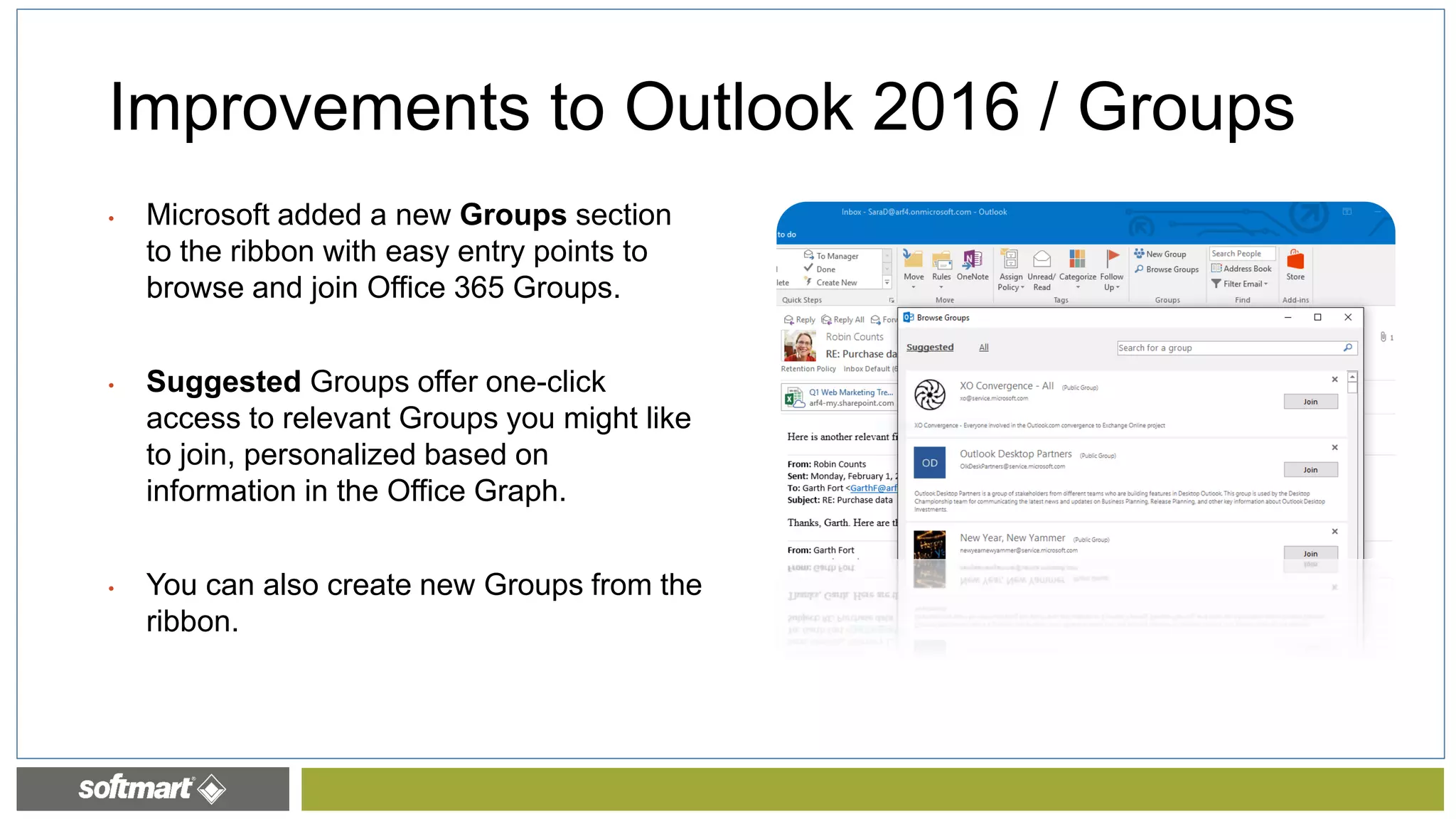
Improvements to Outlook 2016 / Groups
• Microsoft added a new Groups section
to the ribbon with easy entry points to
browse and join Office 365 Groups.
• Suggested Groups offer one-click
access to relevant Groups you might like
to join, personalized based on
information in the Office Graph.
• You can also create new Groups from the
ribbon.
Discover Page (Currently in Preview)
Mobile Apps for O365 Groups– http://groups.outlook.com
http://bit.ly/1LhPb60
O365 Groups Insights in Delve
Discover
groups
Learn more
via its profile
Stay on top of
key activities
http://bit.ly/1LhPb60
• - Configure Office 365 Groups with on-premises Exchange
hybrid
• If you've configured a hybrid deployment between your on-
premises Exchange organization and Office 365, you can now
make groups created in Office 365 available to your on-
premises users.
March 2016
Thank You
www.ginamontgomery.com
@ginaMMontgomery
gina.montgomery@softmart.com
b-gimon@microsoft.com
Gina Montgomery, V-TSP MCSA MCTS MCP
Softmart – Vice President, Corporate Strategy

Office 365 Groups and Planner - Jump Start PM and Digital Collaboration

  • 1.
  • 2.
    GROUPS & PLANNER GinaMontgomery, V-TSP, MCSA, MCTS, MCP
  • 3.
  • 4.
    THANKYOU TO OURSPONSORS!
  • 5.
    STAY FOR THERAFFLE, JOIN US FOR SHAREPINT! Deol Sports Bar & Grill 6851 Chase Hill Boulevard San Antonio,TX 78249
  • 6.
    Admin Tips &Tricks End User Demo Introductions Trends Office 365 Planner O365 Groups Agenda
  • 7.
  • 8.
    Admin Tips &Tricks End User Demo Introductions Trends Office 365 Planner O365 Groups Agenda
  • 9.
  • 10.
    Modern Collaboration Social Reality ofDispersed Teams The Mobile Experience Intelligent Fabric End User Experience / Need for Integration Trumps IT “Gatekeeper” Trends
  • 11.
    Admin Tips &Tricks End User Demo Introductions Trends Office 365 Planner O365 Groups Agenda
  • 12.
    Azure Active Directory Groups BuildingBlocks http://bit.ly/1LhPb60 Office 365 Groups is an architectural element of Azure Active Directory—not an Office 365 experience
  • 13.
    What Experiences DoYou Get With O365 Groups? CONVERSATIONS FILES CALENDAR PEOPLE PLAN NOTEBOOK http://bit.ly/1LhPb60
  • 14.
    Admin Tips &Tricks End User Demo Introductions Trends Office 365 Planner O365 Groups Agenda
  • 15.
    Admin Tips &Tricks End User Demo Introductions Trends Office 365 Planner O365 Groups Agenda
  • 16.
    Creating Plans andTracking Tasks with Office 365 Planner
  • 17.
    Planner Hub • FavoritePlans • Plan Roll-Up • My Tasks Aggregation • The Planner Board
  • 18.
    • A SharePointOnline document library, set up with appropriate permissions. • A group mailbox for email and conversations. • A group calendar. What’s in a plan? 4/2/2016 As each plan is created, it is also set up as an Office 365 group and includes:
  • 19.
    Planner Board • Organizeand divvy up plan tasks using the Board. • You can set start dates and due dates, set progress status, and assign people to tasks. • You can also keep track of working groups for virtual teams, feature crews, ship goals, and action items.
  • 20.
    • Determine goalsand overall plan start and due date. • Define and order tasks with start and due dates. • Decide who should work on those tasks. • Check the availability of those people for the tasks. • Gather or create the documents you will need to share with your team. Get Granular with Plans 4/2/2016Softmart Proprietary and Confidential
  • 21.
    • When youdelete a plan, you also delete its group and its conversations, its document library, notebook, and other related information. • If you really do want to delete your plan, consider creating an archive of your work by copying the dashboard status and the text of conversations, and saving any related documents – or whatever practices work best for you. When you are done with a plan… 4/2/2016
  • 22.
  • 23.
    Admin Tips &Tricks End User Demo Introductions Trends Roadmap O365 Groups Agenda
  • 24.
    - A groupadmin can also disable group creation by using Windows PowerShell to update the mailbox policy and remove the ability to create groups. Because OWA policies are per user, you can even limit the ability to create groups for some users and not others. Power of the Shell http://bit.ly/25BhNiQ Cmdlet name Description Get-UnifiedGroup Use this cmdlet to look up existing Office 365 groups, and to view properties of the group object. Set-UnifiedGroup Update the properties of a specific Office 365 group. New-UnifiedGroup Create a new Office 365 group. This cmdlet provides a minimal set of parameters, for setting values for extended properties use Set-UnifiedGroup after creating the new group. Remove-UnifiedGroup Delete an existing Office 365 group. Get-UnifiedGroupLinks Retrieve membership and owner information for an Office 365 group. Add-UnifiedGroupLinks Add members and owners to an existing Office 365 group. Remove-UnifiedGroupLinks Remove owners and members from an existing Office 365 group.
  • 25.
    • eDiscovery andlitigation hold—You can now perform an eDiscovery and litigation hold on a group’s mailbox using Exchange Admin Center and on group files using the Office 365 Compliance Center. • Auditing—The Azure Management Portal now exposes group management events (creation, updates, membership changes, etc.) in the group audit report. Compliance and Protection
  • 26.
    • Naming policiesfor Office 365 Group names and aliases—Group naming policies allow users to self-organize, but enables control over the way that these groups appear in the corporate directory. • Now a naming policy also applies to the email alias created for groups. • For example, if a group naming policy would cause a group created with the name “(North America) Marketing,” the group’s email address would be “northamericamarketing@contoso.com.” This prevents groups from inadvertently taking valuable email addresses. Directory Management
  • 27.
    • Dynamic membership—Administratorscan now create groups with rule-based memberships using the Azure Management Portal. • Group membership is usually updated within minutes as users’ properties change. • This allows easy management of larger groups or the creation of groups that always reflect the organization’s structure. • Note, enabling dynamic membership for groups requires Azure AD Premium licenses. *New* Directory Management
  • 28.
    28 Resources for O365Groups • Documentation “How-to” • Office 365 Roadmap • February 2016 Groups Update
  • 29.
    Admin Tips &Tricks End User Demo Introductions Trends Roadmap O365 Groups Agenda
  • 30.
    • Group expiry—Tosupport administrators’ desires to keep their directories clear of stale or inactive content, we’re working on a policy that would expire inactive groups over a definable period of time. • Hidden membership—It will soon be possible to indicate that the group member list should be hidden from non-members. This is especially useful in schools where class rosters can’t be exposed to other students or faculty in the school. • Mobile application management—To protect users’ data on the go, we’re working on exposing the Outlook Groups apps in Microsoft Intune as policy managed apps. • Usage guidelines—Over the next few months, you’ll be able to customize the usage guidelines for Office 365 Groups to educate your users about best practices that help keep their groups effective and their content safe. 2016 Updates
  • 31.
    • Dynamic membership(Preview)—You can now create groups with rule-based memberships using the Azure Management Portal. • File quota management—You now have the ability to set quotas on Groups’ underlying SharePoint sites to help manage the consumption of shared storage of the Office 365 Groups’ files. • Allow users to send email using the Office 365 group name—Members of an Office 365 Group can use Outlook or Outlook on the web to send and reply to email using the Office 365 group name. • Multi-domain support for Office 365 Groups (rolling out)—You can specify the domain to be used when people in your organization create Office 365 Groups. Feb 2016
  • 32.
    Improvements to Outlook2016 / Groups • Microsoft added a new Groups section to the ribbon with easy entry points to browse and join Office 365 Groups. • Suggested Groups offer one-click access to relevant Groups you might like to join, personalized based on information in the Office Graph. • You can also create new Groups from the ribbon.
  • 33.
  • 34.
    Mobile Apps forO365 Groups– http://groups.outlook.com http://bit.ly/1LhPb60
  • 35.
    O365 Groups Insightsin Delve Discover groups Learn more via its profile Stay on top of key activities http://bit.ly/1LhPb60
  • 36.
    • - ConfigureOffice 365 Groups with on-premises Exchange hybrid • If you've configured a hybrid deployment between your on- premises Exchange organization and Office 365, you can now make groups created in Office 365 available to your on- premises users. March 2016
  • 37.