Downloaded 13 times

![Documents Wikis
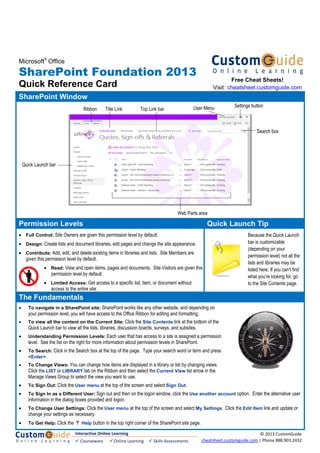
• Document Library: A document library lets users share, collaborate,
collect, and manage files with others.
• Open and Edit a Shared Document: Open the library containing the
document you want to open or edit. Select the document link and in the
dialog box that appears, click Allow. To edit a document, click the FILES
tab, then select Edit Document from the Open & Check-out Group.
• Check Out a Document: Click the FILES tab, then select Check Out
from the Open & Check-out Group.
• Check In a Document: Open the Library containing the document you
want to check in. Select the document, click the FILES tab, then select
Check In from the Open & Check-out Group. (If you’re editing a document
when you save it, you will be given the option to check it back in at that
time.)
• Create a New Document: Navigate to the library or folder in which you
want to create a document. Click the FILES tab, then select New
Document from the New Group – MS Word is the default program for this
action.
• Create a New Folder: Navigate to the library or folder in which you want
to create a new folder. Click the FILES tab, then select New Folder from
the New Group.
• Upload a Document: Open the Library into which you want to upload a
document. Click the FILES tab, then select Upload Document from the
New Group.
• View a Wiki: Click the name of the Wiki in the Quick Launch
bar or on the Top Link bar if it’s a Subsite.
• Add a Wiki Page: Open the wiki site and click the New Wiki
Page link.
• Create a Wiki Link: Type the page name enclosed in double
brackets in the wiki content area. E.g. type [[Page Name]].
• Edit a Wiki: Open the wiki page and click the PAGE tab, then
select Edit from the Edit Group.
Blogs
• View a Blog: Click the name of the
Blog in the Quick Launch bar or on the
Top Link bar.
• Create a Blog Post: Open the blog
site and click Create a post in the
Blog Tools list on the right side of the
page.
• Comment on a Blog Post: Open the post and click the
Comments link below the post.
• Receive Blog Updates through an RSS Feed: Open the
blog site. Click the RSS Feed link below the Blog Tools list.
Surveys & Discussions
• Respond to a Survey: Open the survey to which you want to respond. Click Respond to this Survey.
• View Survey Responses: Open the survey for which you want to see responses. Click the Show a graphical
summary of responses or Show all responses link. (You can also change the View using the Ribbon.)
• Create a New Discussion Topic: Open the discussion to which you want to contribute. Click the New
Discussion link.
• Reply to a Discussion Topic: Open the discussion to which you want to reply. Select the discussion thread and
click the Reply link beneath the post, or type your reply directly into the Add Reply field below all the posts.
Lists
• Add an Event: Open the calendar you want to add an event to, and click the EVENTS tab and then select New Event from the New Group.
• Synchronize SharePoint Calendar with Outlook: Open the calendar you want to synchronize. Click the CALENDAR tab and then
select Connect to Outlook from the Connect & Export Group.
• Add a Task: Open the tasks list you want to add a task to, and click the New Task link.
• Update a Task: Select the task and click the Edit link, or click the task link, and then select Edit Item from the Manage
Group on the Ribbon.
• Edit an Item: Open the list that contains the item you want to edit. Select the item and click the Open Menu button
(…), then select Edit Item from the list.
• Delete an Item: Select the item you want to delete and click the Open Menu button (…), then select Delete
Item from the list.
• Restore an Item: Click the Settings button and then select Site Settings. Open the Recycle Bin from
the Site Collection Administration section. Check the box next to each item you want to restore and select the
Restore Selection link.
• Receive Alerts: You can receive alerts on most items. Open the item you want to be alerted on, click the ITEMS tab and then select Alert
Me from the Share & Track Group.
Interactive Online Learning
Courseware Online Learning Skills Assessments
© 2013 CustomGuide
cheatsheet.customguide.com | Phone 888.903.2432](https://image.slidesharecdn.com/office2013referencecard-150402082917-conversion-gate01/85/Office-2013-reference-card-13-320.jpg)

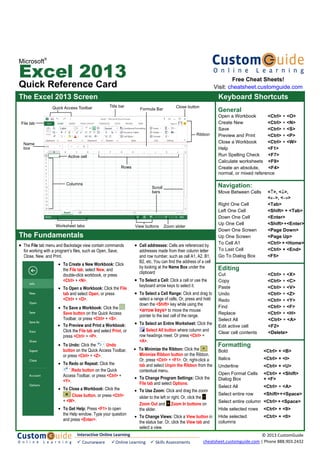
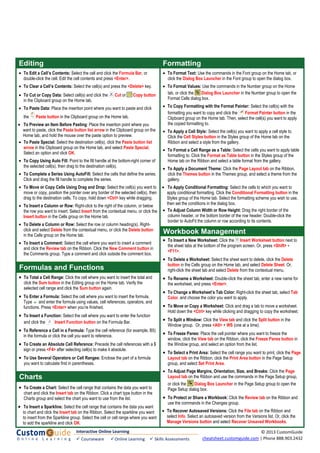
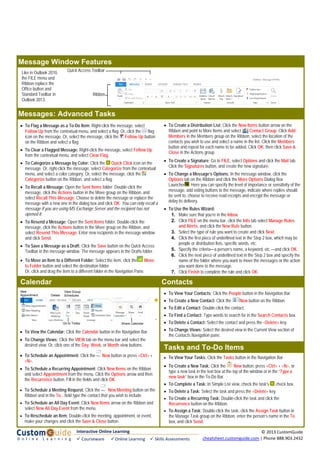
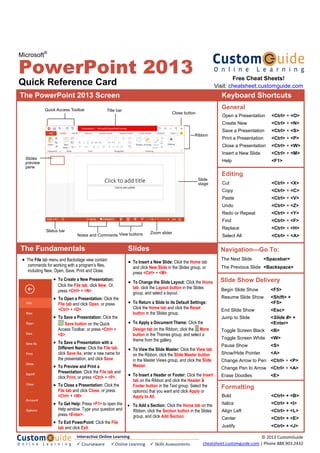
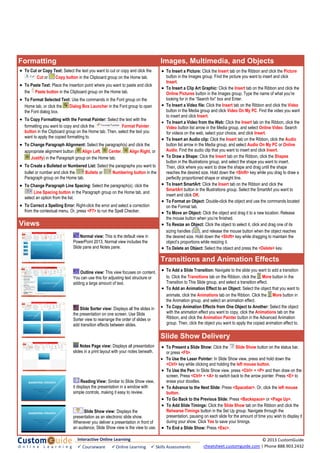
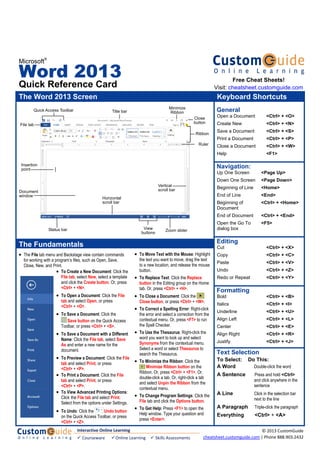
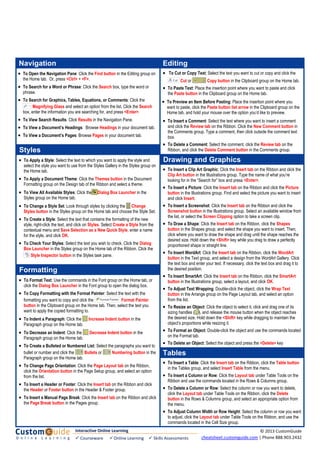
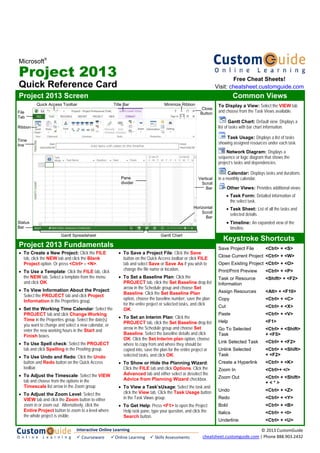
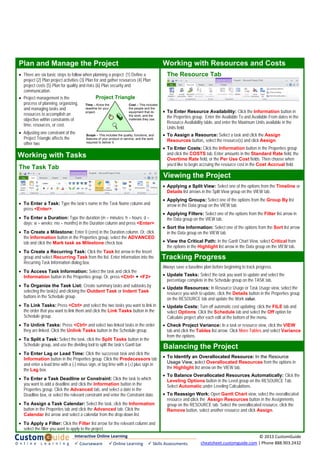
This document provides a quick reference for keyboard shortcuts and other commands in Microsoft Excel 2013. It includes shortcuts for navigation, editing, formatting, formulas and functions, charts, workbook management, and other tasks. Key features covered are the Excel interface, selecting cells, entering formulas, creating charts, formatting options, inserting and deleting rows/columns, and printing worksheets.


![Getting Started with Apache Spark: Big Data Made Simple [Free Meetup]](https://cdn.slidesharecdn.com/ss_thumbnails/apachesparkgettingstarted-260203175547-8361bcc3-thumbnail.jpg?width=640&height=640&fit=bounds)


