The document provides keystroke shortcuts and instructions for common tasks in Microsoft Word 2011, including:
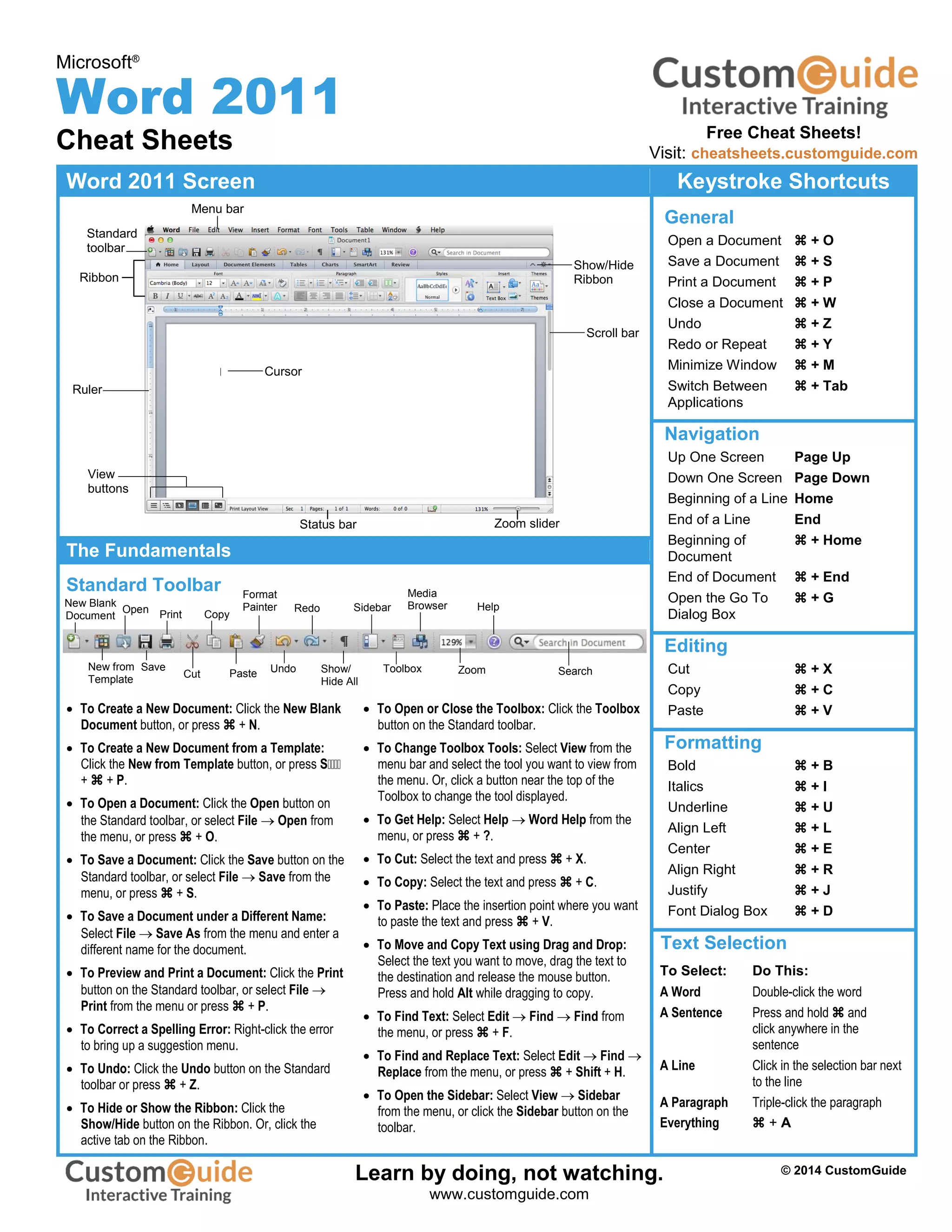
- Navigation shortcuts like page up/down, home, end, and go to functions.
- Editing shortcuts like cut, copy, paste, bold, italics, and underline.
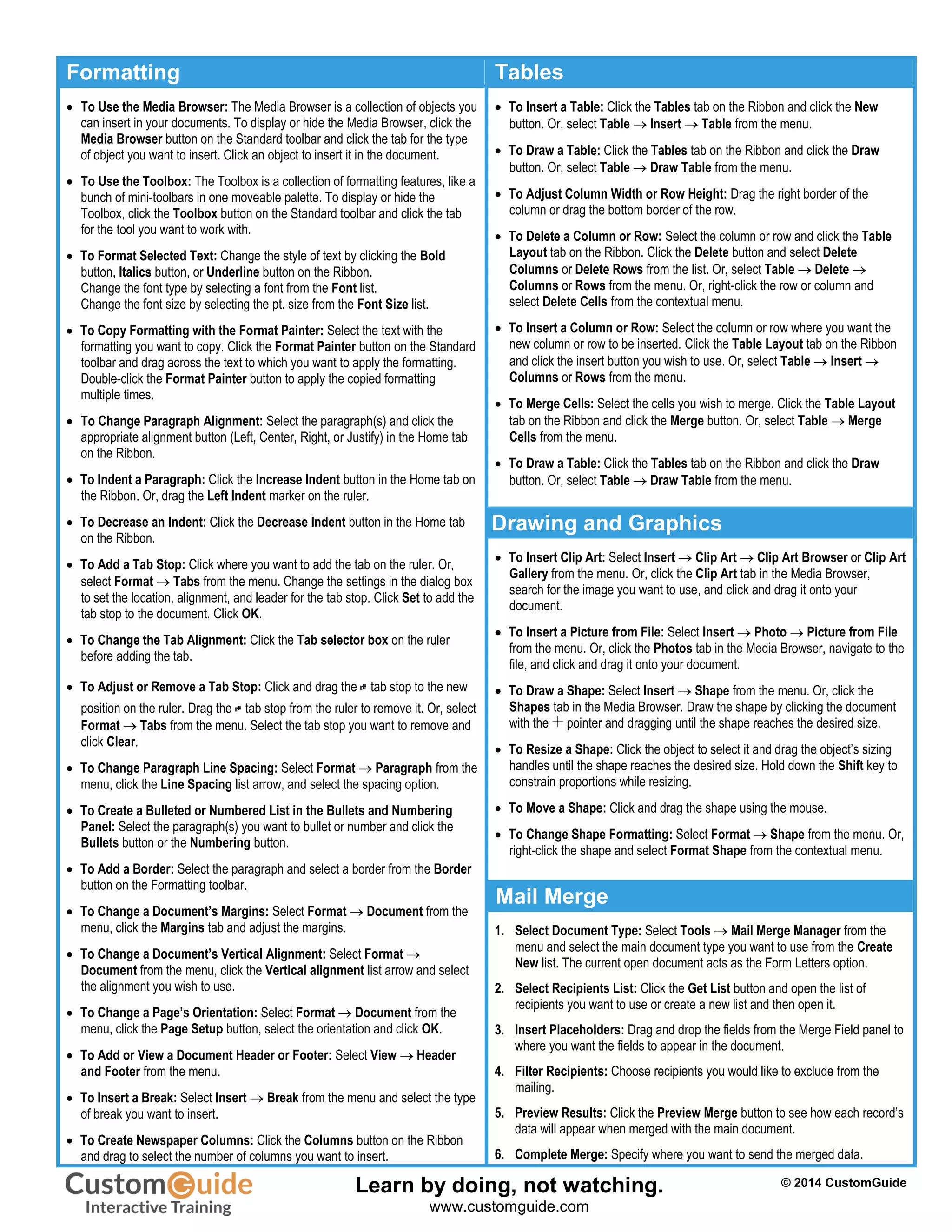
- Formatting text using fonts, sizes, styles, and the format painter.
- Working with paragraphs by aligning, indenting, adding borders and breaks.
- Inserting tables, columns, headers/footers, and graphics.
- Using tools like the toolbar, toolbox, sidebar, and help menu.
- Performing mail merges by selecting recipients and inserting placeholders.