LESSON 5
BRINGING THE WORLD INTO
THE CLASSROOM THROUGH
EDUCATIONAL TECHNOLOGY
PREPARED BY: MAE ANNE M. TABELISMA BEED III
“Digital- mediated learning encompasses more than knowledge of new
technology tools. Educators must be prepared to mediate learning through
ever- evolving digital tools. Media is rapidly taking over teaching as students
learn from gaming, open source knowledge, virtual scenarios, avatars, and
Second Life. Educators must prepare for facilitative roles that can harness
these opportunities to best student advantage”
- Jane Bailey
• Educationists began exploring the use of technology that
supports models of teaching that emphasize learning with
understanding and more active involvement.
• This exploration “made a decision to use a technology to go
beyond facts-based, memorization-oriented curricula to a
curricula in which learning with understanding is emphasized
was embraced.”
Technology for Teaching
ROLES OF TECHNOLOGY IN ACHIEVING THE GOALS OF LEARNING
FOR UNDERSTANDING.( GOLDMAN, S WILLIAMS, R ET AL, 1999)
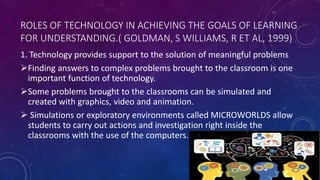
1. Technology provides support to the solution of meaningful problems
Finding answers to complex problems brought to the classroom is one
important function of technology.
Some problems brought to the classrooms can be simulated and
created with graphics, video and animation.
 Simulations or exploratory environments called MICROWORLDS allow
students to carry out actions and investigation right inside the
classrooms with the use of the computers.
2. Technology acts as cognitive support .
The use of technology provides cognitive support to learners.
Multimedia databases on CD-ROMs, videodisc or the Worldwide Web
provide important information source for students who are doing research.
 Electronic references are easy to search and they provide information very
quickly.
 It can leaners visualize processes and relationships that are invisible or
difficult to understand.
 Students may create charts, maps and other graphic representations which
they can generate through simulation.
3. Technology promotes collaboration as well as independent learning
 Interconnectedness in networking through technology supports
collaboration.
 Technology provides avenues for discussion and communication
among learners.
 A two-way video and two-way audio systems allow students and
teachers at remote sites to see and hear from each other.
 Face – to – face interactions can take place over great distances in real
time.
 Communal data base discussion groups make thinking visible and
provide learners to receive information.
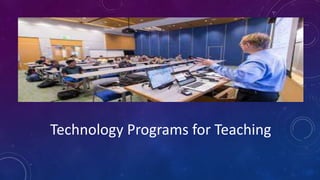
Technology Programs for Teaching
STAND-ALONE PROGRAMS
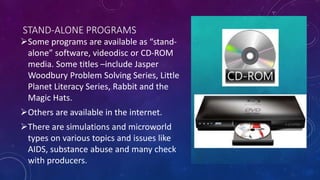
Some programs are available as “stand-
alone” software, videodisc or CD-ROM
media. Some titles –include Jasper
Woodbury Problem Solving Series, Little
Planet Literacy Series, Rabbit and the
Magic Hats.
Others are available in the internet.
There are simulations and microworld
types on various topics and issues like
AIDS, substance abuse and many check
with producers.
PROGRAMS AVAILABLE ON THE INTERNET
Programs which are available on the internet from where the school can choose a
site. KIE (Knowledge Integration Environment) teaches students to think of web
information as evidence and evaluate it critically with regard to authorship,
credibility and relevance.
 GLOBE Program (Global Learning and Observation to Benefit Environment)
involves students in gathering data about local environment and creating a data
base open to the GLOBE community.
Electronic field trips – This communication technology allows learners to travel and
visit places for global explorations.
Virtual electronic field trip – through an interactive broadcast from expedition site
INFORMATION DATABASES
Print-based materials available in electronic form.
 Ex. Set of National Geographic Magazine is now in CD -ROM,
Encarta and Grolier - provide access to vast information.
These resources take advantages of hypermedia, the ability to
jump in a nonlinear fashion to related information, whether that
information is text , graphic, video or sound. The World Wide Web
provides vas information resources through the internet.
OPPORTUNITIES FOR STUDENTS AS PROSPECTIVE
TEACHER TO PRODUCE PRODUCTS
Selection of their own topics to provide sense of ownership.
Conduct research, plan the development and presentation of the product.
Selection of simple multimedia presentation that gives only limited number of
options.
Opportunities for teaching grammar, writing, spelling within the context which is
meaningful to the students.
MODIFIED TECHNOLOGY EDUCATION REQUIREMENTS FOR
PROSPECTIVE TEACHERS (TECHNOLOGY STANDARDS AND
PERFORMANCE INDICATORS FOR TEACHERS)
1. Technology operation and concepts.
 Teachers should demonstrate an understanding of sound technology operations
and concepts. They should:
a. Demonstrate introductory knowledge, skills and understanding of concepts
related to technology
b. Demonstrate continuous growth in technology knowledge and skills to keep
abreast of current and emerging technologies.
2. Planning and designing learning environment and experiences
Teachers plan and design effective learning environments and experiences
supported by technology. They should:
a. apply current research on teaching and learning with technology when planning
the learning environment and experiences.
b. Identify and locate technology resources and evaluate them for accuracy and
suitability
c. Plan for the management of technology resources with the context of learning
activities
d. Plan strategies to manage student learning in a technology- enhanced environment
3.Teaching learning and the curriculum.
Teachers implement curriculum plans that include methods and strategies for
applying technology to maximize student learning. Teachers should:
a. Use technology to support learner- centered strategies that address the diverse
needs of students.
b. Apply technology to develop student’s higher order skills and creativity.
c. Manage student learning activities in a technology- enhanced environment
4. Assessment and evaluation
Teachers apply technology to facilitate a variety of effective assessment and
evaluation strategies. They should:
a. Use technology resources to collect and analyze data, interpret results, and
communicate findings to improve instructional practice and maximize student
learning.
b. Apply multiple methods of evaluation to determine students’ appropriate use of
technology resources for learning, communication, and productivity.
5. Productivity and professional practice
Teachers use technology to enhance their productivity and professional practice.
They should:
a. Use technology resources to engage in ongoing professional development and
lifelong learning.
b. Continually evaluate and reflect on professional practice to make informed
decisions regarding the use of technology in support of student learning.
c. Apply technology to increase productivity.
d. Use technology to communicate and collaborate with peers, parents, and the
larger community in order to nurture student learning.
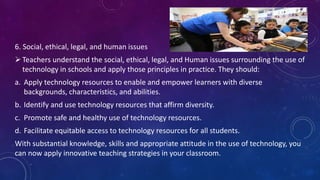
6. Social, ethical, legal, and human issues
Teachers understand the social, ethical, legal, and Human issues surrounding the use of
technology in schools and apply those principles in practice. They should:
a. Apply technology resources to enable and empower learners with diverse
backgrounds, characteristics, and abilities.
b. Identify and use technology resources that affirm diversity.
c. Promote safe and healthy use of technology resources.
d. Facilitate equitable access to technology resources for all students.
With substantial knowledge, skills and appropriate attitude in the use of technology, you
can now apply innovative teaching strategies in your classroom.
Lesson 5 ... Bringing the World into the Classroom through Educational Technology

Lesson 5 ... Bringing the World into the Classroom through Educational Technology

  • 1.
    LESSON 5 BRINGING THEWORLD INTO THE CLASSROOM THROUGH EDUCATIONAL TECHNOLOGY PREPARED BY: MAE ANNE M. TABELISMA BEED III
  • 2.
    “Digital- mediated learningencompasses more than knowledge of new technology tools. Educators must be prepared to mediate learning through ever- evolving digital tools. Media is rapidly taking over teaching as students learn from gaming, open source knowledge, virtual scenarios, avatars, and Second Life. Educators must prepare for facilitative roles that can harness these opportunities to best student advantage” - Jane Bailey
  • 3.
    • Educationists beganexploring the use of technology that supports models of teaching that emphasize learning with understanding and more active involvement. • This exploration “made a decision to use a technology to go beyond facts-based, memorization-oriented curricula to a curricula in which learning with understanding is emphasized was embraced.”
  • 4.
  • 5.
    ROLES OF TECHNOLOGYIN ACHIEVING THE GOALS OF LEARNING FOR UNDERSTANDING.( GOLDMAN, S WILLIAMS, R ET AL, 1999) 1. Technology provides support to the solution of meaningful problems Finding answers to complex problems brought to the classroom is one important function of technology. Some problems brought to the classrooms can be simulated and created with graphics, video and animation.  Simulations or exploratory environments called MICROWORLDS allow students to carry out actions and investigation right inside the classrooms with the use of the computers.
  • 6.
    2. Technology actsas cognitive support . The use of technology provides cognitive support to learners. Multimedia databases on CD-ROMs, videodisc or the Worldwide Web provide important information source for students who are doing research.  Electronic references are easy to search and they provide information very quickly.  It can leaners visualize processes and relationships that are invisible or difficult to understand.  Students may create charts, maps and other graphic representations which they can generate through simulation.
  • 7.
    3. Technology promotescollaboration as well as independent learning  Interconnectedness in networking through technology supports collaboration.  Technology provides avenues for discussion and communication among learners.  A two-way video and two-way audio systems allow students and teachers at remote sites to see and hear from each other.  Face – to – face interactions can take place over great distances in real time.  Communal data base discussion groups make thinking visible and provide learners to receive information.
  • 8.
  • 9.
    STAND-ALONE PROGRAMS Some programsare available as “stand- alone” software, videodisc or CD-ROM media. Some titles –include Jasper Woodbury Problem Solving Series, Little Planet Literacy Series, Rabbit and the Magic Hats. Others are available in the internet. There are simulations and microworld types on various topics and issues like AIDS, substance abuse and many check with producers.
  • 10.
    PROGRAMS AVAILABLE ONTHE INTERNET Programs which are available on the internet from where the school can choose a site. KIE (Knowledge Integration Environment) teaches students to think of web information as evidence and evaluate it critically with regard to authorship, credibility and relevance.  GLOBE Program (Global Learning and Observation to Benefit Environment) involves students in gathering data about local environment and creating a data base open to the GLOBE community. Electronic field trips – This communication technology allows learners to travel and visit places for global explorations. Virtual electronic field trip – through an interactive broadcast from expedition site
  • 11.
    INFORMATION DATABASES Print-based materialsavailable in electronic form.  Ex. Set of National Geographic Magazine is now in CD -ROM, Encarta and Grolier - provide access to vast information. These resources take advantages of hypermedia, the ability to jump in a nonlinear fashion to related information, whether that information is text , graphic, video or sound. The World Wide Web provides vas information resources through the internet.
  • 12.
    OPPORTUNITIES FOR STUDENTSAS PROSPECTIVE TEACHER TO PRODUCE PRODUCTS Selection of their own topics to provide sense of ownership. Conduct research, plan the development and presentation of the product. Selection of simple multimedia presentation that gives only limited number of options. Opportunities for teaching grammar, writing, spelling within the context which is meaningful to the students.
  • 13.
    MODIFIED TECHNOLOGY EDUCATIONREQUIREMENTS FOR PROSPECTIVE TEACHERS (TECHNOLOGY STANDARDS AND PERFORMANCE INDICATORS FOR TEACHERS) 1. Technology operation and concepts.  Teachers should demonstrate an understanding of sound technology operations and concepts. They should: a. Demonstrate introductory knowledge, skills and understanding of concepts related to technology b. Demonstrate continuous growth in technology knowledge and skills to keep abreast of current and emerging technologies.
  • 14.
    2. Planning anddesigning learning environment and experiences Teachers plan and design effective learning environments and experiences supported by technology. They should: a. apply current research on teaching and learning with technology when planning the learning environment and experiences. b. Identify and locate technology resources and evaluate them for accuracy and suitability c. Plan for the management of technology resources with the context of learning activities d. Plan strategies to manage student learning in a technology- enhanced environment
  • 15.
    3.Teaching learning andthe curriculum. Teachers implement curriculum plans that include methods and strategies for applying technology to maximize student learning. Teachers should: a. Use technology to support learner- centered strategies that address the diverse needs of students. b. Apply technology to develop student’s higher order skills and creativity. c. Manage student learning activities in a technology- enhanced environment
  • 16.
    4. Assessment andevaluation Teachers apply technology to facilitate a variety of effective assessment and evaluation strategies. They should: a. Use technology resources to collect and analyze data, interpret results, and communicate findings to improve instructional practice and maximize student learning. b. Apply multiple methods of evaluation to determine students’ appropriate use of technology resources for learning, communication, and productivity.
  • 17.
    5. Productivity andprofessional practice Teachers use technology to enhance their productivity and professional practice. They should: a. Use technology resources to engage in ongoing professional development and lifelong learning. b. Continually evaluate and reflect on professional practice to make informed decisions regarding the use of technology in support of student learning. c. Apply technology to increase productivity. d. Use technology to communicate and collaborate with peers, parents, and the larger community in order to nurture student learning.
  • 18.
    6. Social, ethical,legal, and human issues Teachers understand the social, ethical, legal, and Human issues surrounding the use of technology in schools and apply those principles in practice. They should: a. Apply technology resources to enable and empower learners with diverse backgrounds, characteristics, and abilities. b. Identify and use technology resources that affirm diversity. c. Promote safe and healthy use of technology resources. d. Facilitate equitable access to technology resources for all students. With substantial knowledge, skills and appropriate attitude in the use of technology, you can now apply innovative teaching strategies in your classroom.