+


                             Philosophy of the
                              Integration of
    By: AnneMarie Frascone
                              Technology in
                                 Education
+
             Technology in the Classroom

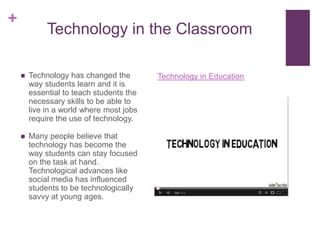
       Technology has changed the        Technology in Education
        way students learn and it is
        essential to teach students the
        necessary skills to be able to
        live in a world where most jobs
        require the use of technology.

       Many people believe that
        technology has become the
        way students can stay focused
        on the task at hand.
        Technological advances like
        social media has influenced
        students to be technologically
        savvy at young ages.
+
              Technology in the Classroom

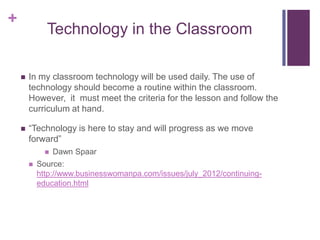
       In my classroom technology will be used daily. The use of
        technology should become a routine within the classroom.
        However, it must meet the criteria for the lesson and follow the
        curriculum at hand.

       “Technology is here to stay and will progress as we move
        forward”
                 Dawn Spaar
           Source:
            http://www.businesswomanpa.com/issues/july_2012/continuing-
            education.html
+
                       Integration Strategies

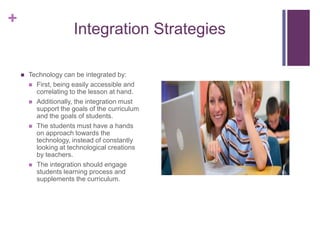
       Technology can be integrated by:
         First, being easily accessible and
          correlating to the lesson at hand.
         Additionally, the integration must
          support the goals of the curriculum
          and the goals of students.
         The students must have a hands
          on approach towards the
          technology, instead of constantly
          looking at technological creations
          by teachers.
         The integration should engage
          students learning process and
          supplements the curriculum.
+
                         Technology will not be used in my
                          classroom as a filler to a lesson or to
                          “just use it”.

                         Technology should not be used to teach
                          students lessons but to enhance lessons
How Technology Will       taught by teachers.
Not Be Used              To not replace social interaction, but to
                          motivate class interaction.
                             For example, class forums is a great
                              way to have students learn about other
                              classmates thoughts.
+
             How Technology Enhances
                Student’s Learning
       Technology gains the attention of
        the student more quickly than other
        forms of teaching.
       It links the students to valuable
        information and helpful resources.
       It portrays concepts visually rather
        than verbally.
       Can easily track the students
        progress, which can motivate the
        student to do better.
       Additionally, provides students with
        an abundant amount of tools to
        benefit a lesson or concept.
       An increase in motivation and self
        esteem for students.
Students with Different
               Abilities

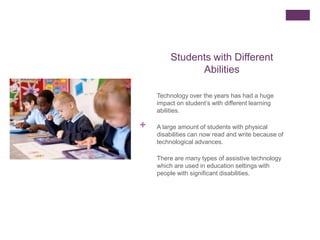
    Technology over the years has had a huge
    impact on student’s with different learning
    abilities.

+   A large amount of students with physical
    disabilities can now read and write because of
    technological advances.

    There are many types of assistive technology
    which are used in education settings with
    people with significant disabilities.
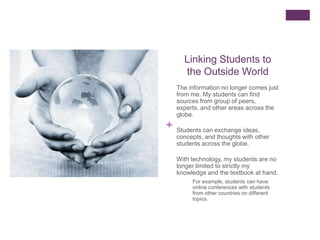
Linking Students to
      the Outside World
    The information no longer comes just
    from me. My students can find
    sources from group of peers,
    experts, and other areas across the
    globe.
+   Students can exchange ideas,
    concepts, and thoughts with other
    students across the globe.

    With technology, my students are no
    longer limited to strictly my
    knowledge and the textbook at hand.
         For example, students can have
         online conferences with students
         from other countries on different
         topics.
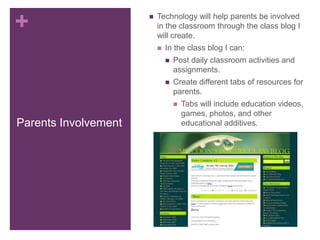
+                        Technology will help parents be involved
                          in the classroom through the class blog I
                          will create.
                             In the class blog I can:
                                 Post daily classroom activities and
                                  assignments.
                                 Create different tabs of resources for
                                  parents.
                                     Tabs will include education videos,
                                      games, photos, and other
Parents Involvement                   educational additives.
+
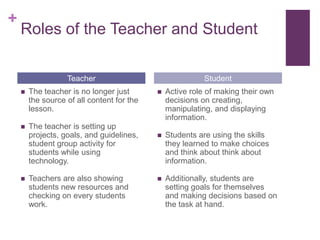
    Roles of the Teacher and Student

                   Teacher                                 Student
       The teacher is no longer just          Active role of making their own
        the source of all content for the       decisions on creating,
        lesson.                                 manipulating, and displaying
                                                information.
       The teacher is setting up
        projects, goals, and guidelines,       Students are using the skills
        student group activity for              they learned to make choices
        students while using                    and think about think about
        technology.                             information.

       Teachers are also showing              Additionally, students are
        students new resources and              setting goals for themselves
        checking on every students              and making decisions based on
        work.                                   the task at hand.
+
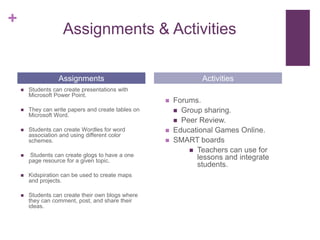
                     Assignments & Activities

                   Assignments                                   Activities
       Students can create presentations with
        Microsoft Power Point.
                                                        Forums.
       They can write papers and create tables on        Group sharing.
        Microsoft Word.
                                                          Peer Review.
       Students can create Wordles for word            Educational Games Online.
        association and using different color
        schemes.                                        SMART boards
                                                              Teachers can use for
       Students can create glogs to have a one                lessons and integrate
        page resource for a given topic.
                                                               students.
       Kidspiration can be used to create maps
        and projects.

       Students can create their own blogs where
        they can comment, post, and share their
        ideas.
+
    My Own Professional Development

       My professional development
        with the use of technology will
        include:
         Attending workshops that are
           technology based.
         Viewing conferences online
           about different aspects of
           teaching.
         Learning from other educators
           during webinars and online
           presentations.
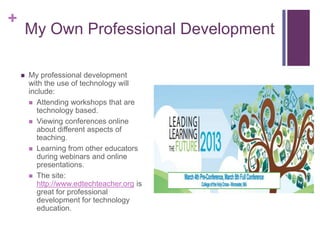
         The site:
           http://www.edtechteacher.org is
           great for professional
           development for technology
           education.
“Education is the most powerful
+ weapon which you can use to
  change the world.”
       -Nelson Mandela

  Source:
  http://www.brainyquote.com/quotes/quotes/n/nelsonmand157855.html

Techedfinal

  • 1.
    + Philosophy of the Integration of By: AnneMarie Frascone Technology in Education
  • 2.
    + Technology in the Classroom  Technology has changed the Technology in Education way students learn and it is essential to teach students the necessary skills to be able to live in a world where most jobs require the use of technology.  Many people believe that technology has become the way students can stay focused on the task at hand. Technological advances like social media has influenced students to be technologically savvy at young ages.
  • 3.
    + Technology in the Classroom  In my classroom technology will be used daily. The use of technology should become a routine within the classroom. However, it must meet the criteria for the lesson and follow the curriculum at hand.  “Technology is here to stay and will progress as we move forward”  Dawn Spaar  Source: http://www.businesswomanpa.com/issues/july_2012/continuing- education.html
  • 4.
    + Integration Strategies  Technology can be integrated by:  First, being easily accessible and correlating to the lesson at hand.  Additionally, the integration must support the goals of the curriculum and the goals of students.  The students must have a hands on approach towards the technology, instead of constantly looking at technological creations by teachers.  The integration should engage students learning process and supplements the curriculum.
  • 5.
    +  Technology will not be used in my classroom as a filler to a lesson or to “just use it”.  Technology should not be used to teach students lessons but to enhance lessons How Technology Will taught by teachers. Not Be Used  To not replace social interaction, but to motivate class interaction.  For example, class forums is a great way to have students learn about other classmates thoughts.
  • 6.
    + How Technology Enhances Student’s Learning  Technology gains the attention of the student more quickly than other forms of teaching.  It links the students to valuable information and helpful resources.  It portrays concepts visually rather than verbally.  Can easily track the students progress, which can motivate the student to do better.  Additionally, provides students with an abundant amount of tools to benefit a lesson or concept.  An increase in motivation and self esteem for students.
  • 7.
    Students with Different Abilities Technology over the years has had a huge impact on student’s with different learning abilities. + A large amount of students with physical disabilities can now read and write because of technological advances. There are many types of assistive technology which are used in education settings with people with significant disabilities.
  • 8.
    Linking Students to the Outside World The information no longer comes just from me. My students can find sources from group of peers, experts, and other areas across the globe. + Students can exchange ideas, concepts, and thoughts with other students across the globe. With technology, my students are no longer limited to strictly my knowledge and the textbook at hand. For example, students can have online conferences with students from other countries on different topics.
  • 9.
    +  Technology will help parents be involved in the classroom through the class blog I will create.  In the class blog I can:  Post daily classroom activities and assignments.  Create different tabs of resources for parents.  Tabs will include education videos, games, photos, and other Parents Involvement educational additives.
  • 10.
    + Roles of the Teacher and Student Teacher Student  The teacher is no longer just  Active role of making their own the source of all content for the decisions on creating, lesson. manipulating, and displaying information.  The teacher is setting up projects, goals, and guidelines,  Students are using the skills student group activity for they learned to make choices students while using and think about think about technology. information.  Teachers are also showing  Additionally, students are students new resources and setting goals for themselves checking on every students and making decisions based on work. the task at hand.
  • 11.
    + Assignments & Activities Assignments Activities  Students can create presentations with Microsoft Power Point.  Forums.  They can write papers and create tables on  Group sharing. Microsoft Word.  Peer Review.  Students can create Wordles for word  Educational Games Online. association and using different color schemes.  SMART boards  Teachers can use for  Students can create glogs to have a one lessons and integrate page resource for a given topic. students.  Kidspiration can be used to create maps and projects.  Students can create their own blogs where they can comment, post, and share their ideas.
  • 12.
    + My Own Professional Development  My professional development with the use of technology will include:  Attending workshops that are technology based.  Viewing conferences online about different aspects of teaching.  Learning from other educators during webinars and online presentations.  The site: http://www.edtechteacher.org is great for professional development for technology education.
  • 13.
    “Education is themost powerful + weapon which you can use to change the world.” -Nelson Mandela Source: http://www.brainyquote.com/quotes/quotes/n/nelsonmand157855.html