Internet and Web 2.0 Tools in Language Learning and Teaching Dr. Hasan Bedir Dr. Cem Can Dr. Jülide İnözü
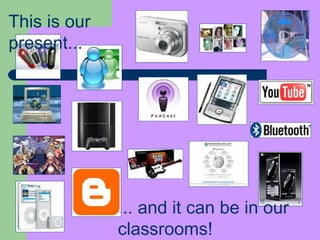
...  and it can be in our classrooms! This is our present...
New technologies   students  and the classroom “ Education must make today’s knowledge power tools a prominent feature of the learning environment. School, society’s vehicle for preparing the emerging generation for life in a technology-dominated future, represents the last technology-resistant major institution.”   (Gura & Percy, 2005)
The aim  Explore ways of using new interactive technologies with students in the classroom so as to offer different moments of cultural and linguistic exposure and further practice of authentic language in use.
Integrating Technology May… Change the way you teach Change the way you interact with your students Change the expectations you have for your students Free you to really do what you do best:  TEACH!
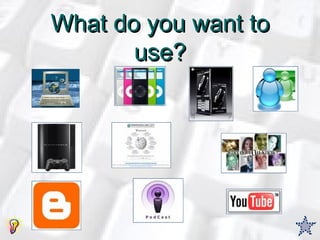
What do you want to use?
Web 2.0 in education T hey promise learners new opportunities to be independent in their study and research.  They encourage a wider range of expressive capability.  They facilitate more collaborative ways of working and they furnish a setting for learner achievements to attract an authentic audience.  To encourage these possibilities, Web 2.0 tools have evolved that create distinctive forms of support for learning and for independent research in this new internet.
What is Web 2.0?   Web 2.0 is a set of internet services and practices that give a voice to individual users. Such services thereby encourage internet users to participate in various communities of knowledge building and knowledge sharing.
Pedagogy before technology  The Web 2.0 innovation may be requiring closer attention to those matters of pedagogy rather than attention to novel internet configurations. The commitment entailed by such a teaching and learning disposition is not new.  It is an attitude that acknowledges the multi-perspective nature of knowledge, the reality of multiple literacies, the value of collaborative thinking, and the significance for creativity of finding an audience.
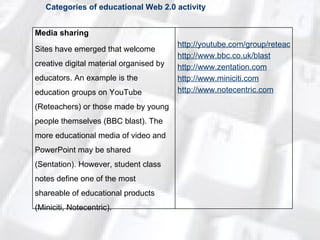
Categories of educational Web 2.0 activity Media sharing Sites have emerged that welcome creative digital material organised by educators. An example is the education groups on YouTube (Reteachers) or those made by young people themselves (BBC blast). The more educational media of video and PowerPoint may be shared (Sentation). However, student class notes define one of the most shareable of educational products (Miniciti, Notecentric). http://youtube.com/group/reteachers http://www.bbc.co.uk/blast http://www.zentation.com http://www.miniciti.com http://www.notecentric.com
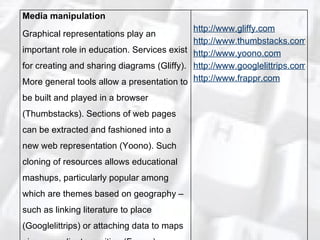
Media manipulation Graphical representations play an important role in education. Services exist for creating and sharing diagrams (Gliffy). More general tools allow a presentation to be built and played in a browser (Thumbstacks). Sections of web pages can be extracted and fashioned into a new web representation (Yoono). Such cloning of resources allows educational mashups, particularly popular among which are themes based on geography – such as linking literature to place (Googlelittrips) or attaching data to maps given coordinate position (Frappr). http://www.gliffy.com http://www.thumbstacks.com http://www.yoono.com http://www.googlelittrips.com http://www.frappr.com
Conversational arenas Educational conversations can be supported by a variety of generic tools, including some with high bandwidth connectivity (Vyew). Other sites provide more structure and encourage international conversation (Think). For younger learners, the conversation may be set against more engaging visual scenery (Whyville). Chat discussion boards can support homework (Onionstreet). Users can create their own chat room (Chatmaker). Teachers also can link through discussion forums (Schoolhistory). http://vyew.com/site http://www.think.com/en http://b.whyville.net/smmk/nice http://www.bbc.co.uk/onionstreet http://www.chatmaker.net http://www.schoolhistory.co.uk/forum
Online games and virtual worlds Platforms now exist for developing multi-player online games (Fablusi). Existing examples have taken ecology and climate as topics (Powerupthegame), and Shakespeare (Arden). Second Life has provided a development space for gifted learners (Schome) while development work for undergraduates is being explored (Vue). http://www.fablusi.com http://www.powerupthegame.org http://swi.indiana.edu/arden http://www.schome.ac.uk http://vue.ed.ac.uk
Social networking The mainstream social networking sites typically include education-oriented friendship groups. However, they can also host institutions to establish their own college-based communities (Mynewport). Other sites provide a more explicitly child-oriented design and security service for cross-site collaboration (schoolnetglobal) or simply casual exchange around school interests (Goldstarcafe). Teachers may also be creating such communities (Learnhub). http://apps.facebook.com/mynewport http://www.schoolnetglobal.com http://www.goldstarcafe.net http://learnhub.com
Blogging Blog hosting sites exist especially for students and teachers (Edublogs). Some student blog collections that are institutionally managed are publically readable; these exist in the domain of undergraduates (Warwick), secondary (Longeaton) and primary (Sandaigprimary). Academic publishers are now encouraging scientific authors to blog around their findings (Nature). http://edublogs.org http://www.sandaigprimary.co.uk/pivot http://blogs.longeaton.derbyshire.sch.uk http://blogs.warwick.ac.uk http://www.nature.com/blog
Social bookmarking Some systems for sharing bookmarks are designed more for research and education users (Bibsonomy). Others centre on the collection and shared organisation of research publications (Citeulike). http://www.bibsonomy.org http://www.citeulike.org
Recommender systems The tag clouds thrown up by bookmarking searches can function as recommender resources. An (infamous) example of recommendation technology in education involves user evaluation of teachers (Ratemyteachers). http://www.ratemyteachers.com
Collaborative editing Text, spreadsheets and other documents can be stored centrally and collaborators emailed a URL to permit collaborative editing (Google docs). Wiki hosting software allows educators to create text-oriented collaborative pages (Scribblewiki). Other websites incorporate more visual tools for collaborators (Thinkature), some emphasising mindmaps for brainstorming (bubbl.us) or whiteboard simulations (Virtualwhiteboard). All of these tools might be recruited to foster international contact involving classrooms in the UK (etwinning), or internationally (Skoolaborate). http://www.google.com/docs http://scribblewiki.com/main.php http://thinkature.com http://www.bubbl.us http://www.virtual-whiteboard.co.uk http://www.britishcouncil.org/etwinning.htm http://www.skoolaborate.com
Wikis There are sites that allow students and teachers to establish their own wiki, with an educational slant (Pbwiki). Popular wikis are well established with educational emphasis (Wikiversity) or with material for more specialist interests (Knowhomeschooling). Some schools make their student wikis visible (Westwood wikispaces). Other sites invite sharing of expertise but without the wiki structure (Squidoo). http://pbwiki.com/education.wiki http://en.wikiversity.org/wiki http://knowhomeschooling.com http://westwood.wikispaces.com http://www.squidoo.com
Syndication Students may find many publishing websites from which they can usefully take advantage of syndicated content. Particularly popular syndicated material includes podcasts such as those made for school students (Podcastschool) or sponsored by particular universities (Stanford). http://podcastschool.net http://itunes.stanford.edu
Instant Messaging ! Instant messaging  is a form of real-time communication using written or spoken texts. There are many  instant messaging programs , such as MSN Messenger, Google Talk, ICQ and Yahoo.
Video Sharing Sites! Video sharing sites , such as YouTube, Google Video and are sites that can hold videos uploaded by their users.  There are videos in different languages, from different cultures, and may be an incredible source of information and ideas.  They can bring the context of the target language closer to students’ lives.
Blogs! Blog  is a website that can be used as a means to provide information about any topic and that can be written by anyone. It can be updated by different people and also holds photos, podcasts etc.  Video Log  is a blog that comprises video.
iPods More than four decades of method comparison research on effective second language teaching approaches has shown that students who are exposed to a greater quantity of comprehensible language in and out of the classroom have higher levels of language   proficiency than students using different methodologies (such as grammar-translation, concurrent translation, and others).  This has been shown at beginning, intermediate, and advanced levels in both traditional classrooms15 as well as in instruction using new digital media and associated technologies.
iPods  (2)  iPod offers students a way to move quickly back and forth in the audio file through use of the time stamp counter.  This can be extremely useful for students who need to go back in the audio file to listen again to segments they may not have understood.  This ability to jump to different parts of the file is made even easier when students use audio files that have “chapter”   markers added to designate different segments of the audio .
iPods  (3) Another use of digital technology in language teaching is to increase or slow down the rate of speech of the input.  By listening to the audio file in QuickTime on the iPod,   students can slow down or speed up the rate of speech to make it more comprehensible.  Research has shown that intermediate ESL students who were able to adjust the rate of the audio track they were listening to did significantly better than those who did not have that option .
iPods  (4) Students can also use the iPod to interview native speakers for use with another successful teaching strategy, “narrow listening.”  Narrow listening involves listening to several audio recordings on the same or a similar topic, recorded by different speakers of the target language. Students listen, for example, to five people talking about their favorite foods.  Since the   recordings are all on the same topic, the vocabulary is naturally recycled, giving students the chance to hear the words repeated several times in a familiar context.
Narrow listening is particularly effective for intermediate and advanced students if they have access to native or advanced proficiency speakers, such as heritage language speakers and community members.  Lacking native speaking informants, teachers can provide students with recordings of multiple speakers on a variety of topics.  Narrow listening and other extensive listening strategies can help bridge the well-documented “gap” between lower- and upper-level language classes.
Audio Plus Pictures and Script Pictures, drawings, and graphics can also be attached to audio files that are playable (and viewable) on the iPod and in iTunes.  Multiple pictures can be attached to the audio file to form a type of audio   book that students can listen to while viewing the illustrations in sync with the narration, like a slideshow.  This is particularly useful for lower-level students to provide them with needed extra-linguistic support to make the audio comprehensible.
Podcats ! Podcasts  – digital media files that can be saved to portable media players and personal computers – are excellent samples of authentic language.
Podcast?  (2)  New Oxford American Dictionary  defines a podcast “as a digital recording of a radio broadcast or similar program, made available on the Internet for downloading to a personal  audio  player". 
How Does it Work?  They rely on a technology called RSS (really simple syndication). You can think of podcasts as a subscription that you automatically receive on your computer once you have signed up for it (much like a newspaper that gets delivered to your door).
Podcasts usually  use  an MP3 format (for  audio ) which is a type of sound file that is compressed so that they are smaller and do not take up as much space, which allows for faster downloading.
What Kind of Technology Do You Need?  A lot of the equipment needed you may already have. Computer  Internet connection (fast helps, but possible to do with a slow connection)  Speakers  A type of software called an aggregator (automatically checks for new updates).  iTunes  is an stand alone and sites such as Google and  My Yahoo!  offer online collectors.  Audio  editing software ( Audacity ) to make your own.  Microphone or recording device  Portable  audio  device (PAD) if you wish to listen to it somewhere other than your computer.
Some Sites to Search for Podcasts   Podomatic  http://www.podomatic.com/ Podbean  http://www.podbean.com/ iTunes  http://www.apple.com/itunes/store/podcasts.html Podcast  http://www.podcast.net/  
What are Some Websites That Provide Podcasts That You can Use?   Semi-authentic Sites  Business English Pod  http://lkey.podomatic.com/ Johnny’s ESL Page (a weekly podcast by an ESL teacher)  http://eslpage.podomatic.com/ Good Word Podcasts (word of the Day)  http://www.alphadictionary.com/podcasts /
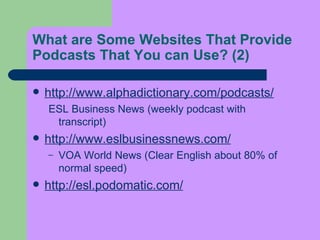
What are Some Websites That Provide Podcasts That You can Use?  (2) http://www.alphadictionary.com/podcasts / ESL Business News (weekly podcast with transcript)  http://www.eslbusinessnews.com/ VOA World News (Clear English about 80% of normal speed)  http://esl.podomatic.com/  
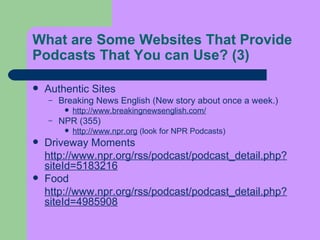
What are Some Websites That Provide Podcasts That  You  can Use?  (3) Authentic Sites  Breaking News English (New story about once a week.)  http://www.breakingnewsenglish.com/   NPR (355)  http://www.npr.org  (look for NPR Podcasts)  Driveway Moments http://www.npr.org/rss/podcast/podcast_detail.php?siteId=5183216   Food  http://www.npr.org/rss/podcast/podcast_detail.php?siteId=4985908
What are Some Websites That Provide Podcasts That You can Use?  (4) The Writer’s Almanac  http://www.npr.org/rss/podcast/podcast_detail.php?siteId=5358788 WOSU new stories  http://www.npr.org/rss/podcast/podcast_detail.php?siteId=5042545 Story of the Day  http://www.npr.org/rss/podcast/podcast_detail.php?siteId=4819386 This I Believe  http://www.npr.org/rss/podcast/podcast_detail.php?siteId=5183218
What are Some Websites That Provide Podcasts That You can Use?  (5) BBC  http://news.bbc.co.uk/2/hi/programmes/4977678.stm   Ten Weekly  http://news.bbc.co.uk/2/hi/programmes/5202498.stm NewsPod  http://www.bbc.co.uk/radio/newspod/index.shtml Digital Planet  http://news.bbc.co.uk/2/hi/technology/4849402.stm
How Can You Create Your Own Podcast?  First open up any recording software you have such as  Audacity  and record what you want to say for a podcast (http://audacity.sourceforge.net/)  Save the recording as an .mp3 file format. Once you have saved the file you can then make your own rss file or upload the mp3 file to a website that automatically hosts your podcast (Podmatic/Podbean).
What Can You Do With This in a Classroom?   Many sites offer quizzes that you can  use  ( Breaking News English, VOA )  Can assign for homework. Students can listen to them and then report the next day.  Audio  treasure hunt  Listening Comprehension
What Can You Do With This in a Classroom?  (2) Oral Production (students own podcast or reaction to one)  Student report on a podcast (personalize)  With Audacity you can add comments to student recordings.  Student journals  Use  Hot Potatoes to create your own exercises/quizzes.
Advanced Features  Videocasts  Similar but you now upload video (youtube/google video) Dani Spies (www.youtube.com) http://www.youtube.com/profile?user=danispies
Advanced Features (2) Student Projects  http://caeb2006.podomatic.com/ http://bylpodcasts.blogspot.com/ Broadcast plays, radio dramas. Students don’t have a PAD?  No problem, they can now download to their cell  phone. http://www.melodeo.com/ They can also save to a portable hard drive,  jump drive, or CD and listen to them on another  computer. 
Web  Sites ! Different  Web sites  can be used in the classroom: TV programmes and film sites, such as  www.sesamestreet.com  and  www.iceage2dvd.com Education sites, such as  www.bbc.co.uk/worldservice/learningenglish Animation sites, such as  www.killsometime.com   Social network services, such as  Orkut  and  Hi5 . And many others...
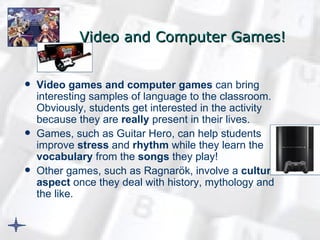
Video and Computer Games ! Video games and computer games  can bring interesting samples of language to the classroom. Obviously, students get interested in the activity because they are  really  present in their lives.  Games, such as Guitar Hero, can help students improve  stress  and  rhythm  while they learn the  vocabulary  from the  songs  they play!  Other games, such as Ragnarök, involve a  cultural aspect  once they deal with history, mythology and the like.
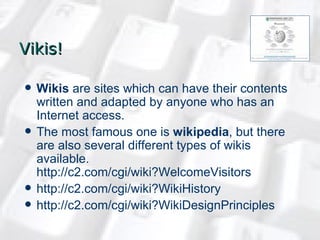
Vikis ! Wikis  are sites which can have their contents written and adapted by anyone who has an Internet access.  The most famous one is  wikipedia , but there are also several different types of wikis available.  http://c2.com/cgi/wiki?WelcomeVisitors   http://c2.com/cgi/wiki?WikiHistory   http://c2.com/cgi/wiki?WikiDesignPrinciples
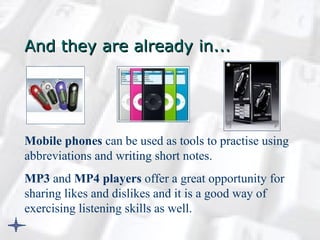
And they are already in... Mobile phones  can be used as tools to practise using abbreviations and writing short notes. MP3  and  MP4 players  offer a great opportunity for sharing likes and dislikes and it is a good way of exercising listening skills as well .
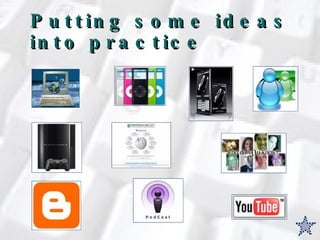
Putting some ideas into practice
Computers Activity 1:  discovering the password (Microsoft Word) Teacher prepares a password for students to discover and give them the hints (some letters = some numbers etc). Students have to guess the secret message and can create secret messages to their colleagues to guess.  Activity 2:  creating your family tree (Microsoft PowerPoint) Students create their family tree by using the organogram tool.
Computers   Activity 3:  making a movie (Windows Movie Maker) Students select photos or pictures about a studied topic and create their own movies. They can even record the sounds and lines! Activity 4:  editing a painting (Paint) Students select a famous painting and suggest modifications in terms of colours and forms. They save their works and try to justify the changes made.
Music players Activity 1:  guessing the song Students exchange music players and choose a song at random. They have to either drum their fingers on the rhythm of the song or dance it. The other students have to guess which song it is.   Activity 2:  justifying the choice of songs Students should listen to a song that their colleagues have in their music players and should try to think of a reason for the song to be there.
Instant Messaging Activity 1:  greeting  and exchanging personal information Students should start a conversation with a classmate through Instant Messaging. They should interview each other and write a short text about their new friend later on .  Activity 2:  discovering game Students should look for a photo of a famous person and the colleague should write yes/no question to try to discover who the person is.
Video games Activity 1:  video game Choose a game and work out the characters’ names, powers and skills. Each group of 3 students can choose a specific scene, landscape and the like to describe to the whole class.  Prepare a giant board game based on the game. Activity 2:  computer game Each group of 3 students should be responsible for presenting one computer game and the instructions on how to play it.  If the game involves moving to different places, students can give instructions on how to get to those places. E.g.: turn left, turn right .
Blogs Activity 1:  writing a story Teacher creates a blog that accepts multiple users to post messages. Teacher starts a story and each new post has to be its continuation.  Activity 2:  writing or speaking about weekly topics  Students should either write or record an account about the topic of the week. Students should write or record a comment on the posts. They can be pieces of advice, recommendation and even recipes!
Podcasts Activity 1:  our news Students create and record pieces of news about the characters of a book or a fairy tale (as it happens in Shrek!) Activity 2:  miming the sports Students listen to some podcasts on the latest new about sports and try to mime the action being described.
Mobile phones Activity 1:  Cellphone language Write a message to your colleague using abbreviations. [ teacher provides students with a list of abbreviations before the activity and practise before the final task ] Activity 2:  Editing a short note Write a short note to your colleague. You cannot write more than the limit of your SMS message! [ previous work should be done concerning language and purpose of the task ]
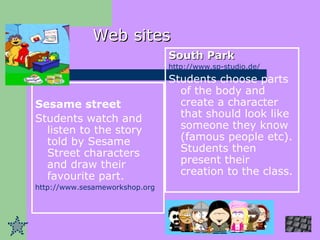
Sesame street Students watch and listen to the story told by Sesame Street characters and draw their favourite part.  http://www.sesameworkshop.org   Web sites South Park   http://www.sp-studio.de/   Students choose parts of the body and create a character that should look like someone they know (famous people etc). Students then present their creation to the class.
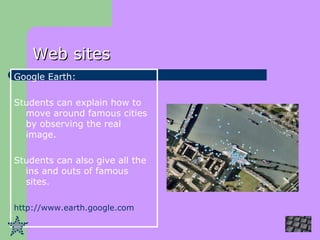
Web sites Google Earth: Students can explain how to move around famous cities by observing the real image. Students can also give all the ins and outs of famous sites. http://www.earth.google.com
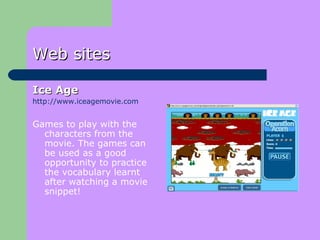
Web sites Ice Age   http://www.iceagemovie.com Games to play with the characters from the movie. The games can be used as a good opportunity to practice the vocabulary learnt after watching a movie snippet!
Video sharing sites Activity 1:  comparing different cultures Watch the Vlog from an American woman who lives in Prague; Answer comprehension questions, work with language she used; Talk about the cultural differences you’ve noticed in Brazil. Present it to the class as if you were presenting your Vlog . Activity 2:  learning how to cook Watch a snippet of a program about cooking. Name the ingredients and try to retell the recipe. Try cooking it!
Wikis Activity 1:  site  www.eHow.com As a final task for lessons on cultural traditions and the like, students decide what could be written about Brazil and post it on the site.  Activity 2:  site  www.wikipedia.org Students choose a special day of our calendar or a special game we play and write a short description about it.
In a nutshell It’s important to... ...take into account what students like to use and use. Technology is part of their lives! ...connect students’ realities to the English lesson. If we help them see that English is everywhere and that they can learn even playing video game or using a cellphone, we are helping them develop their autonomy. ...use the tools that are available to make our lessons funnier without losing the language teaching focus. that we have to get updated. ....remember that technology as well as language change and adapt to the present reality.
References (Books) Dudeney, G. (2000).  The Internet and the language classroom. A practical guide for teachers , Cambridge: CUP.   Gura, M. & Percy, B. (2005).  Recapturing Technology for Education. Keeping Tomorrow in Today’s Classrooms , Oxford: Scarecrow Education.   Hardisty, D. & Windeatt, S. (1989).  CALL , Oxford: Oxford.  Maier, P. & Warren, A. (2000).  Integrating Technology in Learning & Teaching. A Practical Guide for Educators , London: Kogan Page.  Prensky, M. (2005). Search vs. Research. Or the Fear of the Wikipedia Overcome by New Understanding for a Digital Era, to be published, available at  www.marcprensky.com/writing , last capture 01/02/2007. Prensky, M. (2004). What can you learn from a cell phone? Almost anything!. How to use the 1.5 billion computers already in our students’ and trainees’ pockets to increase learning, at home and around the world, to be published in  Innovate!,  available at  www.marcprensky.com/writing , last capture 01/02/2007. Prensky, M. (2002). What kids learn that’s positive from playing video games, available at  www.marcprensky.com/writing , last capture 01/02/2007.  Richardson, W. (2006).  Blogs, Wikis, Podcasts and Other Powerful Web Tools for Classrooms , Thousand Oaks: Corwin Press.
References (sites) www.wikipedia.org www.youtube.com www.orkut.com www.podcast.com www.google.com   www.marcprensky.com
Dr. Hasan Bedir University of Cukurova, Faculty of Education ELT Department [email_address] Thank you!

Web 2 0 Tools

  • 1.
    Internet and Web2.0 Tools in Language Learning and Teaching Dr. Hasan Bedir Dr. Cem Can Dr. Jülide İnözü
  • 2.
    ... andit can be in our classrooms! This is our present...
  • 3.
    New technologies students and the classroom “ Education must make today’s knowledge power tools a prominent feature of the learning environment. School, society’s vehicle for preparing the emerging generation for life in a technology-dominated future, represents the last technology-resistant major institution.” (Gura & Percy, 2005)
  • 4.
    The aim Explore ways of using new interactive technologies with students in the classroom so as to offer different moments of cultural and linguistic exposure and further practice of authentic language in use.
  • 5.
    Integrating Technology May…Change the way you teach Change the way you interact with your students Change the expectations you have for your students Free you to really do what you do best: TEACH!
  • 6.
    What do youwant to use?
  • 7.
    Web 2.0 ineducation T hey promise learners new opportunities to be independent in their study and research. They encourage a wider range of expressive capability. They facilitate more collaborative ways of working and they furnish a setting for learner achievements to attract an authentic audience. To encourage these possibilities, Web 2.0 tools have evolved that create distinctive forms of support for learning and for independent research in this new internet.
  • 8.
    What is Web2.0? Web 2.0 is a set of internet services and practices that give a voice to individual users. Such services thereby encourage internet users to participate in various communities of knowledge building and knowledge sharing.
  • 9.
    Pedagogy before technology The Web 2.0 innovation may be requiring closer attention to those matters of pedagogy rather than attention to novel internet configurations. The commitment entailed by such a teaching and learning disposition is not new. It is an attitude that acknowledges the multi-perspective nature of knowledge, the reality of multiple literacies, the value of collaborative thinking, and the significance for creativity of finding an audience.
  • 10.
    Categories of educationalWeb 2.0 activity Media sharing Sites have emerged that welcome creative digital material organised by educators. An example is the education groups on YouTube (Reteachers) or those made by young people themselves (BBC blast). The more educational media of video and PowerPoint may be shared (Sentation). However, student class notes define one of the most shareable of educational products (Miniciti, Notecentric). http://youtube.com/group/reteachers http://www.bbc.co.uk/blast http://www.zentation.com http://www.miniciti.com http://www.notecentric.com
  • 11.
    Media manipulation Graphicalrepresentations play an important role in education. Services exist for creating and sharing diagrams (Gliffy). More general tools allow a presentation to be built and played in a browser (Thumbstacks). Sections of web pages can be extracted and fashioned into a new web representation (Yoono). Such cloning of resources allows educational mashups, particularly popular among which are themes based on geography – such as linking literature to place (Googlelittrips) or attaching data to maps given coordinate position (Frappr). http://www.gliffy.com http://www.thumbstacks.com http://www.yoono.com http://www.googlelittrips.com http://www.frappr.com
  • 12.
    Conversational arenas Educationalconversations can be supported by a variety of generic tools, including some with high bandwidth connectivity (Vyew). Other sites provide more structure and encourage international conversation (Think). For younger learners, the conversation may be set against more engaging visual scenery (Whyville). Chat discussion boards can support homework (Onionstreet). Users can create their own chat room (Chatmaker). Teachers also can link through discussion forums (Schoolhistory). http://vyew.com/site http://www.think.com/en http://b.whyville.net/smmk/nice http://www.bbc.co.uk/onionstreet http://www.chatmaker.net http://www.schoolhistory.co.uk/forum
  • 13.
    Online games andvirtual worlds Platforms now exist for developing multi-player online games (Fablusi). Existing examples have taken ecology and climate as topics (Powerupthegame), and Shakespeare (Arden). Second Life has provided a development space for gifted learners (Schome) while development work for undergraduates is being explored (Vue). http://www.fablusi.com http://www.powerupthegame.org http://swi.indiana.edu/arden http://www.schome.ac.uk http://vue.ed.ac.uk
  • 14.
    Social networking Themainstream social networking sites typically include education-oriented friendship groups. However, they can also host institutions to establish their own college-based communities (Mynewport). Other sites provide a more explicitly child-oriented design and security service for cross-site collaboration (schoolnetglobal) or simply casual exchange around school interests (Goldstarcafe). Teachers may also be creating such communities (Learnhub). http://apps.facebook.com/mynewport http://www.schoolnetglobal.com http://www.goldstarcafe.net http://learnhub.com
  • 15.
    Blogging Blog hostingsites exist especially for students and teachers (Edublogs). Some student blog collections that are institutionally managed are publically readable; these exist in the domain of undergraduates (Warwick), secondary (Longeaton) and primary (Sandaigprimary). Academic publishers are now encouraging scientific authors to blog around their findings (Nature). http://edublogs.org http://www.sandaigprimary.co.uk/pivot http://blogs.longeaton.derbyshire.sch.uk http://blogs.warwick.ac.uk http://www.nature.com/blog
  • 16.
    Social bookmarking Somesystems for sharing bookmarks are designed more for research and education users (Bibsonomy). Others centre on the collection and shared organisation of research publications (Citeulike). http://www.bibsonomy.org http://www.citeulike.org
  • 17.
    Recommender systems Thetag clouds thrown up by bookmarking searches can function as recommender resources. An (infamous) example of recommendation technology in education involves user evaluation of teachers (Ratemyteachers). http://www.ratemyteachers.com
  • 18.
    Collaborative editing Text,spreadsheets and other documents can be stored centrally and collaborators emailed a URL to permit collaborative editing (Google docs). Wiki hosting software allows educators to create text-oriented collaborative pages (Scribblewiki). Other websites incorporate more visual tools for collaborators (Thinkature), some emphasising mindmaps for brainstorming (bubbl.us) or whiteboard simulations (Virtualwhiteboard). All of these tools might be recruited to foster international contact involving classrooms in the UK (etwinning), or internationally (Skoolaborate). http://www.google.com/docs http://scribblewiki.com/main.php http://thinkature.com http://www.bubbl.us http://www.virtual-whiteboard.co.uk http://www.britishcouncil.org/etwinning.htm http://www.skoolaborate.com
  • 19.
    Wikis There aresites that allow students and teachers to establish their own wiki, with an educational slant (Pbwiki). Popular wikis are well established with educational emphasis (Wikiversity) or with material for more specialist interests (Knowhomeschooling). Some schools make their student wikis visible (Westwood wikispaces). Other sites invite sharing of expertise but without the wiki structure (Squidoo). http://pbwiki.com/education.wiki http://en.wikiversity.org/wiki http://knowhomeschooling.com http://westwood.wikispaces.com http://www.squidoo.com
  • 20.
    Syndication Students mayfind many publishing websites from which they can usefully take advantage of syndicated content. Particularly popular syndicated material includes podcasts such as those made for school students (Podcastschool) or sponsored by particular universities (Stanford). http://podcastschool.net http://itunes.stanford.edu
  • 21.
    Instant Messaging !Instant messaging is a form of real-time communication using written or spoken texts. There are many instant messaging programs , such as MSN Messenger, Google Talk, ICQ and Yahoo.
  • 22.
    Video Sharing Sites!Video sharing sites , such as YouTube, Google Video and are sites that can hold videos uploaded by their users. There are videos in different languages, from different cultures, and may be an incredible source of information and ideas. They can bring the context of the target language closer to students’ lives.
  • 23.
    Blogs! Blog is a website that can be used as a means to provide information about any topic and that can be written by anyone. It can be updated by different people and also holds photos, podcasts etc. Video Log is a blog that comprises video.
  • 24.
    iPods More thanfour decades of method comparison research on effective second language teaching approaches has shown that students who are exposed to a greater quantity of comprehensible language in and out of the classroom have higher levels of language proficiency than students using different methodologies (such as grammar-translation, concurrent translation, and others). This has been shown at beginning, intermediate, and advanced levels in both traditional classrooms15 as well as in instruction using new digital media and associated technologies.
  • 25.
    iPods (2) iPod offers students a way to move quickly back and forth in the audio file through use of the time stamp counter. This can be extremely useful for students who need to go back in the audio file to listen again to segments they may not have understood. This ability to jump to different parts of the file is made even easier when students use audio files that have “chapter” markers added to designate different segments of the audio .
  • 26.
    iPods (3)Another use of digital technology in language teaching is to increase or slow down the rate of speech of the input. By listening to the audio file in QuickTime on the iPod, students can slow down or speed up the rate of speech to make it more comprehensible. Research has shown that intermediate ESL students who were able to adjust the rate of the audio track they were listening to did significantly better than those who did not have that option .
  • 27.
    iPods (4)Students can also use the iPod to interview native speakers for use with another successful teaching strategy, “narrow listening.” Narrow listening involves listening to several audio recordings on the same or a similar topic, recorded by different speakers of the target language. Students listen, for example, to five people talking about their favorite foods. Since the recordings are all on the same topic, the vocabulary is naturally recycled, giving students the chance to hear the words repeated several times in a familiar context.
  • 28.
    Narrow listening isparticularly effective for intermediate and advanced students if they have access to native or advanced proficiency speakers, such as heritage language speakers and community members. Lacking native speaking informants, teachers can provide students with recordings of multiple speakers on a variety of topics. Narrow listening and other extensive listening strategies can help bridge the well-documented “gap” between lower- and upper-level language classes.
  • 29.
    Audio Plus Picturesand Script Pictures, drawings, and graphics can also be attached to audio files that are playable (and viewable) on the iPod and in iTunes. Multiple pictures can be attached to the audio file to form a type of audio book that students can listen to while viewing the illustrations in sync with the narration, like a slideshow. This is particularly useful for lower-level students to provide them with needed extra-linguistic support to make the audio comprehensible.
  • 30.
    Podcats ! Podcasts – digital media files that can be saved to portable media players and personal computers – are excellent samples of authentic language.
  • 31.
    Podcast? (2) New Oxford American Dictionary defines a podcast “as a digital recording of a radio broadcast or similar program, made available on the Internet for downloading to a personal audio player". 
  • 32.
    How Does itWork?  They rely on a technology called RSS (really simple syndication). You can think of podcasts as a subscription that you automatically receive on your computer once you have signed up for it (much like a newspaper that gets delivered to your door).
  • 33.
    Podcasts usually use an MP3 format (for audio ) which is a type of sound file that is compressed so that they are smaller and do not take up as much space, which allows for faster downloading.
  • 34.
    What Kind ofTechnology Do You Need?  A lot of the equipment needed you may already have. Computer Internet connection (fast helps, but possible to do with a slow connection) Speakers A type of software called an aggregator (automatically checks for new updates). iTunes is an stand alone and sites such as Google and My Yahoo! offer online collectors. Audio editing software ( Audacity ) to make your own. Microphone or recording device Portable audio device (PAD) if you wish to listen to it somewhere other than your computer.
  • 35.
    Some Sites toSearch for Podcasts   Podomatic http://www.podomatic.com/ Podbean http://www.podbean.com/ iTunes http://www.apple.com/itunes/store/podcasts.html Podcast http://www.podcast.net/  
  • 36.
    What are SomeWebsites That Provide Podcasts That You can Use?   Semi-authentic Sites Business English Pod http://lkey.podomatic.com/ Johnny’s ESL Page (a weekly podcast by an ESL teacher) http://eslpage.podomatic.com/ Good Word Podcasts (word of the Day) http://www.alphadictionary.com/podcasts /
  • 37.
    What are SomeWebsites That Provide Podcasts That You can Use?  (2) http://www.alphadictionary.com/podcasts / ESL Business News (weekly podcast with transcript) http://www.eslbusinessnews.com/ VOA World News (Clear English about 80% of normal speed) http://esl.podomatic.com/  
  • 38.
    What are SomeWebsites That Provide Podcasts That You can Use?  (3) Authentic Sites Breaking News English (New story about once a week.) http://www.breakingnewsenglish.com/ NPR (355) http://www.npr.org (look for NPR Podcasts) Driveway Moments http://www.npr.org/rss/podcast/podcast_detail.php?siteId=5183216 Food http://www.npr.org/rss/podcast/podcast_detail.php?siteId=4985908
  • 39.
    What are SomeWebsites That Provide Podcasts That You can Use?  (4) The Writer’s Almanac http://www.npr.org/rss/podcast/podcast_detail.php?siteId=5358788 WOSU new stories http://www.npr.org/rss/podcast/podcast_detail.php?siteId=5042545 Story of the Day http://www.npr.org/rss/podcast/podcast_detail.php?siteId=4819386 This I Believe http://www.npr.org/rss/podcast/podcast_detail.php?siteId=5183218
  • 40.
    What are SomeWebsites That Provide Podcasts That You can Use?  (5) BBC http://news.bbc.co.uk/2/hi/programmes/4977678.stm Ten Weekly http://news.bbc.co.uk/2/hi/programmes/5202498.stm NewsPod http://www.bbc.co.uk/radio/newspod/index.shtml Digital Planet http://news.bbc.co.uk/2/hi/technology/4849402.stm
  • 41.
    How Can YouCreate Your Own Podcast?  First open up any recording software you have such as Audacity and record what you want to say for a podcast (http://audacity.sourceforge.net/) Save the recording as an .mp3 file format. Once you have saved the file you can then make your own rss file or upload the mp3 file to a website that automatically hosts your podcast (Podmatic/Podbean).
  • 42.
    What Can YouDo With This in a Classroom?   Many sites offer quizzes that you can use ( Breaking News English, VOA ) Can assign for homework. Students can listen to them and then report the next day. Audio treasure hunt Listening Comprehension
  • 43.
    What Can YouDo With This in a Classroom? (2) Oral Production (students own podcast or reaction to one) Student report on a podcast (personalize) With Audacity you can add comments to student recordings. Student journals Use Hot Potatoes to create your own exercises/quizzes.
  • 44.
    Advanced Features  Videocasts Similar but you now upload video (youtube/google video) Dani Spies (www.youtube.com) http://www.youtube.com/profile?user=danispies
  • 45.
    Advanced Features (2) StudentProjects http://caeb2006.podomatic.com/ http://bylpodcasts.blogspot.com/ Broadcast plays, radio dramas. Students don’t have a PAD? No problem, they can now download to their cell phone. http://www.melodeo.com/ They can also save to a portable hard drive, jump drive, or CD and listen to them on another computer. 
  • 46.
    Web Sites! Different Web sites can be used in the classroom: TV programmes and film sites, such as www.sesamestreet.com and www.iceage2dvd.com Education sites, such as www.bbc.co.uk/worldservice/learningenglish Animation sites, such as www.killsometime.com Social network services, such as Orkut and Hi5 . And many others...
  • 47.
    Video and ComputerGames ! Video games and computer games can bring interesting samples of language to the classroom. Obviously, students get interested in the activity because they are really present in their lives. Games, such as Guitar Hero, can help students improve stress and rhythm while they learn the vocabulary from the songs they play! Other games, such as Ragnarök, involve a cultural aspect once they deal with history, mythology and the like.
  • 48.
    Vikis ! Wikis are sites which can have their contents written and adapted by anyone who has an Internet access. The most famous one is wikipedia , but there are also several different types of wikis available. http://c2.com/cgi/wiki?WelcomeVisitors http://c2.com/cgi/wiki?WikiHistory http://c2.com/cgi/wiki?WikiDesignPrinciples
  • 49.
    And they arealready in... Mobile phones can be used as tools to practise using abbreviations and writing short notes. MP3 and MP4 players offer a great opportunity for sharing likes and dislikes and it is a good way of exercising listening skills as well .
  • 50.
    Putting some ideasinto practice
  • 51.
    Computers Activity 1: discovering the password (Microsoft Word) Teacher prepares a password for students to discover and give them the hints (some letters = some numbers etc). Students have to guess the secret message and can create secret messages to their colleagues to guess. Activity 2: creating your family tree (Microsoft PowerPoint) Students create their family tree by using the organogram tool.
  • 52.
    Computers Activity 3: making a movie (Windows Movie Maker) Students select photos or pictures about a studied topic and create their own movies. They can even record the sounds and lines! Activity 4: editing a painting (Paint) Students select a famous painting and suggest modifications in terms of colours and forms. They save their works and try to justify the changes made.
  • 53.
    Music players Activity1: guessing the song Students exchange music players and choose a song at random. They have to either drum their fingers on the rhythm of the song or dance it. The other students have to guess which song it is. Activity 2: justifying the choice of songs Students should listen to a song that their colleagues have in their music players and should try to think of a reason for the song to be there.
  • 54.
    Instant Messaging Activity1: greeting and exchanging personal information Students should start a conversation with a classmate through Instant Messaging. They should interview each other and write a short text about their new friend later on . Activity 2: discovering game Students should look for a photo of a famous person and the colleague should write yes/no question to try to discover who the person is.
  • 55.
    Video games Activity1: video game Choose a game and work out the characters’ names, powers and skills. Each group of 3 students can choose a specific scene, landscape and the like to describe to the whole class. Prepare a giant board game based on the game. Activity 2: computer game Each group of 3 students should be responsible for presenting one computer game and the instructions on how to play it. If the game involves moving to different places, students can give instructions on how to get to those places. E.g.: turn left, turn right .
  • 56.
    Blogs Activity 1: writing a story Teacher creates a blog that accepts multiple users to post messages. Teacher starts a story and each new post has to be its continuation. Activity 2: writing or speaking about weekly topics Students should either write or record an account about the topic of the week. Students should write or record a comment on the posts. They can be pieces of advice, recommendation and even recipes!
  • 57.
    Podcasts Activity 1: our news Students create and record pieces of news about the characters of a book or a fairy tale (as it happens in Shrek!) Activity 2: miming the sports Students listen to some podcasts on the latest new about sports and try to mime the action being described.
  • 58.
    Mobile phones Activity1: Cellphone language Write a message to your colleague using abbreviations. [ teacher provides students with a list of abbreviations before the activity and practise before the final task ] Activity 2: Editing a short note Write a short note to your colleague. You cannot write more than the limit of your SMS message! [ previous work should be done concerning language and purpose of the task ]
  • 59.
    Sesame street Studentswatch and listen to the story told by Sesame Street characters and draw their favourite part. http://www.sesameworkshop.org Web sites South Park http://www.sp-studio.de/ Students choose parts of the body and create a character that should look like someone they know (famous people etc). Students then present their creation to the class.
  • 60.
    Web sites GoogleEarth: Students can explain how to move around famous cities by observing the real image. Students can also give all the ins and outs of famous sites. http://www.earth.google.com
  • 61.
    Web sites IceAge http://www.iceagemovie.com Games to play with the characters from the movie. The games can be used as a good opportunity to practice the vocabulary learnt after watching a movie snippet!
  • 62.
    Video sharing sitesActivity 1: comparing different cultures Watch the Vlog from an American woman who lives in Prague; Answer comprehension questions, work with language she used; Talk about the cultural differences you’ve noticed in Brazil. Present it to the class as if you were presenting your Vlog . Activity 2: learning how to cook Watch a snippet of a program about cooking. Name the ingredients and try to retell the recipe. Try cooking it!
  • 63.
    Wikis Activity 1: site www.eHow.com As a final task for lessons on cultural traditions and the like, students decide what could be written about Brazil and post it on the site. Activity 2: site www.wikipedia.org Students choose a special day of our calendar or a special game we play and write a short description about it.
  • 64.
    In a nutshellIt’s important to... ...take into account what students like to use and use. Technology is part of their lives! ...connect students’ realities to the English lesson. If we help them see that English is everywhere and that they can learn even playing video game or using a cellphone, we are helping them develop their autonomy. ...use the tools that are available to make our lessons funnier without losing the language teaching focus. that we have to get updated. ....remember that technology as well as language change and adapt to the present reality.
  • 65.
    References (Books) Dudeney,G. (2000). The Internet and the language classroom. A practical guide for teachers , Cambridge: CUP. Gura, M. & Percy, B. (2005). Recapturing Technology for Education. Keeping Tomorrow in Today’s Classrooms , Oxford: Scarecrow Education. Hardisty, D. & Windeatt, S. (1989). CALL , Oxford: Oxford. Maier, P. & Warren, A. (2000). Integrating Technology in Learning & Teaching. A Practical Guide for Educators , London: Kogan Page. Prensky, M. (2005). Search vs. Research. Or the Fear of the Wikipedia Overcome by New Understanding for a Digital Era, to be published, available at www.marcprensky.com/writing , last capture 01/02/2007. Prensky, M. (2004). What can you learn from a cell phone? Almost anything!. How to use the 1.5 billion computers already in our students’ and trainees’ pockets to increase learning, at home and around the world, to be published in Innovate!, available at www.marcprensky.com/writing , last capture 01/02/2007. Prensky, M. (2002). What kids learn that’s positive from playing video games, available at www.marcprensky.com/writing , last capture 01/02/2007. Richardson, W. (2006). Blogs, Wikis, Podcasts and Other Powerful Web Tools for Classrooms , Thousand Oaks: Corwin Press.
  • 66.
    References (sites) www.wikipedia.orgwww.youtube.com www.orkut.com www.podcast.com www.google.com www.marcprensky.com
  • 67.
    Dr. Hasan BedirUniversity of Cukurova, Faculty of Education ELT Department [email_address] Thank you!