
SitesDocsMailePortfoliosDr. Helen BarrettVideoPicasaCalendarVoice
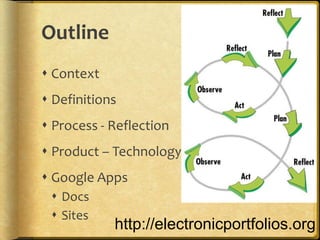
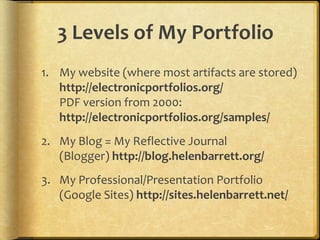
Outline ContextDefinitionsProcess - ReflectionProduct – TechnologyGoogle Apps DocsSiteshttp://electronicportfolios.org
Purpose & ObjectivesParticipants will gain an overview of the various Google Tools and how they can be used to develop ePortfolios.Participants will see examples of ePortfolios created in K-12 schools using GoogleAppshttp://sites.google.com/site/eportfolioapps/http://slideshare.net/eportfolios
What are Interactive Portfolios?Portfolios using Web 2.0 tools to:  reflect on learning in multiple formats
 showcase work online to multiple audiences
 dialogue about learning artifacts/reflections
 provide feedback to improve learning ContextWhy Electronic Portfolios Now?
National Educational Technology Plan (2010)Technology also gives students opportunities for taking ownership of their learning. Student-managed electronic learning portfolios can be part of a persistent learning record and help students develop the self-awareness required to set their own learning goals, express their own views of their strengths, weaknesses, and achievements, and take responsibility for them. Educators can use them to gauge students’ development, and they also can be shared with peers, parents, and others who are part of students’ extended network. (p.12)
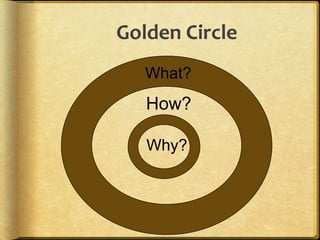
Golden Circle        What?How?Why?7
WHAT?Audio • Video • Text • ImagesDigital RepositoryElectronic PortfolioSocial NetworksMultimedia Artifacts
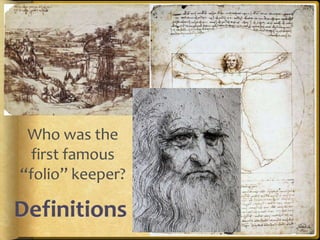
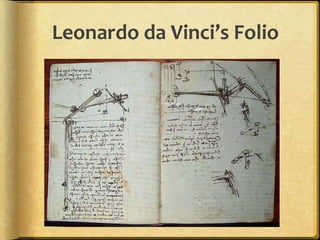
Who was the first famous “folio” keeper?Definitions
Leonardo da Vinci’s Folio
What is a Portfolio?Dictionary definition: a flat, portable case for carrying loose papers, drawings, etc.Financial portfolio: document accumulation of fiscalcapitalEducational portfolio: document development of humancapital
What is a Portfolio in Education?A portfolio is a purposeful collection of [academic] work that exhibits the [learner’s]efforts, progress and achievements in one ormore areas[over time].	(Northwest Evaluation Association, 1990)
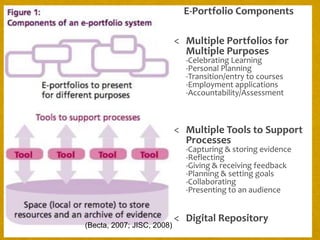
E-Portfolio ComponentsMultiple Portfolios for Multiple Purposes-Celebrating Learning-Personal Planning-Transition/entry to courses-Employment applications-Accountability/Assessment
Multiple Tools to Support Processes-Capturing & storing evidence-Reflecting-Giving & receiving feedback-Planning & setting goals-Collaborating-Presenting to an audience
Digital Repository(Becta, 2007; JISC, 2008)
WHY?AssessmentReflectionIdentityGuidanceLearningShowcaseAccountabilityEmployment
PurposeThe overarching purpose of portfolios is to create a sense of personal ownership over one’s accomplishments, because ownership engenders feelings of pride, responsibility, and dedication. (p.10)Paris, S & Ayres, L. (1994) Becoming Reflective Students and Teachers. American Psychological Association
United #7 ePortfolio Vision Statement (Draft)By implementing e-portfolios, United #7 will empower students to become active participants in their own personalized education. Through use of reflection, technology, and collaboration, students and teachers will develop skills that will lead them to achieve  their lifelong goals.
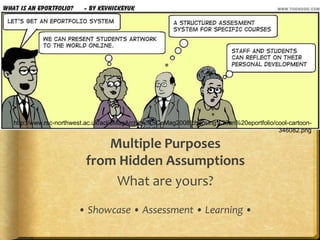
Multiple Purposes from Hidden AssumptionsWhat are yours?• Showcase • Assessment • Learning •http://www.rsc-northwest.ac.uk/acl/eMagArchive/RSCeMag2008/choosing%20an%20eportfolio/cool-cartoon-346082.png
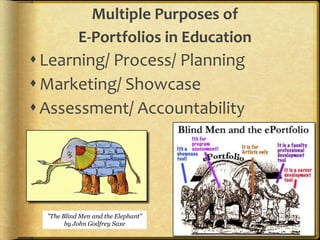
Multiple Purposes of E-Portfolios in EducationLearning/ Process/ PlanningMarketing/ Showcase Assessment/ Accountability"The Blind Men and the Elephant” by John Godfrey Saxe
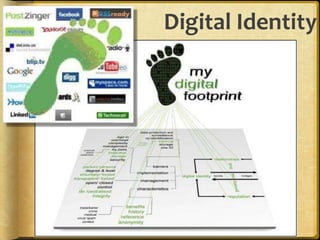
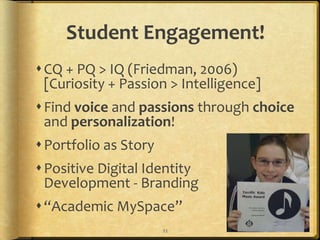
Digital IdentityCreating a positive digital footprint
5 Reasons Why Your Online Presence Will Replace Your Resume in 10 yearsSocial networking use is skyrocketing while email is plummetingYou can’t find jobs traditionally anymorePeople are managing their careers as entrepreneursThe traditional resume is now virtual and easy to buildJob seeker passion has become the deciding factor in employmenthttp://blogs.forbes.com/danschawbel/2011/02/21/5-reasons-why-your-online-presence-will-replace-your-resume-in-10-years/
Dan Schawbel, Forbes“personal branding guru”“Your online presence communicates, or should communicate, what you’re truly and genuinely passionate about… I firmly believe that you won’t be able to obtain and sustain a job without passion anymore.”http://blogs.forbes.com/danschawbel/2011/02/21/5-reasons-why-your-online-presence-will-replace-your-resume-in-10-years/
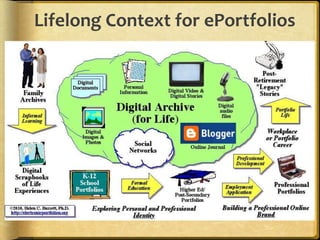
Lifelong Context for ePortfolios
Digital Identity Managementhttp://www.youtube.com/watch?v=79IYZVYIVLASaskatchewan Identity Management Project: http://www.identitymanagementproject.com/
Passion and Self-Directed LearningLisa Nielsen’s “The Innovative Educator” blog entries:Preparing Students for Successby Helping Them Discover and Develop Their Passions (Renzulli’s Total Talent Portfolio)10 Ways Technology Supports21st Century Learners in Being Self Directedhttp://theinnovativeeducator.blogspot.com/
HOW?WorkspaceToolsShowcase“Capture the Moment”
Some Basic Concepts“ePortfoliois both process and product”
Process: A series of events (time and effort) to produce a result- From Old French proces(“‘journey’”)
Product: the outcome/results or “thinginess” of an activity/process- Destination
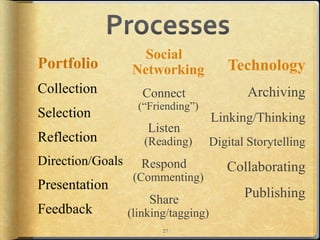
WiktionaryProcessesSocial NetworkingConnect(“Friending”)Listen(Reading)Respond(Commenting)Share(linking/tagging)PortfolioCollectionSelectionReflectionDirection/GoalsPresentationFeedbackTechnology  ArchivingLinking/ThinkingDigital Storytelling  Collaborating  Publishing27
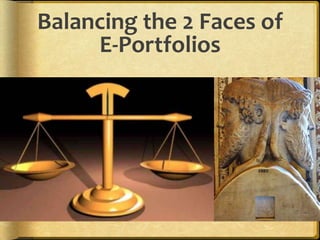
Balancing the 2 Faces of E-Portfolios
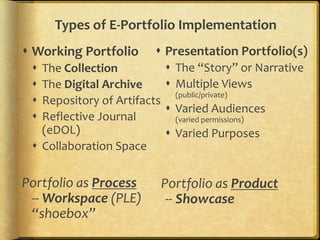
Types of E-Portfolio ImplementationWorking PortfolioThe CollectionThe Digital ArchiveRepository of Artifacts Reflective Journal(eDOL)Collaboration SpacePortfolio as Process-- Workspace (PLE)“shoebox”Presentation Portfolio(s)The “Story” or NarrativeMultiple Views (public/private)Varied Audiences(varied permissions)Varied Purposes  Portfolio as Product-- Showcase
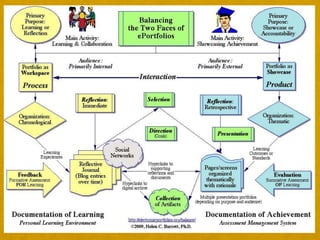
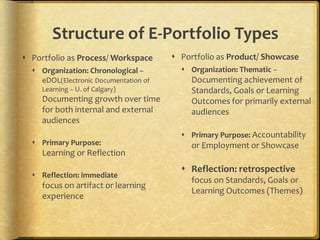
Structure of E-Portfolio TypesPortfolio as Product/ ShowcaseOrganization: Thematic – Documenting achievement of Standards, Goals or Learning Outcomes for primarily external audiencesPrimary Purpose: Accountability or Employment or ShowcaseReflection: retrospective focus on Standards, Goals or Learning Outcomes (Themes)Portfolio as Process/ WorkspaceOrganization: Chronological – eDOL(Electronic Documentation of Learning – U. of Calgary) Documenting growth over time for both internal and external audiencesPrimary Purpose: Learning or ReflectionReflection: immediate focus on artifact or learning experience
Why?Integrated EcoSystemSingle Sign-OnWalled GardenTransferable
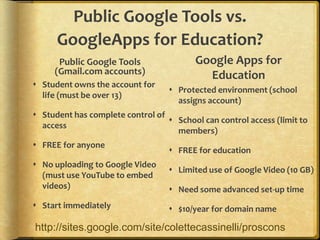
Public Google Tools vs. GoogleApps for Education?Public Google Tools (Gmail.com accounts)Google Apps for EducationStudent owns the account for life (must be over 13)Student has complete control of accessFREE for anyoneNo uploading to Google Video (must use YouTube to embed videos)Start immediatelyProtected environment (school assigns account)School can control access (limit to members)FREE for educationLimited use of Google Video (10 GB)Need some advanced set-up time$10/year for domain namehttp://sites.google.com/site/colettecassinelli/proscons
Using Google Apps
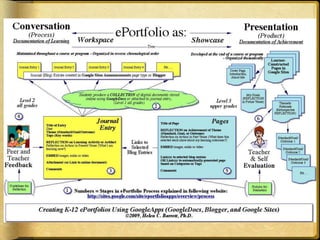
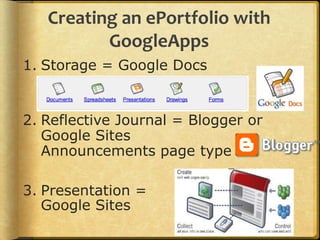
Creating an ePortfolio with GoogleAppsStorage = Google DocsReflective Journal = Blogger or Google Sites Announcements page type Presentation =Google Sites
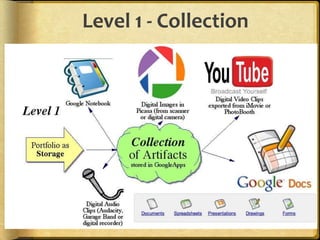
Level 1 - Collection
Stages of Portfolio DevelopmentLevel 1Collection -- Creating the Digital Archive (regularly – weekly/monthly)
Digital Conversion (Collection)
Artifacts represent integration of technology in one curriculum area (i.e., Language Arts)
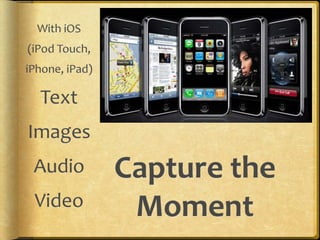
Stored in GoogleDocsWith iOS (iPod Touch, iPhone, iPad) Text    Images   Audio  VideoCapture the Moment
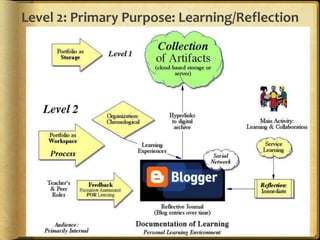
Level 2: Primary Purpose: Learning/Reflection
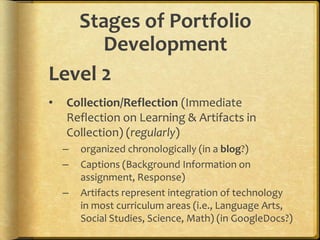
Stages of Portfolio DevelopmentLevel 2Collection/Reflection (Immediate Reflection on Learning & Artifacts in Collection) (regularly)
organized chronologically (in a blog?)
Captions (Background Information on assignment, Response)
Artifacts represent integration of technology in most curriculum areas (i.e., Language Arts, Social Studies, Science, Math) (in GoogleDocs?)Blogging* by eMail*the act of sharing yourselfTumblrPosterousSet up account on websiteSend email to: myaccount.tumblr.comiPhone AppCall in your posts for audio post to blogCross-post to Facebook & TwitterJust email to post@posterous.com iPhone AppCross-post to Facebook & Twitter
Post to                       from MobileSend email to pre-arranged email addressUse BlogPressiOS app ($2.99)Set up Blogger Mobile and send SMS
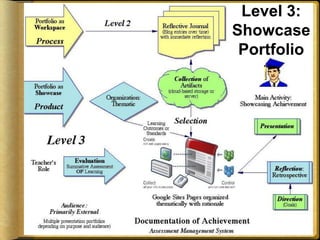
Level 3: Showcase PortfolioLevel 3: Primary Purpose: Showcase/Accountability
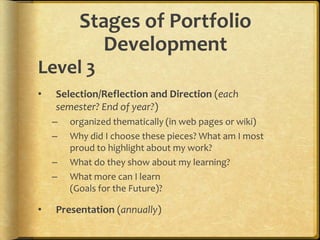
Stages of Portfolio DevelopmentLevel 3Selection/Reflection and Direction (each semester? End of year?)
organized thematically (in web pages or wiki)
Why did I choose these pieces? What am I most proud to highlight about my work?
What do they show about my learning?
What more can I learn (Goals for the Future)?
Presentation (annually)ExamplesOnline Portfolios & Blogs
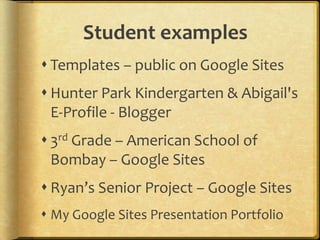
Student examplesTemplates – public on Google SitesHunter Park Kindergarten & Abigail's E-Profile - Blogger3rd Grade – American School of Bombay – Google SitesRyan’s Senior Project – Google SitesMy Google Sites Presentation Portfolio
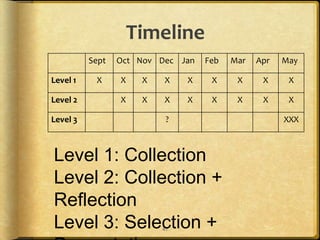
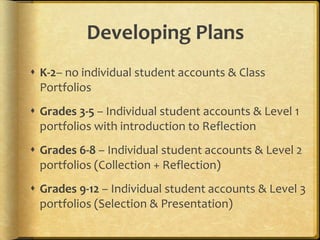
Timeline47Level 1: CollectionLevel 2: Collection + ReflectionLevel 3: Selection + Presentation

NCCE mar11

  • 1.
  • 2.
    Outline ContextDefinitionsProcess -ReflectionProduct – TechnologyGoogle Apps DocsSiteshttp://electronicportfolios.org
  • 3.
    Purpose & ObjectivesParticipantswill gain an overview of the various Google Tools and how they can be used to develop ePortfolios.Participants will see examples of ePortfolios created in K-12 schools using GoogleAppshttp://sites.google.com/site/eportfolioapps/http://slideshare.net/eportfolios
  • 4.
    What are InteractivePortfolios?Portfolios using Web 2.0 tools to: reflect on learning in multiple formats
  • 5.
    showcase workonline to multiple audiences
  • 6.
    dialogue aboutlearning artifacts/reflections
  • 7.
    provide feedbackto improve learning ContextWhy Electronic Portfolios Now?
  • 8.
    National Educational TechnologyPlan (2010)Technology also gives students opportunities for taking ownership of their learning. Student-managed electronic learning portfolios can be part of a persistent learning record and help students develop the self-awareness required to set their own learning goals, express their own views of their strengths, weaknesses, and achievements, and take responsibility for them. Educators can use them to gauge students’ development, and they also can be shared with peers, parents, and others who are part of students’ extended network. (p.12)
  • 9.
    Golden Circle What?How?Why?7
  • 10.
    WHAT?Audio • Video• Text • ImagesDigital RepositoryElectronic PortfolioSocial NetworksMultimedia Artifacts
  • 11.
    Who was thefirst famous “folio” keeper?Definitions
  • 12.
  • 13.
    What is aPortfolio?Dictionary definition: a flat, portable case for carrying loose papers, drawings, etc.Financial portfolio: document accumulation of fiscalcapitalEducational portfolio: document development of humancapital
  • 14.
    What is aPortfolio in Education?A portfolio is a purposeful collection of [academic] work that exhibits the [learner’s]efforts, progress and achievements in one ormore areas[over time]. (Northwest Evaluation Association, 1990)
  • 15.
    E-Portfolio ComponentsMultiple Portfoliosfor Multiple Purposes-Celebrating Learning-Personal Planning-Transition/entry to courses-Employment applications-Accountability/Assessment
  • 16.
    Multiple Tools toSupport Processes-Capturing & storing evidence-Reflecting-Giving & receiving feedback-Planning & setting goals-Collaborating-Presenting to an audience
  • 17.
  • 18.
  • 19.
    PurposeThe overarching purposeof portfolios is to create a sense of personal ownership over one’s accomplishments, because ownership engenders feelings of pride, responsibility, and dedication. (p.10)Paris, S & Ayres, L. (1994) Becoming Reflective Students and Teachers. American Psychological Association
  • 20.
    United #7 ePortfolioVision Statement (Draft)By implementing e-portfolios, United #7 will empower students to become active participants in their own personalized education. Through use of reflection, technology, and collaboration, students and teachers will develop skills that will lead them to achieve their lifelong goals.
  • 21.
    Multiple Purposes fromHidden AssumptionsWhat are yours?• Showcase • Assessment • Learning •http://www.rsc-northwest.ac.uk/acl/eMagArchive/RSCeMag2008/choosing%20an%20eportfolio/cool-cartoon-346082.png
  • 22.
    Multiple Purposes ofE-Portfolios in EducationLearning/ Process/ PlanningMarketing/ Showcase Assessment/ Accountability"The Blind Men and the Elephant” by John Godfrey Saxe
  • 23.
    Digital IdentityCreating apositive digital footprint
  • 24.
    5 Reasons WhyYour Online Presence Will Replace Your Resume in 10 yearsSocial networking use is skyrocketing while email is plummetingYou can’t find jobs traditionally anymorePeople are managing their careers as entrepreneursThe traditional resume is now virtual and easy to buildJob seeker passion has become the deciding factor in employmenthttp://blogs.forbes.com/danschawbel/2011/02/21/5-reasons-why-your-online-presence-will-replace-your-resume-in-10-years/
  • 25.
    Dan Schawbel, Forbes“personalbranding guru”“Your online presence communicates, or should communicate, what you’re truly and genuinely passionate about… I firmly believe that you won’t be able to obtain and sustain a job without passion anymore.”http://blogs.forbes.com/danschawbel/2011/02/21/5-reasons-why-your-online-presence-will-replace-your-resume-in-10-years/
  • 26.
  • 27.
    Digital Identity Managementhttp://www.youtube.com/watch?v=79IYZVYIVLASaskatchewanIdentity Management Project: http://www.identitymanagementproject.com/
  • 28.
    Passion and Self-DirectedLearningLisa Nielsen’s “The Innovative Educator” blog entries:Preparing Students for Successby Helping Them Discover and Develop Their Passions (Renzulli’s Total Talent Portfolio)10 Ways Technology Supports21st Century Learners in Being Self Directedhttp://theinnovativeeducator.blogspot.com/
  • 29.
  • 30.
    Some Basic Concepts“ePortfolioisboth process and product”
  • 31.
    Process: A seriesof events (time and effort) to produce a result- From Old French proces(“‘journey’”)
  • 32.
    Product: the outcome/resultsor “thinginess” of an activity/process- Destination
  • 33.
  • 34.
    Balancing the 2Faces of E-Portfolios
  • 35.
    Types of E-PortfolioImplementationWorking PortfolioThe CollectionThe Digital ArchiveRepository of Artifacts Reflective Journal(eDOL)Collaboration SpacePortfolio as Process-- Workspace (PLE)“shoebox”Presentation Portfolio(s)The “Story” or NarrativeMultiple Views (public/private)Varied Audiences(varied permissions)Varied Purposes Portfolio as Product-- Showcase
  • 37.
    Structure of E-PortfolioTypesPortfolio as Product/ ShowcaseOrganization: Thematic – Documenting achievement of Standards, Goals or Learning Outcomes for primarily external audiencesPrimary Purpose: Accountability or Employment or ShowcaseReflection: retrospective focus on Standards, Goals or Learning Outcomes (Themes)Portfolio as Process/ WorkspaceOrganization: Chronological – eDOL(Electronic Documentation of Learning – U. of Calgary) Documenting growth over time for both internal and external audiencesPrimary Purpose: Learning or ReflectionReflection: immediate focus on artifact or learning experience
  • 38.
  • 39.
    Public Google Toolsvs. GoogleApps for Education?Public Google Tools (Gmail.com accounts)Google Apps for EducationStudent owns the account for life (must be over 13)Student has complete control of accessFREE for anyoneNo uploading to Google Video (must use YouTube to embed videos)Start immediatelyProtected environment (school assigns account)School can control access (limit to members)FREE for educationLimited use of Google Video (10 GB)Need some advanced set-up time$10/year for domain namehttp://sites.google.com/site/colettecassinelli/proscons
  • 40.
  • 41.
    Creating an ePortfoliowith GoogleAppsStorage = Google DocsReflective Journal = Blogger or Google Sites Announcements page type Presentation =Google Sites
  • 42.
    Level 1 -Collection
  • 43.
    Stages of PortfolioDevelopmentLevel 1Collection -- Creating the Digital Archive (regularly – weekly/monthly)
  • 44.
  • 45.
    Artifacts represent integrationof technology in one curriculum area (i.e., Language Arts)
  • 46.
    Stored in GoogleDocsWithiOS (iPod Touch, iPhone, iPad) Text Images Audio VideoCapture the Moment
  • 47.
    Level 2: PrimaryPurpose: Learning/Reflection
  • 48.
    Stages of PortfolioDevelopmentLevel 2Collection/Reflection (Immediate Reflection on Learning & Artifacts in Collection) (regularly)
  • 49.
  • 50.
    Captions (Background Informationon assignment, Response)
  • 51.
    Artifacts represent integrationof technology in most curriculum areas (i.e., Language Arts, Social Studies, Science, Math) (in GoogleDocs?)Blogging* by eMail*the act of sharing yourselfTumblrPosterousSet up account on websiteSend email to: myaccount.tumblr.comiPhone AppCall in your posts for audio post to blogCross-post to Facebook & TwitterJust email to post@posterous.com iPhone AppCross-post to Facebook & Twitter
  • 52.
    Post to from MobileSend email to pre-arranged email addressUse BlogPressiOS app ($2.99)Set up Blogger Mobile and send SMS
  • 53.
    Level 3: ShowcasePortfolioLevel 3: Primary Purpose: Showcase/Accountability
  • 54.
    Stages of PortfolioDevelopmentLevel 3Selection/Reflection and Direction (each semester? End of year?)
  • 55.
    organized thematically (inweb pages or wiki)
  • 56.
    Why did Ichoose these pieces? What am I most proud to highlight about my work?
  • 57.
    What do theyshow about my learning?
  • 58.
    What more canI learn (Goals for the Future)?
  • 59.
  • 60.
    Student examplesTemplates –public on Google SitesHunter Park Kindergarten & Abigail's E-Profile - Blogger3rd Grade – American School of Bombay – Google SitesRyan’s Senior Project – Google SitesMy Google Sites Presentation Portfolio
  • 61.
    Timeline47Level 1: CollectionLevel2: Collection + ReflectionLevel 3: Selection + Presentation

Editor's Notes

  • #3 Oregon was the first state to adopt GoogleApps for all K-12 schools. These powerful tools are ready-made for teachers and students to maintain electronic portfolios. Get an overview of creating artifacts using Google Docs and Picasa, a reflective learning portfolio using Blogger, and a showcase/assessment/presentation portfolio with Google Sites.
  • #23 Portfolios in Formal Education: Exploring Personal and Professional IdentityBuilding a Professional Online Brand.
  • #24 Every student getting their own domain name. Building a positive digital identity.
  • #26 How do we implement ePortfolios in a manner that engages students and helps achieve the purposes?
  • #29 There are the two major approaches to implementing e-portfolios. Janus is the Roman god of gates and doors, beginnings and endings, and hence represented with a double-faced head, each looking in opposite directions. He was worshipped at the beginning of the harvest time, planting, marriage, birth, and other types of beginnings, especially the beginnings of important events in a person's life. Janus also represents the transition between primitive life and civilization, between the countryside and the city, peace and war, and the growing-up of young people.
  • #35 Begin to develop successful ePortfolio Processes this week through your PD. Here are the strategies you need to include: Students develop multimedia artifacts through Project-Based Learning & Learning with Laptops.Engage students in reflection to facilitate deep learning through Digital Storytelling and Journals/Blogs & Presentation Portfolios.
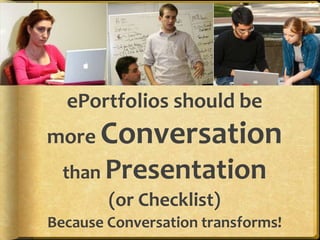
  • #36 “Portfolios should be less about tellingand more about talking!” Julie Hughes, University of Wolverhampton