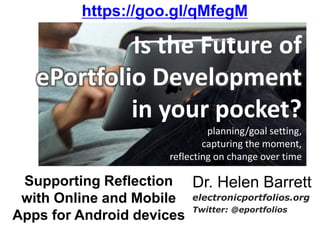
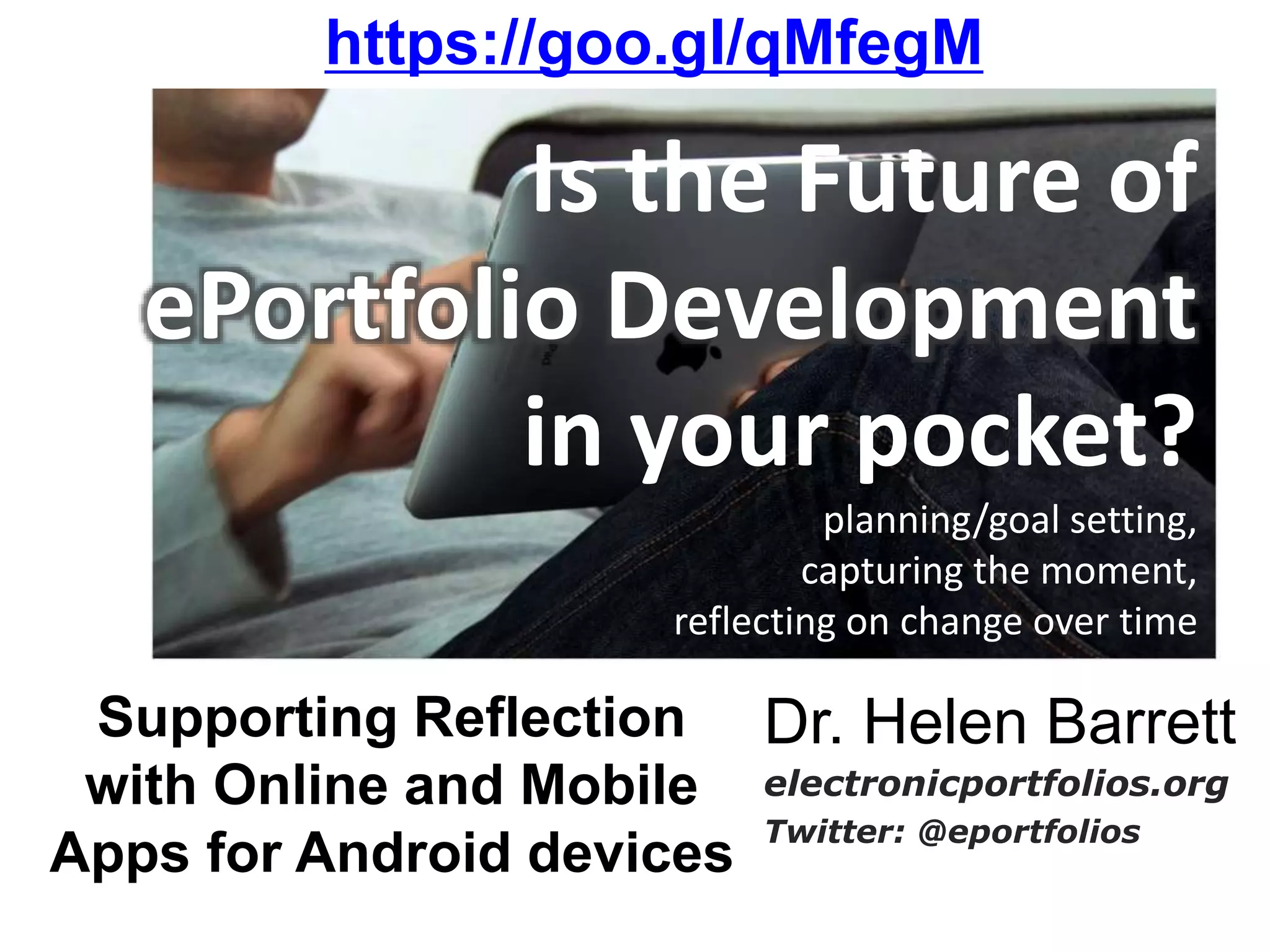
Is the Future of
ePortfolio Development
in your pocket?
planning/goal setting,
capturing the moment,
reflecting on change over time
Dr. Helen Barrett
electronicportfolios.org
Twitter: @eportfolios
Supporting Reflection
with Online and Mobile
Apps for Android devices
https://goo.gl/qMfegM
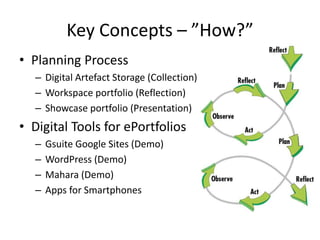
Key Concepts – ”How?”
• Planning Process
– Digital Artefact Storage (Collection)
– Workspace portfolio (Reflection)
– Showcase portfolio (Presentation)
• Digital Tools for ePortfolios
– Gsuite Google Sites (Demo)
– WordPress (Demo)
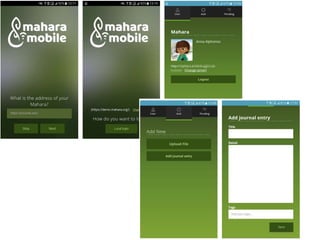
– Mahara (Demo)
– Apps for Smartphones
Resources
• https://sites.google.com/site/mportfolios/
(resources & links on mobile portfolios)
• http://electronicportfolios.org/
(my website)
• https://sites.google.com/site/reflection4learning/
• sites.google.com/site/
pkeportfolios/ (our site)
https://goo.gl/qMfegM
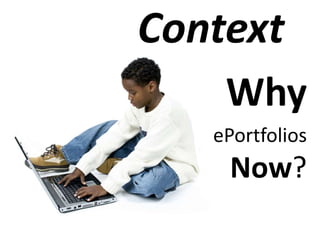
Context
Why
ePortfolios
Now?
Why Mobile is a Must
• Kids today are captivated by the personalization and
socialization of online tools--the ability to build
large networks of friends; share their thoughts,
feelings, and goals; and communicate as they wish.
…And not only is it possible, it's possible anytime
and anywhere, via a plethora of devices and widely
available cellular and WiFi networks.
• -- Mary McCaffrey “Why Mobile is a Must” T.H.E. Journal
http://thejournal.com/articles/2011/02/08/why-mobile-is-a-must.aspx
Why Mobile is a Must
• The upshot is, these digital natives now have in
their hands the tools to shape their own education
in once unimagined ways. They have the ability to
interact with other learners at their convenience,
with differences in time and place presenting no
hurdle. They can research, on the spot, any topic of
interest. And they can capture the
moment, whether it's in a picture, a
video, or a blog entry.
• -- Mary McCaffrey “Why Mobile is a Must” T.H.E. Journal
http://thejournal.com/articles/2011/02/08/why-mobile-is-a-must.aspx
Think-Pair-Share
• Think about how you use technology today
and how your students use technology.
– What is your most-used software? Website?
– What tools/websites do most of your students
use?
– How could we use the skills gained from using
those tools/websites to build ePortfolios?
– Write down your questions about the
tools/websites that could be used to create
ePortfolios.
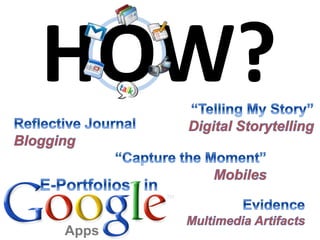
HOW?
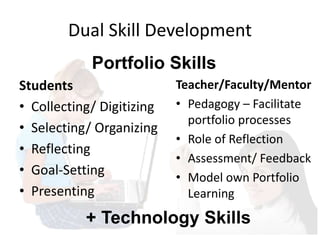
Dual Skill Development
Students
• Collecting/ Digitizing
• Selecting/ Organizing
• Reflecting
• Goal-Setting
• Presenting
Teacher/Faculty/Mentor
• Pedagogy – Facilitate
portfolio processes
• Role of Reflection
• Assessment/ Feedback
• Model own Portfolio
Learning
+ Technology Skills
Portfolio Skills
Technology Skills
• File Management Skills (i.e., naming files, organizing in
folders, able to move and copy files, search and find files
on a network folder or a hard drive)
• Using a Web Browser and E-Mail Program, including
attaching files
• Common tools used for constructing portfolio artifacts
(i.e., word processing, concept mapping, spreadsheet,
presentation software)
• Converting artifacts into digital format (i.e., scanning
images, taking photos with a digital camera, recording
audio, digitizing video) OR transferring from smartphone
• Using the specific software being used to construct the
workspace and showcase portfolios
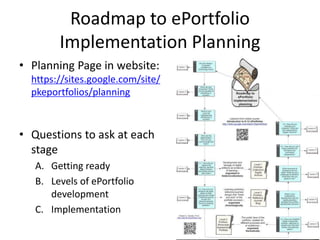
Roadmap to ePortfolio
Implementation Planning
• Planning Page in website:
https://sites.google.com/site/
pkeportfolios/planning
• Questions to ask at each
stage
A. Getting ready
B. Levels of ePortfolio
development
C. Implementation
Planning Process Questions:
A. Getting Ready
1. Are you ready? Do you have the essential
technology resources & skills?
2. What are your incentives? What are the
benefits of developing portfolios? “Why?”
3. What is your vision for implementing
portfolios? Use vision to communicate.
4. Who are the stakeholders*? How will you
communicate with them?
* Students, faculty, administrators, etc.
Planning Process Questions:
B. Levels of ePortfolio Development
5.1 How will you capture the learning, develop
digital artefacts and where will you store them?
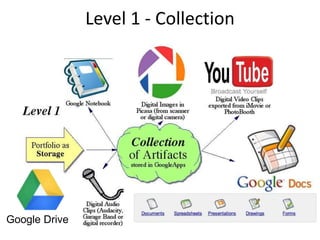
[Level 1 Portfolio: Storage]
5.2 How will your students set goals, reflect on their
learning and create a reflective journal as part of a
personal learning record or working portfolio?
[Level 2 Portfolio: Workspace]
5.3 How will your students create a showcase
portfolio, reflecting on growth over time and setting
new learning goals? [Level 3 Portfolio: Showcase]
Planning Process Questions:
C. Implementation
• 6. What is your professional development plan
for helping faculty facilitate the portfolio
development process? What about students’ skill
development?
• 7. What resources & assistance do you need?
What are your challenges & barriers? What tools
are you going to use?
• 8.1 How will you use these portfolios for
formative and summative assessment?
• 8.2 How will you evaluate your progress? What
are your expectations, targets, timeline?
http://electronicportfolios.org/eportfolios/index.html
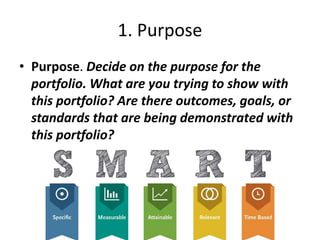
1. Purpose
• Purpose. Decide on the purpose for the
portfolio. What are you trying to show with
this portfolio? Are there outcomes, goals, or
standards that are being demonstrated with
this portfolio?
1 paragraph!
What is your
“elevator
Speech”
describing your
Vision for
ePortfolios?
A California School District Vision
• Electronic portfolios foster
meaningful learning by allowing all
students to evaluate their growth
over time, to share their
achievements and strengths with
others, and to improve their own
skills through reflection and goal
setting.
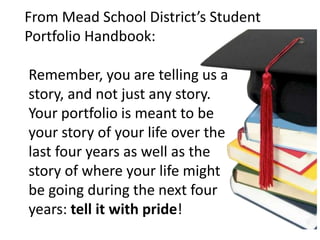
From Mead School District’s Student
Portfolio Handbook:
Remember, you are telling us a
story, and not just any story.
Your portfolio is meant to be
your story of your life over the
last four years as well as the
story of where your life might
be going during the next four
years: tell it with pride!
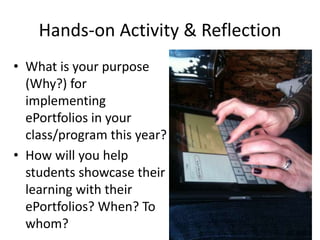
Hands-on Activity & Reflection
• What is your purpose
(Why?) for
implementing
ePortfolios in your
class/program this year?
• How will you help
students showcase their
learning with their
ePortfolios? When? To
whom?
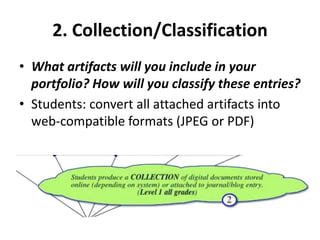
2. Collection/Classification
• What artifacts will you include in your
portfolio? How will you classify these entries?
• Students: convert all attached artifacts into
web-compatible formats (JPEG or PDF)
Level 1 - Collection
Google Drive
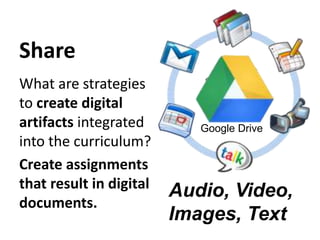
Share
What are strategies
to create digital
artifacts integrated
into the curriculum?
Create assignments
that result in digital
documents.
Audio, Video,
Images, Text
Google Drive
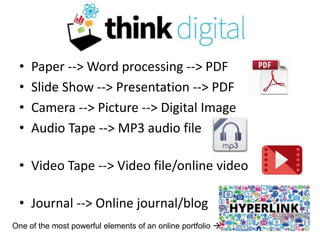
Think Digital
• Paper --> Word processing --> PDF
• Slide Show --> Presentation --> PDF
• Camera --> Picture --> Digital Image
• Audio Tape --> MP3 audio file
• Video Tape --> Video file/online video
• Journal --> Online journal/blog
One of the most powerful elements of an online portfolio 
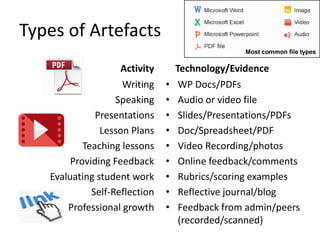
Types of Artefacts
Activity
Writing
Speaking
Presentations
Lesson Plans
Teaching lessons
Providing Feedback
Evaluating student work
Self-Reflection
Professional growth
Technology/Evidence
• WP Docs/PDFs
• Audio or video file
• Slides/Presentations/PDFs
• Doc/Spreadsheet/PDF
• Video Recording/photos
• Online feedback/comments
• Rubrics/scoring examples
• Reflective journal/blog
• Feedback from admin/peers
(recorded/scanned)
Most common file types
Hands-on Activity & Reflection
• What type of digital
artifacts will your
students create
throughout the
year?
• How will your
students store their
work online?
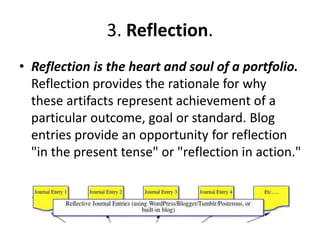
3. Reflection.
• Reflection is the heart and soul of a portfolio.
Reflection provides the rationale for why
these artifacts represent achievement of a
particular outcome, goal or standard. Blog
entries provide an opportunity for reflection
"in the present tense" or "reflection in action."
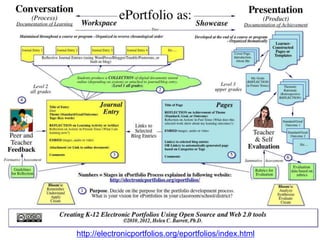
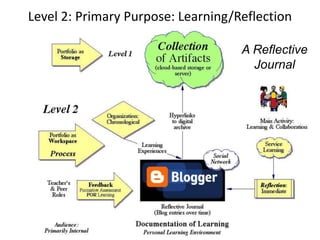
Level 2: Primary Purpose: Learning/Reflection
A Reflective
Journal
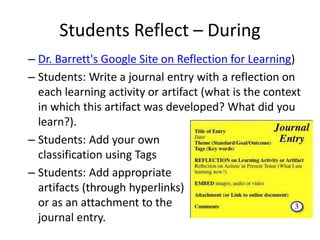
Students Reflect – During
– Dr. Barrett's Google Site on Reflection for Learning)
– Students: Write a journal entry with a reflection on
each learning activity or artifact (what is the context
in which this artifact was developed? What did you
learn?).
– Students: Add your own
classification using Tags
– Students: Add appropriate
artifacts (through hyperlinks)
or as an attachment to the
journal entry.
Hands-on Activity & Reflection
• Create a “template” for
reflecting on an
artifact. How will you
help your students
reflect on their work in
their journal/blogs?
• Share resources to
support student
reflection and goal-
setting (prompts, etc.)
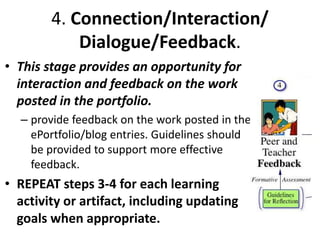
4. Connection/Interaction/
Dialogue/Feedback.
• This stage provides an opportunity for
interaction and feedback on the work
posted in the portfolio.
– provide feedback on the work posted in the
ePortfolio/blog entries. Guidelines should
be provided to support more effective
feedback.
• REPEAT steps 3-4 for each learning
activity or artifact, including updating
goals when appropriate.
Hands-on Activity & Reflection
• When and how will
your students receive
feedback on their work
in their journals?
• What type of resources
could you share to
support student
commenting (prompts,
etc.)
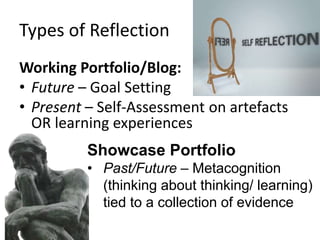
Types of Reflection
Working Portfolio/Blog:
• Future – Goal Setting
• Present – Self-Assessment on artefacts
OR learning experiences
Showcase Portfolio
• Past/Future – Metacognition
(thinking about thinking/ learning)
tied to a collection of evidence
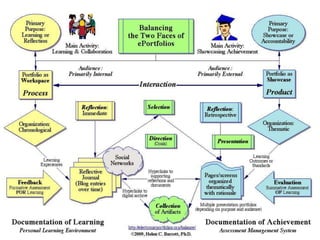
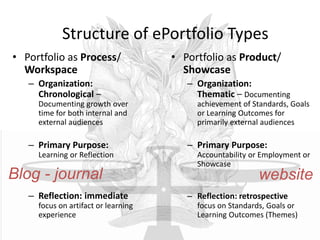
Structure of ePortfolio Types
• Portfolio as Process/
Workspace
– Organization:
Chronological –
Documenting growth over
time for both internal and
external audiences
– Primary Purpose:
Learning or Reflection
– Reflection: immediate
focus on artifact or learning
experience
• Portfolio as Product/
Showcase
– Organization:
Thematic – Documenting
achievement of Standards, Goals
or Learning Outcomes for
primarily external audiences
– Primary Purpose:
Accountability or Employment or
Showcase
– Reflection: retrospective
focus on Standards, Goals or
Learning Outcomes (Themes)
Blog - journal website
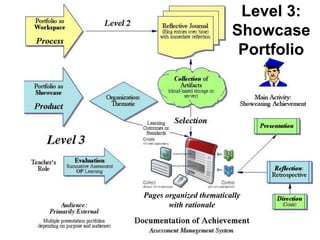
Level 3: Primary Purpose: Showcase/Accountability
Level 3:
Showcase
Portfolio
Pages organized thematically
with rationale
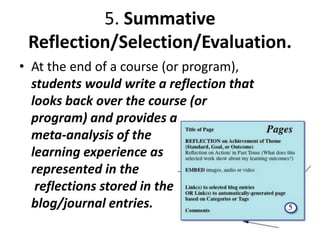
5. Summative
Reflection/Selection/Evaluation.
• At the end of a course (or program),
students would write a reflection that
looks back over the course (or
program) and provides a
meta-analysis of the
learning experience as
represented in the
reflections stored in the
blog/journal entries.
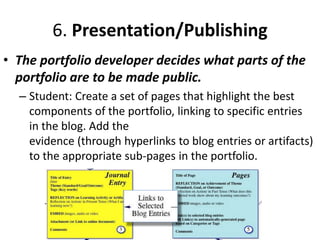
6. Presentation/Publishing
• The portfolio developer decides what parts of the
portfolio are to be made public.
– Student: Create a set of pages that highlight the best
components of the portfolio, linking to specific entries
in the blog. Add the
evidence (through hyperlinks to blog entries or artifacts)
to the appropriate sub-pages in the portfolio.
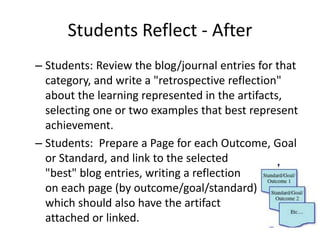
Students Reflect - After
– Students: Review the blog/journal entries for that
category, and write a "retrospective reflection"
about the learning represented in the artifacts,
selecting one or two examples that best represent
achievement.
– Students: Prepare a Page for each Outcome, Goal
or Standard, and link to the selected
"best" blog entries, writing a reflection
on each page (by outcome/goal/standard)
which should also have the artifact
attached or linked.
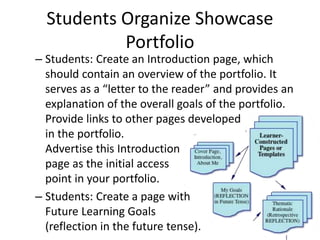
Students Organize Showcase
Portfolio
– Students: Create an Introduction page, which
should contain an overview of the portfolio. It
serves as a “letter to the reader” and provides an
explanation of the overall goals of the portfolio.
Provide links to other pages developed
in the portfolio.
Advertise this Introduction
page as the initial access
point in your portfolio.
– Students: Create a page with
Future Learning Goals
(reflection in the future tense).
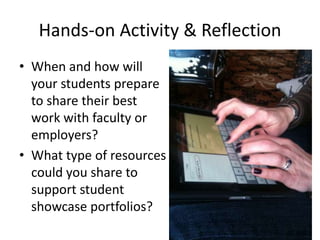
Hands-on Activity & Reflection
• When and how will
your students prepare
to share their best
work with faculty or
employers?
• What type of resources
could you share to
support student
showcase portfolios?
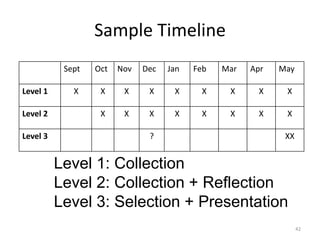
Sample Timeline
42
Sept Oct Nov Dec Jan Feb Mar Apr May
Level 1 X X X X X X X X X
Level 2 X X X X X X X X
Level 3 ? XX
Level 1: Collection
Level 2: Collection + Reflection
Level 3: Selection + Presentation
Questions?
Digital Tools?
Expressive vs.
Structured Models
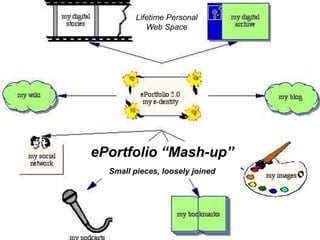
ePortfolio “Mash-up”
Small pieces, loosely joined
Lifetime Personal
Web Space
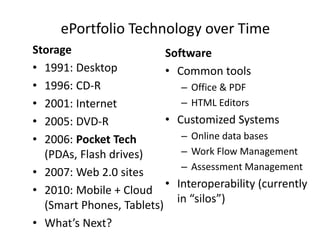
ePortfolio Technology over Time
Storage
• 1991: Desktop
• 1996: CD-R
• 2001: Internet
• 2005: DVD-R
• 2006: Pocket Tech
(PDAs, Flash drives)
• 2007: Web 2.0 sites
• 2010: Mobile + Cloud
(Smart Phones, Tablets)
• What’s Next?
Software
• Common tools
– Office & PDF
– HTML Editors
• Customized Systems
– Online data bases
– Work Flow Management
– Assessment Management
• Interoperability (currently
in “silos”)
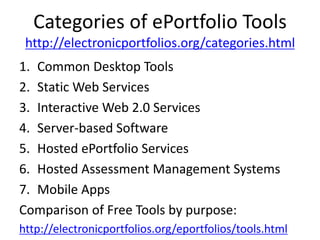
Categories of ePortfolio Tools
http://electronicportfolios.org/categories.html
1. Common Desktop Tools
2. Static Web Services
3. Interactive Web 2.0 Services
4. Server-based Software
5. Hosted ePortfolio Services
6. Hosted Assessment Management Systems
7. Mobile Apps
Comparison of Free Tools by purpose:
http://electronicportfolios.org/eportfolios/tools.html
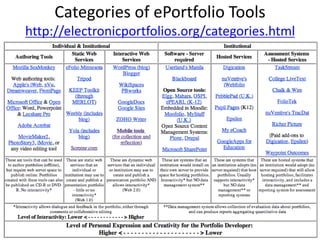
Categories of ePortfolio Tools
http://electronicportfolios.org/categories.html
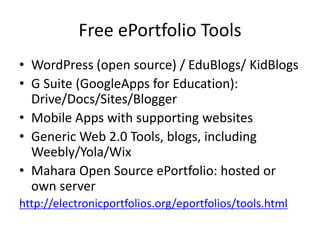
Free ePortfolio Tools
• WordPress (open source) / EduBlogs/ KidBlogs
• G Suite (GoogleApps for Education):
Drive/Docs/Sites/Blogger
• Mobile Apps with supporting websites
• Generic Web 2.0 Tools, blogs, including
Weebly/Yola/Wix
• Mahara Open Source ePortfolio: hosted or
own server
http://electronicportfolios.org/eportfolios/tools.html
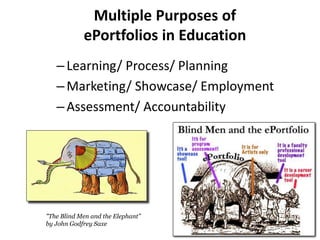
Multiple Purposes of
ePortfolios in Education
–Learning/ Process/ Planning
–Marketing/ Showcase/ Employment
–Assessment/ Accountability
"The Blind Men and the Elephant”
by John Godfrey Saxe
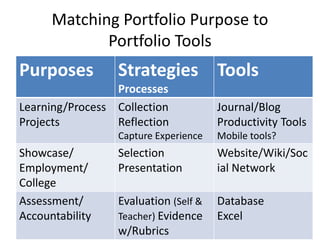
Matching Portfolio Purpose to
Portfolio Tools
Purposes Strategies
Processes
Tools
Learning/Process
Projects
Collection
Reflection
Capture Experience
Journal/Blog
Productivity Tools
Mobile tools?
Showcase/
Employment/
College
Selection
Presentation
Website/Wiki/Soc
ial Network
Assessment/
Accountability
Evaluation (Self &
Teacher) Evidence
w/Rubrics
Database
Excel
ePortfolio designs/strategies for
different purposes
• Learning Portfolios
–Organized chronologically
–Focus of Reflection:
Learning Activities &
Artifacts
–Tools: Reflective Journal (blog)
–Faculty/peer role: Feedback on
artifacts and reflection
ePortfolio designs/strategies for
different purposes
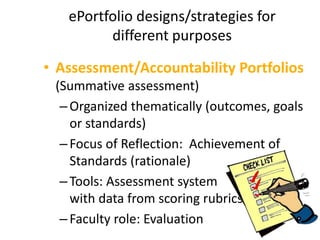
• Assessment/Accountability Portfolios
(Summative assessment)
–Organized thematically (outcomes, goals
or standards)
–Focus of Reflection: Achievement of
Standards (rationale)
–Tools: Assessment system
with data from scoring rubrics
–Faculty role: Evaluation
ePortfolio designs/strategies for
different purposes
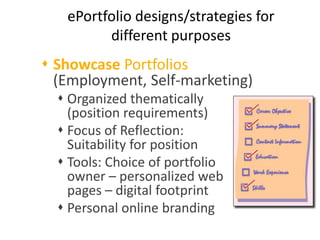
 Showcase Portfolios
(Employment, Self-marketing)
 Organized thematically
(position requirements)
 Focus of Reflection:
Suitability for position
 Tools: Choice of portfolio
owner – personalized web
pages – digital footprint
 Personal online branding
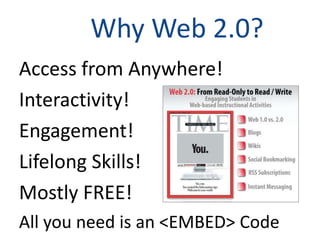
Why Web 2.0?
Access from Anywhere!
Interactivity!
Engagement!
Lifelong Skills!
Mostly FREE!
All you need is an <EMBED> Code
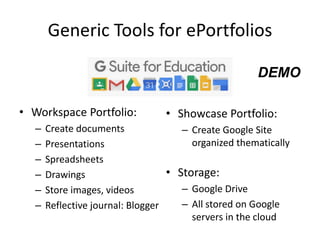
• Showcase Portfolio:
– Create Google Site
organized thematically
• Storage:
– Google Drive
– All stored on Google
servers in the cloud
Generic Tools for ePortfolios
• Workspace Portfolio:
– Create documents
– Presentations
– Spreadsheets
– Drawings
– Store images, videos
– Reflective journal: Blogger
DEMO
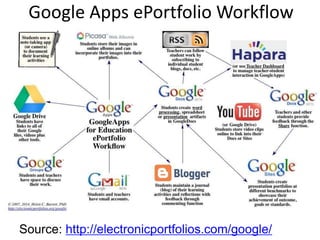
Source: http://electronicportfolios.com/google/
Google Apps ePortfolio Workflow
Generic Tools for ePortfolios
(open source blogging tool)
• Workspace Portfolio:
– Create reflective journal
– Organized chronologically
– Link to artifacts
• Storage:
– Attachments or other storage site
(with hyperlinks)
• Showcase Portfolio:
– Create WordPress pages
organized thematically
Maintain on server or
use wordpress.com
DEMO
Turning Blog Entries into Showcase
Portfolios
• Tags, Tags, Tags
– Key words
– Review and select via specific tags
– Create links by tag
http://yourblog.edublogs.org/tag/yourtag
• Pages
– Create page for each thematic element of
showcase portfolio
– Identify specific blog entries to highlight per
element.
Mahara
• Open Source software created for ePortfolios
in education
• Includes journal (blog) – embed any entry as
artifact in showcase pages
• Create groups for collaboration
• Create showcase pages/collections
• Maintain on own server
• Links/integrates with Moodle
Why Mahara?
• student-created, student-controlled sharing
• students get to publish their best evidence of
learning
• ePortfolio builds thought their school career
• students can give and receive peer feedback
• Mahara is a community
https://michiganmoodle.dearbornschools.org/teaching/eportfolios-what-is-the-best-tool-to-use/
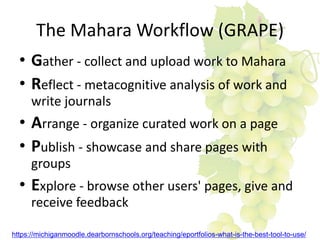
The Mahara Workflow (GRAPE)
• Gather - collect and upload work to Mahara
• Reflect - metacognitive analysis of work and
write journals
• Arrange - organize curated work on a page
• Publish - showcase and share pages with
groups
• Explore - browse other users' pages, give and
receive feedback
https://michiganmoodle.dearbornschools.org/teaching/eportfolios-what-is-the-best-tool-to-use/
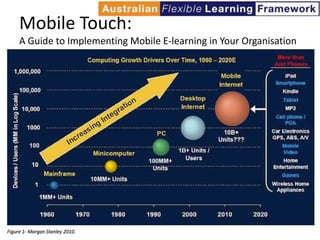
Mobile Touch:
A Guide to Implementing Mobile E-learning in Your Organisation
Mobile Web is becoming the
Personal Learning Environment
of the “Net Generation”
Learning that is…
oSocial and Participatory
oLifelong and Life Wide
oIncreasingly Self-Directed
oMotivating and Engaging
o… and Online all the time!
APPS
Software to support ePortfolio
Development
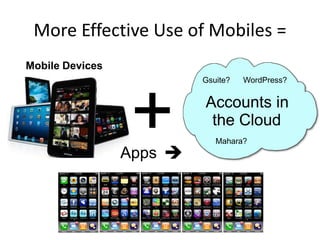
More Effective Use of Mobiles =
+
Mobile Devices
Accounts in
the Cloud
Apps 
Gsuite? WordPress?
Mahara?
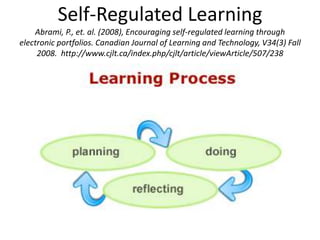
Self-Regulated Learning
Abrami, P., et. al. (2008), Encouraging self-regulated learning through
electronic portfolios. Canadian Journal of Learning and Technology, V34(3) Fall
2008. http://www.cjlt.ca/index.php/cjlt/article/viewArticle/507/238
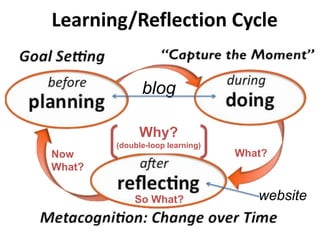
Learning/Reflection Cycle
blog
websiteSo What?
Why?
(double-loop learning)
Now
What?
What?
Handout
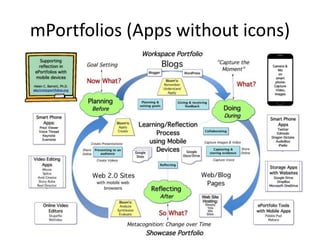
mPortfolios (Apps without icons)
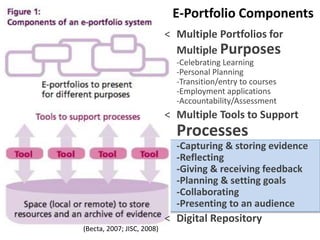
E-Portfolio Components
< Multiple Portfolios for
Multiple Purposes
-Celebrating Learning
-Personal Planning
-Transition/entry to courses
-Employment applications
-Accountability/Assessment
< Multiple Tools to Support
Processes
-Capturing & storing evidence
-Reflecting
-Giving & receiving feedback
-Planning & setting goals
-Collaborating
-Presenting to an audience
< Digital Repository
(Becta, 2007; JISC, 2008)
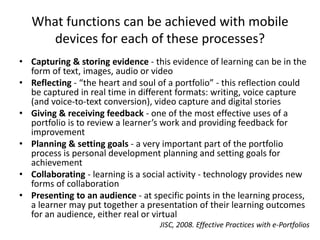
What functions can be achieved with mobile
devices for each of these processes?
• Capturing & storing evidence - this evidence of learning can be in the
form of text, images, audio or video
• Reflecting - “the heart and soul of a portfolio” - this reflection could
be captured in real time in different formats: writing, voice capture
(and voice-to-text conversion), video capture and digital stories
• Giving & receiving feedback - one of the most effective uses of a
portfolio is to review a learner’s work and providing feedback for
improvement
• Planning & setting goals - a very important part of the portfolio
process is personal development planning and setting goals for
achievement
• Collaborating - learning is a social activity - technology provides new
forms of collaboration
• Presenting to an audience - at specific points in the learning process,
a learner may put together a presentation of their learning outcomes
for an audience, either real or virtual
JISC, 2008. Effective Practices with e-Portfolios
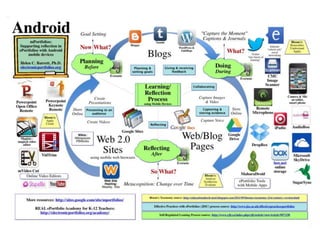
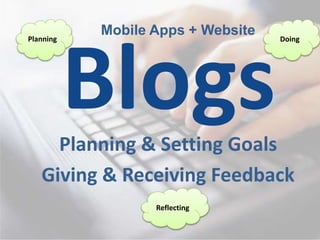
Planning & Setting Goals
Giving & Receiving Feedback
Mobile Apps + WebsitePlanning Doing
Reflecting
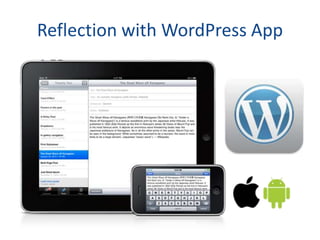
Reflection with WordPress App
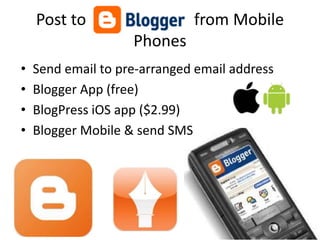
Post to from Mobile
Phones
• Send email to pre-arranged email address
• Blogger App (free)
• BlogPress iOS app ($2.99)
• Blogger Mobile & send SMS
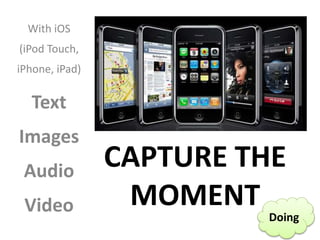
CAPTURE THE
MOMENT
With iOS
(iPod Touch,
iPhone, iPad)
Text
Images
Audio
Video Doing
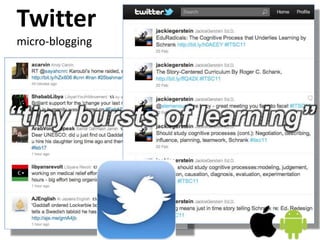
Twitter
micro-blogging
“tiny bursts of learning”
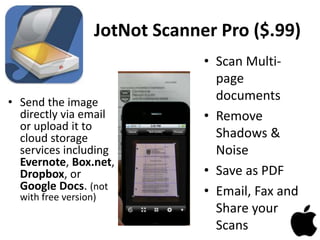
JotNot Scanner Pro ($.99)
• Send the image
directly via email
or upload it to
cloud storage
services including
Evernote, Box.net,
Dropbox, or
Google Docs. (not
with free version)
• Scan Multi-
page
documents
• Remove
Shadows &
Noise
• Save as PDF
• Email, Fax and
Share your
Scans
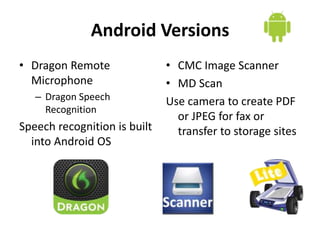
Android Versions
• Dragon Remote
Microphone
– Dragon Speech
Recognition
Speech recognition is built
into Android OS
• CMC Image Scanner
• MD Scan
Use camera to create PDF
or JPEG for fax or
transfer to storage sites
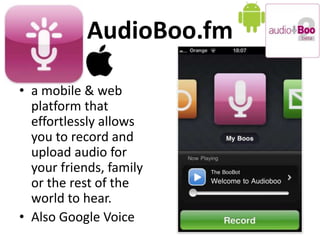
AudioBoo.fm
• a mobile & web
platform that
effortlessly allows
you to record and
upload audio for
your friends, family
or the rest of the
world to hear.
• Also Google Voice
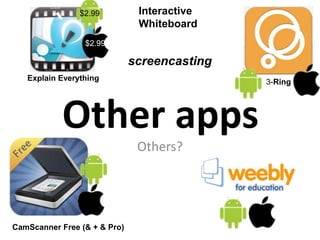
Other apps
Others?
Interactive
Whiteboard
CamScanner Free (& + & Pro)
3-RingExplain Everything
$2.99
$2.99
screencasting
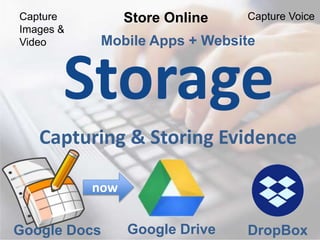
Storage
Capturing & Storing Evidence
Mobile Apps + Website
Google Docs
Capture
Images &
Video
Capture VoiceStore Online
DropBoxGoogle Drive
now
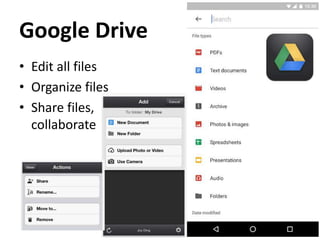
Google Drive
• Edit all files
• Organize files
• Share files,
collaborate
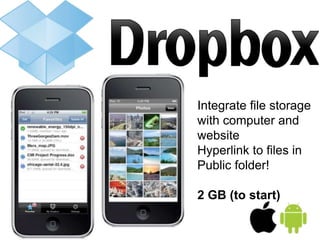
Integrate file storage
with computer and
website
Hyperlink to files in
Public folder!
2 GB (to start)
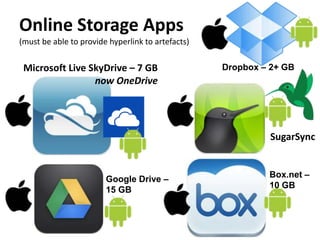
Online Storage Apps
(must be able to provide hyperlink to artefacts)
SugarSync
Box.net –
10 GB
Google Drive –
15 GB
Dropbox – 2+ GBMicrosoft Live SkyDrive – 7 GB
now OneDrive
Web/Blog Pages
Collaborating
Reflecting
ePortfolio Tools &
Doing Reflecting
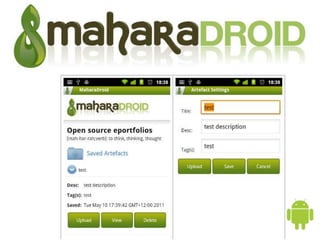
MaharaDroid
Web 2.0 Sites
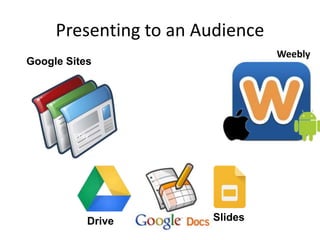
Presenting to an Audience
Create Presentations Create Videos
Share Online
Online Video Editing
Reflecting
Presenting to an Audience
Google Sites
Weebly
Slides
only
Drive
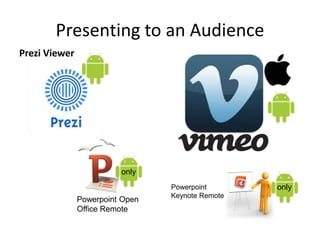
Presenting to an Audience
Prezi Viewer
Powerpoint Open
Office Remote
Powerpoint
Keynote Remote
only
only
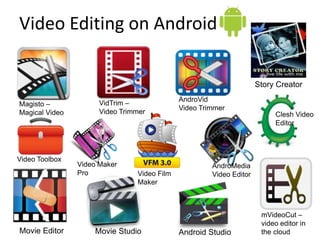
Video Editing on Android
VidTrim –
Video Trimmer
Magisto –
Magical Video
AndroVid
Video Trimmer
mVideoCut –
video editor in
the cloudAndroid StudioMovie Editor
Story Creator
Movie Studio
Video Toolbox
Video Film
Maker
Clesh Video
Editor
Video Maker
Pro
AndroMedia
Video Editor
Web-based video editors
WeVideo
Questions?
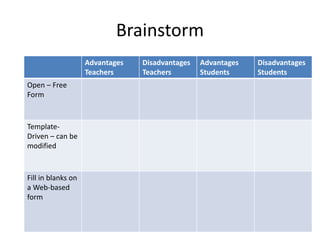
Brainstorm
Advantages
Teachers
Disadvantages
Teachers
Advantages
Students
Disadvantages
Students
Open – Free
Form
Template-
Driven – can be
modified
Fill in blanks on
a Web-based
form
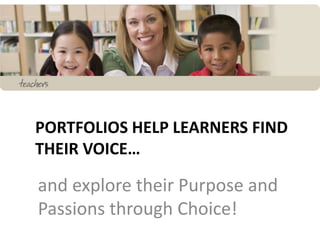
PORTFOLIOS HELP LEARNERS FIND
THEIR VOICE…
and explore their Purpose and
Passions through Choice!
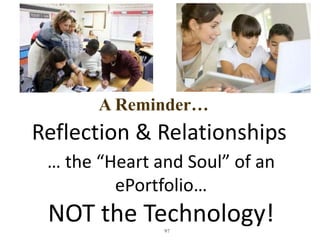
97
Reflection & Relationships
… the “Heart and Soul” of an
ePortfolio…
NOT the Technology!
A Reminder…
98
My Final Wish…
ePortfolios become
dynamic celebrations &
stories of deep learning
across the lifespan.
Thank You!
DR. HELEN BARRETT
Researcher & Consultant
Electronic Portfolios & Digital Storytelling for Lifelong and Life Wide Learning
Founding Faculty, REAL* ePortfolio Academy for K-12 Teachers
*Reflection, Engagement, Assessment for Learning
eportfolios@gmail.com
http://electronicportfolios.org/
Twitter: @eportfolios
http://slideshare.net/eportfolios

M portfolios pakistan2018

  • 1.
    Is the Futureof ePortfolio Development in your pocket? planning/goal setting, capturing the moment, reflecting on change over time Dr. Helen Barrett electronicportfolios.org Twitter: @eportfolios Supporting Reflection with Online and Mobile Apps for Android devices https://goo.gl/qMfegM
  • 2.
    Key Concepts –”How?” • Planning Process – Digital Artefact Storage (Collection) – Workspace portfolio (Reflection) – Showcase portfolio (Presentation) • Digital Tools for ePortfolios – Gsuite Google Sites (Demo) – WordPress (Demo) – Mahara (Demo) – Apps for Smartphones
  • 3.
    Resources • https://sites.google.com/site/mportfolios/ (resources &links on mobile portfolios) • http://electronicportfolios.org/ (my website) • https://sites.google.com/site/reflection4learning/ • sites.google.com/site/ pkeportfolios/ (our site) https://goo.gl/qMfegM
  • 4.
  • 5.
    Why Mobile isa Must • Kids today are captivated by the personalization and socialization of online tools--the ability to build large networks of friends; share their thoughts, feelings, and goals; and communicate as they wish. …And not only is it possible, it's possible anytime and anywhere, via a plethora of devices and widely available cellular and WiFi networks. • -- Mary McCaffrey “Why Mobile is a Must” T.H.E. Journal http://thejournal.com/articles/2011/02/08/why-mobile-is-a-must.aspx
  • 6.
    Why Mobile isa Must • The upshot is, these digital natives now have in their hands the tools to shape their own education in once unimagined ways. They have the ability to interact with other learners at their convenience, with differences in time and place presenting no hurdle. They can research, on the spot, any topic of interest. And they can capture the moment, whether it's in a picture, a video, or a blog entry. • -- Mary McCaffrey “Why Mobile is a Must” T.H.E. Journal http://thejournal.com/articles/2011/02/08/why-mobile-is-a-must.aspx
  • 7.
    Think-Pair-Share • Think abouthow you use technology today and how your students use technology. – What is your most-used software? Website? – What tools/websites do most of your students use? – How could we use the skills gained from using those tools/websites to build ePortfolios? – Write down your questions about the tools/websites that could be used to create ePortfolios.
  • 8.
  • 9.
    Dual Skill Development Students •Collecting/ Digitizing • Selecting/ Organizing • Reflecting • Goal-Setting • Presenting Teacher/Faculty/Mentor • Pedagogy – Facilitate portfolio processes • Role of Reflection • Assessment/ Feedback • Model own Portfolio Learning + Technology Skills Portfolio Skills
  • 10.
    Technology Skills • FileManagement Skills (i.e., naming files, organizing in folders, able to move and copy files, search and find files on a network folder or a hard drive) • Using a Web Browser and E-Mail Program, including attaching files • Common tools used for constructing portfolio artifacts (i.e., word processing, concept mapping, spreadsheet, presentation software) • Converting artifacts into digital format (i.e., scanning images, taking photos with a digital camera, recording audio, digitizing video) OR transferring from smartphone • Using the specific software being used to construct the workspace and showcase portfolios
  • 11.
    Roadmap to ePortfolio ImplementationPlanning • Planning Page in website: https://sites.google.com/site/ pkeportfolios/planning • Questions to ask at each stage A. Getting ready B. Levels of ePortfolio development C. Implementation
  • 12.
    Planning Process Questions: A.Getting Ready 1. Are you ready? Do you have the essential technology resources & skills? 2. What are your incentives? What are the benefits of developing portfolios? “Why?” 3. What is your vision for implementing portfolios? Use vision to communicate. 4. Who are the stakeholders*? How will you communicate with them? * Students, faculty, administrators, etc.
  • 13.
    Planning Process Questions: B.Levels of ePortfolio Development 5.1 How will you capture the learning, develop digital artefacts and where will you store them? [Level 1 Portfolio: Storage] 5.2 How will your students set goals, reflect on their learning and create a reflective journal as part of a personal learning record or working portfolio? [Level 2 Portfolio: Workspace] 5.3 How will your students create a showcase portfolio, reflecting on growth over time and setting new learning goals? [Level 3 Portfolio: Showcase]
  • 14.
    Planning Process Questions: C.Implementation • 6. What is your professional development plan for helping faculty facilitate the portfolio development process? What about students’ skill development? • 7. What resources & assistance do you need? What are your challenges & barriers? What tools are you going to use? • 8.1 How will you use these portfolios for formative and summative assessment? • 8.2 How will you evaluate your progress? What are your expectations, targets, timeline?
  • 15.
  • 16.
    1. Purpose • Purpose.Decide on the purpose for the portfolio. What are you trying to show with this portfolio? Are there outcomes, goals, or standards that are being demonstrated with this portfolio?
  • 17.
    1 paragraph! What isyour “elevator Speech” describing your Vision for ePortfolios?
  • 18.
    A California SchoolDistrict Vision • Electronic portfolios foster meaningful learning by allowing all students to evaluate their growth over time, to share their achievements and strengths with others, and to improve their own skills through reflection and goal setting.
  • 19.
    From Mead SchoolDistrict’s Student Portfolio Handbook: Remember, you are telling us a story, and not just any story. Your portfolio is meant to be your story of your life over the last four years as well as the story of where your life might be going during the next four years: tell it with pride!
  • 20.
    Hands-on Activity &Reflection • What is your purpose (Why?) for implementing ePortfolios in your class/program this year? • How will you help students showcase their learning with their ePortfolios? When? To whom?
  • 21.
    2. Collection/Classification • Whatartifacts will you include in your portfolio? How will you classify these entries? • Students: convert all attached artifacts into web-compatible formats (JPEG or PDF)
  • 22.
    Level 1 -Collection Google Drive
  • 23.
    Share What are strategies tocreate digital artifacts integrated into the curriculum? Create assignments that result in digital documents. Audio, Video, Images, Text Google Drive
  • 24.
    Think Digital • Paper--> Word processing --> PDF • Slide Show --> Presentation --> PDF • Camera --> Picture --> Digital Image • Audio Tape --> MP3 audio file • Video Tape --> Video file/online video • Journal --> Online journal/blog One of the most powerful elements of an online portfolio 
  • 25.
    Types of Artefacts Activity Writing Speaking Presentations LessonPlans Teaching lessons Providing Feedback Evaluating student work Self-Reflection Professional growth Technology/Evidence • WP Docs/PDFs • Audio or video file • Slides/Presentations/PDFs • Doc/Spreadsheet/PDF • Video Recording/photos • Online feedback/comments • Rubrics/scoring examples • Reflective journal/blog • Feedback from admin/peers (recorded/scanned) Most common file types
  • 26.
    Hands-on Activity &Reflection • What type of digital artifacts will your students create throughout the year? • How will your students store their work online?
  • 28.
    3. Reflection. • Reflectionis the heart and soul of a portfolio. Reflection provides the rationale for why these artifacts represent achievement of a particular outcome, goal or standard. Blog entries provide an opportunity for reflection "in the present tense" or "reflection in action."
  • 29.
    Level 2: PrimaryPurpose: Learning/Reflection A Reflective Journal
  • 30.
    Students Reflect –During – Dr. Barrett's Google Site on Reflection for Learning) – Students: Write a journal entry with a reflection on each learning activity or artifact (what is the context in which this artifact was developed? What did you learn?). – Students: Add your own classification using Tags – Students: Add appropriate artifacts (through hyperlinks) or as an attachment to the journal entry.
  • 31.
    Hands-on Activity &Reflection • Create a “template” for reflecting on an artifact. How will you help your students reflect on their work in their journal/blogs? • Share resources to support student reflection and goal- setting (prompts, etc.)
  • 32.
    4. Connection/Interaction/ Dialogue/Feedback. • Thisstage provides an opportunity for interaction and feedback on the work posted in the portfolio. – provide feedback on the work posted in the ePortfolio/blog entries. Guidelines should be provided to support more effective feedback. • REPEAT steps 3-4 for each learning activity or artifact, including updating goals when appropriate.
  • 33.
    Hands-on Activity &Reflection • When and how will your students receive feedback on their work in their journals? • What type of resources could you share to support student commenting (prompts, etc.)
  • 34.
    Types of Reflection WorkingPortfolio/Blog: • Future – Goal Setting • Present – Self-Assessment on artefacts OR learning experiences Showcase Portfolio • Past/Future – Metacognition (thinking about thinking/ learning) tied to a collection of evidence
  • 35.
    Structure of ePortfolioTypes • Portfolio as Process/ Workspace – Organization: Chronological – Documenting growth over time for both internal and external audiences – Primary Purpose: Learning or Reflection – Reflection: immediate focus on artifact or learning experience • Portfolio as Product/ Showcase – Organization: Thematic – Documenting achievement of Standards, Goals or Learning Outcomes for primarily external audiences – Primary Purpose: Accountability or Employment or Showcase – Reflection: retrospective focus on Standards, Goals or Learning Outcomes (Themes) Blog - journal website
  • 36.
    Level 3: PrimaryPurpose: Showcase/Accountability Level 3: Showcase Portfolio Pages organized thematically with rationale
  • 37.
    5. Summative Reflection/Selection/Evaluation. • Atthe end of a course (or program), students would write a reflection that looks back over the course (or program) and provides a meta-analysis of the learning experience as represented in the reflections stored in the blog/journal entries.
  • 38.
    6. Presentation/Publishing • Theportfolio developer decides what parts of the portfolio are to be made public. – Student: Create a set of pages that highlight the best components of the portfolio, linking to specific entries in the blog. Add the evidence (through hyperlinks to blog entries or artifacts) to the appropriate sub-pages in the portfolio.
  • 39.
    Students Reflect -After – Students: Review the blog/journal entries for that category, and write a "retrospective reflection" about the learning represented in the artifacts, selecting one or two examples that best represent achievement. – Students: Prepare a Page for each Outcome, Goal or Standard, and link to the selected "best" blog entries, writing a reflection on each page (by outcome/goal/standard) which should also have the artifact attached or linked.
  • 40.
    Students Organize Showcase Portfolio –Students: Create an Introduction page, which should contain an overview of the portfolio. It serves as a “letter to the reader” and provides an explanation of the overall goals of the portfolio. Provide links to other pages developed in the portfolio. Advertise this Introduction page as the initial access point in your portfolio. – Students: Create a page with Future Learning Goals (reflection in the future tense).
  • 41.
    Hands-on Activity &Reflection • When and how will your students prepare to share their best work with faculty or employers? • What type of resources could you share to support student showcase portfolios?
  • 42.
    Sample Timeline 42 Sept OctNov Dec Jan Feb Mar Apr May Level 1 X X X X X X X X X Level 2 X X X X X X X X Level 3 ? XX Level 1: Collection Level 2: Collection + Reflection Level 3: Selection + Presentation
  • 43.
  • 44.
  • 45.
    ePortfolio “Mash-up” ePortfolio “Mash-up” Smallpieces, loosely joined Lifetime Personal Web Space
  • 46.
    ePortfolio Technology overTime Storage • 1991: Desktop • 1996: CD-R • 2001: Internet • 2005: DVD-R • 2006: Pocket Tech (PDAs, Flash drives) • 2007: Web 2.0 sites • 2010: Mobile + Cloud (Smart Phones, Tablets) • What’s Next? Software • Common tools – Office & PDF – HTML Editors • Customized Systems – Online data bases – Work Flow Management – Assessment Management • Interoperability (currently in “silos”)
  • 47.
    Categories of ePortfolioTools http://electronicportfolios.org/categories.html 1. Common Desktop Tools 2. Static Web Services 3. Interactive Web 2.0 Services 4. Server-based Software 5. Hosted ePortfolio Services 6. Hosted Assessment Management Systems 7. Mobile Apps Comparison of Free Tools by purpose: http://electronicportfolios.org/eportfolios/tools.html
  • 48.
    Categories of ePortfolioTools http://electronicportfolios.org/categories.html
  • 49.
    Free ePortfolio Tools •WordPress (open source) / EduBlogs/ KidBlogs • G Suite (GoogleApps for Education): Drive/Docs/Sites/Blogger • Mobile Apps with supporting websites • Generic Web 2.0 Tools, blogs, including Weebly/Yola/Wix • Mahara Open Source ePortfolio: hosted or own server http://electronicportfolios.org/eportfolios/tools.html
  • 50.
    Multiple Purposes of ePortfoliosin Education –Learning/ Process/ Planning –Marketing/ Showcase/ Employment –Assessment/ Accountability "The Blind Men and the Elephant” by John Godfrey Saxe
  • 51.
    Matching Portfolio Purposeto Portfolio Tools Purposes Strategies Processes Tools Learning/Process Projects Collection Reflection Capture Experience Journal/Blog Productivity Tools Mobile tools? Showcase/ Employment/ College Selection Presentation Website/Wiki/Soc ial Network Assessment/ Accountability Evaluation (Self & Teacher) Evidence w/Rubrics Database Excel
  • 52.
    ePortfolio designs/strategies for differentpurposes • Learning Portfolios –Organized chronologically –Focus of Reflection: Learning Activities & Artifacts –Tools: Reflective Journal (blog) –Faculty/peer role: Feedback on artifacts and reflection
  • 53.
    ePortfolio designs/strategies for differentpurposes • Assessment/Accountability Portfolios (Summative assessment) –Organized thematically (outcomes, goals or standards) –Focus of Reflection: Achievement of Standards (rationale) –Tools: Assessment system with data from scoring rubrics –Faculty role: Evaluation
  • 54.
    ePortfolio designs/strategies for differentpurposes  Showcase Portfolios (Employment, Self-marketing)  Organized thematically (position requirements)  Focus of Reflection: Suitability for position  Tools: Choice of portfolio owner – personalized web pages – digital footprint  Personal online branding
  • 55.
    Why Web 2.0? Accessfrom Anywhere! Interactivity! Engagement! Lifelong Skills! Mostly FREE! All you need is an <EMBED> Code
  • 56.
    • Showcase Portfolio: –Create Google Site organized thematically • Storage: – Google Drive – All stored on Google servers in the cloud Generic Tools for ePortfolios • Workspace Portfolio: – Create documents – Presentations – Spreadsheets – Drawings – Store images, videos – Reflective journal: Blogger DEMO
  • 57.
  • 58.
    Generic Tools forePortfolios (open source blogging tool) • Workspace Portfolio: – Create reflective journal – Organized chronologically – Link to artifacts • Storage: – Attachments or other storage site (with hyperlinks) • Showcase Portfolio: – Create WordPress pages organized thematically Maintain on server or use wordpress.com DEMO
  • 59.
    Turning Blog Entriesinto Showcase Portfolios • Tags, Tags, Tags – Key words – Review and select via specific tags – Create links by tag http://yourblog.edublogs.org/tag/yourtag • Pages – Create page for each thematic element of showcase portfolio – Identify specific blog entries to highlight per element.
  • 60.
    Mahara • Open Sourcesoftware created for ePortfolios in education • Includes journal (blog) – embed any entry as artifact in showcase pages • Create groups for collaboration • Create showcase pages/collections • Maintain on own server • Links/integrates with Moodle
  • 61.
    Why Mahara? • student-created,student-controlled sharing • students get to publish their best evidence of learning • ePortfolio builds thought their school career • students can give and receive peer feedback • Mahara is a community https://michiganmoodle.dearbornschools.org/teaching/eportfolios-what-is-the-best-tool-to-use/
  • 62.
    The Mahara Workflow(GRAPE) • Gather - collect and upload work to Mahara • Reflect - metacognitive analysis of work and write journals • Arrange - organize curated work on a page • Publish - showcase and share pages with groups • Explore - browse other users' pages, give and receive feedback https://michiganmoodle.dearbornschools.org/teaching/eportfolios-what-is-the-best-tool-to-use/
  • 63.
    Mobile Touch: A Guideto Implementing Mobile E-learning in Your Organisation
  • 64.
    Mobile Web isbecoming the Personal Learning Environment of the “Net Generation” Learning that is… oSocial and Participatory oLifelong and Life Wide oIncreasingly Self-Directed oMotivating and Engaging o… and Online all the time!
  • 65.
    APPS Software to supportePortfolio Development
  • 66.
    More Effective Useof Mobiles = + Mobile Devices Accounts in the Cloud Apps  Gsuite? WordPress? Mahara?
  • 67.
    Self-Regulated Learning Abrami, P.,et. al. (2008), Encouraging self-regulated learning through electronic portfolios. Canadian Journal of Learning and Technology, V34(3) Fall 2008. http://www.cjlt.ca/index.php/cjlt/article/viewArticle/507/238
  • 68.
  • 69.
  • 70.
  • 71.
    E-Portfolio Components < MultiplePortfolios for Multiple Purposes -Celebrating Learning -Personal Planning -Transition/entry to courses -Employment applications -Accountability/Assessment < Multiple Tools to Support Processes -Capturing & storing evidence -Reflecting -Giving & receiving feedback -Planning & setting goals -Collaborating -Presenting to an audience < Digital Repository (Becta, 2007; JISC, 2008)
  • 72.
    What functions canbe achieved with mobile devices for each of these processes? • Capturing & storing evidence - this evidence of learning can be in the form of text, images, audio or video • Reflecting - “the heart and soul of a portfolio” - this reflection could be captured in real time in different formats: writing, voice capture (and voice-to-text conversion), video capture and digital stories • Giving & receiving feedback - one of the most effective uses of a portfolio is to review a learner’s work and providing feedback for improvement • Planning & setting goals - a very important part of the portfolio process is personal development planning and setting goals for achievement • Collaborating - learning is a social activity - technology provides new forms of collaboration • Presenting to an audience - at specific points in the learning process, a learner may put together a presentation of their learning outcomes for an audience, either real or virtual JISC, 2008. Effective Practices with e-Portfolios
  • 73.
    Planning & SettingGoals Giving & Receiving Feedback Mobile Apps + WebsitePlanning Doing Reflecting
  • 74.
  • 75.
    Post to fromMobile Phones • Send email to pre-arranged email address • Blogger App (free) • BlogPress iOS app ($2.99) • Blogger Mobile & send SMS
  • 76.
    CAPTURE THE MOMENT With iOS (iPodTouch, iPhone, iPad) Text Images Audio Video Doing
  • 77.
  • 78.
    JotNot Scanner Pro($.99) • Send the image directly via email or upload it to cloud storage services including Evernote, Box.net, Dropbox, or Google Docs. (not with free version) • Scan Multi- page documents • Remove Shadows & Noise • Save as PDF • Email, Fax and Share your Scans
  • 79.
    Android Versions • DragonRemote Microphone – Dragon Speech Recognition Speech recognition is built into Android OS • CMC Image Scanner • MD Scan Use camera to create PDF or JPEG for fax or transfer to storage sites
  • 80.
    AudioBoo.fm • a mobile& web platform that effortlessly allows you to record and upload audio for your friends, family or the rest of the world to hear. • Also Google Voice
  • 81.
    Other apps Others? Interactive Whiteboard CamScanner Free(& + & Pro) 3-RingExplain Everything $2.99 $2.99 screencasting
  • 82.
    Storage Capturing & StoringEvidence Mobile Apps + Website Google Docs Capture Images & Video Capture VoiceStore Online DropBoxGoogle Drive now
  • 83.
    Google Drive • Editall files • Organize files • Share files, collaborate
  • 84.
    Integrate file storage withcomputer and website Hyperlink to files in Public folder! 2 GB (to start)
  • 85.
    Online Storage Apps (mustbe able to provide hyperlink to artefacts) SugarSync Box.net – 10 GB Google Drive – 15 GB Dropbox – 2+ GBMicrosoft Live SkyDrive – 7 GB now OneDrive
  • 86.
  • 87.
  • 89.
    Web 2.0 Sites Presentingto an Audience Create Presentations Create Videos Share Online Online Video Editing Reflecting
  • 90.
    Presenting to anAudience Google Sites Weebly Slides only Drive
  • 91.
    Presenting to anAudience Prezi Viewer Powerpoint Open Office Remote Powerpoint Keynote Remote only only
  • 92.
    Video Editing onAndroid VidTrim – Video Trimmer Magisto – Magical Video AndroVid Video Trimmer mVideoCut – video editor in the cloudAndroid StudioMovie Editor Story Creator Movie Studio Video Toolbox Video Film Maker Clesh Video Editor Video Maker Pro AndroMedia Video Editor
  • 93.
  • 94.
  • 95.
  • 96.
    PORTFOLIOS HELP LEARNERSFIND THEIR VOICE… and explore their Purpose and Passions through Choice!
  • 97.
    97 Reflection & Relationships …the “Heart and Soul” of an ePortfolio… NOT the Technology! A Reminder…
  • 98.
    98 My Final Wish… ePortfoliosbecome dynamic celebrations & stories of deep learning across the lifespan. Thank You!
  • 99.
    DR. HELEN BARRETT Researcher& Consultant Electronic Portfolios & Digital Storytelling for Lifelong and Life Wide Learning Founding Faculty, REAL* ePortfolio Academy for K-12 Teachers *Reflection, Engagement, Assessment for Learning eportfolios@gmail.com http://electronicportfolios.org/ Twitter: @eportfolios http://slideshare.net/eportfolios