Using Technology to
Support Inquiry Based
Learning
Joanna Wilson
Naperville North High School
Social Studies Department
jwilson@naperville203.org
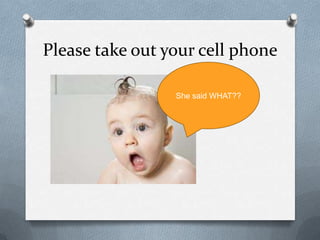
Please take out your cell phone
She said WHAT??
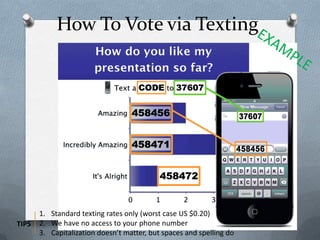
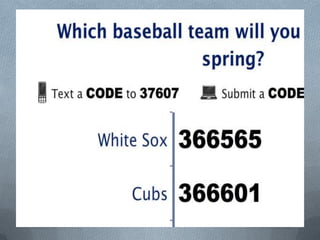
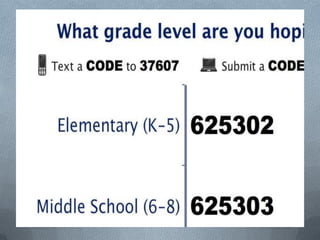
How To Vote via Texting
1. Standard texting rates only (worst case US $0.20)
2. We have no access to your phone number
3. Capitalization doesn’t matter, but spaces and spelling do
TIPS
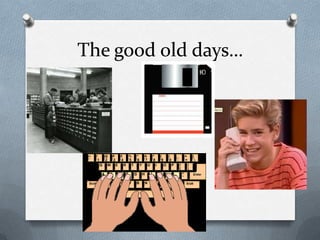
The good old days…
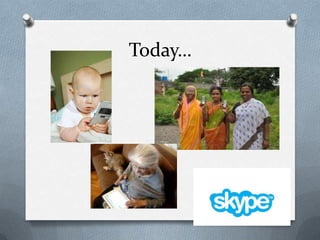
Today…
So why use technology?
O We can use technology in our classrooms to:
O Engage students in learning in and out of the
classroom
O Flipped classroom learning
O Communication and feedback
O Bring in supplemental resources
O Creativity based projects and collaborative thinking
O Teach 21st century skills
O Make inquiry based lessons
(student-centered)
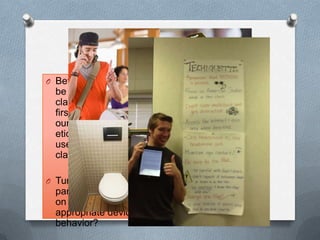
Techiquette
O Before technology can
be used properly in the
classroom we must
first create as a group
our technology
etiquette, or proper
use of devices in the
classroom:
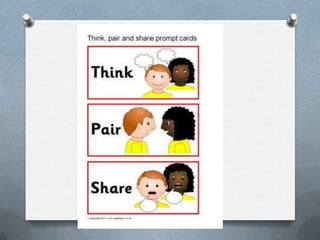
O Turn to your
partner, what would be
on your list of
appropriate device
behavior?
What should be part of tech
etiquette?
O Let’s make a list:
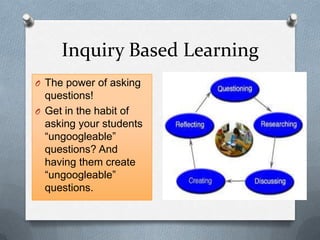
Inquiry Based Learning
O The power of asking
questions!
O Get in the habit of
asking your students
“ungoogleable”
questions? And
having them create
“ungoogleable”
questions.
The Power of Questions
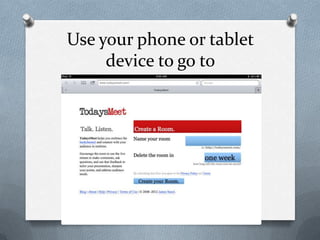
Use your phone or tablet
device to go to
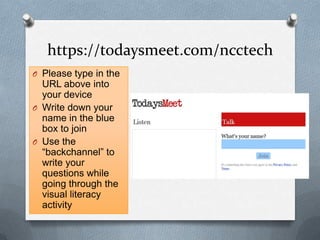
https://todaysmeet.com/ncctech
O Please type in the
URL above into
your device
O Write down your
name in the blue
box to join
O Use the
“backchannel” to
write your
questions while
going through the
visual literacy
activity
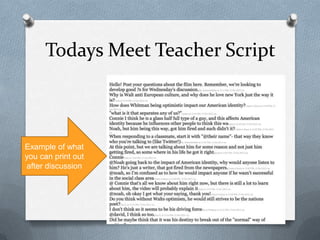
Todays Meet Teacher Script
Example of what
you can print out
after discussion
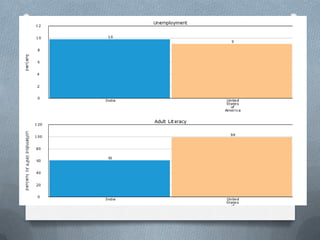
Visual Literacy
O After you create an account on
todaysmeet, type a question or comment
you have after looking at each picture
O Try not to jump to conclusions but think of
questions or comments that could drive
discussion, research or inquiry
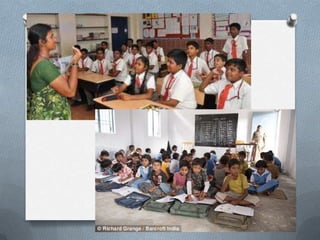
O Topic: Social Stratification
Teacher Talk
O What are some activities or
lessons could you plan connected
to your subject area that relate to
these questions you raised?
O What type of math, science, social
studies or reading activity or
lesson could center around
answering these questions?
O Write down some ideas!
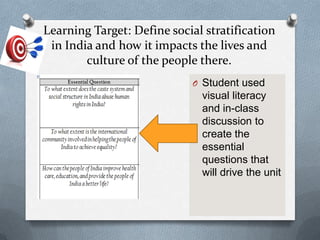
Learning Target: Define social stratification
in India and how it impacts the lives and
culture of the people there.
O Student used
visual literacy
and in-class
discussion to
create the
essential
questions that
will drive the unit
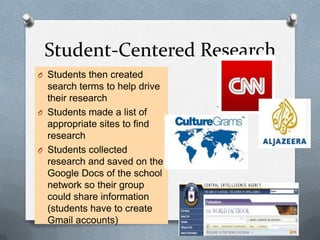
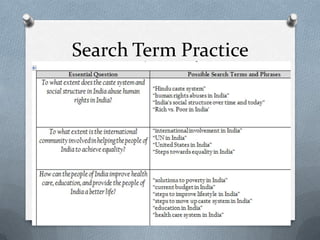
Student-Centered Research
O Students then created
search terms to help drive
their research
O Students made a list of
appropriate sites to find
research
O Students collected
research and saved on the
Google Docs of the school
network so their group
could share information
(students have to create
Gmail accounts)
Search Term Practice
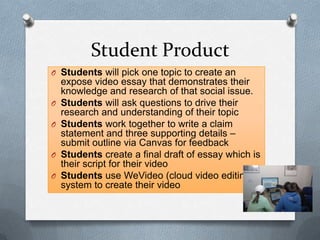
Student Product
O Students will pick one topic to create an
expose video essay that demonstrates their
knowledge and research of that social issue.
O Students will ask questions to drive their
research and understanding of their topic
O Students work together to write a claim
statement and three supporting details –
submit outline via Canvas for feedback
O Students create a final draft of essay which is
their script for their video
O Students use WeVideo (cloud video editing)
system to create their video
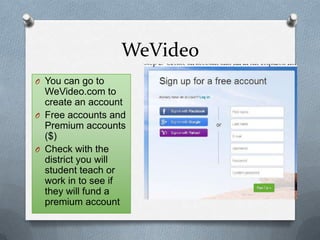
WeVideo
O You can go to
WeVideo.com to
create an account
O Free accounts and
Premium accounts
($)
O Check with the
district you will
student teach or
work in to see if
they will fund a
premium account
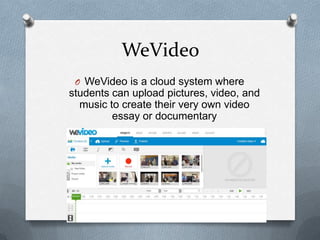
WeVideo
O WeVideo is a cloud system where
students can upload pictures, video, and
music to create their very own video
essay or documentary
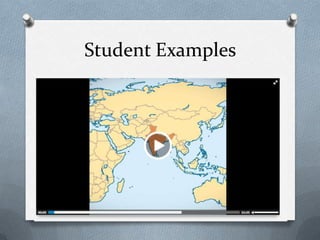
Student Examples
iPad Example
O Students: American Studies (11th grade)
O 1:1 iPad Pilot Program
O Unit Umbrella Question:
What are the responsibilities of
individuals and societies to each other?
O Learning Target:
O Create a documentary regarding a current
social issue and show the activism and
research your group did to bring about
change.
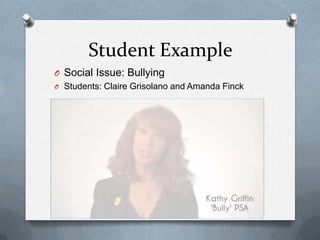
Student Example
O Social Issue: Bullying
O Students: Claire Grisolano and Amanda Finck
Video Exit Slip
O Take a 20-30 second video of your partner
recording what they have learned today in
class.
O What are some key ideas, definitions you
learned and are there any upcoming
assessments or assignments?
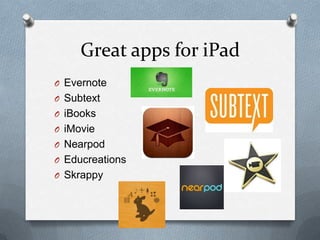
Great apps for iPad
O Evernote
O Subtext
O iBooks
O iMovie
O Nearpod
O Educreations
O Skrappy
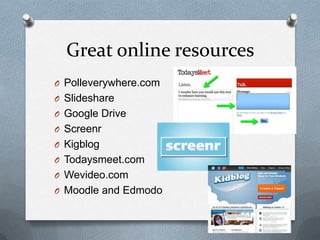
Great online resources
O Polleverywhere.com
O Slideshare
O Google Drive
O Screenr
O Kigblog
O Todaysmeet.com
O Wevideo.com
O Moodle and Edmodo
Any Questions?
Kid President- Pep Talk
Tips for Success
O Find out the technology plan and
regulations of the school you are working
in
O Talk with your colleagues
O Go to Technology Conferences
O Pick a few technology tools and use them
well (quality not quantity)
O Put more on the kids! Make them ask the
questions then ANSWER them

Ncc technology presentation

  • 1.
    Using Technology to SupportInquiry Based Learning Joanna Wilson Naperville North High School Social Studies Department jwilson@naperville203.org
  • 2.
    Please take outyour cell phone She said WHAT??
  • 3.
    How To Votevia Texting 1. Standard texting rates only (worst case US $0.20) 2. We have no access to your phone number 3. Capitalization doesn’t matter, but spaces and spelling do TIPS
  • 7.
    The good olddays…
  • 8.
  • 9.
    So why usetechnology? O We can use technology in our classrooms to: O Engage students in learning in and out of the classroom O Flipped classroom learning O Communication and feedback O Bring in supplemental resources O Creativity based projects and collaborative thinking O Teach 21st century skills O Make inquiry based lessons (student-centered)
  • 10.
    Techiquette O Before technologycan be used properly in the classroom we must first create as a group our technology etiquette, or proper use of devices in the classroom: O Turn to your partner, what would be on your list of appropriate device behavior?
  • 11.
    What should bepart of tech etiquette? O Let’s make a list:
  • 12.
    Inquiry Based Learning OThe power of asking questions! O Get in the habit of asking your students “ungoogleable” questions? And having them create “ungoogleable” questions.
  • 13.
    The Power ofQuestions
  • 15.
    Use your phoneor tablet device to go to
  • 16.
    https://todaysmeet.com/ncctech O Please typein the URL above into your device O Write down your name in the blue box to join O Use the “backchannel” to write your questions while going through the visual literacy activity
  • 17.
    Todays Meet TeacherScript Example of what you can print out after discussion
  • 18.
    Visual Literacy O Afteryou create an account on todaysmeet, type a question or comment you have after looking at each picture O Try not to jump to conclusions but think of questions or comments that could drive discussion, research or inquiry O Topic: Social Stratification
  • 25.
    Teacher Talk O Whatare some activities or lessons could you plan connected to your subject area that relate to these questions you raised? O What type of math, science, social studies or reading activity or lesson could center around answering these questions? O Write down some ideas!
  • 26.
    Learning Target: Definesocial stratification in India and how it impacts the lives and culture of the people there. O Student used visual literacy and in-class discussion to create the essential questions that will drive the unit
  • 27.
    Student-Centered Research O Studentsthen created search terms to help drive their research O Students made a list of appropriate sites to find research O Students collected research and saved on the Google Docs of the school network so their group could share information (students have to create Gmail accounts)
  • 28.
  • 29.
    Student Product O Studentswill pick one topic to create an expose video essay that demonstrates their knowledge and research of that social issue. O Students will ask questions to drive their research and understanding of their topic O Students work together to write a claim statement and three supporting details – submit outline via Canvas for feedback O Students create a final draft of essay which is their script for their video O Students use WeVideo (cloud video editing) system to create their video
  • 30.
    WeVideo O You cango to WeVideo.com to create an account O Free accounts and Premium accounts ($) O Check with the district you will student teach or work in to see if they will fund a premium account
  • 31.
    WeVideo O WeVideo isa cloud system where students can upload pictures, video, and music to create their very own video essay or documentary
  • 32.
  • 33.
    iPad Example O Students:American Studies (11th grade) O 1:1 iPad Pilot Program O Unit Umbrella Question: What are the responsibilities of individuals and societies to each other? O Learning Target: O Create a documentary regarding a current social issue and show the activism and research your group did to bring about change.
  • 34.
    Student Example O SocialIssue: Bullying O Students: Claire Grisolano and Amanda Finck
  • 35.
    Video Exit Slip OTake a 20-30 second video of your partner recording what they have learned today in class. O What are some key ideas, definitions you learned and are there any upcoming assessments or assignments?
  • 36.
    Great apps foriPad O Evernote O Subtext O iBooks O iMovie O Nearpod O Educreations O Skrappy
  • 37.
    Great online resources OPolleverywhere.com O Slideshare O Google Drive O Screenr O Kigblog O Todaysmeet.com O Wevideo.com O Moodle and Edmodo
  • 38.
  • 39.
  • 40.
    Tips for Success OFind out the technology plan and regulations of the school you are working in O Talk with your colleagues O Go to Technology Conferences O Pick a few technology tools and use them well (quality not quantity) O Put more on the kids! Make them ask the questions then ANSWER them

Editor's Notes

  • #4 This slide is for display to the audience to show them how they will vote on your polls in your presentation. You can remove this slide if you like or if the audience is already comfortable with texting and/or voting with Poll Everywhere.Sample Oral Instructions:Ladies and gentlemen, throughout today’s meeting we’re going to engage in some audience polling to find out what you’re thinking, what you’re up to and what you know. Now I’m going to ask for your opinion. We’re going to use your phones to do some audience voting just like on American Idol.So please take out your cell phones, but remember to leave them on silent. You can participate by sending a text message.This is a just standard rate text message, so it may be free for you, or up to twenty cents on some carriers if you do not have a text messaging plan. The service we are using is serious about privacy. I cannot see your phone numbers, and you’ll never receive follow-up text messages outside this presentation. There’s only one thing worse than email spam – and that’s text message spam because you have to pay to receive it!
  • #5 Press F5 or enter presentation mode to view the poll In an emergency during your presentation, if the poll isn't showing, navigate to this link in your web browser: http://www.polleverywhere.com/multiple_choice_polls/lT1oLytHqLkgzTfIf you like, you can use this slide as a template for your own voting slides. You might use a slide like this if you feel your audience would benefit from the picture showing a text message on a phone.
  • #6 Press F5 or enter presentation mode to view the poll In an emergency during your presentation, if the poll isn't showing, navigate to this link in your web browser: http://www.polleverywhere.com/multiple_choice_polls/FJ0n1BstpkHG63PIf you like, you can use this slide as a template for your own voting slides. You might use a slide like this if you feel your audience would benefit from the picture showing a text message on a phone.
  • #7 Press F5 or enter presentation mode to view the poll In an emergency during your presentation, if the poll isn't showing, navigate to this link in your web browser: http://www.polleverywhere.com/free_text_polls/5ijwl4zjZqpW4LFIf you like, you can use this slide as a template for your own voting slides. You might use a slide like this if you feel your audience would benefit from the picture showing a text message on a phone.
  • #24 Press F5 or enter presentation mode to view the poll In an emergency during your presentation, if the poll isn't showing, navigate to this link in your web browser: http://www.polleverywhere.com/multiple_choice_polls/2wdjY86agesy47eIf you like, you can use this slide as a template for your own voting slides. You might use a slide like this if you feel your audience would benefit from the picture showing a text message on a phone.
  • #25 Press F5 or enter presentation mode to view the poll In an emergency during your presentation, if the poll isn't showing, navigate to this link in your web browser: http://www.polleverywhere.com/multiple_choice_polls/dr2qLWvLluZuWbWIf you like, you can use this slide as a template for your own voting slides. You might use a slide like this if you feel your audience would benefit from the picture showing a text message on a phone.