Moodle for
   Simplicity
ACFE e-mentor program 2011
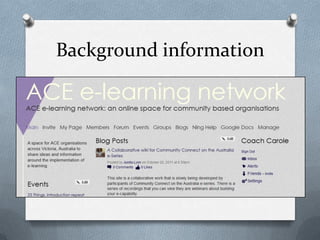
Background information
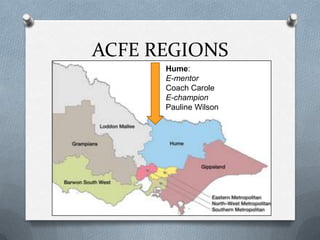
ACFE REGIONS
      Hume:
      E-mentor
      Coach Carole
      E-champion
      Pauline Wilson
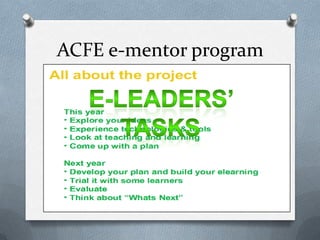
ACFE e-mentor program
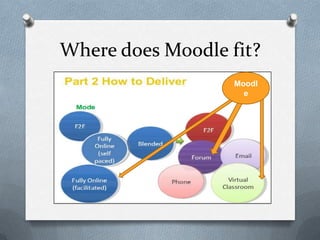
Where does Moodle fit?
                   Moodl
                     e
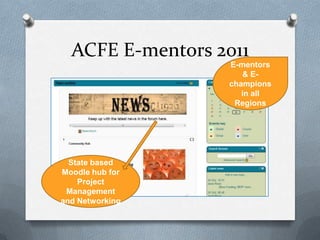
ACFE E-mentors 2011
                  E-mentors
                      & E-
                  champions
                     in all
                   Regions


  State based
Moodle hub for
    Project
 Management
and Networking
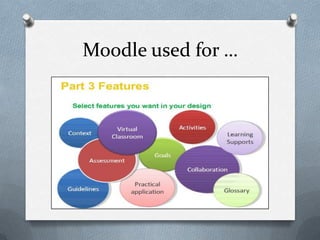
Moodle used for …
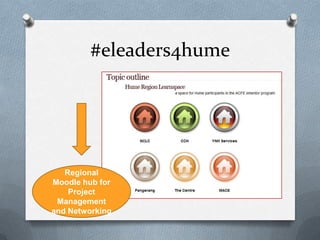
#eleaders4hume


   Regional
Moodle hub for
    Project
 Management
and Networking
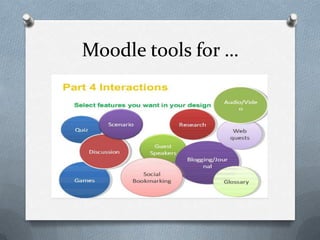
Moodle tools for …
5 common scenarios
                    By Mark Dreschler


http://www.slideshare.net/mark.drechsler/moodle-course-design
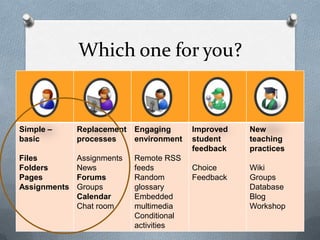
Which one for you?


Simple –      Replacement Engaging        Improved   New
basic         processes   environment     student    teaching
                                          feedback   practices
Files         Assignments   Remote RSS
Folders       News          feeds         Choice     Wiki
Pages         Forums        Random        Feedback   Groups
Assignments   Groups        glossary                 Database
              Calendar      Embedded                 Blog
              Chat room     multimedia               Workshop
                            Conditional
                            activities
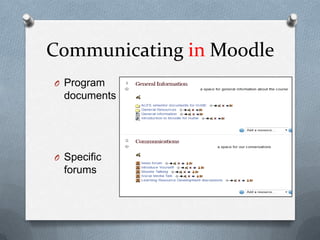
Communicating in Moodle
O Program
  documents


O Specific
  forums
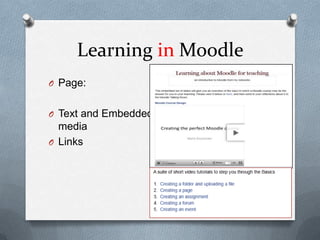
Learning in Moodle
O Page:


O Text and Embedded
  media
O Links
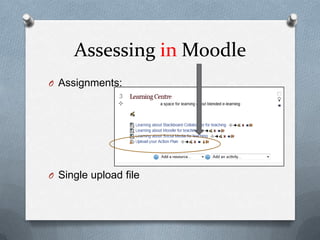
Assessing in Moodle
O Assignments:


O Single upload file
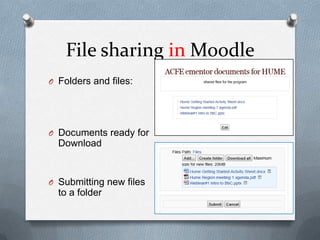
File sharing in Moodle
O Folders and files:


O Documents ready for
  Download


O Submitting new files
  to a folder
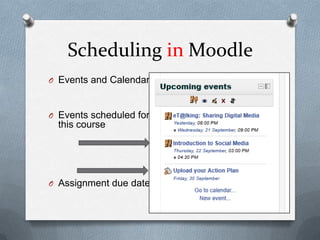
Scheduling in Moodle
O Events and Calendar:


O Events scheduled for
  this course


O Assignment due date
Learning with Moodle
   O Overview online in a webinar
   O Access to a hub as a teacher
   O Access to a topic area to develop
   O Mini project to extend learning and create
      a meaningful learning object in their topic
      for sharing
Your mini project should consist of a practical task that requires the
use of a web 2 tool or other software to create an e-learning
resource to share with the group. Eg a set of ppt slides on a topic
uploaded to Slideshare and then embedded in a web page in your
section of the hub.
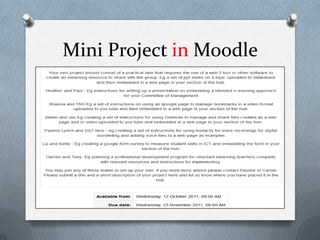
Mini Project in Moodle
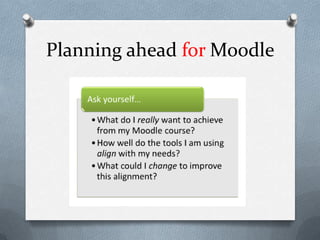
Planning ahead for Moodle
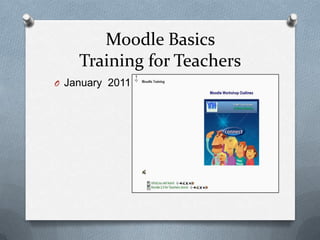
Moodle Basics
    Training for Teachers
O January 2011
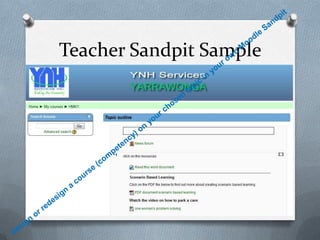
Teacher Sandpit Sample
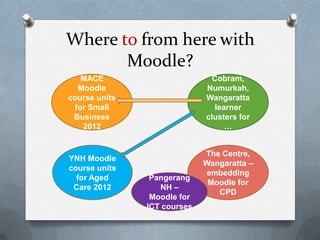
Where to from here with
       Moodle?
   MACE                       Cobram,
  Moodle                     Numurkah,
course units                 Wangaratta
 for Small                     learner
 Business                    clusters for
   2012                           …


                             The Centre,
YNH Moodle
                             Wangaratta –
course units
                             embedding
  for Aged      Pangerang
                              Moodle for
 Care 2012        NH –
                                CPD
                Moodle for
               ICT courses
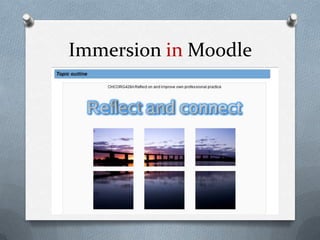
Immersion in Moodle
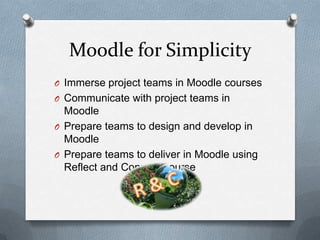
Moodle for Simplicity
O Immerse project teams in Moodle courses
O Communicate with project teams in
  Moodle
O Prepare teams to design and develop in
  Moodle
O Prepare teams to deliver in Moodle using
  Reflect and Connect course

Moodle for simplicity for moodleposium

  • 1.
    Moodle for Simplicity ACFE e-mentor program 2011
  • 2.
  • 3.
    ACFE REGIONS Hume: E-mentor Coach Carole E-champion Pauline Wilson
  • 4.
  • 5.
    Where does Moodlefit? Moodl e
  • 6.
    ACFE E-mentors 2011 E-mentors & E- champions in all Regions State based Moodle hub for Project Management and Networking
  • 7.
  • 8.
    #eleaders4hume Regional Moodle hub for Project Management and Networking
  • 9.
  • 10.
    5 common scenarios By Mark Dreschler http://www.slideshare.net/mark.drechsler/moodle-course-design
  • 11.
    Which one foryou? Simple – Replacement Engaging Improved New basic processes environment student teaching feedback practices Files Assignments Remote RSS Folders News feeds Choice Wiki Pages Forums Random Feedback Groups Assignments Groups glossary Database Calendar Embedded Blog Chat room multimedia Workshop Conditional activities
  • 12.
    Communicating in Moodle OProgram documents O Specific forums
  • 13.
    Learning in Moodle OPage: O Text and Embedded media O Links
  • 14.
    Assessing in Moodle OAssignments: O Single upload file
  • 15.
    File sharing inMoodle O Folders and files: O Documents ready for Download O Submitting new files to a folder
  • 16.
    Scheduling in Moodle OEvents and Calendar: O Events scheduled for this course O Assignment due date
  • 17.
    Learning with Moodle O Overview online in a webinar O Access to a hub as a teacher O Access to a topic area to develop O Mini project to extend learning and create a meaningful learning object in their topic for sharing Your mini project should consist of a practical task that requires the use of a web 2 tool or other software to create an e-learning resource to share with the group. Eg a set of ppt slides on a topic uploaded to Slideshare and then embedded in a web page in your section of the hub.
  • 18.
  • 19.
  • 20.
    Moodle Basics Training for Teachers O January 2011
  • 21.
  • 22.
    Where to fromhere with Moodle? MACE Cobram, Moodle Numurkah, course units Wangaratta for Small learner Business clusters for 2012 … The Centre, YNH Moodle Wangaratta – course units embedding for Aged Pangerang Moodle for Care 2012 NH – CPD Moodle for ICT courses
  • 23.
  • 24.
    Moodle for Simplicity OImmerse project teams in Moodle courses O Communicate with project teams in Moodle O Prepare teams to design and develop in Moodle O Prepare teams to deliver in Moodle using Reflect and Connect course