10 Engaging Ways to Use
       Moodle
Tips to help engage students in using Moodle
Engaging Ways to use
Moodle
Aim:-
to increase student engagement in the use of Moodle.


Objectives:-
Staff will increase the usability of Moodle, by creating interactivity, more use of
   multi-media, collaborative and reflective learning opportunities.


We need to ensure that students have a rich, interactive multimedia online
  learning environment.....


We need to ensure that students have the opportunity for collaborative
  activities.....
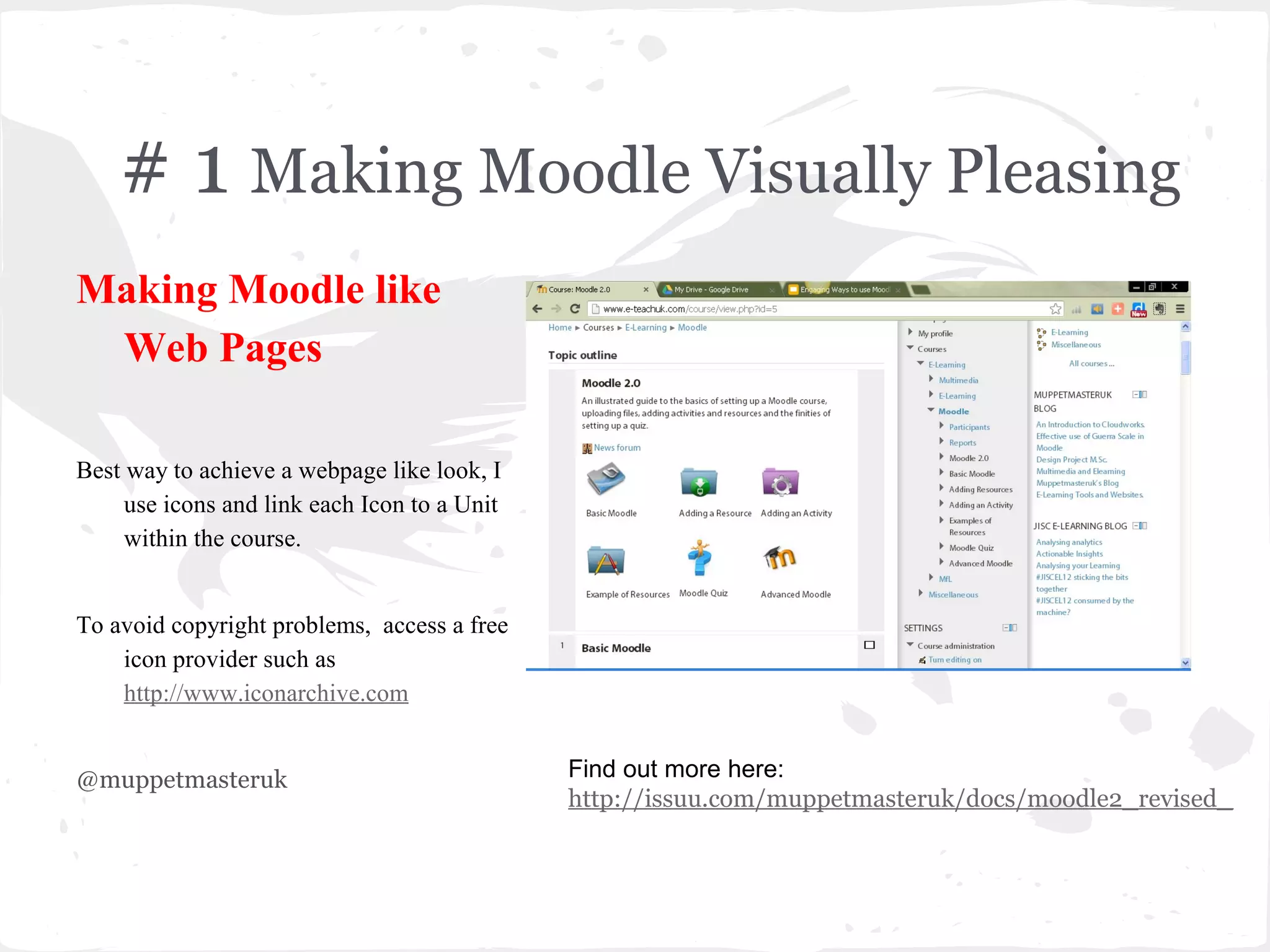
# 1 Making Moodle Visually Pleasing
Making Moodle like
 Web Pages

Best way to achieve a webpage like look, I
     use icons and link each Icon to a Unit
     within the course.


To avoid copyright problems, access a free
    icon provider such as
    http://www.iconarchive.com


@muppetmasteruk                               Find out more here:
                                              http://issuu.com/muppetmasteruk/docs/moodle2_revised_
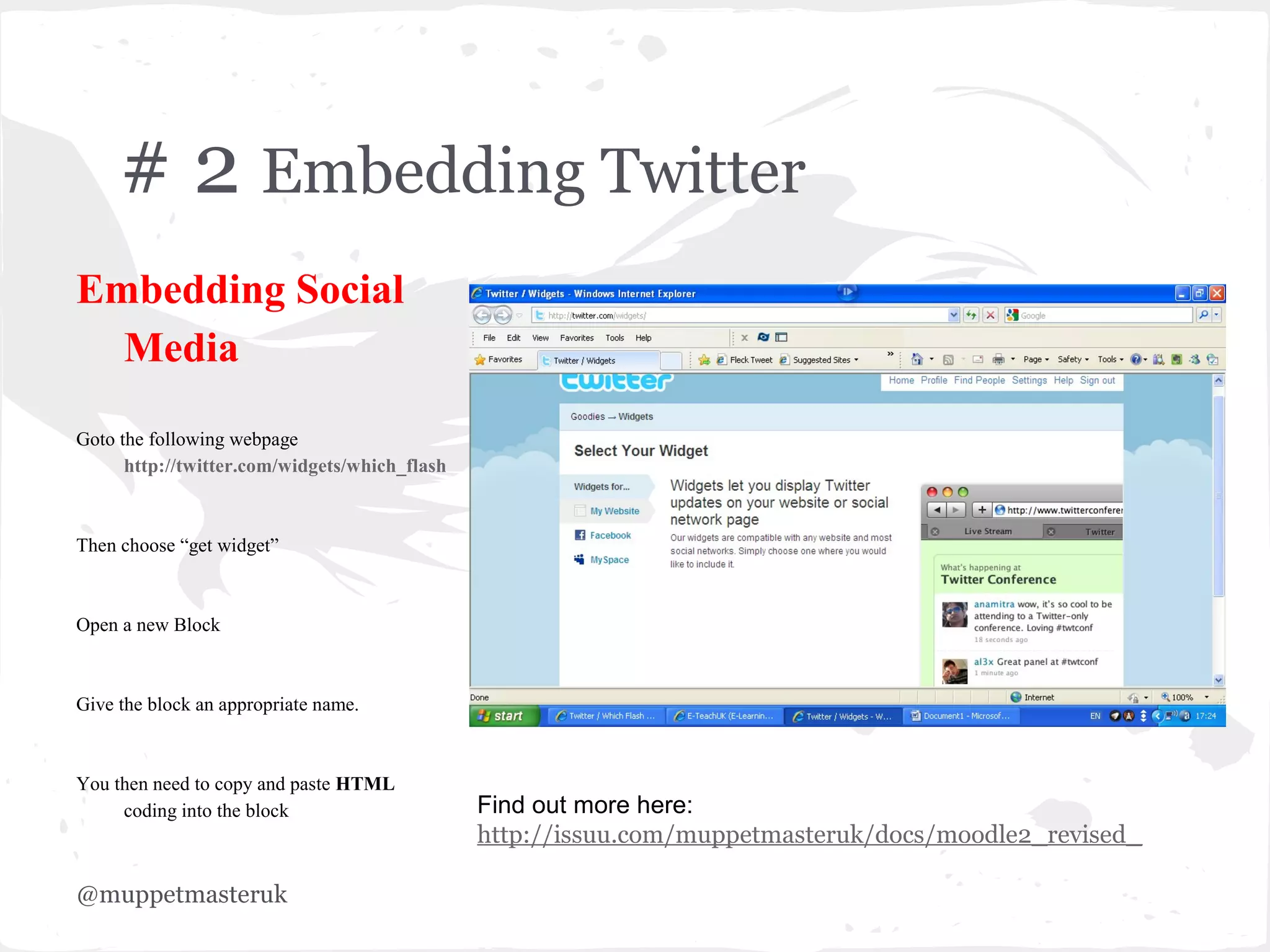
# 2 Embedding Twitter
Embedding Social
  Media
Goto the following webpage
      http://twitter.com/widgets/which_flash


Then choose “get widget”


Open a new Block


Give the block an appropriate name.


You then need to copy and paste HTML
     coding into the block                     Find out more here:
                                               http://issuu.com/muppetmasteruk/docs/moodle2_revised_

@muppetmasteruk
# 3 Using a Wiki in Moodle
Using Wiki in Moodle
Suggested uses of wikis:-


Group project -Set students a collaborative group
    project, for example geography students
    studying “Hazards”, by creating a page for
    each Hazard eg [Volcanic], [Earthquake], and
    so on, each group could be asked to collaborate
    to their allocated hazard and contribute to
    produce a group wiki on Hazards. The teacher
    may create a submission date on which to turn
    off editing capabilities for students so that he
    or she can grade the final projects by giving
    credit for contributions by looking at edit
    history.

                                                       Find out more here:
@muppetmasteruk                                        http://issuu.com/muppetmasteruk/docs/moodle2_revised_
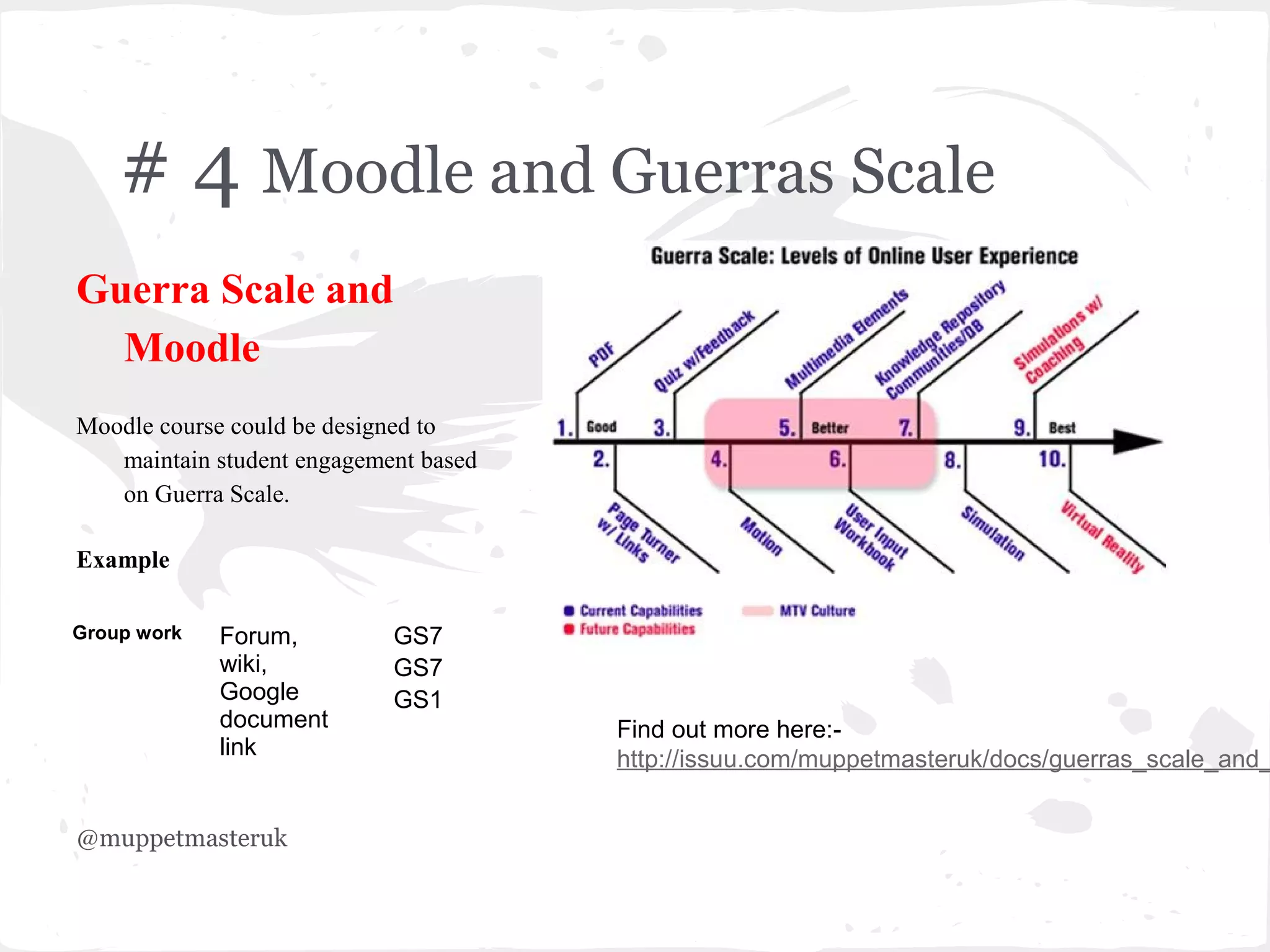
# 4 Moodle and Guerras Scale
Guerra Scale and
  Moodle
Moodle course could be designed to
   maintain student engagement based
   on Guerra Scale.

Example

Group work   Forum,         GS7
             wiki,          GS7
             Google         GS1
             document                  Find out more here:-
             link                      http://issuu.com/muppetmasteruk/docs/guerras_scale_and_


@muppetmasteruk
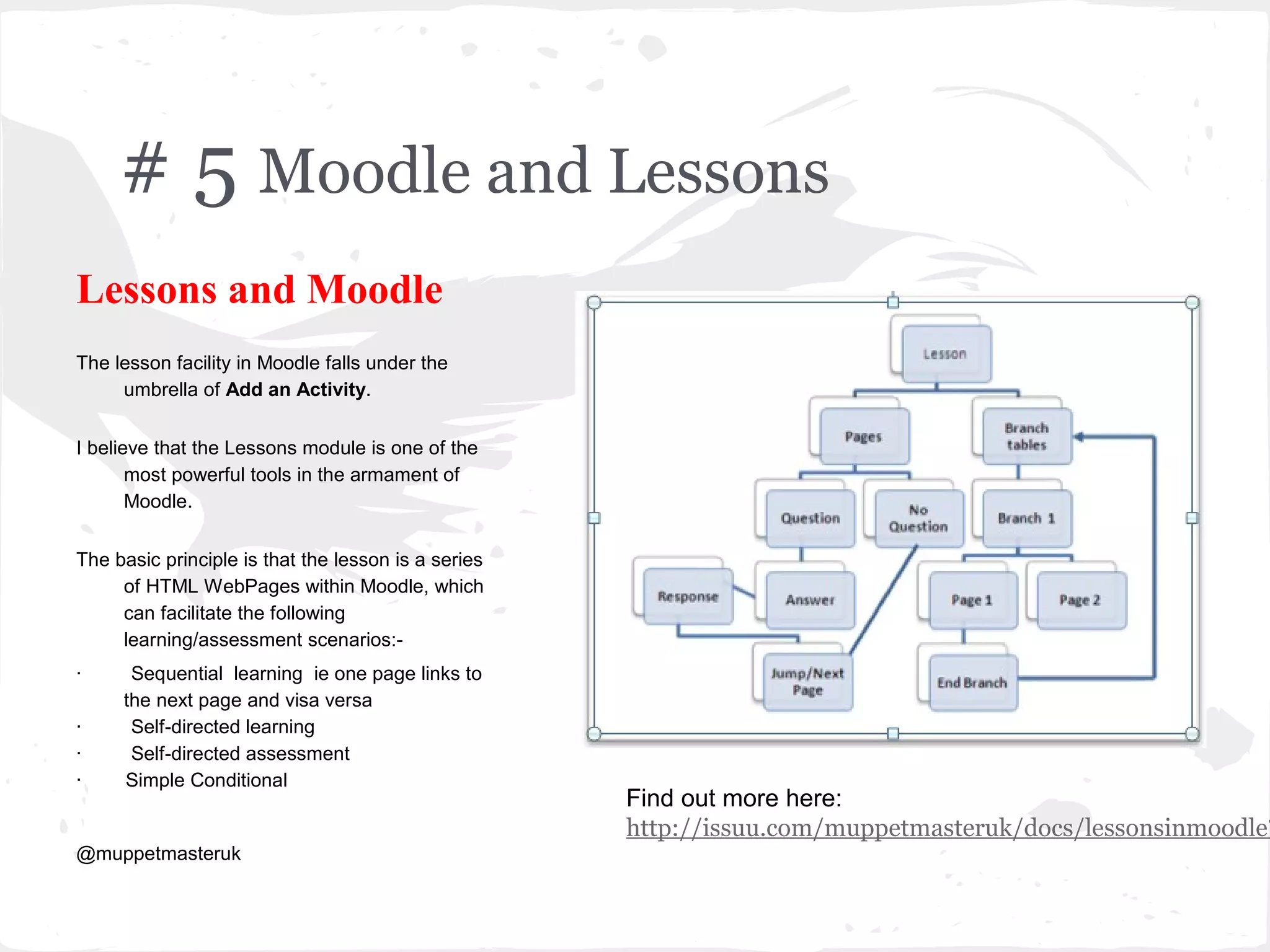
# 5 Moodle and Lessons
Lessons and Moodle
The lesson facility in Moodle falls under the
     umbrella of Add an Activity.


I believe that the Lessons module is one of the
       most powerful tools in the armament of
       Moodle.


The basic principle is that the lesson is a series
     of HTML WebPages within Moodle, which
     can facilitate the following
     learning/assessment scenarios:-
·     Sequential learning ie one page links to
     the next page and visa versa
·     Self-directed learning
·     Self-directed assessment
·    Simple Conditional
                                                     Find out more here:
                                                     http://issuu.com/muppetmasteruk/docs/lessonsinmoodle?
@muppetmasteruk
# 6 Moodle and Forums
Forums
Moodle forums are one of the quickest tools to set
    up for a teacher - all you need is an idea or
    prompt to promote discussion. They can
    promote communication and collaboration
    and all learners have a voice.


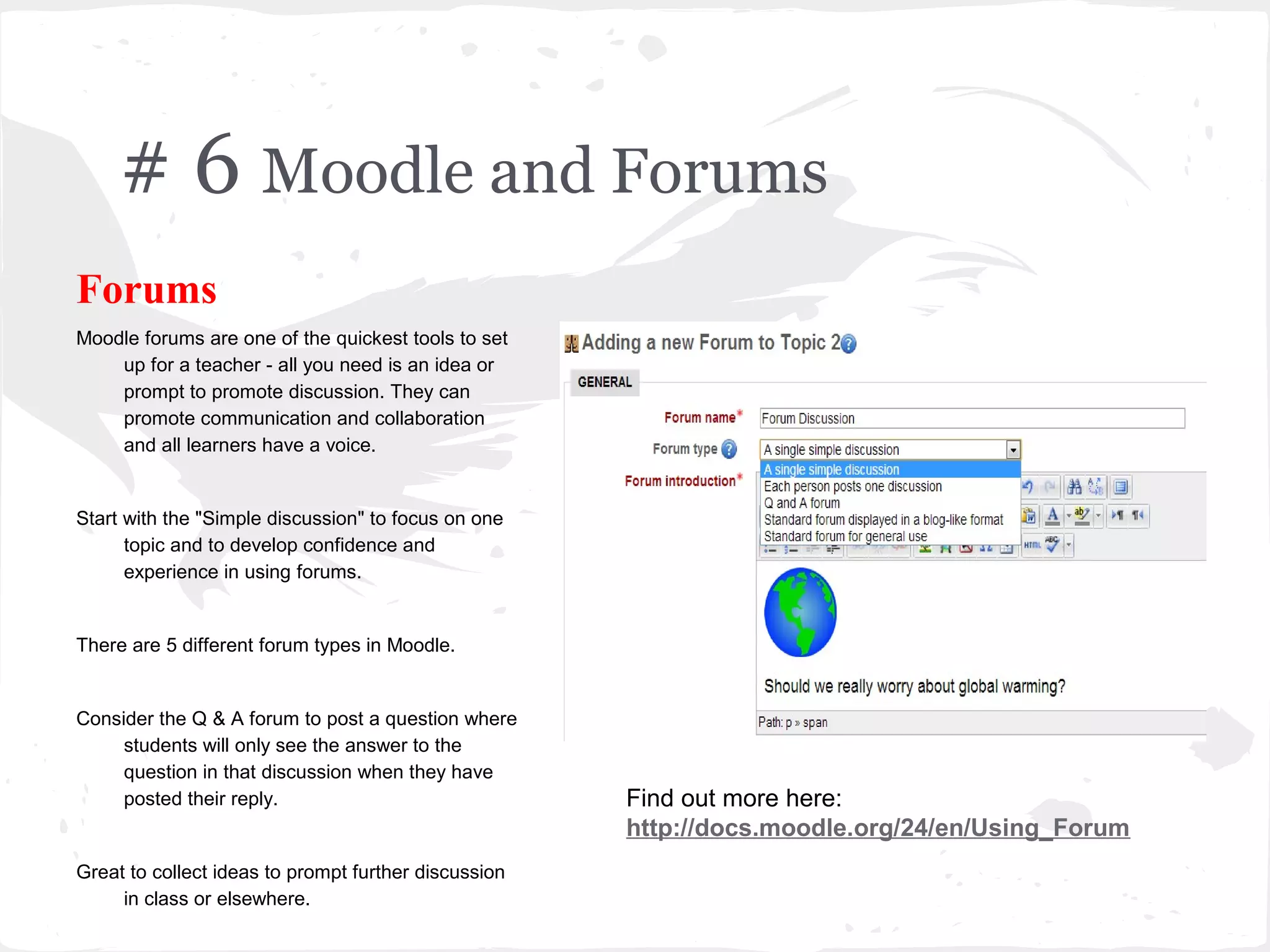
Start with the "Simple discussion" to focus on one
      topic and to develop confidence and
      experience in using forums.


There are 5 different forum types in Moodle.


Consider the Q & A forum to post a question where
     students will only see the answer to the
     question in that discussion when they have
     posted their reply.                              Find out more here:
                                                      http://docs.moodle.org/24/en/Using_Forum
Great to collect ideas to prompt further discussion
     in class or elsewhere.
# 7 Adding Video in a Moodle Quiz
Video and Quizzes
Add a video to Moodle Quiz and ask
   questions based on the video.

Create a quiz and go to Youtube to find
   a video or one you have previously
   created.

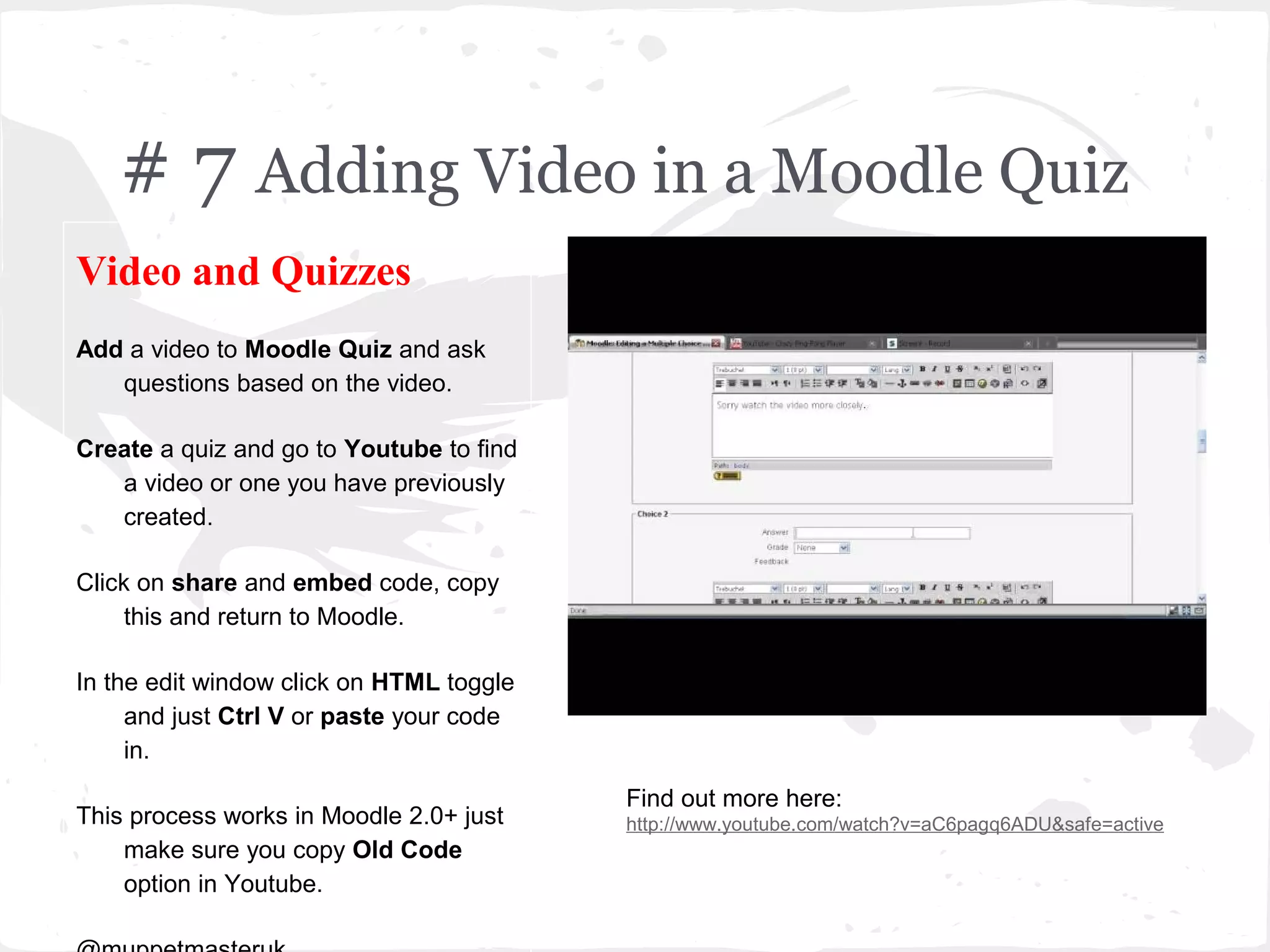
Click on share and embed code, copy
     this and return to Moodle.

In the edit window click on HTML toggle
     and just Ctrl V or paste your code
     in.
                                          Find out more here:
This process works in Moodle 2.0+ just    http://www.youtube.com/watch?v=aC6pagq6ADU&safe=active
    make sure you copy Old Code
    option in Youtube.
# 8 Using Assignments for feedback
Assignment and Moodle
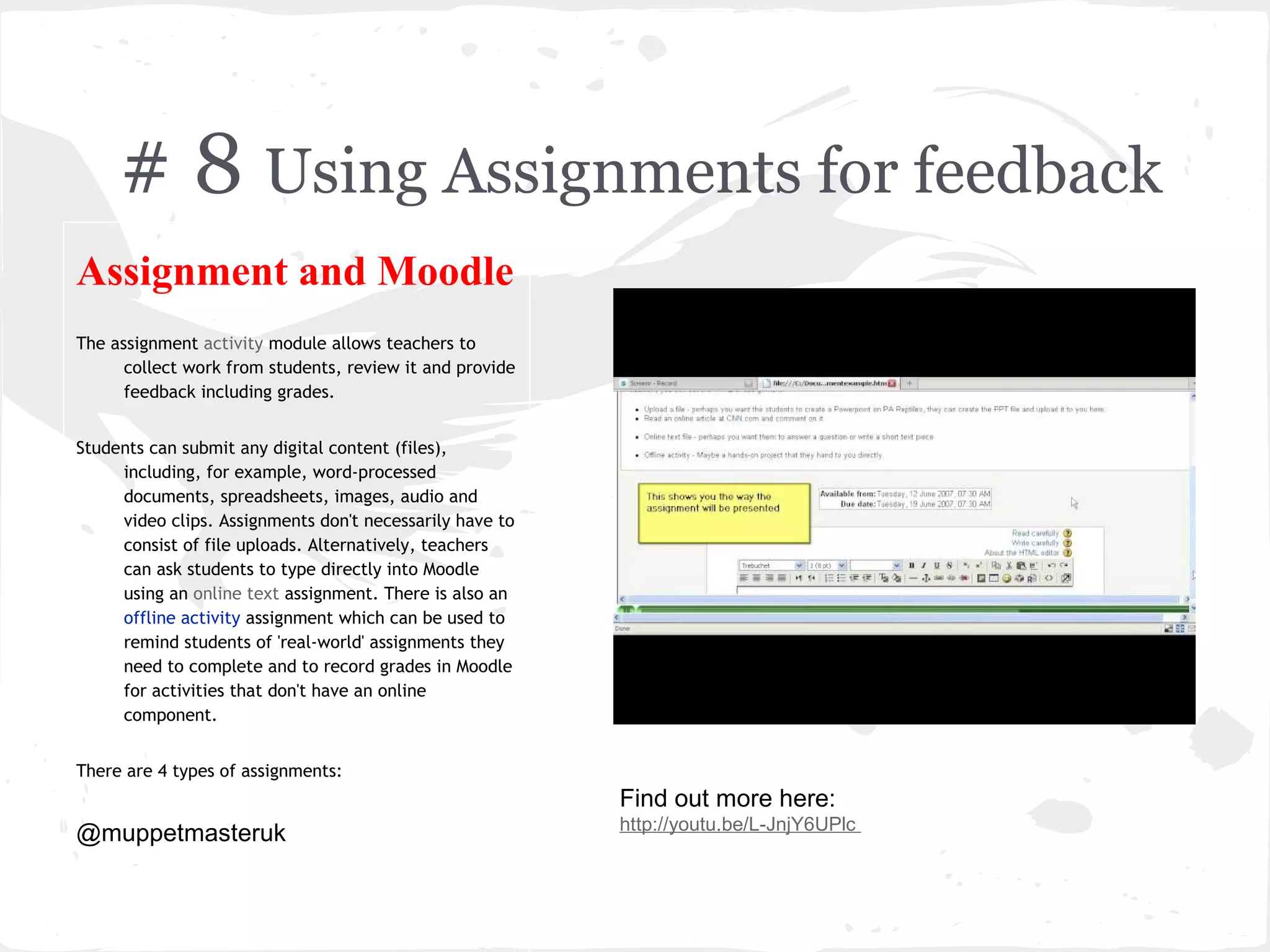
The assignment activity module allows teachers to
      collect work from students, review it and provide
      feedback including grades.


Students can submit any digital content (files),
     including, for example, word-processed
     documents, spreadsheets, images, audio and
     video clips. Assignments don't necessarily have to
     consist of file uploads. Alternatively, teachers
     can ask students to type directly into Moodle
     using an online text assignment. There is also an
     offline activity assignment which can be used to
     remind students of 'real-world' assignments they
     need to complete and to record grades in Moodle
     for activities that don't have an online
     component.


There are 4 types of assignments:
                                                          Find out more here:
                                                          http://youtu.be/L-JnjY6UPlc
@muppetmasteruk
# 9 Using Moodle Feedback to create
a Knowledge Survey
Knowledge Survey
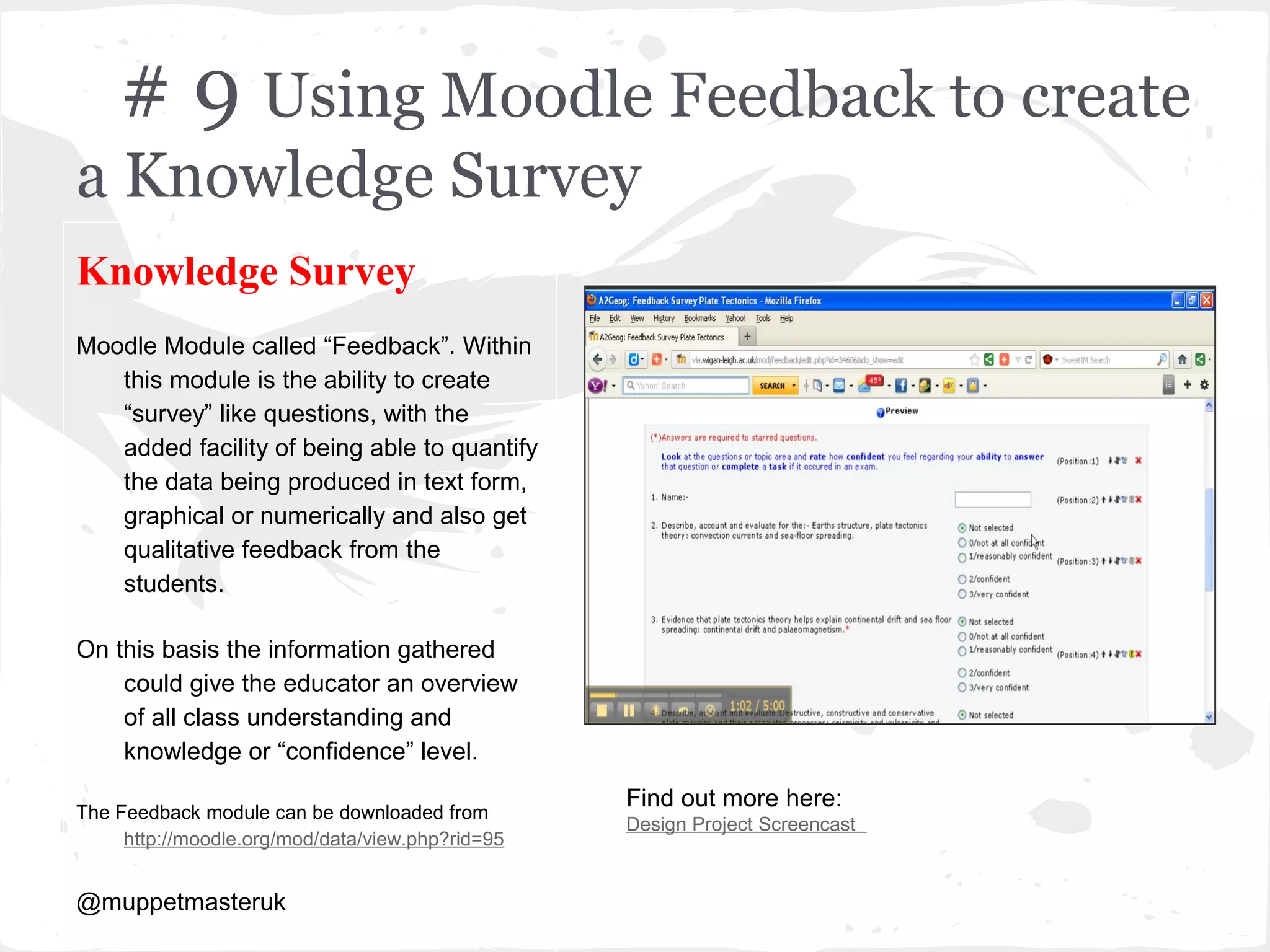
Moodle Module called “Feedback”. Within
   this module is the ability to create
   “survey” like questions, with the
   added facility of being able to quantify
   the data being produced in text form,
   graphical or numerically and also get
   qualitative feedback from the
   students.

On this basis the information gathered
    could give the educator an overview
    of all class understanding and
    knowledge or “confidence” level.
                                                  Find out more here:
The Feedback module can be downloaded from
                                                  Design Project Screencast
     http://moodle.org/mod/data/view.php?rid=95


@muppetmasteruk
# Add WolframAlpha
Widget
Contributions
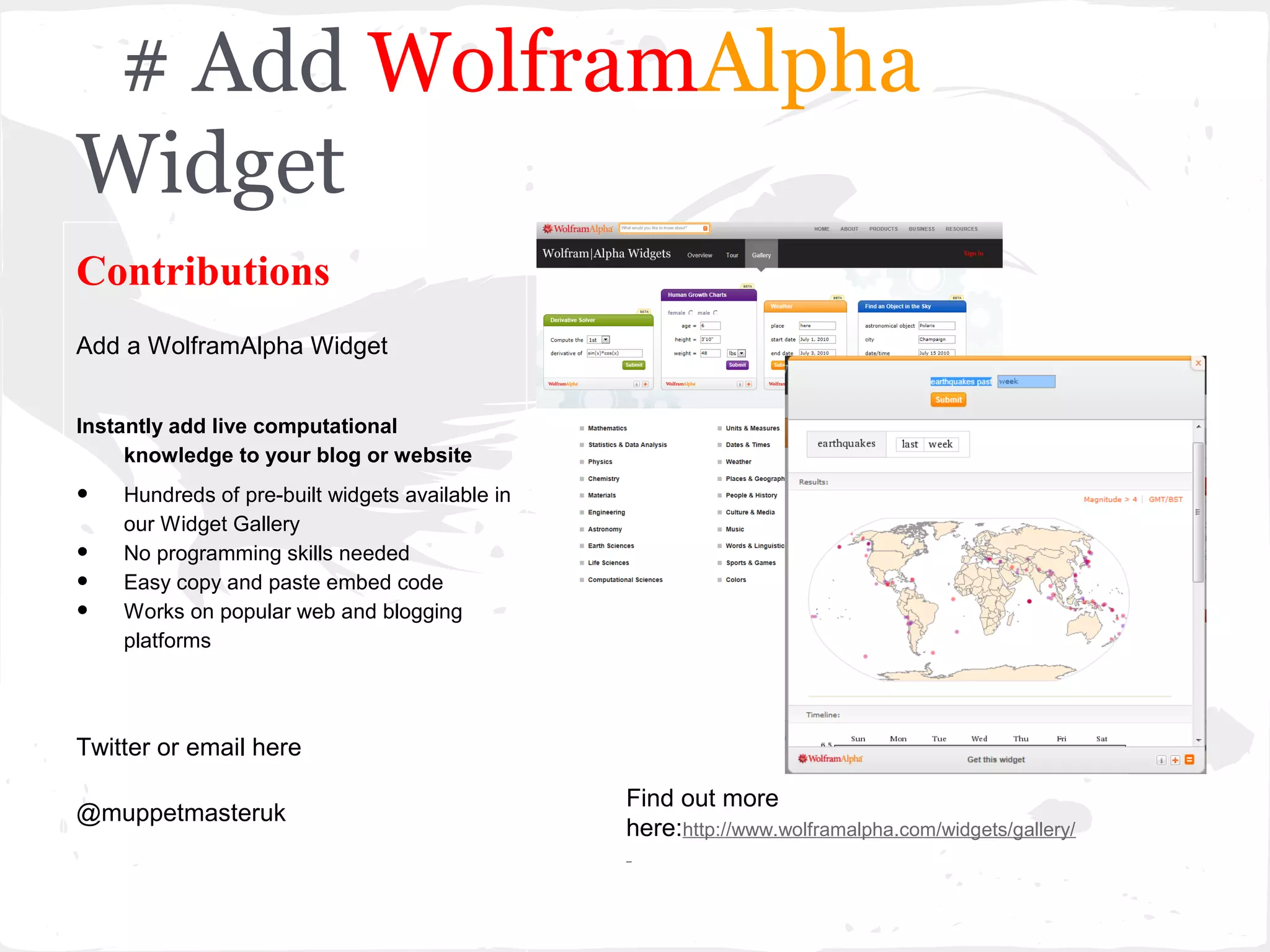
Add a WolframAlpha Widget


Instantly add live computational
     knowledge to your blog or website

•   Hundreds of pre-built widgets available in
    our Widget Gallery
•   No programming skills needed
•   Easy copy and paste embed code
•   Works on popular web and blogging
    platforms


Twitter or email here

                                                 Find out more
@muppetmasteruk
                                                 here:http://www.wolframalpha.com/widgets/gallery/
# 10 be the next to contribute
Contributions
Text Here

Adde parvum parvo magnus acervus erit


Twitter or email here

@                                       Find out more here:
Moodle
Mark Rollins
         Website:- e-teachUK

    Blogsite:-http://muppetmasteruk.wordpress.com/

        Twitter @muppetmasteruk

    Linkin http://www.linkedin.com/in/mjrollins

Engaging ways to use moodle (1)

  • 1.
    10 Engaging Waysto Use Moodle Tips to help engage students in using Moodle
  • 2.
    Engaging Ways touse Moodle Aim:- to increase student engagement in the use of Moodle. Objectives:- Staff will increase the usability of Moodle, by creating interactivity, more use of multi-media, collaborative and reflective learning opportunities. We need to ensure that students have a rich, interactive multimedia online learning environment..... We need to ensure that students have the opportunity for collaborative activities.....
  • 3.
    # 1 MakingMoodle Visually Pleasing Making Moodle like Web Pages Best way to achieve a webpage like look, I use icons and link each Icon to a Unit within the course. To avoid copyright problems, access a free icon provider such as http://www.iconarchive.com @muppetmasteruk Find out more here: http://issuu.com/muppetmasteruk/docs/moodle2_revised_
  • 4.
    # 2 EmbeddingTwitter Embedding Social Media Goto the following webpage http://twitter.com/widgets/which_flash Then choose “get widget” Open a new Block Give the block an appropriate name. You then need to copy and paste HTML coding into the block Find out more here: http://issuu.com/muppetmasteruk/docs/moodle2_revised_ @muppetmasteruk
  • 5.
    # 3 Usinga Wiki in Moodle Using Wiki in Moodle Suggested uses of wikis:- Group project -Set students a collaborative group project, for example geography students studying “Hazards”, by creating a page for each Hazard eg [Volcanic], [Earthquake], and so on, each group could be asked to collaborate to their allocated hazard and contribute to produce a group wiki on Hazards. The teacher may create a submission date on which to turn off editing capabilities for students so that he or she can grade the final projects by giving credit for contributions by looking at edit history. Find out more here: @muppetmasteruk http://issuu.com/muppetmasteruk/docs/moodle2_revised_
  • 6.
    # 4 Moodleand Guerras Scale Guerra Scale and Moodle Moodle course could be designed to maintain student engagement based on Guerra Scale. Example Group work Forum, GS7 wiki, GS7 Google GS1 document Find out more here:- link http://issuu.com/muppetmasteruk/docs/guerras_scale_and_ @muppetmasteruk
  • 7.
    # 5 Moodleand Lessons Lessons and Moodle The lesson facility in Moodle falls under the umbrella of Add an Activity. I believe that the Lessons module is one of the most powerful tools in the armament of Moodle. The basic principle is that the lesson is a series of HTML WebPages within Moodle, which can facilitate the following learning/assessment scenarios:- · Sequential learning ie one page links to the next page and visa versa · Self-directed learning · Self-directed assessment · Simple Conditional Find out more here: http://issuu.com/muppetmasteruk/docs/lessonsinmoodle? @muppetmasteruk
  • 8.
    # 6 Moodleand Forums Forums Moodle forums are one of the quickest tools to set up for a teacher - all you need is an idea or prompt to promote discussion. They can promote communication and collaboration and all learners have a voice. Start with the "Simple discussion" to focus on one topic and to develop confidence and experience in using forums. There are 5 different forum types in Moodle. Consider the Q & A forum to post a question where students will only see the answer to the question in that discussion when they have posted their reply. Find out more here: http://docs.moodle.org/24/en/Using_Forum Great to collect ideas to prompt further discussion in class or elsewhere.
  • 9.
    # 7 AddingVideo in a Moodle Quiz Video and Quizzes Add a video to Moodle Quiz and ask questions based on the video. Create a quiz and go to Youtube to find a video or one you have previously created. Click on share and embed code, copy this and return to Moodle. In the edit window click on HTML toggle and just Ctrl V or paste your code in. Find out more here: This process works in Moodle 2.0+ just http://www.youtube.com/watch?v=aC6pagq6ADU&safe=active make sure you copy Old Code option in Youtube.
  • 10.
    # 8 UsingAssignments for feedback Assignment and Moodle The assignment activity module allows teachers to collect work from students, review it and provide feedback including grades. Students can submit any digital content (files), including, for example, word-processed documents, spreadsheets, images, audio and video clips. Assignments don't necessarily have to consist of file uploads. Alternatively, teachers can ask students to type directly into Moodle using an online text assignment. There is also an offline activity assignment which can be used to remind students of 'real-world' assignments they need to complete and to record grades in Moodle for activities that don't have an online component. There are 4 types of assignments: Find out more here: http://youtu.be/L-JnjY6UPlc @muppetmasteruk
  • 11.
    # 9 UsingMoodle Feedback to create a Knowledge Survey Knowledge Survey Moodle Module called “Feedback”. Within this module is the ability to create “survey” like questions, with the added facility of being able to quantify the data being produced in text form, graphical or numerically and also get qualitative feedback from the students. On this basis the information gathered could give the educator an overview of all class understanding and knowledge or “confidence” level. Find out more here: The Feedback module can be downloaded from Design Project Screencast http://moodle.org/mod/data/view.php?rid=95 @muppetmasteruk
  • 12.
    # Add WolframAlpha Widget Contributions Adda WolframAlpha Widget Instantly add live computational knowledge to your blog or website • Hundreds of pre-built widgets available in our Widget Gallery • No programming skills needed • Easy copy and paste embed code • Works on popular web and blogging platforms Twitter or email here Find out more @muppetmasteruk here:http://www.wolframalpha.com/widgets/gallery/
  • 13.
    # 10 bethe next to contribute Contributions Text Here Adde parvum parvo magnus acervus erit Twitter or email here @ Find out more here:
  • 14.
    Moodle Mark Rollins Website:- e-teachUK Blogsite:-http://muppetmasteruk.wordpress.com/ Twitter @muppetmasteruk Linkin http://www.linkedin.com/in/mjrollins